> ## Documentation Index
> Fetch the complete documentation index at: https://notes.kodekloud.com/llms.txt
> Use this file to discover all available pages before exploring further.
# Offset Management in Kafka
> Explains Kafka offset management, how consumers track and commit offsets, commit strategies, storage, and best practices to ensure correct, reliable message processing and avoid duplicates or data loss.
Hello and welcome back.
In this lesson we will learn about offset management in Apache Kafka — what offsets are, how consumers use them, common commit strategies, and why correct offset handling matters for correctness and reliability.
Overview
* An offset in Kafka is a partition-scoped, monotonically increasing integer that identifies a message’s position within a partition.
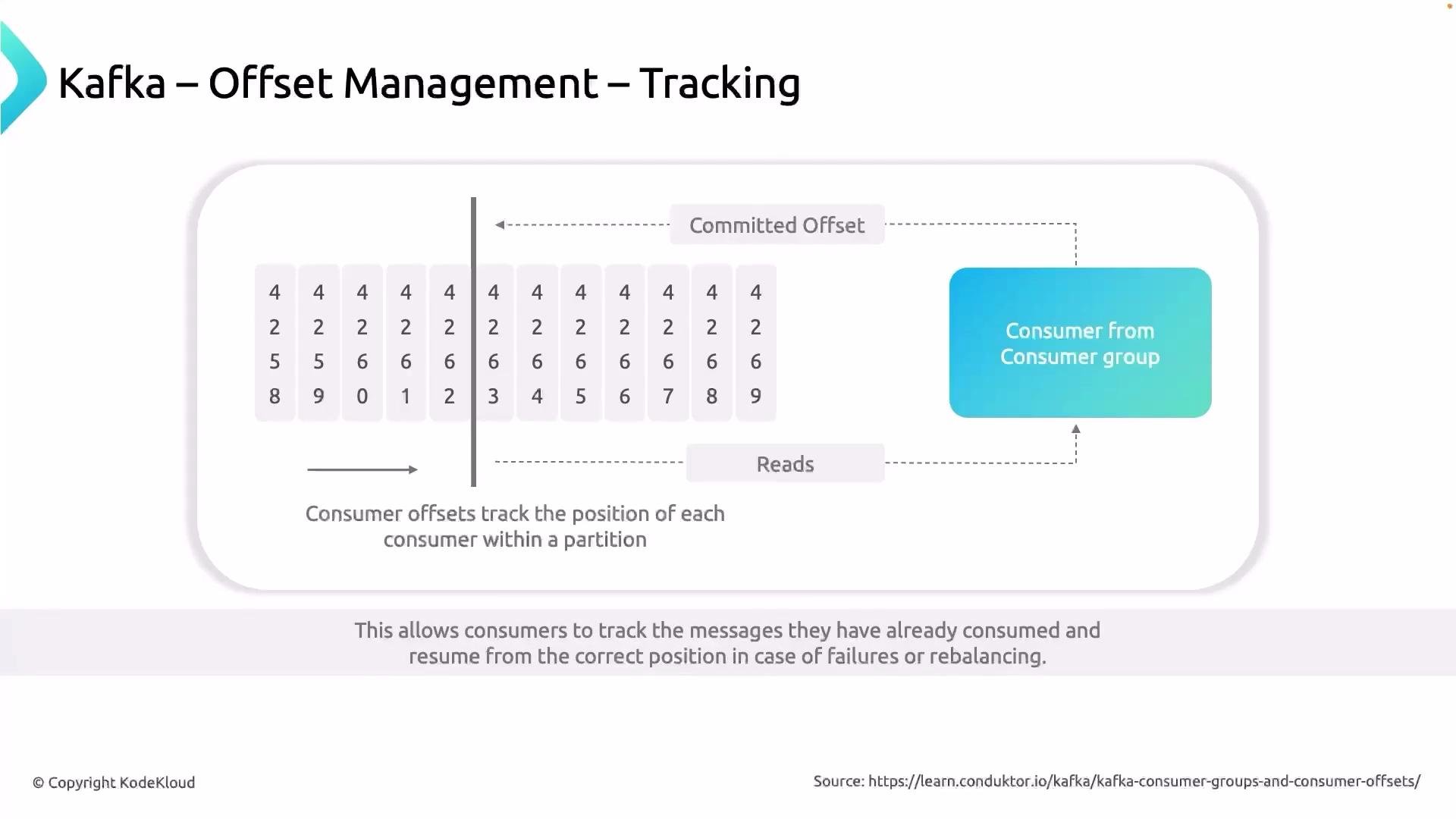
* Consumers use offsets as a “bookmark” to remember where to resume reading after a restart or after a rebalance.
* Proper offset management prevents duplicate processing and data loss in downstream systems.
Analogy: imagine you are reading a book. After an hour you place a bookmark to remember where to continue. That bookmark tells you which page you have read up to and where to resume next. In Kafka, the "book" is the stream of events, the "bookmark" is the offset, and the reader is the consumer.
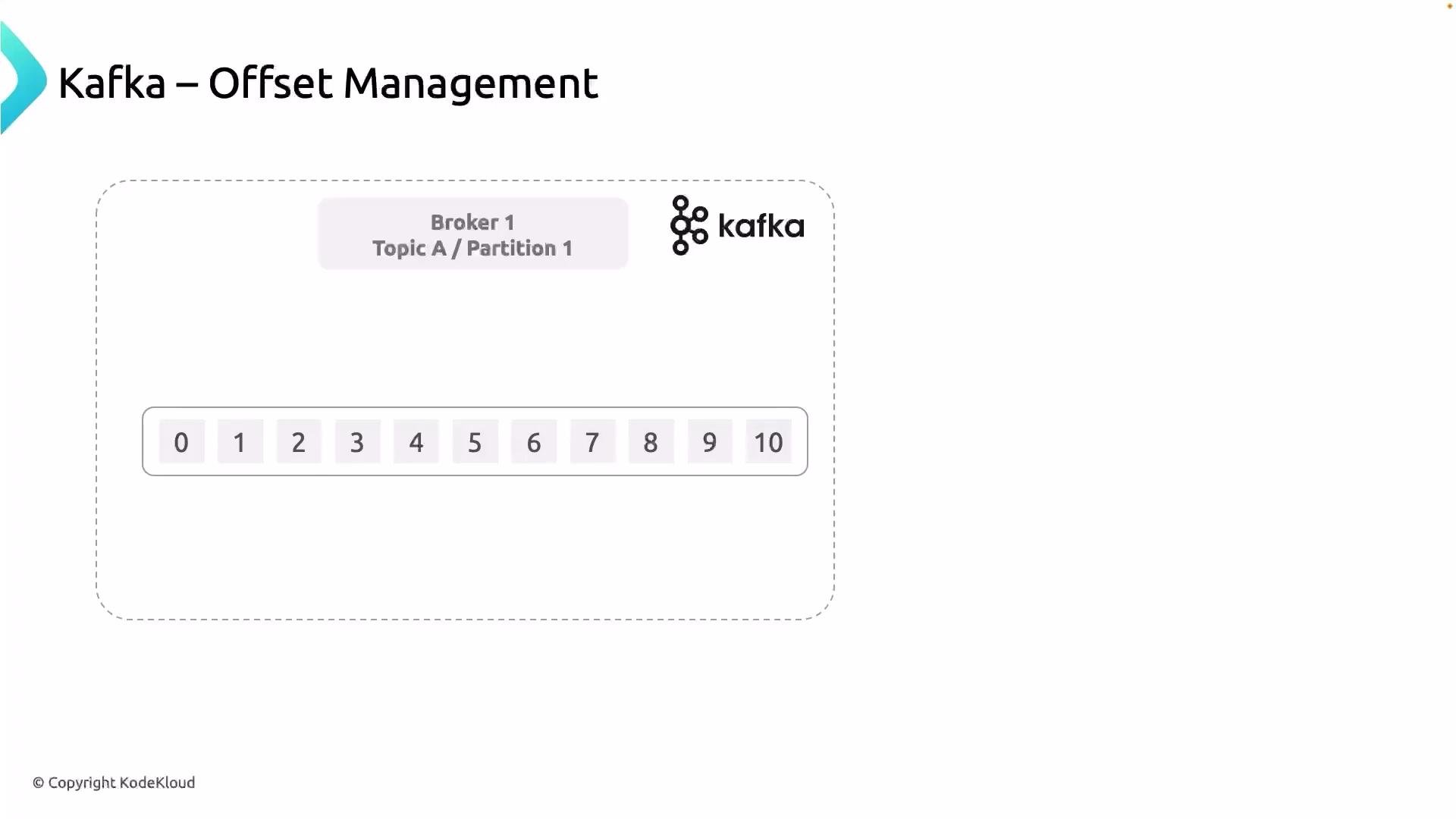
Each message in Kafka within a partition has a unique integer called an offset. Consumers read messages and use offsets to track how far they've progressed.
 How offsets are scoped and incremented
* Offsets start at 0 for each partition and increase monotonically for that partition.
* Offsets are scoped to a partition — the same numeric offset can exist in multiple partitions but point to different messages.
* The offset identifies the position of a message; consumers use the offset of a processed message to determine the next message to read.
Consumer groups and committed offsets
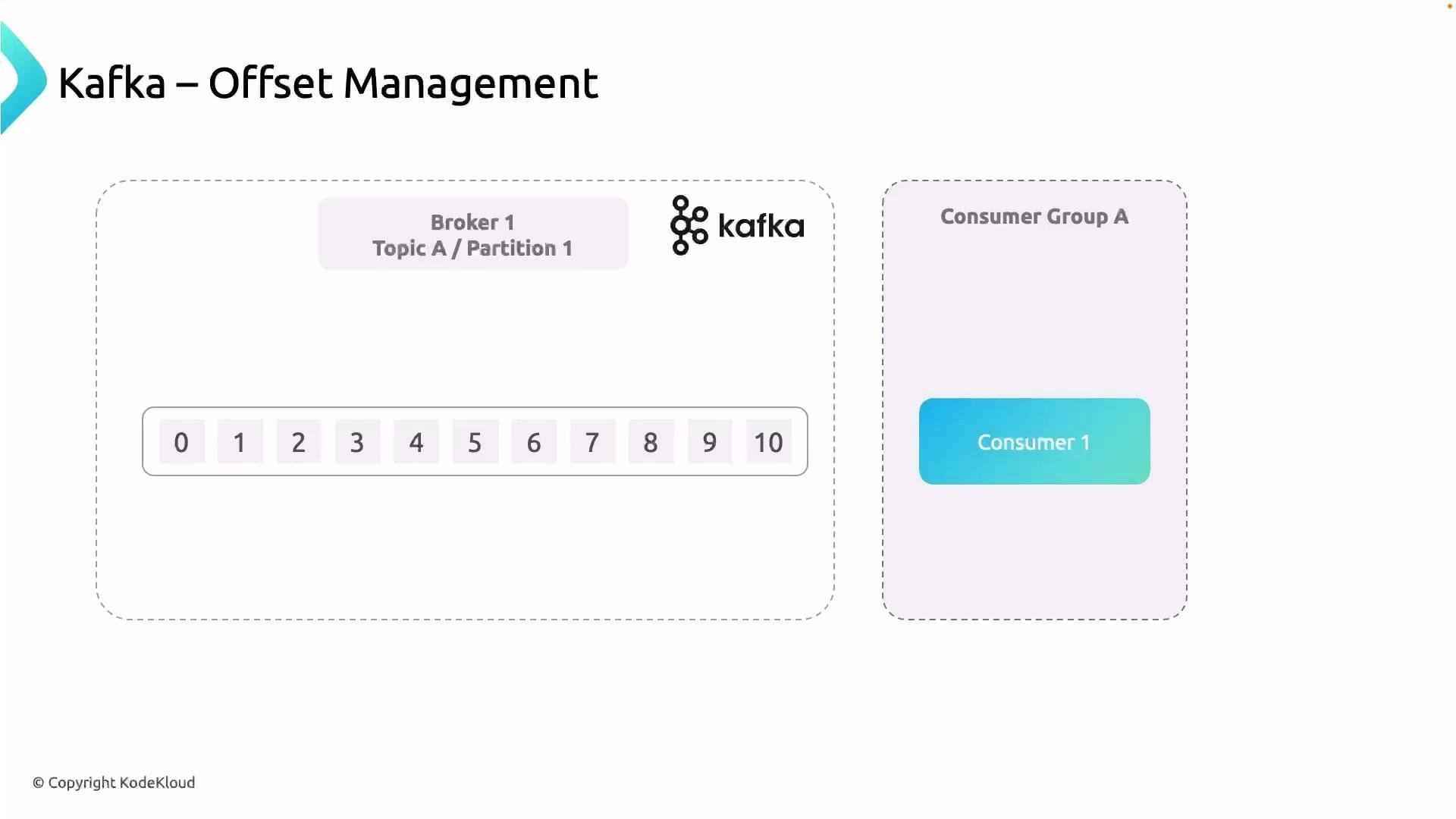
When multiple consumers work together in a consumer group, Kafka assigns partitions to consumers. Each consumer reads from its assigned partitions and should record progress by committing offsets. The committed offset indicates the position from which the consumer group should resume next time (usually the next message to read).
Consider a consumer reading from Topic A as part of a consumer group:
How offsets are scoped and incremented
* Offsets start at 0 for each partition and increase monotonically for that partition.
* Offsets are scoped to a partition — the same numeric offset can exist in multiple partitions but point to different messages.
* The offset identifies the position of a message; consumers use the offset of a processed message to determine the next message to read.
Consumer groups and committed offsets
When multiple consumers work together in a consumer group, Kafka assigns partitions to consumers. Each consumer reads from its assigned partitions and should record progress by committing offsets. The committed offset indicates the position from which the consumer group should resume next time (usually the next message to read).
Consider a consumer reading from Topic A as part of a consumer group:
 A typical processing flow
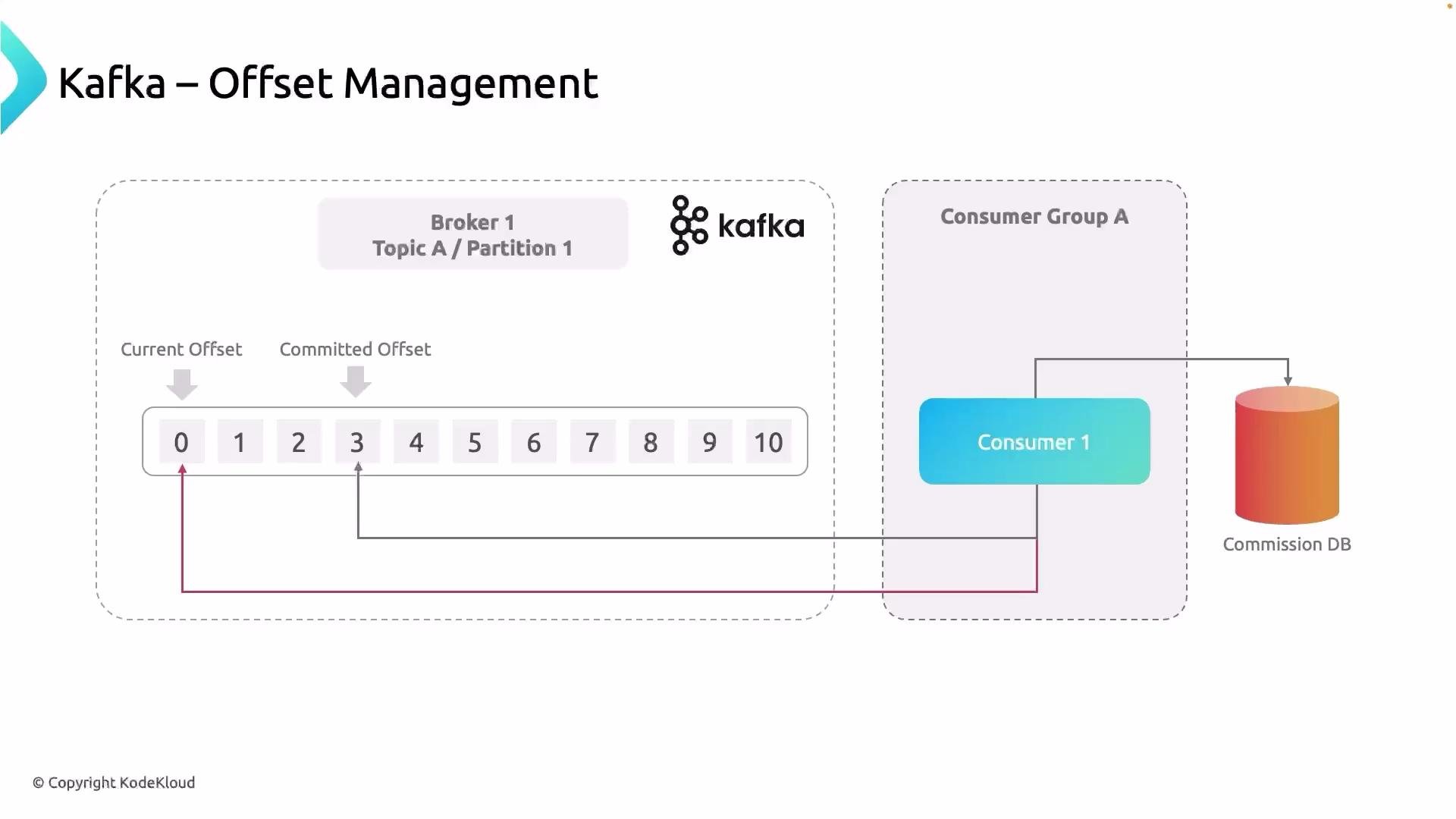
1. Consumer polls messages from an assigned partition.
2. Application processes each message (for example, writes a record to a commissions database).
3. After successful processing, the consumer commits the offset to indicate progress.
4. If the consumer crashes, a new consumer that takes over will read the last committed offset and resume from there.
When the consumer has processed the message at offset 3, it records a committed offset indicating progress — that is, the position from which the consumer group should resume next time (generally the next message to read). This committed offset prevents reprocessing already-handled messages when a new consumer takes over.
A typical processing flow
1. Consumer polls messages from an assigned partition.
2. Application processes each message (for example, writes a record to a commissions database).
3. After successful processing, the consumer commits the offset to indicate progress.
4. If the consumer crashes, a new consumer that takes over will read the last committed offset and resume from there.
When the consumer has processed the message at offset 3, it records a committed offset indicating progress — that is, the position from which the consumer group should resume next time (generally the next message to read). This committed offset prevents reprocessing already-handled messages when a new consumer takes over.
 Why committed offsets matter
Offsets are per-partition. If a consumer crashes and a different consumer joins the group, the new consumer consults the committed offset for each partition to decide where to start reading. Without committed offsets, the new consumer might start from `earliest` or `latest` depending on configuration, which can lead to duplicates or missing data in downstream stores.
Imagine the commissions database is used to pay restaurant owners. If reprocessing occurs due to incorrect offset handling, you could accidentally pay vendors twice — a real financial risk. Proper offset management prevents this by letting the replacement consumer resume exactly where the previous one left off (for example, starting at offset 4 if 0–3 were already processed and committed).
Offset management is therefore critical: Kafka assigns offsets and stores messages, but it is the consumer's responsibility to record how much it has processed.
Why committed offsets matter
Offsets are per-partition. If a consumer crashes and a different consumer joins the group, the new consumer consults the committed offset for each partition to decide where to start reading. Without committed offsets, the new consumer might start from `earliest` or `latest` depending on configuration, which can lead to duplicates or missing data in downstream stores.
Imagine the commissions database is used to pay restaurant owners. If reprocessing occurs due to incorrect offset handling, you could accidentally pay vendors twice — a real financial risk. Proper offset management prevents this by letting the replacement consumer resume exactly where the previous one left off (for example, starting at offset 4 if 0–3 were already processed and committed).
Offset management is therefore critical: Kafka assigns offsets and stores messages, but it is the consumer's responsibility to record how much it has processed.
 Where offsets are stored
* By default, consumers commit offsets to Kafka’s internal offsets storage, the `__consumer_offsets` topic.
* Some applications prefer to persist offsets externally (for example, in a relational database or a durable key-value store) when they need tight coupling between processing and offset commits or custom recovery semantics.
Commit strategies
There are two common ways to commit offsets. Choosing the right strategy affects delivery semantics (at-most-once, at-least-once, or exactly-once when used with transactional APIs).
Where offsets are stored
* By default, consumers commit offsets to Kafka’s internal offsets storage, the `__consumer_offsets` topic.
* Some applications prefer to persist offsets externally (for example, in a relational database or a durable key-value store) when they need tight coupling between processing and offset commits or custom recovery semantics.
Commit strategies
There are two common ways to commit offsets. Choosing the right strategy affects delivery semantics (at-most-once, at-least-once, or exactly-once when used with transactional APIs).
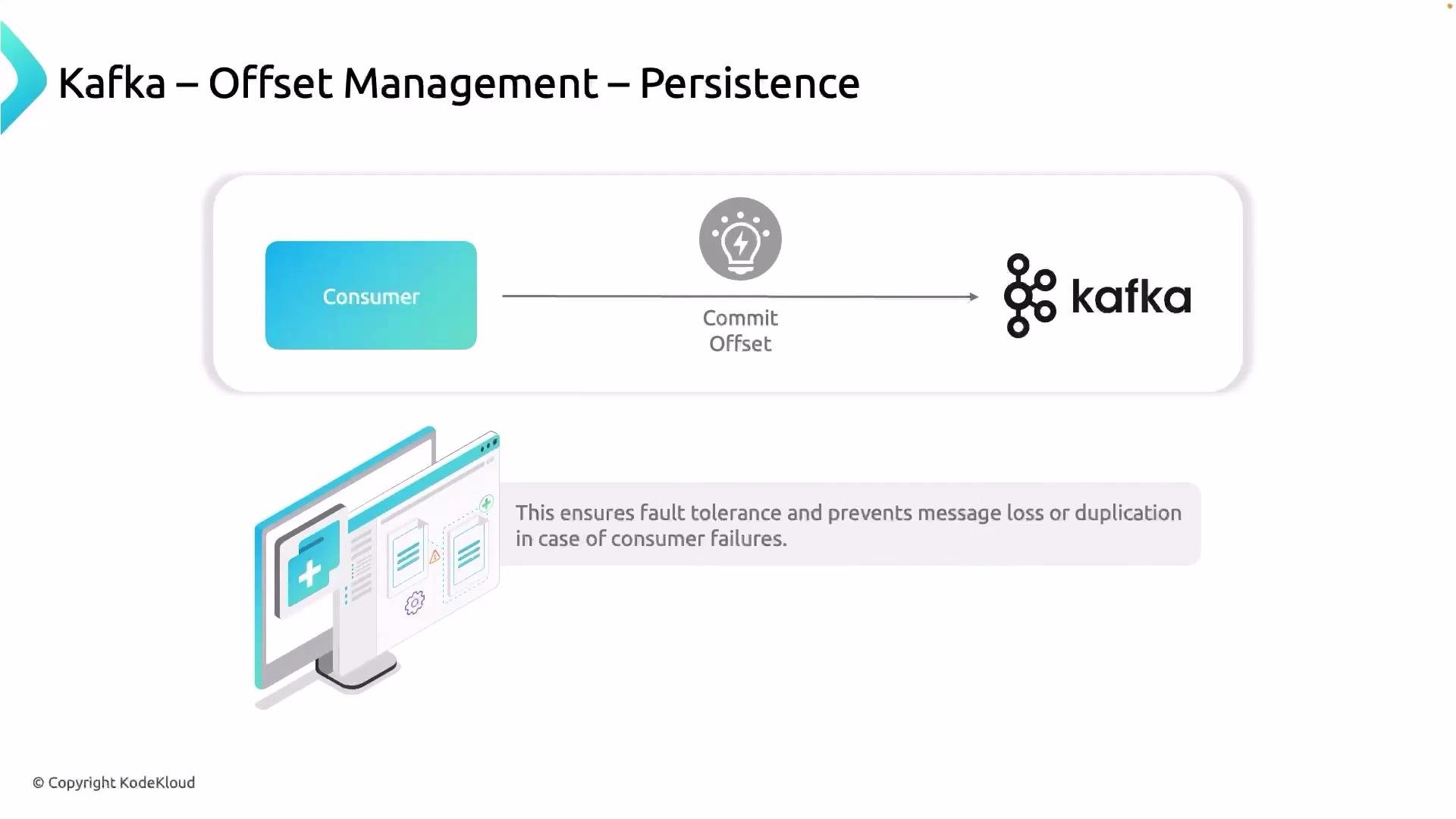 Table: Commit strategies comparison
| Strategy | Description | Pros | Cons | Typical use cases |
| ----------------- | ------------------------------------------------------------------------------------------------------------------------------: | ------------------------------------------------------- | --------------------------------------------------------------------------- | ---------------------------------------------------------------------------- |
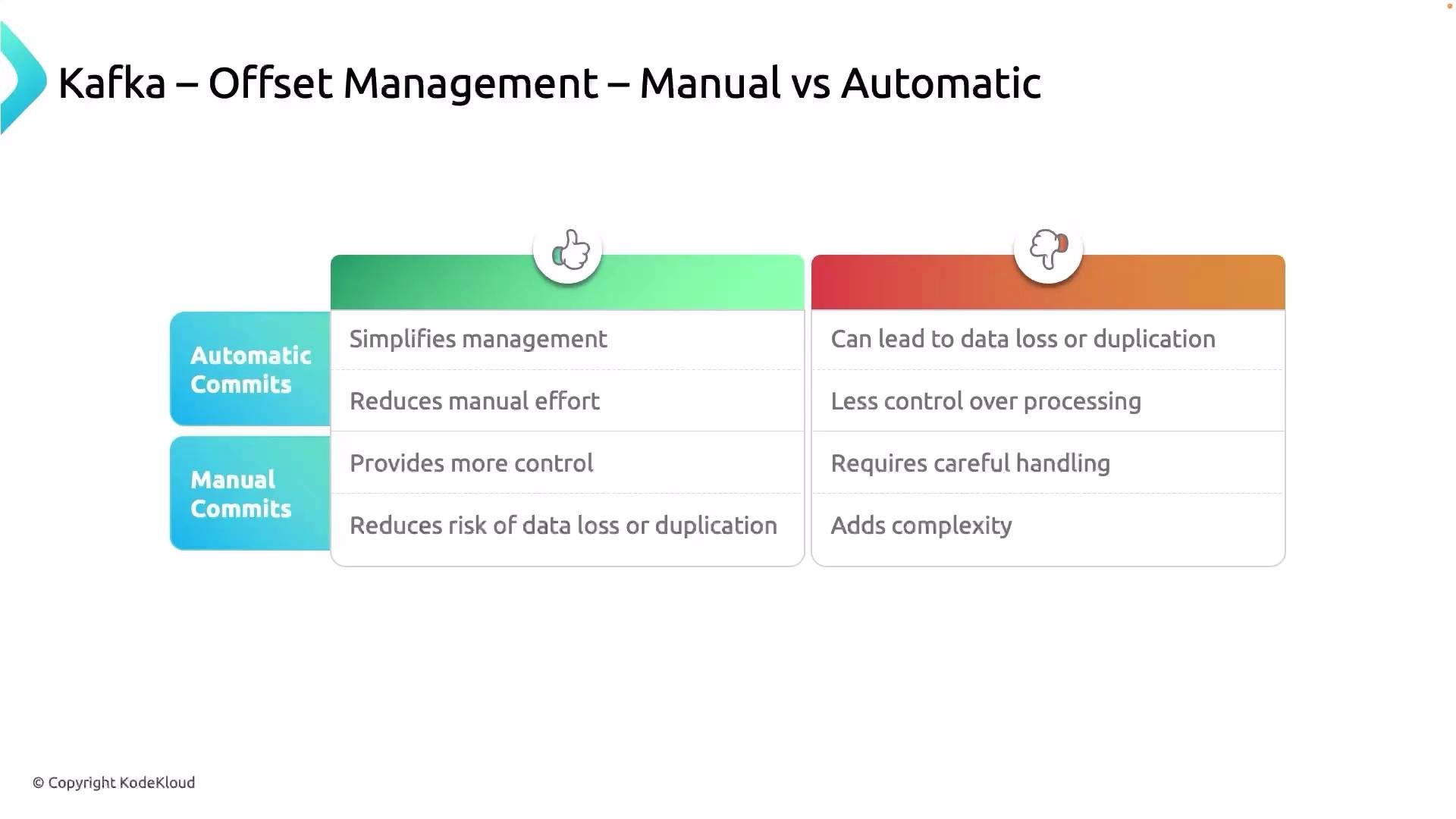
| Automatic commits | `enable.auto.commit=true` — the client commits offsets periodically (`auto.commit.interval.ms`) without application involvement | Simple to set up | Risk of duplicates or data loss if processing fails between poll and commit | Prototyping, stateless processing where occasional duplicates are acceptable |
| Manual commits | Application calls `commitSync()` or `commitAsync()` (or uses an external store) after successful processing | Precise control; reduces duplicates when used correctly | More complex; must manage error handling and retries | Stateful processing, non-idempotent sinks, financial or billing systems |
Configuration examples
* Enable automatic commits (Java properties):
```properties theme={null}
enable.auto.commit=true
auto.commit.interval.ms=5000
```
* Manual commit (Java example):
```java theme={null}
// After processing records
consumer.commitSync();
```
* Manual async commit:
```java theme={null}
consumer.commitAsync((offsets, exception) -> {
if (exception != null) {
// handle retry/log
}
});
```
Best practice: if your processing is not idempotent (i.e., you cannot safely reprocess the same message twice), prefer manual commits after successful processing or use exactly-once processing patterns (transactions or idempotent sinks) to avoid duplicates.
Automatic commits simplify development but can hide problematic edge cases; manual commits add complexity but provide stronger guarantees when combined with proper error handling and transactional techniques.
Table: Commit strategies comparison
| Strategy | Description | Pros | Cons | Typical use cases |
| ----------------- | ------------------------------------------------------------------------------------------------------------------------------: | ------------------------------------------------------- | --------------------------------------------------------------------------- | ---------------------------------------------------------------------------- |
| Automatic commits | `enable.auto.commit=true` — the client commits offsets periodically (`auto.commit.interval.ms`) without application involvement | Simple to set up | Risk of duplicates or data loss if processing fails between poll and commit | Prototyping, stateless processing where occasional duplicates are acceptable |
| Manual commits | Application calls `commitSync()` or `commitAsync()` (or uses an external store) after successful processing | Precise control; reduces duplicates when used correctly | More complex; must manage error handling and retries | Stateful processing, non-idempotent sinks, financial or billing systems |
Configuration examples
* Enable automatic commits (Java properties):
```properties theme={null}
enable.auto.commit=true
auto.commit.interval.ms=5000
```
* Manual commit (Java example):
```java theme={null}
// After processing records
consumer.commitSync();
```
* Manual async commit:
```java theme={null}
consumer.commitAsync((offsets, exception) -> {
if (exception != null) {
// handle retry/log
}
});
```
Best practice: if your processing is not idempotent (i.e., you cannot safely reprocess the same message twice), prefer manual commits after successful processing or use exactly-once processing patterns (transactions or idempotent sinks) to avoid duplicates.
Automatic commits simplify development but can hide problematic edge cases; manual commits add complexity but provide stronger guarantees when combined with proper error handling and transactional techniques.
 Rebalancing and offset recovery
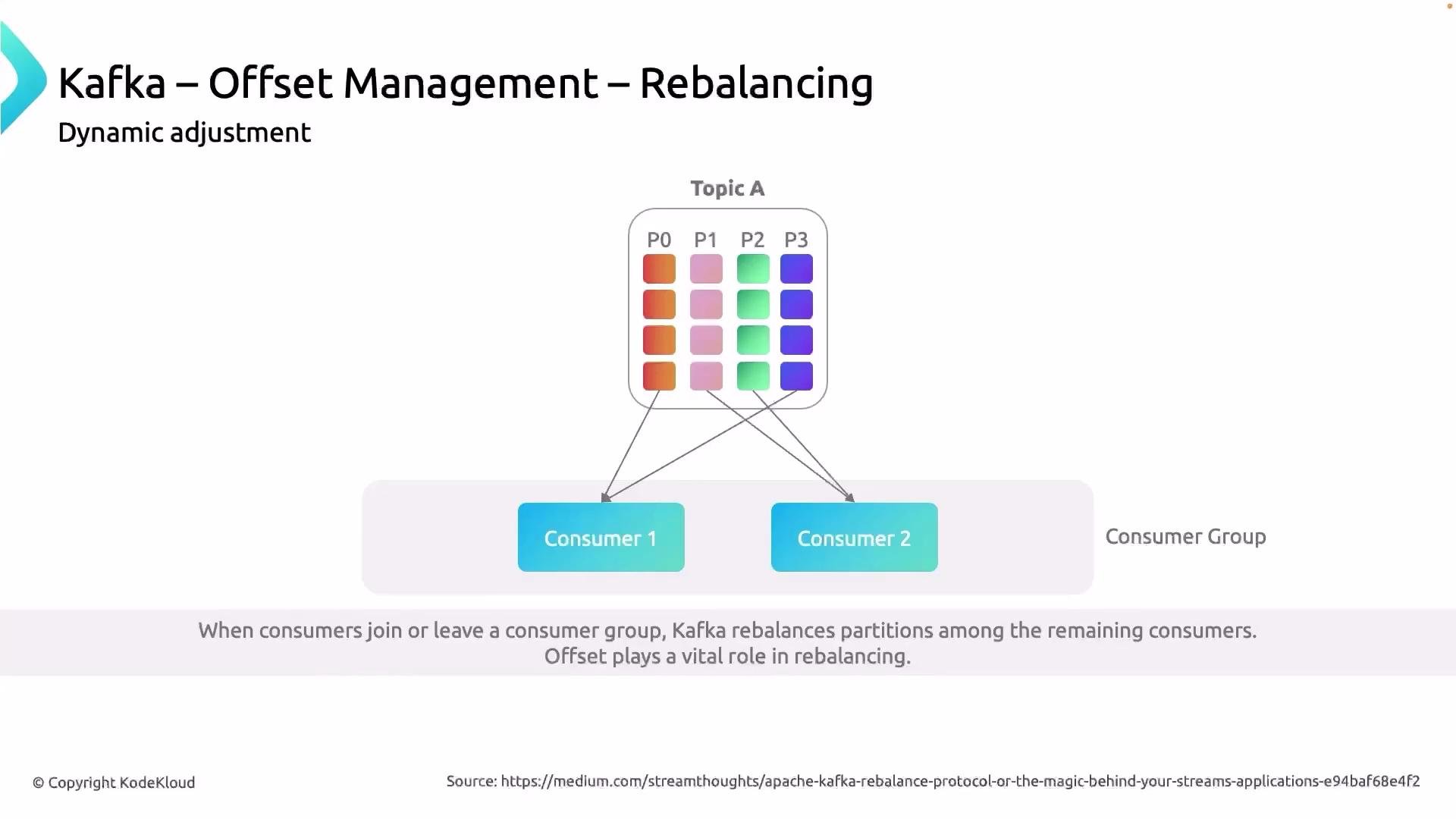
Rebalancing occurs when partition assignments change — for example, when consumers join or leave the group or when the number of partitions changes. When a rebalance happens, the new owners of partitions will check the last committed offsets for those partitions and resume processing from that point. This ensures continuity and helps avoid unnecessary reprocessing or message loss.
Suppose a topic has four partitions and a consumer group has three consumers. Partitions are assigned across consumers; if a consumer fails or leaves, the group coordinator triggers a rebalance so the remaining consumers take over the orphaned partitions. Each new owner consults the committed offsets to continue where the previous consumer left off.
Rebalancing and offset recovery
Rebalancing occurs when partition assignments change — for example, when consumers join or leave the group or when the number of partitions changes. When a rebalance happens, the new owners of partitions will check the last committed offsets for those partitions and resume processing from that point. This ensures continuity and helps avoid unnecessary reprocessing or message loss.
Suppose a topic has four partitions and a consumer group has three consumers. Partitions are assigned across consumers; if a consumer fails or leaves, the group coordinator triggers a rebalance so the remaining consumers take over the orphaned partitions. Each new owner consults the committed offsets to continue where the previous consumer left off.
 Practical tips
* For non-idempotent sinks (billing, transfers), always commit offsets only after the downstream write has succeeded.
* Consider using transactions (exactly-once semantics) for end-to-end guarantees when producing to Kafka and consuming from it in the same transactional unit.
* If using external offset storage, ensure atomicity between processing and offset persistence, or use two-phase commit patterns where appropriate.
* Monitor `__consumer_offsets` lag and consumer group rebalances — frequent rebalances can increase duplicate processing and complicate offset management.
Summary
* Offsets are unique integers per partition that identify the position of messages.
* Consumers track and commit offsets to record how far they have processed.
* Committed offsets (by default stored in Kafka’s `__consumer_offsets` topic) allow new consumers to resume from the correct position after failures or rebalancing.
* Automatic commits are convenient but risk duplicates or data loss; manual commits offer more control and should be used when precise guarantees are required.
References and further reading
* Apache Kafka consumer configuration: [https://kafka.apache.org/documentation/#consumerconfigs](https://kafka.apache.org/documentation/#consumerconfigs)
* Kafka consumer groups and offsets: [https://kafka.apache.org/documentation/#consumerapi](https://kafka.apache.org/documentation/#consumerapi)
* Exactly-once semantics in Kafka: [https://kafka.apache.org/documentation/#design\_ebe](https://kafka.apache.org/documentation/#design_ebe)
I hope this lesson clarifies the importance of offsets and how offset management works in Apache Kafka.
That is it for this lesson.
Practical tips
* For non-idempotent sinks (billing, transfers), always commit offsets only after the downstream write has succeeded.
* Consider using transactions (exactly-once semantics) for end-to-end guarantees when producing to Kafka and consuming from it in the same transactional unit.
* If using external offset storage, ensure atomicity between processing and offset persistence, or use two-phase commit patterns where appropriate.
* Monitor `__consumer_offsets` lag and consumer group rebalances — frequent rebalances can increase duplicate processing and complicate offset management.
Summary
* Offsets are unique integers per partition that identify the position of messages.
* Consumers track and commit offsets to record how far they have processed.
* Committed offsets (by default stored in Kafka’s `__consumer_offsets` topic) allow new consumers to resume from the correct position after failures or rebalancing.
* Automatic commits are convenient but risk duplicates or data loss; manual commits offer more control and should be used when precise guarantees are required.
References and further reading
* Apache Kafka consumer configuration: [https://kafka.apache.org/documentation/#consumerconfigs](https://kafka.apache.org/documentation/#consumerconfigs)
* Kafka consumer groups and offsets: [https://kafka.apache.org/documentation/#consumerapi](https://kafka.apache.org/documentation/#consumerapi)
* Exactly-once semantics in Kafka: [https://kafka.apache.org/documentation/#design\_ebe](https://kafka.apache.org/documentation/#design_ebe)
I hope this lesson clarifies the importance of offsets and how offset management works in Apache Kafka.
That is it for this lesson.