> ## Documentation Index
> Fetch the complete documentation index at: https://notes.kodekloud.com/llms.txt
> Use this file to discover all available pages before exploring further.
# Section Recap
> Recap of building an event driven order processing system using Apache Kafka where front end producers send events to topics and consumers update a warehouse dashboard
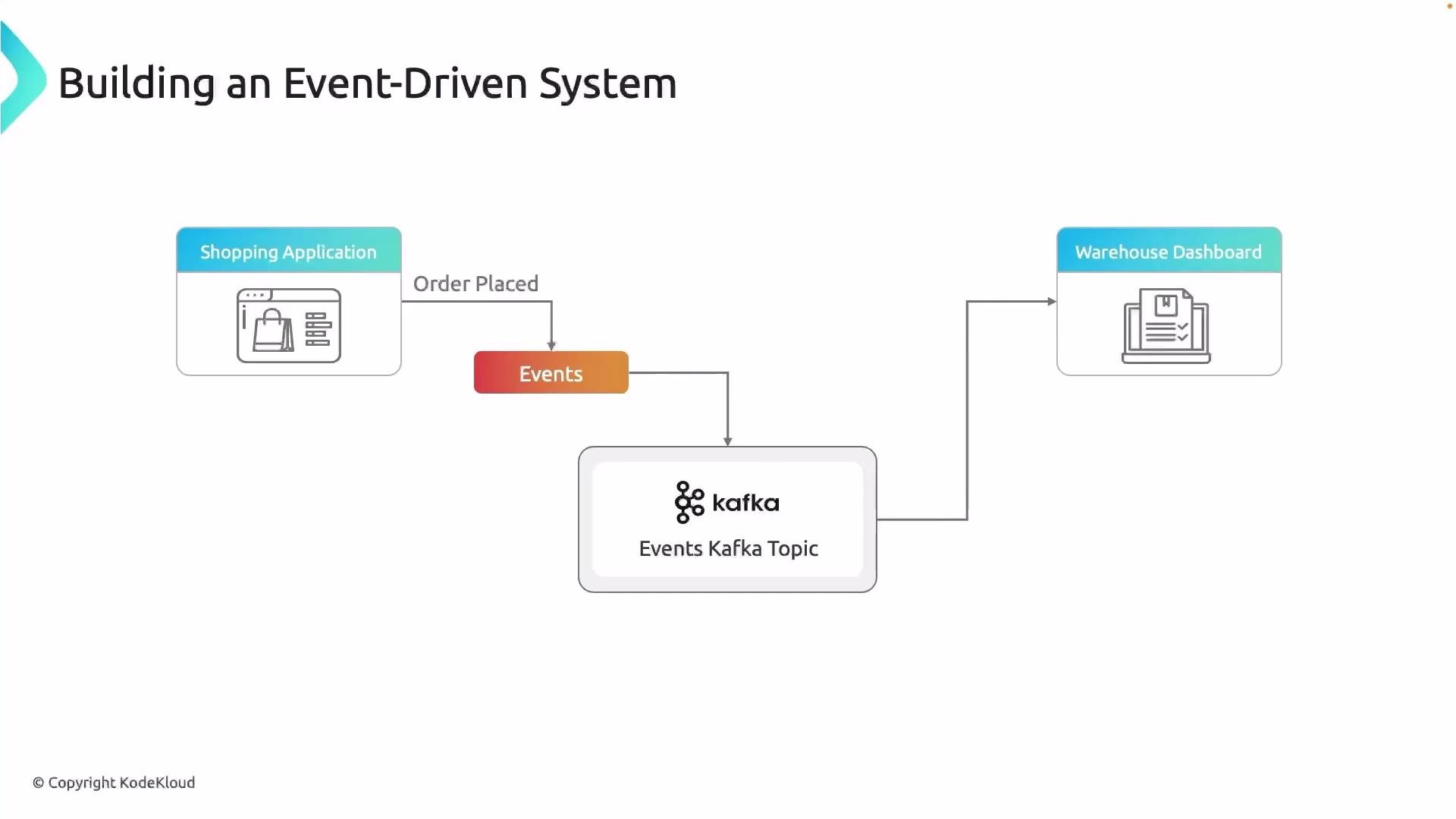
Welcome back. This recap walks through the full event-driven flow we implemented, highlighting each component and the sequence of actions from order creation to dashboard update.
What we built
* A shopping front-end that emits an "Order Placed" event. Each event carries the order payload (order ID, items and quantities, totals, customer info, timestamps).
* A producer that serializes and publishes those events to an Apache Kafka topic.
* A Kafka deployment (provisioned on an EC2 instance in this project) that hosts the topic(s) and persists the event stream.
* A warehouse dashboard that acts as a Kafka consumer: it subscribes to the topic, deserializes messages, manages offsets and consumer groups, and updates the UI based on consumed events.
How the data flows
1. User places an order in the front-end UI.
2. The front-end producer packages and serializes the order payload and publishes it to a Kafka topic.
3. Kafka stores the event in the topic partitions (running on an EC2-hosted broker for this project).
4. The warehouse dashboard consumer (or multiple consumers in a consumer group) reads, deserializes, and processes events, then updates the UI and any downstream systems.
 Key phases at a glance
| Phase | Purpose | Example / Key settings |
| ----------------------- | ----------------------------------- | ----------------------------------------------------------------------------------- |
| Kafka provisioning | Host brokers and topics | Provision Kafka on an EC2 instance and create topic(s) |
| Producer (front-end) | Emit and serialize events | Ensure correct serializer (e.g., JSON/Avro), include metadata (timestamps, orderId) |
| Topic configuration | Partitioning & retention | Choose partitions for parallelism and retention for replayability |
| Consumer (dashboard) | Consume, deserialize, and update UI | Configure consumer group, offset strategy (earliest/latest), and deserializer |
| Validation & monitoring | Confirm end-to-end delivery | Use producer/consumer CLI tools or integration tests; monitor lag and broker health |
Testing tip: Validate each stage independently. Produce test events directly to the Kafka topic, consume them with a simple CLI consumer, then verify the dashboard logic. This helps isolate producer, broker, and consumer issues.
Links and references
* [Apache Kafka — official docs](https://kafka.apache.org/documentation/)
* [Event Streaming with Kafka course (project)](https://learn.kodekloud.com/user/courses/event-streaming-with-kafka)
* [Amazon EC2 documentation](https://learn.kodekloud.com/user/courses/amazon-elastic-compute-cloud-ec2)
Putting it together, the main steps were:
* Set up Kafka (cluster/topic provisioning)
* Build the front-end UI and producers to emit events
* Build the back-end/API and consumers to process those events and update the dashboard
I hope this recap gives you a clear, end-to-end view of building an event-driven system using Apache Kafka. See you in the next lesson.
Key phases at a glance
| Phase | Purpose | Example / Key settings |
| ----------------------- | ----------------------------------- | ----------------------------------------------------------------------------------- |
| Kafka provisioning | Host brokers and topics | Provision Kafka on an EC2 instance and create topic(s) |
| Producer (front-end) | Emit and serialize events | Ensure correct serializer (e.g., JSON/Avro), include metadata (timestamps, orderId) |
| Topic configuration | Partitioning & retention | Choose partitions for parallelism and retention for replayability |
| Consumer (dashboard) | Consume, deserialize, and update UI | Configure consumer group, offset strategy (earliest/latest), and deserializer |
| Validation & monitoring | Confirm end-to-end delivery | Use producer/consumer CLI tools or integration tests; monitor lag and broker health |
Testing tip: Validate each stage independently. Produce test events directly to the Kafka topic, consume them with a simple CLI consumer, then verify the dashboard logic. This helps isolate producer, broker, and consumer issues.
Links and references
* [Apache Kafka — official docs](https://kafka.apache.org/documentation/)
* [Event Streaming with Kafka course (project)](https://learn.kodekloud.com/user/courses/event-streaming-with-kafka)
* [Amazon EC2 documentation](https://learn.kodekloud.com/user/courses/amazon-elastic-compute-cloud-ec2)
Putting it together, the main steps were:
* Set up Kafka (cluster/topic provisioning)
* Build the front-end UI and producers to emit events
* Build the back-end/API and consumers to process those events and update the dashboard
I hope this recap gives you a clear, end-to-end view of building an event-driven system using Apache Kafka. See you in the next lesson.