> ## Documentation Index
> Fetch the complete documentation index at: https://notes.kodekloud.com/llms.txt
> Use this file to discover all available pages before exploring further.
# Understanding the WebAssembly Binary Format
> This article explains the WebAssembly binary format, its structure, sections, and how to compile C++ programs to WebAssembly.
WebAssembly (WASM) defines a portable, stack-based virtual machine in two primary formats:
* A compact binary format (`.wasm`)
* A human-readable text format (`.wat`)
Designed as a universal compilation target for languages like C, C++, Rust, C#, Go, and Python, WASM enables high-performance web applications that approach native speed.
In this guide, we'll dissect the structure of a `.wasm` binary—examining each section, representative bytecode snippets, and how these modules load and execute in a runtime.
***
## Compiling a C++ Program to WebAssembly
To analyze real-world binaries, let's compile a simple C++ “Hello, WebAssembly!” program. Ensure you have Emscripten installed:
Make sure your [Emscripten SDK installation](https://emscripten.org/docs/getting_started/downloads.html) is up to date and the `emcc` command is in your `PATH`.
```cpp theme={null}
// hello.cpp
#include
int main() {
std::cout << "Hello, WebAssembly!" << std::endl;
return 0;
}
```
Run the compiler:
```bash theme={null}
emcc hello.cpp -o hello.js
```
This produces `hello.js` (loader/JavaScript glue) and `hello.wasm` (binary module) for inspection.
***
## Module Header: Magic Number & Version
Every WebAssembly binary starts with an 8-byte header:
```hex theme={null}
00 61 73 6D ;; Magic number: "\0asm"
01 00 00 00 ;; Version: 1
```
* **Magic number** `0x00 0x61 0x73 0x6D` identifies the file as WebAssembly.
* **Version** `0x01 0x00 0x00 0x00` corresponds to the current WASM spec.
***
## Section Layout
After the header, a `.wasm` file is organized into sequentially numbered sections. Each section has:
1. A one-byte section ID
2. A ULEB128-encoded section length
3. A payload (raw bytes)
Below is a summary of standard sections:
| Section ID | Section | Purpose |
| ---------- | -------- | --------------------------------------------------- |
| 0 | Custom | Custom metadata, debug information |
| 1 | Type | Function signatures |
| 2 | Import | Imports (functions, memory, tables, globals) |
| 3 | Function | Function declarations (type indices) |
| 4 | Table | Tables of function references (for `call_indirect`) |
| 5 | Memory | Linear memory definitions (pages and limits) |
| 6 | Global | Module-level global variables |
| 7 | Export | Exports (functions, memory, tables, globals) |
| 8 | Start | Optional start function index |
| 9 | Element | Table initialization entries |
| 10 | Code | Function bodies (locals and opcodes) |
| 11 | Data | Data segment initializers |
We'll now explore the key sections in detail.
***
### 1. Type Section (ID 1)
Defines function signatures. Each entry begins with `0x60` (function type), followed by parameter and return types:
```hex theme={null}
01 ;; Section ID: Type
0F ;; Section length: 15 bytes
02 ;; Number of types: 2
60 01 7F ;; Type 0: (i32) -> ()
60 02 7F ;; Type 1: (i32, i32) -> ()
```
* `0x7F` denotes `i32`.
* The leading `0x60` indicates a function signature.
***
### 2. Import Section (ID 2)
Imports functions, memory, tables, or globals from the host environment:
```hex theme={null}
02 ;; Section ID: Import
11 ;; Section length: 17 bytes
01 ;; Imports count: 1
03 65 6E 76 ;; Module name: "env" (length=3 + "env")
08 70 72 69 6E 74 5F 73 74 72 ;; Field name: "print_str" (length=8 + text)
00 ;; Import kind: Function
00 ;; Type index: 0
```
* Module and field names are length-prefixed UTF-8 strings.
* Import kind `0x00` refers to a function.
***
### 3. Function Section (ID 3)
Lists the type index for each function defined in this module:
```hex theme={null}
03 ;; Section ID: Function
05 ;; Section length: 5 bytes
04 ;; Number of functions: 4
00 01 10 02 ;; Type indices for each function
```
Each byte is a ULEB128-encoded index pointing into the Type Section.
***
### 4. Table Section (ID 4)
Specifies tables of function references, used by `call_indirect`:
```hex theme={null}
04 ;; Section ID: Table
08 ;; Section length: 8 bytes
01 ;; Number of tables: 1
70 00 01 ;; Element type: anyfunc (0x70), flags=0 (no max), initial size=1
```
* `0x70` = `funcref`.
* Flags = 0 → only an initial size is provided.
***
### 5. Memory Section (ID 5)
Defines the module's linear memory (in 64 KiB pages).
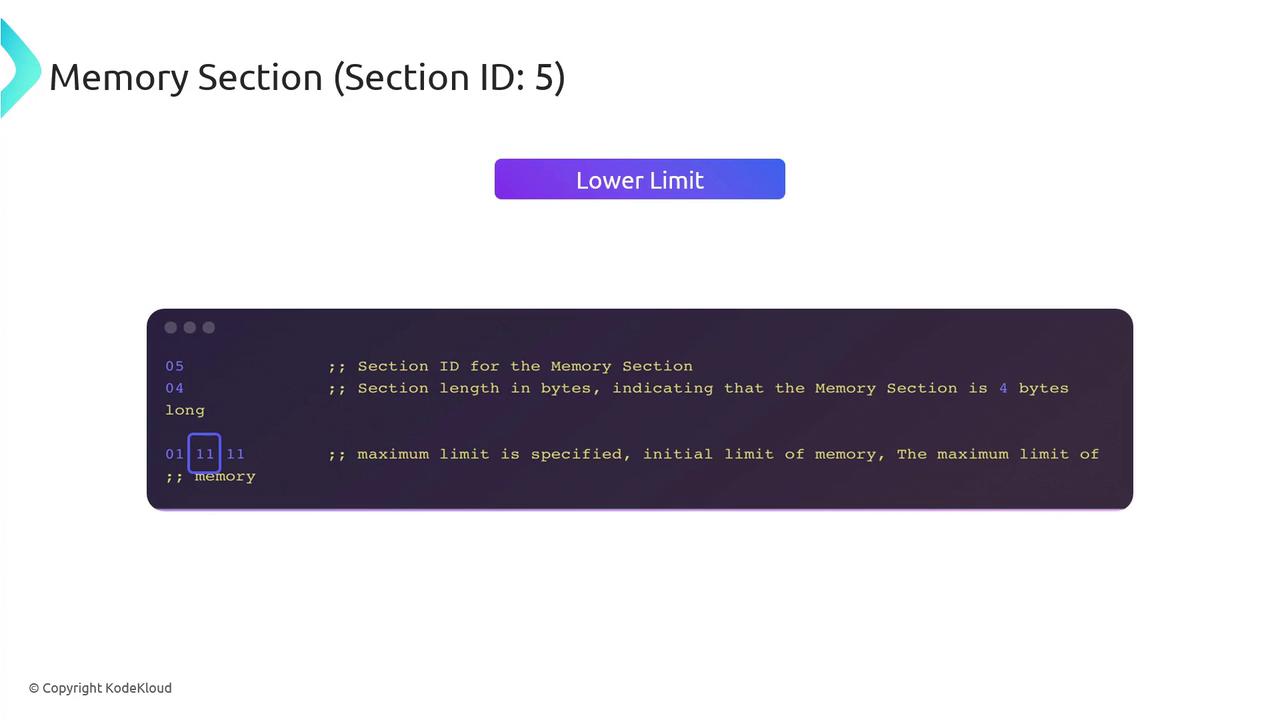
```hex theme={null}
05 ;; Section ID: Memory
03 ;; Section length: 3 bytes
01 ;; Number of memory blocks: 1
00 11 ;; Flags=0 (initial only), initial=17 pages (0x11)
```
* Flags=0 indicates only an initial limit.
* Limits are ULEB128-encoded page counts (1 page = 64 KiB).
***
### 6. Global Section (ID 6)
Declares module-level globals with type, mutability, and initialization:
```hex theme={null}
06 ;; Section ID: Global
19 ;; Section length: 25 bytes
03 ;; Number of globals: 3
7F 01 ;; Global entry: i32, mutable
41 0B 0B ;; Init expr: i32.const 11; end
… ;; Additional globals…
```
***
### 7. Export Section (ID 7)
Exports functions, memory, tables, or globals to the host:
```hex theme={null}
07 ;; Section ID: Export
0C ;; Section length: 12 bytes
01 ;; Number of exports: 1
04 6D 61 69 6E ;; Name: "main" (length=4)
00 ;; Export kind: Function
03 ;; Function index: 3
```
* Export kind codes: `0x00`=Function, `0x02`=Memory, etc.
***
## Additional Sections
* **Start** (ID 8): Designates an entrypoint function.
* **Element** (ID 9): Table initialization data.
* **Code** (ID 10): Function bodies (local variables + opcodes).
* **Data** (ID 11): Memory data segments.
* **Custom** (ID 0): Arbitrary metadata and debug info.
***
## When to Dive into the Binary Format?
Inspecting raw bytecode isn't required for everyday WebAssembly development, but it shines in:
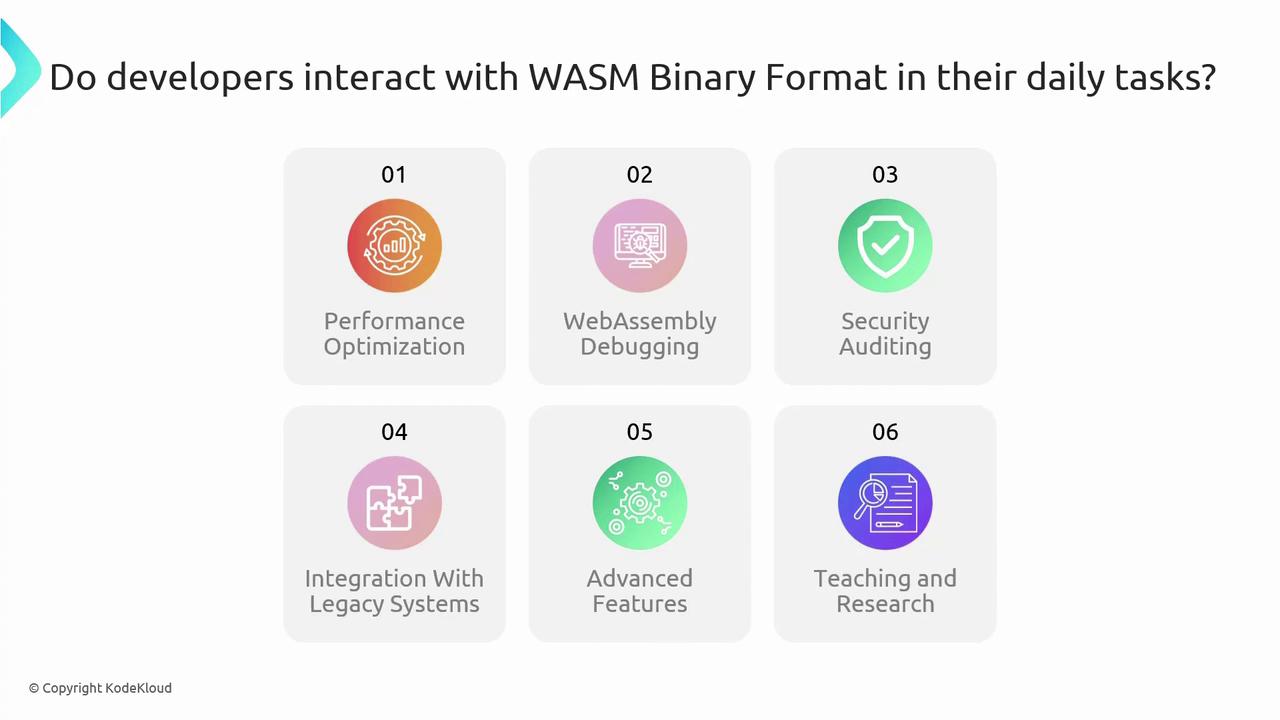
1. Performance optimization
2. Low-level debugging & inspection
3. Security auditing & fuzzing
4. Legacy system integration
5. Custom features via custom sections
6. Teaching, research, and compiler comparison
Deep diving into the `.wasm` layout can help troubleshoot toolchain issues and squeeze out maximum performance.
***
## Links and References
* [WebAssembly Specification](https://webassembly.github.io/spec/)
* [Emscripten Documentation](https://emscripten.org/docs/)
* [MDN WebAssembly Guide](https://developer.mozilla.org/en-US/docs/WebAssembly)
* [Binaryen Toolkit](https://github.com/WebAssembly/binaryen)
* [Official WebAssembly Site](https://webassembly.org/)