> ## Documentation Index
> Fetch the complete documentation index at: https://notes.kodekloud.com/llms.txt
> Use this file to discover all available pages before exploring further.
# Demo Advanced Chunking Strategies
> Demonstrates multiple document chunking strategies in Python for RAG, semantic search, and vector indexing, covering line, fixed, sliding, sentence, paragraph, page, section, and token methods
This guide demonstrates several document chunking strategies using a compact, self-contained Python implementation. You'll see how each method behaves on a sample document, learn practical trade-offs, and get CLI examples to reproduce the outputs. These patterns are useful for Retrieval-Augmented Generation (RAG), semantic search, vector indexing, and any pipeline that needs consistent, token-bounded text inputs.
What you'll find here:
* A reusable `DocumentChunker` implementation (complete file below).
* Practical examples and CLI invocations for each chunking strategy.
* Guidance on combining structural and size-limiting approaches for best results.
* Links to tokenizers and parsing libraries for production use.
```python theme={null}
# document_chunker.py
from pathlib import Path
import re
from typing import List, Dict, Any, Callable, Optional
class DocumentChunker:
def __init__(self):
pass
def read_file(self, file_path: str) -> str:
path = Path(file_path)
if path.suffix.lower() == ".pdf":
return self._read_pdf(path)
if path.suffix.lower() in {".docx", ".doc"}:
return self._read_docx(path)
# Default: plain text or markdown
return path.read_text(encoding="utf-8")
def _read_pdf(self, file_path: Path) -> str:
# Placeholder: use a PDF library like PyPDF2 (https://pypi.org/project/PyPDF2/), pdfplumber (https://github.com/jsvine/pdfplumber), or PyMuPDF/fitz (https://pypi.org/project/PyMuPDF/) in a real implementation
raise NotImplementedError("PDF reading not implemented in this demo. Replace with a PDF parser.")
def _read_docx(self, file_path: Path) -> str:
# Placeholder: use python-docx (https://python-docx.readthedocs.io/) for DOCX in a real implementation
raise NotImplementedError("DOCX reading not implemented in this demo. Replace with python-docx parsing.")
def chunk_by_lines(self, text: str, max_lines: int = 10) -> List[Dict[str, Any]]:
lines = text.splitlines()
chunks = []
for i in range(0, len(lines), max_lines):
block = "\n".join(lines[i : i + max_lines])
chunks.append({
"chunk_id": len(chunks),
"start_line": i + 1,
"end_line": min(i + max_lines, len(lines)),
"method": "line_by_line",
"content": block,
})
return chunks
def chunk_fixed_size(self, text: str, chunk_size: int = 1000, overlap: int = 0) -> List[Dict[str, Any]]:
chunks = []
i = 0
text_len = len(text)
while i < text_len:
end = min(i + chunk_size, text_len)
chunks.append({
"chunk_id": len(chunks),
"start_char": i,
"end_char": end,
"method": "fixed_size",
"content": text[i:end],
})
i += chunk_size - overlap if chunk_size > overlap else chunk_size
return chunks
def chunk_sliding_window(self, text: str, window_size: int = 1000, step_size: int = 500) -> List[Dict[str, Any]]:
chunks = []
i = 0
text_len = len(text)
while i < text_len:
end = min(i + window_size, text_len)
chunks.append({
"chunk_id": len(chunks),
"start_char": i,
"end_char": end,
"method": "sliding_window",
"content": text[i:end],
})
i += step_size
return chunks
def chunk_by_sentences(self, text: str, max_sentences: int = 5) -> List[Dict[str, Any]]:
# Very simple sentence splitter based on punctuation followed by whitespace and a capital letter.
sentences = re.split(r'(?<=[.!?])\s+', text.strip())
chunks = []
for i in range(0, len(sentences), max_sentences):
start = i
end = min(i + max_sentences, len(sentences))
block = " ".join(sentences[start:end])
chunks.append({
"chunk_id": len(chunks),
"start_sentence": start + 1,
"end_sentence": end,
"method": "sentence_based",
"content": block,
})
return chunks
def chunk_by_paragraphs(self, text: str, max_paragraphs: int = 3) -> List[Dict[str, Any]]:
paragraphs = [p for p in re.split(r'\n\s*\n', text.strip()) if p.strip()]
chunks = []
for i in range(0, len(paragraphs), max_paragraphs):
start = i
end = min(i + max_paragraphs, len(paragraphs))
block = "\n\n".join(paragraphs[start:end])
chunks.append({
"chunk_id": len(chunks),
"start_paragraph": start + 1,
"end_paragraph": end,
"method": "paragraph_based",
"content": block,
})
return chunks
def chunk_by_pages(self, text: str, lines_per_page: int = 50) -> List[Dict[str, Any]]:
lines = text.splitlines()
chunks = []
for i in range(0, len(lines), lines_per_page):
start_line = i + 1
end_line = min(i + lines_per_page, len(lines))
block = "\n".join(lines[i:end_line])
chunks.append({
"chunk_id": len(chunks),
"page": len(chunks) + 1,
"start_line": start_line,
"end_line": end_line,
"method": "page_based",
"content": block,
})
return chunks
def chunk_by_sections(self, text: str, heading_pattern: str = r'^\s*#{1,6}\s+') -> List[Dict[str, Any]]:
# heading_pattern should be a regex that matches the start of a section header (e.g., Markdown headings).
pattern = re.compile(heading_pattern, flags=re.MULTILINE)
matches = list(pattern.finditer(text))
chunks = []
if not matches:
# No headings found: return whole text as one chunk
return [{"chunk_id": 0, "method": "section_based", "content": text}]
for idx, m in enumerate(matches):
start = m.start()
end = matches[idx + 1].start() if idx + 1 < len(matches) else len(text)
chunks.append({
"chunk_id": idx,
"start_char": start,
"end_char": end,
"method": "section_based",
"content": text[start:end].strip(),
})
return chunks
def chunk_by_tokens(self, text: str, max_tokens: int = 512) -> List[Dict[str, Any]]:
# Naive tokenization by whitespace. Replace with a tokenizer (tiktoken: https://github.com/openai/tiktoken, Hugging Face tokenizers: https://huggingface.co/docs/tokenizers/index) for production.
tokens = text.split()
chunks = []
for i in range(0, len(tokens), max_tokens):
block = " ".join(tokens[i:i + max_tokens])
chunks.append({
"chunk_id": len(chunks),
"start_token": i,
"end_token": min(i + max_tokens, len(tokens)),
"method": "token_based",
"content": block,
})
return chunks
def chunk_document(self, file_path: str, method: str, **kwargs) -> List[Dict[str, Any]]:
text = self.read_file(file_path)
method_map: Dict[str, Callable[..., List[Dict[str, Any]]]] = {
"line": self.chunk_by_lines,
"fixed": self.chunk_fixed_size,
"sliding": self.chunk_sliding_window,
"sentence": self.chunk_by_sentences,
"paragraph": self.chunk_by_paragraphs,
"page": self.chunk_by_pages,
"section": self.chunk_by_sections,
"token": self.chunk_by_tokens,
}
func = method_map.get(method)
if not func:
raise ValueError(f"Unknown chunking method: {method}")
return func(text, **kwargs)
def print_chunks(chunks: List[Dict[str, Any]], show_metadata: bool = True) -> None:
for idx, chunk in enumerate(chunks):
header = f"--- Chunk {idx + 1} ---"
print(header)
if show_metadata:
# Print metadata as a single line for readability
meta = {k: v for k, v in chunk.items() if k not in {"content"}}
print("Metadata:", meta)
print("Content:")
print(chunk.get("content", "").strip())
print()
```
 ***
## Overview of chunking strategies
Below are the key strategies demonstrated by the `DocumentChunker` class. Each method trades off semantic alignment, chunk size control, and continuity across boundaries.
| Strategy | Best for | Notes / Typical options |
| ----------------------- | ------------------------------- | --------------------------------------------------------------------------------------- |
| Line-by-line | Fixed-record formats, logs | `--max-lines ` groups N lines per chunk. Low semantic awareness. |
| Fixed-size with overlap | Token-limited models | `--chunk-size ` and `--overlap ` preserve some context across boundaries. |
| Sliding-window | Smooth overlap for retrieval | `--window-size ` and `--step-size ` produce overlapping windows. |
| Sentence-based | Linguistic atomicity | `--max-sentences ` preserves sentence boundaries; sensitive to punctuation. |
| Paragraph-based | Natural semantic grouping | `--max-paragraphs ` relies on blank-line separators. |
| Page-based | PDFs / DOCX with page structure | `--lines-per-page ` or direct page extraction via parser. |
| Section / Heading-based | Structured docs (Markdown) | `--heading-pattern ''` splits by headings (e.g., `^\s*#{1,6}\s+`). |
| Token-based | Model-aware chunking | `--max-tokens ` requires a tokenizer (e.g., `tiktoken`, HF tokenizers). |
References:
* tiktoken: [https://github.com/openai/tiktoken](https://github.com/openai/tiktoken)
* Hugging Face tokenizers: [https://huggingface.co/docs/tokenizers/index](https://huggingface.co/docs/tokenizers/index)
* PDF parsing libraries: PyPDF2, pdfplumber, PyMuPDF
* DOCX parsing: python-docx
***
## 1) Line-by-line chunking
Line-by-line chunking groups a fixed number of lines into each chunk. This method is reliable when records are line-oriented (logs, structured exports), but it has no semantic awareness — chunks can split sentences or paragraphs arbitrarily.
Example CLI:
```bash theme={null}
(venv) jeremy@MACSTUDIO chunkingdemo % python document_chunker.py demo.txt line --max-lines 5
```
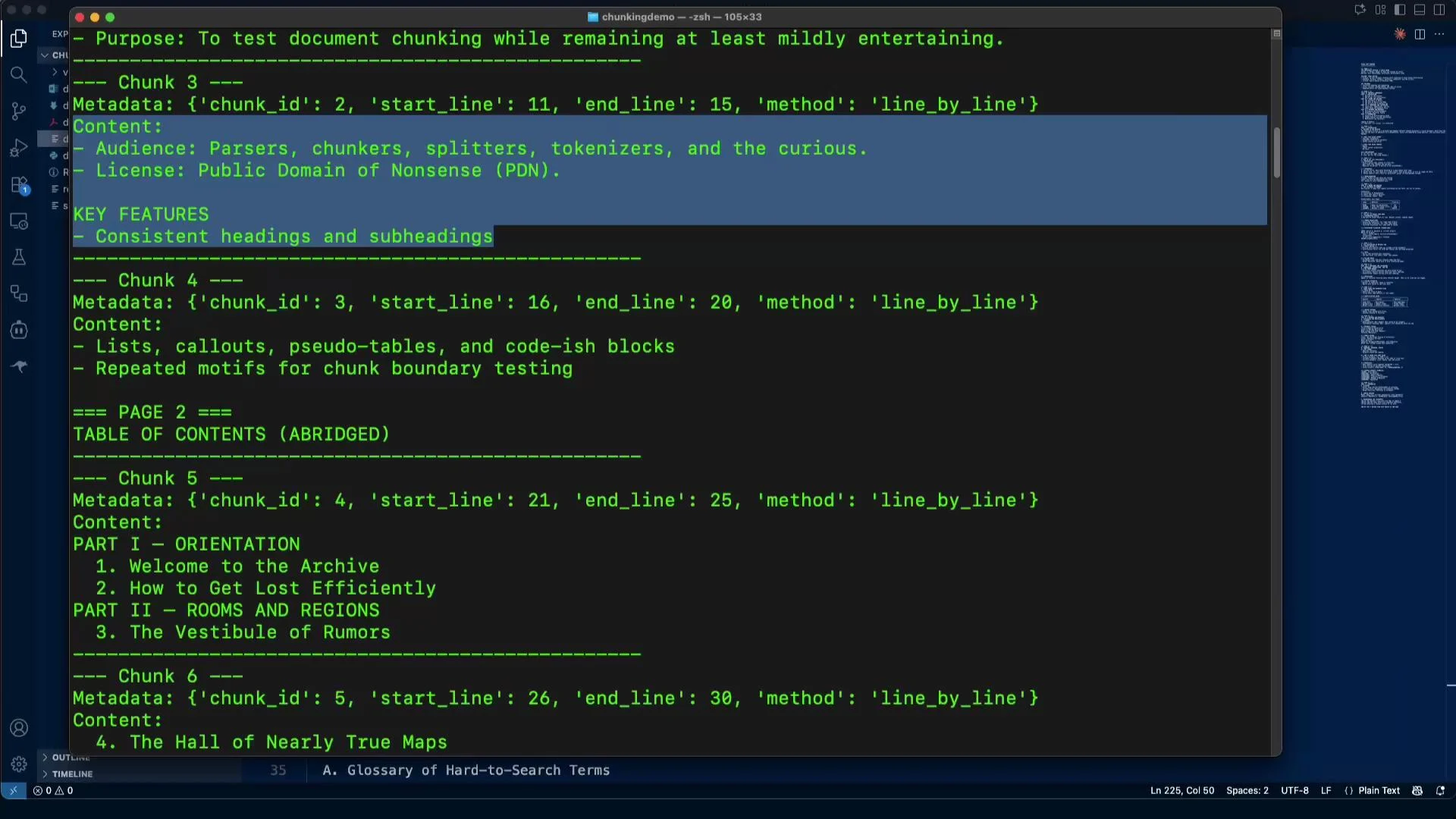
Typical output for a chunk (metadata + five lines):
```plaintext theme={null}
--- Chunk 3 ---
Metadata: {'chunk_id': 2, 'start_line': 11, 'end_line': 15, 'method': 'line_by_line'}
Content:
- Audience: Parsers, chunkers, splitters, tokenizers, and the curious.
- License: Public Domain of Nonsense (PDN).
KEY FEATURES
- Consistent headings and subheadings
```
When to use:
* When input data maps to fixed-record line blocks.
* As a low-level primitive combined with semantic grouping.
***
## Overview of chunking strategies
Below are the key strategies demonstrated by the `DocumentChunker` class. Each method trades off semantic alignment, chunk size control, and continuity across boundaries.
| Strategy | Best for | Notes / Typical options |
| ----------------------- | ------------------------------- | --------------------------------------------------------------------------------------- |
| Line-by-line | Fixed-record formats, logs | `--max-lines ` groups N lines per chunk. Low semantic awareness. |
| Fixed-size with overlap | Token-limited models | `--chunk-size ` and `--overlap ` preserve some context across boundaries. |
| Sliding-window | Smooth overlap for retrieval | `--window-size ` and `--step-size ` produce overlapping windows. |
| Sentence-based | Linguistic atomicity | `--max-sentences ` preserves sentence boundaries; sensitive to punctuation. |
| Paragraph-based | Natural semantic grouping | `--max-paragraphs ` relies on blank-line separators. |
| Page-based | PDFs / DOCX with page structure | `--lines-per-page ` or direct page extraction via parser. |
| Section / Heading-based | Structured docs (Markdown) | `--heading-pattern ''` splits by headings (e.g., `^\s*#{1,6}\s+`). |
| Token-based | Model-aware chunking | `--max-tokens ` requires a tokenizer (e.g., `tiktoken`, HF tokenizers). |
References:
* tiktoken: [https://github.com/openai/tiktoken](https://github.com/openai/tiktoken)
* Hugging Face tokenizers: [https://huggingface.co/docs/tokenizers/index](https://huggingface.co/docs/tokenizers/index)
* PDF parsing libraries: PyPDF2, pdfplumber, PyMuPDF
* DOCX parsing: python-docx
***
## 1) Line-by-line chunking
Line-by-line chunking groups a fixed number of lines into each chunk. This method is reliable when records are line-oriented (logs, structured exports), but it has no semantic awareness — chunks can split sentences or paragraphs arbitrarily.
Example CLI:
```bash theme={null}
(venv) jeremy@MACSTUDIO chunkingdemo % python document_chunker.py demo.txt line --max-lines 5
```
Typical output for a chunk (metadata + five lines):
```plaintext theme={null}
--- Chunk 3 ---
Metadata: {'chunk_id': 2, 'start_line': 11, 'end_line': 15, 'method': 'line_by_line'}
Content:
- Audience: Parsers, chunkers, splitters, tokenizers, and the curious.
- License: Public Domain of Nonsense (PDN).
KEY FEATURES
- Consistent headings and subheadings
```
When to use:
* When input data maps to fixed-record line blocks.
* As a low-level primitive combined with semantic grouping.
 ***
## 2) Fixed-size chunking with overlap
Fixed-size chunking splits text into character-range chunks of a fixed length. Overlap preserves context when a semantic unit spans a boundary, which helps retrieval and question-answering tasks.
Example CLI:
```bash theme={null}
(venv) jeremy@MACSTUDIO chunkingdemo % python document_chunker.py demo.txt fixed --chunk-size 500 --overlap 50
```
Sample metadata:
```plaintext theme={null}
Metadata: {'chunk_id': 15, 'start_char': 6750, 'end_char': 7067, 'method': 'fixed_size'}
```
Sample chunk:
```plaintext theme={null}
--- Chunk 15 ---
Metadata: {'chunk_id': 14, 'start_char': 6300, 'end_char': 6800, 'method': 'fixed_size'}
Content:
OFFSETS (SYMBOLIC)
[0-800): Front Matter
[800-1600): Orientation
[1600-2400): Rooms & Regions
[2400-3200): Creatures & Custodians
[3200-4000): Methods & Measures
[4000-END): Appendices
```
When to use:
* When you must guarantee a maximum chunk size for model input.
* Use overlap to reduce information loss across chunk boundaries.
***
## 3) Sliding-window chunking
Sliding-window chunking creates overlapping windows of a fixed size and advances by a step. Compared to naive fixed-size with overlap, sliding windows are often easier to reason about because overlap is controlled by the step size.
Example CLI:
```bash theme={null}
(venv) jeremy@MACSTUDIO chunkingdemo % python document_chunker.py demo.txt sliding --window-size 800 --step-size 400
```
Output metadata examples:
```plaintext theme={null}
Metadata: {'chunk_id': 0, 'start_char': 0, 'end_char': 800, 'method': 'sliding_window'}
Metadata: {'chunk_id': 1, 'start_char': 400, 'end_char': 1200, 'method': 'sliding_window'}
```
Why it helps:
* Boundaries (e.g., headings, TOC entries) will appear in multiple chunks, enabling robust retrieval or reranking.
***
## 4) Sentence-based chunking
Sentence-based chunking splits text into sentences and groups a fixed number of sentences per chunk. This yields linguistically coherent chunks but depends on accurate sentence splitting.
Example CLI (max 3 sentences per chunk):
```bash theme={null}
(venv) jeremy@MACSTUDIO chunkingdemo % python document_chunker.py demo.txt sentence --max-sentences 3
```
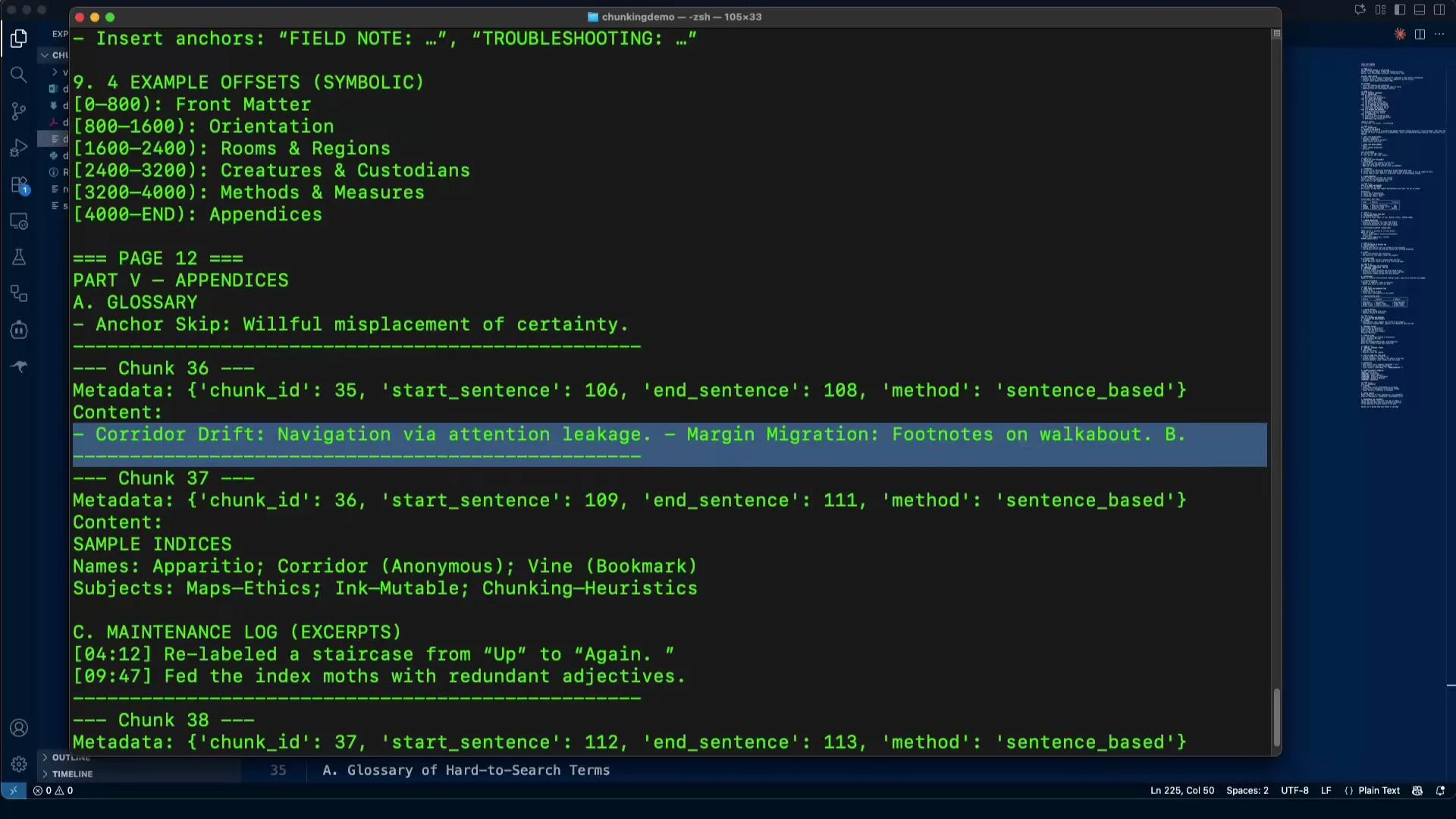
Sample output:
```plaintext theme={null}
---- Chunk 36 ----
Metadata: {'chunk_id': 35, 'start_sentence': 106, 'end_sentence': 108, 'method': 'sentence_based'}
Content:
- Corridor Drift: Navigation via attention leakage. - Margin Migration: Footnotes on walkabout. B.
---- Chunk 37 ----
Metadata: {'chunk_id': 36, 'start_sentence': 109, 'end_sentence': 111, 'method': 'sentence_based'}
Content:
SAMPLE INDICES
Names: Apparitio; Corridor (Anonymous); Vine (Bookmark)
Subjects: Maps–Ethics; Ink–Mutable; Chunking–Heuristics
```
Caveats:
* Short sentences produce small chunks; consider grouping more sentences or applying a minimum character or token threshold.
* For production, swap the simple regex splitter with a robust sentence tokenizer (e.g., spaCy).
***
## 2) Fixed-size chunking with overlap
Fixed-size chunking splits text into character-range chunks of a fixed length. Overlap preserves context when a semantic unit spans a boundary, which helps retrieval and question-answering tasks.
Example CLI:
```bash theme={null}
(venv) jeremy@MACSTUDIO chunkingdemo % python document_chunker.py demo.txt fixed --chunk-size 500 --overlap 50
```
Sample metadata:
```plaintext theme={null}
Metadata: {'chunk_id': 15, 'start_char': 6750, 'end_char': 7067, 'method': 'fixed_size'}
```
Sample chunk:
```plaintext theme={null}
--- Chunk 15 ---
Metadata: {'chunk_id': 14, 'start_char': 6300, 'end_char': 6800, 'method': 'fixed_size'}
Content:
OFFSETS (SYMBOLIC)
[0-800): Front Matter
[800-1600): Orientation
[1600-2400): Rooms & Regions
[2400-3200): Creatures & Custodians
[3200-4000): Methods & Measures
[4000-END): Appendices
```
When to use:
* When you must guarantee a maximum chunk size for model input.
* Use overlap to reduce information loss across chunk boundaries.
***
## 3) Sliding-window chunking
Sliding-window chunking creates overlapping windows of a fixed size and advances by a step. Compared to naive fixed-size with overlap, sliding windows are often easier to reason about because overlap is controlled by the step size.
Example CLI:
```bash theme={null}
(venv) jeremy@MACSTUDIO chunkingdemo % python document_chunker.py demo.txt sliding --window-size 800 --step-size 400
```
Output metadata examples:
```plaintext theme={null}
Metadata: {'chunk_id': 0, 'start_char': 0, 'end_char': 800, 'method': 'sliding_window'}
Metadata: {'chunk_id': 1, 'start_char': 400, 'end_char': 1200, 'method': 'sliding_window'}
```
Why it helps:
* Boundaries (e.g., headings, TOC entries) will appear in multiple chunks, enabling robust retrieval or reranking.
***
## 4) Sentence-based chunking
Sentence-based chunking splits text into sentences and groups a fixed number of sentences per chunk. This yields linguistically coherent chunks but depends on accurate sentence splitting.
Example CLI (max 3 sentences per chunk):
```bash theme={null}
(venv) jeremy@MACSTUDIO chunkingdemo % python document_chunker.py demo.txt sentence --max-sentences 3
```
Sample output:
```plaintext theme={null}
---- Chunk 36 ----
Metadata: {'chunk_id': 35, 'start_sentence': 106, 'end_sentence': 108, 'method': 'sentence_based'}
Content:
- Corridor Drift: Navigation via attention leakage. - Margin Migration: Footnotes on walkabout. B.
---- Chunk 37 ----
Metadata: {'chunk_id': 36, 'start_sentence': 109, 'end_sentence': 111, 'method': 'sentence_based'}
Content:
SAMPLE INDICES
Names: Apparitio; Corridor (Anonymous); Vine (Bookmark)
Subjects: Maps–Ethics; Ink–Mutable; Chunking–Heuristics
```
Caveats:
* Short sentences produce small chunks; consider grouping more sentences or applying a minimum character or token threshold.
* For production, swap the simple regex splitter with a robust sentence tokenizer (e.g., spaCy).
 ***
## 5) Paragraph chunking
Paragraph-based chunking groups text at blank-line boundaries. Paragraphs are often good semantic units for many narrative or documentation-style sources.
Example CLI:
```bash theme={null}
(venv) jeremy@MACSTUDIO chunkingdemo % python document_chunker.py demo.txt paragraph --max-paragraphs 2
```
Notes:
* This method requires clear paragraph delimiters. Preprocessing is sometimes needed if paragraphs are not separated by blank lines (e.g., in OCR output).
***
## 6) Page chunking (useful for PDFs and DOCX)
Page chunking uses page boundaries or approximated line ranges to preserve page-level layout. This is essential when headers, footers, or figures belong to a specific page.
Usage notes:
* The demo includes a 10-page DOCX. The chunker reports pages sequentially.
* Example metadata for the last page:
```plaintext theme={null}
Metadata: {'chunk_id': 9, 'page': 10, 'start_line': 271, 'end_line': 294, 'method': 'page_based'}
```
When to prefer:
* Legal, academic, or scanned documents where page context matters.
* Combine with per-page OCR or page-aware parsing for better fidelity.
***
## 7) Section / Heading-based chunking (Markdown example)
Heading-based chunking splits by headings and preserves logical document structure — ideal for manuals, specs, and Markdown content.
Example CLI (Markdown headings):
```bash theme={null}
(venv) jeremy@MACSTUDIO chunkingdemo % python document_chunker.py demo.md section --heading-pattern '^\s*#{1,6}\s+'
```
Tips:
* Adjust the `--heading-pattern` regex for your document format (e.g., HTML headers, reStructuredText).
* Use this method first, then apply sentence, paragraph, or token-based limits inside sections.
Typical findings: chunk 51 might correspond to an H2 "Glossary", chunk 52 to "Sample indices", etc.
***
## Combining strategies & production tips
There is no one-size-fits-all chunker. Common, practical strategies include:
* Run heading/section-based splitting first to preserve logical units, then apply token-based or fixed-size chunking within each section to respect model input limits.
* Use sliding windows or fixed overlap to ensure context continuity across boundaries when retrieval quality matters.
* Replace the naive token splitter with a production tokenizer: `tiktoken` for OpenAI models or Hugging Face tokenizers for other models.
Additional resources:
* Tokenizers: [tiktoken](https://github.com/openai/tiktoken), [Hugging Face tokenizers](https://huggingface.co/docs/tokenizers/index)
* PDF parsing: [pdfplumber](https://github.com/jsvine/pdfplumber), [PyMuPDF](https://pypi.org/project/PyMuPDF/)
* DOCX parsing: [python-docx](https://python-docx.readthedocs.io/)
Best practice: combine structural chunking (sections/headings/pages) with size-limiting chunking (token or fixed-size with overlap). This preserves semantics while respecting model input limits.
If you want to experiment, the accompanying repository includes the `document_chunker.py` file shown above and the sample documents used in these examples.
***
## 5) Paragraph chunking
Paragraph-based chunking groups text at blank-line boundaries. Paragraphs are often good semantic units for many narrative or documentation-style sources.
Example CLI:
```bash theme={null}
(venv) jeremy@MACSTUDIO chunkingdemo % python document_chunker.py demo.txt paragraph --max-paragraphs 2
```
Notes:
* This method requires clear paragraph delimiters. Preprocessing is sometimes needed if paragraphs are not separated by blank lines (e.g., in OCR output).
***
## 6) Page chunking (useful for PDFs and DOCX)
Page chunking uses page boundaries or approximated line ranges to preserve page-level layout. This is essential when headers, footers, or figures belong to a specific page.
Usage notes:
* The demo includes a 10-page DOCX. The chunker reports pages sequentially.
* Example metadata for the last page:
```plaintext theme={null}
Metadata: {'chunk_id': 9, 'page': 10, 'start_line': 271, 'end_line': 294, 'method': 'page_based'}
```
When to prefer:
* Legal, academic, or scanned documents where page context matters.
* Combine with per-page OCR or page-aware parsing for better fidelity.
***
## 7) Section / Heading-based chunking (Markdown example)
Heading-based chunking splits by headings and preserves logical document structure — ideal for manuals, specs, and Markdown content.
Example CLI (Markdown headings):
```bash theme={null}
(venv) jeremy@MACSTUDIO chunkingdemo % python document_chunker.py demo.md section --heading-pattern '^\s*#{1,6}\s+'
```
Tips:
* Adjust the `--heading-pattern` regex for your document format (e.g., HTML headers, reStructuredText).
* Use this method first, then apply sentence, paragraph, or token-based limits inside sections.
Typical findings: chunk 51 might correspond to an H2 "Glossary", chunk 52 to "Sample indices", etc.
***
## Combining strategies & production tips
There is no one-size-fits-all chunker. Common, practical strategies include:
* Run heading/section-based splitting first to preserve logical units, then apply token-based or fixed-size chunking within each section to respect model input limits.
* Use sliding windows or fixed overlap to ensure context continuity across boundaries when retrieval quality matters.
* Replace the naive token splitter with a production tokenizer: `tiktoken` for OpenAI models or Hugging Face tokenizers for other models.
Additional resources:
* Tokenizers: [tiktoken](https://github.com/openai/tiktoken), [Hugging Face tokenizers](https://huggingface.co/docs/tokenizers/index)
* PDF parsing: [pdfplumber](https://github.com/jsvine/pdfplumber), [PyMuPDF](https://pypi.org/project/PyMuPDF/)
* DOCX parsing: [python-docx](https://python-docx.readthedocs.io/)
Best practice: combine structural chunking (sections/headings/pages) with size-limiting chunking (token or fixed-size with overlap). This preserves semantics while respecting model input limits.
If you want to experiment, the accompanying repository includes the `document_chunker.py` file shown above and the sample documents used in these examples.