> ## Documentation Index
> Fetch the complete documentation index at: https://notes.kodekloud.com/llms.txt
> Use this file to discover all available pages before exploring further.
# Validate our deployment on GKE
> This guide explains how to verify the correct operation of a containerized application on Google Kubernetes Engine using both the Google Cloud Console and `kubectl`.
In this guide, you’ll learn how to confirm that your containerized application is running correctly on Google Kubernetes Engine (GKE). We cover both the Google Cloud Console and the `kubectl` command-line interface.
***
## 1. Verifying via the GCP Console
1. Navigate to **Kubernetes Engine > Clusters** in the Google Cloud Console.
2. Select your cluster (for example, **gcp-devops-project**).
3. In the cluster overview, click **Workloads** in the left menu to see all Deployments.
4. Choose the correct namespace (e.g., `gcp-devops-prod`). You’ll see your Deployment, the number of ready pods, and its status.
5. Click the Deployment name for detailed metrics on CPU, memory, and more.
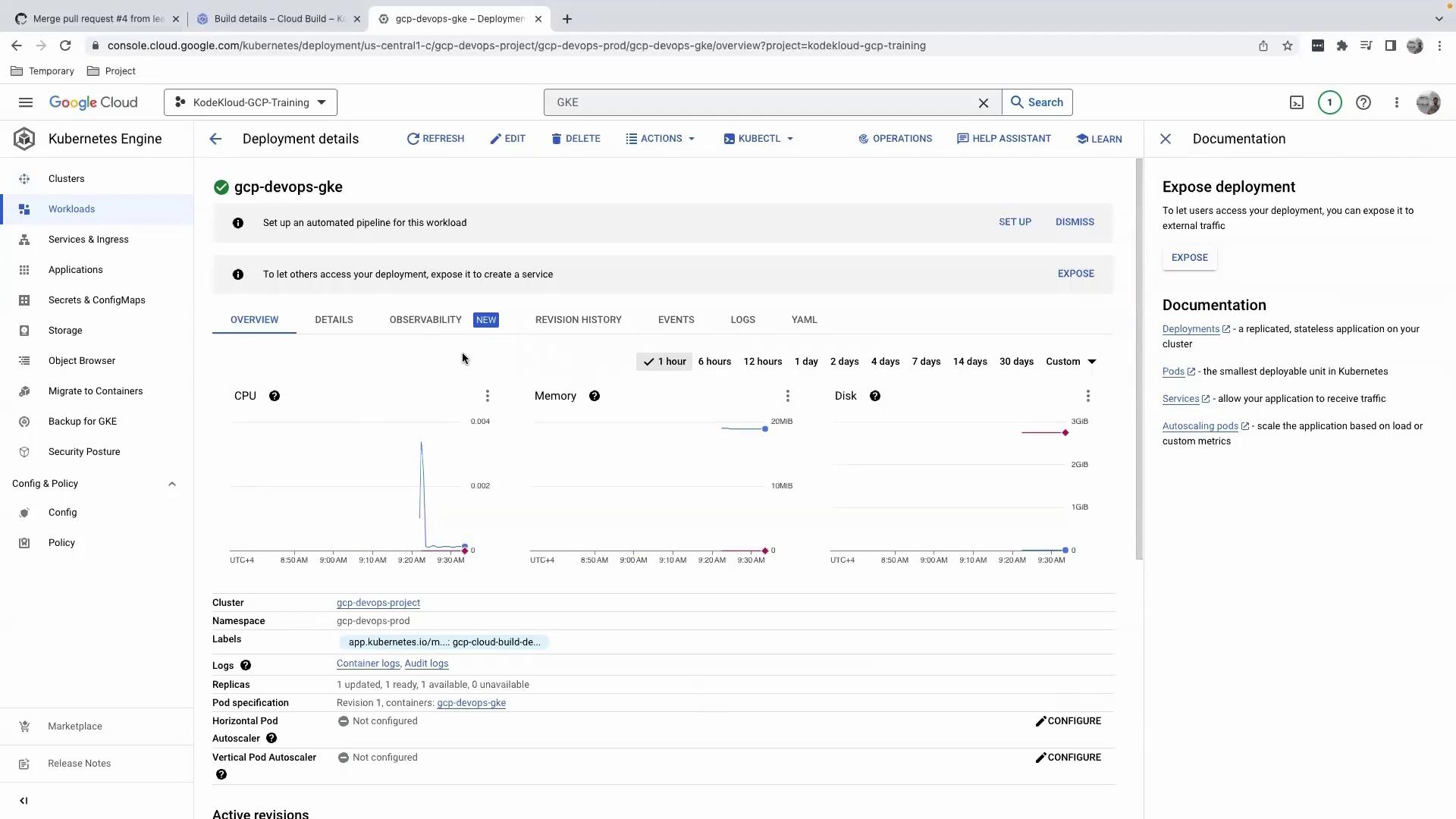
Avoid editing your Deployment manifest directly in the Console. Since changes aren’t tracked in your GitHub-backed CI/CD pipeline, this can lead to configuration drift.
### Editing via the Console
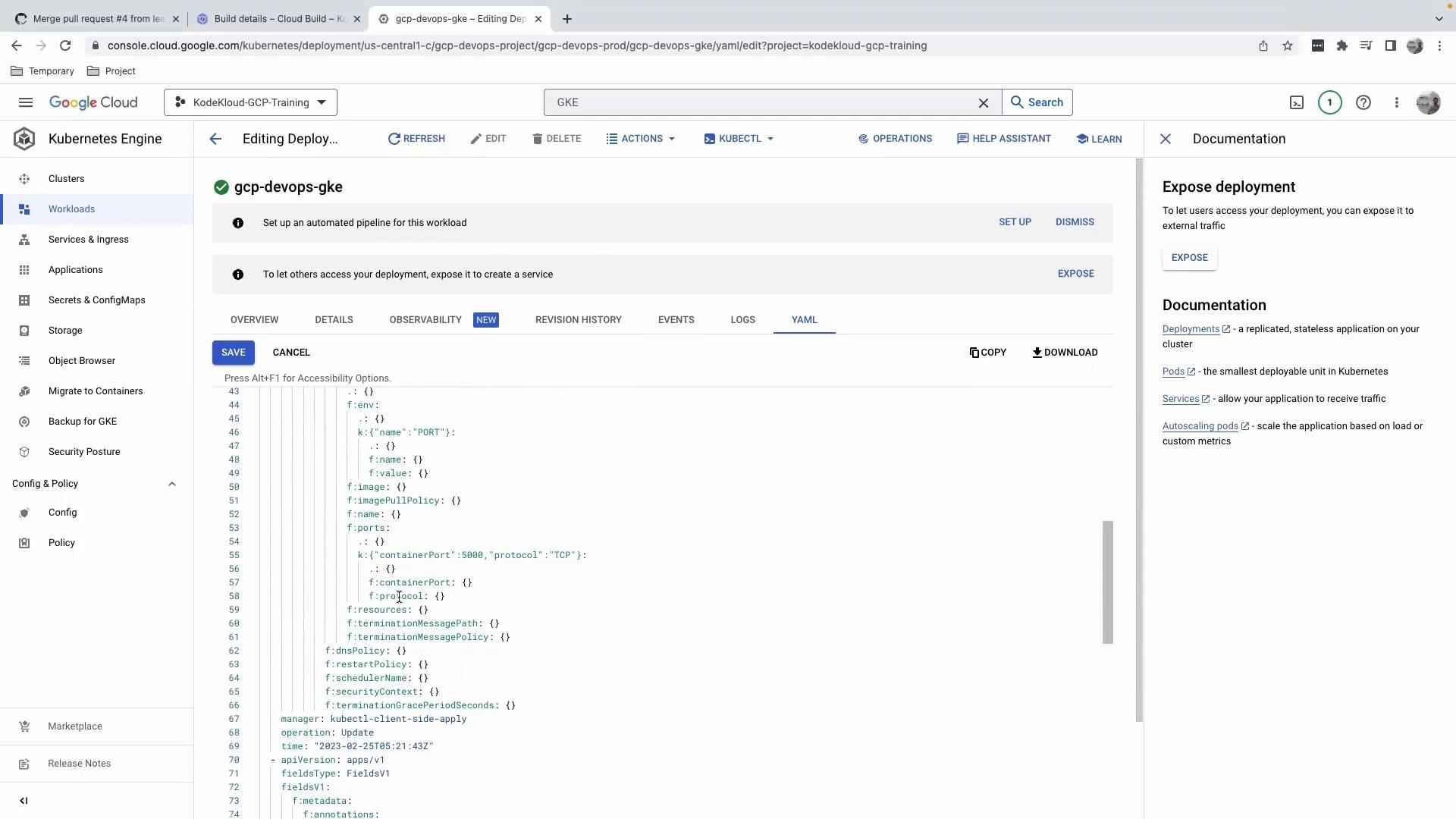
When you click **Edit**, you’ll see a client-side apply patch like this:
```yaml theme={null}
apiVersion: apps/v1
manager: kubectl-client-side-apply
operation: Update
time: "2023-02-25T15:21:43Z"
fieldType: FieldsV1
fieldsV1:
f:metadata:
f:annotations:
f:kubectl.kubernetes.io/last-applied-configuration: {}
f:spec:
f:template:
f:spec:
f:containers:
- f:name: my-app
f:image: gcr.io/my-project/my-image:latest
f:ports:
- f:containerPort: 5000
f:protocol: TCP
f:resources:
f:requests:
f:cpu: "100m"
f:memory: "128Mi"
```
### Viewing Logs, Revisions, and Observability
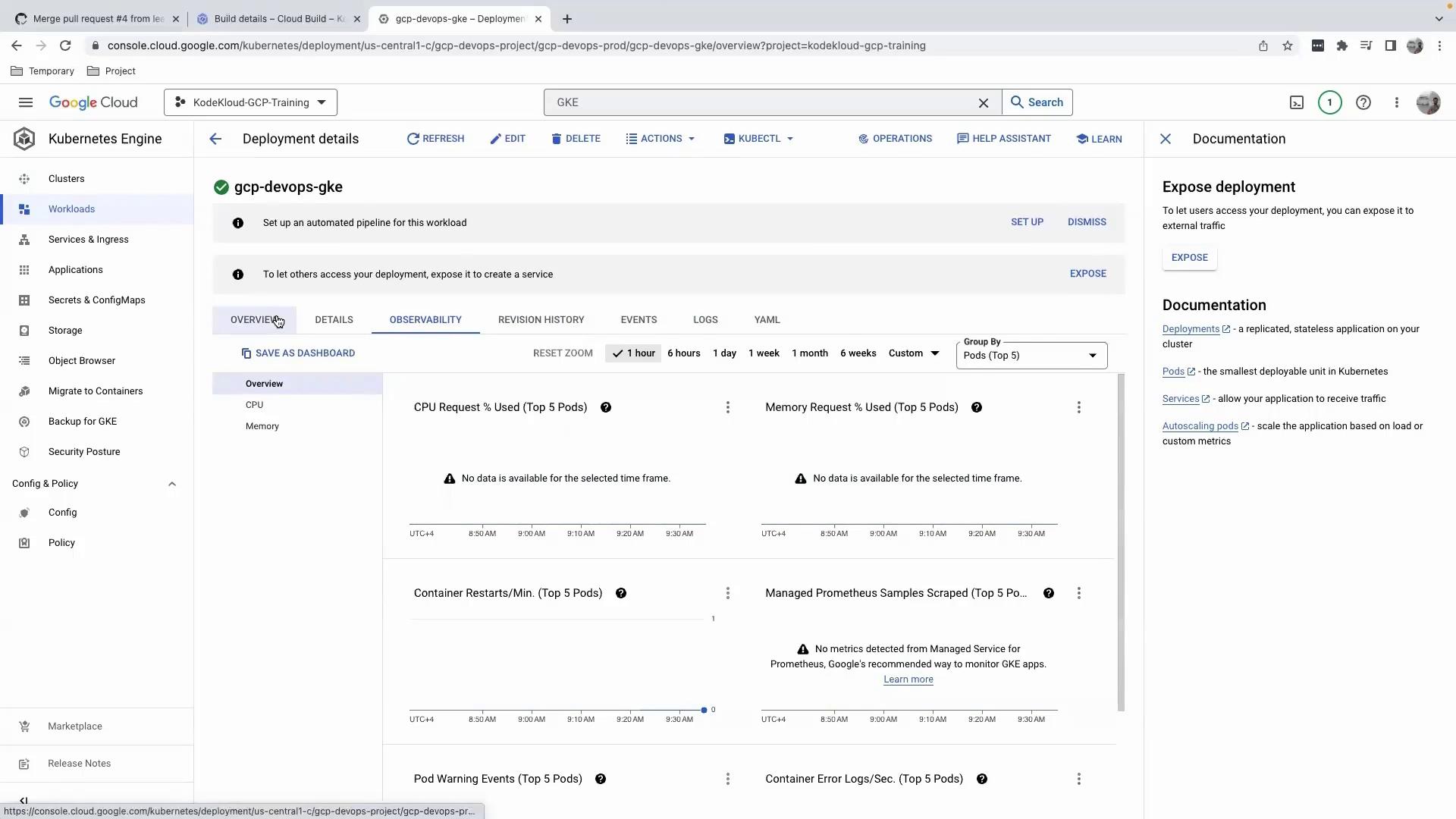
* **Logs**: Monitor container output filtered by severity or time.
* **Revision History**: Track Deployment rollouts and rollbacks.
* **Observability**: Access extended metrics, charts, and health checks.
#### Exposure & Actions
| Action | Description |
| ----------------------- | ---------------------------------------------------------- |
| Scale Replicas | Increase or decrease the number of pod replicas. |
| Expose via LoadBalancer | Create a Service of type LoadBalancer for external access. |
| Configure Ingress | Set up Ingress rules for host/path-based routing. |
| Edit Configuration | Modify your Deployment manifest via CI/CD to avoid drift. |
Because no Service resource exists yet, the **Exposure** section will be empty.\
We recommend using your CI/CD pipeline for all changes to ensure auditability.
***
## 2. Verifying via the Command Line
### a. Configure `kubectl` Credentials
Open Cloud Shell (or your local terminal) and run:
```bash theme={null}
gcloud container clusters get-credentials gcp-devops-project \
--zone us-central1-c \
--project kodekloud-gcp-training
```
This command retrieves cluster credentials and configures `kubectl` to use your GKE context.
### b. Check Pods in the Default Namespace
By default, `kubectl` queries the `default` namespace:
```bash theme={null}
kubectl get pods
# no resources found in default namespace.
```
Most GKE applications run in a custom namespace, so the default namespace is often empty.
### c. Check Pods in Your Namespace
List all pods in `gcp-devops-prod`:
```bash theme={null}
kubectl get pods -n gcp-devops-prod
```
Example output:
```bash theme={null}
NAME READY STATUS RESTARTS AGE
gcp-devops-gke-7c7b74f68-tnz8z 1/1 Running 0 16m
```
From here, you can dig deeper:
```bash theme={null}
kubectl logs gcp-devops-gke-7c7b74f68-tnz8z -n gcp-devops-prod
kubectl describe pod gcp-devops-gke-7c7b74f68-tnz8z -n gcp-devops-prod
```
***
## Next Steps
Once your Deployment is validated:
* Create a **Service** to expose your application externally.
* Configure **Ingress** rules for HTTP routing and TLS termination.
* Integrate monitoring and alerts with **Cloud Monitoring** and **Cloud Logging**.
***
## Links and References
* [Google Kubernetes Engine Documentation](https://cloud.google.com/kubernetes-engine/docs)
* [kubectl Cheat Sheet](https://kubernetes.io/docs/reference/kubectl/cheatsheet/)
* [Kubernetes Concepts](https://kubernetes.io/docs/concepts/overview/what-is-kubernetes/)