> ## Documentation Index
> Fetch the complete documentation index at: https://notes.kodekloud.com/llms.txt
> Use this file to discover all available pages before exploring further.
# GIT Merging branches
> This article explains the process of merging branches in Git, including fast-forward and no fast-forward merges.
When developing a new feature, it's best practice to work on a separate branch—such as `feature/sign-up`. Once the feature is complete and thoroughly tested, the next step is to integrate the changes into the `master` branch using Git's merge functionality.
Before merging, ensure your local repository is up-to-date to minimize merge conflicts.
## Step-by-Step Merge Process
1. **Switch to the Master Branch**\
Start by switching to the `master` branch:
```bash theme={null}
git checkout master
```
2. **Merge the Feature Branch**\
Next, merge the feature branch (`feature/sign-up`) into `master`:
```bash theme={null}
git merge feature/sign-up
```
Git supports two types of merges: fast-forward merges and no fast-forward merges.
## Fast-forward Merge
A fast-forward merge occurs when the current branch (`master`) has no additional commits relative to the feature branch (`feature/sign-up`). In this case, Git simply moves the branch pointer forward to incorporate all the new commits, integrating the changes directly without creating a new commit.
## No Fast-forward Merge
A no fast-forward merge is applied when the `master` branch has unique commits that are not part of the feature branch. In this scenario, Git creates a new merge commit that records the integration of both branches, featuring two parent commits—one from `master` and one from `feature/sign-up`.
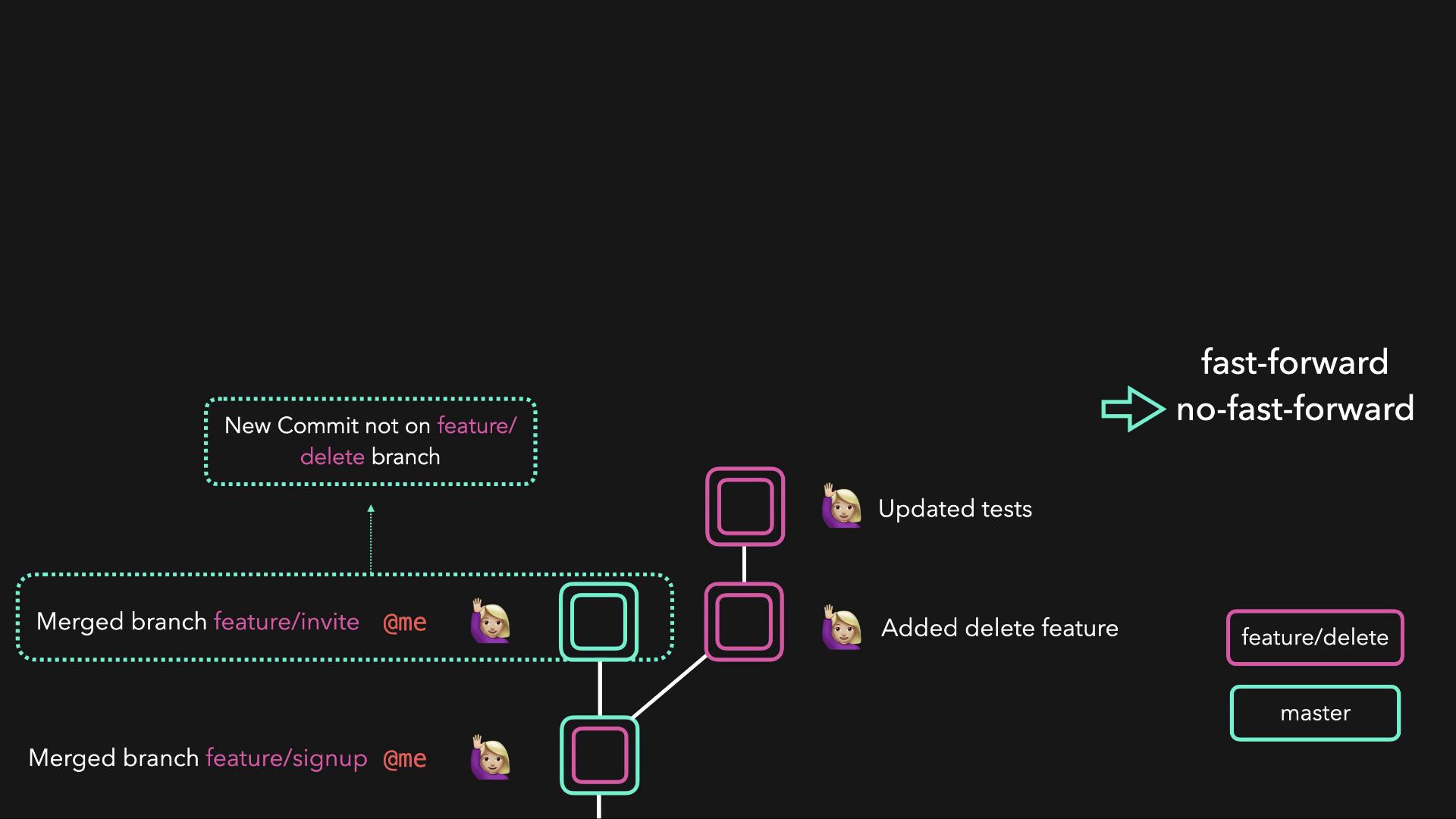
After a successful merge—whether fast-forward or no fast-forward—the `master` branch will contain all the changes from the feature branch.
## Learn More About Git Merging
For more practical experience and deeper insights into Git workflows, visit the [Labs: GIT for Beginners](https://learn.kodekloud.com/user/courses/labs-git-for-beginners).
Happy coding!