> ## Documentation Index
> Fetch the complete documentation index at: https://notes.kodekloud.com/llms.txt
> Use this file to discover all available pages before exploring further.

# Plan your network for GKE

> This article explains how to plan and manage networking for Google Kubernetes Engine, covering features like load balancing, network policies, and IP address allocation.

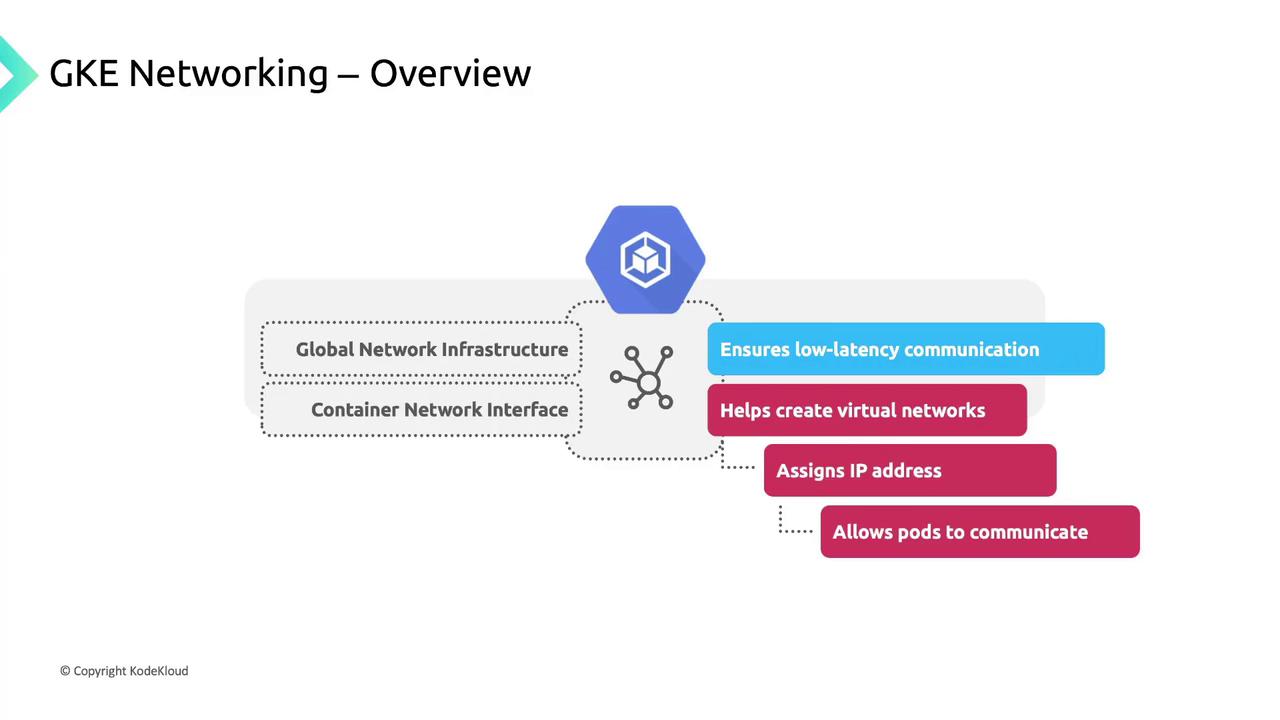
Google Kubernetes Engine (GKE) delivers a high-performance networking stack built on Google’s global backbone. By integrating the [Container Network Interface (CNI)](https://www.cni.dev) plugin, GKE provisions virtual networks, assigns IP addresses to pods, and ensures low-latency communication both inside and across clusters.
<Frame>
  ![The image is an overview of GKE Networking, highlighting components like Global Network Infrastructure and Container Network Interface, and features such as low-latency communication, virtual network creation, IP address assignment, and pod communication.](https://kodekloud.com/kk-media/image/upload/v1752875694/notes-assets/images/GKE-Google-Kubernetes-Engine-Plan-your-network-for-GKE/gke-networking-overview-components-features.jpg)
</Frame>

## Core Networking Features in GKE

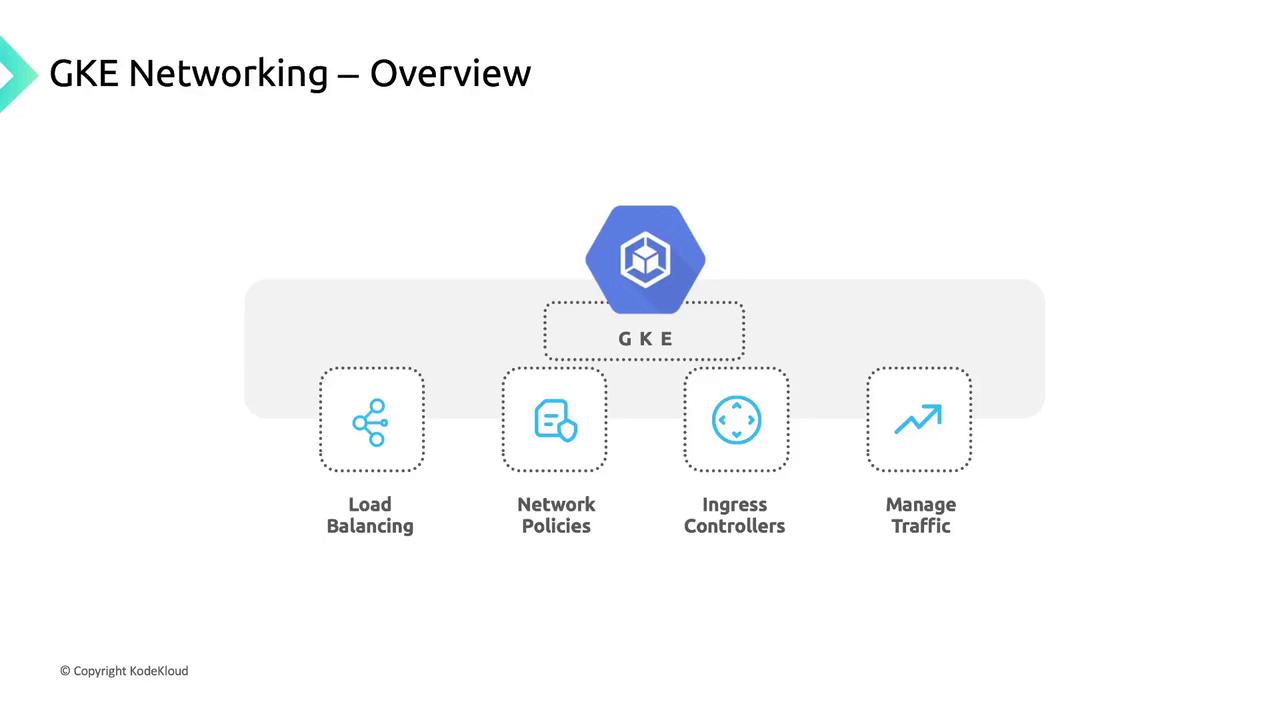
GKE includes built-in load balancing, network policies, and Ingress controllers to manage traffic flow:

| Feature                | Description                                       | Example                                     |
| ---------------------- | ------------------------------------------------- | ------------------------------------------- |
| Service Load Balancing | Automatically provision internal/external LBs     | `kubectl expose deployment nginx --port=80` |
| Network Policies       | Define pod-to-pod and pod-to-external rules       | `kubectl apply -f network-policy.yaml`      |
| Ingress Controllers    | HTTP(S) routing and host/path-based traffic rules | `kubectl apply -f ingress-controller.yaml`  |
<Frame>
  ![The image is an overview of GKE Networking, highlighting components such as Load Balancing, Network Policies, Ingress Controllers, and Traffic Management.](https://kodekloud.com/kk-media/image/upload/v1752875695/notes-assets/images/GKE-Google-Kubernetes-Engine-Plan-your-network-for-GKE/gke-networking-overview-load-balancing.jpg)
</Frame>

## Cluster Connectivity Requirements

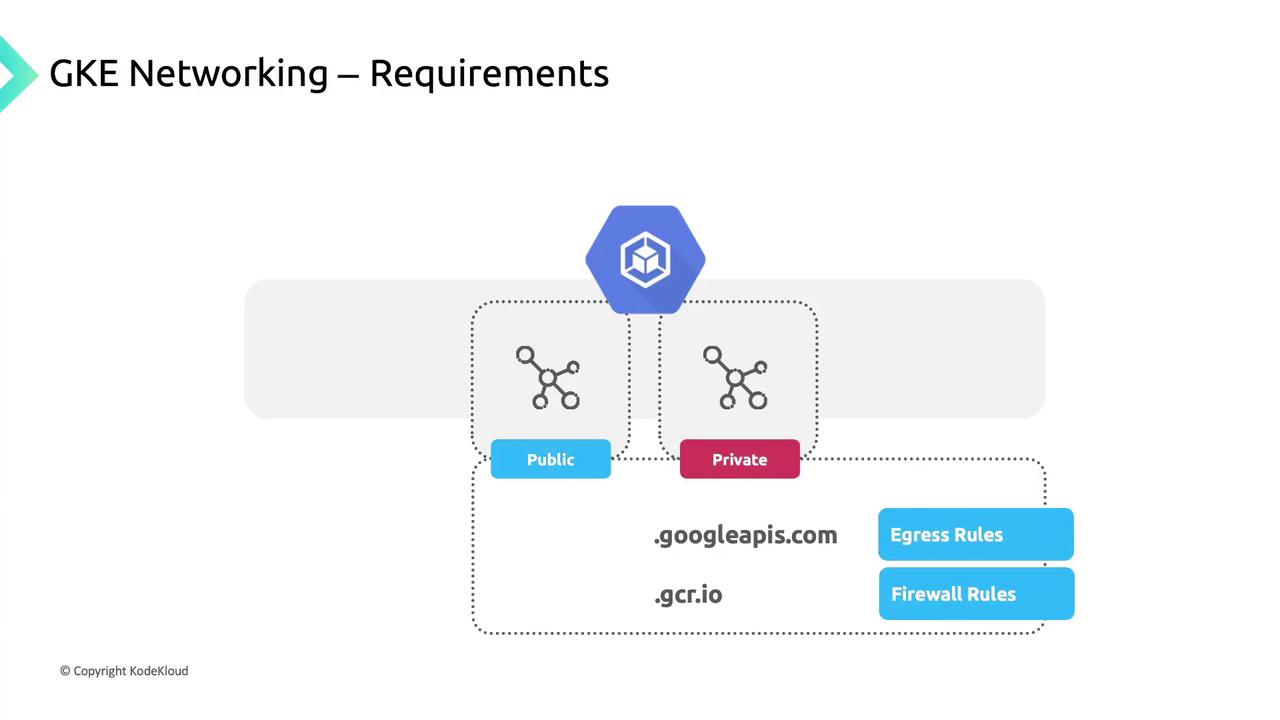
GKE clusters run within a Google Cloud VPC, giving you private isolation and direct access to Google services such as [BigQuery](https://cloud.google.com/bigquery) and [Cloud Storage](https://cloud.google.com/storage). You can deploy:

* **Public clusters**: Nodes have public IPs.
* **Private clusters**: Nodes use only private IPs and need Cloud NAT or proxy for internet egress.
<Frame>
  ![The image illustrates GKE networking requirements, showing a diagram with public and private network components, and mentions domains like .googleapis.com and .gcr.io along with egress and firewall rules.](https://kodekloud.com/kk-media/image/upload/v1752875697/notes-assets/images/GKE-Google-Kubernetes-Engine-Plan-your-network-for-GKE/gke-networking-requirements-diagram.jpg)
</Frame>

<Callout icon="triangle-alert" color="#FF6B6B">
  If you add high-priority firewall rules that block egress, you must explicitly allow:

  * `*.googleapis.com`
  * `*.gcr.io`
  * The control plane IP address
</Callout>

## IP Address Allocation in GKE

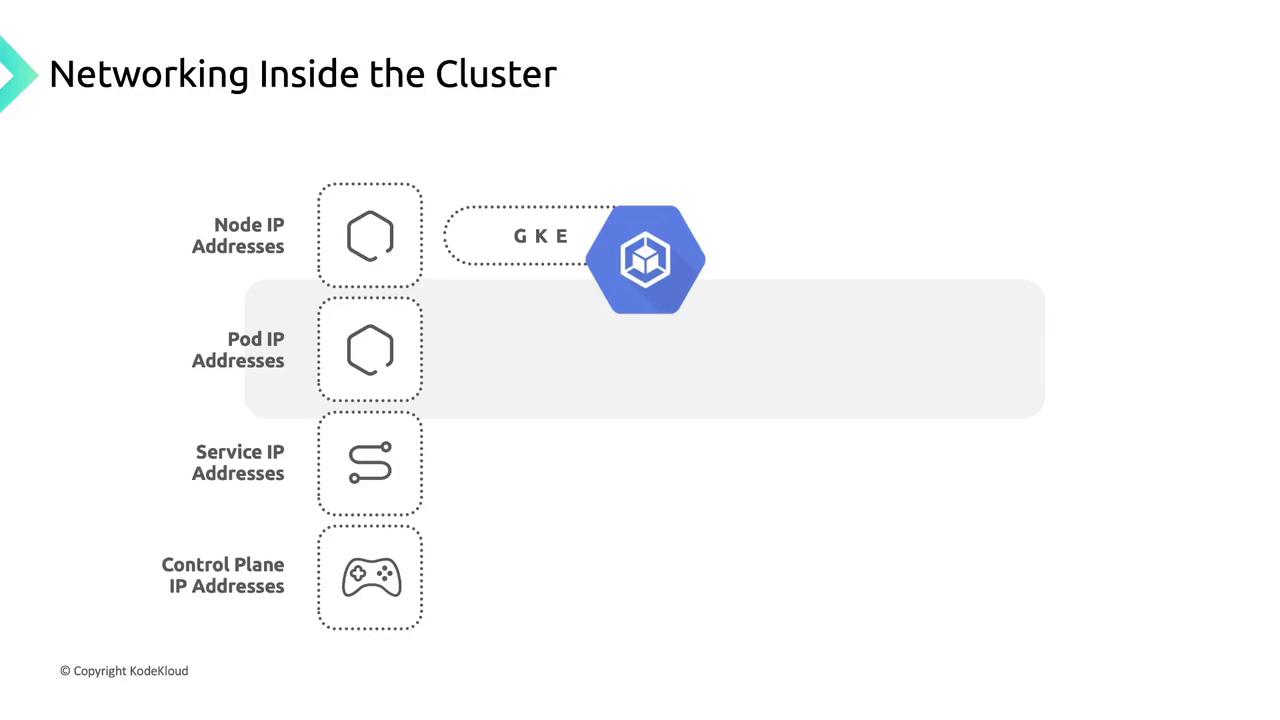
Proper IP planning ensures each component has a unique address space. GKE allocates addresses for:
<Frame>
  ![The image illustrates networking inside a cluster, showing different types of IP addresses (Node, Pod, Service, and Control Plane) associated with GKE (Google Kubernetes Engine).](https://kodekloud.com/kk-media/image/upload/v1752875697/notes-assets/images/GKE-Google-Kubernetes-Engine-Plan-your-network-for-GKE/gke-cluster-networking-ip-addresses-diagram.jpg)
</Frame>

1. **Node IP Addresses:** Assigned from the VPC to enable kubelet, kube-proxy, and system components to communicate with the API server.
2. **Pod IP Addresses:**
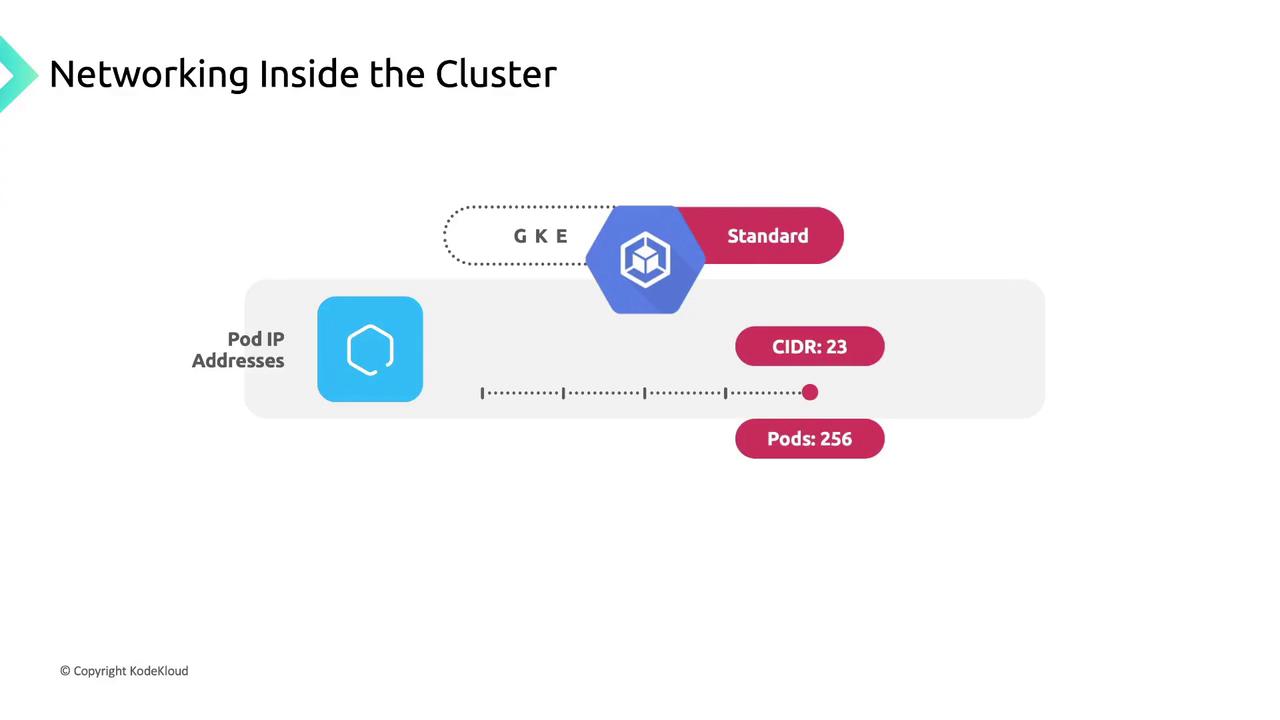
   * By default, each node gets a `/24` CIDR block for pod IPs.

<Callout icon="lightbulb" color="#1CB2FE">
  Use the [flexible pod range feature](https://cloud.google.com/kubernetes-engine/docs/concepts/ip-allocation) to adjust the CIDR size per node pool.
</Callout>

<Frame>
  ![The image illustrates networking inside a cluster, showing a diagram with "GKE Standard," "Pod IP Addresses," "CIDR: 23," and "Pods: 256."](https://kodekloud.com/kk-media/image/upload/v1752875698/notes-assets/images/GKE-Google-Kubernetes-Engine-Plan-your-network-for-GKE/gke-standard-cluster-networking-diagram.jpg)
</Frame>

A `/23` block yields 512 addresses (up to 256 pods), though GKE Standard limits pods per node to 110 by default.\
3\. **Service IP Addresses:** Each Service receives a stable Cluster IP from a dedicated pool.\
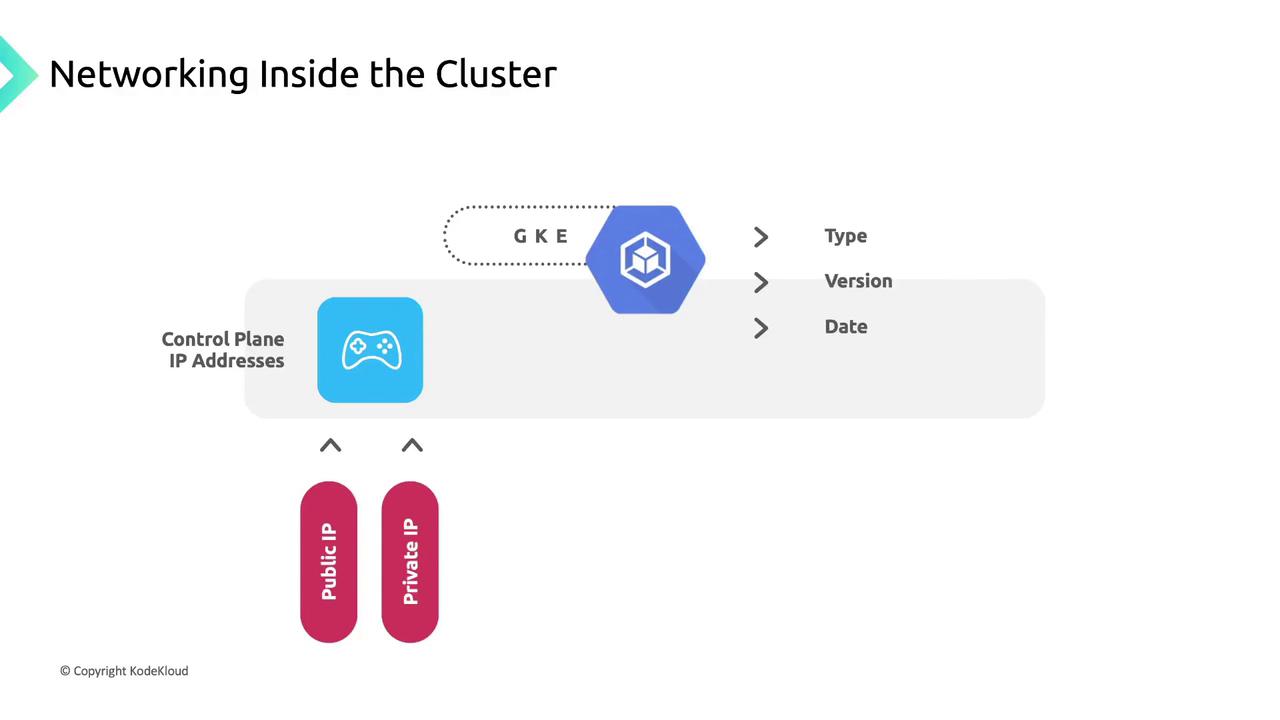
4\. **Control Plane IP Address:** May be public or private based on cluster settings and version.
<Frame>
  ![The image is a diagram titled "Networking Inside the Cluster," showing control plane IP addresses with options for public and private IPs, and a reference to GKE (Google Kubernetes Engine).](https://kodekloud.com/kk-media/image/upload/v1752875699/notes-assets/images/GKE-Google-Kubernetes-Engine-Plan-your-network-for-GKE/networking-inside-cluster-gke-diagram.jpg)
</Frame>

## Pod Networking: A Conference Analogy

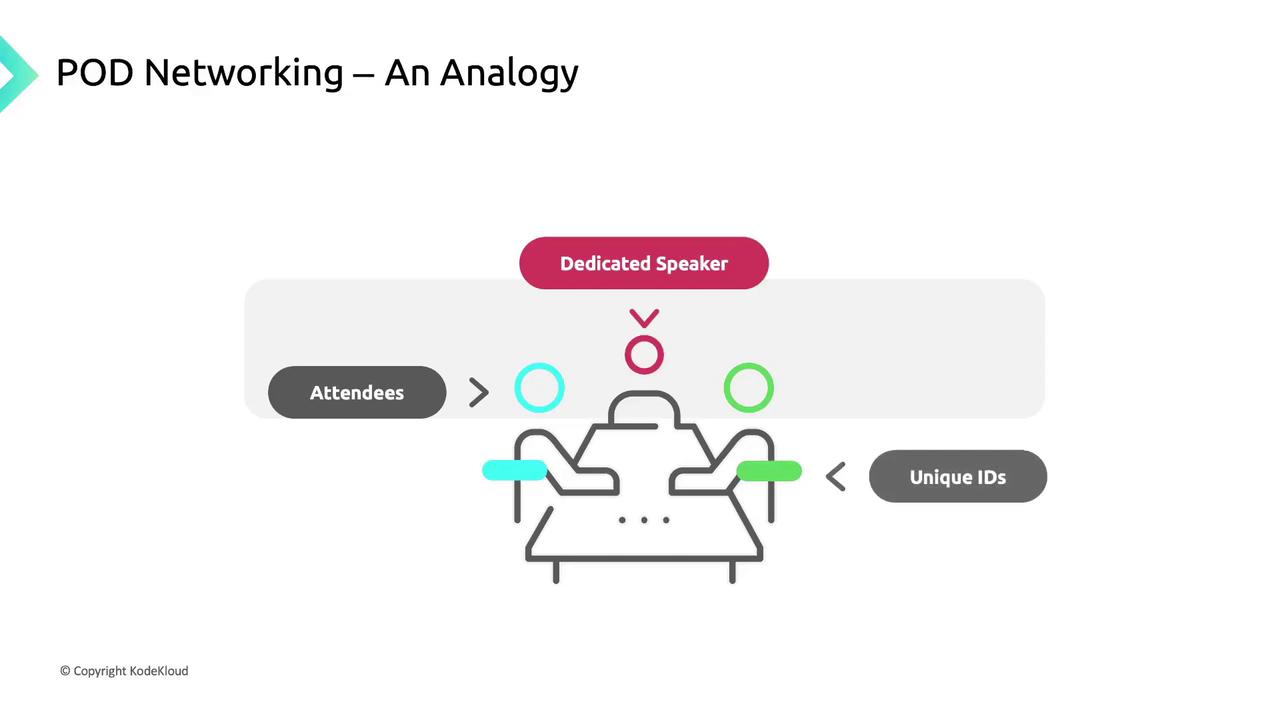
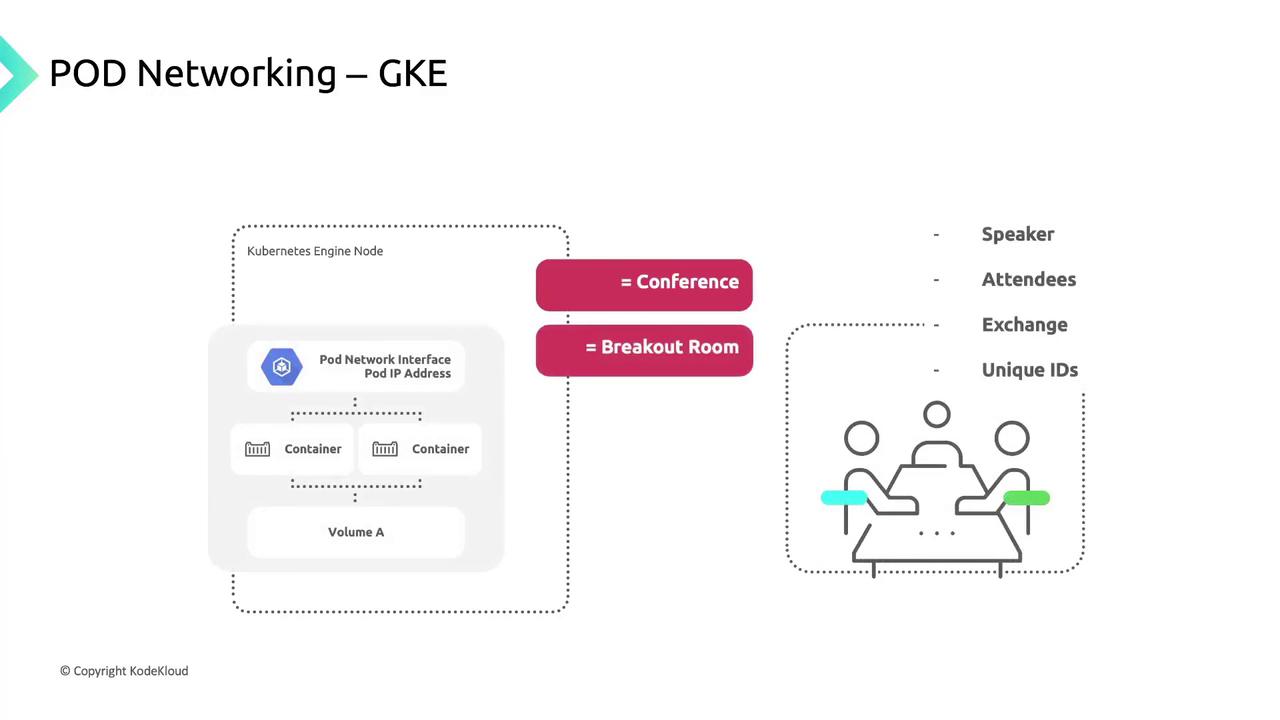
Think of a large conference with multiple breakout sessions. Each session has a dedicated speaker, and every participant has a unique badge number.
<Frame>
  ![The image is an analogy for POD networking, depicting a diagram with a "Dedicated Speaker" at the top, "Attendees" on the left, and "Unique IDs" on the right, connected by arrows.](https://kodekloud.com/kk-media/image/upload/v1752875700/notes-assets/images/GKE-Google-Kubernetes-Engine-Plan-your-network-for-GKE/pod-networking-diagram-dedicated-speaker.jpg)
</Frame>

* **Sessions (Pods):** Units of work; each gets a unique IP “badge.”
* **Rooms (Nodes):** Physical hosts for sessions.
* **Badges (IP Addresses):** Ensure messages reach the correct session.
<Frame>
  ![The image illustrates POD networking in Google Kubernetes Engine (GKE), comparing it to a conference and breakout room setup, with elements like containers and a network interface.](https://kodekloud.com/kk-media/image/upload/v1752875701/notes-assets/images/GKE-Google-Kubernetes-Engine-Plan-your-network-for-GKE/pod-networking-gke-conference-setup.jpg)
</Frame>

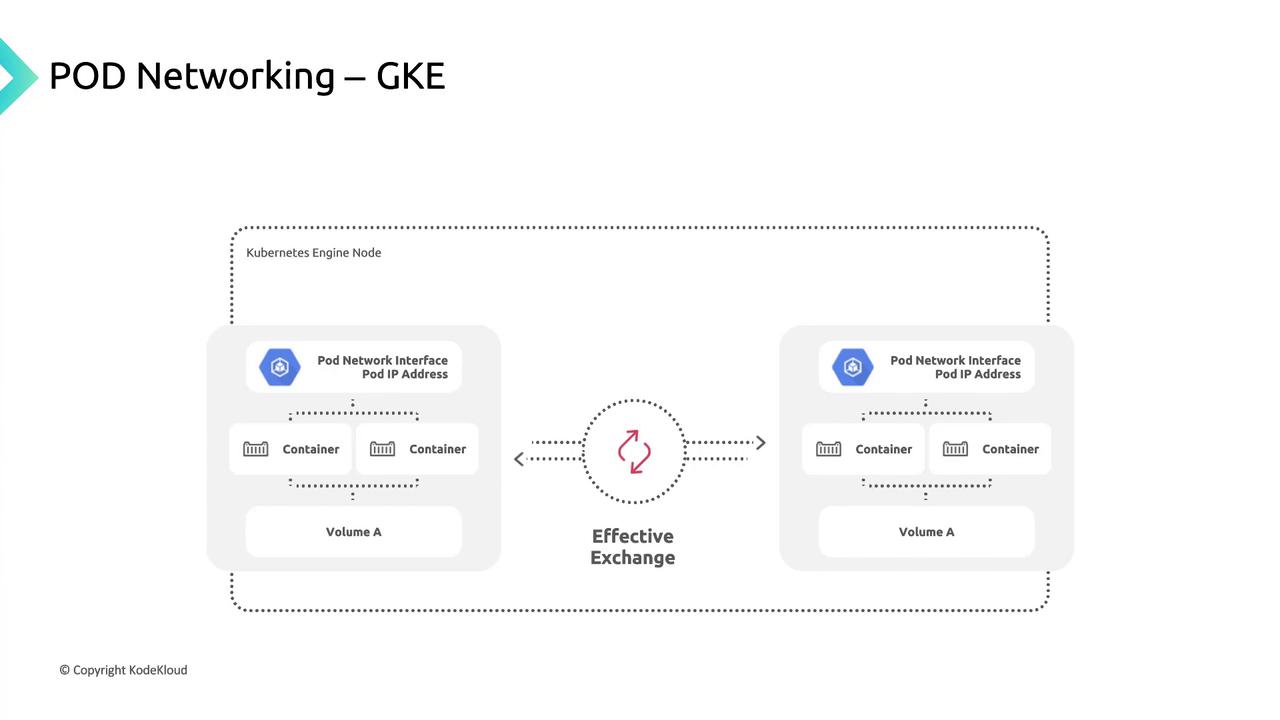
Each pod shares:

* A **pod IP** from the node’s CIDR block.
* A **network namespace** with a virtual Ethernet (veth) pair linked to the node’s `eth0`.
* Common **volumes** for storage.
<Frame>
  ![The image illustrates pod networking in Google Kubernetes Engine (GKE), showing two pods with network interfaces, containers, and volumes, connected for effective exchange.](https://kodekloud.com/kk-media/image/upload/v1752875702/notes-assets/images/GKE-Google-Kubernetes-Engine-Plan-your-network-for-GKE/pod-networking-gke-containers-illustration.jpg)
</Frame>

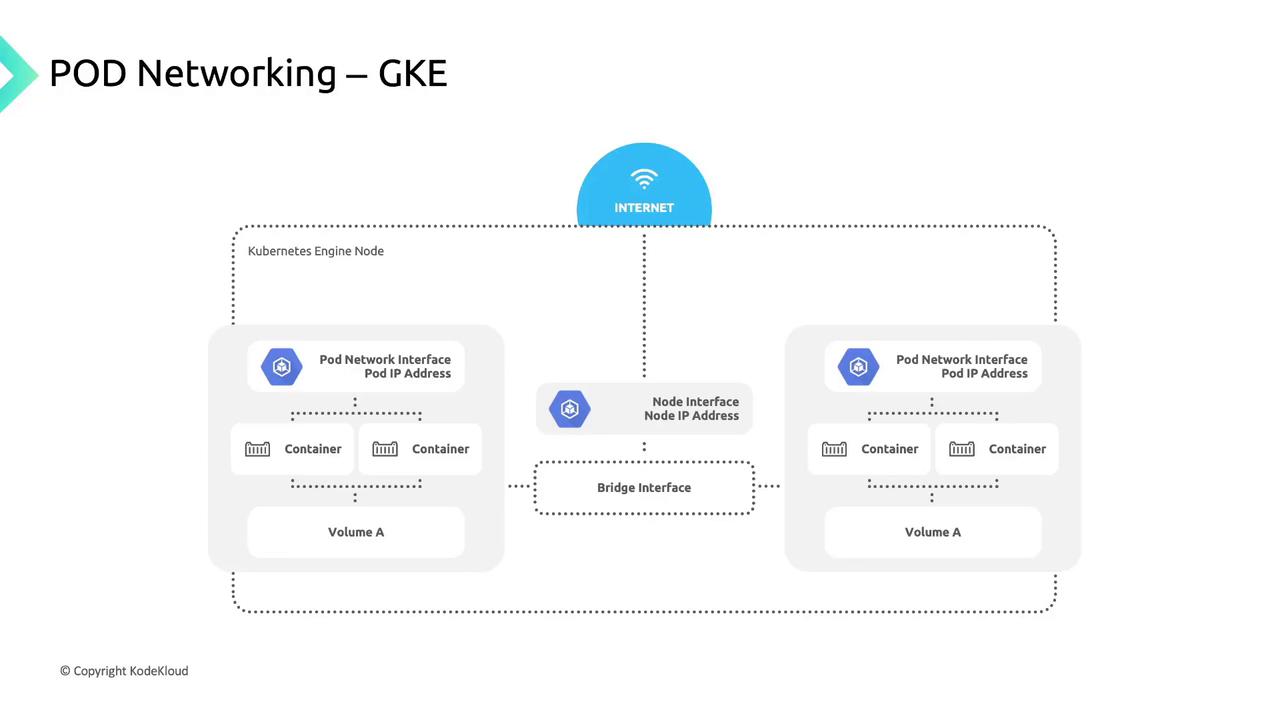
When Kubernetes schedules a pod:

1. It creates a network namespace on the node.
2. Attaches the pod’s veth interface to the node network.
3. Routes traffic seamlessly to and from the pod.
<Frame>
  ![The image illustrates a diagram of pod networking in Google Kubernetes Engine (GKE), showing the connection between containers, pod network interfaces, node interfaces, and the internet.](https://kodekloud.com/kk-media/image/upload/v1752875703/notes-assets/images/GKE-Google-Kubernetes-Engine-Plan-your-network-for-GKE/pod-networking-gke-diagram.jpg)
</Frame>

GKE’s CNI implementation orchestrates this networking; your choice of CNI can influence intra-cluster performance and features.

## Service Networking

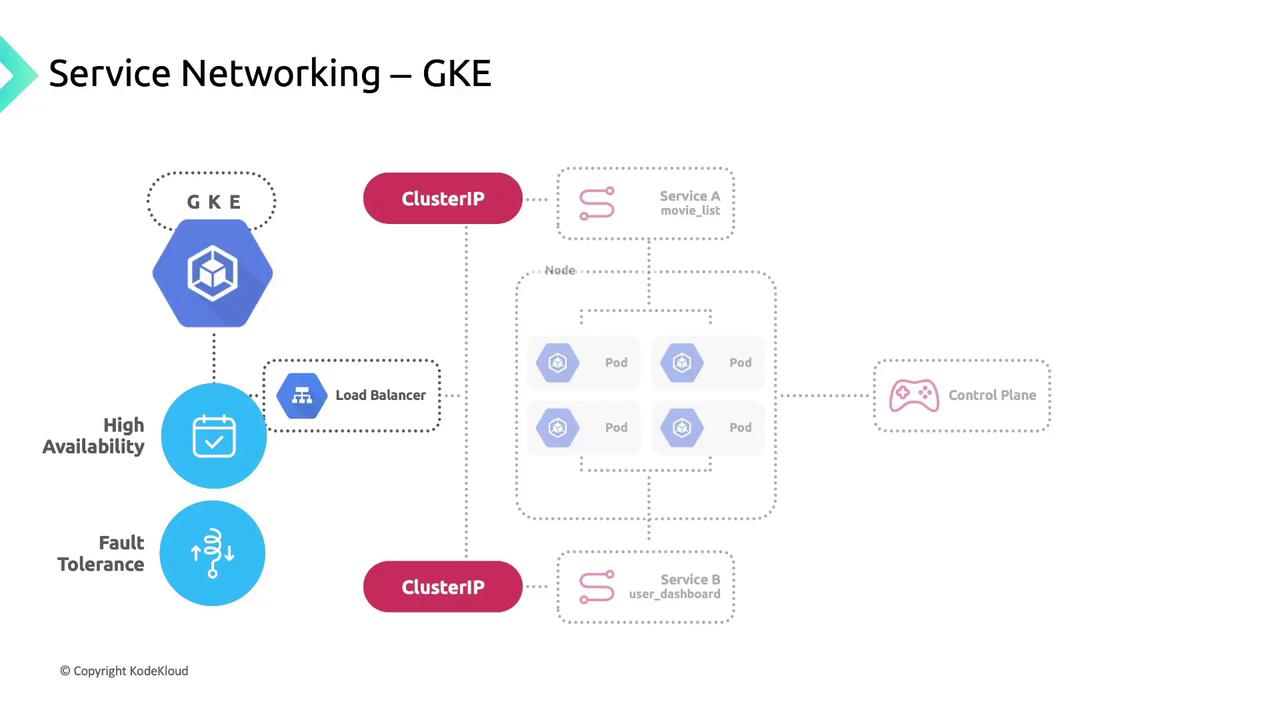
Kubernetes Services group pods using label selectors, providing:

* A stable **Cluster IP**.
* A **DNS entry** for easy discovery.
* Built-in **load balancing** across healthy pods.

| Service Type | Description                      | Example                                   |
| ------------ | -------------------------------- | ----------------------------------------- |
| ClusterIP    | Internal load balancing          | `kubectl expose deployment app --port=80` |
| NodePort     | Exposes service on a node’s port | `type: NodePort`                          |
| LoadBalancer | Provisions a GCP external LB     | `type: LoadBalancer`                      |
<Frame>
  ![The image is a diagram illustrating service networking in Google Kubernetes Engine (GKE), showing components like ClusterIP, load balancer, pods, and control plane, emphasizing high availability and fault tolerance.](https://kodekloud.com/kk-media/image/upload/v1752875704/notes-assets/images/GKE-Google-Kubernetes-Engine-Plan-your-network-for-GKE/gke-service-networking-diagram-high-availability.jpg)
</Frame>

## kube-proxy and Traffic Flow

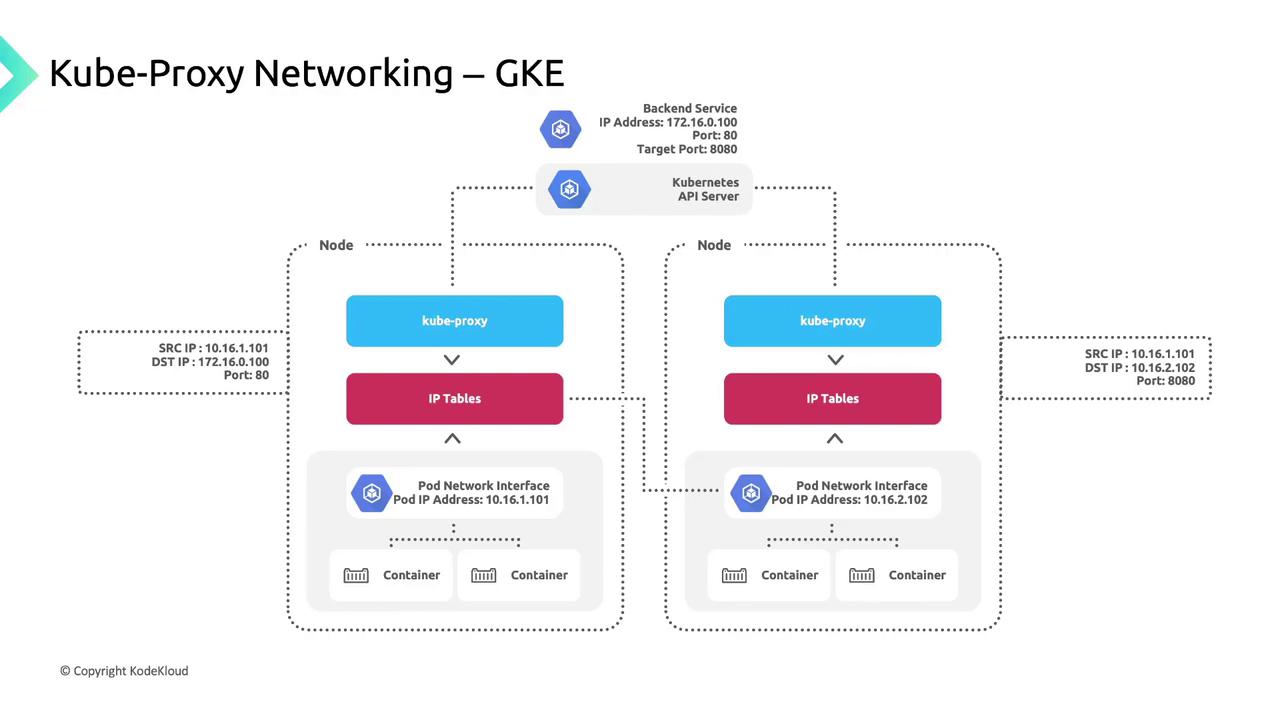
GKE deploys **kube-proxy** as a DaemonSet so each node runs an instance that:

1. Watches the Kubernetes API for Service-to-pod endpoint mappings.
2. Updates iptables rules (DNAT) on the node.
3. Routes Service IP traffic to healthy pod IPs.

When a client pod connects to `170.16.0.100:80`, kube-proxy:

* Selects a healthy endpoint (e.g., `10.16.2.102:8080`).
* Applies a DNAT rule to forward the packet.

Clients remain unaware of pod IPs or node topology—kube-proxy handles routing transparently.
<Frame>
  ![The image illustrates the networking flow of Kube-Proxy in Google Kubernetes Engine (GKE), showing how traffic is routed through nodes, IP tables, and pod network interfaces. It includes details like source and destination IP addresses and ports.](https://kodekloud.com/kk-media/image/upload/v1752875706/notes-assets/images/GKE-Google-Kubernetes-Engine-Plan-your-network-for-GKE/kube-proxy-networking-flow-gke-diagram.jpg)
</Frame>

## Links and References

* [Kubernetes Networking Concepts](https://kubernetes.io/docs/concepts/cluster-administration/networking/)
* [Container Network Interface (CNI)](https://www.cni.dev)
* [Cloud BigQuery](https://cloud.google.com/bigquery)
* [Cloud Storage](https://cloud.google.com/storage)

<CardGroup>
  <Card title="Watch Video" icon="video" cta="Learn more" href="https://learn.kodekloud.com/user/courses/gke-google-kubernetes-engine/module/e39613e2-4771-4eaa-a8cf-6360f282895a/lesson/efdf58ff-42bf-4e66-ad13-0ecd923bc54e" />
</CardGroup>
