> ## Documentation Index
> Fetch the complete documentation index at: https://notes.kodekloud.com/llms.txt
> Use this file to discover all available pages before exploring further.
# Cross Namespace Routing
> Explains enabling secure cross namespace routing with Kubernetes Gateway API and NGINX Gateway Fabric using allowedRoutes and namespace selectors, plus best practices for parentRefs and least privilege
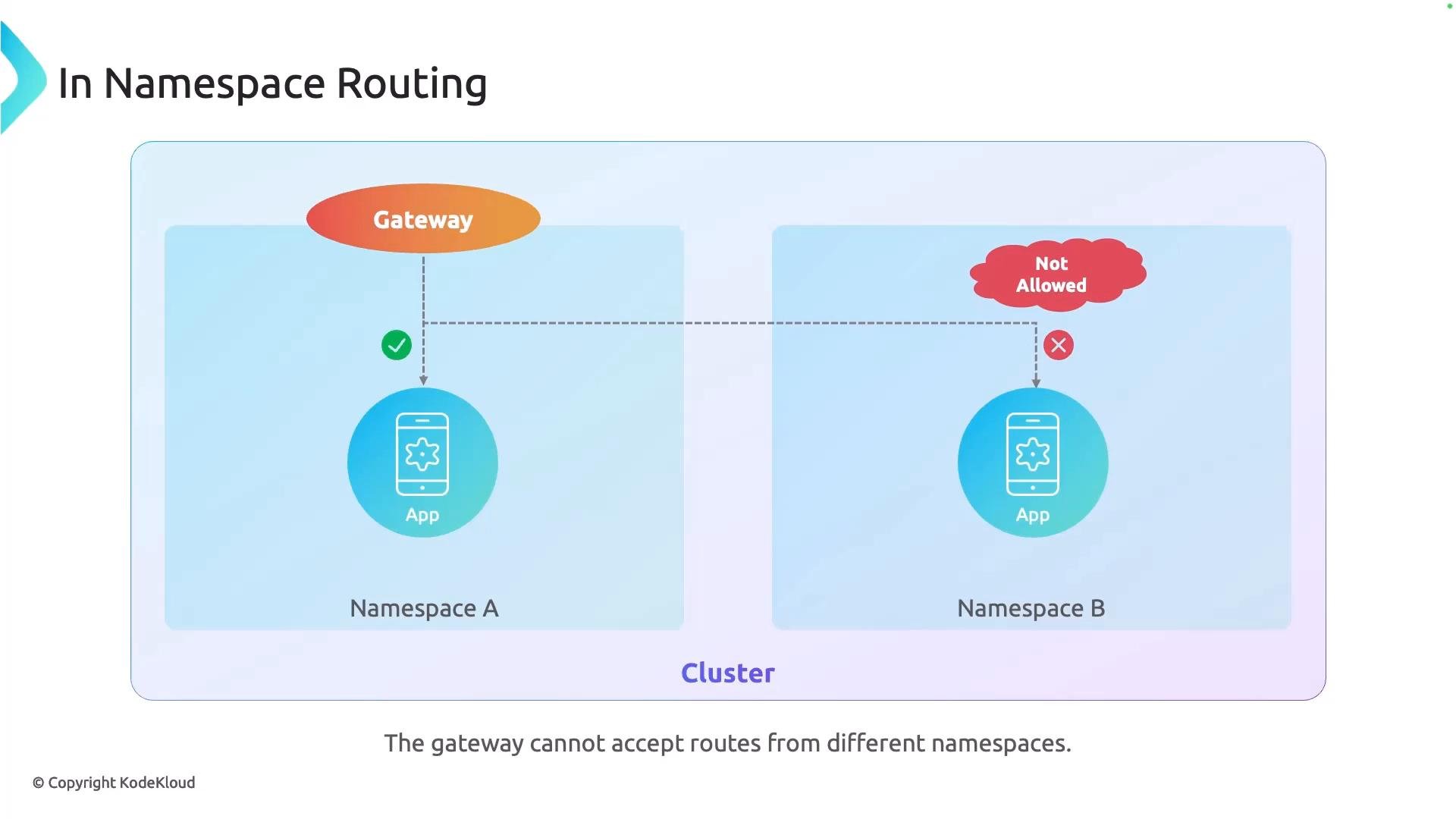
This article explains cross-namespace routing for the Kubernetes Gateway API and how to enable it for the NGINX Gateway Fabric. In many production clusters, Gateways are deployed into a central infrastructure namespace while application teams operate in separate namespaces. By default, Gateway API implementations restrict routing to the Gateway's own namespace — you must explicitly opt into cross-namespace routing.
 Why this matters
* Platform teams often centralize infra components (Gateways, GitOps controllers, policy engines) in a dedicated `infra` namespace.
* Application teams deploy services and routing objects into team-specific namespaces to isolate quotas, limits, and permissions.
* If cross-namespace routing is not enabled, a central Gateway cannot accept route objects from other namespaces, preventing teams from exposing their applications through the shared Gateway.
Common cluster layout
* Namespace `infra`: Gateways, Argo CD controllers, Kyverno, shared platform resources.
* Namespace `team-a`, `team-b`, etc.: Application deployments, Services, Route objects (HTTPRoute, TCPRoute).
How to enable cross-namespace routing
You control cross-namespace routing through the Gateway's `allowedRoutes` field. There are two primary approaches:
* Allow routes from all namespaces (broad, less restrictive).
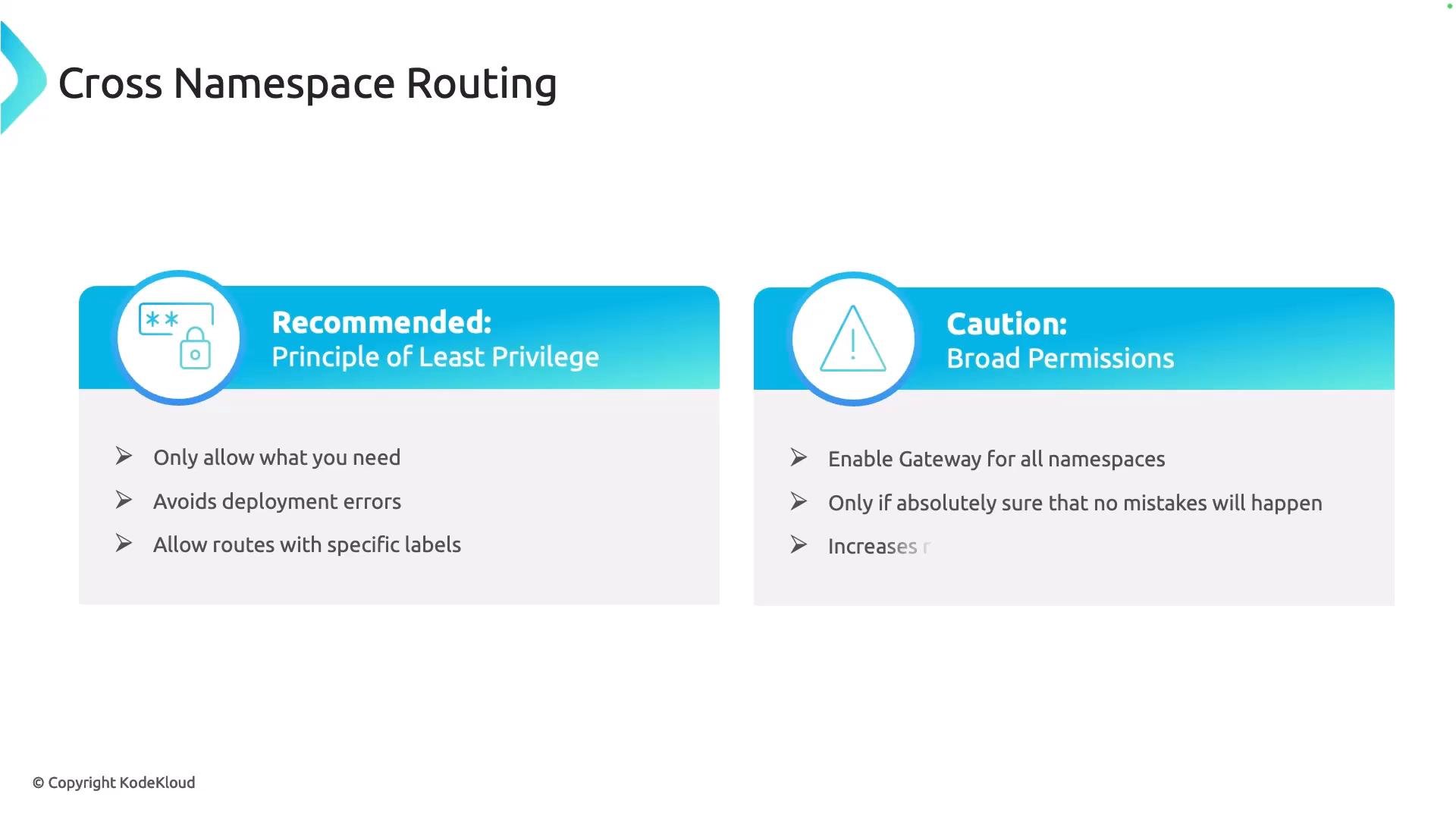
* Allow routes only from namespaces that match a label selector (recommended, follows principle of least privilege).
Example: Allow routes from any namespace
```yaml theme={null}
apiVersion: gateway.networking.k8s.io/v1
kind: Gateway
metadata:
name: gateway
namespace: infra
spec:
gatewayClassName: nginx
listeners:
- name: http
port: 80
protocol: HTTP
hostname: "*.example.com"
allowedRoutes:
namespaces:
from: All
```
Example: Restrict routes to namespaces that match a label selector (recommended)
```yaml theme={null}
apiVersion: gateway.networking.k8s.io/v1
kind: Gateway
metadata:
name: gateway
namespace: infra
spec:
gatewayClassName: nginx
listeners:
- name: http
port: 80
protocol: HTTP
hostname: "*.example.com"
allowedRoutes:
namespaces:
from: Selector
selector:
matchLabels:
team: frontend
```
Use the principle of least privilege: prefer a label selector (`Selector`) to limit which namespaces can reference the Gateway. Use `All` only when you have a clear, audited reason to permit routes from every namespace.
AllowedRoutes quick comparison
| Option | Description | Example / Notes |
| - | - | - |
| `All` | Gateway accepts routes from any namespace | `allowedRoutes.namespaces.from: All` — broad access; simpler but less secure |
| `Selector` | Only namespaces that match the label selector can reference the Gateway | `allowedRoutes.namespaces.from: Selector` with `selector.matchLabels` — recommended for least privilege |
Referencing the Gateway from another namespace
When a Route object (for example, an `HTTPRoute`) lives in a different namespace than the Gateway, it must explicitly include the Gateway’s namespace in its `parentRefs`. If you omit the `namespace` field, the API assumes the parent resides in the same namespace as the Route.
Example `HTTPRoute` in namespace `team-a` referencing the `gateway` in namespace `infra`:
```yaml theme={null}
apiVersion: gateway.networking.k8s.io/v1
kind: HTTPRoute
metadata:
name: team-a-route
namespace: team-a
spec:
parentRefs:
- name: gateway
namespace: infra
hostnames:
- "app.team-a.example.com"
rules:
- matches:
- path:
type: PathPrefix
value: "/"
backendRefs:
- name: app-service
port: 80
```
Best practices checklist
1. Set `allowedRoutes.namespaces.from` to `Selector` whenever possible and use `selector.matchLabels` to limit which namespaces can attach routes to the Gateway.
2. Ensure each route’s `parentRefs[].namespace` is set to the Gateway’s namespace when routes live outside the Gateway’s namespace.
3. Apply namespace labels (for example, `team: frontend`) consistently to enable selector-based access control.
4. Audit your Gateways and Route objects periodically to confirm only intended namespaces are allowed.
Relevant links and references
* Gateway API overview: [https://gateway-api.sigs.k8s.io/](https://gateway-api.sigs.k8s.io/)
* Kubernetes Gateway API docs: [https://kubernetes.io/docs/concepts/services-networking/gateway/](https://kubernetes.io/docs/concepts/services-networking/gateway/)
* NGINX Gateway Fabric docs: [https://docs.nginx.com/nginx-adap/](https://docs.nginx.com/nginx-adap/) (refer to your NGINX provider documentation for Fabric-specific behavior)
Why this matters
* Platform teams often centralize infra components (Gateways, GitOps controllers, policy engines) in a dedicated `infra` namespace.
* Application teams deploy services and routing objects into team-specific namespaces to isolate quotas, limits, and permissions.
* If cross-namespace routing is not enabled, a central Gateway cannot accept route objects from other namespaces, preventing teams from exposing their applications through the shared Gateway.
Common cluster layout
* Namespace `infra`: Gateways, Argo CD controllers, Kyverno, shared platform resources.
* Namespace `team-a`, `team-b`, etc.: Application deployments, Services, Route objects (HTTPRoute, TCPRoute).
How to enable cross-namespace routing
You control cross-namespace routing through the Gateway's `allowedRoutes` field. There are two primary approaches:
* Allow routes from all namespaces (broad, less restrictive).
* Allow routes only from namespaces that match a label selector (recommended, follows principle of least privilege).
Example: Allow routes from any namespace
```yaml theme={null}
apiVersion: gateway.networking.k8s.io/v1
kind: Gateway
metadata:
name: gateway
namespace: infra
spec:
gatewayClassName: nginx
listeners:
- name: http
port: 80
protocol: HTTP
hostname: "*.example.com"
allowedRoutes:
namespaces:
from: All
```
Example: Restrict routes to namespaces that match a label selector (recommended)
```yaml theme={null}
apiVersion: gateway.networking.k8s.io/v1
kind: Gateway
metadata:
name: gateway
namespace: infra
spec:
gatewayClassName: nginx
listeners:
- name: http
port: 80
protocol: HTTP
hostname: "*.example.com"
allowedRoutes:
namespaces:
from: Selector
selector:
matchLabels:
team: frontend
```
Use the principle of least privilege: prefer a label selector (`Selector`) to limit which namespaces can reference the Gateway. Use `All` only when you have a clear, audited reason to permit routes from every namespace.
AllowedRoutes quick comparison
| Option | Description | Example / Notes |
| - | - | - |
| `All` | Gateway accepts routes from any namespace | `allowedRoutes.namespaces.from: All` — broad access; simpler but less secure |
| `Selector` | Only namespaces that match the label selector can reference the Gateway | `allowedRoutes.namespaces.from: Selector` with `selector.matchLabels` — recommended for least privilege |
Referencing the Gateway from another namespace
When a Route object (for example, an `HTTPRoute`) lives in a different namespace than the Gateway, it must explicitly include the Gateway’s namespace in its `parentRefs`. If you omit the `namespace` field, the API assumes the parent resides in the same namespace as the Route.
Example `HTTPRoute` in namespace `team-a` referencing the `gateway` in namespace `infra`:
```yaml theme={null}
apiVersion: gateway.networking.k8s.io/v1
kind: HTTPRoute
metadata:
name: team-a-route
namespace: team-a
spec:
parentRefs:
- name: gateway
namespace: infra
hostnames:
- "app.team-a.example.com"
rules:
- matches:
- path:
type: PathPrefix
value: "/"
backendRefs:
- name: app-service
port: 80
```
Best practices checklist
1. Set `allowedRoutes.namespaces.from` to `Selector` whenever possible and use `selector.matchLabels` to limit which namespaces can attach routes to the Gateway.
2. Ensure each route’s `parentRefs[].namespace` is set to the Gateway’s namespace when routes live outside the Gateway’s namespace.
3. Apply namespace labels (for example, `team: frontend`) consistently to enable selector-based access control.
4. Audit your Gateways and Route objects periodically to confirm only intended namespaces are allowed.
Relevant links and references
* Gateway API overview: [https://gateway-api.sigs.k8s.io/](https://gateway-api.sigs.k8s.io/)
* Kubernetes Gateway API docs: [https://kubernetes.io/docs/concepts/services-networking/gateway/](https://kubernetes.io/docs/concepts/services-networking/gateway/)
* NGINX Gateway Fabric docs: [https://docs.nginx.com/nginx-adap/](https://docs.nginx.com/nginx-adap/) (refer to your NGINX provider documentation for Fabric-specific behavior)
 Summary
Enabling cross-namespace routing with the Gateway API and NGINX Gateway Fabric allows a centralized Gateway to accept routes defined by application teams in their own namespaces. For secure, manageable access, prefer selector-based `allowedRoutes` and always include the Gateway namespace in `parentRefs` for cross-namespace routes.
This documentation is built and hosted on [Mintlify](https://mintlify.com), a developer documentation platform.
Summary
Enabling cross-namespace routing with the Gateway API and NGINX Gateway Fabric allows a centralized Gateway to accept routes defined by application teams in their own namespaces. For secure, manageable access, prefer selector-based `allowedRoutes` and always include the Gateway namespace in `parentRefs` for cross-namespace routes.
This documentation is built and hosted on [Mintlify](https://mintlify.com), a developer documentation platform.