> ## Documentation Index
> Fetch the complete documentation index at: https://notes.kodekloud.com/llms.txt
> Use this file to discover all available pages before exploring further.
# Traffic Splitting and Weight Based Routing
> Explains weight based traffic splitting with Gateway API HTTPRoute for canary and blue green rollouts, using integer weights to gradually route traffic and validate deployments.
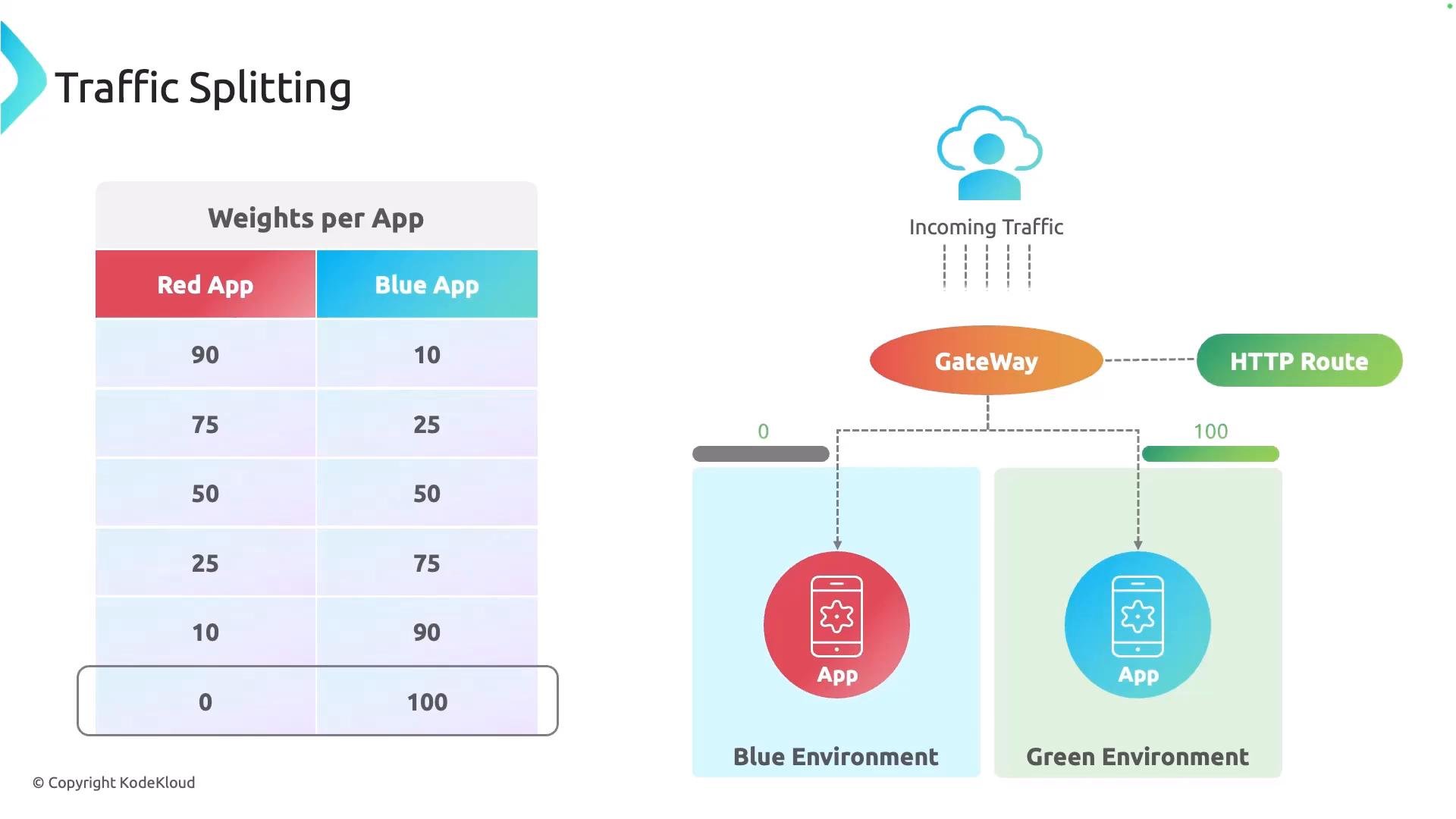
This lesson covers traffic splitting using the Gateway API's HTTPRoute resource. Weight-based routing is a common technique for progressive rollouts (canary or blue/green), letting you route a fraction of requests to a new version while keeping most traffic on the stable release. This lets you monitor latency, error rates, and other metrics before shifting the remainder of traffic.
Traffic routing is defined on an HTTPRoute. Gateway API does not use percentages directly — it uses integer weights. Each `backendRef` gets a numeric `weight`, and the share of traffic that backend receives is computed as:
traffic share = (backend weight / sum of all backend weights) × 100%
Use weights to represent relative traffic proportions. For example, weights of `90` and `10` give a 90/10 split; weights of `1` and `1` give a 50/50 split. Weights are relative, not literal percentages.
Example weight splits:
| Example weights | Resulting traffic split |
| - | - |
| `90` and `10` | 90% -> `app-v1`, 10% -> `app-v2` |
| `75` and `25` | 75% / 25% |
| `1` and `1` | 50% / 50% |
| `3` and `1` | 75% / 25% |
Below is a sample HTTPRoute that routes approximately 90% of traffic to the stable service (`app-v1`) and 10% to the canary (`app-v2`). Note that the `weight` fields are set on each `backendRef`:
```yaml theme={null}
apiVersion: gateway.networking.k8s.io/v1
kind: HTTPRoute
metadata:
name: app-canary-route
namespace: default
spec:
parentRefs:
- name: nginx-gateway
namespace: nginx-gateway
sectionName: http
hostnames:
- "app.example.com"
rules:
- matches:
- path:
type: PathPrefix
value: /
backendRefs:
- name: app-v1
port: 80
weight: 90
- name: app-v2
port: 80
weight: 10
```
Recommended rollout workflow
* Start with a small weight for the canary (e.g., `5`–`10`) and monitor metrics (latency, error rate, logs).
* Gradually increase the canary weight while observing the system.
* When validation succeeds, shift remaining traffic to the new version and decommission the old one.
A typical production setup uses a GitOps workflow to manage these weight changes declaratively (for example, Argo CD). As you validate telemetry and confidence grows, you update the `HTTPRoute` manifest in your Git repo to increment the canary weight until the rollout is complete.
This pattern underpins canary and blue/green deployments: one environment serves the stable version while another runs the new version. The HTTPRoute controls traffic split, enabling safe progressive promotion of the new release.
 Ensure you have monitoring and alerting in place before changing weights. Make incremental adjustments and validate metrics—don’t flip all traffic at once.
Related links
* Gateway API: [https://gateway-api.sigs.k8s.io/](https://gateway-api.sigs.k8s.io/)
* GitOps with Argo CD: [https://learn.kodekloud.com/user/courses/gitops-with-argocd](https://learn.kodekloud.com/user/courses/gitops-with-argocd)
That's it for this lesson — I hope you found it useful. See you in the next lesson.
This documentation is built and hosted on [Mintlify](https://mintlify.com), a developer documentation platform.
Ensure you have monitoring and alerting in place before changing weights. Make incremental adjustments and validate metrics—don’t flip all traffic at once.
Related links
* Gateway API: [https://gateway-api.sigs.k8s.io/](https://gateway-api.sigs.k8s.io/)
* GitOps with Argo CD: [https://learn.kodekloud.com/user/courses/gitops-with-argocd](https://learn.kodekloud.com/user/courses/gitops-with-argocd)
That's it for this lesson — I hope you found it useful. See you in the next lesson.
This documentation is built and hosted on [Mintlify](https://mintlify.com), a developer documentation platform.