> ## Documentation Index
> Fetch the complete documentation index at: https://notes.kodekloud.com/llms.txt
> Use this file to discover all available pages before exploring further.
# GatewayClass and Provider Selection
> Explains GatewayClass registration, choosing Gateway API controllers, supported features, manifest example, and troubleshooting to select and validate cluster networking providers.
This lesson explains how GatewayClass registers a Gateway API controller and how to pick the right provider for your cluster networking needs.
The [Gateway API](https://gateway-api.sigs.k8s.io/) is an evolution of the Ingress API. It separates control plane and data plane responsibilities, improves portability across controllers, and provides clearer integration points for both edge and internal traffic. The diagram below gives a concise comparison of the trade-offs between the legacy Ingress approach and the Gateway API design.
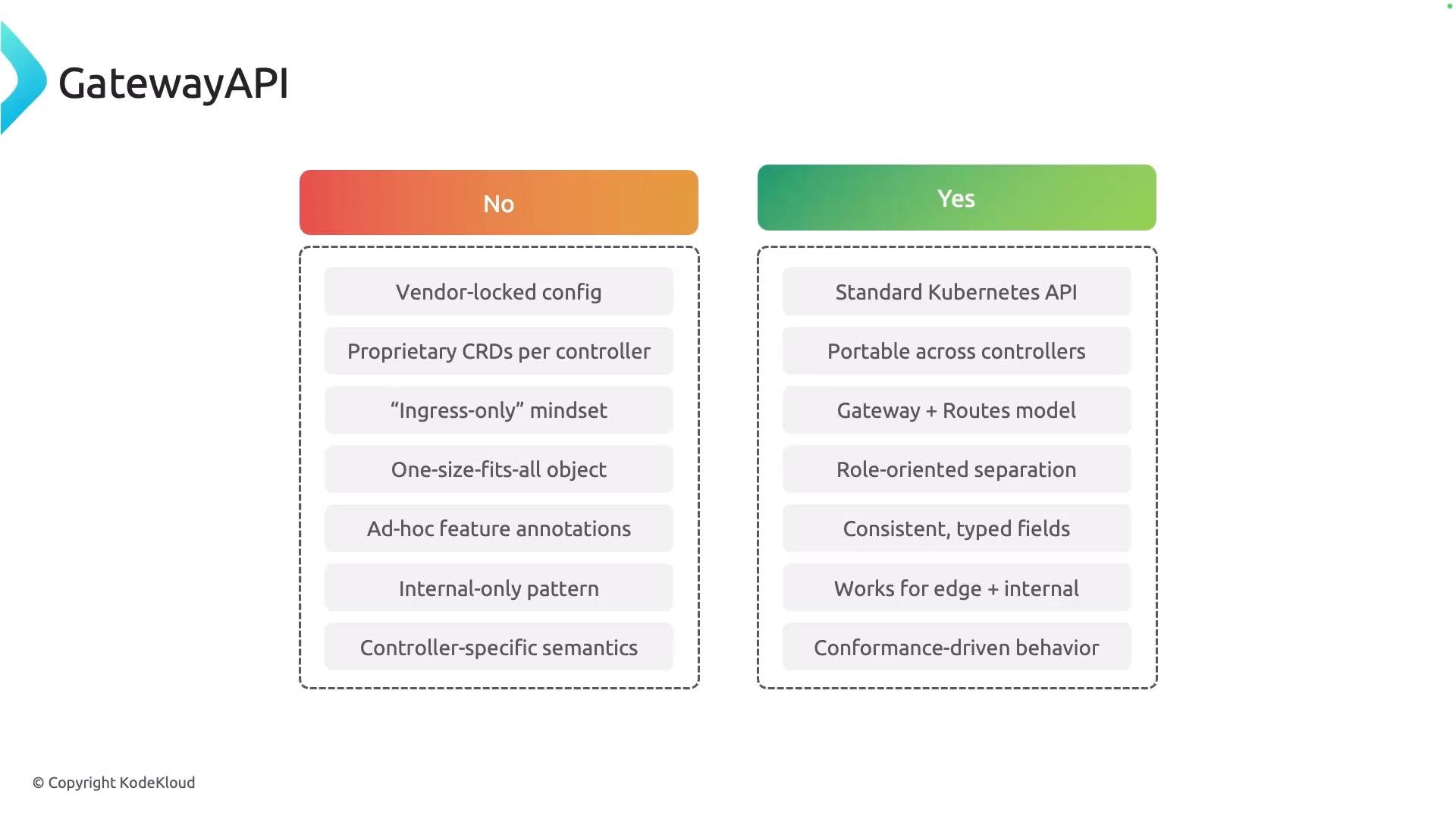 Why consider Gateway API?
* Clear separation of responsibilities (control plane vs data plane).
* Portable resource definitions across different controller implementations.
* Richer routing and TLS features (e.g., header rewrites, request mirroring, gRPC routes).
* Better support for both edge (ingress) and service-to-service (east-west) traffic patterns.
Like Ingress, multiple vendors and open-source projects implement Gateway API controllers. The API definitions are standardized; what varies is how each controller implements features, enforces policies, and integrates with cloud or on-prem infrastructure. The image below lists several popular Gateway API controllers.
Why consider Gateway API?
* Clear separation of responsibilities (control plane vs data plane).
* Portable resource definitions across different controller implementations.
* Richer routing and TLS features (e.g., header rewrites, request mirroring, gRPC routes).
* Better support for both edge (ingress) and service-to-service (east-west) traffic patterns.
Like Ingress, multiple vendors and open-source projects implement Gateway API controllers. The API definitions are standardized; what varies is how each controller implements features, enforces policies, and integrates with cloud or on-prem infrastructure. The image below lists several popular Gateway API controllers.
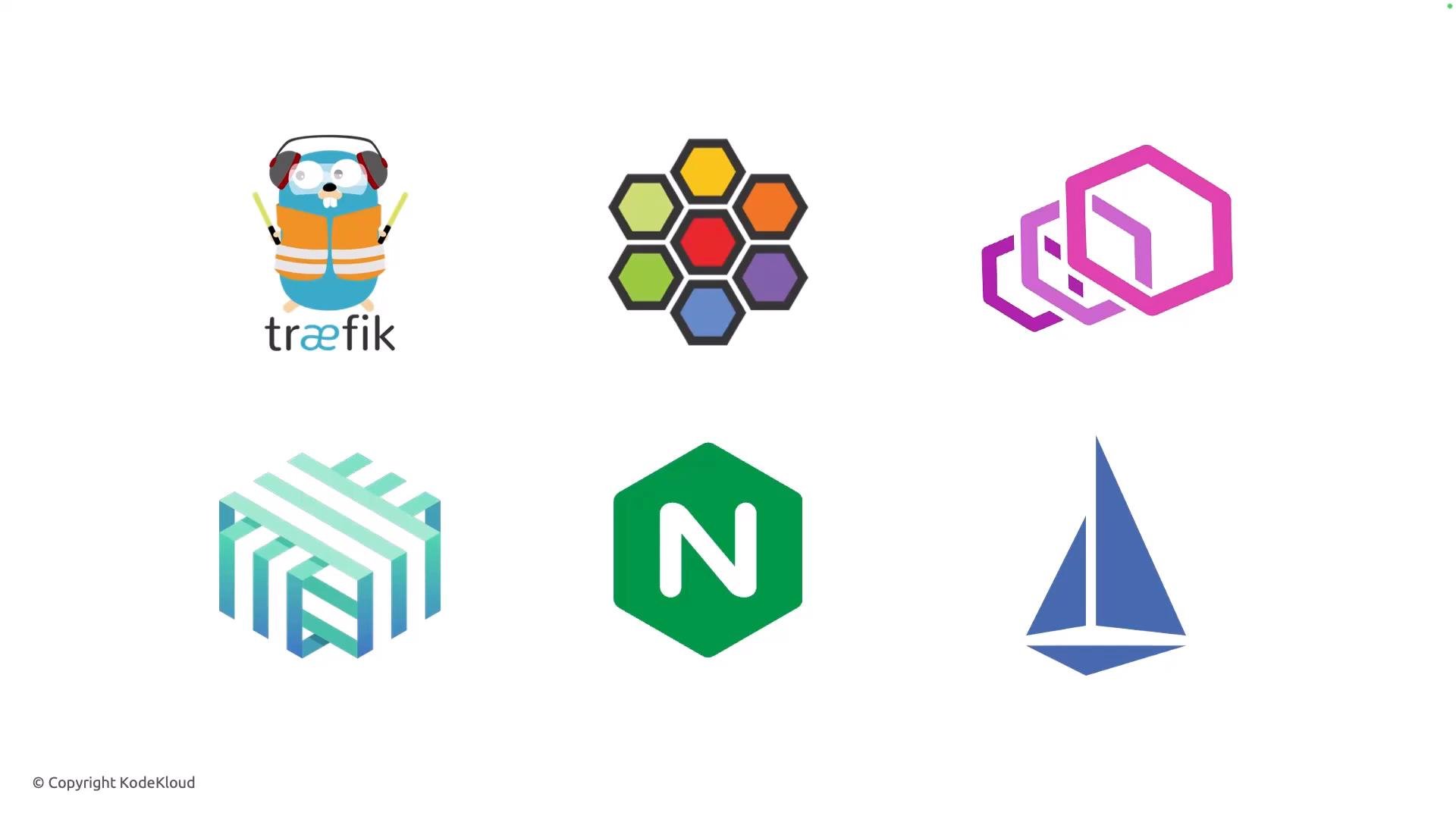 Popular Gateway API controllers (examples)
| Controller / Vendor | Use case |
| - | - |
| [NGINX Gateway Controller](https://www.nginx.com/) | Feature-rich, enterprise-grade HTTP/TCP/TLS capabilities |
| [Traefik](https://traefik.io/) | Dynamic configuration, native Let's Encrypt integration |
| Contour | Envoy-based controller with strong xDS integration |
| Istio Gateway (Gateways via Istio) | Service mesh integrated edge and internal traffic control |
| Other OSS / vendor controllers | Cloud-native or platform-specific integrations |
To start using a Gateway API implementation, you must register the controller with a cluster-scoped GatewayClass. The GatewayClass acts as the registration entry for a controller and declares which implementation handles Gateways that reference it.
GatewayClass manifest example (commonly created by a Helm chart):
```yaml theme={null}
apiVersion: gateway.networking.k8s.io/v1
kind: GatewayClass
metadata:
annotations:
meta.helm.sh/release-name: ngf
meta.helm.sh/release-namespace: nginx-gateway
labels:
app.kubernetes.io/instance: ngf
app.kubernetes.io/managed-by: Helm
app.kubernetes.io/name: nginx-gateway-fabric
app.kubernetes.io/version: 2.3.0
helm.sh/chart: nginx-gateway-fabric-2.3.0
name: nginx
spec:
controllerName: gateway.nginx.org/nginx-gateway-controller
```
Key points about the manifest:
* `spec.controllerName` is the critical identifier: it tells Kubernetes which controller will manage Gateways that reference this GatewayClass.
* Helm charts for controllers often provision this GatewayClass automatically and add helpful annotations and labels for management and lifecycle.
GatewayClass is cluster-scoped and acts as a registration entry for a controller. Gateways reference a GatewayClass to declare which controller will manage them.
Inspecting what a GatewayClass supports
* After installing a controller (or its Helm chart), inspect the GatewayClass to confirm supported features and validate whether the controller meets your requirements.
* Use `kubectl describe` to view `supportedFeatures` and other controller-provided details.
Example command:
```bash theme={null}
kubectl describe gatewayclass nginx
```
Example excerpt showing supported features:
```yaml theme={null}
supportedFeatures:
- name: BackendTLSPolicy
- name: GRPCRoute
- name: Gateway
- name: GatewayAddressEmpty
- name: GatewayHTTPListenerIsolation
- name: GatewayInfrastructurePropagation
- name: GatewayPort8080
- name: GatewayStaticAddresses
- name: HTTPRoute
- name: HTTPRouteBackendProtocolWebSocket
- name: HTTPRouteDestinationPortMatching
- name: HTTPRouteHostRewrite
- name: HTTPRouteMethodMatching
- name: HTTPRouteParentRefPort
- name: HTTPRoutePathRedirect
- name: HTTPRoutePathRewrite
- name: HTTPRoutePortRedirect
- name: HTTPRouteQueryParamMatching
- name: HTTPRouteRequestMirror
- name: HTTPRouteRequestMultipleMirrors
- name: HTTPRouteRequestPercentageMirror
- name: HTTPRouteResponseHeaderModification
- name: HTTPRouteSchemeRedirect
- name: ReferenceGrant
```
Why check `supportedFeatures`?
* Confirms support for specific route types (HTTPRoute, GRPCRoute, etc.).
* Verifies advanced capabilities like TLS policies, WebSocket support, header manipulation, and mirroring.
* Helps you design Gateway and Route resources that the controller actually supports, reducing troubleshooting time.
Quick troubleshooting tips
* Ensure Gateway resources reference the correct `GatewayClass` name.
* If a feature is missing, check the controller documentation or its Helm chart values — some features may be opt-in or require extra configuration.
* Use controller logs and events (`kubectl get events`) to surface conflicts or rejected resources.
Links and references
* [Gateway API project documentation](https://gateway-api.sigs.k8s.io/)
* [Kubernetes Ingress documentation](https://kubernetes.io/docs/concepts/services-networking/ingress/)
* [Helm — The Kubernetes Package Manager](https://helm.sh/)
* [NGINX Gateway Controller](https://www.nginx.com/)
* [Traefik Proxy](https://traefik.io/)
That concludes this lesson on GatewayClass and provider selection. I hope you found it helpful.
This documentation is built and hosted on [Mintlify](https://mintlify.com), a developer documentation platform.
Popular Gateway API controllers (examples)
| Controller / Vendor | Use case |
| - | - |
| [NGINX Gateway Controller](https://www.nginx.com/) | Feature-rich, enterprise-grade HTTP/TCP/TLS capabilities |
| [Traefik](https://traefik.io/) | Dynamic configuration, native Let's Encrypt integration |
| Contour | Envoy-based controller with strong xDS integration |
| Istio Gateway (Gateways via Istio) | Service mesh integrated edge and internal traffic control |
| Other OSS / vendor controllers | Cloud-native or platform-specific integrations |
To start using a Gateway API implementation, you must register the controller with a cluster-scoped GatewayClass. The GatewayClass acts as the registration entry for a controller and declares which implementation handles Gateways that reference it.
GatewayClass manifest example (commonly created by a Helm chart):
```yaml theme={null}
apiVersion: gateway.networking.k8s.io/v1
kind: GatewayClass
metadata:
annotations:
meta.helm.sh/release-name: ngf
meta.helm.sh/release-namespace: nginx-gateway
labels:
app.kubernetes.io/instance: ngf
app.kubernetes.io/managed-by: Helm
app.kubernetes.io/name: nginx-gateway-fabric
app.kubernetes.io/version: 2.3.0
helm.sh/chart: nginx-gateway-fabric-2.3.0
name: nginx
spec:
controllerName: gateway.nginx.org/nginx-gateway-controller
```
Key points about the manifest:
* `spec.controllerName` is the critical identifier: it tells Kubernetes which controller will manage Gateways that reference this GatewayClass.
* Helm charts for controllers often provision this GatewayClass automatically and add helpful annotations and labels for management and lifecycle.
GatewayClass is cluster-scoped and acts as a registration entry for a controller. Gateways reference a GatewayClass to declare which controller will manage them.
Inspecting what a GatewayClass supports
* After installing a controller (or its Helm chart), inspect the GatewayClass to confirm supported features and validate whether the controller meets your requirements.
* Use `kubectl describe` to view `supportedFeatures` and other controller-provided details.
Example command:
```bash theme={null}
kubectl describe gatewayclass nginx
```
Example excerpt showing supported features:
```yaml theme={null}
supportedFeatures:
- name: BackendTLSPolicy
- name: GRPCRoute
- name: Gateway
- name: GatewayAddressEmpty
- name: GatewayHTTPListenerIsolation
- name: GatewayInfrastructurePropagation
- name: GatewayPort8080
- name: GatewayStaticAddresses
- name: HTTPRoute
- name: HTTPRouteBackendProtocolWebSocket
- name: HTTPRouteDestinationPortMatching
- name: HTTPRouteHostRewrite
- name: HTTPRouteMethodMatching
- name: HTTPRouteParentRefPort
- name: HTTPRoutePathRedirect
- name: HTTPRoutePathRewrite
- name: HTTPRoutePortRedirect
- name: HTTPRouteQueryParamMatching
- name: HTTPRouteRequestMirror
- name: HTTPRouteRequestMultipleMirrors
- name: HTTPRouteRequestPercentageMirror
- name: HTTPRouteResponseHeaderModification
- name: HTTPRouteSchemeRedirect
- name: ReferenceGrant
```
Why check `supportedFeatures`?
* Confirms support for specific route types (HTTPRoute, GRPCRoute, etc.).
* Verifies advanced capabilities like TLS policies, WebSocket support, header manipulation, and mirroring.
* Helps you design Gateway and Route resources that the controller actually supports, reducing troubleshooting time.
Quick troubleshooting tips
* Ensure Gateway resources reference the correct `GatewayClass` name.
* If a feature is missing, check the controller documentation or its Helm chart values — some features may be opt-in or require extra configuration.
* Use controller logs and events (`kubectl get events`) to surface conflicts or rejected resources.
Links and references
* [Gateway API project documentation](https://gateway-api.sigs.k8s.io/)
* [Kubernetes Ingress documentation](https://kubernetes.io/docs/concepts/services-networking/ingress/)
* [Helm — The Kubernetes Package Manager](https://helm.sh/)
* [NGINX Gateway Controller](https://www.nginx.com/)
* [Traefik Proxy](https://traefik.io/)
That concludes this lesson on GatewayClass and provider selection. I hope you found it helpful.
This documentation is built and hosted on [Mintlify](https://mintlify.com), a developer documentation platform.