> ## Documentation Index
> Fetch the complete documentation index at: https://notes.kodekloud.com/llms.txt
> Use this file to discover all available pages before exploring further.
# Demo RAG Application
> This article provides a guide for deploying a production-grade retrieval-augmented generation application using Azure, focusing on a chatbot for e-commerce customer support.
Welcome to our comprehensive guide on deploying a production-grade retrieval-augmented generation (RAG) application. This article walks you through a sample Azure solution—Contoso Chat—that mirrors real-world production systems. The application leverages infrastructure as code, containerized services, and advanced evaluation mechanisms to power modern Generative AI deployments.
Contoso Chat is designed for a common scenario in e-commerce, integrating a chatbot as a customer support agent. With almost every modern e-commerce platform using chat agents for customer guidance, this example serves as an excellent reference for deploying such cloud-native solutions.
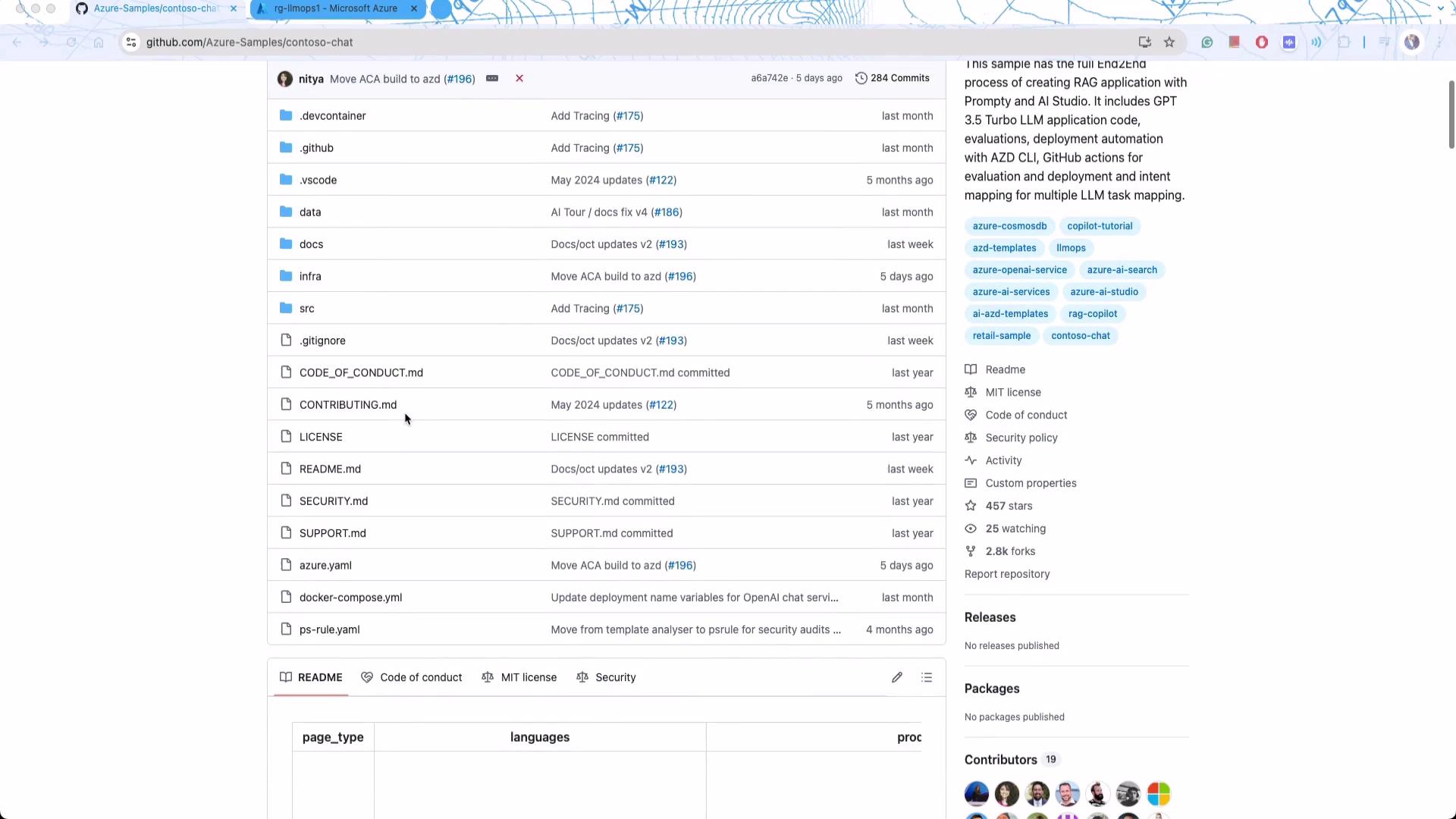
The GitHub repository includes various components built with Microsoft Azure, making it a valuable resource for learning how to design complex systems that incorporate containers, evaluation metrics, and continuous deployment practices.
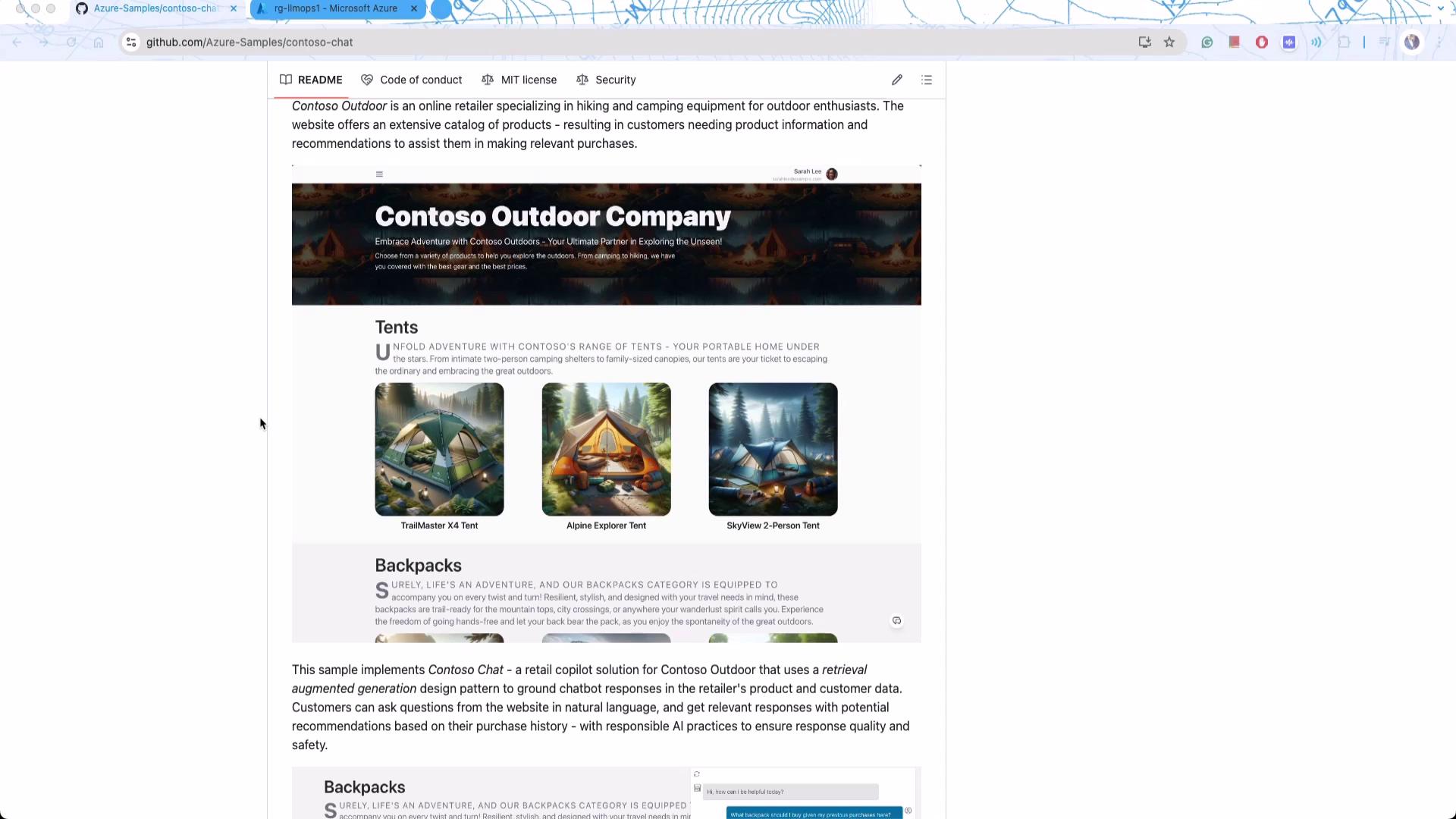
Consider the fictional Contoso Outdoor Company, a retailer offering adventure gear. Although Microsoft has tailored the branding for demonstration purposes, the underlying concept remains authentic—selling tents, hiking backpacks, and other outdoor products. The backend solution, particularly the chatbot, is at the heart of this deployment.
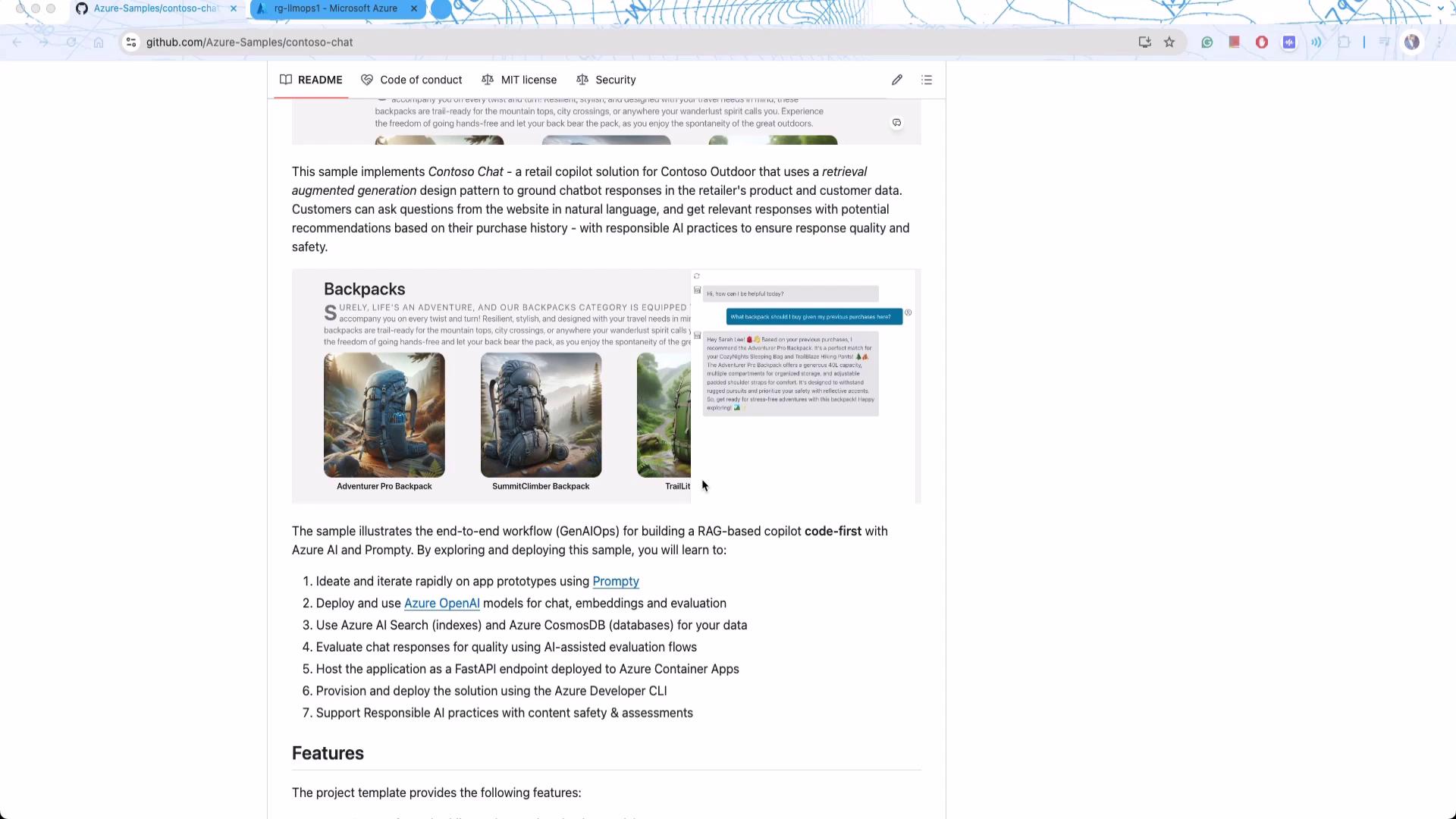
The Contoso Chat system is a prime example of a RAG-based solution designed to process dynamic data. Traditional models like GPT-4 require additional context to address customer histories, product updates, and evolving content. This article demonstrates how semantic search is integrated to process customer queries by indexing dynamic product information from services such as Cosmos DB and Azure Cognitive Search.
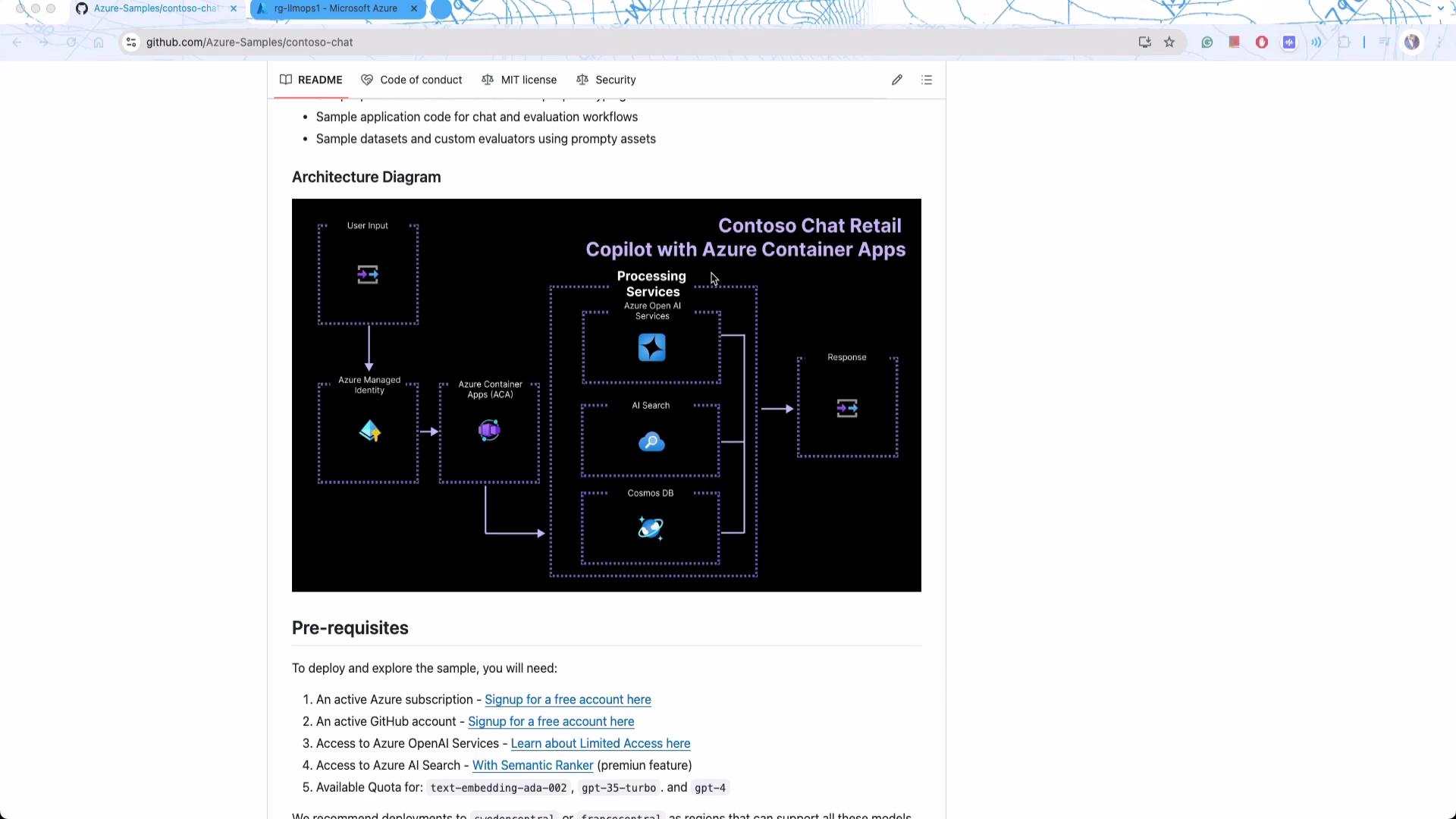
## System Architecture
The solution’s architecture seamlessly combines containers, Azure OpenAI services (built on GPT-4), and Microsoft’s vector search capabilities to process user queries. Cosmos DB serves as the central document database for storing customer and product information. This design avoids both naive and overly complex RAG deployments, striking an ideal balance for showcasing production-level intricacies.
One of the most notable aspects of this project is its full “infrastructure as code” implementation. To initialize the solution, use the following command:
```bash theme={null}
azd init -t contoso-chat-openai-prompt
```
While this guide focuses primarily on backend implementation, a complete end-to-end solution (including frontend components) is available. Detailed deployment guidelines will help you deploy the system within your own Azure subscription.
As you explore the deployment process, pay close attention to the resource visualization in the Azure portal. This diagram illustrates the interconnected services such as containers, Cosmos DB, and Azure OpenAI, providing a clear view of the overall system architecture.
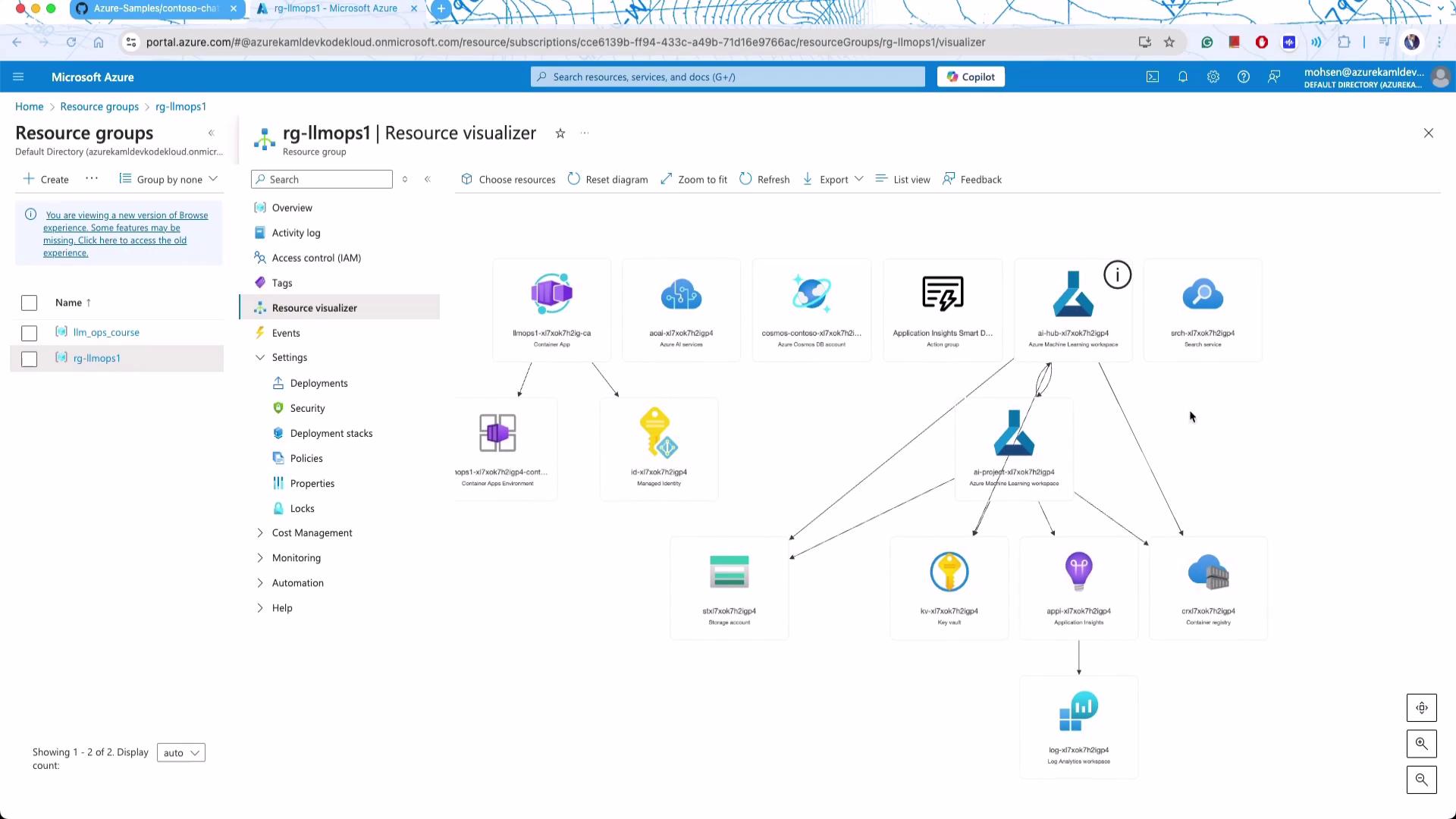
After provisioning the infrastructure, the application is automatically populated with data via a series of conversion scripts. This includes converting Jupyter notebooks into Python scripts for seamless integration.
## Code and Sample Interactions
Once your infrastructure is deployed, the application initializes data using scripts that convert Jupyter notebooks into Python scripts. An example output might look like this:
```bash theme={null}
Populating data ....
[NbConvertApp] Converting notebook data/customer_info/create-cosmos-db.ipynb to python
[NbConvertApp] Writing 1785 bytes to data/customer_info/create-cosmos-db.py
[NbConvertApp] Converting notebook data/product_info/create-azure-search.ipynb to python
```
With the services live, you can test the chatbot using tools such as [Postman](https://www.postman.com). For instance, sending this sample JSON request will query the system:
```json theme={null}
{
"question": "How much does your Car cost? What is the engine size?",
"answer": "The CampCruiser Overlander SUV Car by RoverRanger costs $45,000. The engine size is 3.5L V6. To enhance your off-road adventures, I recommend pairing the CampCruiser with the TrailMaster X4 Tent & the TrailWalker Hiking Shoes 🌲. Happy exploring!",
"context": [
{
"id": "21",
"title": "CampCruiser Overlander SUV",
"content": "Ready to tackle the wilderness with all the comforts of home? The CampCruiser Overlander SUV Car by RoverRanger is more than a vehicle; it's your off-road escape pod. Whether you're blasting through mud, snoozing under the stars, or brewing coffee in the wild, this SUV is a traveler's best friend. Choose adventure, choose CampCruiser! Engine Type: 3.5L V6.",
"url": "/products/campcruiser-overlander-suv"
},
{
"id": "5",
"title": "BaseCamp Folding Table",
"content": "CampBuddy's BaseCamp Folding Table is an adventurer's best friend. Lightweight yet sturdy, the table is designed to function wherever you go and can easily be packed up for your next trip."
}
]
}
```
The chatbot processes the query by incorporating the provided context and chat history, returning detailed product suggestions complete with pricing and technical information.
A key feature of this deployment is how it structures communication with the language model. Using prompt templates, incoming questions are grounded with relevant contextual metadata. Here is an example of such a prompt template:
```yaml theme={null}
name: Mohsenprompt
description: A prompt that uses context to ground an incoming question
authors:
- Seth Juarez
model:
api: chat
configuration:
type: azure_openai
azure_endpoint: ${env:AZURE_OPENAI_ENDPOINT}
azure_deployment: gpt-4-evals
parameters:
max_tokens: 3000
sample:
firstName: Seth
context: >
The Alpine Explorer Tent boasts a detachable divider for privacy,
numerous mesh windows and adjustable vents for ventilation, and
a waterproof design. It even has a built-in gear loft for storing
your outdoor essentials. In short, it's a blend of privacy, comfort,
and convenience, making it your second home in the heart of nature!
```
This templating approach ensures that contextual information is always provided with each query, streamlining interactions with the model.
## Deploying the Application
After configuring the system, deploy the services using the following command:
```bash theme={null}
azd deploy
```
A successful deployment displays a message like this:
```plaintext theme={null}
Deploying services (azd deploy)
SUCCESS: Your workflow to provision and deploy to Azure completed in 3 minutes 5 seconds.
```
This demonstration of a production-grade RAG application using Microsoft Azure services showcases advanced integration patterns and state-of-the-art infrastructure as code practices. Enjoy exploring the code and the robust capabilities of RAG systems!
For further insights and learning resources, consider exploring the following:
| Resource Type | Use Case | Example |
| ---------------------- | ------------------------------ | ----------------------------------------------------- |
| Chatbot Integration | Customer support in e-commerce | Contoso Chat implementation |
| Infrastructure as Code | Automated deployments | `azd init -t contoso-chat-openai-prompt` |
| Semantic Search | Dynamic query processing | Integration with Cosmos DB and Azure Cognitive Search |
For additional reading:
* [Kubernetes Basics](https://kubernetes.io/docs/concepts/overview/what-is-kubernetes/)
* [Kubernetes Documentation](https://kubernetes.io/docs/)
* [Docker Hub](https://hub.docker.com/)
* [Terraform Registry](https://registry.terraform.io/)
This concludes our demonstration of a production-grade RAG application using Microsoft Azure. In the next section, we will dive deeper into the codebase to explore further functionalities and integration points. Enjoy your journey into advanced AI applications!