> ## Documentation Index
> Fetch the complete documentation index at: https://notes.kodekloud.com/llms.txt
> Use this file to discover all available pages before exploring further.
# Create Dev Environment Secrets Environment Rules
> This guide explains how to configure a GitHub development environment for managing deployment secrets, variables, and protection rules.
In this guide, you’ll learn how to configure a GitHub **development** environment to manage deployment secrets, variables, and protection rules in your repository. Environments help you isolate settings for stages like `dev`, `UAT`, `SIT`, or `prod`, ensuring each has its own safeguards and credentials.
For more details, see the [GitHub Environments documentation](https://docs.github.com/en/actions/deployment/targeting-different-environments/using-environments-for-deployment).
## 1. Create the Environment
1. Go to **Settings** in your repository.
2. Click **Environments** in the sidebar.
3. Select **New environment** and enter `development`.
Once created, you can configure:
* **Protection rules** (required reviewers, wait timers, branch/tag restrictions)
* **Environment secrets**
* **Environment variables**
* **Deployment branch and tag restrictions**
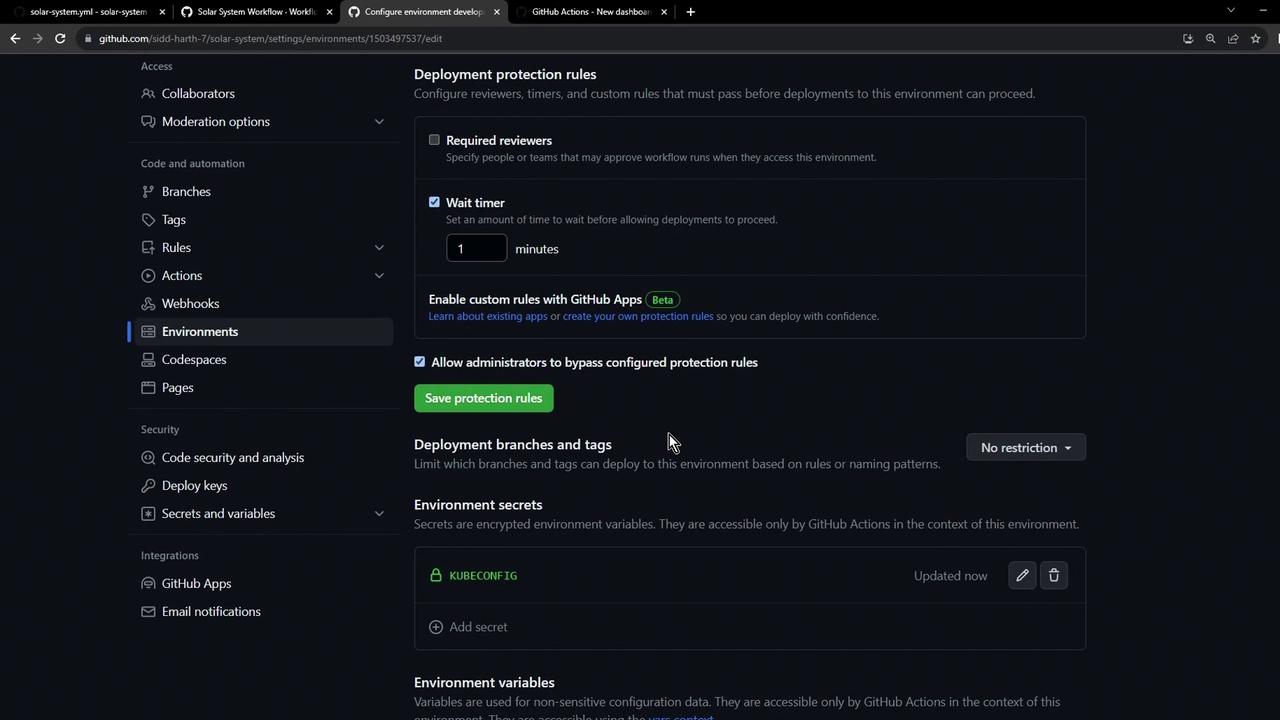
### 1.1 Configure Protection Rules
Under **Protection rules**, you can enforce deployment policies. Use the table below as a quick reference:
| Rule Type | Configurable Options |
| ------------------ | -------------------------------------------- |
| Wait timer | Duration (e.g., 1 minute), admin bypass |
| Required reviewers | Number of reviewers, specific teams or users |
| Branch/tag filters | Only allow deployments from selected refs |
To add a 1-minute wait timer:
1. Enable **Wait timer**.
2. Set the value to **1 minute**.
3. Check **Allow repository administrators to bypass** if desired.
4. Click **Save**.
You can extend protection with custom rules by exploring [third-party Actions](https://github.com/marketplace?type=actions) or writing your own.
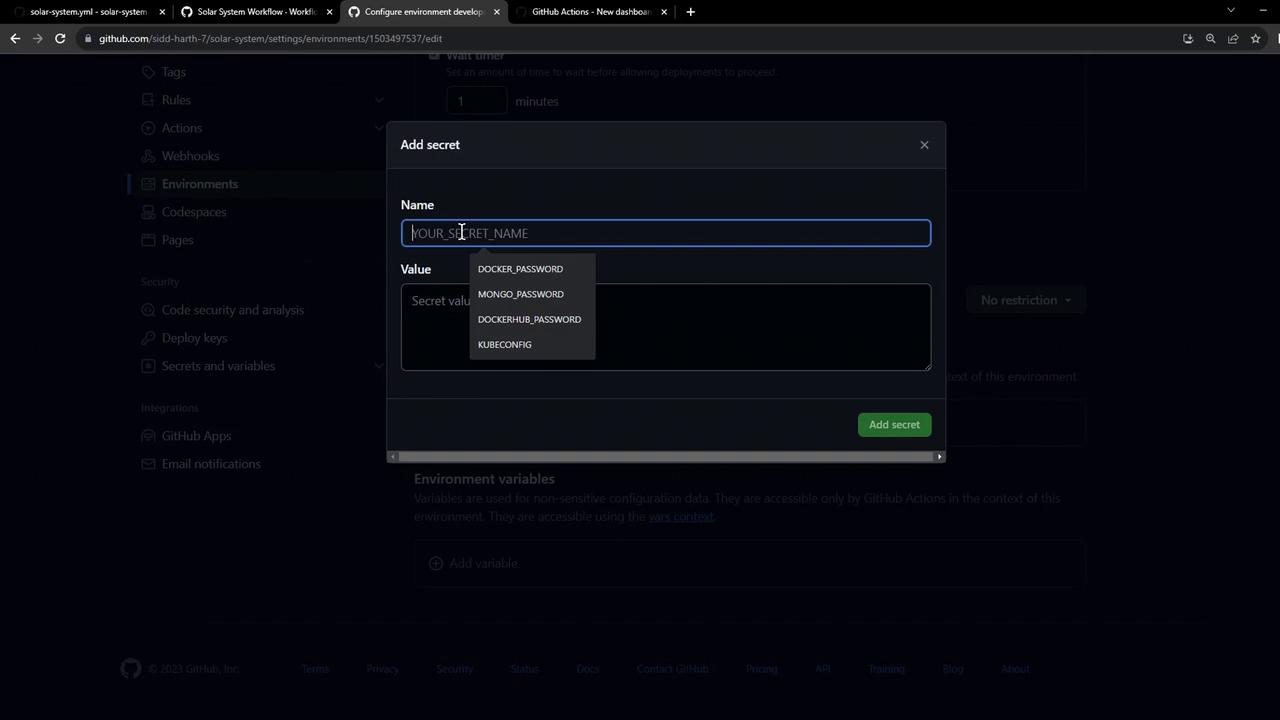
### 1.2 Add an Environment Secret
Environment secrets have higher precedence than repository-level secrets. To add a `KUBECONFIG` secret:
1. In the **Secrets** section, click **Add secret**.
2. Enter `KUBECONFIG` as the name and paste its value.
3. Click **Add secret**.
Environment secrets override repository secrets with the same name.
### 1.3 Review Protection Rules
Here’s how the Protection rules page appears, including reviewers, wait timers, and restrictions:
## 2. Add Environment Variables
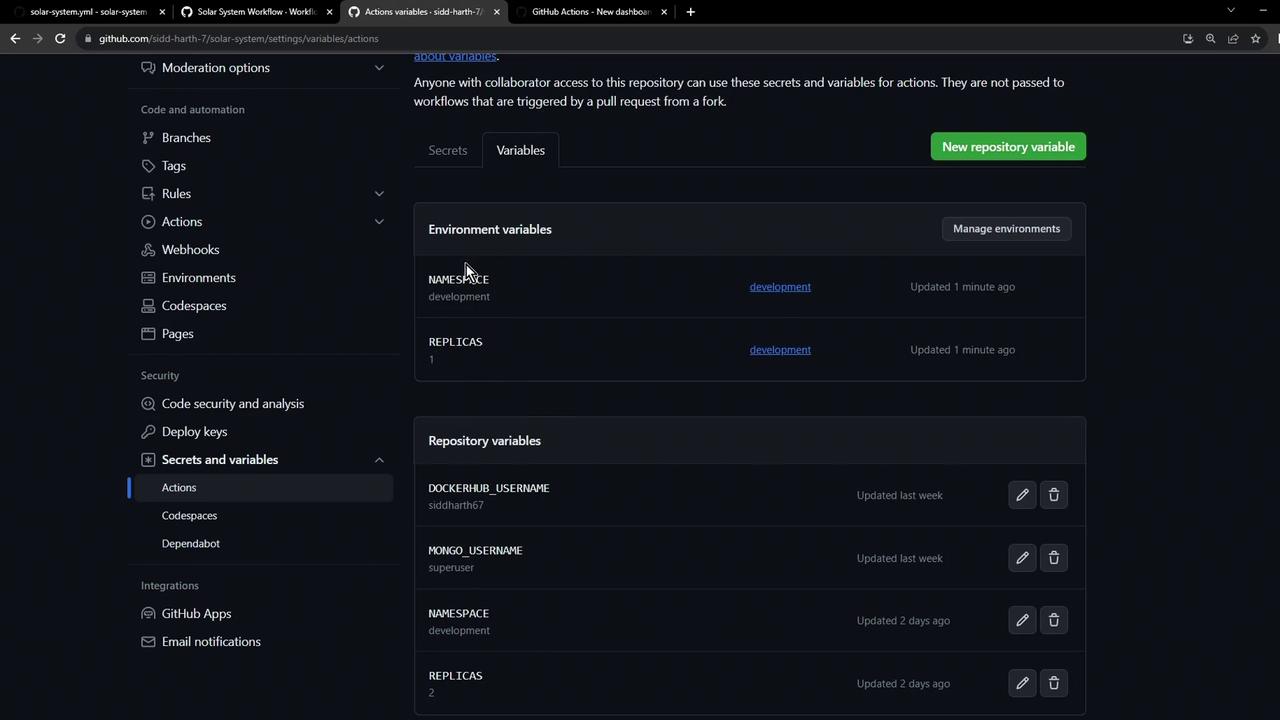
Switch to **Variables** under the same environment and add the following:
| Variable | Value | Description |
| --------- | ----------- | ------------------------- |
| NAMESPACE | development | Kubernetes namespace name |
| REPLICAS | 1 | Number of pod replicas |
## 3. Verify Environment Setup
After saving, navigate back to **Settings → Environments**. You should see:
* Environment: `development`
* Protection rule: 1-minute wait timer
* Secret: `KUBECONFIG`
* Variables: `NAMESPACE`, `REPLICAS`
In **Settings → Secrets and variables → Actions**, both environment-level and repository-level settings appear. When names collide, the environment value wins.
## 4. Integrate with GitHub Actions
Reference your `development` environment in workflows:
```yaml theme={null}
jobs:
deploy-dev:
environment: development
runs-on: ubuntu-latest
steps:
- uses: actions/checkout@v3
- name: Deploy to Development
run: |
echo "Using NAMESPACE=${{ vars.NAMESPACE }} and replicas=${{ vars.REPLICAS }}"
```
This ensures your workflow picks up the correct secrets, variables, and rules during deployment.
## Links and References
* [GitHub Environments Docs](https://docs.github.com/en/actions/deployment/targeting-different-environments/using-environments-for-deployment)
* [GitHub Actions](https://docs.github.com/en/actions)
* [GitHub Marketplace: Actions](https://github.com/marketplace?type=actions)