> ## Documentation Index
> Fetch the complete documentation index at: https://notes.kodekloud.com/llms.txt
> Use this file to discover all available pages before exploring further.
# Create Prod Environment Secrets Environment Rules
> This guide explains how to configure a secure production environment in GitHub Actions with deployment rules, branch restrictions, and necessary secrets.
In this guide, you’ll learn how to configure a `production` environment in your GitHub repository settings, enforce deployment protection rules, restrict deployments to the `main` branch, and add the necessary secrets and variables. By the end, your production workflow will be locked down and ready for automated deployments.
## Prerequisites
* A GitHub repository with Actions enabled
* Admin permissions on the repository
* (Optional) [Familiarity with GitHub Environments](https://docs.github.com/en/actions/deployment/targeting-different-environments/using-environments-for-deployment)
***
## Step 1: Create the Production Environment
1. Go to your repository, then click **Settings > Environments**.
2. Hit **New environment** and enter `production` as the name.
You now have a blank production environment ready for configuration.
***
## Step 2: Configure Deployment Protection Rules
Under **Deployment protection rules**, set up the controls that gate your production deployments:
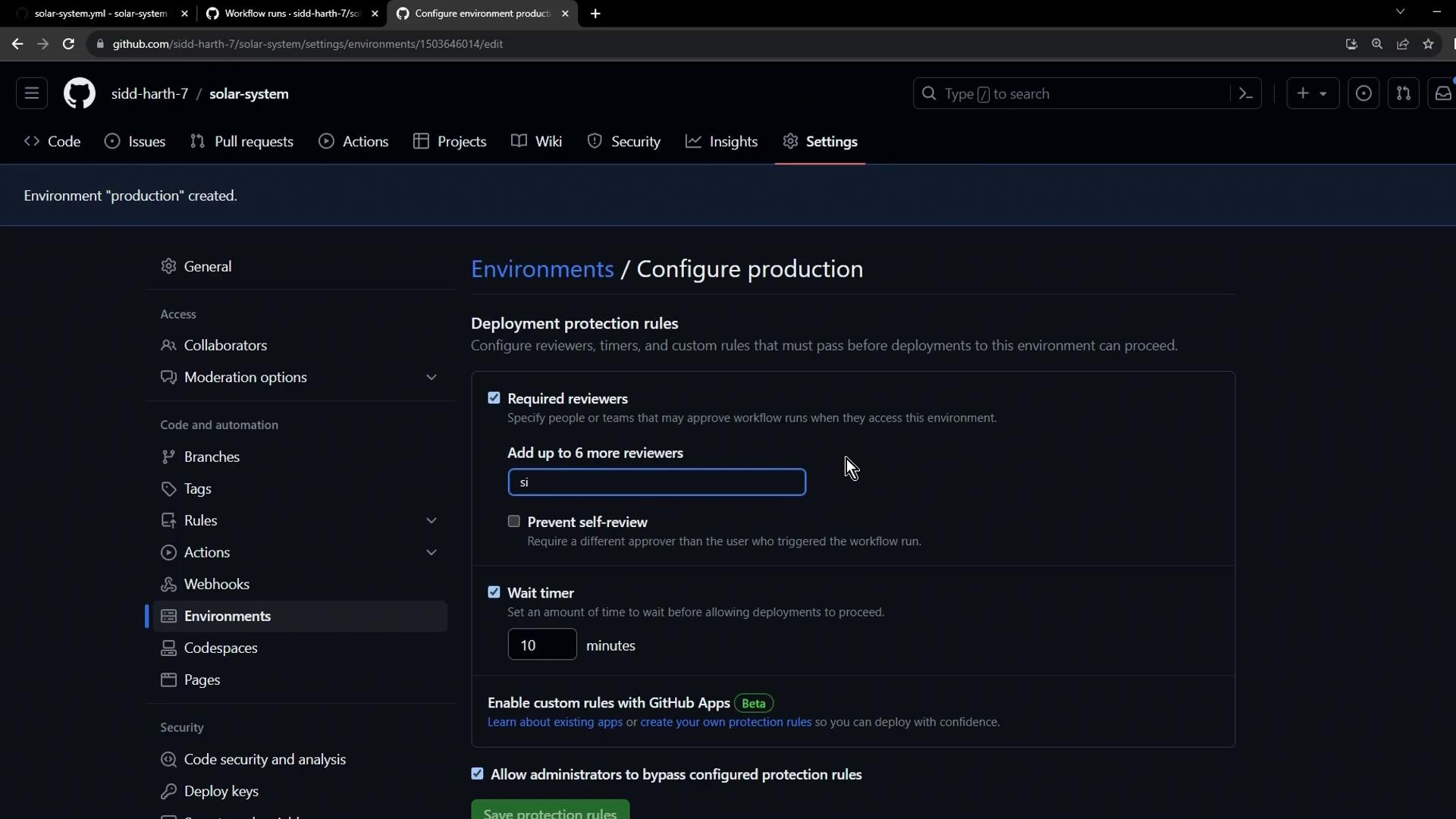
* **Wait timer**: e.g., `1 minute` – enforces a delay before a workflow can proceed.
* **Required reviewers**: add up to six team members; at least one approval is mandatory.
* **Allow self-review**: toggle **off** to prevent the person who triggered the workflow from approving their own deployment.
Disabling self-review is critical for maintaining an audit trail and ensuring someone else verifies each production deployment.
Click **Save protection rules** to apply.
***
## Step 3: Restrict Deployments to Your Main Branch
In the same **production** environment settings:
1. Find **Restrict deployments**.
2. Select **Only allow deployments from specific branches**.
3. Choose `main` from the dropdown.
Now, only commits merged into `main` can trigger the production workflow.
***
## Step 4: Add Secrets and Variables
Scroll down to **Secrets and variables** to store environment-specific data:
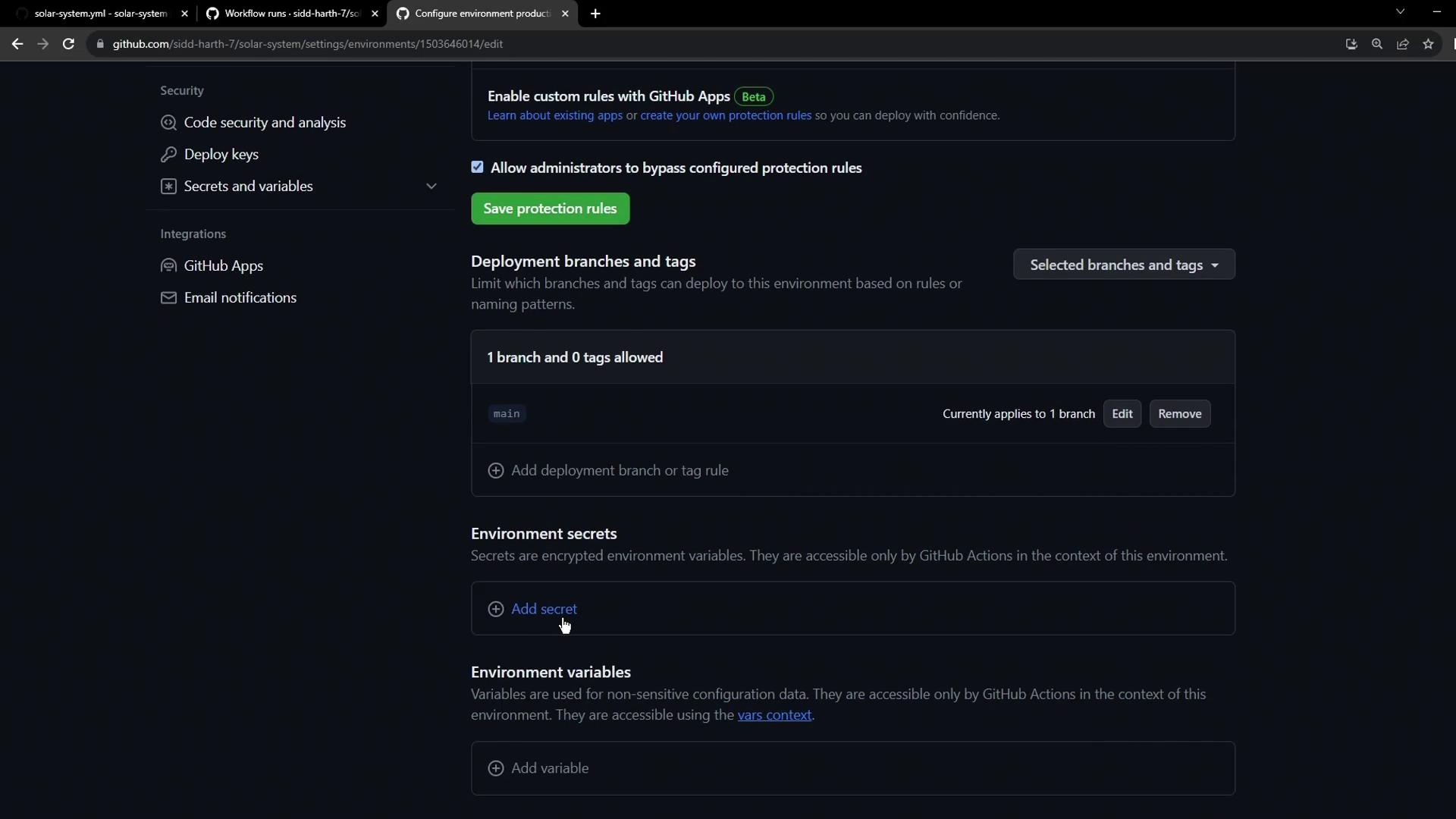
Use the table below as your reference for what to add:
| Type | Name | Value |
| -------- | ---------- | -------------------------------- |
| Secret | KUBECONFIG | *Your Kubernetes config content* |
| Variable | namespace | `locus-production` |
| Variable | replicas | `5` |
1. Under **Secrets**, click **New secret**, enter `KUBECONFIG`, paste your kubeconfig, and save.
2. Under **Variables**, add `namespace` and `replicas` one at a time, then click **Save**.
***
## Step 5: Verify Your Environment Configuration
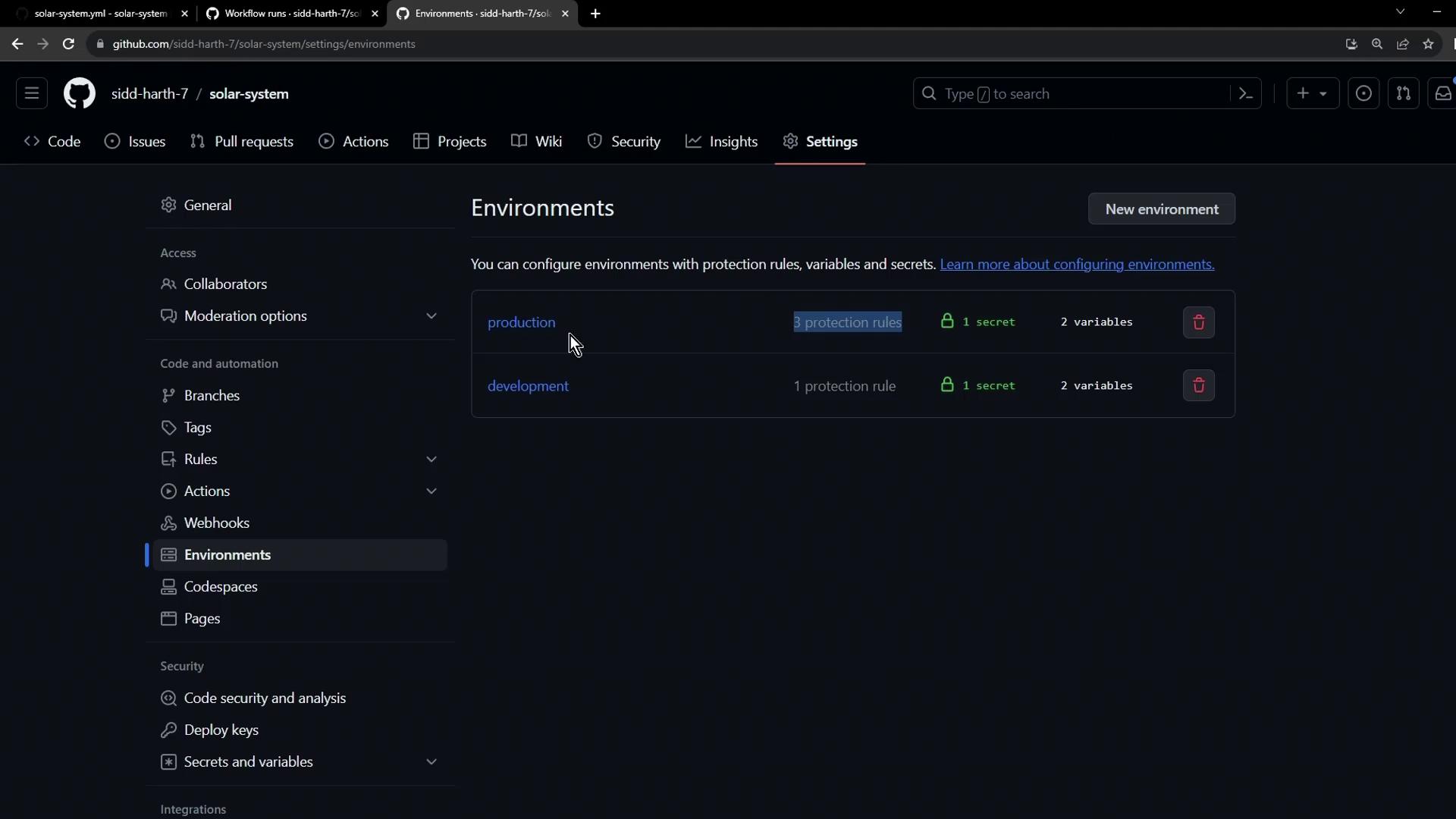
After saving, your **Environments** page should list both `development` and `production`, displaying their protection rules, secrets, and variables:
***
## Summary
* **Production environment** created under **Settings > Environments**
* **Protection rules**: wait timer + required reviewers + no self-approval
* **Branch restriction**: only `main` can deploy
* **Secrets**: `KUBECONFIG`
* **Variables**: `namespace`, `replicas`
In the next tutorial, we’ll trigger a GitHub Actions workflow against this production environment to validate the setup.