> ## Documentation Index
> Fetch the complete documentation index at: https://notes.kodekloud.com/llms.txt
> Use this file to discover all available pages before exploring further.
# Deploy to a cloud provider using a GitHub Actions workflow
> Learn to automate CI/CD for Node.js applications using GitHub Actions and Azure App Service.
Learn how to automate a complete CI/CD pipeline for your Node.js application using GitHub Actions and Azure App Service. In this guide, you’ll:
* Prepare Azure resources with the CLI or Portal
* Configure GitHub Actions workflows
* Securely connect GitHub to Azure
* Verify deployments in Azure and GitHub
* Optionally download a publish profile for manual setup
## Prerequisites
* A GitHub repository with your Node.js application
* An active [Azure subscription](https://azure.microsoft.com/free/)
* Azure CLI installed and authenticated (`az login`)
* Basic knowledge of GitHub Actions and YAML workflows
***
## Official Deployment Docs & Resources
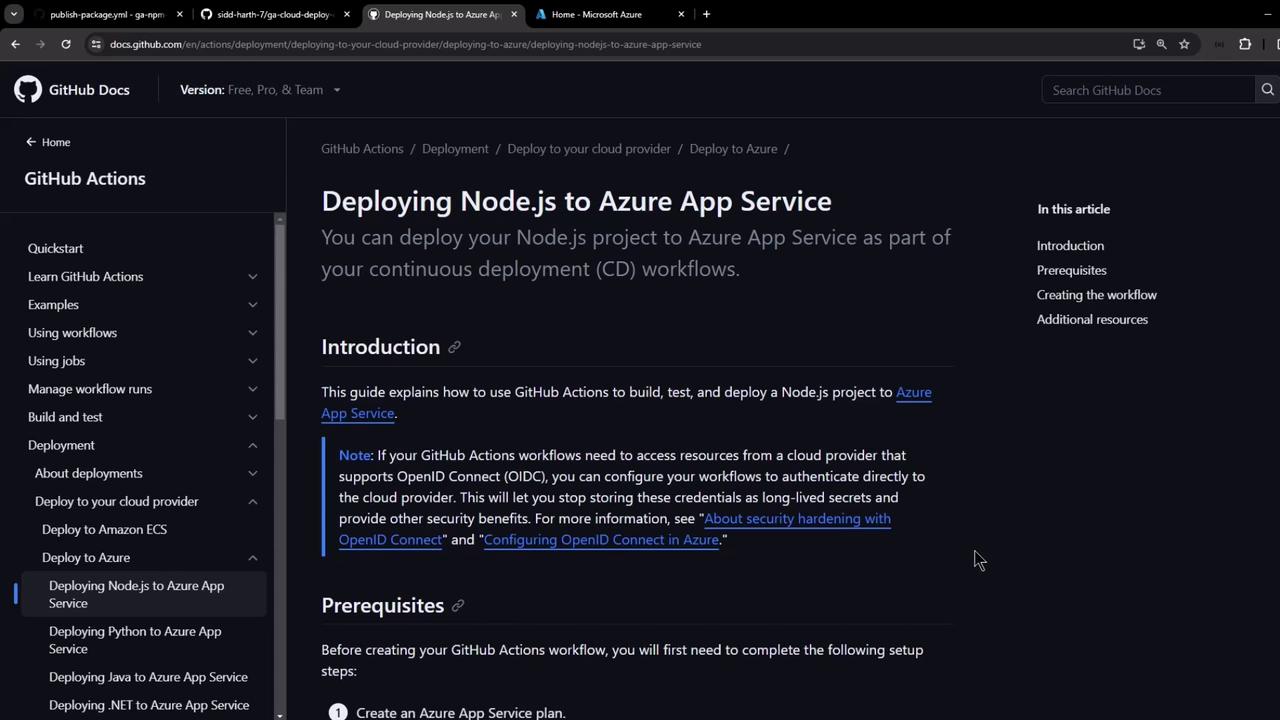
GitHub maintains comprehensive guides for CI/CD with Azure. For more examples and advanced configuration, refer to:
* [GitHub Actions Documentation: Deploy to Azure](https://docs.github.com/actions/deployment/targeting-infrastructure-as-code/deploying-to-azure)
* [Azure App Service Documentation](https://learn.microsoft.com/azure/app-service/)
***
## Create Azure App Service via CLI
Use the Azure CLI to provision your App Service plan and web app quickly.
```bash theme={null}
# 1. Create an App Service plan (Linux, B1 SKU)
az appservice plan create \
--resource-group MY_RESOURCE_GROUP \
--name MY_PLAN_NAME \
--is-linux \
--sku B1
# 2. Create a Web App with Node.js runtime
az webapp create \
--resource-group MY_RESOURCE_GROUP \
--plan MY_PLAN_NAME \
--name MY_WEBAPP_NAME \
--runtime "NODE|14-lts"
# 3. Retrieve publish profile XML (for GitHub Secrets)
az webapp deployment list-publishing-profiles \
--name MY_WEBAPP_NAME \
--resource-group MY_RESOURCE_GROUP \
--xml
```
Store the XML output as a GitHub Secret named `AZURE_WEBAPP_PUBLISH_PROFILE` for seamless deployment.
***
## Quick CI/CD Workflow Overview
Your GitHub Actions workflow typically defines two jobs:
| Job | Purpose | Key Actions |
| ------ | ----------------------------------------------- | -------------------------------------------- |
| build | Prepare application artifact | Checkout → Setup Node.js → Test → Zip |
| deploy | Publish the build artifact to Azure App Service | Download → Unzip → `azure/webapps-deploy@v2` |
Here’s a minimal example (`.github/workflows/azure-nodejs.yml`):
```yaml theme={null}
name: Build and Deploy to Azure Web App
on:
push:
branches: [ main ]
workflow_dispatch:
jobs:
build:
runs-on: ubuntu-latest
steps:
- uses: actions/checkout@v4
- name: Setup Node.js
uses: actions/setup-node@v3
with: { node-version: '20.x' }
- name: Install & Test
run: |
npm install
npm run build --if-present
npm run test --if-present
- name: Package App
run: zip release.zip . -r
- uses: actions/upload-artifact@v3
with: { name: node-app, path: release.zip }
deploy:
needs: build
runs-on: ubuntu-latest
environment:
name: production
url: ${{ steps.deploy.outputs.webapp-url }}
steps:
- uses: actions/download-artifact@v3
with: { name: node-app }
- name: Unzip Artifact
run: unzip release.zip
- id: deploy
uses: azure/webapps-deploy@v2
with:
app-name: ${{ env.AZURE_WEBAPP_NAME }}
publish-profile: ${{ secrets.AZURE_WEBAPP_PUBLISH_PROFILE }}
package: .
```
***
## Step 1: Create App Service in Azure Portal
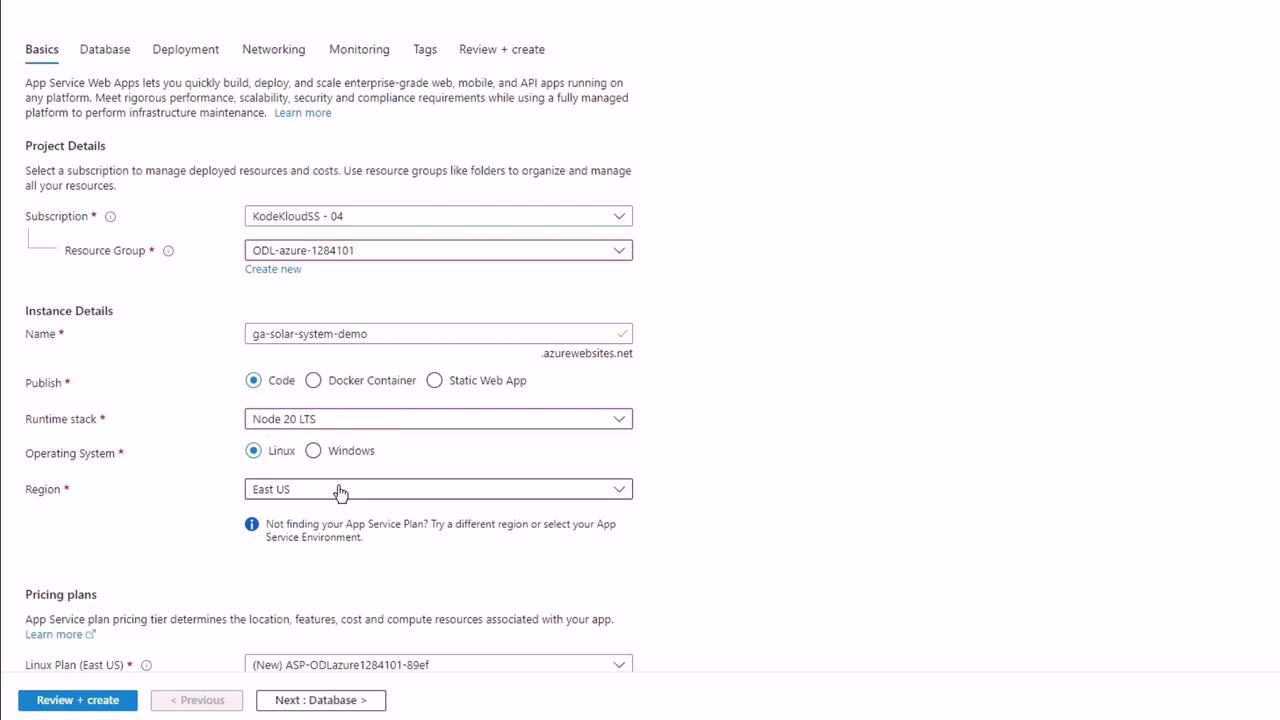
1. Navigate to **App Services** → **Create**.
2. Select your Subscription and Resource Group.
3. Configure instance details (Runtime: Node.js, OS: Linux).
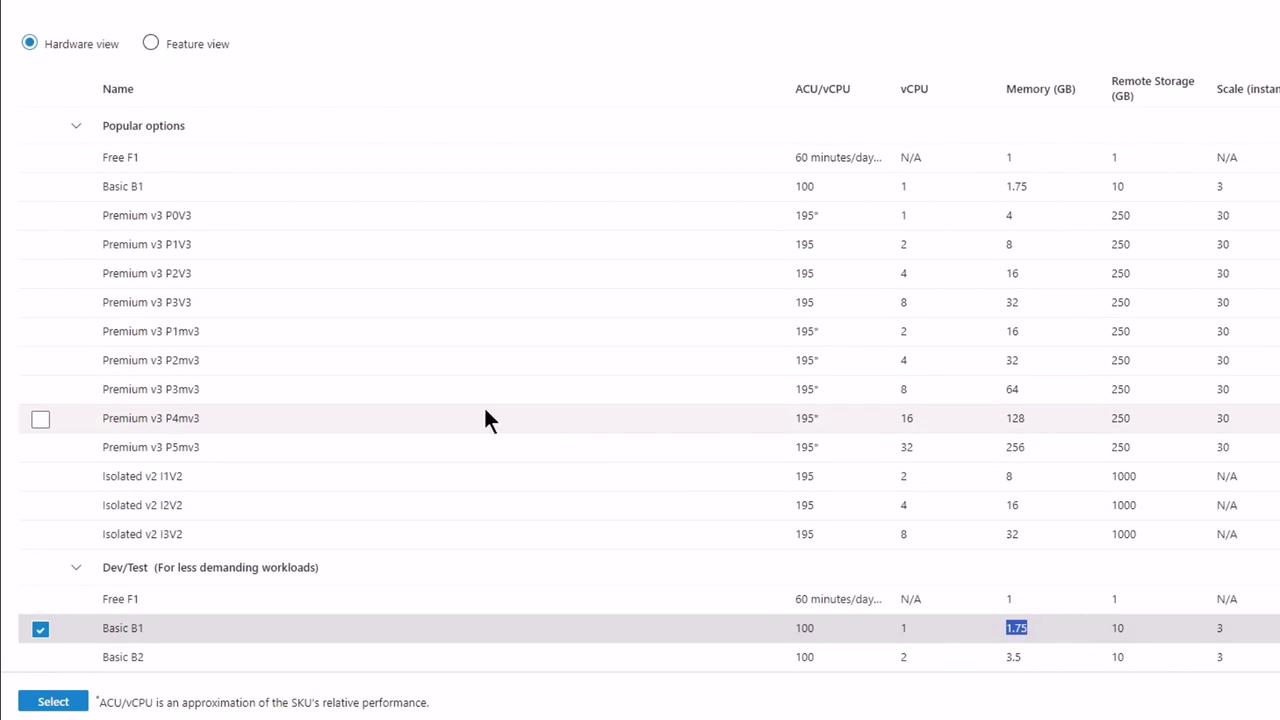
4. Choose a pricing plan (e.g., Basic B1).
5. Under **Deployment**, enable **GitHub Actions** and authenticate.
***
## Step 2: Authorize GitHub Access
When prompted, grant Azure permission to your GitHub account and repository:
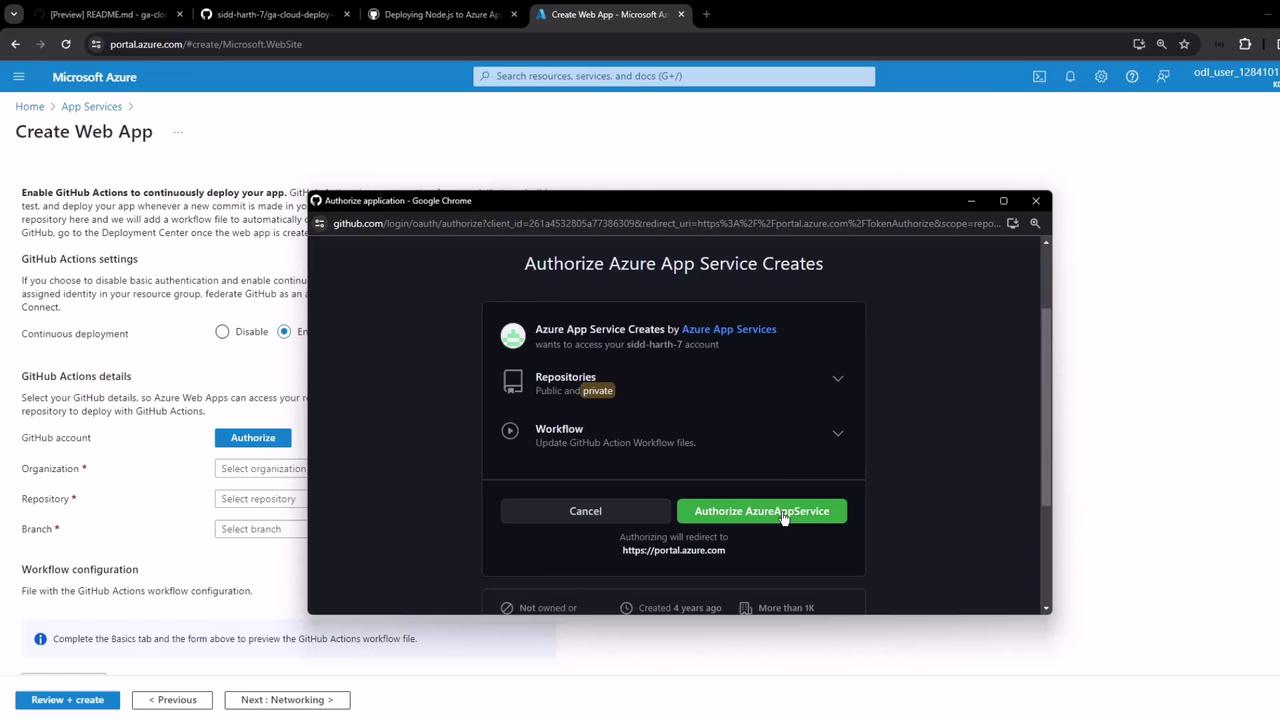
* Select Organization
* Choose Repository (e.g., **GA Cloud Deploy Demo**)
* Pick Branch (**main**)
* Preview & Confirm
***
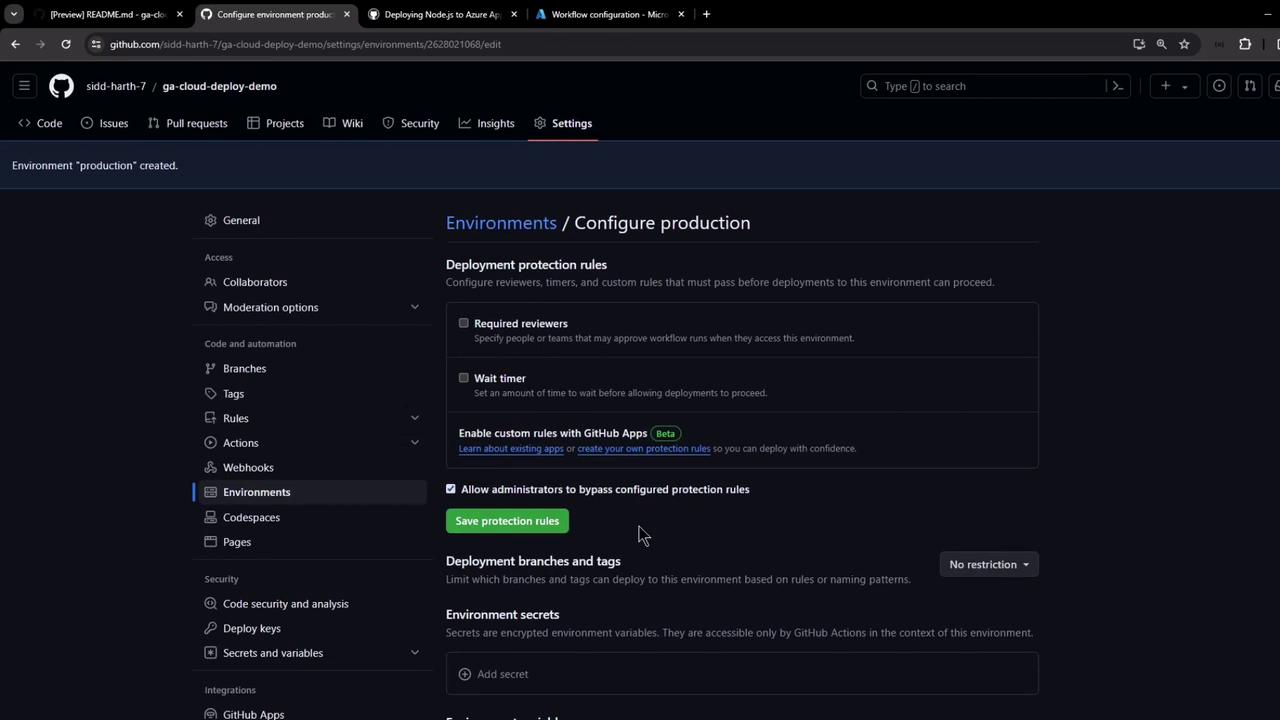
## Step 3: Secure GitHub Environment
1. In GitHub, go to **Settings** → **Environments**.
2. Create an environment named `production`.
3. (Optional) Add protection rules or required reviewers.
***
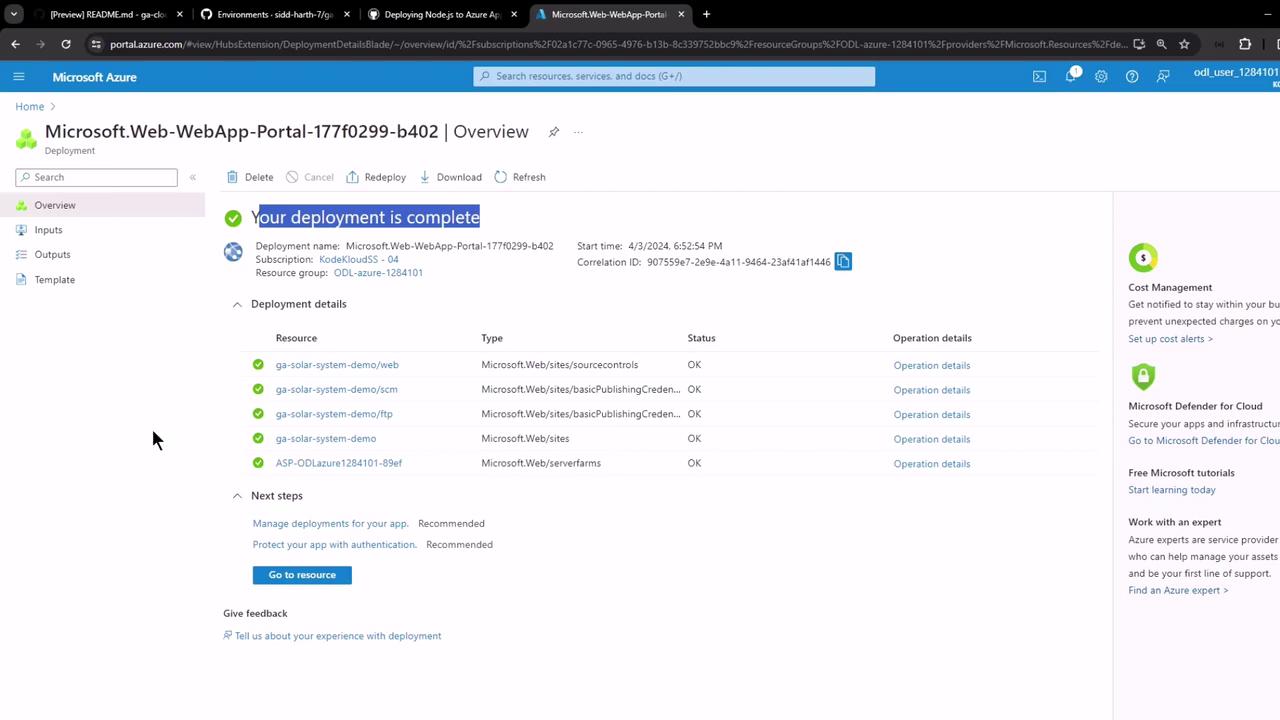
## Step 4: Automatic Workflow Commit
Azure provisions the resources and commits a workflow file to `.github/workflows/`:
***
## Step 5: Inspect GitHub Changes
* **Secrets**: A new `AZURE_WEBAPP_PUBLISH_PROFILE` appears under **Settings** → **Secrets**.
* **Workflow**: `.github/workflows/main_.yaml` is added.
* **Actions**: View your first run.

***
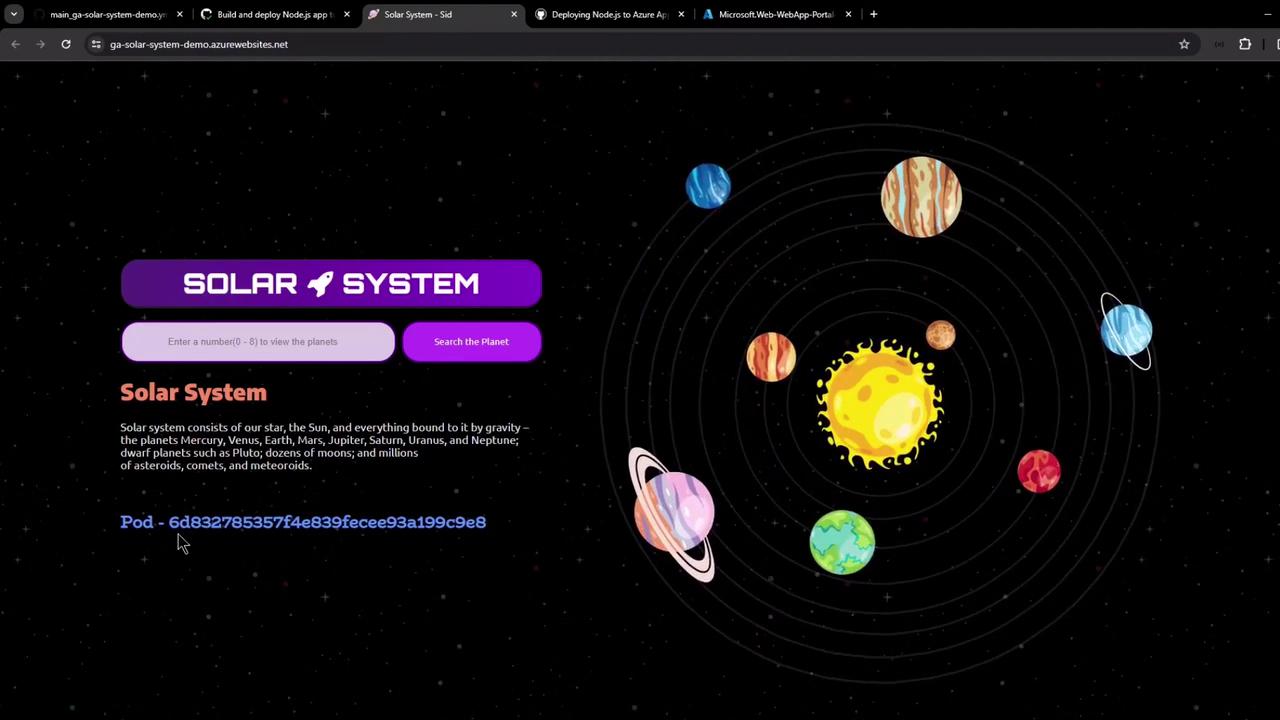
## Step 6: View Your Live App
GitHub Actions outputs the application URL after deployment. Click the link to verify your app:
***
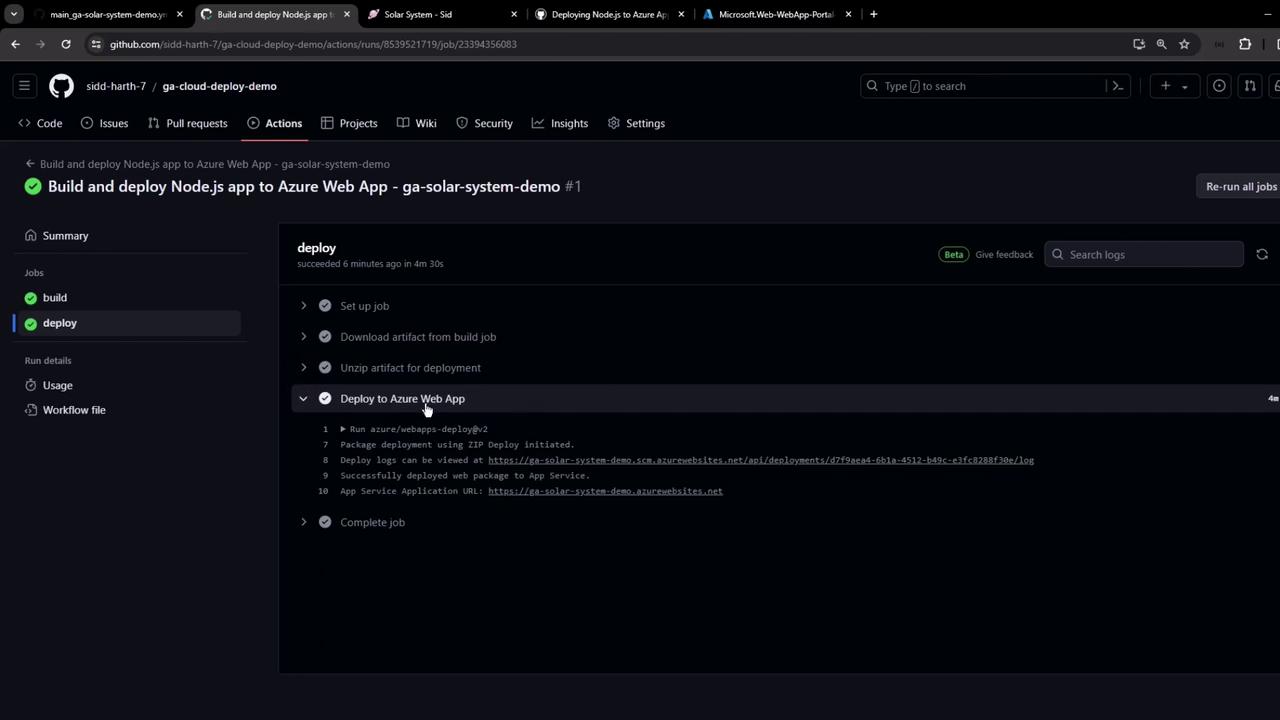
## Step 7: Review Deployment Logs
* **Build Job**: Checkout, Node.js setup, install, build, test, and packaging.
* **Deploy Job**: Artifact download, unzip, and Azure webapp zip-deploy.
***
## Sample Node.js Application Code
Below is a simple Express app. **Do not** hardcode credentials in production—use GitHub Secrets and environment variables.
```javascript theme={null}
// app.js
const express = require('express');
const path = require('path');
const mongoose = require('mongoose');
const bodyParser = require('body-parser');
const cors = require('cors');
const app = express();
app.use(bodyParser.json());
app.use(express.static(path.join(__dirname, '/')));
app.use(cors());
// Connect to MongoDB
mongoose.connect('mongodb+srv://cluster.mongodb.net/superData', {
user: 'superuser',
pass: 'SuperPassword',
useNewUrlParser: true,
useUnifiedTopology: true
}, err => {
if (err) console.error('MongoDB connection error:', err);
});
// Define Schema
const Schema = mongoose.Schema;
const dataSchema = new Schema({
name: String,
id: Number,
description: String,
image: String,
velocity: String
});
// ...routes and server startup...
```
Never commit secrets or plaintext credentials to your repository. Always leverage [GitHub Secrets](/docs/actions/security-guides/encrypted-secrets).
***
## Manual Publish Profile Download
If you prefer a manual setup:
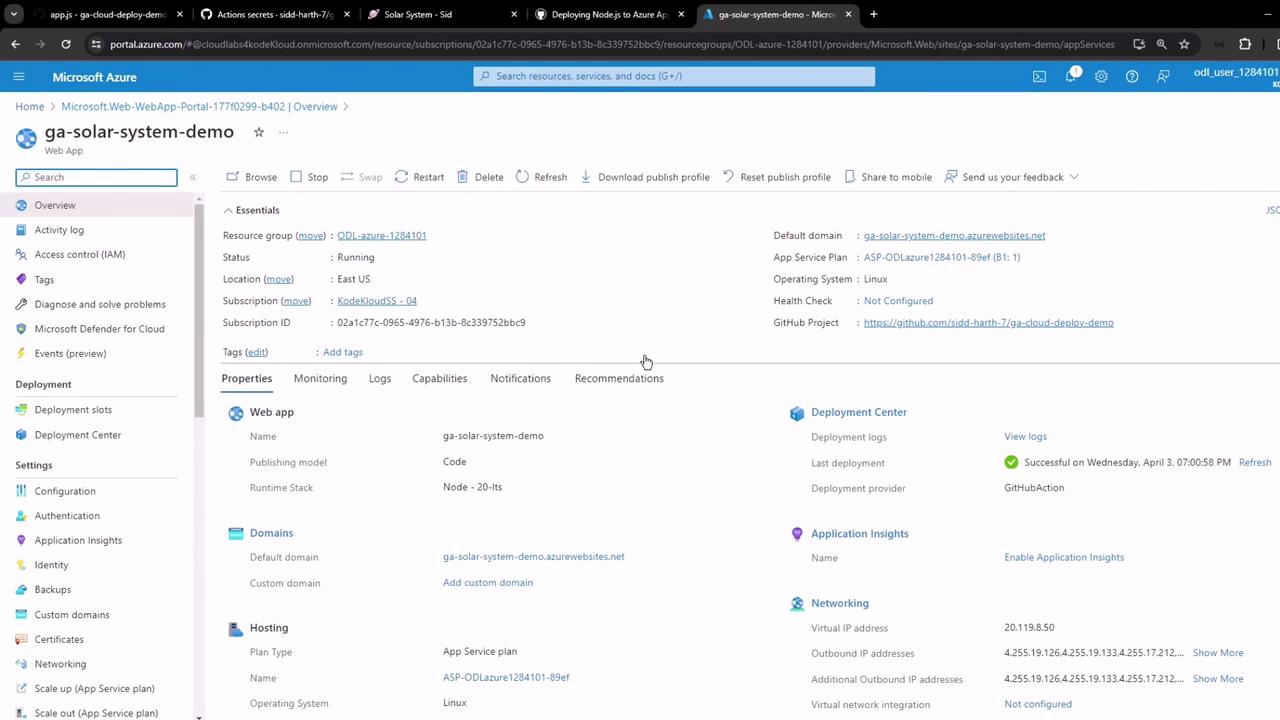
1. In the Azure portal, select your Web App → **Get publish profile**.
2. Download the XML and save it as `AZURE_WEBAPP_PUBLISH_PROFILE` in GitHub Secrets.
```xml theme={null}
```
***
Congratulations! You’ve now set up a full CI/CD pipeline to build, test, and deploy your Node.js app to Azure App Service with GitHub Actions.