> ## Documentation Index
> Fetch the complete documentation index at: https://notes.kodekloud.com/llms.txt
> Use this file to discover all available pages before exploring further.
# If Expressions and Pull Request
> This guide explains setting up a GitHub Actions CI/CD workflow using conditional expressions for deploying applications based on branch types and pull request reviews.
In this guide, we’ll set up a GitHub Actions CI/CD workflow that uses conditional `if` expressions to deploy an application to development on feature branches and to production only from the `main` branch. Pull requests will gate production releases behind review and environment protection rules.
## Table of Contents
* [Environment Variables](#environment-variables)
* [Job Overview](#job-overview)
* [Dev Deploy Job](#dev-deploy-job)
* [Dev Integration Testing Job](#dev-integration-testing-job)
* [Prod Deploy Job](#prod-deploy-job)
* [Prod Integration Testing Job](#prod-integration-testing-job)
* [Workflow Execution & Pull Request Flow](#workflow-execution--pull-request-flow)
* [Links and References](#links-and-references)
## Environment Variables
Define shared environment variables at the top of your workflow file:
```yaml theme={null}
env:
MONGO_URI: 'mongodb+srv://supercluster.d83jj.mongodb.net/superData'
MONGO_USERNAME: ${{ vars.MONGO_USERNAME }}
MONGO_PASSWORD: ${{ secrets.MONGO_PASSWORD }}
```
Always store sensitive data such as database credentials and API keys in GitHub [Secrets](/docs/actions/security-guides/encrypted-secrets) or [Variables](/docs/actions/variables).
## Job Overview
Below is a summary of each job, its trigger condition, and dependencies:
| Job Name | Condition | Needs | Description |
| -------------------------- | ---------------------------------- | ------------- | --------------------------------------------- |
| `docker` | Always (push or PR) | *none* | Builds and pushes Docker image |
| `dev-deploy` | `contains(github.ref, 'feature/')` | `docker` | Deploys to the development environment |
| `dev-integration-testing` | `contains(github.ref, 'feature/')` | `dev-deploy` | Runs health checks against the dev deployment |
| `prod-deploy` | `github.ref == 'refs/heads/main'` | `docker` | Deploys to the production environment |
| `prod-integration-testing` | `github.ref == 'refs/heads/main'` | `prod-deploy` | Validates the live production endpoint |
## Dev Deploy Job
The `dev-deploy` job runs on any branch matching `feature/`. It depends on the `docker` job:
```yaml theme={null}
jobs:
dev-deploy:
if: contains(github.ref, 'feature/')
needs: docker
environment:
name: development
url: https://${{ steps.set-ingress-host-address.outputs.APP_INGRESS_HOST }}
outputs:
APP_INGRESS_URL: ${{ steps.set-ingress-host-address.outputs.APP_INGRESS_HOST }}
runs-on: ubuntu-latest
steps:
- name: Checkout Repo
uses: actions/checkout@v4
# Add Kubernetes deployment steps here, for example:
# - name: Apply Manifests
# run: kubectl apply -f kubernetes/development
```
The `contains` function evaluates whether the branch ref string includes `feature/`. See [GitHub Actions expressions](https://docs.github.com/en/actions/learn-github-actions/expressions#about-if-expressions) for more.
## Dev Integration Testing Job
After deployment to development, run integration tests to verify application health:
```yaml theme={null}
dev-integration-testing:
name: Dev Integration Testing
if: contains(github.ref, 'feature/')
needs: dev-deploy
runs-on: ubuntu-latest
steps:
- name: Test Application Health
run: |
curl https://${{ needs.dev-deploy.outputs.APP_INGRESS_URL }}/health
```
## Prod Deploy Job
Production deployments trigger only on the `main` branch. This job also sets up Kubernetes credentials and applies manifests:
```yaml theme={null}
prod-deploy:
if: github.ref == 'refs/heads/main'
needs: docker
environment:
name: production
url: https://${{ steps.set-ingress-host-address.outputs.APP_INGRESS_HOST }}
outputs:
APP_INGRESS_URL: ${{ steps.set-ingress-host-address.outputs.APP_INGRESS_HOST }}
runs-on: ubuntu-latest
steps:
- name: Checkout Repo
uses: actions/checkout@v4
- name: Set up Kubernetes Credentials
uses: azure/setup-kubectl@v3
with:
method: kubeconfig
kubeconfig: ${{ secrets.KUBECONFIG }}
- name: Fetch Kubernetes Cluster Details
run: |
kubectl version --short
kubectl get nodes
- name: Save Nginx Ingress IP
id: set-ingress-host
run: |
echo "APP_INGRESS_HOST=$(kubectl -n ingress-nginx get service ingress-nginx-controller \
-o jsonpath='{.status.loadBalancer.ingress[0].ip}')"
echo "::set-output name=APP_INGRESS_HOST::$APP_INGRESS_HOST"
- name: Replace Tokens in Manifests
uses: cscheidlen/replace-tokens@v1
with:
tokenPrefix: '_{'
tokenSuffix: '}_'
files: ["kubernetes/production/*.yaml"]
env:
NAMESPACE: ${{ vars.NAMESPACE }}
REPLICAS: ${{ vars.REPLICAS }}
IMAGE: ${{ secrets.DOCKERHUB_USERNAME }}/solar-system:${{ github.sha }}
INGRESS_IP: ${{ steps.set-ingress-host.outputs.APP_INGRESS_HOST }}
- name: Deploy to Production
run: kubectl apply -f kubernetes/production
```
## Prod Integration Testing Job
Once production is deployed, run a final health check:
```yaml theme={null}
prod-integration-testing:
name: Prod Integration Testing
if: github.ref == 'refs/heads/main'
needs: prod-deploy
runs-on: ubuntu-latest
steps:
- name: Validate Production Health
env:
URL: ${{ needs.prod-deploy.outputs.APP_INGRESS_URL }}
run: |
echo "Testing URL: $URL"
curl https://$URL/live -s -k | jq -r .status | grep -i live
```
## Workflow Execution & Pull Request Flow
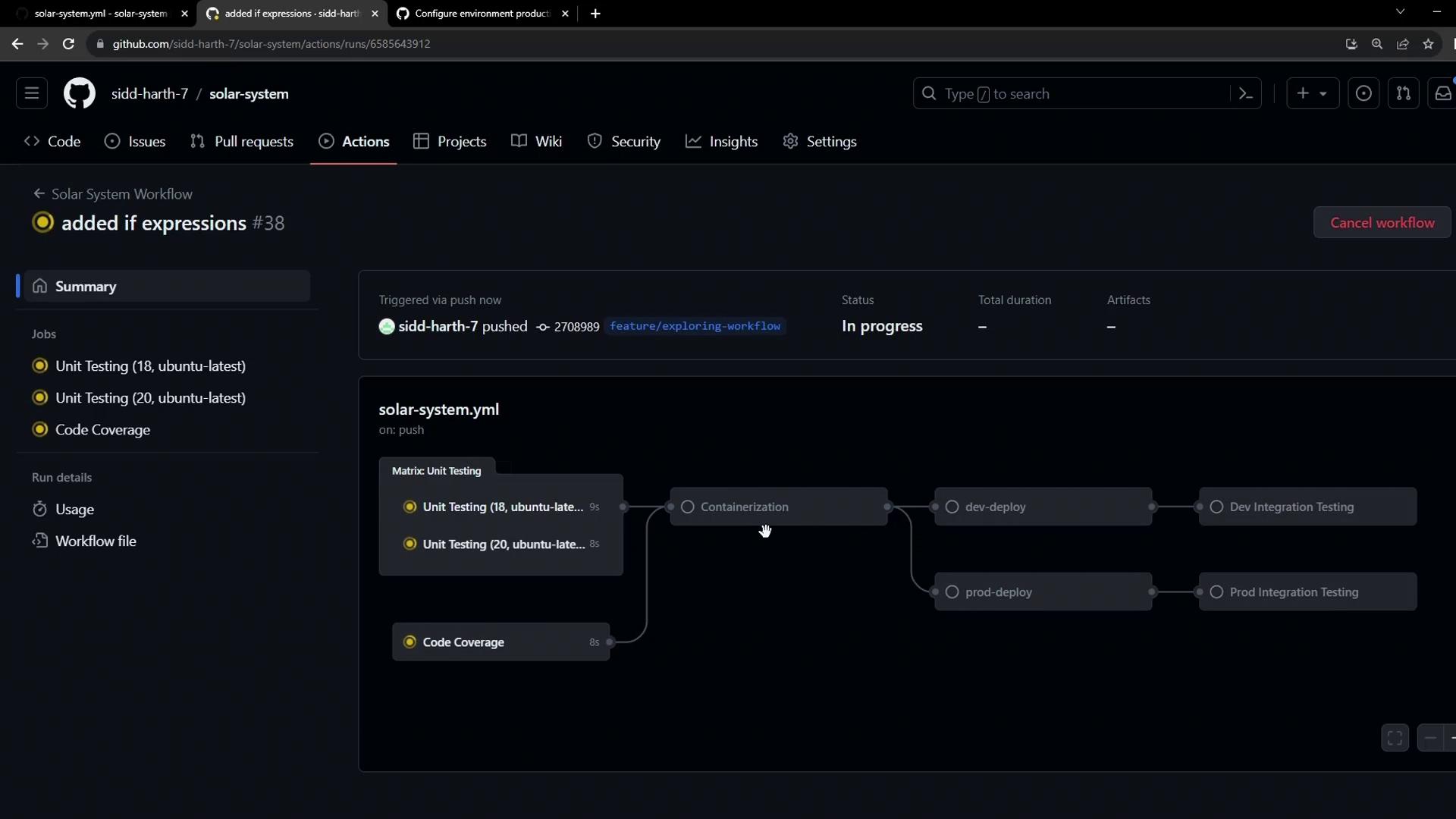
1. **Feature Branch Push**
* `docker` builds and pushes the image.
* `dev-deploy` and `dev-integration-testing` run automatically.
* Production jobs are skipped on feature branches.
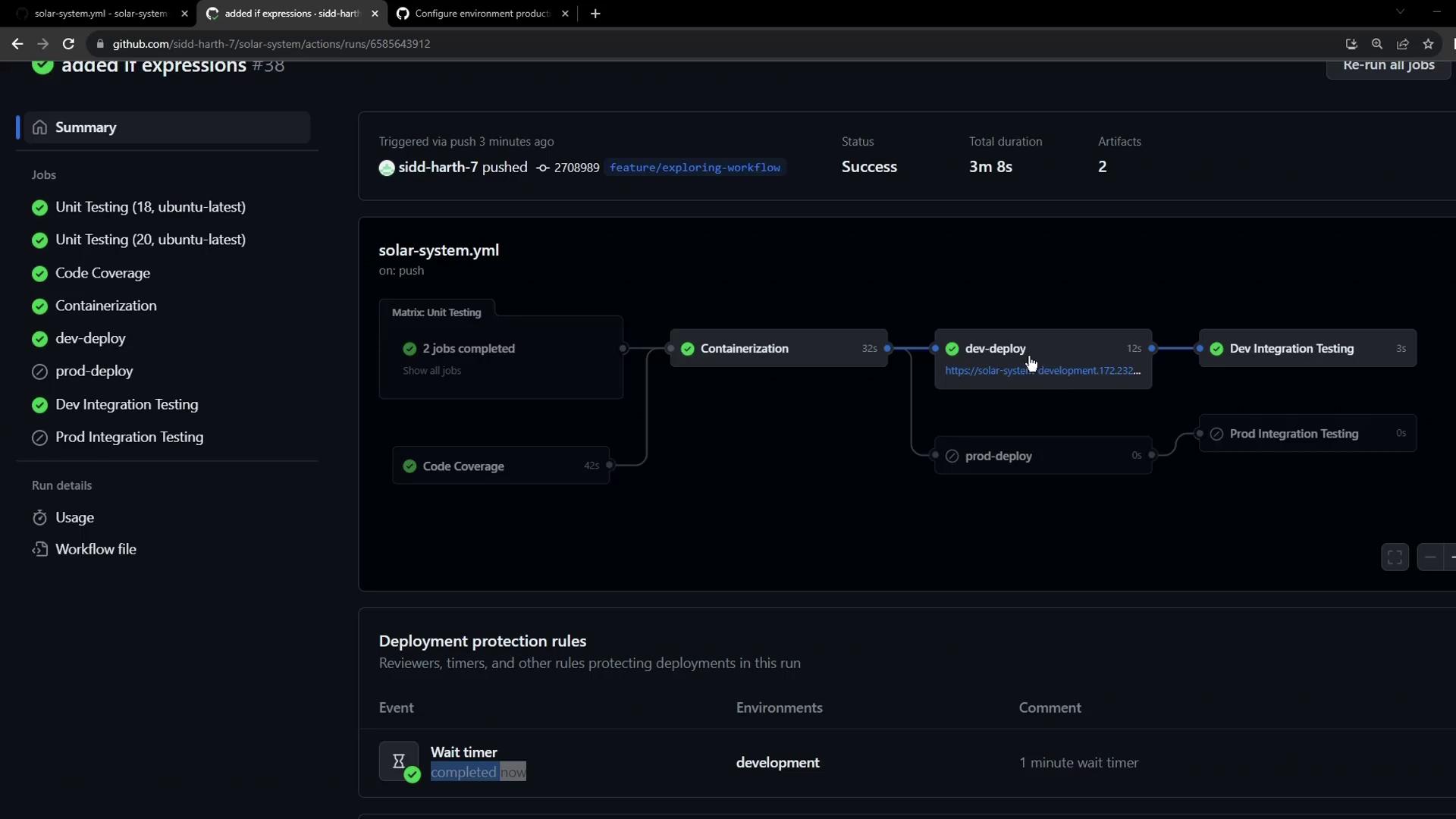
2. **Review Feature Deployments**
* The workflow summary marks all dev jobs as successful.
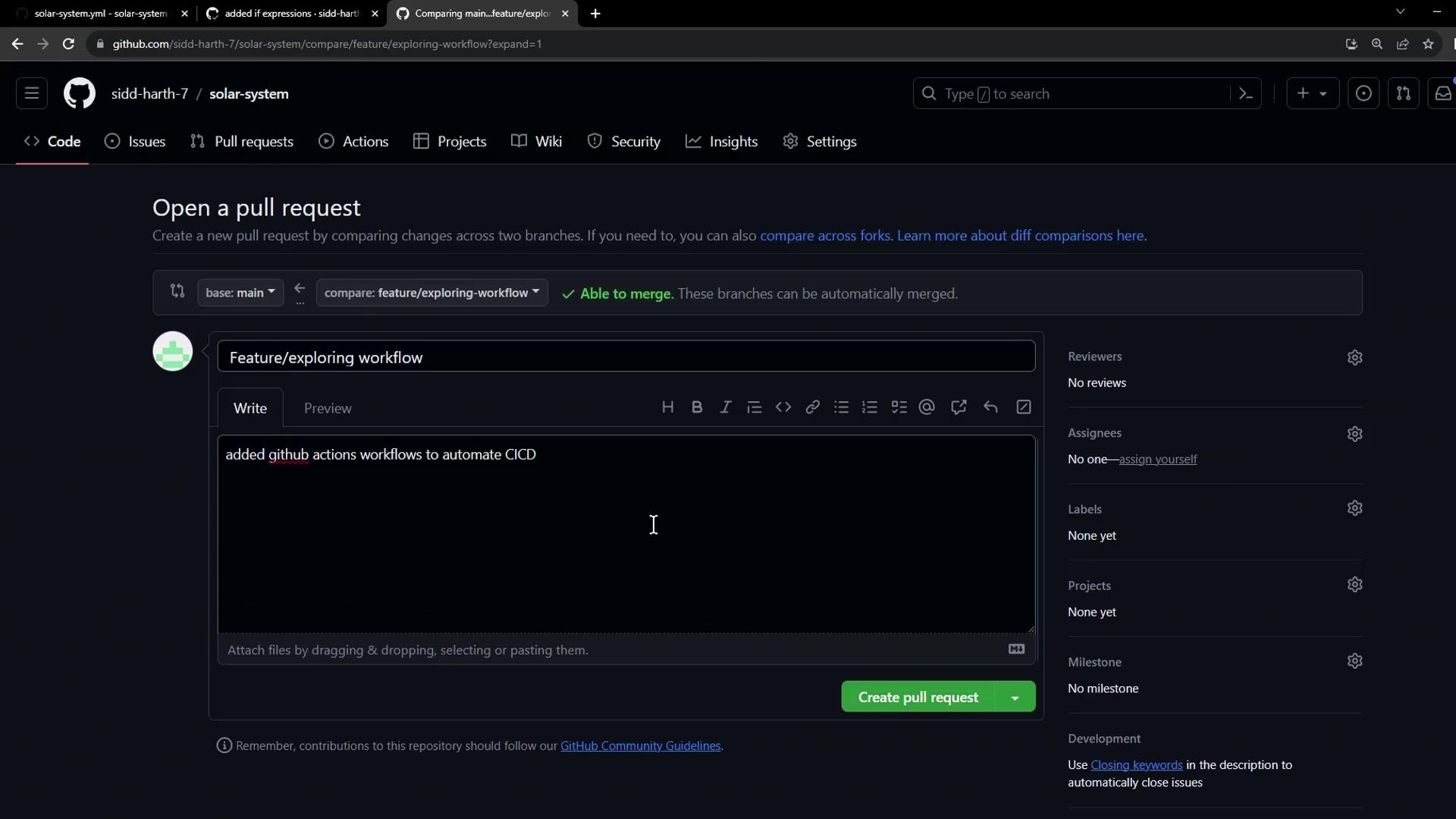
3. **Open Pull Request**
* Create a PR from `feature/*` into `main` to prepare a production release.
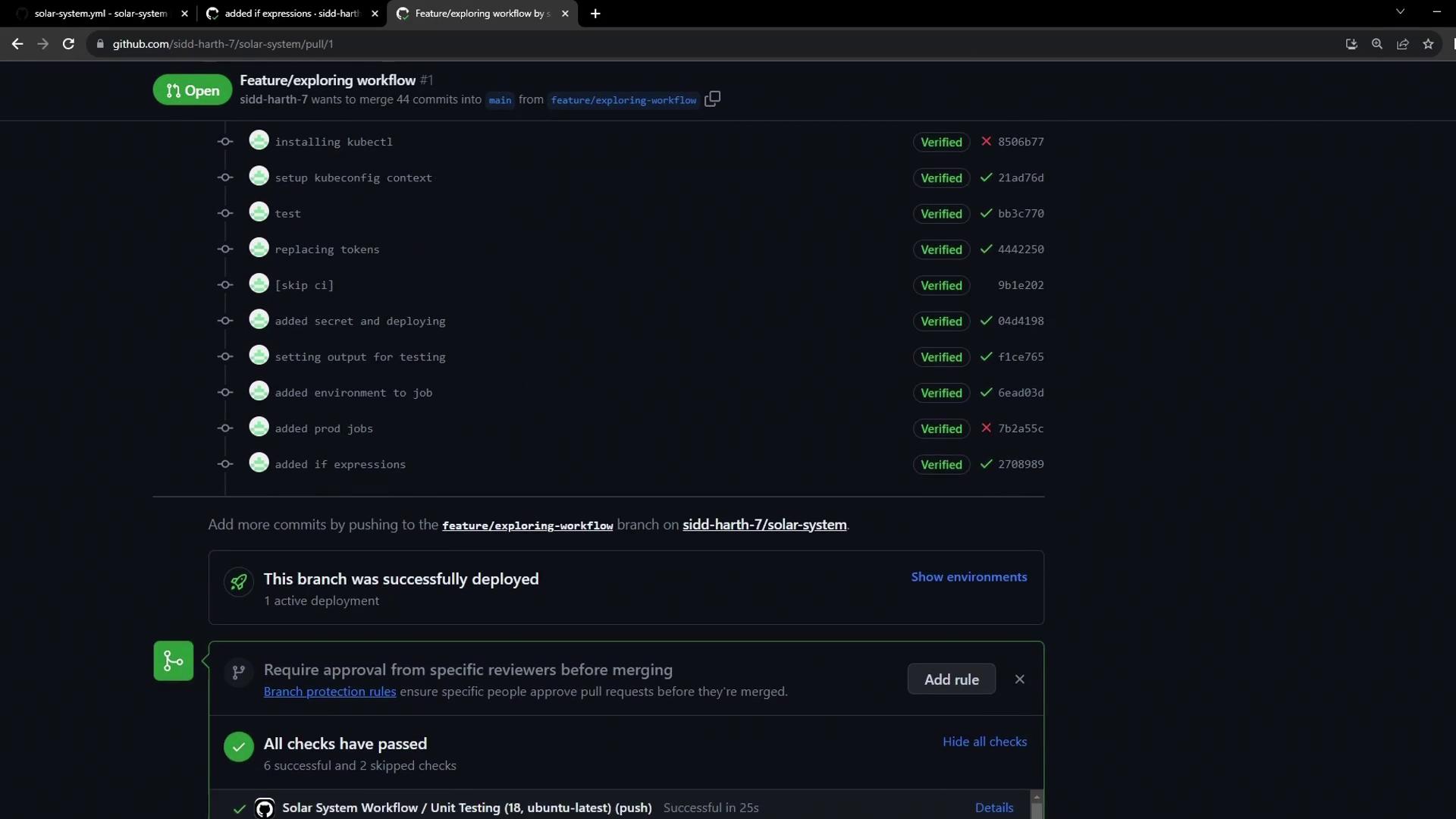
4. **Confirm Previous Deployments**
* The PR page lists all commits and verifies the dev deployment.
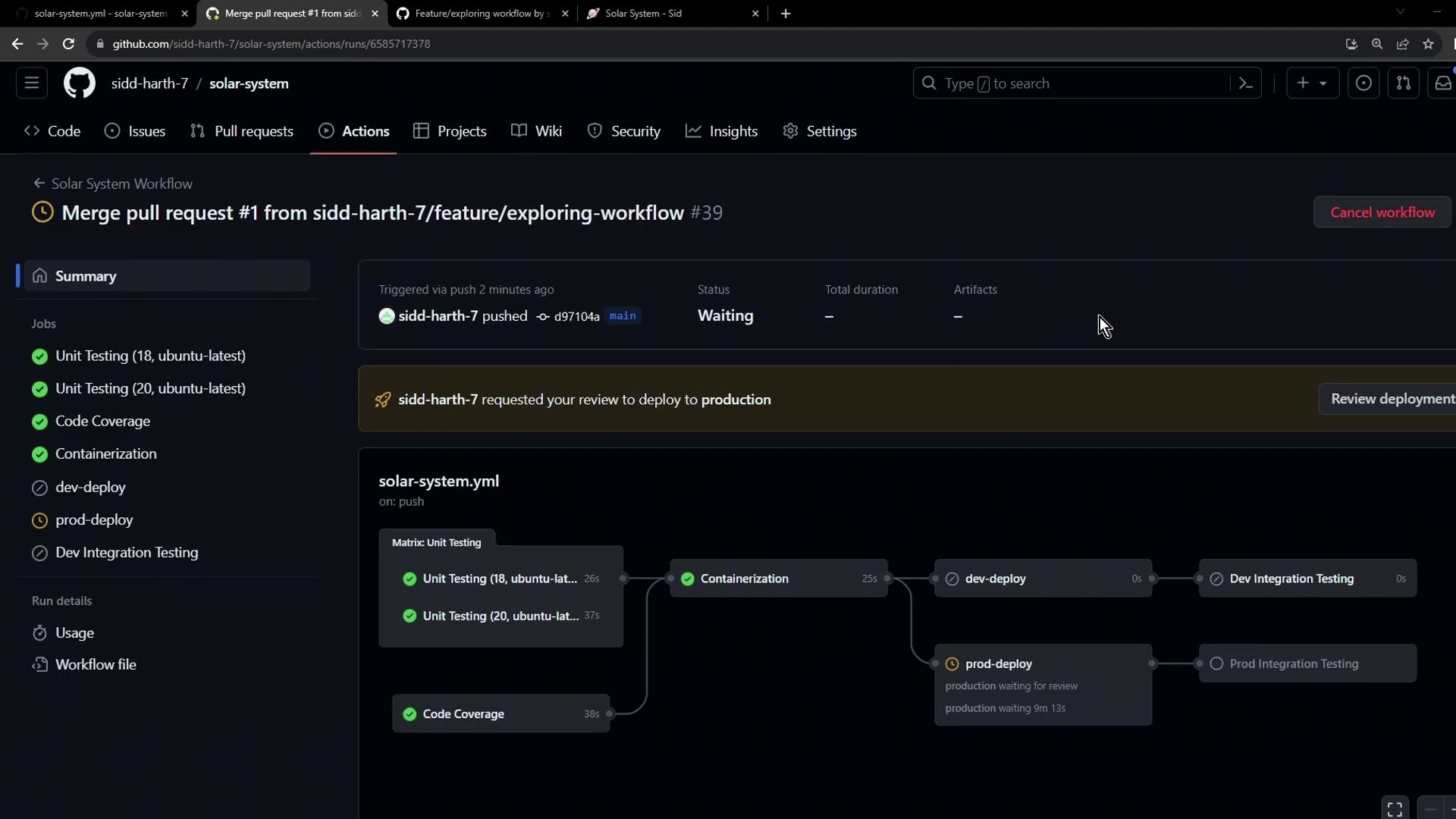
5. **Merge to Main**
* Merging triggers a new workflow: dev jobs skip, prod job awaits manual approval or timer.
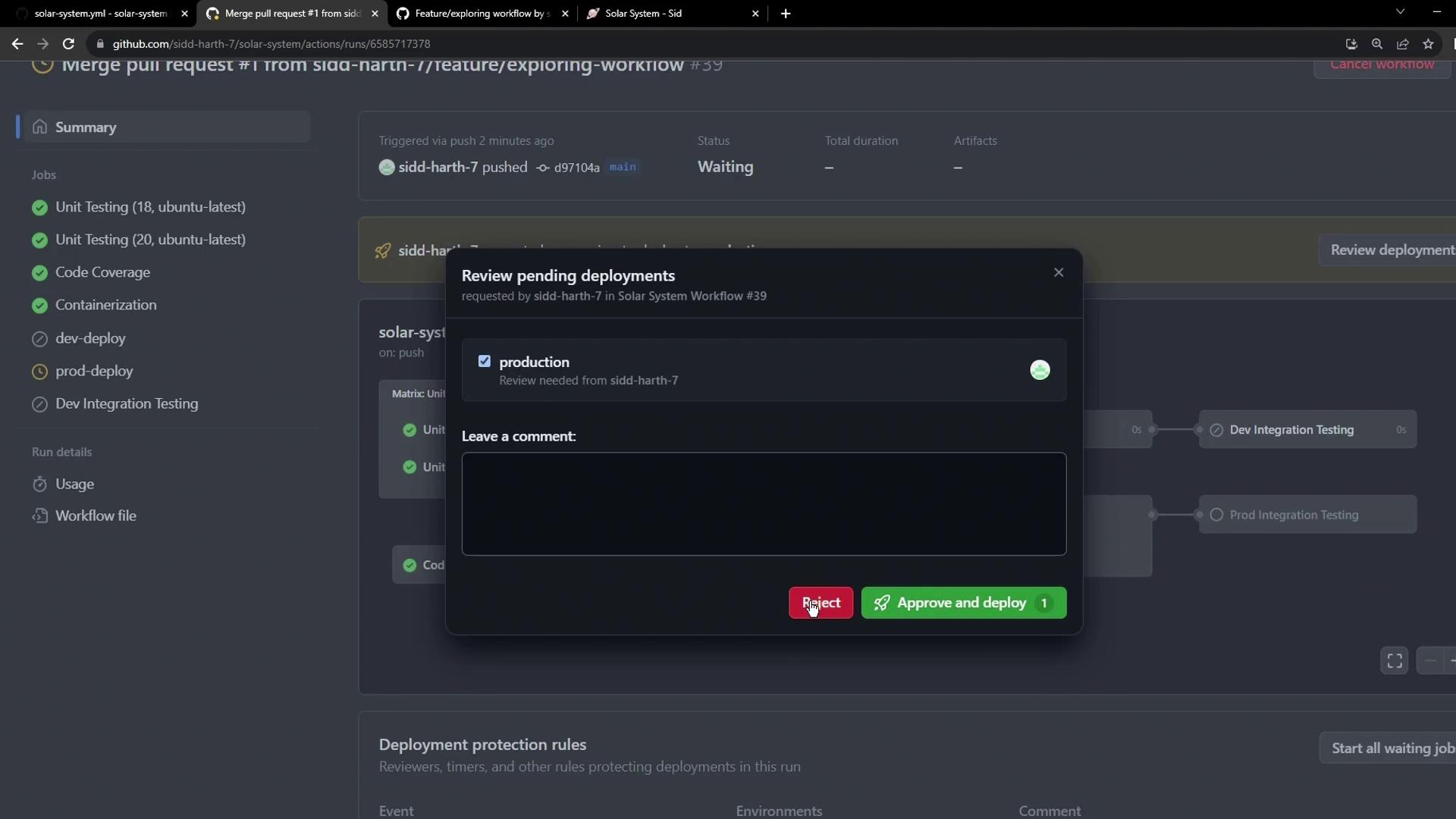
6. **Approve or Reject**
* A reviewer approves the production deployment via the Actions UI.
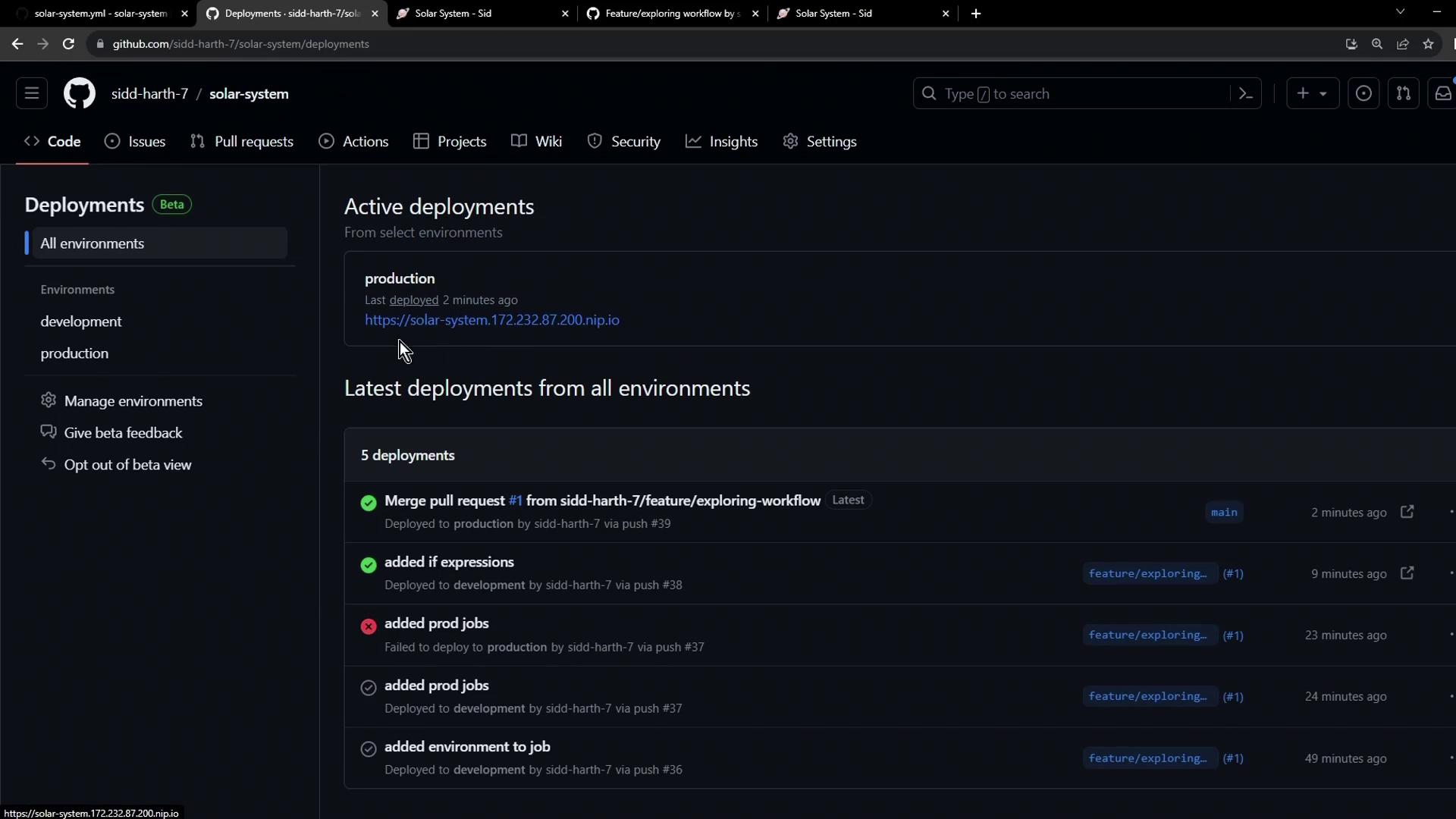
7. **Production Deployment Complete**
* Once approved, the production deployment proceeds and can be monitored in the Deployments UI.
By leveraging conditional `if` expressions, pull requests, and environment protection rules, you can build a robust, secure CI/CD pipeline that separates development and production deployments seamlessly.
## Links and References
* [GitHub Actions Expressions](https://docs.github.com/en/actions/learn-github-actions/expressions)
* [Using Environments for Deployment](https://docs.github.com/en/actions/deployment/targeting-different-environments/using-environments-for-deployment)
* [Encrypted Secrets in GitHub Actions](https://docs.github.com/en/actions/security-guides/encrypted-secrets)
* [Protecting Branches](https://docs.github.com/en/repositories/configuring-branches-and-merges-in-your-repository/configuring-protected-branches)