> ## Documentation Index
> Fetch the complete documentation index at: https://notes.kodekloud.com/llms.txt
> Use this file to discover all available pages before exploring further.
# Understand Github Environments
> This guide explains how GitHub Actions environments enhance security, organization, and control in software deployment workflows.
In modern software development, isolating stages like development, testing, and production is crucial. Each environment typically runs its own services (databases, APIs, vaults, etc.) secured by unique credentials or API keys.
In this guide, you’ll learn how GitHub Actions environments help you:
* Securely store environment-specific secrets and variables
* Organize and visualize deployment workflows
* Enforce protection rules to prevent unauthorized changes
## Key Benefits of Environments in GitHub Actions
* Store secrets and variables outside workflow files
* Apply deployment approvals, delays, and branch restrictions
* Track deployments with clear environment contexts
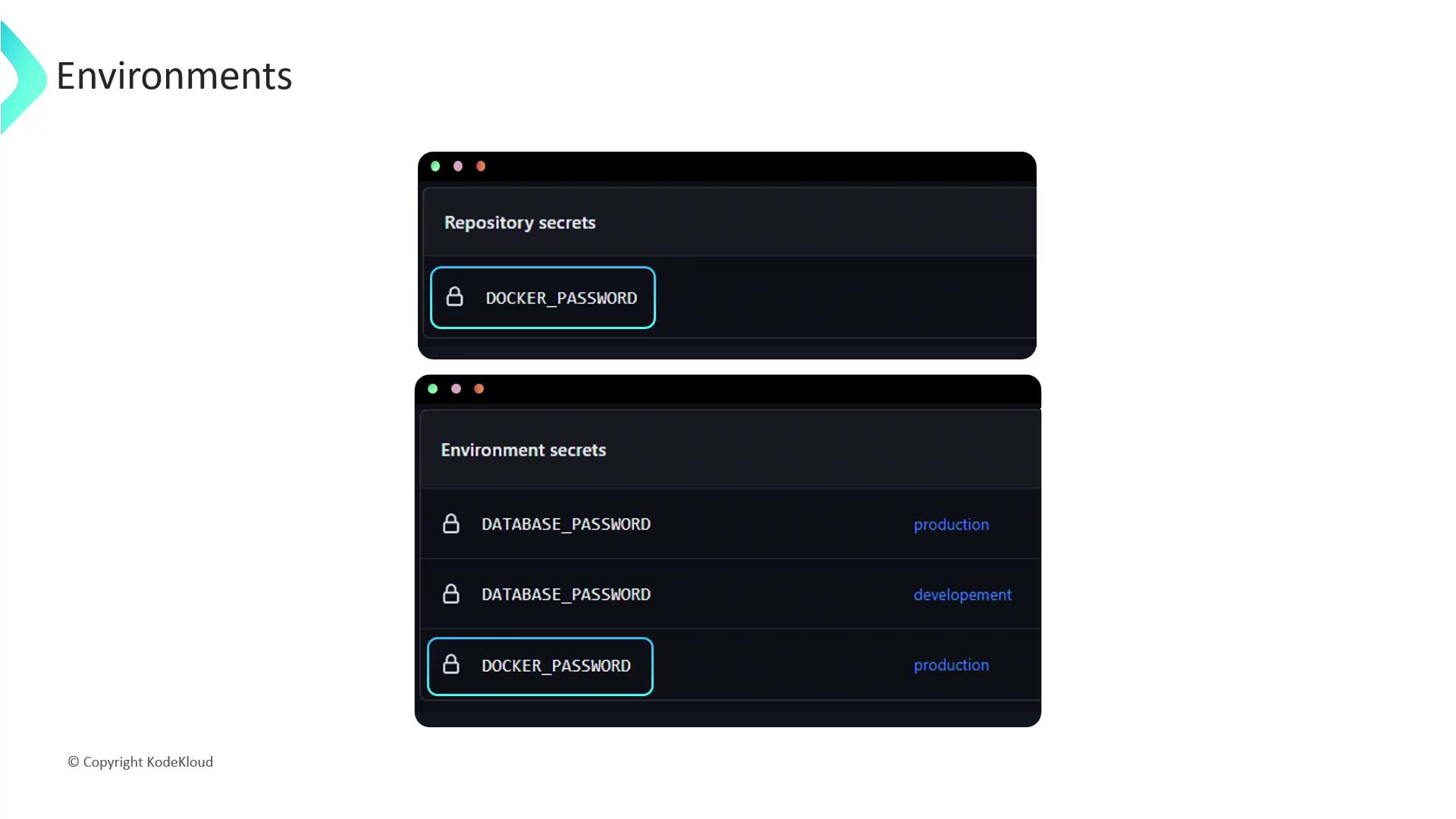
## Repository vs. Environment Secrets
Use repository-level secrets for general workflows and environment-level secrets when you need stricter controls or approvals. Compare their properties below:
| Property | Repository Secrets | Environment Secrets |
| ------------- | ---------------------------------------------------------- | -------------------------------------------------------------- |
| Scope | Available to all workflows in the repository | Only available to workflows referencing a specific environment |
| Visibility | All repository collaborators | Restricted to designated users or teams |
| Accessibility | Accessible by every job in a workflow | Accessible only by jobs running in the targeted environment |
| Precedence | Lower priority—overridden if an environment secret matches | Higher priority—overrides repository-level secret |
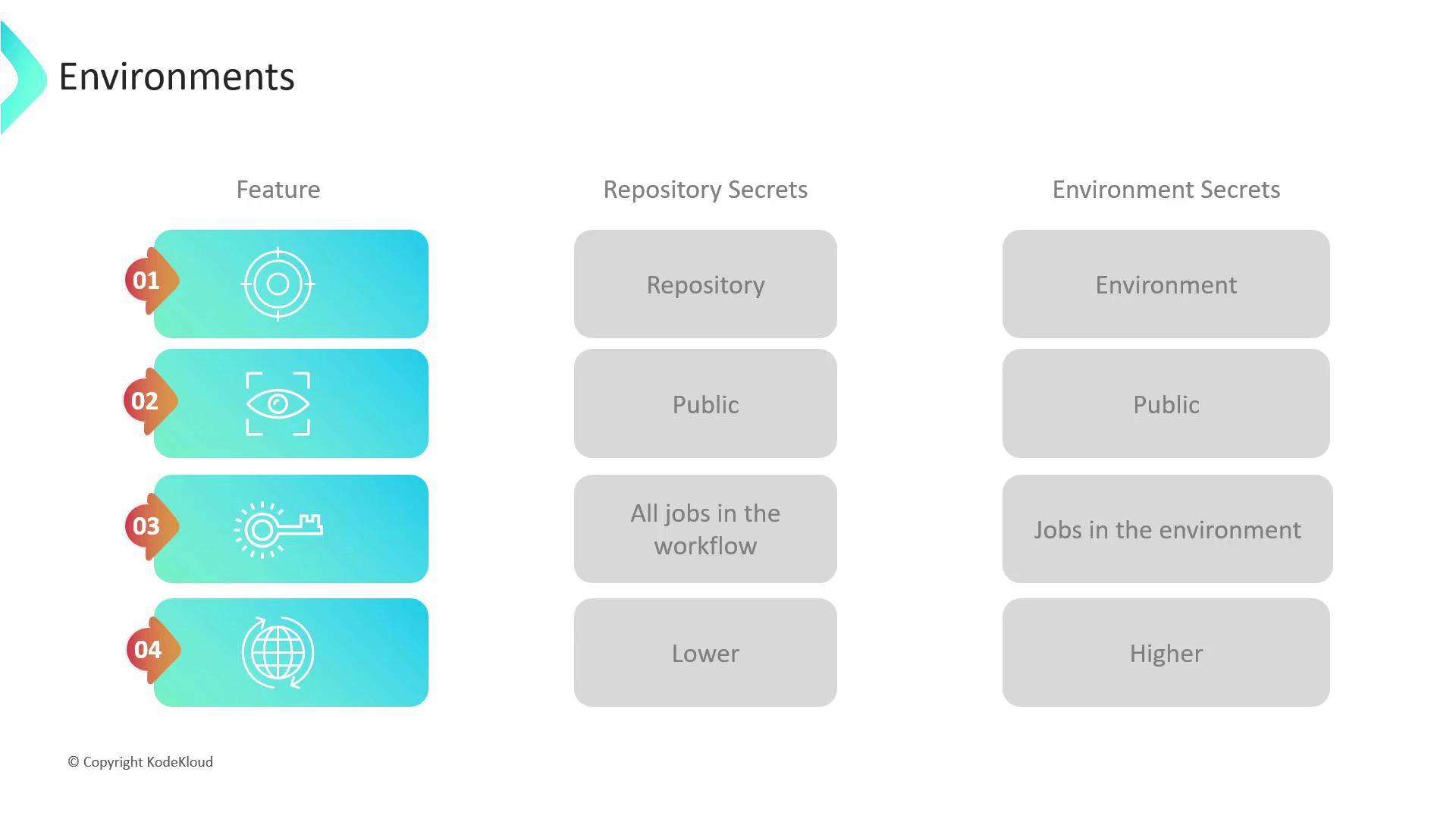
If a secret exists at both repository and environment levels, the environment secret takes precedence automatically.\
Use this to ensure your production credentials always override any generic repository values.
## Deployment Protection Rules
Environments also let you enforce rules that control who can deploy and under what conditions:
* **Required reviewers**: Up to six people or teams; only one approval is needed.
* **Wait timer**: Introduce a delay before deployment starts.
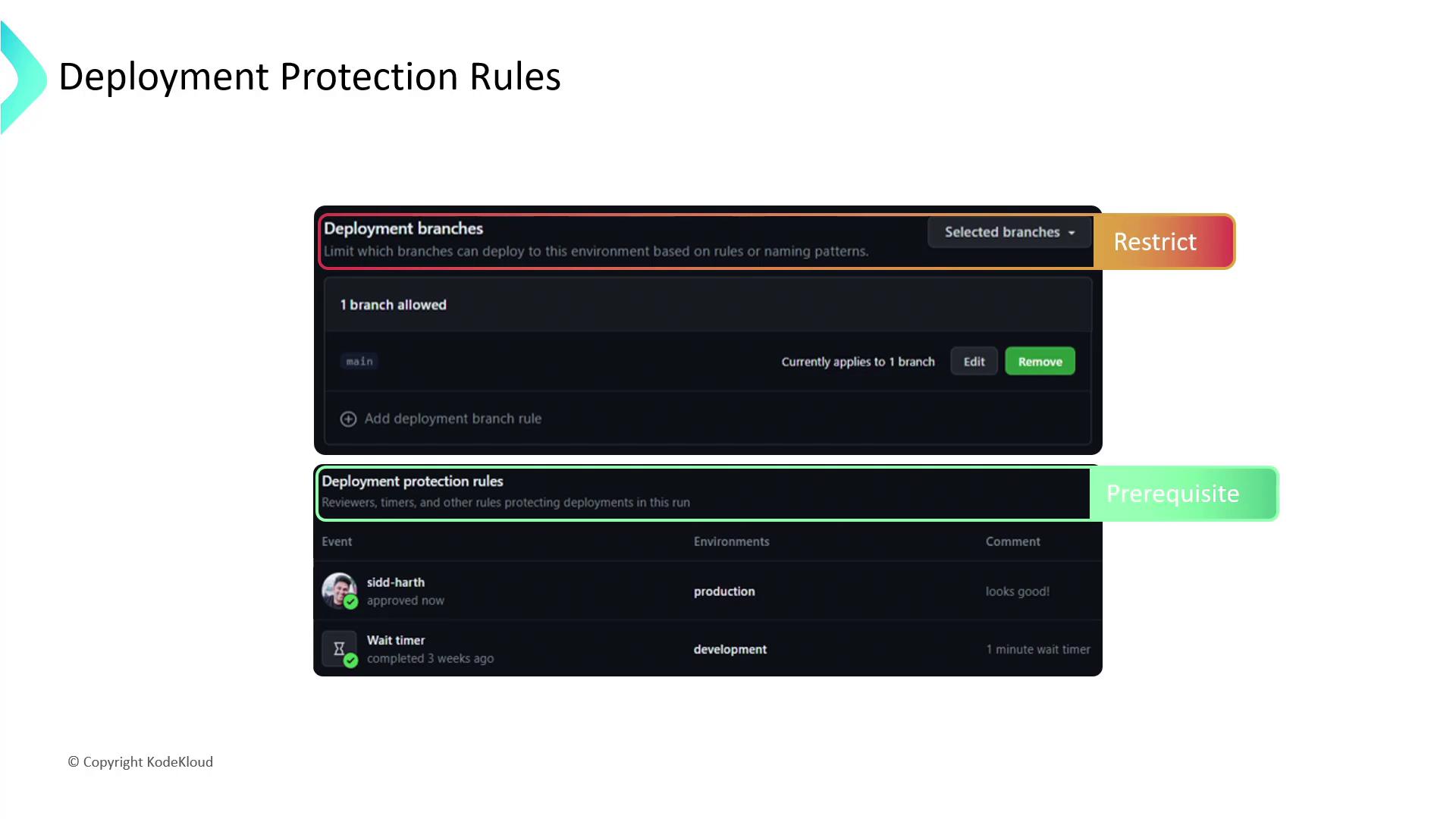
* **Branch restrictions**: Limit deployments to specific branches (e.g., only `main` for production).
Configure these rules under **Settings > Environments** in your repository. Organization and enterprise accounts can set rules at higher scopes as well.
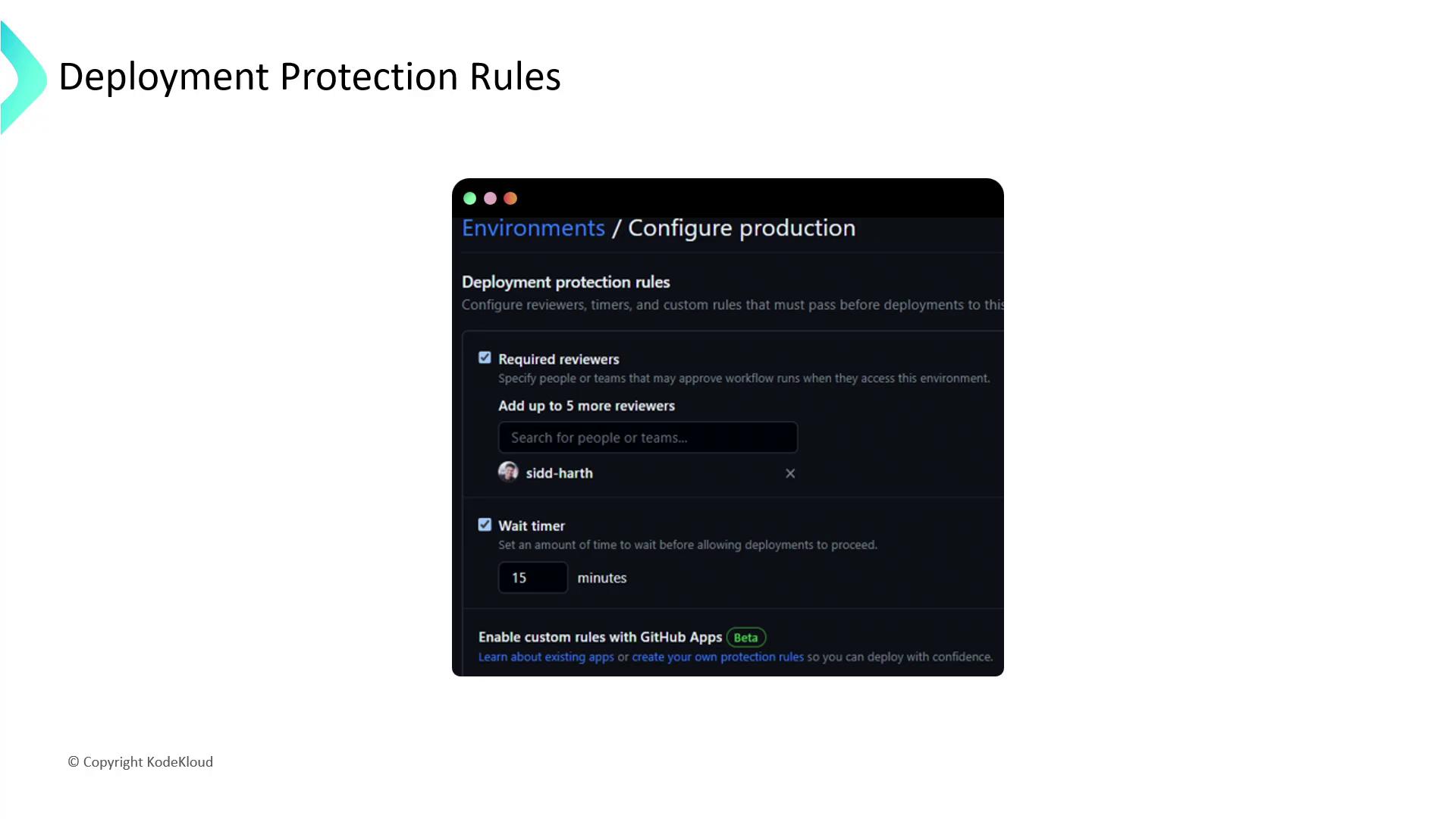
### Required Reviewers
Assign trusted individuals or teams to approve deployments. Once an approval is granted, the workflow continues.
### Wait Timer
Set a delay to allow stakeholders to perform final checks before deployment.
### Deployment Branch Rules
Restrict which branches can trigger deployments to reduce risk and enforce release processes.
When a workflow references an environment:
1. GitHub validates all protection rules before starting any jobs.
2. Upon passing, jobs gain access to that environment’s secrets.
Always scope production secrets narrowly and grant deployment approvals only to essential personnel.\
Misconfigured rules can expose sensitive credentials or delay critical releases.
## Best Practices
* Start with minimal rules; expand as your project’s security needs grow.
* Rotate secrets regularly and audit environment access logs.
* Document environment policies in your repository’s README or a dedicated SECURITY guide.
## Links and References
* [GitHub Actions Documentation](https://docs.github.com/en/actions)
* [GitHub Environments Guide](https://docs.github.com/en/actions/deployment/targeting-different-environments)
* [Security Best Practices for GitHub](https://securitylab.github.com/)