> ## Documentation Index
> Fetch the complete documentation index at: https://notes.kodekloud.com/llms.txt
> Use this file to discover all available pages before exploring further.
# Workflow Create Secret and Deploy to Kubernetes Dev Environment
> This lesson covers creating a Kubernetes secret and deploying to a development cluster via GitHub Actions.
In this guide, you’ll learn how to deploy your application to a Kubernetes development environment using GitHub Actions. We’ll assume your Kubernetes manifests already contain the correct values, then show you how to add a `dev-deploy` job that replaces tokens, creates a MongoDB secret, and applies your manifests.
## 1. Update the GitHub Actions Workflow
Open `.github/workflows/main.yml` and add the `dev-deploy` job:
```yaml theme={null}
name: Solar System Workflow
on:
workflow_dispatch:
push:
branches:
- main
- 'feature/*'
env:
MONGO_URI: 'mongodb+srv://supercluster.d83jj.mongodb.net/superData'
MONGO_USERNAME: ${{ vars.MONGO_USERNAME }}
MONGO_PASSWORD: ${{ secrets.MONGO_PASSWORD }}
jobs:
unit-testing:
# …
code-coverage:
# …
docker:
# …
dev-deploy:
runs-on: ubuntu-latest
needs: docker
steps:
- name: Checkout repository
uses: actions/checkout@v3
- name: Replace tokens in manifest files
uses: cschleiden/replace-tokens@v1
with:
tokenPrefix: '_'
tokenSuffix: '_'
files: kubernetes/development/*.yaml
env:
NAMESPACE: ${{ vars.NAMESPACE }}
REPLICAS: ${{ vars.REPLICAS }}
IMAGE: ${{ vars.DOCKERHUB_USERNAME }}/solar-system:${{ github.sha }}
INGRESS_IP: ${{ env.INGRESS_IP }}
- name: Verify updated manifests
run: |
cat kubernetes/development/*.yaml
- name: Create MongoDB Secret
run: |
kubectl -n ${{ vars.NAMESPACE }} create secret generic mongo-db-creds \
--from-literal=MONGO_URI=${{ env.MONGO_URI }} \
--from-literal=MONGO_USERNAME=${{ env.MONGO_USERNAME }} \
--from-literal=MONGO_PASSWORD=${{ secrets.MONGO_PASSWORD }} \
--save-config \
--dry-run=client \
-o yaml | kubectl apply -f -
- name: Deploy to Dev Environment
run: |
kubectl apply -f kubernetes/development
```
## 2. Kubernetes Deployment Manifest
Ensure your `deployment.yaml` in `kubernetes/development/` references the secret for environment variables:
```yaml theme={null}
apiVersion: apps/v1
kind: Deployment
metadata:
name: solar-system
namespace: _NAMESPACE_
labels:
app: solar-system
spec:
replicas: _REPLICAS_
selector:
matchLabels:
app: solar-system
template:
metadata:
labels:
app: solar-system
spec:
containers:
- name: solar-system
image: _IMAGE_
imagePullPolicy: Always
ports:
- containerPort: 3000
envFrom:
- secretRef:
name: mongo-db-creds
```
## 3. Repository Variables and Secrets
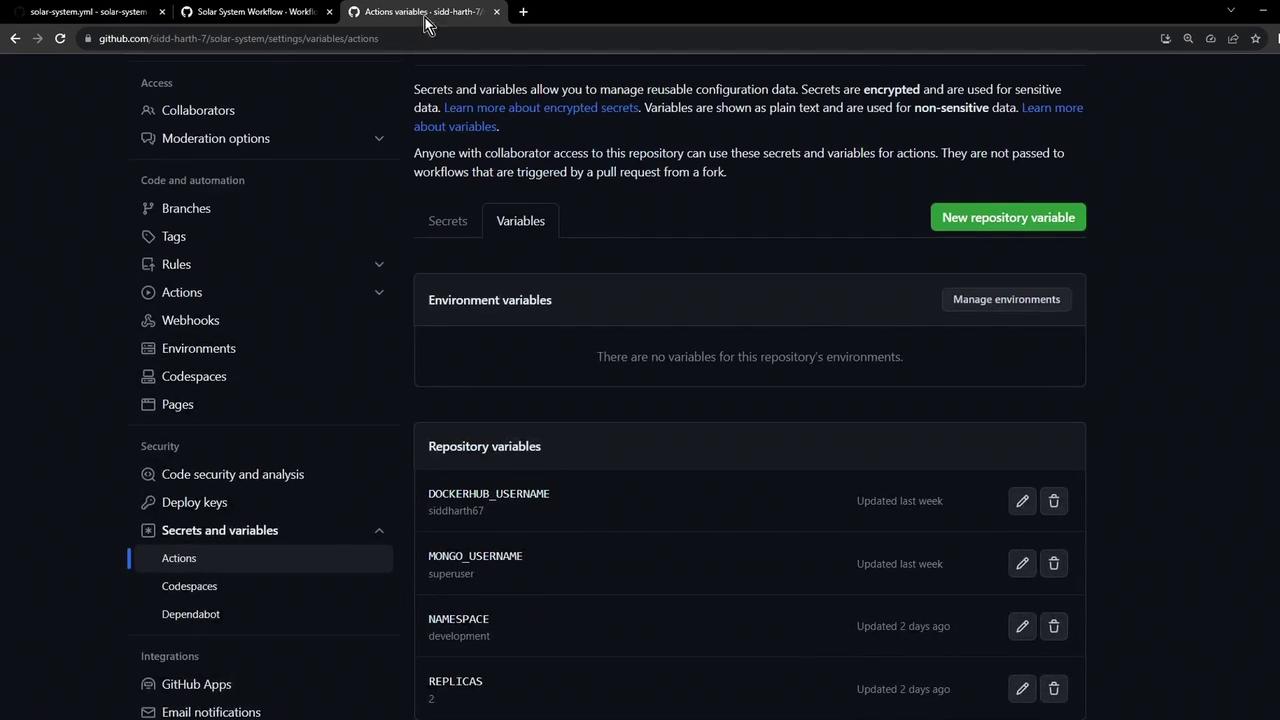
Configure the following under **Settings > Secrets and variables** in your GitHub repository.
| Variable / Secret | Type | Description |
| -------------------- | -------------------- | ------------------------------------------- |
| `MONGO_URI` | Environment Variable | MongoDB connection string. |
| `MONGO_USERNAME` | Repository Variable | Username for MongoDB. |
| `MONGO_PASSWORD` | Encrypted Secret | Password for MongoDB. |
| `NAMESPACE` | Repository Variable | Kubernetes namespace (e.g., `development`). |
| `REPLICAS` | Repository Variable | Number of pod replicas (e.g., `2`). |
| `DOCKERHUB_USERNAME` | Repository Variable | Docker Hub account name. |
## 4. Running the Workflow
Push your changes to `main` or any `feature/*` branch. Then, monitor the pipeline in the **Actions** tab of your repository.
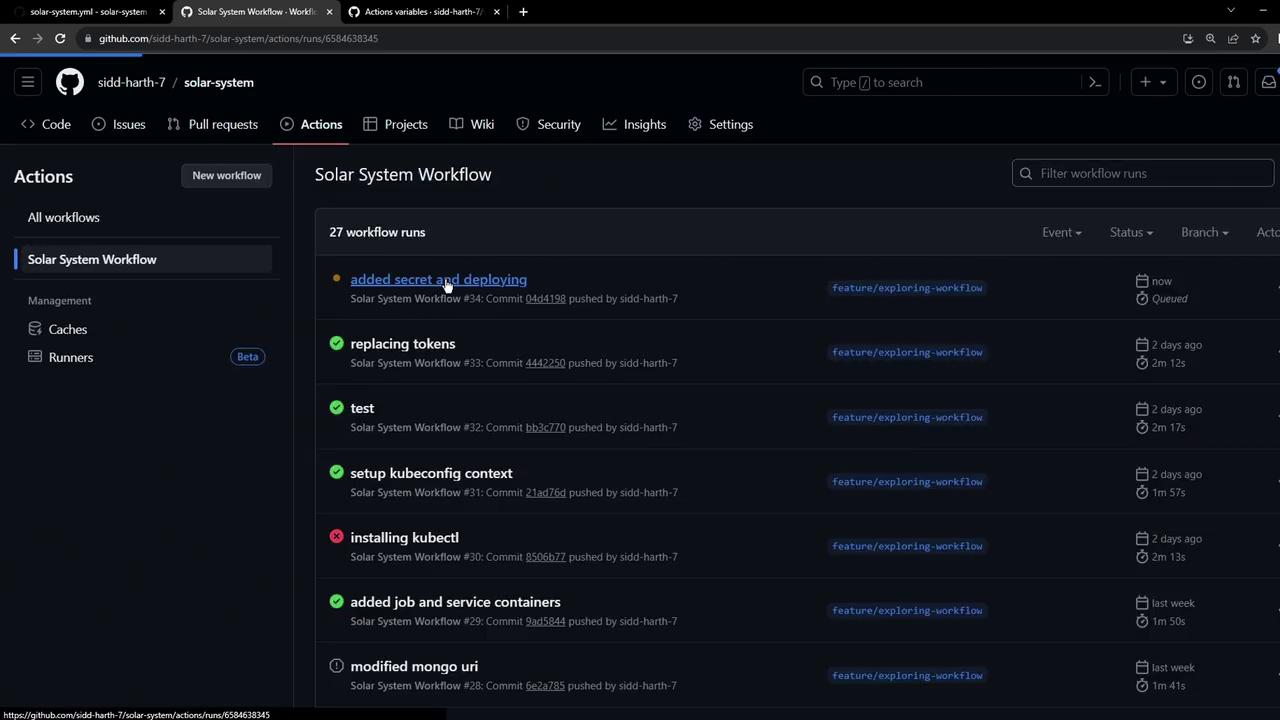
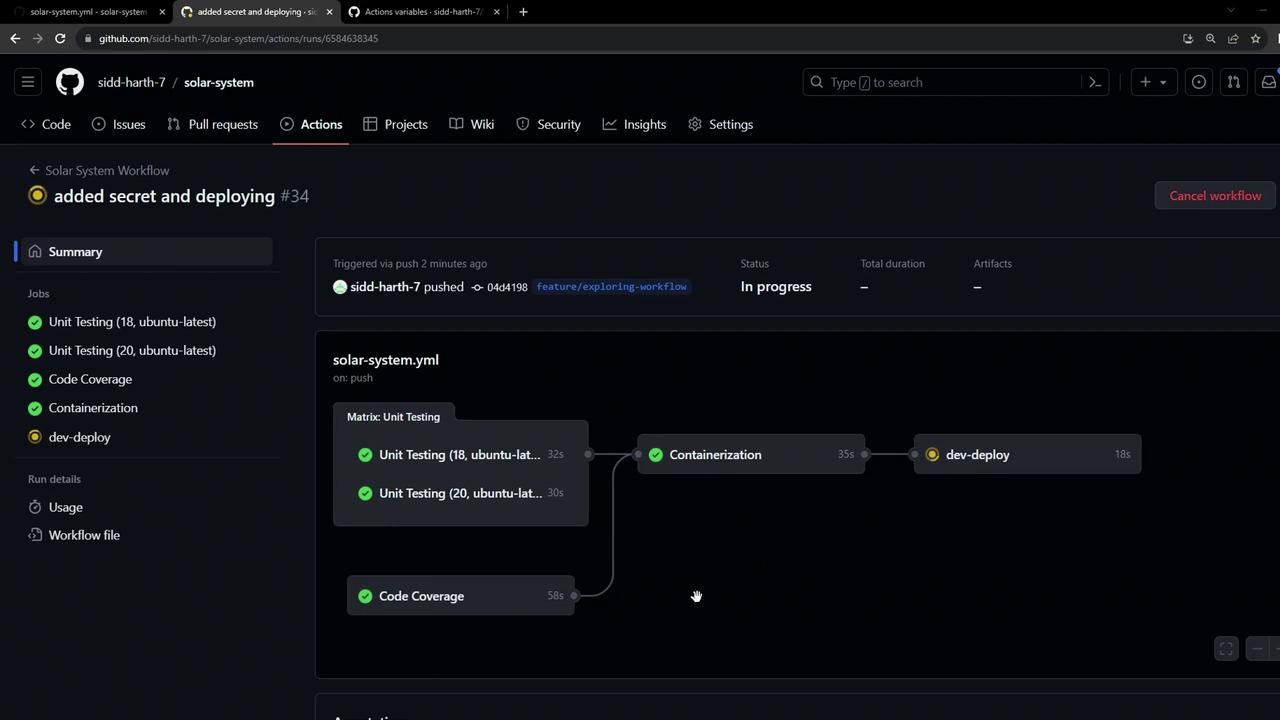
The `dev-deploy` job runs after the `docker` job (and its dependencies: `unit-testing` and `code-coverage`). It checks out the repo, replaces tokens, creates the MongoDB secret, and applies the Kubernetes manifests.
## 5. Verifying in Kubernetes
Once the workflow succeeds, confirm the resources:
```bash theme={null}
kubectl -n development get secrets
kubectl -n development get all
```
You should see:
* `mongo-db-creds` secret
* Deployment and Pods for `solar-system`
* Service and Ingress resources
## 6. Accessing the Application
Retrieve and open the ingress endpoint:
```bash theme={null}
kubectl -n development get ingress
```
Open the `HOSTNAME` in your browser.
If you encounter a self-signed certificate warning, safely accept it to proceed to the application.
***
This lesson covers creating a Kubernetes secret and deploying to a development cluster via GitHub Actions. Integration testing for this deployment will be addressed in an upcoming article.
## Links and References
* \[GitHub Actions Documentation]\[GitHub Actions]
* \[GitHub Secrets and Variables]\[GitHub Secrets and Variables docs]
* \[Kubernetes Secrets]\[Kubernetes Secrets]
* \[Kubernetes Ingress]\[Ingress docs]