> ## Documentation Index
> Fetch the complete documentation index at: https://notes.kodekloud.com/llms.txt
> Use this file to discover all available pages before exploring further.
# Workflow Replace Placeholders Tokens
> Automate the injection of environment-specific values into Kubernetes YAML files using GitHub Actions for token replacement at build time.
Automate the injection of environment-specific values into your Kubernetes YAML files by replacing tokens at build time. In this guide, you’ll configure a GitHub Actions workflow that:
1. Authenticates to your cluster using `kubeconfig`.
2. Dynamically fetches the ingress controller’s external IP.
3. Uses the `cschleiden/replace-tokens` action to swap placeholders in manifests with repository variables and environment variables.
4. Verifies the final YAML before applying it.
***
## 1. Kubernetes Manifests with Tokens
Your manifests include placeholders for namespace, replicas, container image, and ingress IP:
**Deployment** (`kubernetes/development/deployment.yaml`):
```yaml theme={null}
apiVersion: apps/v1
kind: Deployment
metadata:
name: solar-system
namespace: {_NAMESPACE_}
labels:
app: solar-system
spec:
replicas: {_REPLICAS_}
selector:
matchLabels:
app: solar-system
template:
metadata:
labels:
app: solar-system
spec:
containers:
- name: solar-system
image: {_IMAGE_}
imagePullPolicy: Always
ports:
- containerPort: 3000
name: http
```
**Service** (`kubernetes/development/service.yaml`):
```yaml theme={null}
apiVersion: v1
kind: Service
metadata:
name: solar-system
namespace: {_NAMESPACE_}
labels:
app: solar-system
spec:
type: NodePort
selector:
app: solar-system
ports:
- port: 3000
targetPort: 3000
protocol: TCP
```
**Ingress** (`kubernetes/development/ingress.yaml`):
```yaml theme={null}
apiVersion: networking.k8s.io/v1
kind: Ingress
metadata:
name: solar-system
namespace: {_NAMESPACE_}
annotations:
kubernetes.io/tls-acme: "true"
spec:
rules:
- host: solar-system-{_NAMESPACE_}.{_INGRESS_IP_}.nip.io
http:
paths:
- path: /
pathType: Prefix
backend:
service:
name: solar-system
port:
number: 3000
tls:
- hosts:
- solar-system-{_NAMESPACE_}.{_INGRESS_IP_}.nip.io
secretName: solar-system
```
Before deploying, these tokens must be replaced with actual values.
***
## 2. Define Repository Variables
In GitHub, go to **Settings → Secrets and variables → Actions → Variables** and add the following:
| Variable Name | Description | Example |
| -------------------- | -------------------------------------- | ------------- |
| `NAMESPACE` | Kubernetes namespace (e.g., dev, prod) | `development` |
| `REPLICAS` | Number of pod replicas | `2` |
| `DOCKERHUB_USERNAME` | Your Docker Hub username | `octocat` |
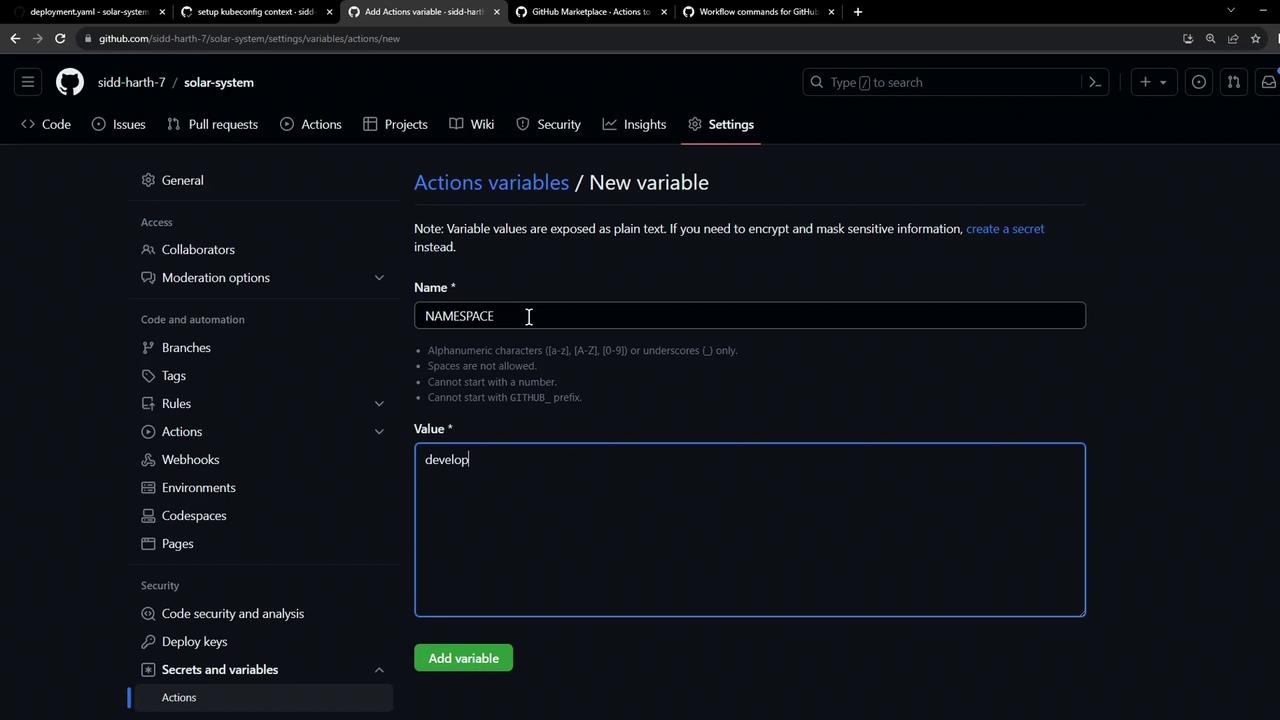
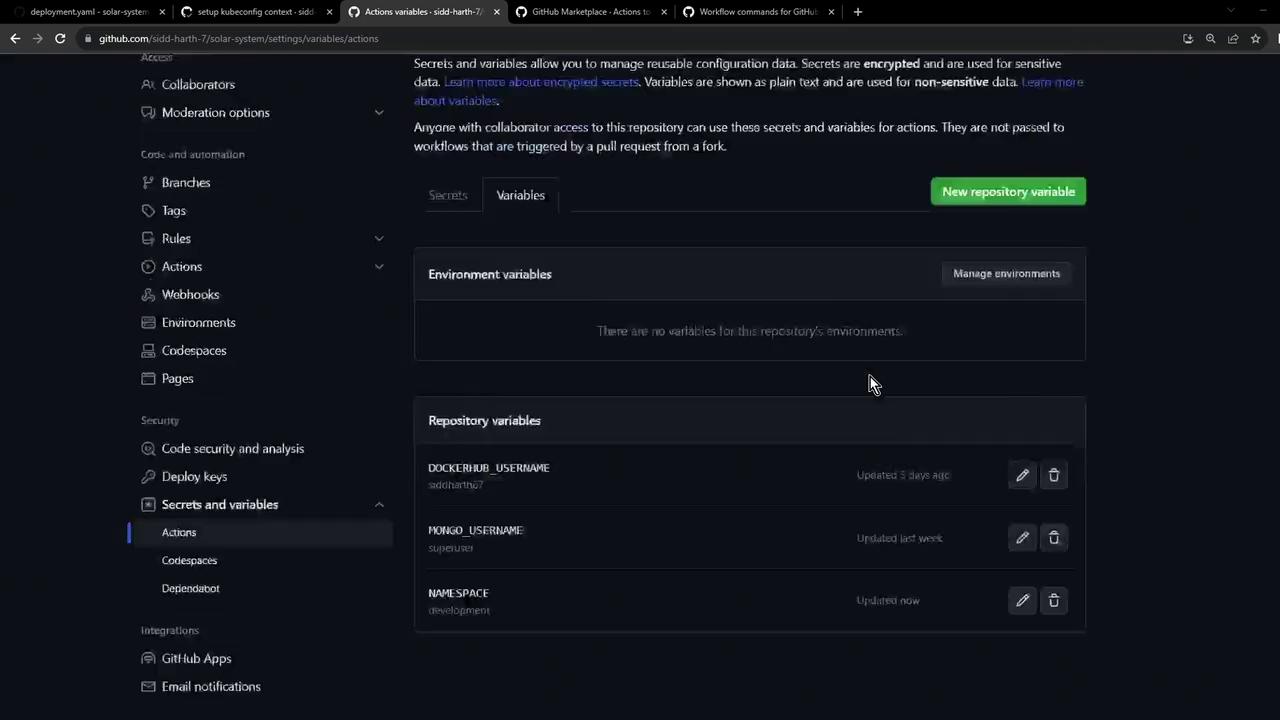
Repository variables are exposed as `${{ vars.VARIABLE_NAME }}` in workflows. Use secrets for sensitive data like credentials.
***
## 3. Select a Token Replacement Action
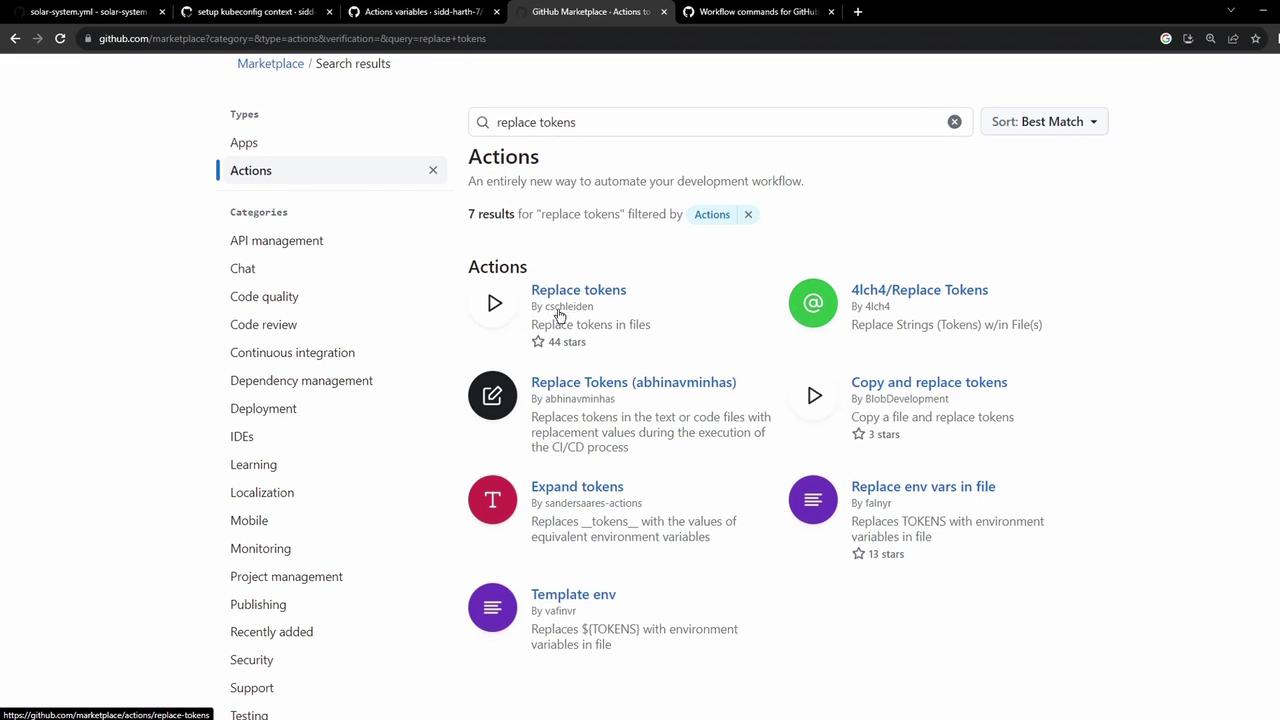
From the GitHub Marketplace, choose an action for token substitution. We recommend:
* **cschleiden/replace-tokens\@v1**
* Customizable `tokenPrefix` and `tokenSuffix`
* Supports multiple files
***
## 4. Configure the GitHub Actions Workflow
Create or update `.github/workflows/deploy.yaml`:
```yaml theme={null}
name: Deploy to Development
on:
push:
branches:
- main
jobs:
deploy:
runs-on: ubuntu-latest
steps:
- name: Checkout repository
uses: actions/checkout@v3
- name: Set Kubernetes context
uses: azure/k8s-set-context@v3
with:
method: kubeconfig
kubeconfig: ${{ secrets.KUBECONFIG }}
- name: Fetch cluster details
run: |
kubectl version --short
kubectl get nodes
- name: Save Nginx Ingress IP
id: ingress
run: |
echo "INGRESS_IP=$(kubectl -n ingress-nginx get svc ingress-nginx-controller \
-o jsonpath='{.status.loadBalancer.ingress[0].ip}')" >> $GITHUB_ENV
- name: Replace tokens in manifests
uses: cschleiden/replace-tokens@v1
with:
tokenPrefix: '{_'
tokenSuffix: '_}'
files: kubernetes/development/*.yaml
env:
NAMESPACE: ${{ vars.NAMESPACE }}
REPLICAS: ${{ vars.REPLICAS }}
IMAGE: ${{ vars.DOCKERHUB_USERNAME }}/solar-system:${{ github.sha }}
INGRESS_IP: ${{ env.INGRESS_IP }}
- name: Verify replaced manifests
run: cat kubernetes/development/*.yaml
```
Key steps:
* **Save Nginx Ingress IP**
```bash theme={null}
echo "INGRESS_IP=$(kubectl -n ingress-nginx get svc ingress-nginx-controller \
-o jsonpath='{.status.loadBalancer.ingress[0].ip}')" >> $GITHUB_ENV
```
Captures the external IP and exposes it as `env.INGRESS_IP` for later steps.
* **Replace tokens**\
Sets `tokenPrefix` and `tokenSuffix` to `{_` and `_}`, then injects the variables into your YAML files.

***
## 5. Verify and Apply
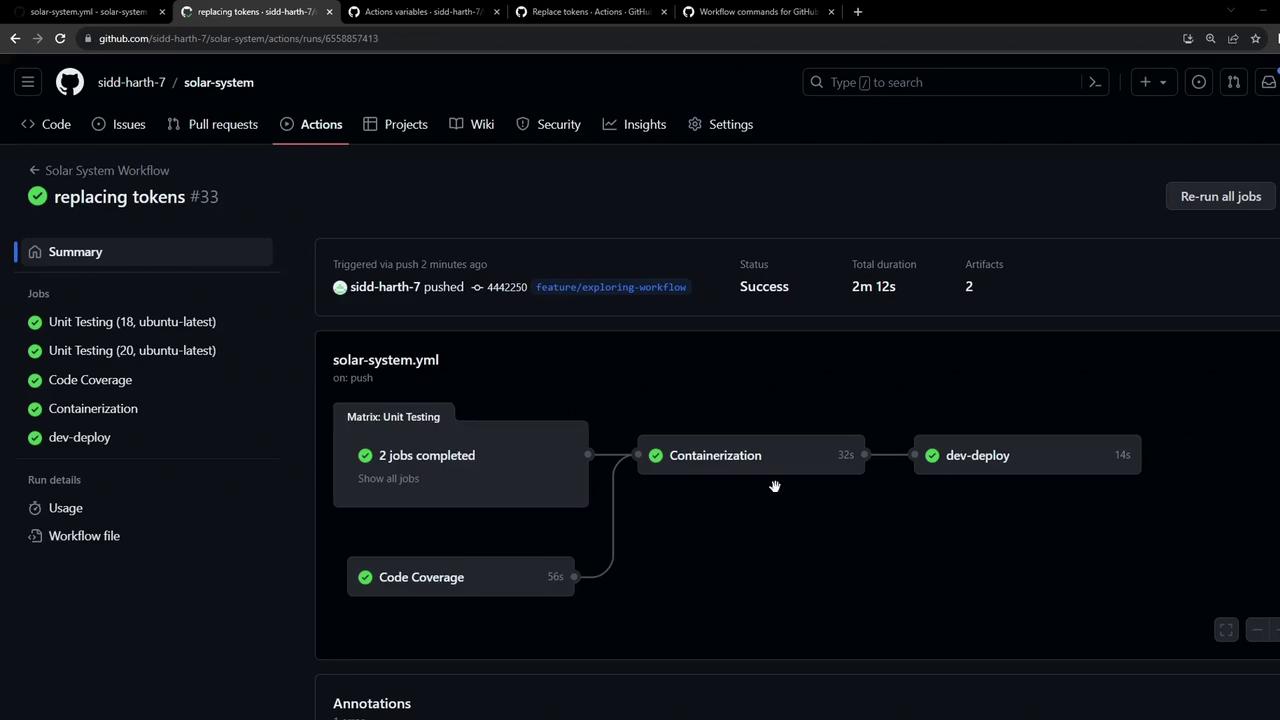
After pushing to `main`, check the GitHub Actions dashboard for a successful run. The **Replace tokens in manifests** step will list updated files, and **Verify replaced manifests** will print the final YAML:
Example of the replaced `deployment.yaml`:
```yaml theme={null}
apiVersion: apps/v1
kind: Deployment
metadata:
name: solar-system
namespace: development
labels:
app: solar-system
spec:
replicas: 2
selector:
matchLabels:
app: solar-system
template:
metadata:
labels:
app: solar-system
spec:
containers:
- name: solar-system
image: octocat/solar-system:
imagePullPolicy: Always
ports:
- containerPort: 3000
name: http
```
***
## References
* [GitHub Actions: Secrets and Variables](https://docs.github.com/actions/security-guides/encrypted-secrets)
* [cschleiden/replace-tokens Action](https://github.com/cschleiden/replace-tokens)
* [Kubernetes Ingress](https://kubernetes.io/docs/concepts/services-networking/ingress/)