> ## Documentation Index
> Fetch the complete documentation index at: https://notes.kodekloud.com/llms.txt
> Use this file to discover all available pages before exploring further.
# Workflow Setup Kubectl
> This guide explains how to configure the kubectl CLI in GitHub Actions for deploying to Kubernetes.
In this guide, you’ll learn how to set up the `kubectl` CLI within your GitHub Actions workflow to deploy to Kubernetes. By the end, you’ll have a reusable **dev-deploy** job that checks out your repo, installs `kubectl`, verifies the cluster, and is ready for your deployment steps.
## 1. Current Workflow Overview
Below is the existing workflow trigger and environment setup. We trigger on pushes to `main` and feature branches, and we expose MongoDB credentials via environment variables.
```yaml theme={null}
on:
workflow_dispatch:
push:
branches:
- main
- 'feature/*'
env:
MONGO_URI: "mongodb+srv://supercluster.d83jj.mongodb.net/superData"
MONGO_USERNAME: ${{ vars.MONGO_USERNAME }}
MONGO_PASSWORD: ${{ secrets.MONGO_PASSWORD }}
jobs:
unit-testing: …
code-coverage: …
docker: …
```
## 2. Adding the `dev-deploy` Job
We’ll append a new job named `dev-deploy`. It runs **after** the `docker` job on `ubuntu-latest` and prepares `kubectl` for deployment in the Development namespace.
```yaml theme={null}
jobs:
dev-deploy:
needs: docker
runs-on: ubuntu-latest
steps:
- name: Checkout Repo
uses: actions/checkout@v4
```
## 3. Installing the `kubectl` CLI
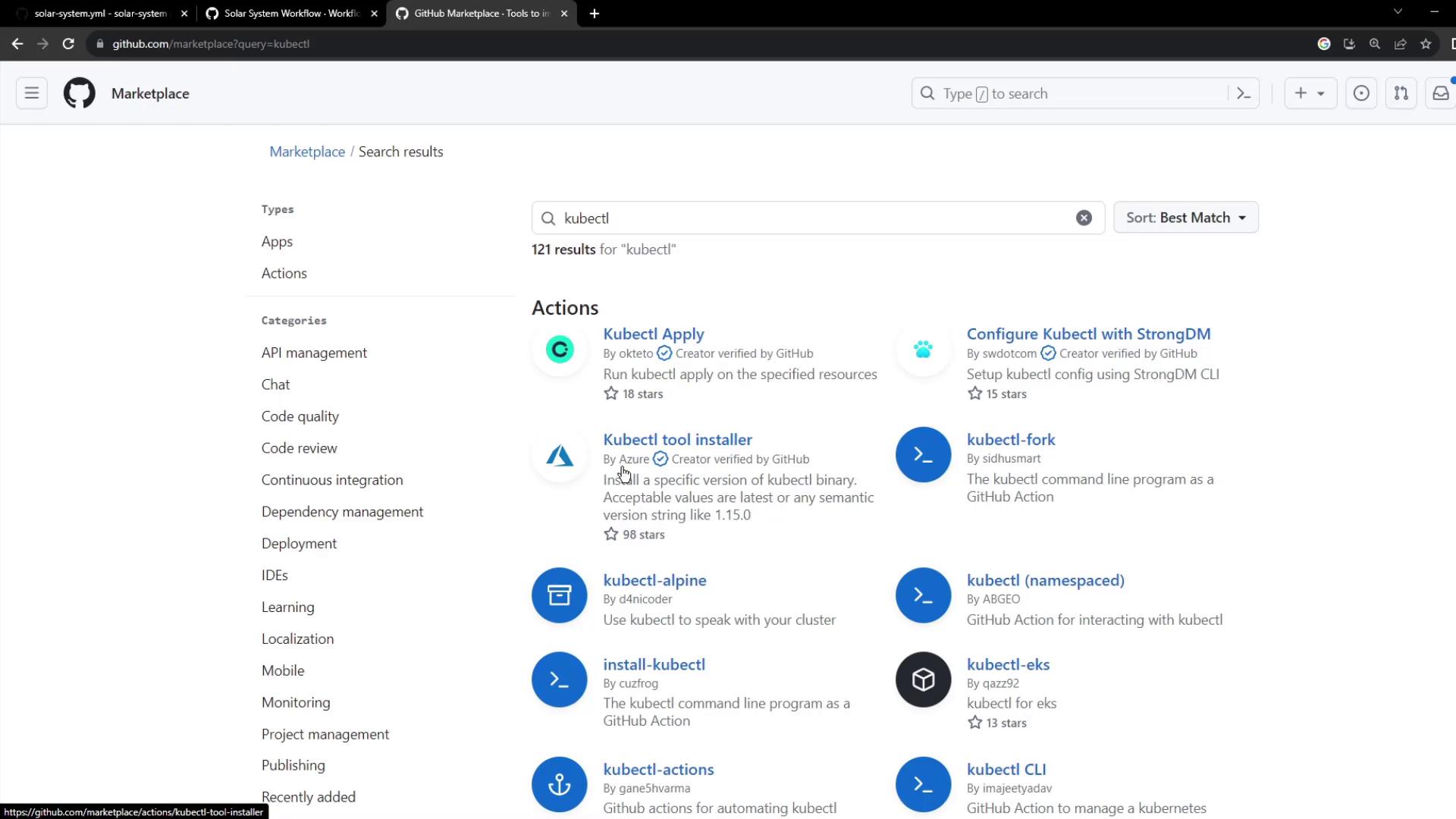
Instead of manually downloading binaries, leverage the verified \[azure/setup-kubectl\@v3] action from the GitHub Marketplace.
```yaml theme={null}
- name: Install kubectl CLI
uses: azure/setup-kubectl@v3
with:
version: '1.26.0'
```
Using the official `azure/setup-kubectl` action ensures you get signed binaries and can pin a specific version for reproducible builds.
## 4. Fetching Kubernetes Cluster Details
After installing, verify connectivity by checking the client version and listing all nodes:
```yaml theme={null}
- name: Fetch Kubernetes Cluster Details
run: |
kubectl version --short
echo "------------------------------------------"
kubectl get nodes
```
## 5. Full `dev-deploy` Job Snippet
Here’s the complete YAML for the **dev-deploy** job:
```yaml theme={null}
jobs:
dev-deploy:
needs: docker
runs-on: ubuntu-latest
steps:
- name: Checkout Repo
uses: actions/checkout@v4
- name: Install kubectl CLI
uses: azure/setup-kubectl@v3
with:
version: '1.26.0'
- name: Fetch Kubernetes Cluster Details
run: |
kubectl version --short
echo "------------------------------------------"
kubectl get nodes
```
### 5.1 Step-by-Step Summary
| Step | Action | Description |
| -------------------------------- | ------------------------- | ----------------------------------------------- |
| Checkout Repo | `actions/checkout@v4` | Clones your repository to the runner. |
| Install kubectl CLI | `azure/setup-kubectl@v3` | Installs a specific version of `kubectl`. |
| Fetch Kubernetes Cluster Details | `kubectl version --short` | Validates CLI version and cluster connectivity. |
## 6. Workflow Execution
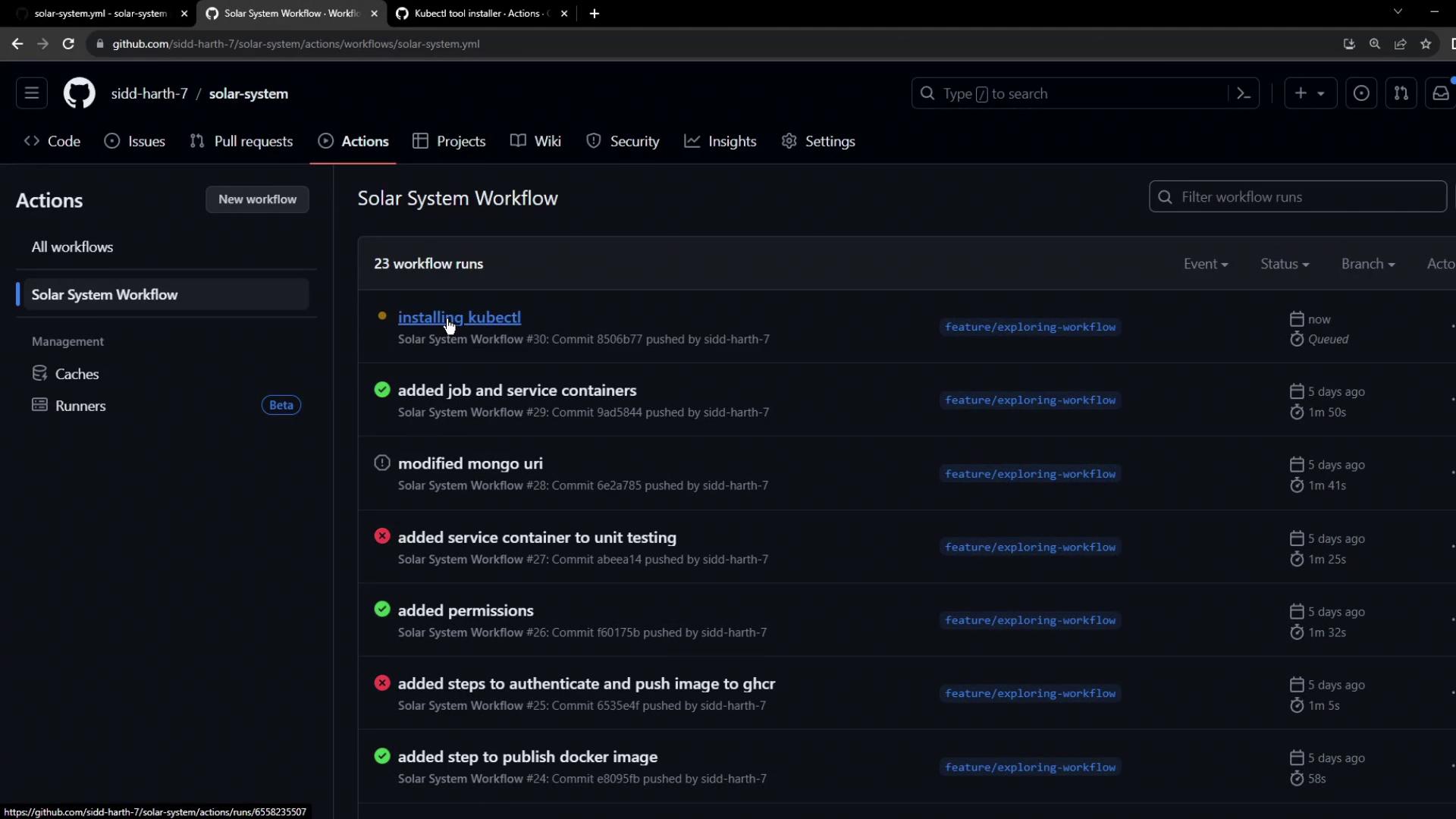
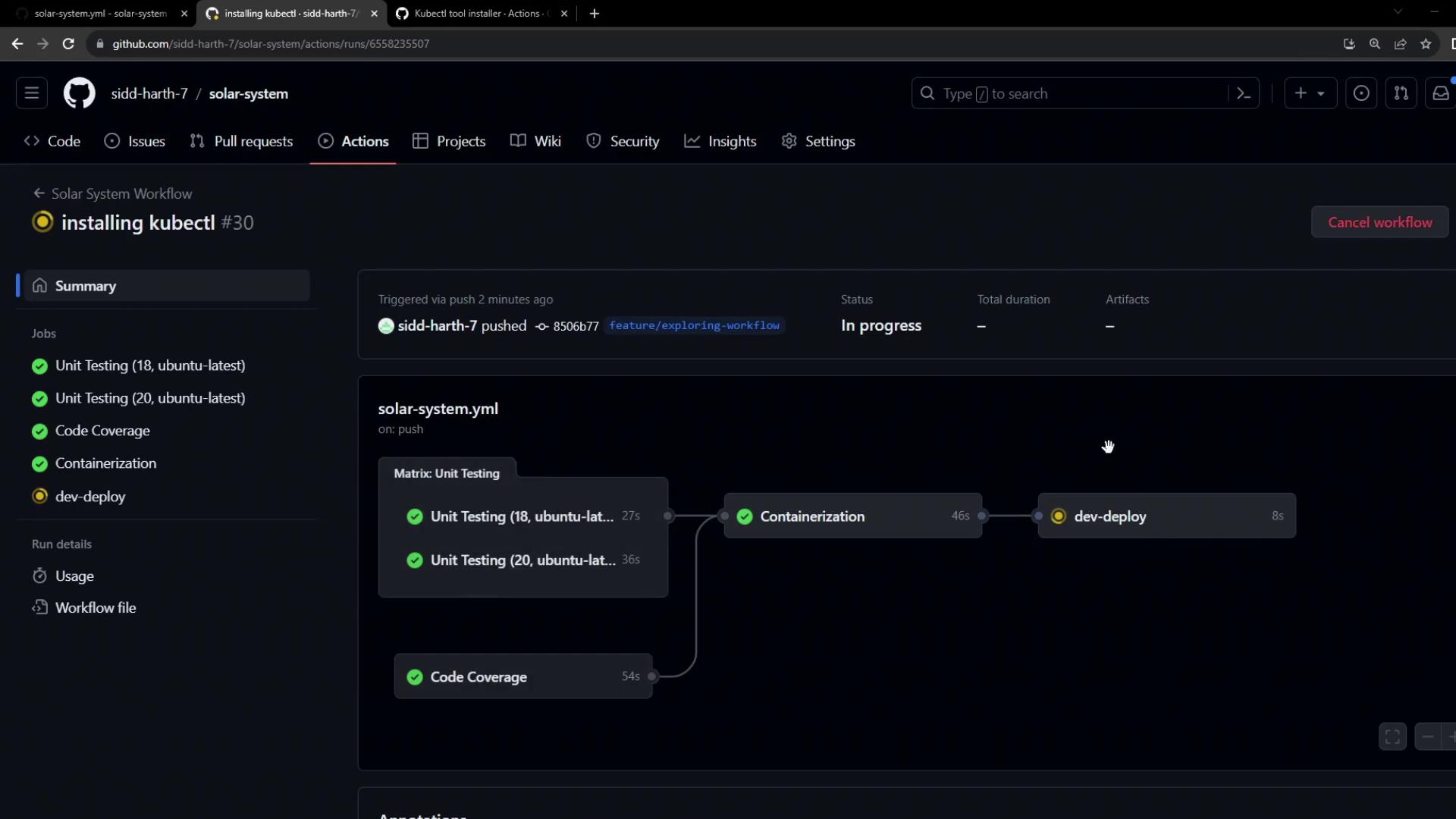
When you push these changes, GitHub Actions will execute `unit-testing`, `code-coverage`, and `docker` first. Once they succeed, **dev-deploy** runs.
## 7. Troubleshooting Connection Errors
If you encounter:
```text theme={null}
Error: Unable to connect to the server: dial tcp 127.0.0.1:6443: connect: connection refused
```
that indicates `kubectl` has no valid context because no `kubeconfig` is set.
You must provide a `kubeconfig` file via secrets or variables and configure it in your workflow. Without it, `kubectl` cannot authenticate to your cluster.
### Example `kubeconfig`
```bash theme={null}
cat ~/.kube/config
```
```yaml theme={null}
apiVersion: v1
kind: Config
preferences: {}
clusters:
- cluster:
certificate-authority-data: LS0tL...
name: my-cluster
contexts:
- context:
cluster: my-cluster
namespace: default
user: my-cluster-admin
name: my-cluster-ctx
current-context: my-cluster-ctx
users:
- name: my-cluster-admin
user:
token: YOUR_TOKEN_HERE
```
To integrate this in GitHub Actions, store the `kubeconfig` as a secret and load it before your `kubectl` steps.
***
## Links and References
* [azure/setup-kubectl GitHub Action](https://github.com/Azure/setup-kubectl)
* [GitHub Actions Marketplace](https://github.com/marketplace)
* [Kubernetes Documentation](https://kubernetes.io/docs/)
* [GitHub Actions: Workflow syntax](https://docs.github.com/actions/using-workflows/workflow-syntax-for-github-actions/)