> ## Documentation Index
> Fetch the complete documentation index at: https://notes.kodekloud.com/llms.txt
> Use this file to discover all available pages before exploring further.
# Cache Node Dependencies
> This article explains how to cache Node.js dependencies in GitHub Actions to improve workflow performance and reduce CI time.
In this lesson, we’ll explore how to speed up GitHub Actions workflows by caching Node.js dependencies across jobs. Caching reduces redundant installs, lowers CI time, and saves costs.
## Why Cache Dependencies? Workflow Performance without Caching
Without caching, each job installs dependencies from scratch, adding significant overhead. For example, our previous workflow (\~59 s total):
| Job | Duration |
| -------------------- | -------- |
| Code coverage | 21 s |
| Unit tests (Ubuntu) | 19 s |
| Unit tests (macOS) | 45 s |
| Unit tests (Windows) | 18 s |
| **Total** | **59 s** |

Inspecting the macOS unit test job:
* **Setup Node.js**: \~20 s
* **npm install**: \~15 s
Especially in larger projects, fresh installs significantly inflate build times. Caching is the solution.
## How Caching Works in GitHub Actions
GitHub Actions provides the [actions/cache](https://github.com/actions/cache) action to store and restore files between workflow runs.
* **key**: Unique cache identifier (often includes OS & file hash).
* **path**: Directories or files to cache.
The action checks for a cache hit; on miss, it runs normally and stores the cache for future runs.
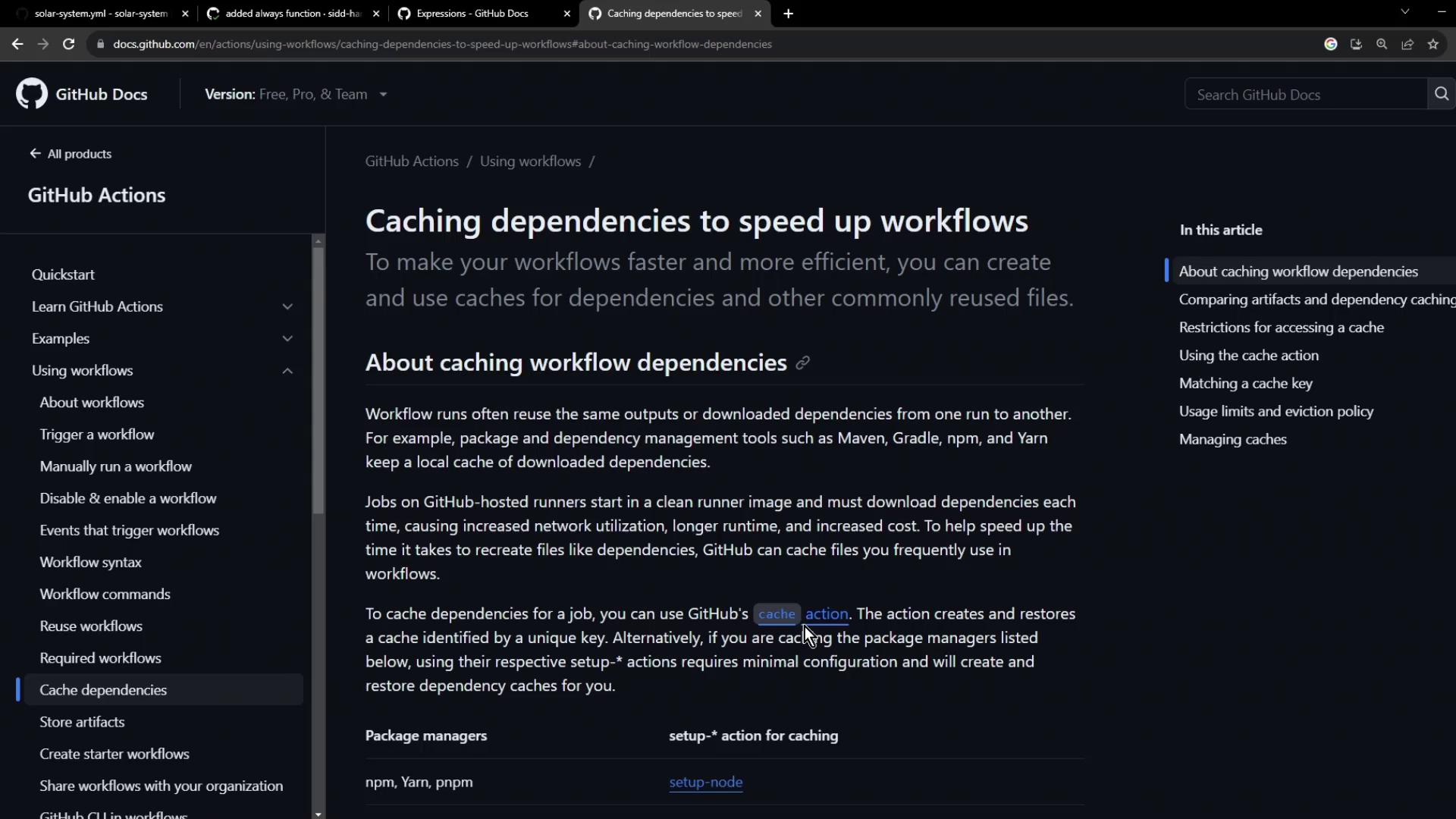
Use a **strong cache key** (e.g., `${{ runner.os }}-deps-${{ hashFiles('package-lock.json') }}`) to invalidate the cache automatically when dependencies change.
### Prerequisites and Inputs
Ensure you have:
* A lockfile (`package-lock.json` or `yarn.lock`) at the repo root.
* `actions/cache@v3` available in your workflow.
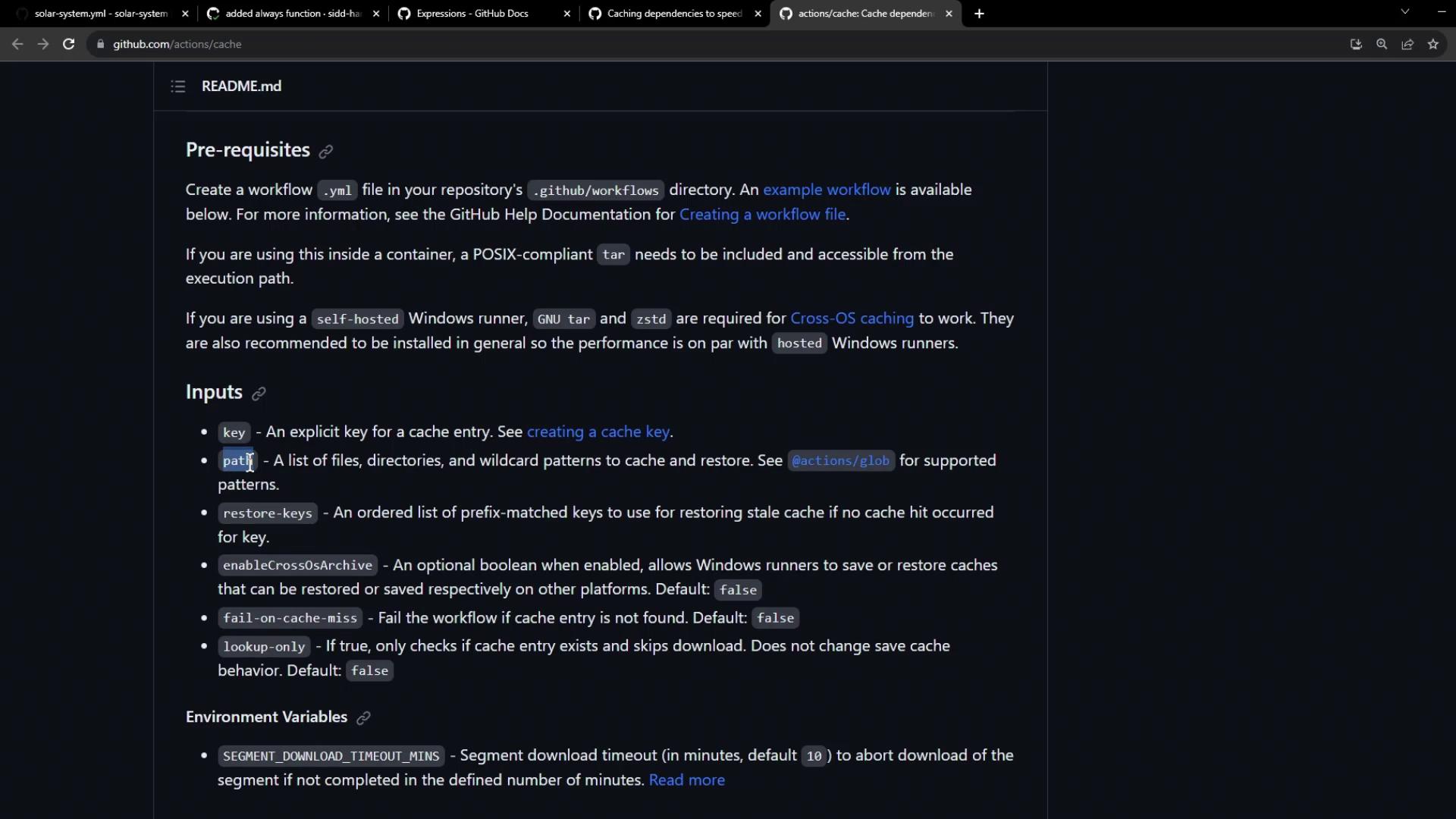
A minimal cache example:
```yaml theme={null}
- name: Restore cache
id: cache-restore
uses: actions/cache@v3
with:
path: |
path/to/dependencies
some/other/dependencies
key: ${{ runner.os }}-my-deps-${{ hashFiles('lockfile.json') }}
- name: Save cache
uses: actions/cache@v3
with:
path: |
path/to/dependencies
some/other/dependencies
key: ${{ steps.cache-restore.outputs.cache-primary-key }}
```
## Implementing Caching in Your Workflow
Add cache steps before `npm install` in both **unit-testing** and **code-coverage** jobs. We use `${{ runner.os }}-node-modules-${{ hashFiles('package-lock.json') }}` as the key.
### Unit Testing Job with Cache
```yaml theme={null}
jobs:
unit-testing:
name: Unit Testing
strategy:
matrix:
nodejs_version: [18, 20]
operating_system: [ubuntu-latest, macos-latest]
exclude:
- nodejs_version: 18
operating_system: macos-latest
runs-on: ${{ matrix.operating_system }}
steps:
- name: Checkout Repository
uses: actions/checkout@v4
- name: Setup Node.js ${{ matrix.nodejs_version }}
uses: actions/setup-node@v3
with:
node-version: ${{ matrix.nodejs_version }}
- name: Cache NPM dependencies
uses: actions/cache@v3
with:
path: node_modules
key: ${{ runner.os }}-node-modules-${{ hashFiles('package-lock.json') }}
- name: Install Dependencies
run: npm install
- name: Run Unit Tests
run: npm test
- name: Archive Test Results
if: always()
uses: actions/upload-artifact@v3
with:
name: mocha-test-results
path: test-results.xml
```
* **path**: `node_modules` directory.
* **key**: Includes OS and lockfile hash for automatic invalidation.
### Code Coverage Job with Cache
```yaml theme={null}
jobs:
code-coverage:
name: Code Coverage
runs-on: ubuntu-latest
steps:
- name: Checkout Repository
uses: actions/checkout@v4
- name: Setup Node.js 18
uses: actions/setup-node@v3
with:
node-version: 18
- name: Cache NPM dependencies
uses: actions/cache@v3
with:
path: node_modules
key: ${{ runner.os }}-node-modules-${{ hashFiles('package-lock.json') }}
- name: Install Dependencies
run: npm install
- name: Run Coverage
continue-on-error: true
run: npm run coverage
- name: Archive Coverage Report
uses: actions/upload-artifact@v3
with:
name: coverage-report
path: test-results.xml
```
Commit and push to trigger the workflow.
## Verifying Cache Effectiveness
On the **first run**, cache miss:
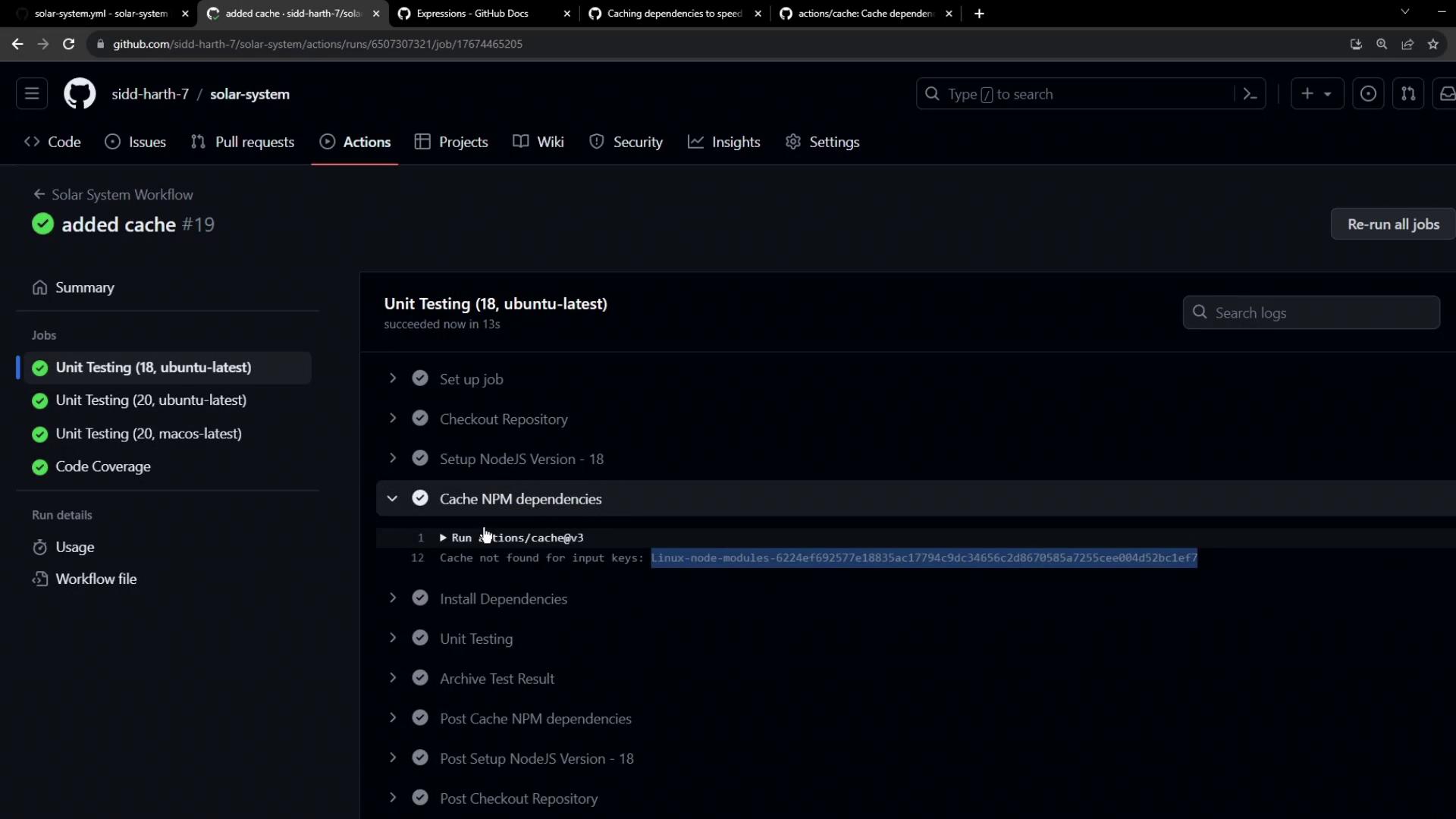
After completion, caches appear in the repository settings:
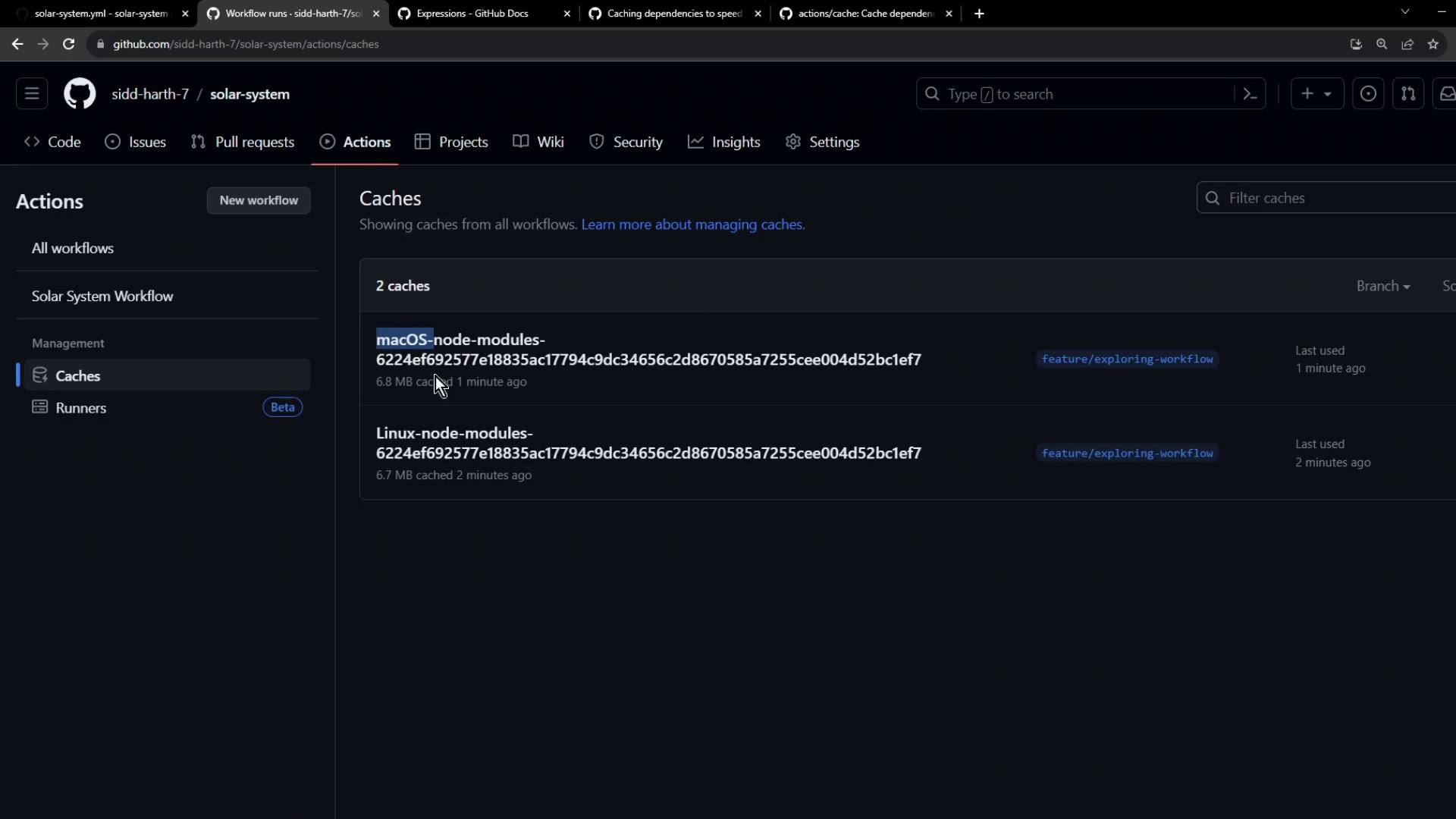
On the **second run**, cache hit reduces `npm install` to \~1 s:
```bash theme={null}
Cache restored successfully
Cache restored from key: Linux-node-modules-6224ef692577e18835ac17794c9dc34656c2d867685a7255cee004d52b1e7
$ npm install
up to date, audited 366 packages in 1s
```
```bash theme={null}
Cache restored successfully
Cache restored from key: macOS-node-modules-6224ef69257718835ac17794g9dc34656785a7255cee00452bc1ef7
$ npm install
up to date, audited 366 packages in 1s
```
## Next Steps: Invalidate Cache on Dependency Changes
To test cache invalidation, update your `package.json` dependencies and re-run the workflow. The hash changes, creating a fresh cache.
Avoid overly broad cache paths to prevent storing unwanted files. Restrict the `path` to necessary directories only.
## Links and References
* [actions/cache GitHub Action](https://github.com/actions/cache)
* [GitHub Actions Documentation](https://docs.github.com/actions)
* [Node.js CI with GitHub Actions](https://docs.github.com/actions/guides/building-and-testing-nodejs)