> ## Documentation Index
> Fetch the complete documentation index at: https://notes.kodekloud.com/llms.txt
> Use this file to discover all available pages before exploring further.
# Run and Test NodeJS App on Local Machine
> This tutorial guides you to clone, configure, and run a Node.js REST API locally before integrating it into a GitHub Actions workflow.
In this tutorial, you'll clone, configure, and run a Node.js REST API locally before integrating it into a GitHub Actions workflow. By the end, you’ll have a working Express/Mongoose application, a full test suite, and coverage reports.
## Prerequisites
Ensure you have Node.js and npm installed. On Ubuntu/Debian:
```bash theme={null}
sudo apt update
sudo apt install nodejs npm
```
Verify your installations:
```bash theme={null}
node -v
npm -v
```
## 1. Clone the Repository
Fetch the source code from GitLab and navigate into the project folder:
```bash theme={null}
git clone https://gitlab.com/sidd-harth/solar-system
cd solar-system
```
## 2. Install Dependencies
Install all production and development packages defined in `package.json`:
```bash theme={null}
npm install
```
## 3. Review `package.json`
Open `package.json` to understand scripts, coverage settings, and dependencies.
### Scripts Overview
| Script | Description | Command |
| ---------- | ------------------------------------------------- | ------------------ |
| `start` | Launch the Express server | `npm start` |
| `test` | Run Mocha tests with JUnit reporter | `npm test` |
| `coverage` | Generate coverage reports (LCOV, Cobertura, text) | `npm run coverage` |
### NYC Coverage Configuration
```json theme={null}
"nyc": {
"check-coverage": true,
"lines": 90,
"reporter": ["text", "json-summary"]
}
```
### Dependencies
| Package | Purpose |
| -------------------- | ----------------------------- |
| express | Web framework |
| mongoose | MongoDB ODM |
| cors | Cross-Origin Resource Sharing |
| mocha-junit-reporter | JUnit test reporting |
| nyc | Coverage tool |
### Dev Dependencies
| Package | Purpose |
| --------- | ------------------------ |
| mocha | Test framework |
| chai | Assertion library |
| chai-http | HTTP integration testing |
***
## 4. Application Entry Point (`app.js`)
This file initializes Express, connects to MongoDB via Mongoose, and defines your REST API endpoints.
```javascript theme={null}
// app.js
const express = require("express");
const bodyParser = require("body-parser");
const path = require("path");
const cors = require("cors");
const mongoose = require("mongoose");
const app = express();
app.use(bodyParser.json());
app.use(express.static(path.join(__dirname, "/")));
app.use(cors());
mongoose.connect(process.env.MONGO_URI, {
user: process.env.MONGO_USERNAME,
pass: process.env.MONGO_PASSWORD,
useNewUrlParser: true,
useUnifiedTopology: true
}, err => {
if (err) {
console.error("MongoDB connection error:", err);
} else {
console.log("MongoDB connected");
}
});
// Define Mongoose schemas & API routes here...
module.exports = app;
```
Never commit real credentials. Use environment variables or a secrets manager.
***
## 5. Test Suite (`app-test.js`)
Uses Mocha, Chai, and Chai HTTP to validate your API endpoints.
```javascript theme={null}
// app-test.js
const server = require("./app");
const chai = require("chai");
const chaiHttp = require("chai-http");
chai.should();
chai.use(chaiHttp);
describe("Planets API Suite", () => {
describe("GET /planets/:id", () => {
it("fetches a planet named Mercury", done => {
chai
.request(server)
.get("/planets/1")
.end((err, res) => {
res.should.have.status(200);
res.body.name.should.equal("Mercury");
done();
});
});
// Add more test cases as needed...
});
});
```
***
## 6. Client Logic (`client.js`)
A simple front-end script that fetches all planets on page load:
```javascript theme={null}
// client.js
console.log("Initializing client.js");
window.onload = () => {
console.log("Fetching all planets...");
fetch("/planets")
.then(res => {
if (!res.ok) throw new Error("Network response was not ok");
return res.json();
})
.then(data => console.log(data))
.catch(err => console.error(err));
};
```
***
## 7. Dockerfile
Containerize the application for consistent deployment:
```dockerfile theme={null}
FROM node:18-alpine3.17
WORKDIR /usr/app
COPY package*.json ./
RUN npm install
COPY . .
ENV MONGO_URI=uriPlaceholder
ENV MONGO_USERNAME=usernamePlaceholder
ENV MONGO_PASSWORD=passwordPlaceholder
EXPOSE 3000
CMD ["npm", "start"]
```
***
## 8. Kubernetes Service Manifest
Expose the application via a NodePort service:
```yaml theme={null}
apiVersion: v1
kind: Service
metadata:
name: solar-system
namespace: {_NAMESPACE_}
labels:
app: solar-system
spec:
type: NodePort
selector:
app: solar-system
ports:
- protocol: TCP
port: 3000
targetPort: 3000
```
***
## 9. Running Tests Locally
### 9.1 Without Environment Variables
```bash theme={null}
npm test
```
You’ll encounter:
```plaintext theme={null}
MongooseError: The `uri` parameter to `openUri()` must be a string, got `undefined`.
```
### 9.2 Temporary Hard-Coding (Demo Only)
Replace the `mongoose.connect` call in `app.js`:
```javascript theme={null}
mongoose.connect("mongodb+srv://supercluster.d83jj.mongodb.net/superData", {
user: "superuser",
pass: "SuperPassword",
useNewUrlParser: true,
useUnifiedTopology: true
}, err => {
if (err) console.error("error!!", err);
});
```
Then:
```bash theme={null}
npm test
echo $?
```
Expected output:
```plaintext theme={null}
Server successfully running on port - 3000
0
```
A `test_results.xml` file will be created for CI consumption.
***
## 10. Generating Coverage Reports
```bash theme={null}
npm run coverage
echo $?
```
If coverage falls below the 90% threshold, you’ll see:
```plaintext theme={null}
ERROR: Coverage for lines (88.88%) does not meet global threshold (90%)
| File | % Stmts | % Branch | % Funcs | % Lines | Uncovered Line #s |
|--------|---------|----------|---------|---------|-------------------|
| All | 88.88 | 50 | 87.5 | 88.88 | 21,47-48,56 |
```
Coverage artifacts are saved under `coverage/`, including:
* cobertura-coverage.xml
* coverage-summary.json
* lcov report
***
## 11. Start the Application
Run the server locally:
```bash theme={null}
npm start
```
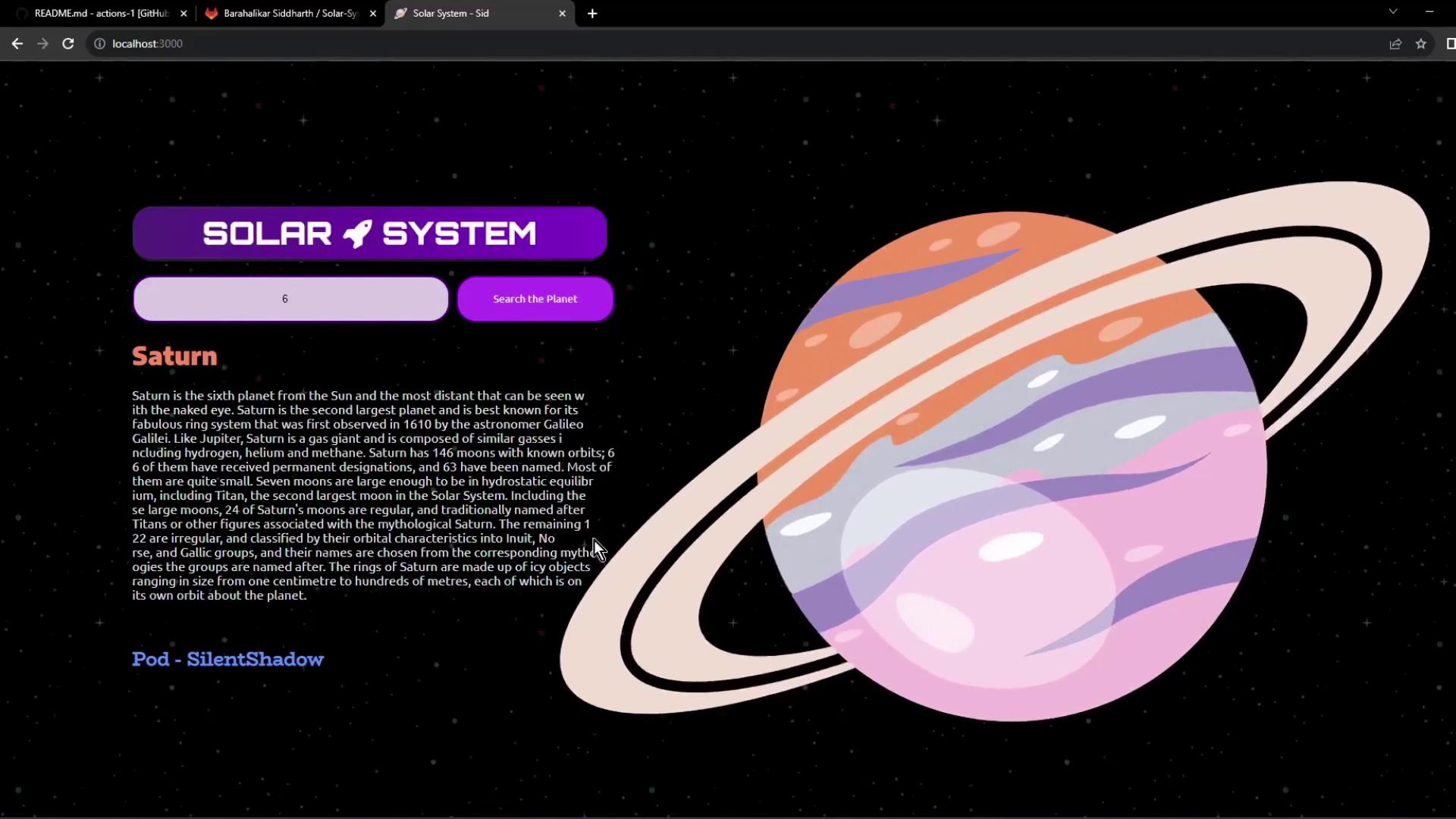
Visit `http://localhost:3000` in your browser. Use the search bar to query planets by ID.
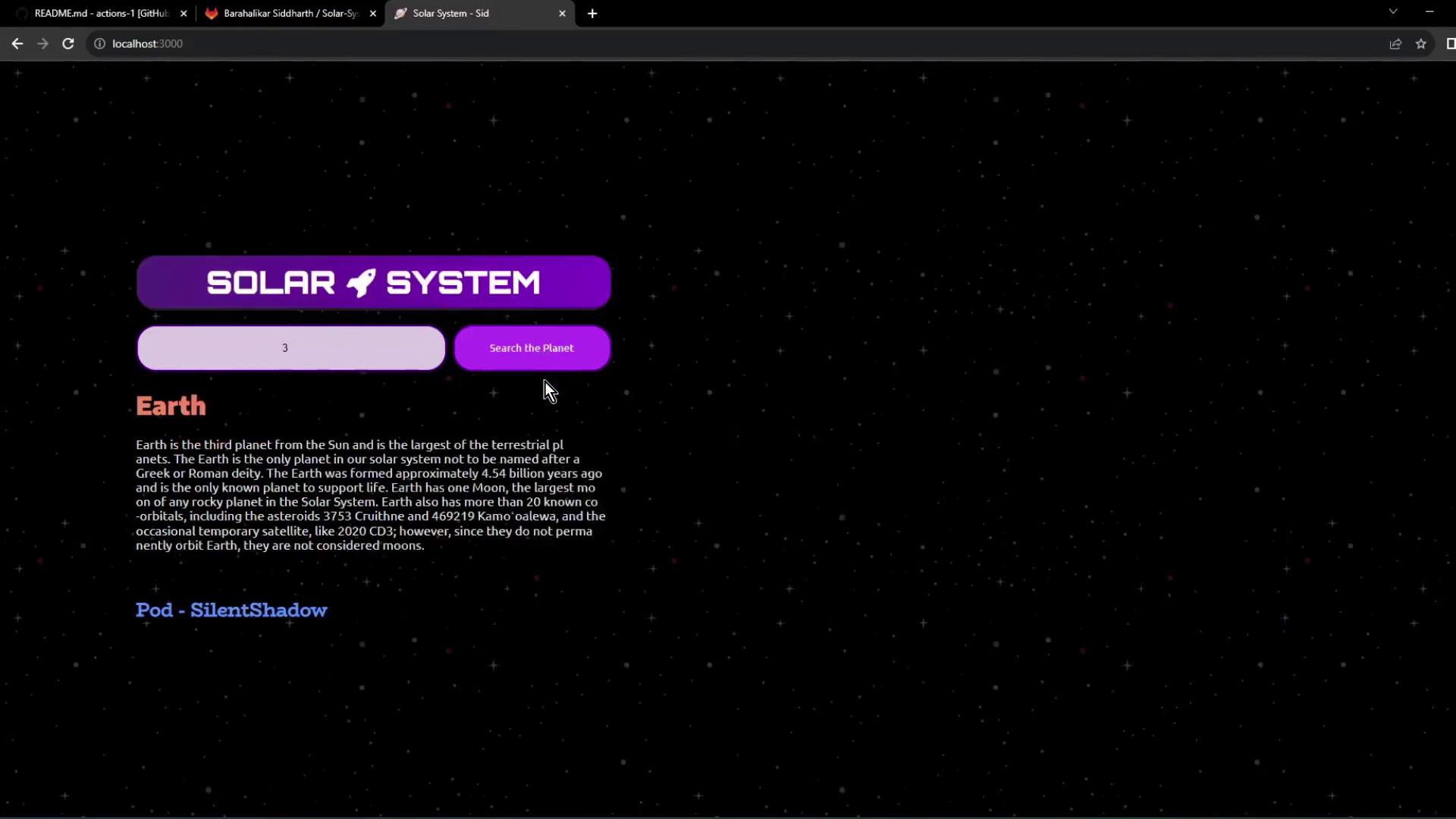
**Tip:** Search “3” for Earth or “6” for Saturn.
***
You’re now prepared to integrate this setup into your [GitHub Actions workflow](https://docs.github.com/en/actions) for CI/CD automation.
## References
* [Express.js Documentation](https://expressjs.com/)
* [Mongoose Docs](https://mongoosejs.com/)
* [MongoDB Official Site](https://www.mongodb.com/)
* [Kubernetes Services](https://kubernetes.io/docs/concepts/services-networking/service/)
* [Docker Hub](https://hub.docker.com/)