> ## Documentation Index
> Fetch the complete documentation index at: https://notes.kodekloud.com/llms.txt
> Use this file to discover all available pages before exploring further.
# Workflow Docker Build and Test
> This guide explains how to build a Docker image and run tests using GitHub Actions before publishing to Docker Hub.
In this guide, you'll learn how to build a Docker image and run container tests in a GitHub Actions workflow before publishing it to Docker Hub. This end-to-end CI setup ensures your application image is validated automatically on each commit.
## Prerequisites
Ensure you have the following jobs configured in your workflow:
* **unit-testing**
* **code-coverage**
You’ll also need a step to authenticate with Docker Hub:
```yaml theme={null}
jobs:
docker:
name: Containerization
needs: [unit-testing, code-coverage]
runs-on: ubuntu-latest
steps:
- name: Checkout Repository
uses: actions/checkout@v4
- name: Log in to Docker Hub
uses: docker/login-action@v2.2.0
with:
username: ${{ vars.DOCKERHUB_USERNAME }}
password: ${{ secrets.DOCKERHUB_PASSWORD }}
```
## Using `docker/build-push-action` for Build & Test
We’ll leverage Docker’s official [build-push-action](https://github.com/docker/build-push-action) to compile and test the image locally (`push: false`). This action supports multiple platforms and advanced build features via Buildx.
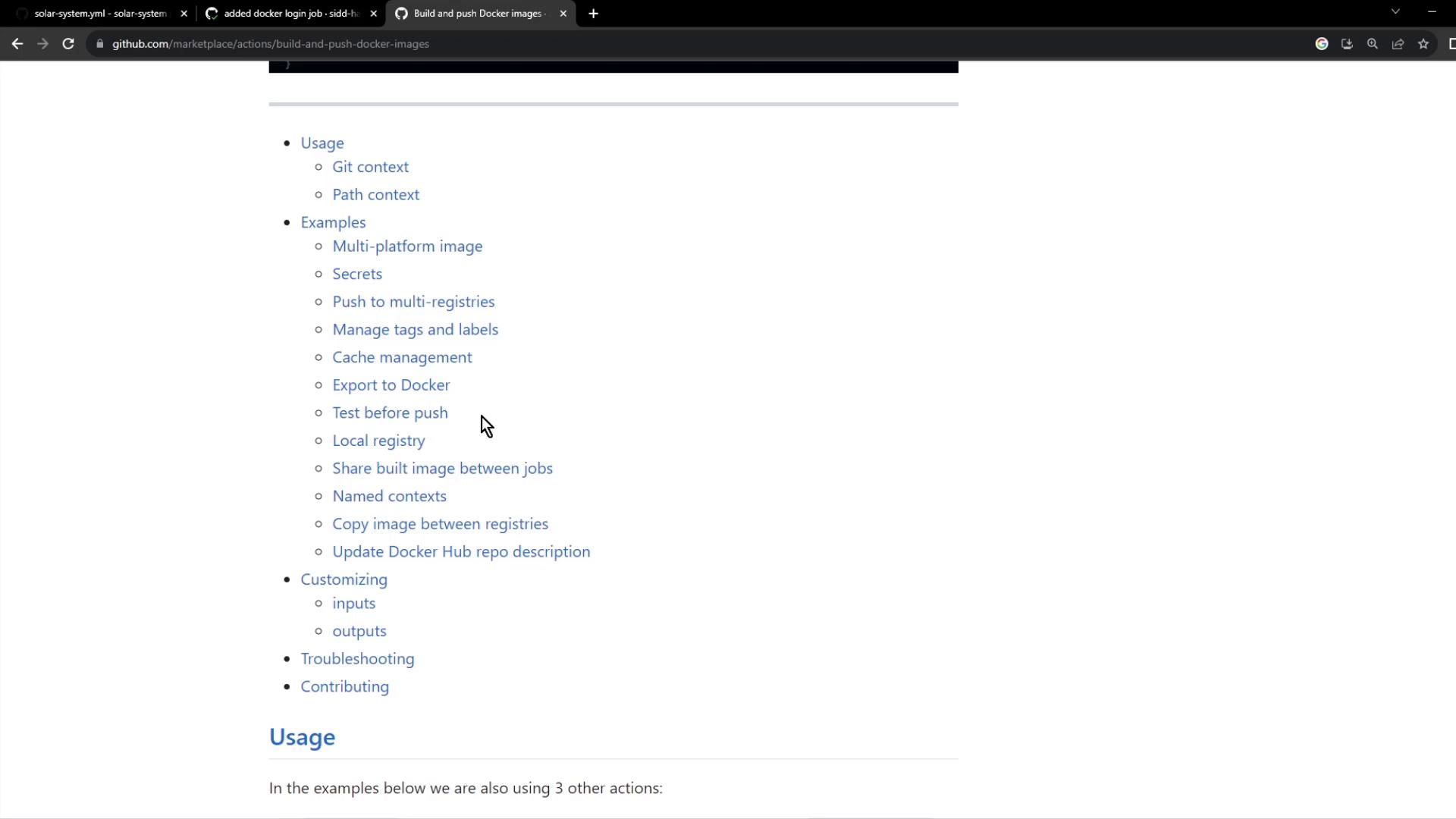
By setting `push: false` you prevent the image from being sent to a registry, enabling quick feedback on build and tests.
### Workflow Snippet
```yaml theme={null}
jobs:
docker:
name: Containerization
needs: [unit-testing, code-coverage]
runs-on: ubuntu-latest
steps:
- name: Checkout Repository
uses: actions/checkout@v4
- name: Log in to Docker Hub
uses: docker/login-action@v2.2.0
with:
username: ${{ vars.DOCKERHUB_USERNAME }}
password: ${{ secrets.DOCKERHUB_PASSWORD }}
- name: Set up QEMU emulator
uses: docker/setup-qemu-action@v3
- name: Set up Docker Buildx
uses: docker/setup-buildx-action@v3
- name: Build Docker Image for Testing
uses: docker/build-push-action@v5
with:
context: .
load: true
push: false
tags: ${{ vars.DOCKERHUB_USERNAME }}/solar-system:${{ github.sha }}
- name: Run Container and Test `/live` Endpoint
run: |
docker run --rm --name solar-system-app -d \
-p 3000:3000 \
-e MONGO_URI=$MONGO_URI \
-e MONGO_USERNAME=$MONGO_USERNAME \
-e MONGO_PASSWORD=$MONGO_PASSWORD \
${{ vars.DOCKERHUB_USERNAME }}/solar-system:${{ github.sha }}
echo "Verifying /live endpoint"
wget -q -O - http://127.0.0.1:3000/live | grep live
```
#### Build & Test Action Summary
| Step | Action | Key Inputs |
| ---------------------------------- | ------------------------------- | --------------------------------- |
| Authenticate to Docker Hub | `docker/login-action@v2.2.0` | `username`, `password` |
| Prepare QEMU for multi-arch builds | `docker/setup-qemu-action@v3` | (none) |
| Enable Buildx | `docker/setup-buildx-action@v3` | (none) |
| Build & Load Image | `docker/build-push-action@v5` | `context`, `load`, `push`, `tags` |
| Container Sanity Test | shell command | `docker run`, `wget`, `grep` |
## Dockerfile
Place this `Dockerfile` in your repository root to define the container:
```dockerfile theme={null}
FROM node:18-alpine3.17
WORKDIR /usr/app
COPY package*.json ./
RUN npm install
COPY . .
# Placeholder environment variables for local tests
ENV MONGO_URI=uriPlaceholder
ENV MONGO_USERNAME=usernamePlaceholder
ENV MONGO_PASSWORD=passwordPlaceholder
EXPOSE 3000
CMD ["npm", "start"]
```
This configuration:
* Starts from the lightweight Node.js 18 Alpine image
* Sets `/usr/app` as the working directory
* Installs dependencies from `package.json`
* Copies the rest of your application code
* Defines default environment variables for MongoDB
* Exposes port 3000 and launches the app using `npm start`
## Application Health Endpoints
Ensure your Express app exposes a simple `/live` endpoint for the workflow test. Example in `app.js`:
```javascript theme={null}
const express = require('express');
const path = require('path');
const os = require('os');
const app = express();
app.get('/live', (req, res) => {
res.json({ status: "live" });
});
app.get('/', (req, res) => {
res.sendFile(path.join(__dirname, 'index.html'));
});
app.get('/os', (req, res) => {
res.json({
os: os.hostname(),
env: process.env.NODE_ENV
});
});
app.get('/ready', (req, res) => {
res.json({ status: "ready" });
});
app.listen(3000, () => {
console.log("Server running on port 3000");
});
module.exports = app;
```
Be sure your placeholder environment variables in the Dockerfile match those used in your test commands to avoid runtime errors.
## Workflow Run Results
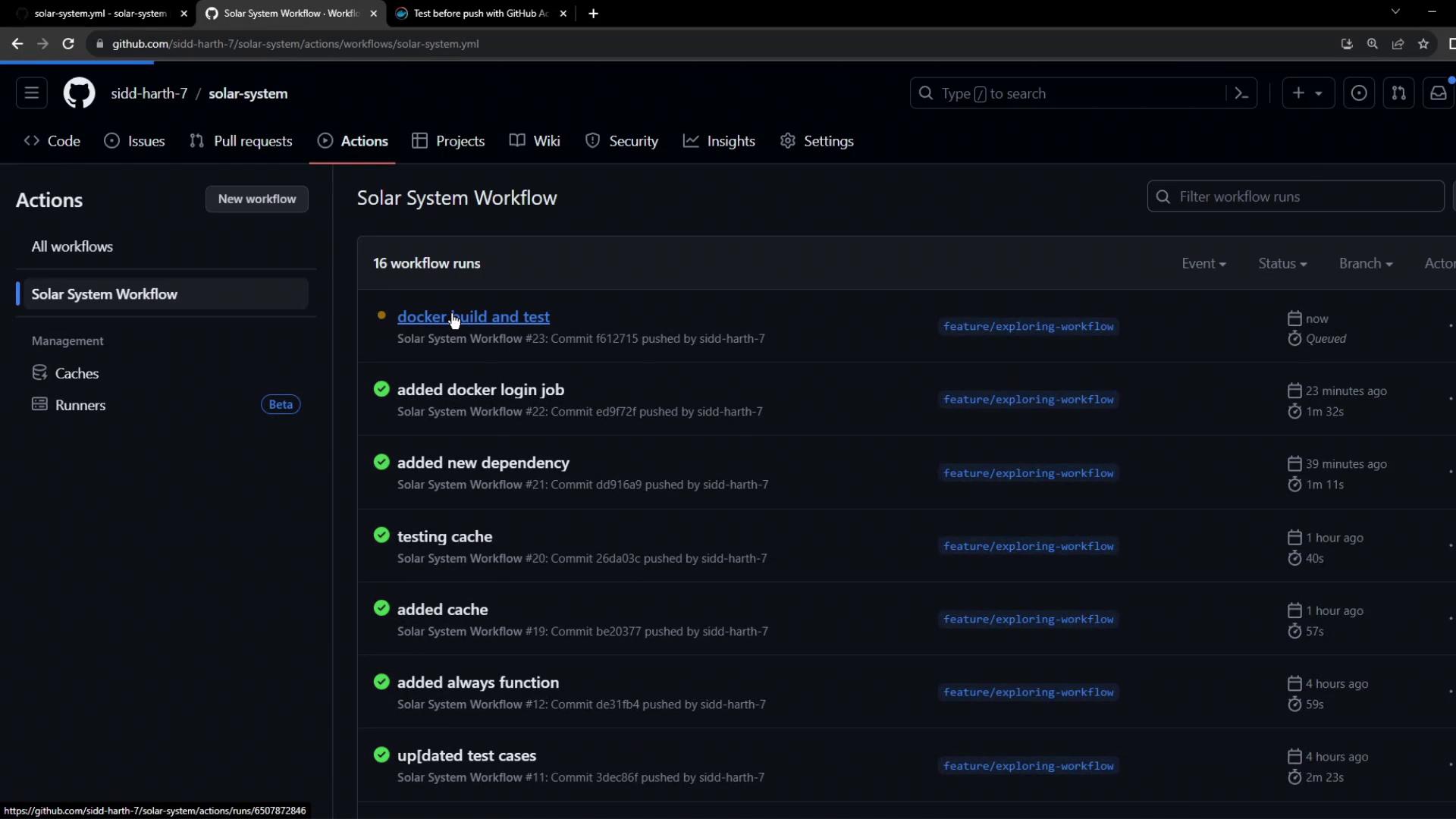
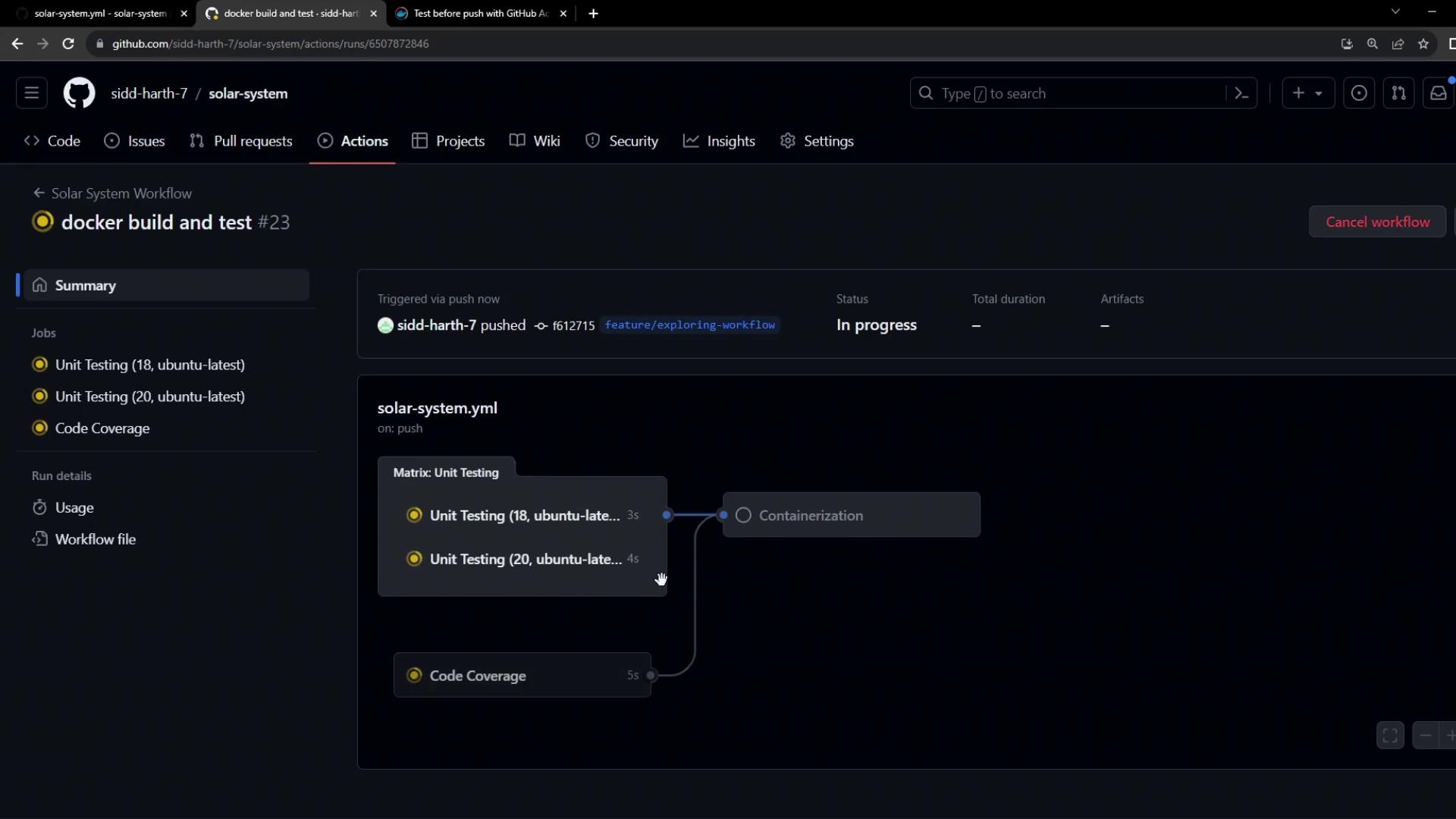
Once the workflow is committed, GitHub Actions will execute the build-and-test job. You’ll see output like this:
Example build logs:
```bash theme={null}
/usr/bin/docker buildx build \
--iidfile /tmp/docker-actions-toolkit/iidfile \
--tag youruser/solar-system:abcdef \
--metadata-file /tmp/docker-actions-toolkit/metadata-file .
#1 [auth] library/node:pull token for registry-1.docker.io
#6 [1/5] FROM docker.io/library/node:18-alpine3.17
...
#11 DONE 1.6s
```
And container test output:
```bash theme={null}
$ docker images
REPOSITORY TAG IMAGE ID SIZE
youruser/solar-system abcdef e7789ef9a9... 110MB
$ docker run --name solar-system-app -d -p 3000:3000 \
-e MONGO_URI=uriPlaceholder \
-e MONGO_USERNAME=usernamePlaceholder \
-e MONGO_PASSWORD=usernamePlaceholder \
youruser/solar-system:abcdef
$ echo "Testing /live endpoint"
$ wget -q -O - http://127.0.0.1:3000/live | grep live
live
```
Since all steps pass, your Docker image is successfully built and tested locally. Next up: pushing it to Docker Hub and deploying!
***
## Links and References
* [GitHub Actions Documentation](https://docs.github.com/actions)
* [Docker Build-Push Action](https://github.com/docker/build-push-action)
* [Docker Hub](https://hub.docker.com/)