> ## Documentation Index
> Fetch the complete documentation index at: https://notes.kodekloud.com/llms.txt
> Use this file to discover all available pages before exploring further.
# Workflow Docker Login
> This guide explains integrating Docker Hub authentication into GitHub Actions for automatic Docker image building and pushing after tests.
In this guide, you’ll learn how to integrate Docker Hub authentication into your GitHub Actions CI/CD pipeline. By the end, your workflow will automatically build and push a Docker image once unit tests and code coverage checks have passed.
## Prerequisites
* A GitHub repository containing your application code and a `Dockerfile`.
* Unit tests and code coverage steps already configured in your workflow.
* Docker Hub account with repository access.
## 1. Existing Workflow Overview
Below is an example workflow that runs unit tests and measures code coverage on every push to `main` or any `feature/*` branch:
```yaml theme={null}
name: Solar System Workflow
on:
push:
branches:
- main
- 'feature/*'
workflow_dispatch:
env:
MONGO_URI: 'mongodb+srv://supercluster.d83jj.mongodb.net/superData'
MONGO_USERNAME: ${{ vars.MONGO_USERNAME }}
MONGO_PASSWORD: ${{ secrets.MONGO_PASSWORD }}
jobs:
unit-testing: …
code-coverage: …
```
## 2. Dockerfile for the Application
Ensure your repository includes a `Dockerfile` like this:
```dockerfile theme={null}
FROM node:18-alpine3.17
WORKDIR /usr/app
COPY package*.json /usr/app/
RUN npm install
COPY . .
ENV MONGO_URI=uriPlaceholder
ENV MONGO_USERNAME=usernamePlaceholder
ENV MONGO_PASSWORD=passwordPlaceholder
EXPOSE 3000
CMD ["npm", "start"]
```
## 3. Add the Containerization Job
We’ll create a new job named `containerization` that depends on the previous jobs. This job will:
1. Check out the repository.
2. Authenticate to Docker Hub.
3. Build and push the Docker image.
```yaml theme={null}
jobs:
unit-testing: …
code-coverage: …
containerization:
name: Containerization
needs: [unit-testing, code-coverage]
runs-on: ubuntu-latest
steps:
- name: Checkout Repository
uses: actions/checkout@v4
- name: Log in to Docker Hub
uses: docker/login-action@v2
with:
username: ${{ vars.DOCKERHUB_USERNAME }}
password: ${{ secrets.DOCKERHUB_PASSWORD }}
- name: Build Docker Image
run: |
docker build -t my-app:${{ github.sha }} .
- name: Push Docker Image
run: |
docker push my-app:${{ github.sha }}
```
Replace `my-app` with your Docker Hub repository name (e.g., `username/solar-system`).\
You can also tag with `:latest` or semantic versions.
## 4. Store Credentials as Variables and Secrets
To prevent exposing your Docker Hub credentials in the workflow, add them via the GitHub UI:
| Name | Type | Location |
| ------------------- | -------- | ------------------------------------------------------ |
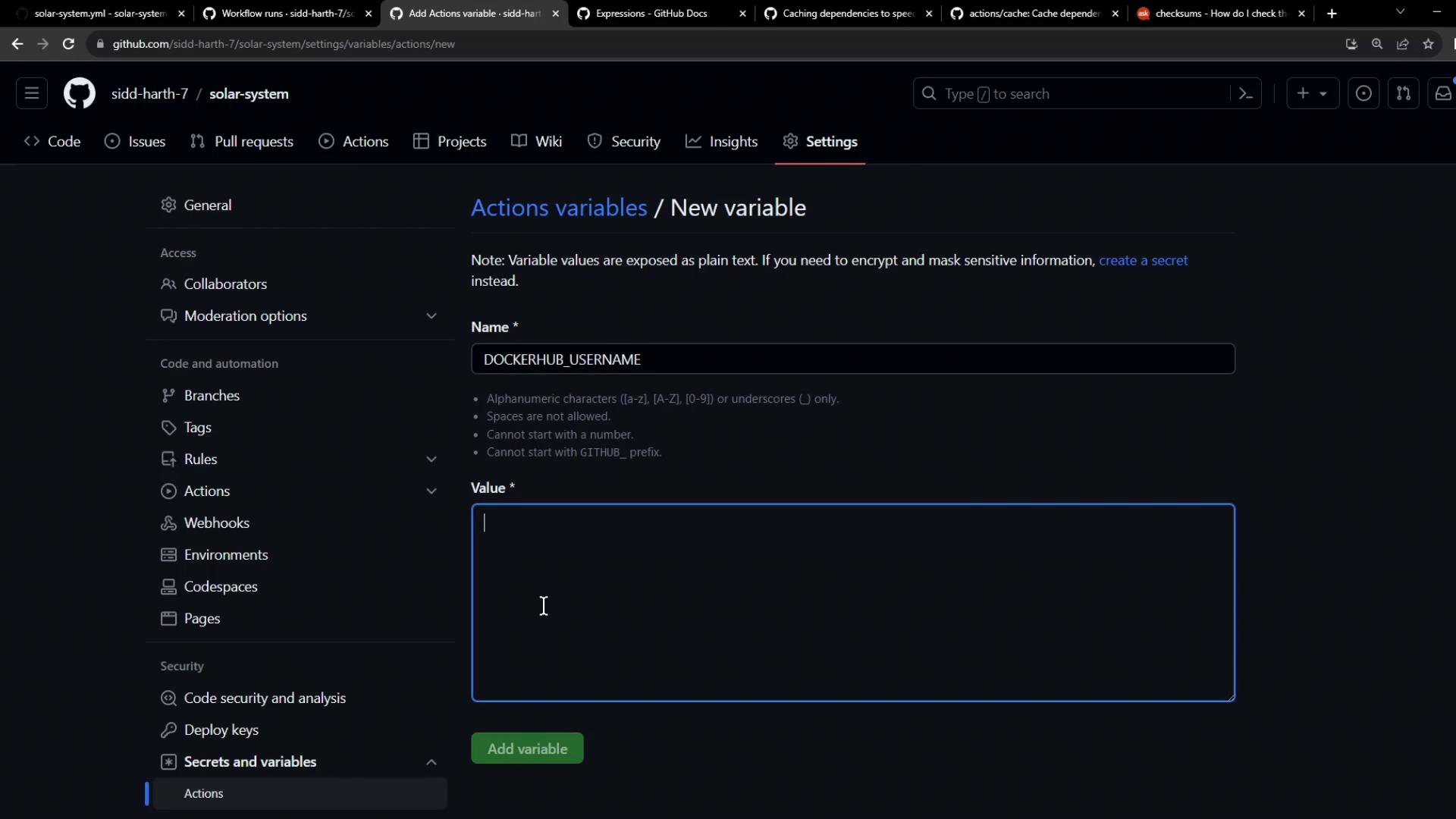
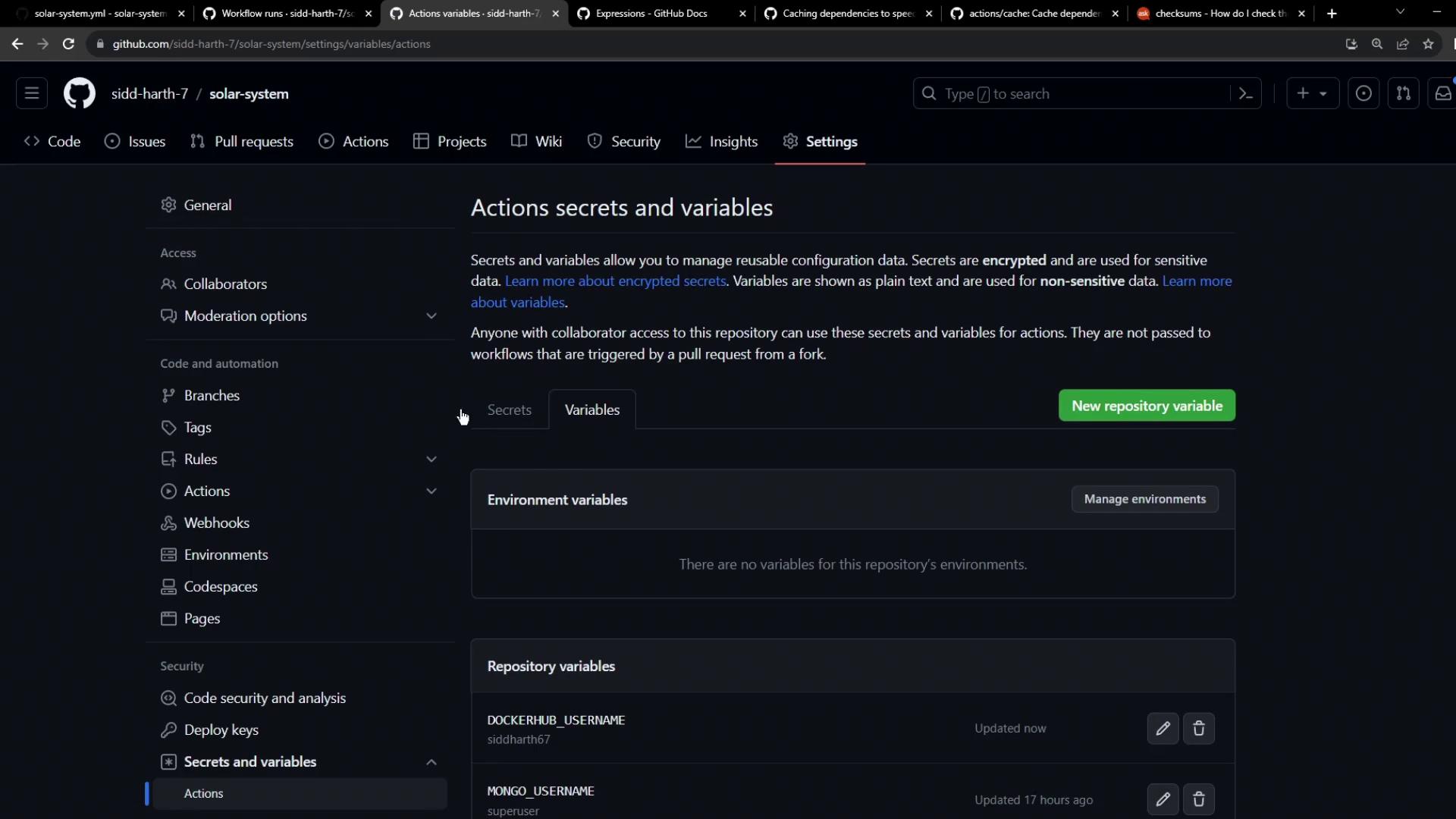
| DOCKERHUB\_USERNAME | Variable | Settings → Secrets and variables → Actions → Variables |
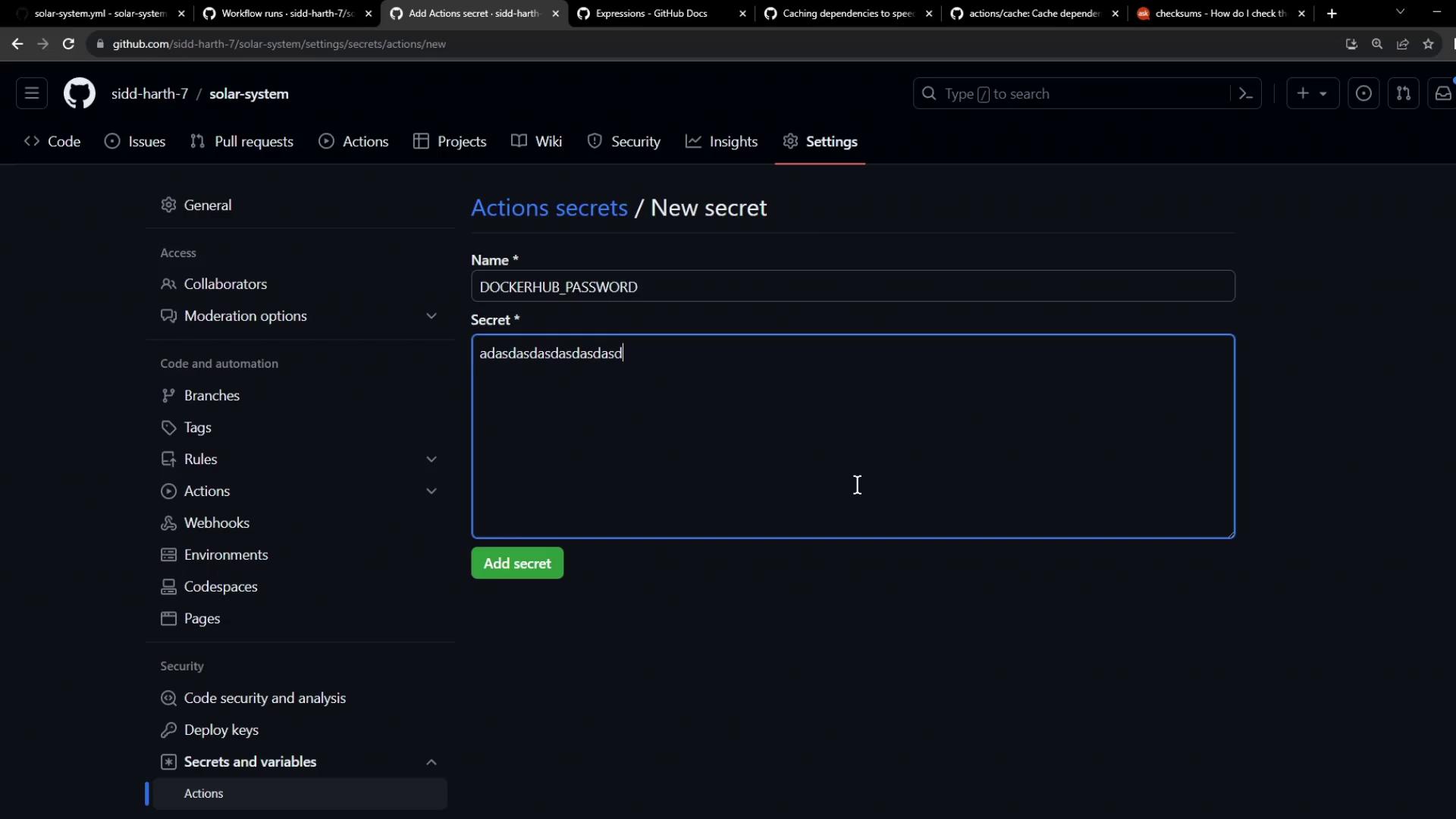
| DOCKERHUB\_PASSWORD | Secret | Settings → Secrets and variables → Actions → Secrets |
1. Go to **Settings > Secrets and variables > Actions**.
2. Under **Repository variables**, click **New repository variable** and add `DOCKERHUB_USERNAME`.
3. Under **Repository secrets**, click **New repository secret** and add `DOCKERHUB_PASSWORD`.

Never hardcode sensitive credentials in your workflow files. Always use **Secrets** for passwords and **Variables** for non-sensitive values.
## 5. Commit and Push
After updating `.github/workflows/ci.yml` (or your workflow filename), commit your changes and push to the repository:
```bash theme={null}
git add .github/workflows/ci.yml
git commit -m "chore: add Docker login and image push"
git push
```
## 6. Verify the Workflow Run
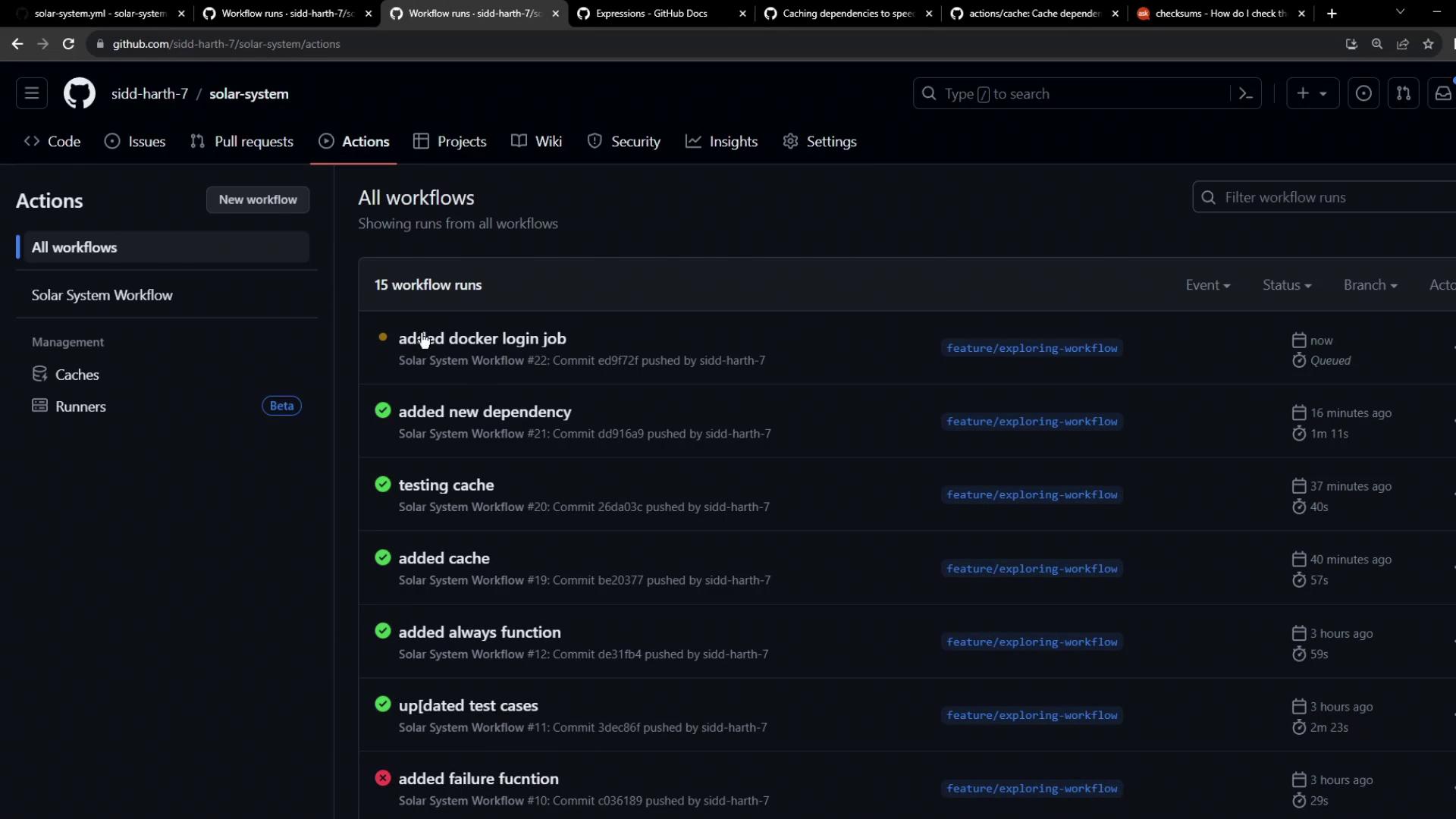
1. Navigate to the **Actions** tab in your repository.
2. Select the latest run of your workflow.
3. Confirm that:
* The `containerization` job starts only after `unit-testing` and `code-coverage`.
* The Docker Hub login step completes without printing your password.
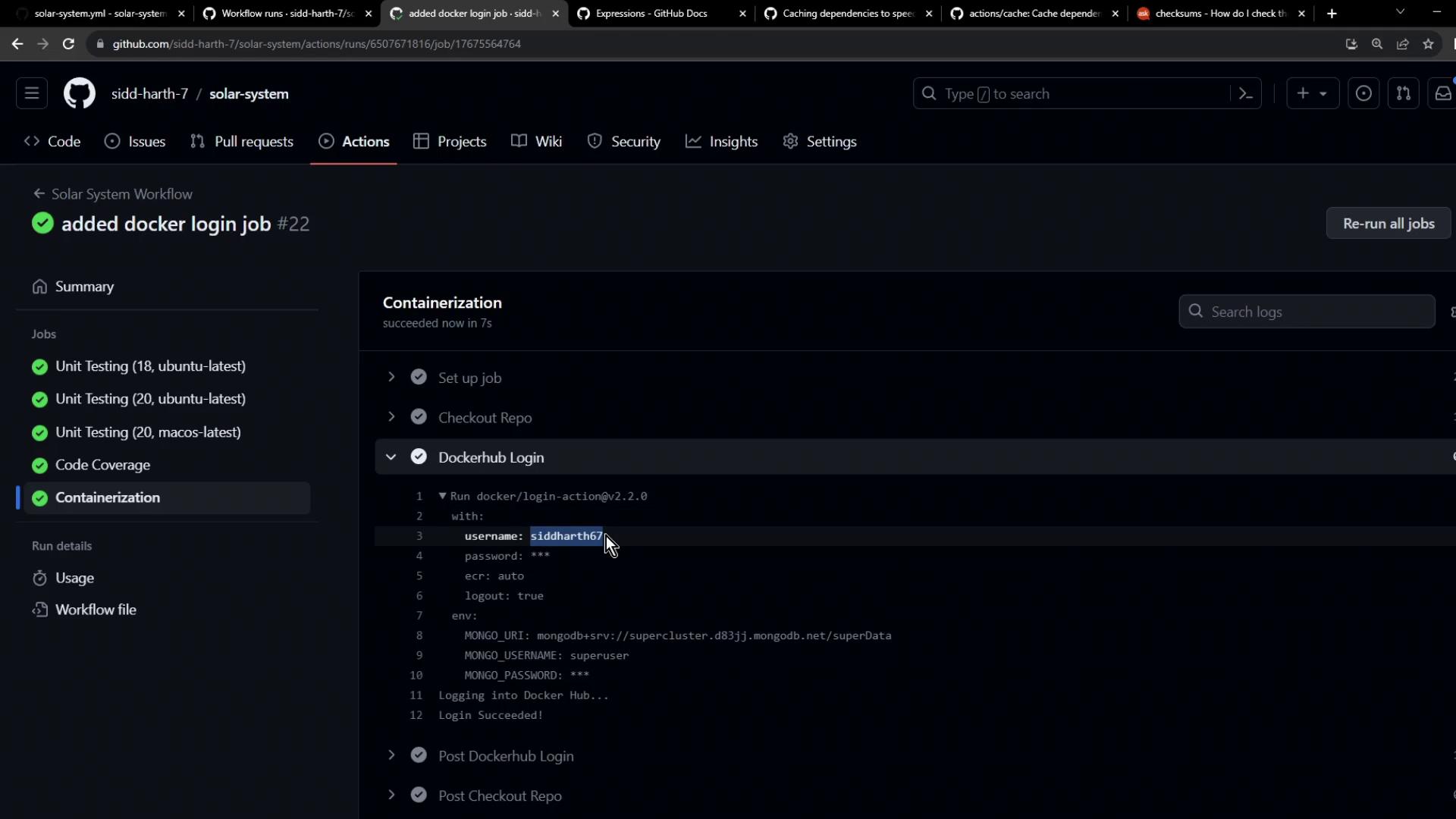
Congratulations! You have successfully set up Docker Hub login within your GitHub Actions pipeline, enabling automatic building and publishing of your container images.
***
## Links and References
* [docker/login-action](https://github.com/docker/login-action)
* [GitHub Actions Secrets and variables](https://docs.github.com/en/actions/security-guides/encrypted-secrets)
* [Docker Hub Documentation](https://docs.docker.com/docker-hub/)