> ## Documentation Index
> Fetch the complete documentation index at: https://notes.kodekloud.com/llms.txt
> Use this file to discover all available pages before exploring further.
# Workflow Login and Push to GHCR
> This article explains how to build and push Docker images to GitHub Container Registry using GitHub Actions.
Building a Docker image and pushing it to multiple registries—like Docker Hub, GitLab Container Registry, or GitHub Container Registry (GHCR)—is a common requirement for modern CI/CD pipelines. In this guide, we’ll focus on how to build and push an image to GHCR using GitHub Actions.
***
## What Is GitHub Container Registry?
GitHub Container Registry (ghcr.io) is part of [GitHub Packages](https://github.com/features/packages). It allows you to store and manage both Docker and OCI images, either publicly or privately.
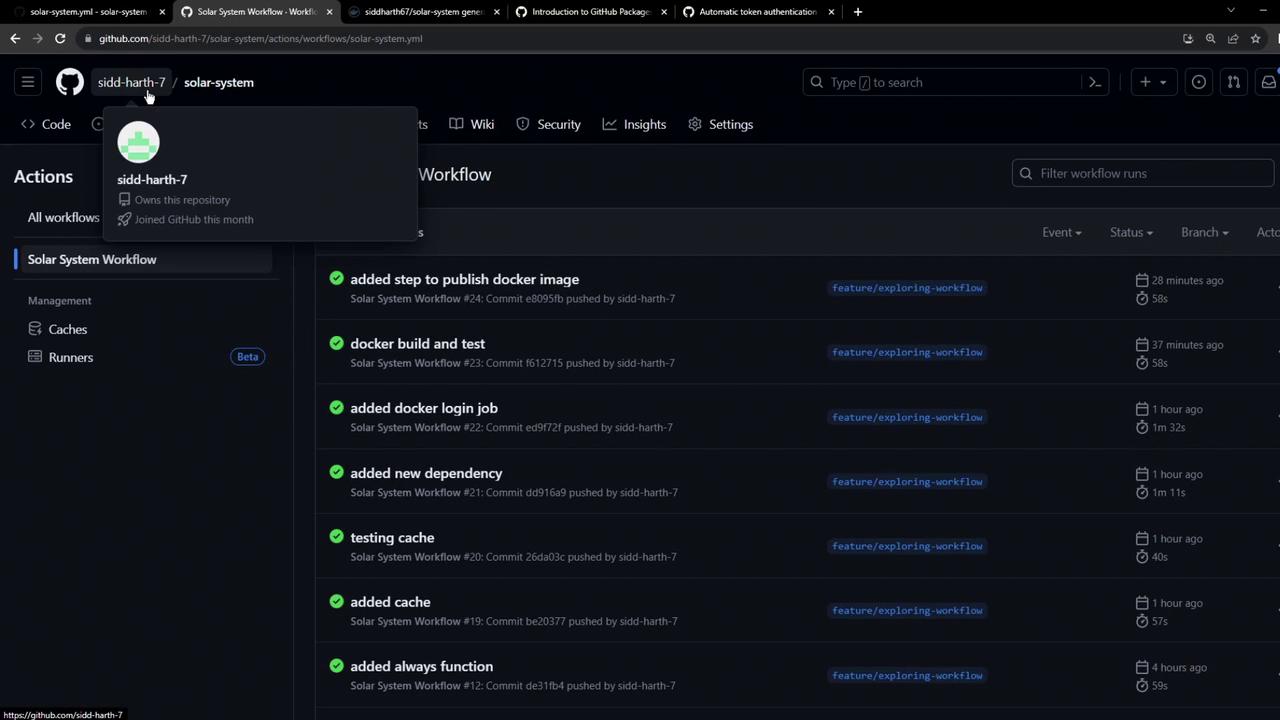
Key Features:
| Feature | Description |
| ------------- | ------------------------------------------------------------- |
| Namespace | `ghcr.io` |
| Image Formats | Docker images, OCI artifacts |
| Visibility | Public or private |
| Integration | Tight integration with GitHub Actions and GitHub Packages API |
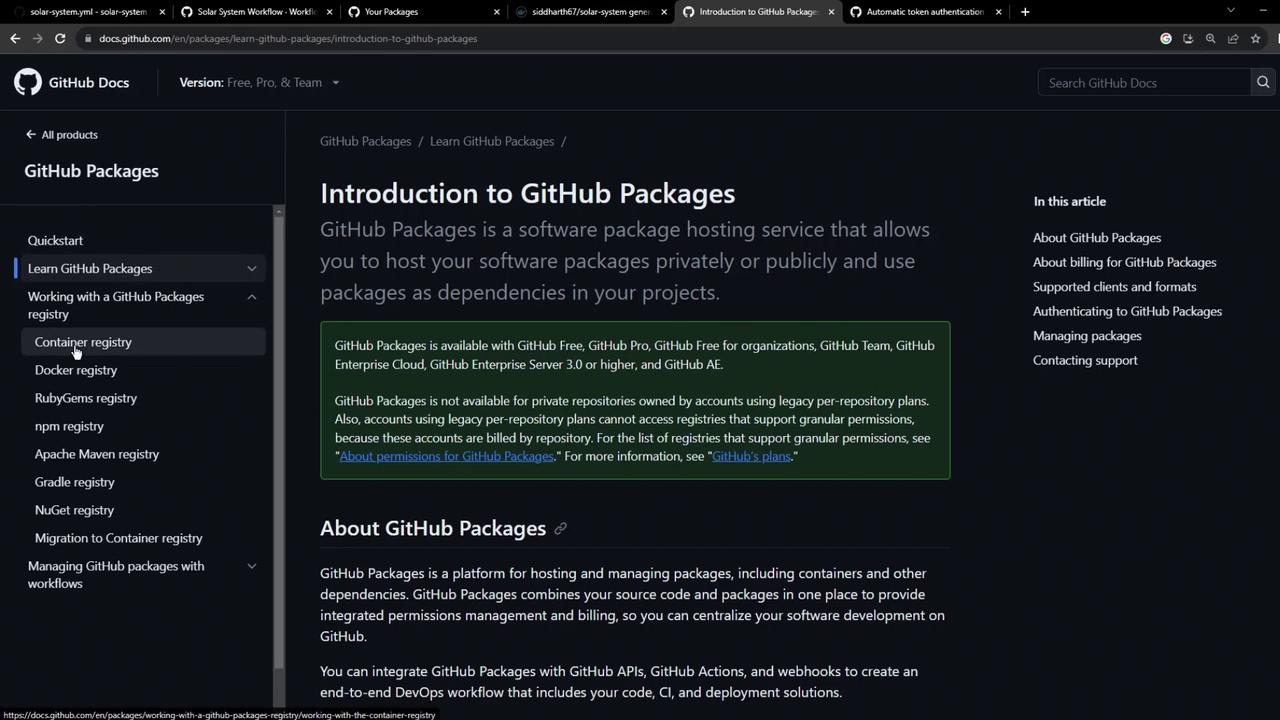
Click **Packages** → **Container registry** in your repo sidebar to explore existing images:
***
## Authenticating to GHCR
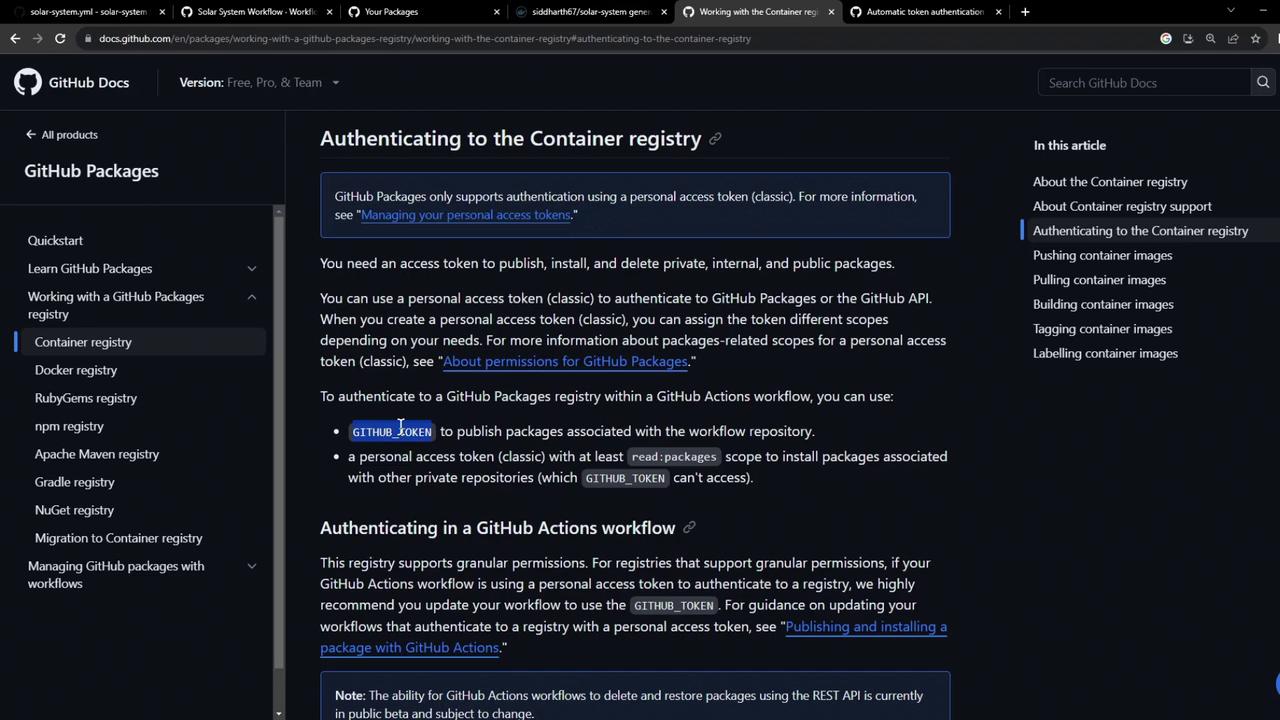
You can authenticate using:
* A GitHub Personal Access Token (PAT) scoped for `read:packages` and `write:packages`.
* The automatically generated `GITHUB_TOKEN` in Actions workflows (requires explicit `packages: write` permission).
### Using a PAT Locally
```bash theme={null}
export CR_PAT=YOUR_PERSONAL_ACCESS_TOKEN
echo "$CR_PAT" | docker login ghcr.io -u YOUR_USERNAME --password-stdin
# Login Succeeded
docker push ghcr.io/YOUR_USERNAME/IMAGE_NAME:latest
```
You can push multiple tags:
```bash theme={null}
docker push ghcr.io/YOUR_USERNAME/IMAGE_NAME:latest
docker push ghcr.io/YOUR_USERNAME/IMAGE_NAME:2.5
```
For automation, store your PAT as a GitHub Secret (e.g., `GHCR_PAT`) and reference it in workflows.
***
## Updating Your GitHub Actions Workflow
We’ll extend our CI workflow to:
1. Build the Docker image.
2. Run a quick container test.
3. Authenticate and push to Docker Hub and GHCR.
Add or update the **Containerization** job in `.github/workflows/workflow.yml`:
```yaml theme={null}
jobs:
unit-testing: ...
code-coverage: ...
docker:
name: Containerization
needs: [unit-testing, code-coverage]
runs-on: ubuntu-latest
permissions:
packages: write # Grant write access to GHCR
contents: read
steps:
- name: Checkout code
uses: actions/checkout@v4
- name: Login to Docker Hub
uses: docker/login-action@v2
with:
username: ${{ vars.DOCKERHUB_USERNAME }}
password: ${{ secrets.DOCKERHUB_PASSWORD }}
- name: Login to GHCR
uses: docker/login-action@v2
with:
registry: ghcr.io
username: ${{ github.repository_owner }}
password: ${{ secrets.GITHUB_TOKEN }}
- name: Build image for tests
uses: docker/build-push-action@v4
with:
context: .
push: false
tags: ${{ vars.DOCKERHUB_USERNAME }}/solar-system:${{ github.sha }}
- name: Test container locally
run: |
docker run --rm -d -p 3000:3000 \
-e MONGO_URI=$MONGO_URI \
-e MONGO_USERNAME=$MONGO_USERNAME \
-e MONGO_PASSWORD=$MONGO_PASSWORD \
${{ vars.DOCKERHUB_USERNAME }}/solar-system:${{ github.sha }}
sleep 5
wget -qO- http://localhost:3000/live | grep "live"
- name: Push to Docker Hub & GHCR
uses: docker/build-push-action@v4
with:
context: .
push: true
tags: |
${{ vars.DOCKERHUB_USERNAME }}/solar-system:${{ github.sha }}
ghcr.io/${{ github.repository_owner }}/solar-system:${{ github.sha }}
```
### Workflow in Action
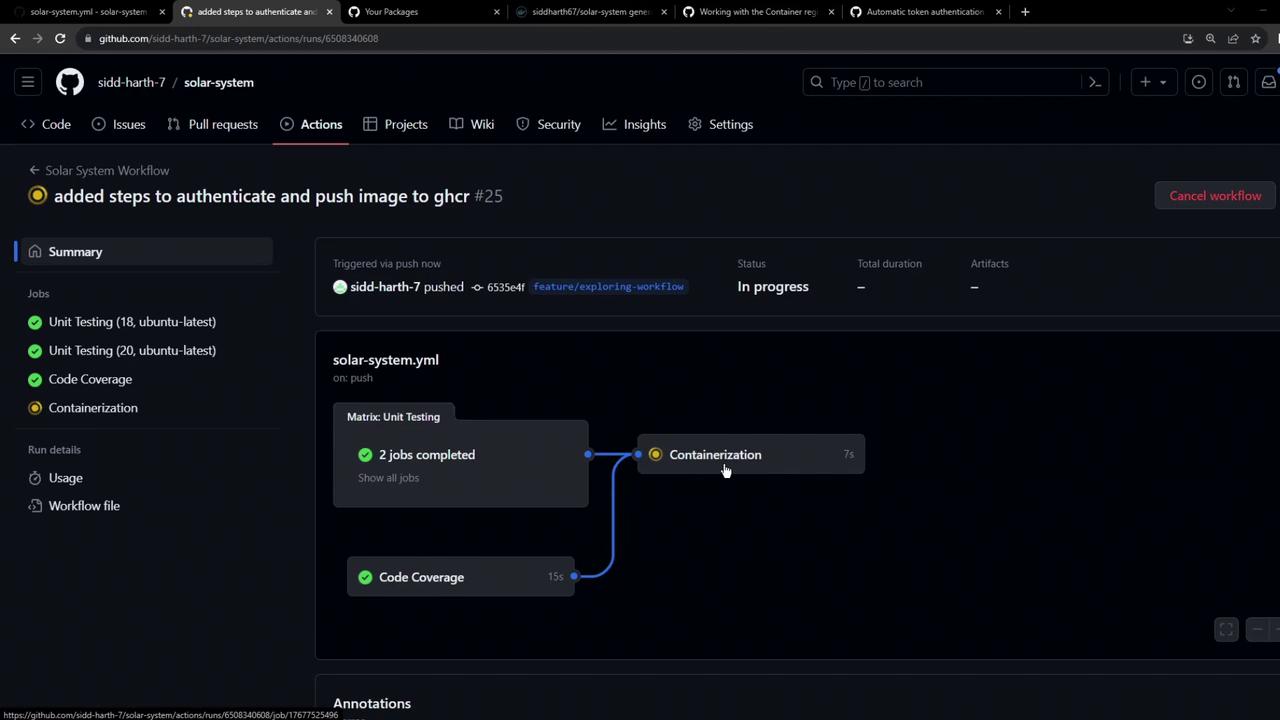
When the workflow triggers, you’ll see Unit Testing and Code Coverage complete before Containerization runs:
***
## Troubleshooting: Permissions Error
If you omit `permissions: packages: write`, the push to GHCR will fail:
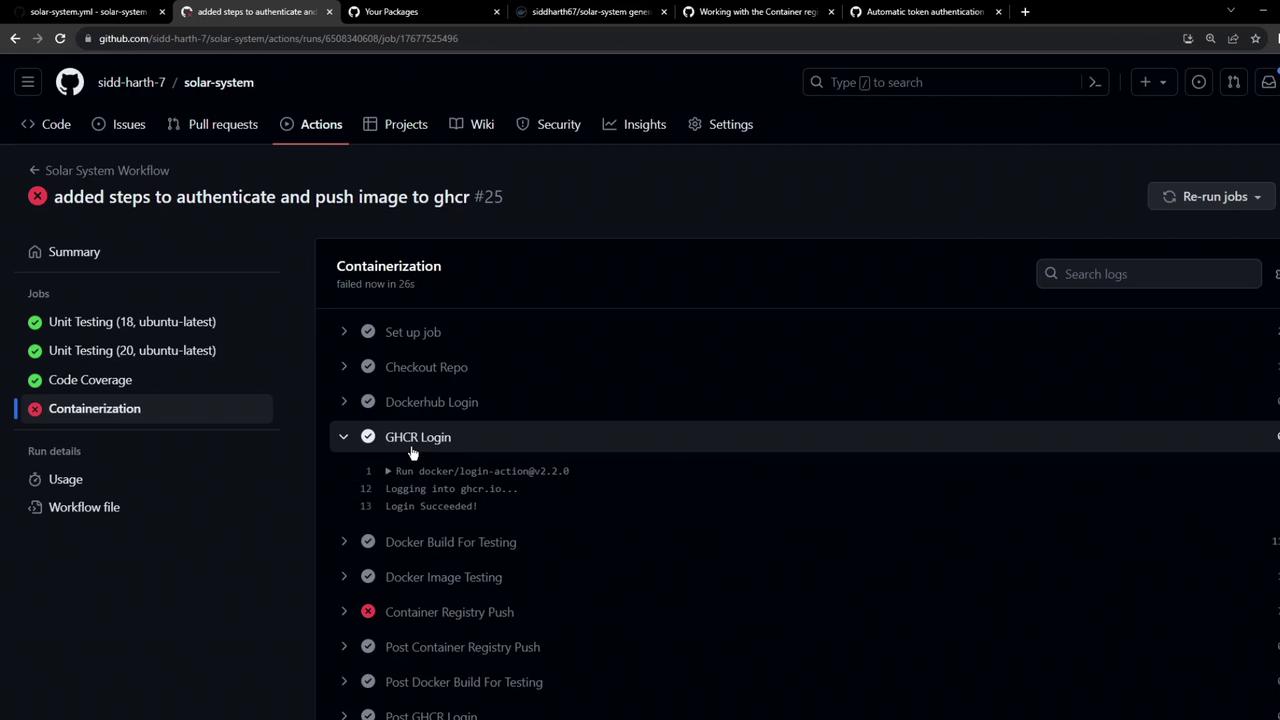
Error message:
```plaintext theme={null}
#12 ERROR: denied: installation not allowed to Create organization package
```
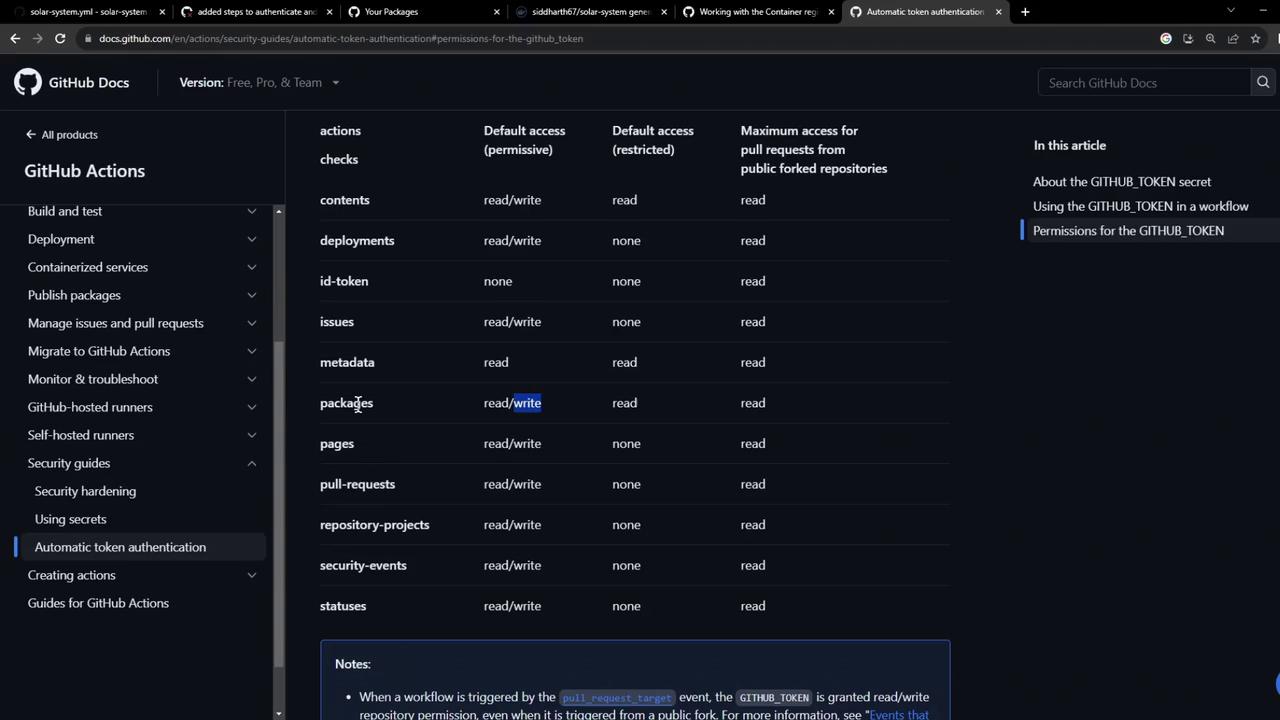
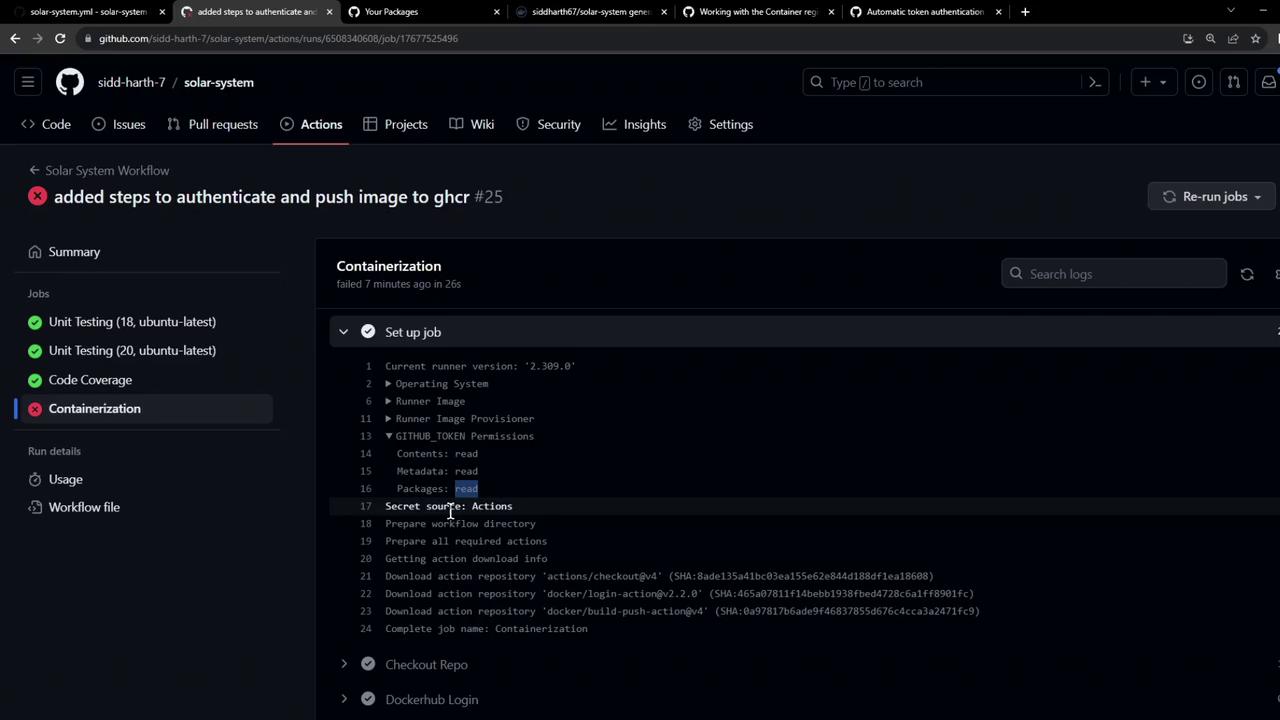
By default, `GITHUB_TOKEN` only has **read** access to packages. You must explicitly set write permissions.
Refer to GitHub’s token permissions documentation:
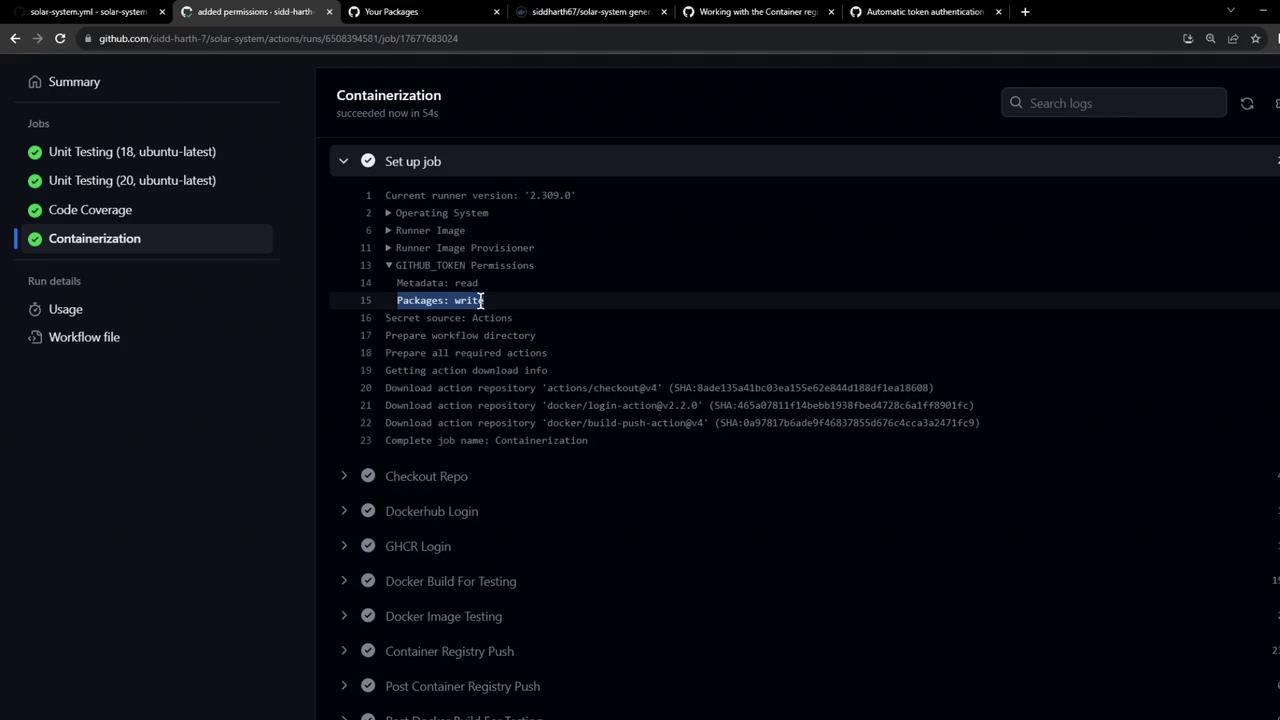
After updating the workflow, pushes succeed:
***
### Verifying the Failure Case
In earlier runs (without write access), you can inspect the setup logs for clues:
***
## Using Your Published Image
Once the workflow finishes:
1. Navigate to **Packages** → **Container registry** in your repository.
2. You’ll see your Docker image listed under GHCR.
Pull your published image:
```bash theme={null}
docker pull ghcr.io/${{ github.repository_owner }}/solar-system:${{ github.sha }}
```
Use it as a base image in another `Dockerfile`:
```dockerfile theme={null}
FROM ghcr.io/${{ github.repository_owner }}/solar-system:${{ github.sha }}
```
Congratulations! You’ve successfully built, tested, and pushed Docker images to both Docker Hub and GitHub Container Registry in a single GitHub Actions workflow.