> ## Documentation Index
> Fetch the complete documentation index at: https://notes.kodekloud.com/llms.txt
> Use this file to discover all available pages before exploring further.

# Sharing Custom Actions

> This article explains how to publish a JavaScript action to the GitHub Marketplace, covering necessary steps and requirements.

In this article, we’ll publish our JavaScript action to the [GitHub Marketplace](https://github.com/marketplace). You’ll complete each required step: accepting terms, enabling two-factor authentication (2FA), updating the action metadata, and finally releasing your action.

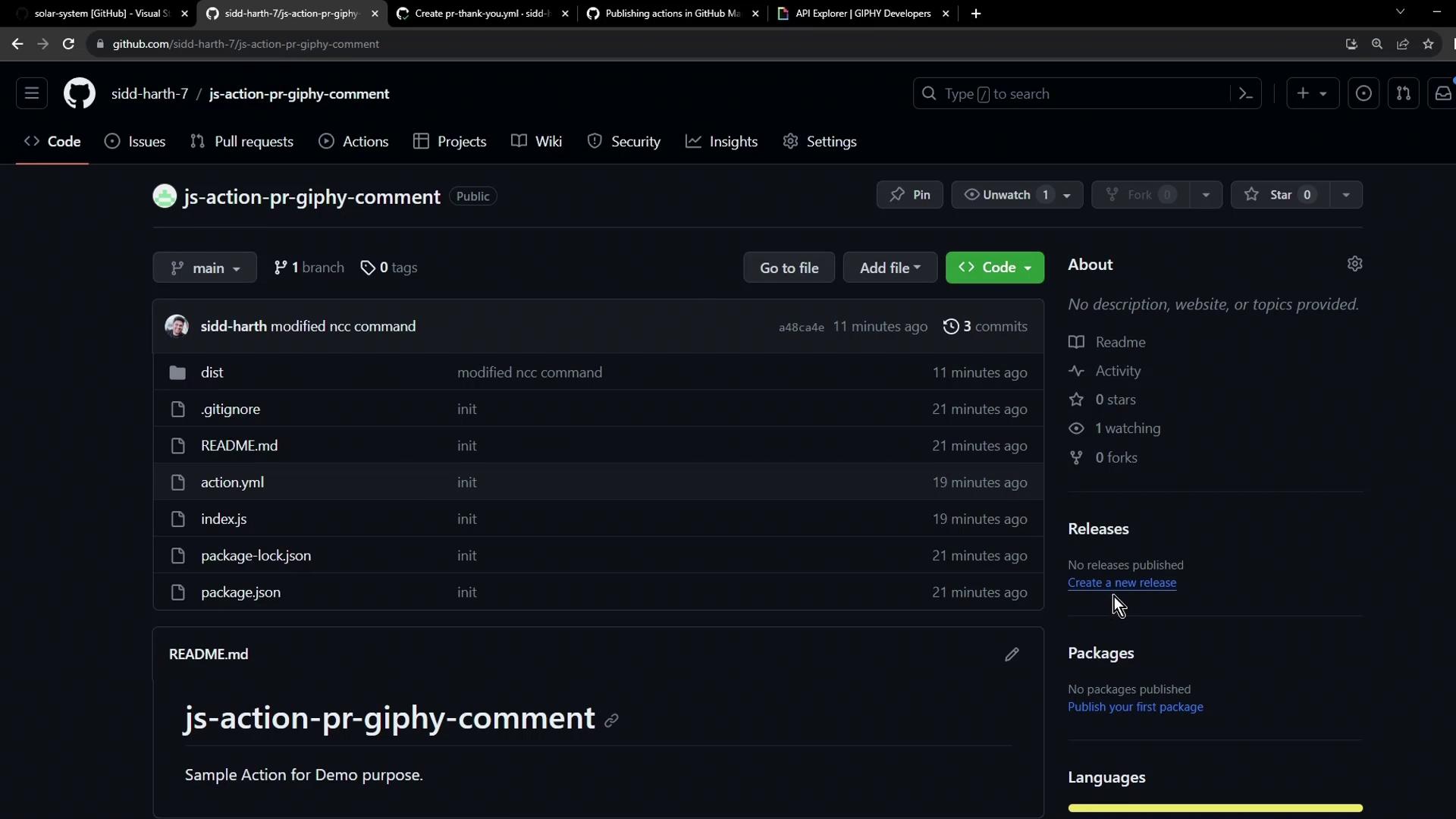
First, open your repository to confirm the action you plan to share. Here’s our public **js-action-pr-giphy-comment** repository with no releases yet:
<Frame>
  ![The image shows a GitHub repository page titled "js-action-pr-giphy-comment," displaying files like .gitignore, README.md, and index.js. The repository is public with no stars or forks.](https://kodekloud.com/kk-media/image/upload/v1752876056/notes-assets/images/GitHub-Actions-Certification-Sharing-Custom-Actions/github-repo-js-action-giphy-comment.jpg)
</Frame>

***

## Step 1: Start a New Release

1. Navigate to the **Releases** tab and click **Create a new release**.
2. Scroll down to review and accept the Marketplace terms.

<Callout icon="lightbulb" color="#1CB2FE">
  Publishing to the GitHub Marketplace requires two-factor authentication (2FA). If prompted, enable 2FA in your [GitHub account settings](https://docs.github.com/en/authentication/securing-your-account-with-two-factor-authentication-2fa/configuring-two-factor-authentication) and refresh the page.
</Callout>

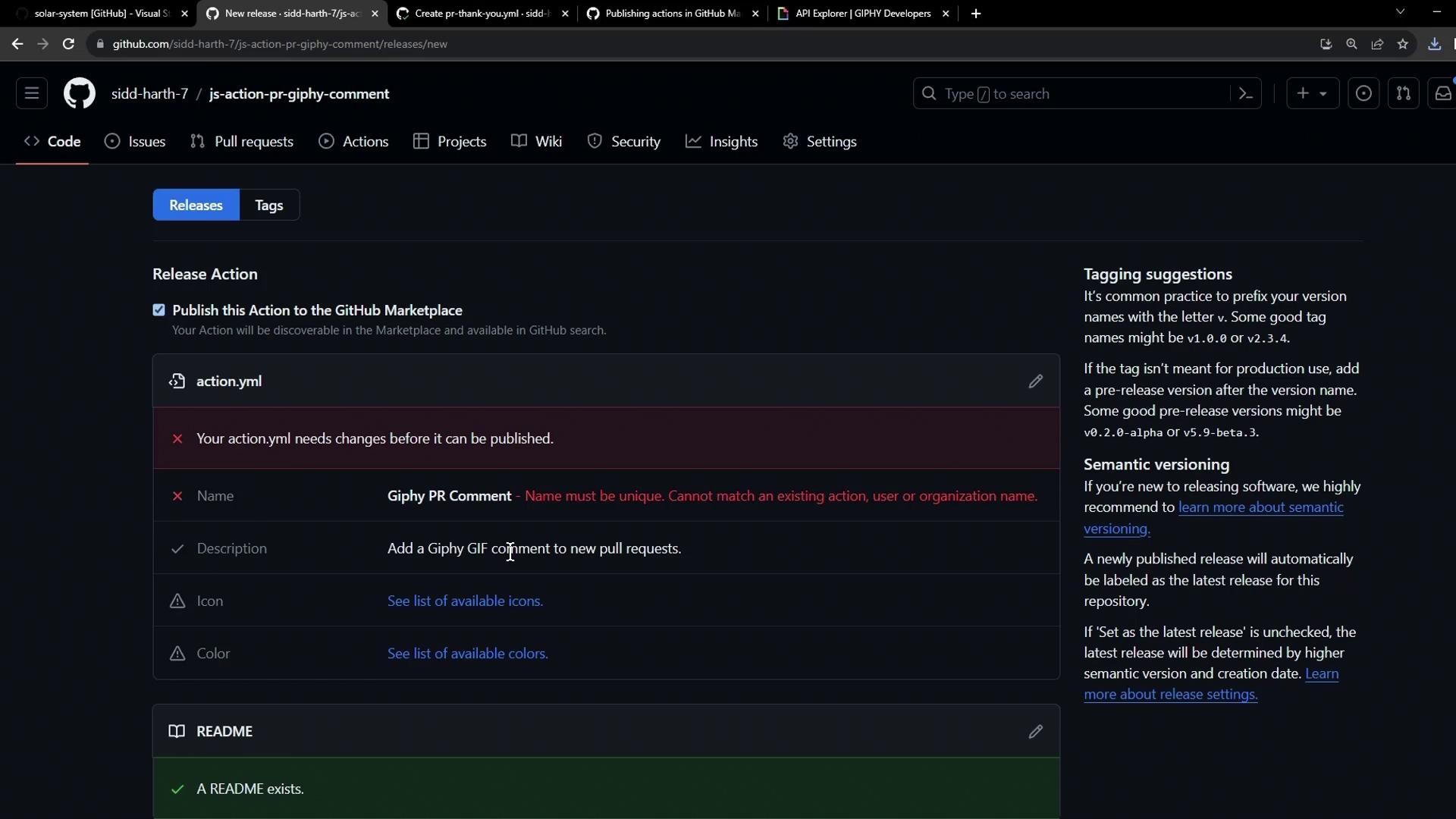
3. GitHub will check that your action’s `name` is unique. If it’s already taken, you’ll see an alert:
<Frame>
  ![The image shows a GitHub interface for creating a new release of a project, with a warning that the action.yml file needs changes because the name must be unique. There are also tagging suggestions and semantic versioning information on the right.](https://kodekloud.com/kk-media/image/upload/v1752876057/notes-assets/images/GitHub-Actions-Certification-Sharing-Custom-Actions/github-new-release-warning-action-yml.jpg)
</Frame>

***

## Step 2: Update Your Metadata (`action.yml`)

Edit your `action.yml` (or `action.yaml`) to ensure you have a unique `name` and include all required fields:

```yaml theme={null}
name: 'KodeKloud Giphy PR Comment'
description: 'Automatically add a Giphy GIF comment to new pull requests.'

inputs:
  github-token:
    description: 'GitHub token with repo access'
    required: true
  giphy-api-key:
    description: 'Your Giphy API key'
    required: true

runs:
  using: 'node20'
  main: 'dist/index.js'

branding:
  icon: 'award'
  color: 'green'
```

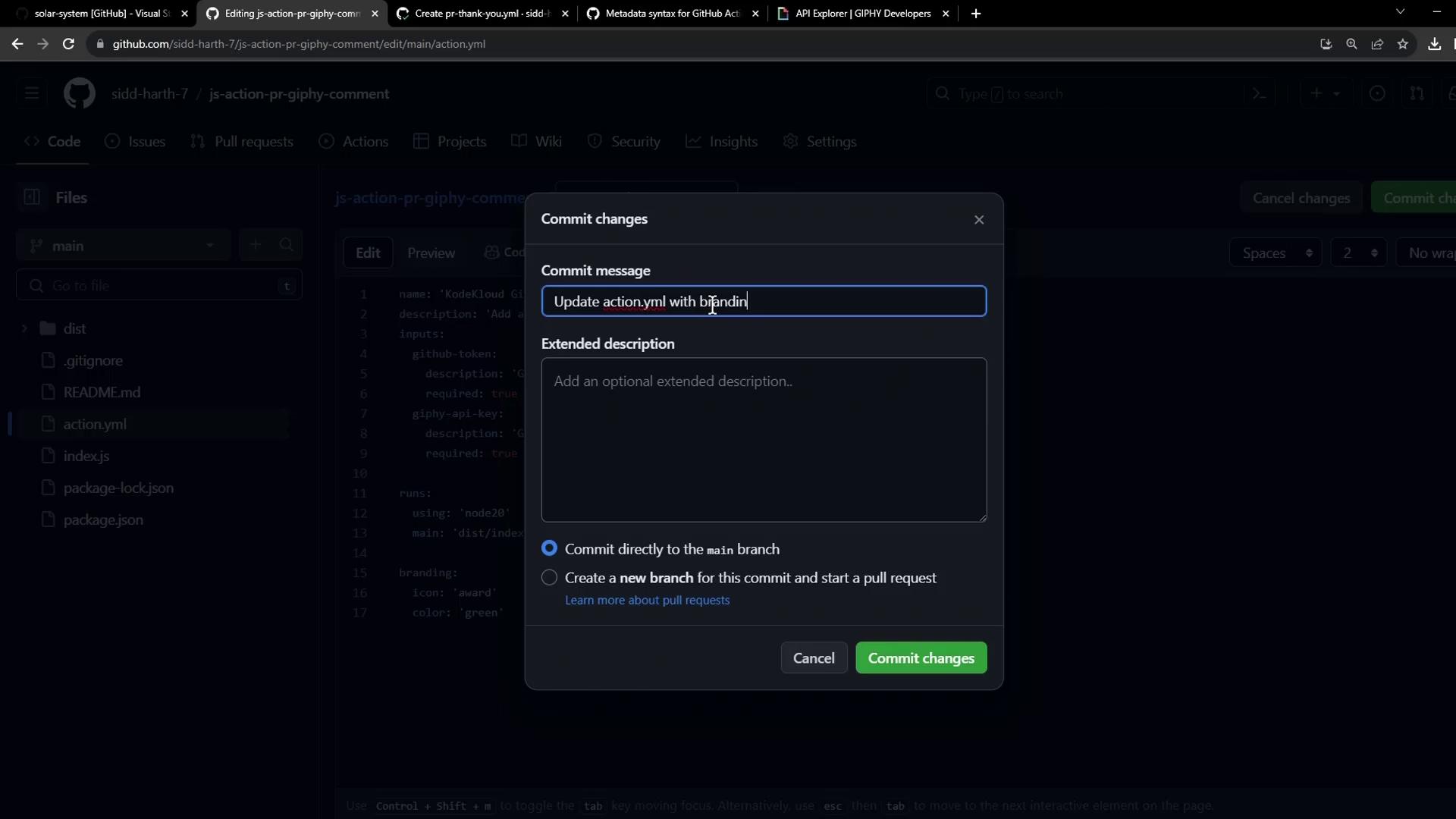
Now commit and push your changes:

```bash theme={null}
git add action.yml
git commit -m "chore: update action metadata and branding"
git push origin main
```
<Frame>
  ![The image shows a GitHub interface with a "Commit changes" dialog open, where a user is entering a commit message for updating the "action.yml" file.](https://kodekloud.com/kk-media/image/upload/v1752876058/notes-assets/images/GitHub-Actions-Certification-Sharing-Custom-Actions/github-commit-changes-dialog-action-yml.jpg)
</Frame>

***

## Step 3: Finalize and Publish the Release

Retry creating the release:

1. Click **Create a new release** again.
2. Accept the Marketplace terms.
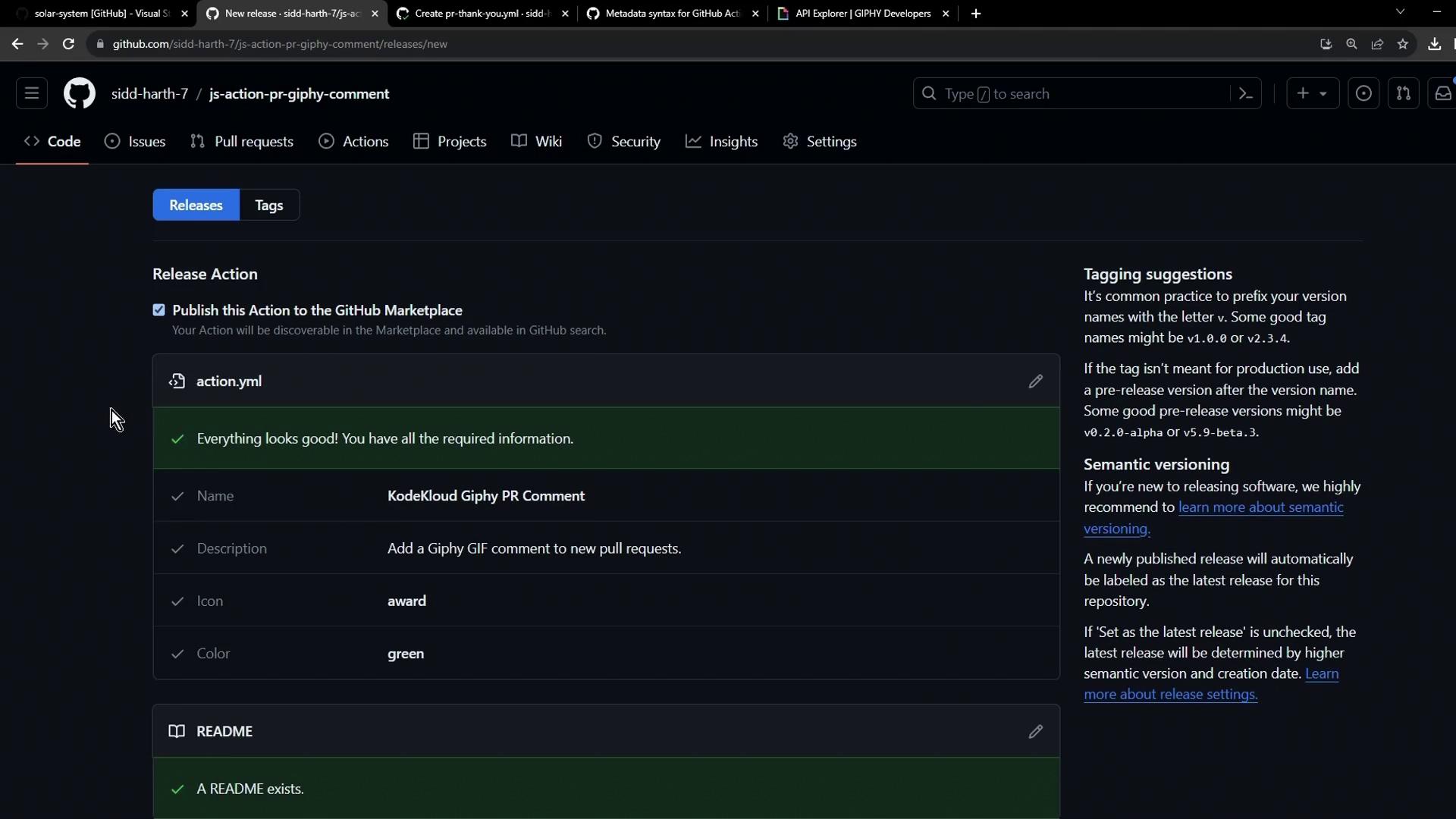
3. Confirm all checklist items turn green before proceeding.
<Frame>
  ![The image shows a GitHub interface for releasing an action to the GitHub Marketplace, with details about the action named "KodeKloud Giphy PR Comment." It includes a checklist confirming all required information is present and provides tagging and semantic versioning suggestions.](https://kodekloud.com/kk-media/image/upload/v1752876059/notes-assets/images/GitHub-Actions-Certification-Sharing-Custom-Actions/github-action-kodekloud-giphy-release.jpg)
</Frame>

Fill in the release details:

| Field         | Example                                      |
| ------------- | -------------------------------------------- |
| Tag version   | `v1.0.0-alpha`                               |
| Target branch | `main`                                       |
| Release title | `Alpha Release`                              |
| Release notes | `This is a demo action for PR GIF comments.` |
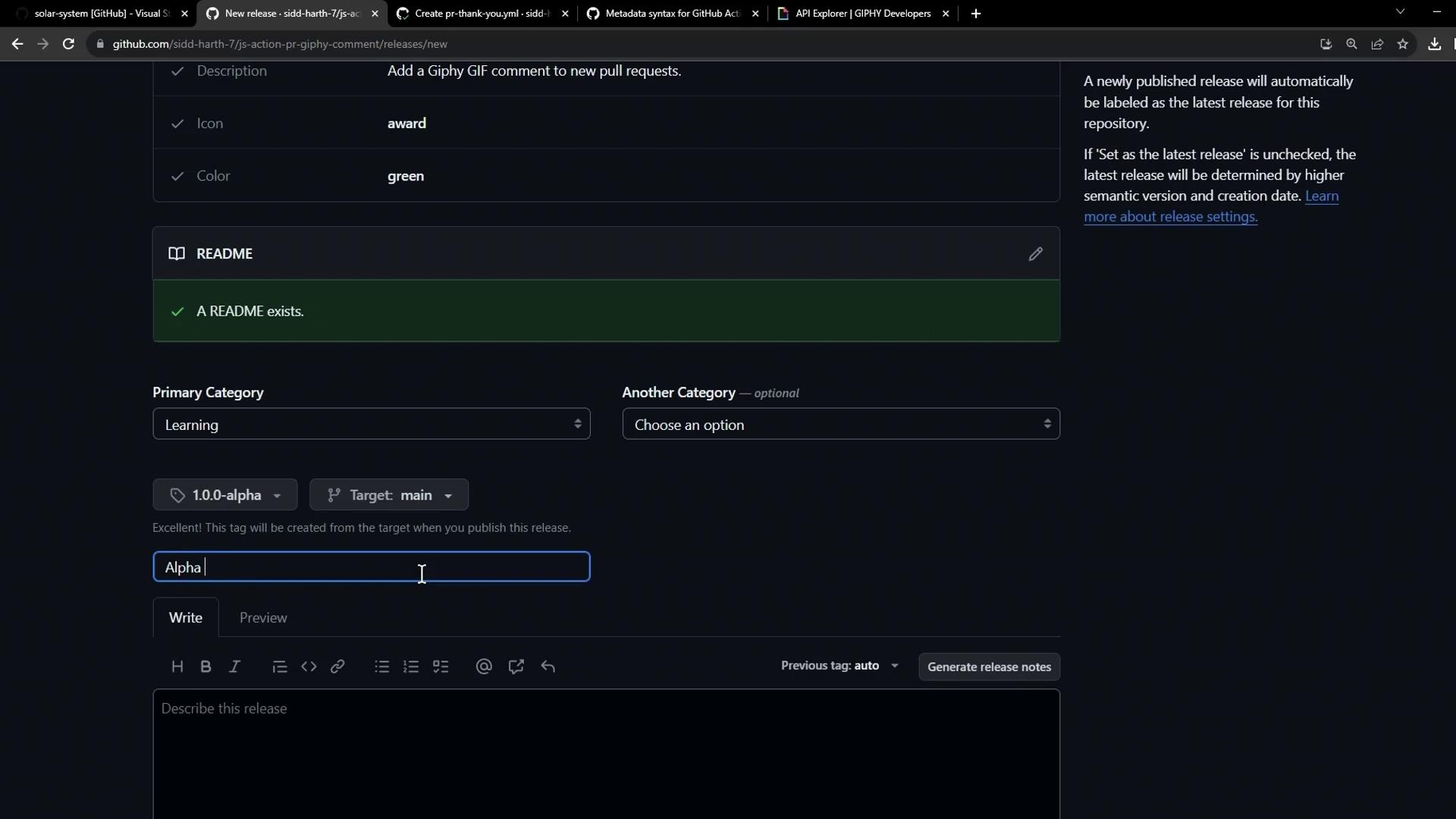
<Frame>
  ![The image shows a GitHub release creation page with fields for description, icon, color, and categories, along with a section for writing release notes.](https://kodekloud.com/kk-media/image/upload/v1752876060/notes-assets/images/GitHub-Actions-Certification-Sharing-Custom-Actions/github-release-creation-page.jpg)
</Frame>

Publish your release. Once complete, you’ll see download options and your new Marketplace URL.
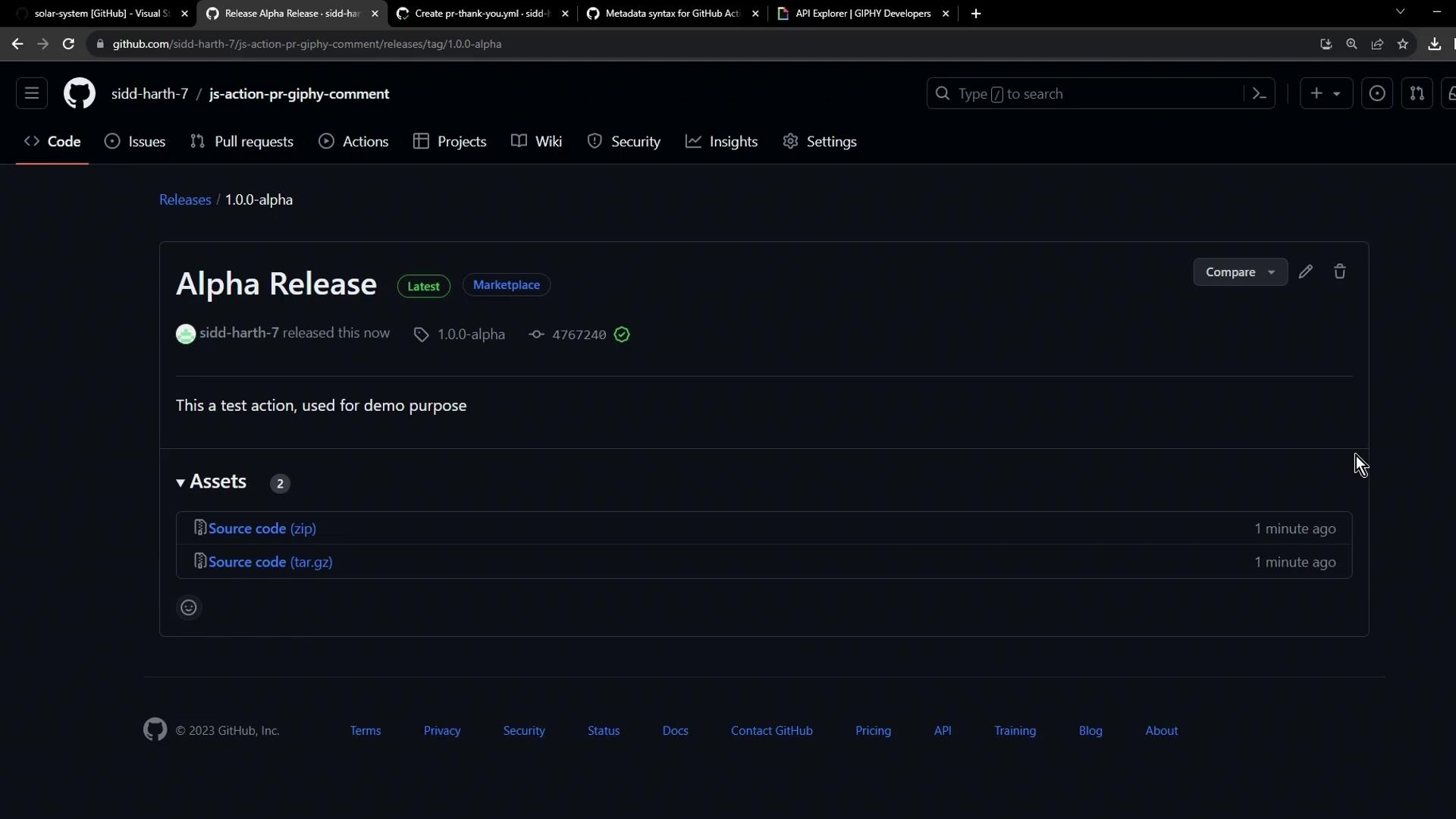
<Frame>
  ![The image shows a GitHub release page for an "Alpha Release" of a project, with options to download the source code in zip and tar.gz formats. It mentions that this is a test action used for demo purposes.](https://kodekloud.com/kk-media/image/upload/v1752876062/notes-assets/images/GitHub-Actions-Certification-Sharing-Custom-Actions/github-alpha-release-demo-downloads.jpg)
</Frame>

***

## Step 4: Verify in the Marketplace

Visit the Marketplace URL to ensure your action is live and discoverable:
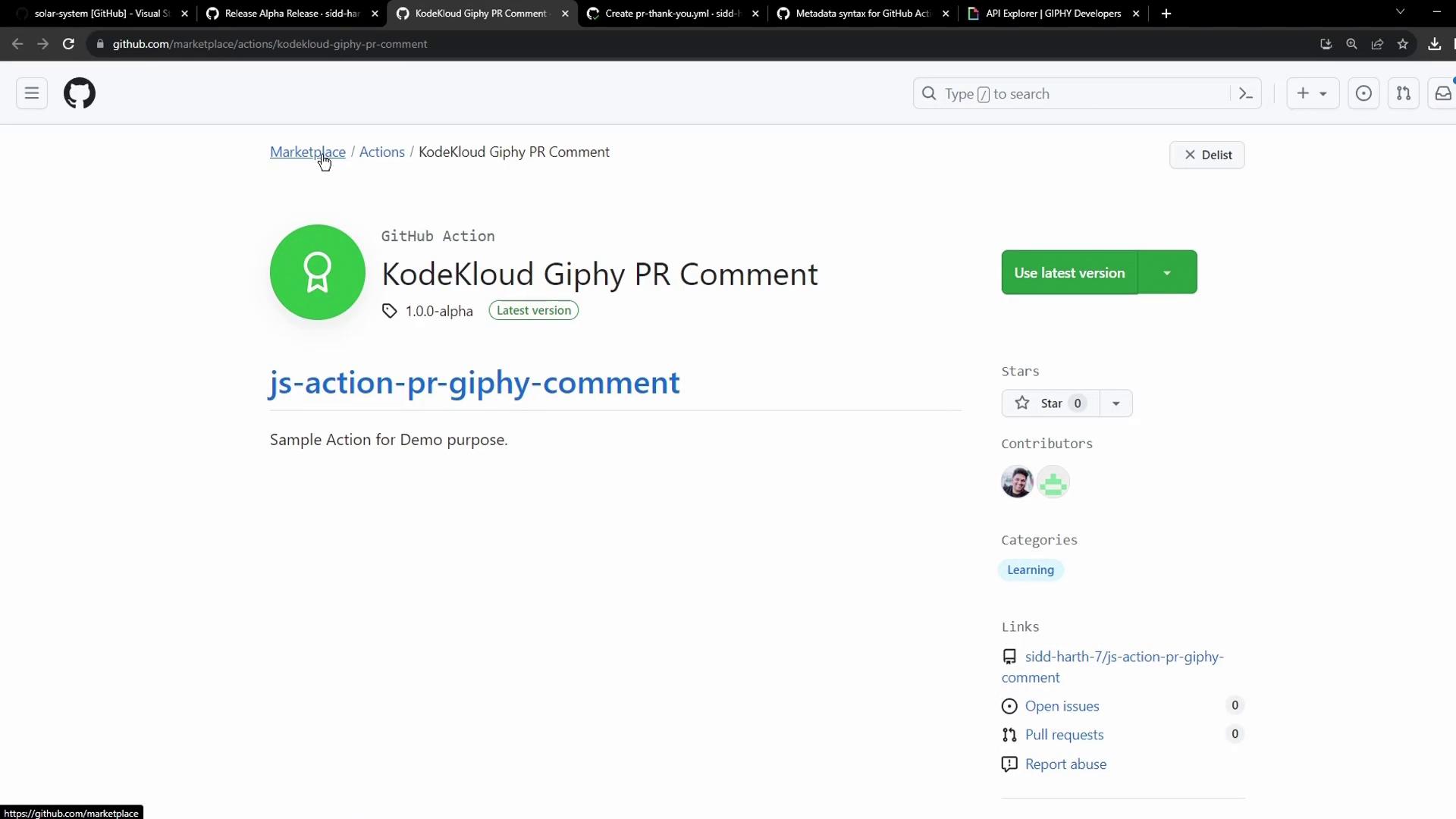
<Frame>
  ![The image shows a GitHub Marketplace page for a GitHub Action called "KodeKloud Giphy PR Comment," which is a sample action for demo purposes. It includes details like the version, a link to use the latest version, and contributor information.](https://kodekloud.com/kk-media/image/upload/v1752876063/notes-assets/images/GitHub-Actions-Certification-Sharing-Custom-Actions/github-marketplace-kodekloud-giphy-action.jpg)
</Frame>

<Callout icon="lightbulb" color="#1CB2FE">
  Enhance your `README.md` with detailed usage examples and workflow snippets. Then, consumers can use your action like this:

  ```yaml theme={null}
  steps:
    - uses: kodekloud/js-action-pr-giphy-comment@v1.0.0-alpha
      with:
        github-token: \${{ secrets.GITHUB_TOKEN }}
        giphy-api-key: \${{ secrets.GIPHY_API_KEY }}
  ```
</Callout>

That’s it! Your JavaScript GitHub Action is now published on the Marketplace and ready for users worldwide.

***

## Links and References

* [GitHub Actions Documentation](https://docs.github.com/actions)
* [Publishing Marketplace Actions](https://docs.github.com/marketplace)
* [GitHub Marketplace](https://github.com/marketplace)

<CardGroup>
  <Card title="Watch Video" icon="video" cta="Learn more" href="https://learn.kodekloud.com/user/courses/github-actions-certification/module/428391ee-45d0-4e9c-9e06-78d0c5ff7657/lesson/41d044b9-6838-49fb-90c4-d1eca2866fc4" />
</CardGroup>
