> ## Documentation Index
> Fetch the complete documentation index at: https://notes.kodekloud.com/llms.txt
> Use this file to discover all available pages before exploring further.
# Troubleshooting JavaScript Actions using Workflow Commands
> Learn to debug custom JavaScript GitHub Actions using workflow commands and the @actions/core toolkit for effective logging and error handling.
Learn how to debug custom JavaScript GitHub Actions step by step. We’ll use workflow commands and the `@actions/core` toolkit to inspect annotations, logs, summaries, and properly handle failures. By the end, you’ll be able to:
* Read inputs and set outputs
* Log at different levels (info, notice, warning, error)
* Mask secrets and export environment variables
* Generate job summaries
* Fail actions with descriptive exit codes
## Table of Contents
1. [Importing and Cloning the Repository](#1-importing-and-cloning-the-repository)
2. [Reviewing action.yaml](#2-reviewing-actionyaml)
3. [Examining package.json](#3-examining-packagejson)
4. [Business Logic in index.js](#4-business-logic-in-indexjs)
5. [Building the Action](#5-building-the-action)
6. [Testing with a Workflow](#6-testing-with-a-workflow)
7. [Enabling Actions and Running the Workflow](#7-enabling-actions-and-running-the-workflow)\
7.1 [Viewing Annotations](#71-viewing-annotations)\
7.2 [Inspecting Logs](#72-inspecting-logs)
8. [Error Scenario: Invalid Phone Number](#8-error-scenario-invalid-phone-number)
9. [Setting Failure Exit Codes](#9-setting-failure-exit-codes)
10. [Conclusion](#10-conclusion)
11. [Links & References](#11-links--references)
***
## 1. Importing and Cloning the Repository
First, import the sample project into your GitHub account. Choose **TroubleshootingJS-Actions**, set visibility to Public, and click **Import**.
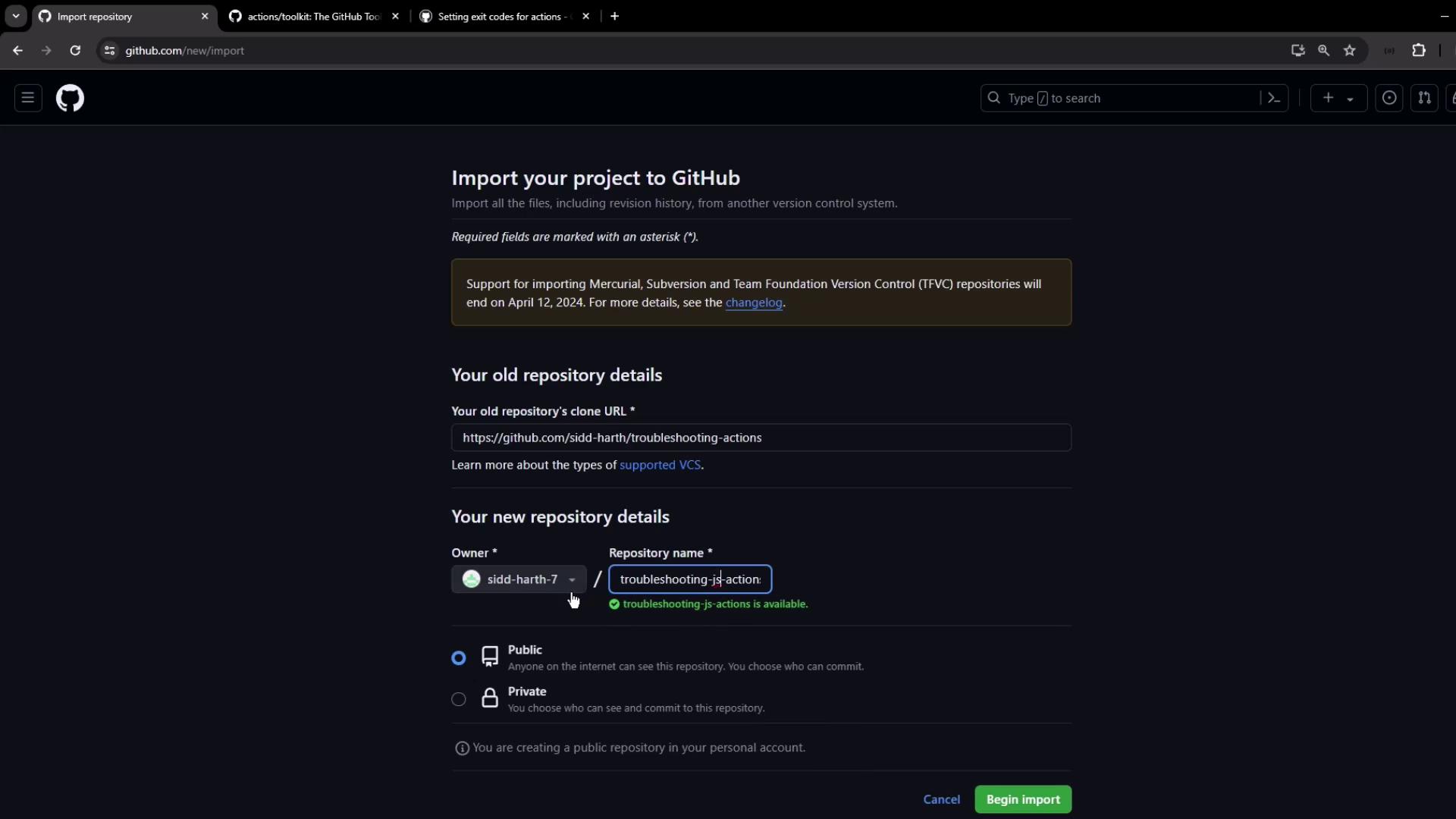
Then clone it locally:
```bash theme={null}
git clone https://github.com/your-org/TroubleshootingJS-Actions.git
cd TroubleshootingJS-Actions
```
***
## 2. Reviewing action.yaml
Open **action.yaml**, the manifest that defines inputs, outputs, and runtime:
```yaml theme={null}
name: 'Demo - Troubleshooting Custom JavaScript Actions'
description: 'Use @actions/core methods for logging, secrets, and summaries'
inputs:
name:
description: 'User name'
required: true
default: 'Siddharth'
phone:
description: 'User phone number'
required: true
default: '0123456789'
country:
description: 'User country'
required: true
default: 'india'
outputs:
customized_greeting:
description: 'Greeting passed to next steps'
runs:
using: 'node20'
main: 'dist/index.js'
```
| Section | Purpose |
| ----------- | -------------------------------------------------- |
| **inputs** | Define user-provided values (name, phone, country) |
| **outputs** | Pass data to downstream steps |
| **runs** | Specify Node.js version and bundled entrypoint |
***
## 3. Examining package.json
The **package.json** file lists dependencies for your action bundle:
```json theme={null}
{
"name": "troubleshooting-custom-action",
"version": "1.0.0",
"main": "index.js",
"scripts": {
"test": "echo \"Error: no test specified\" && exit 1"
},
"dependencies": {
"@actions/core": "^1.10.0",
"@vercel/ncc": "^0.38.0"
}
}
```
* **@actions/core**: Toolkit for inputs, outputs, logging, secret masking
* **@vercel/ncc**: Bundles your JavaScript into a single file
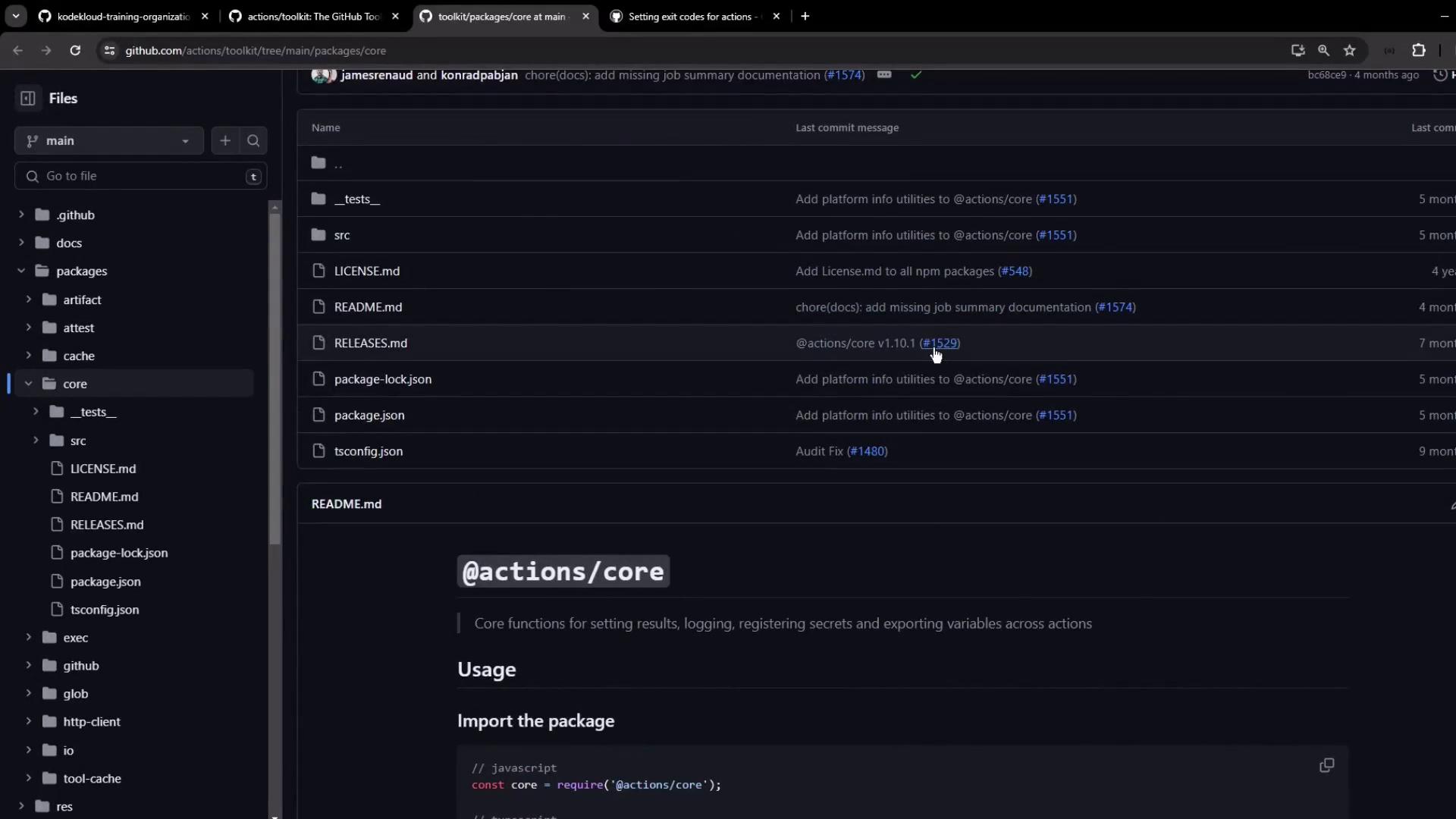
Refer to the [actions toolkit documentation](https://github.com/actions/toolkit/tree/main/packages/core) for examples such as:
```javascript theme={null}
const core = require('@actions/core');
core.getInput('name', { required: true });
core.setOutput('customized_greeting', 'Hello World');
core.exportVariable('ENV_VAR', 'value');
```
***
## 4. Business Logic in index.js
The main script reads inputs, logs messages, masks secrets, exports variables, and builds a summary:
```javascript theme={null}
const core = require('@actions/core');
try {
// 1. Read inputs
const nameInput = core.getInput('name', { required: true });
const phoneInput = core.getInput('phone', { required: true });
const country = core.getInput('country', { required: true });
// 2. Debug logging
if (core.isDebug()) {
core.info('Running in debug mode');
core.debug('Debug-level message');
}
core.info('---------- START ----------');
// 3. Prepare greeting
const greeting = `Hello ${nameInput}, your phone number is ${phoneInput}`;
// 4. Log at different levels
core.info(`Info: ${greeting}`);
core.notice(`Notice: ${greeting}`);
core.warning(`Warning: ${greeting}`);
core.error(`Error: ${greeting}`);
core.info('---------- END ------------');
// 5. Set output
core.setOutput('customized_greeting', greeting);
// 6. Validate phone and export variable
if (phoneInput.length !== 10) {
core.error(`Invalid phone number: ${phoneInput}`);
// core.setFailed('Invalid phone number provided!');
} else {
const prefix = country.toLowerCase() === 'india' ? '+91'
: country.toLowerCase() === 'canada' ? '+1' : '';
core.exportVariable('JS_ACTION_PHONE_VAR', `${prefix}${phoneInput}`);
}
// 7. Mask secret and write summary
core.setSecret(phoneInput);
core.summary
.addHeading('Action Summary')
.addCodeBlock("const core = require('@actions/core');", 'js')
.addTable([
[{ data: 'Name', header: true }, { data: 'Country', header: true }, { data: 'Phone', header: true }],
[nameInput, country, phoneInput]
])
.addQuote('Phone number has been masked')
.addLink('View Repository', 'https://github.com/sidd-harth/troubleshooting-actions')
.write();
} catch (error) {
core.setFailed(error.message);
}
```
The `core.setSecret()` method masks sensitive values in logs. Use it whenever you log or store secrets.
***
## 5. Building the Action
Install dependencies and bundle into `dist/index.js`:
```bash theme={null}
npm install
npx ncc build index.js --license licenses.txt
```
This creates `dist/index.js` with all required modules included.
***
## 6. Testing with a Workflow
Create `.github/workflows/test.yml` to trigger the action manually:
```yaml theme={null}
on:
workflow_dispatch:
inputs:
name:
description: 'User name'
required: true
default: 'Sid'
phone:
description: 'User phone'
required: true
default: '9876543210'
country:
description: 'User country'
required: true
default: 'india'
type: choice
options: [india, canada, others]
jobs:
custom-action:
runs-on: ubuntu-latest
steps:
- uses: actions/checkout@v3
- name: Run Troubleshooting Action
id: action_step
uses: ./
with:
name: ${{ inputs.name }}
phone: ${{ inputs.phone }}
country:${{ inputs.country }}
- name: Display Outputs
run: |
echo "Greeting: ${{ steps.action_step.outputs.customized_greeting }}"
echo "Phone Var: $JS_ACTION_PHONE_VAR"
```
***
## 7. Enabling Actions and Running the Workflow
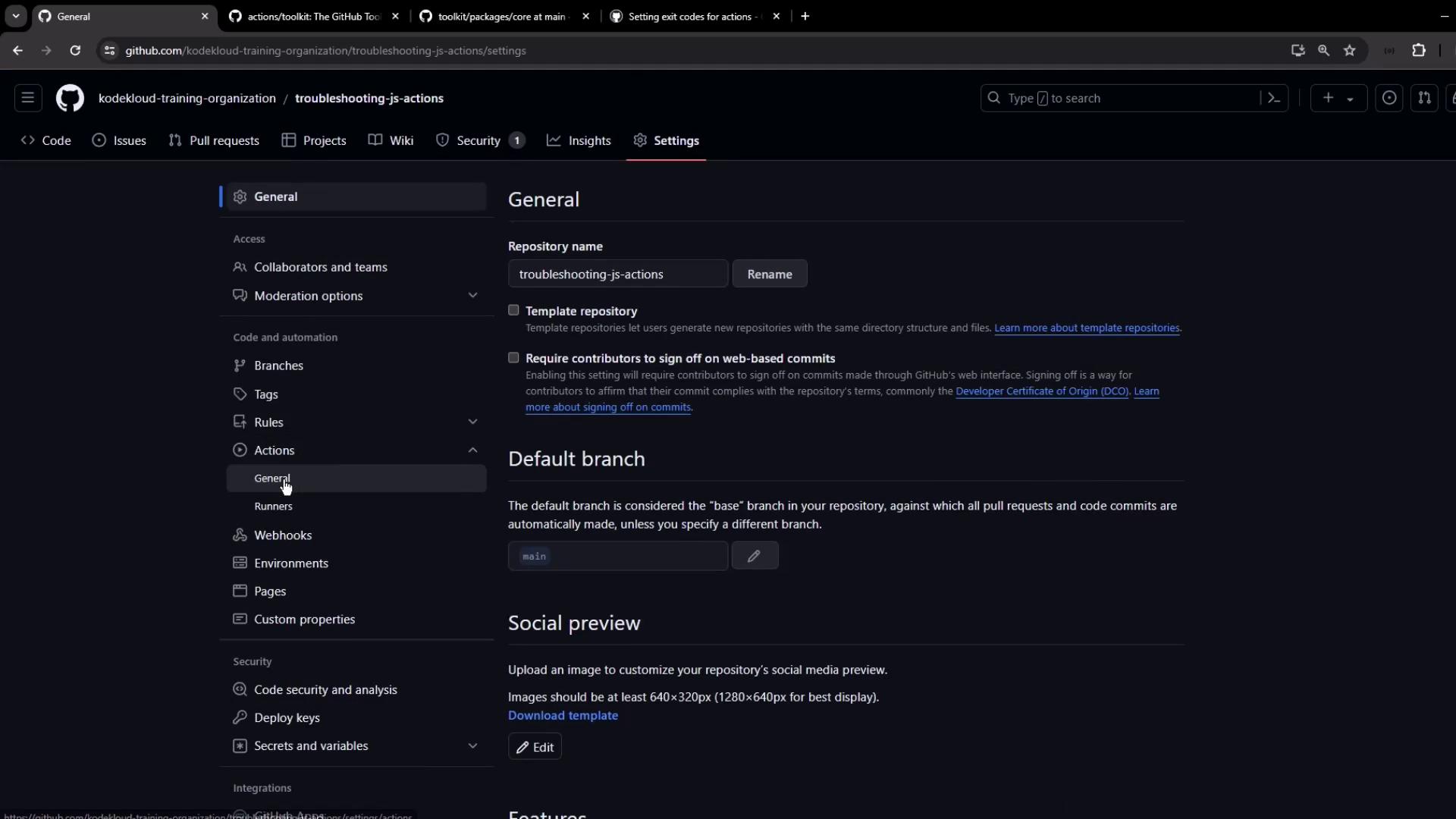
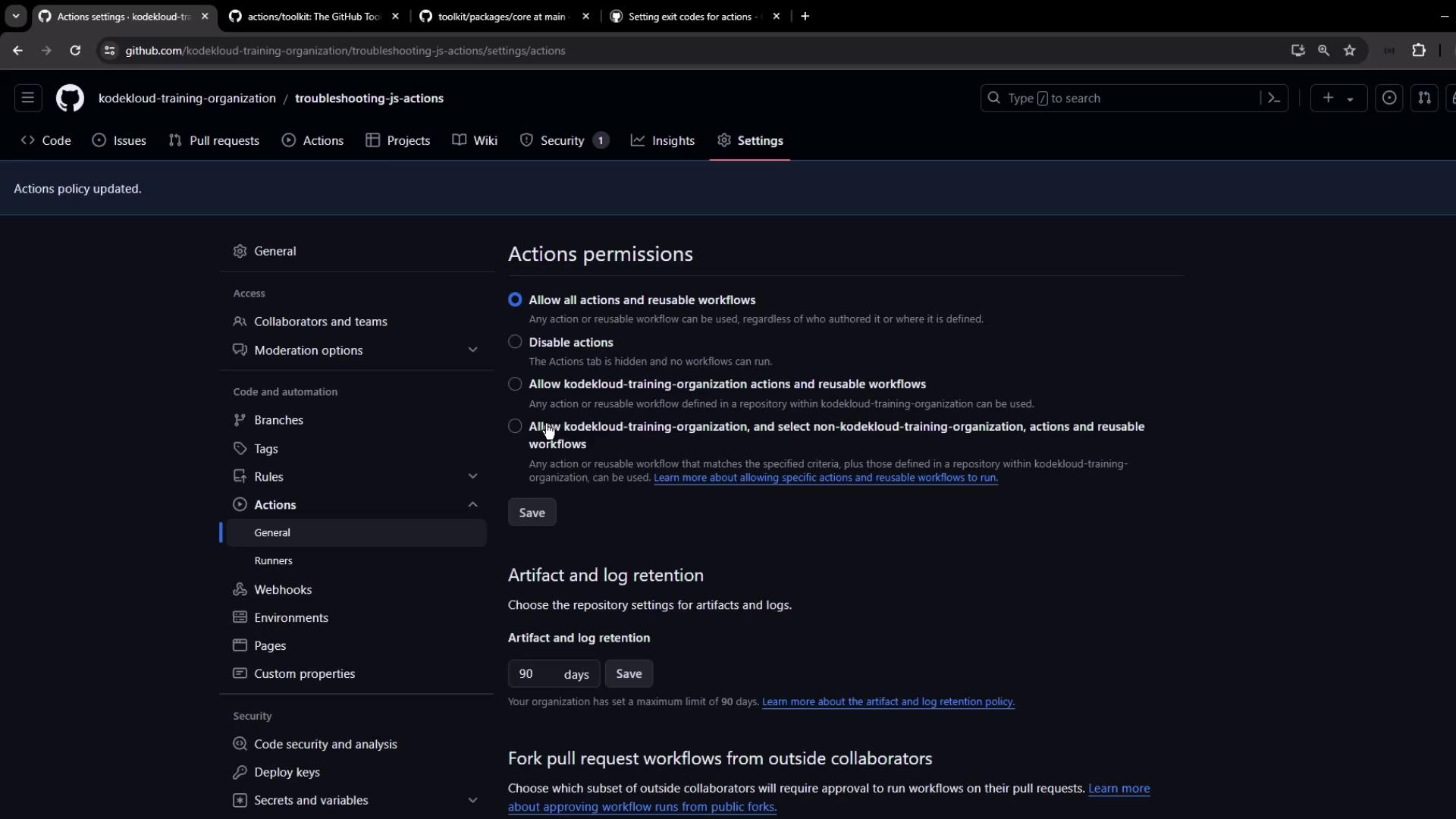
Imported repositories have Actions disabled by default. Enable them before running:
1. Go to **Settings → Actions → General**
2. Under **Actions permissions**, select **Allow all actions and reusable workflows**
`core.error()` logs an error but does **not** fail the step. To stop the job on error, use `core.setFailed()`.
Once enabled, trigger the workflow via **Actions → Run workflow** with default inputs. The job should succeed.
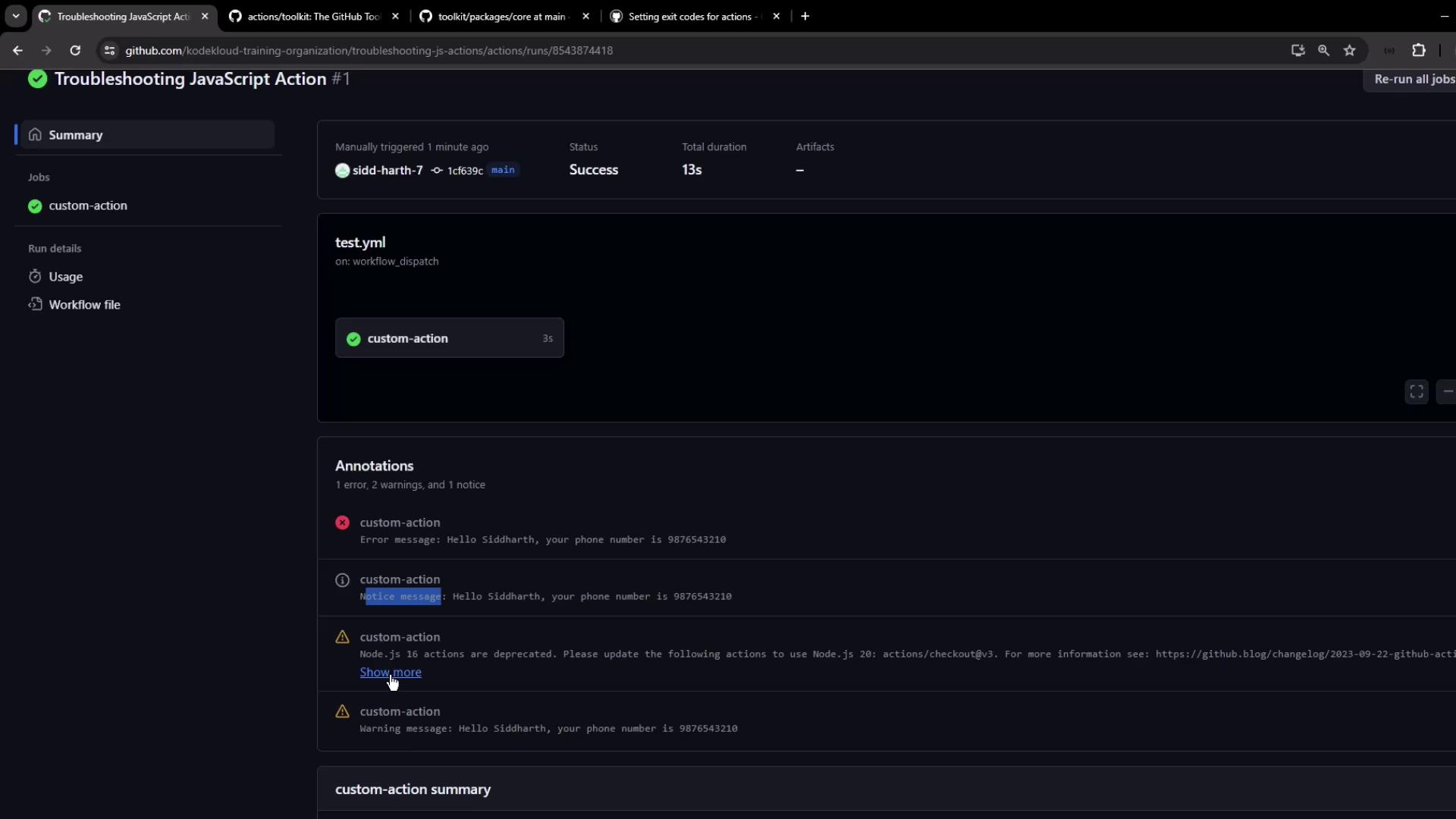
### 7.1 Viewing Annotations
GitHub UI displays annotations from different logging levels:
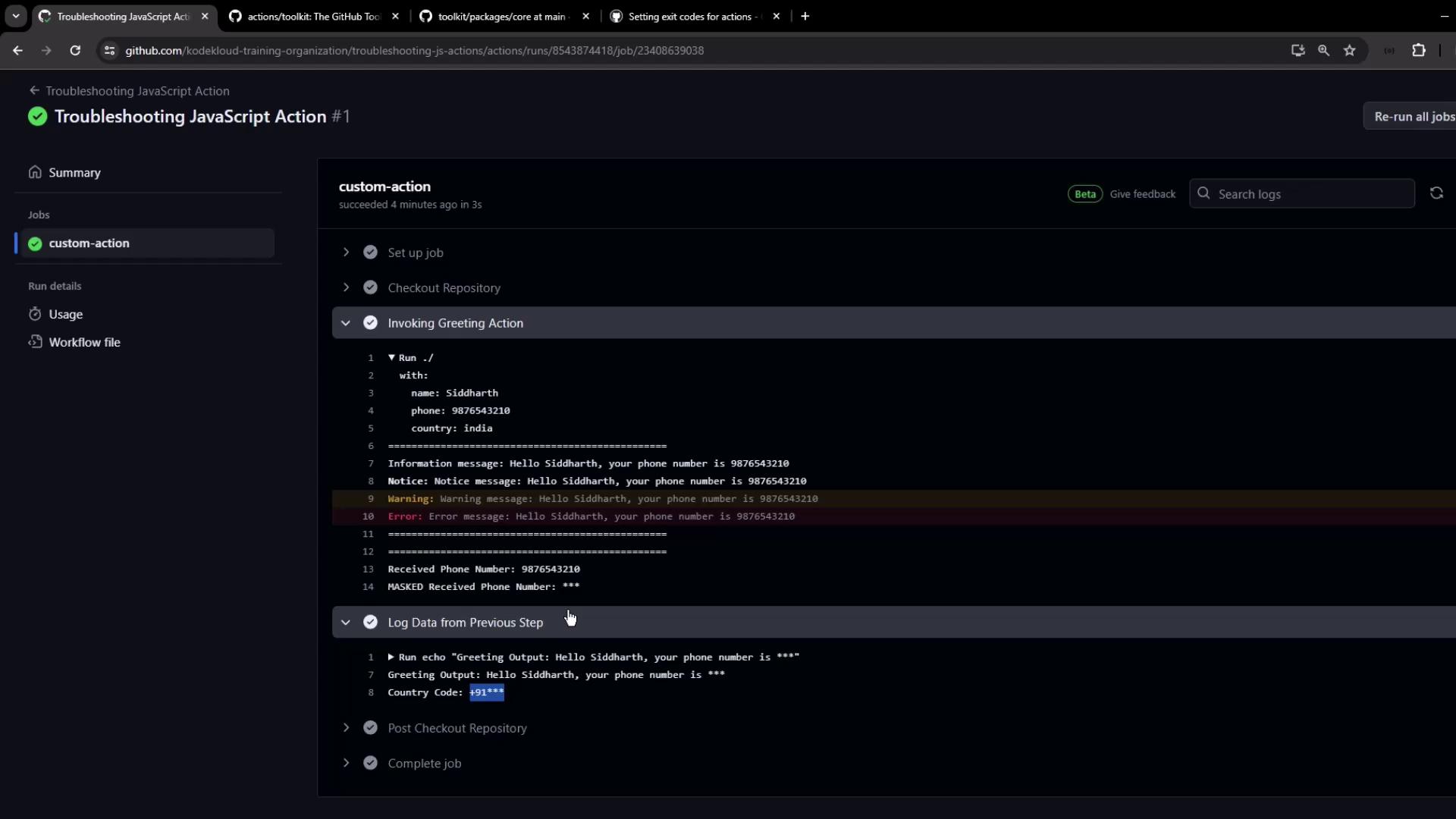
### 7.2 Inspecting Logs
Detailed logs show messages and confirm that secrets are masked:
***
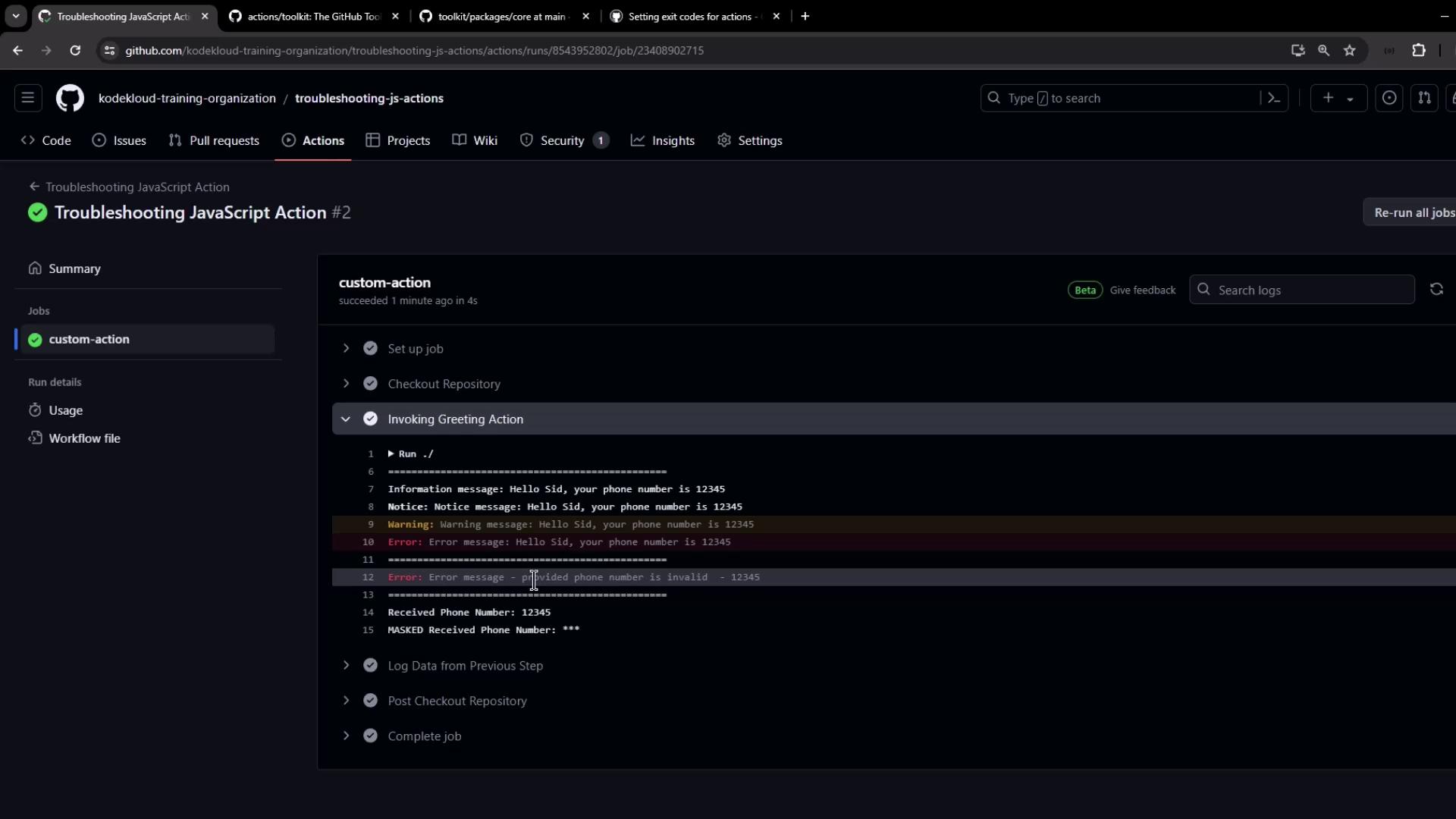
## 8. Error Scenario: Invalid Phone Number
If the phone number is shorter than 10 digits, you’ll see the logged error but the job remains green (until you opt to fail it):
***
## 9. Setting Failure Exit Codes
To mark the step as failed and stop downstream jobs, uncomment `core.setFailed()`:
```javascript theme={null}
if (phoneInput.length !== 10) {
core.error(`Invalid phone number: ${phoneInput}`);
core.setFailed('Invalid phone number provided!');
} else {
// Export logic...
}
```
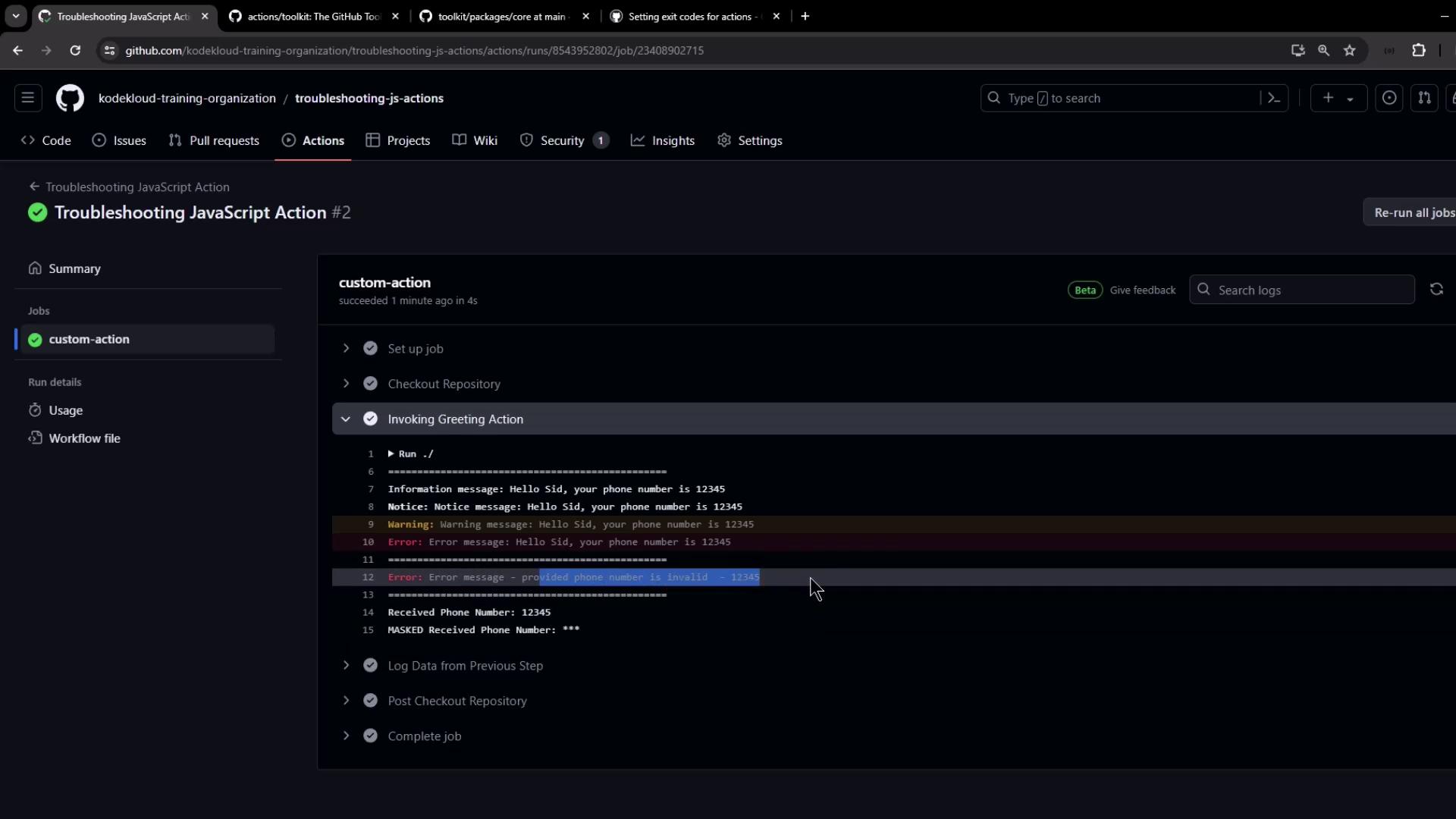
Rebuild and commit, then rerun. A short number now causes the action to fail and skip subsequent steps.
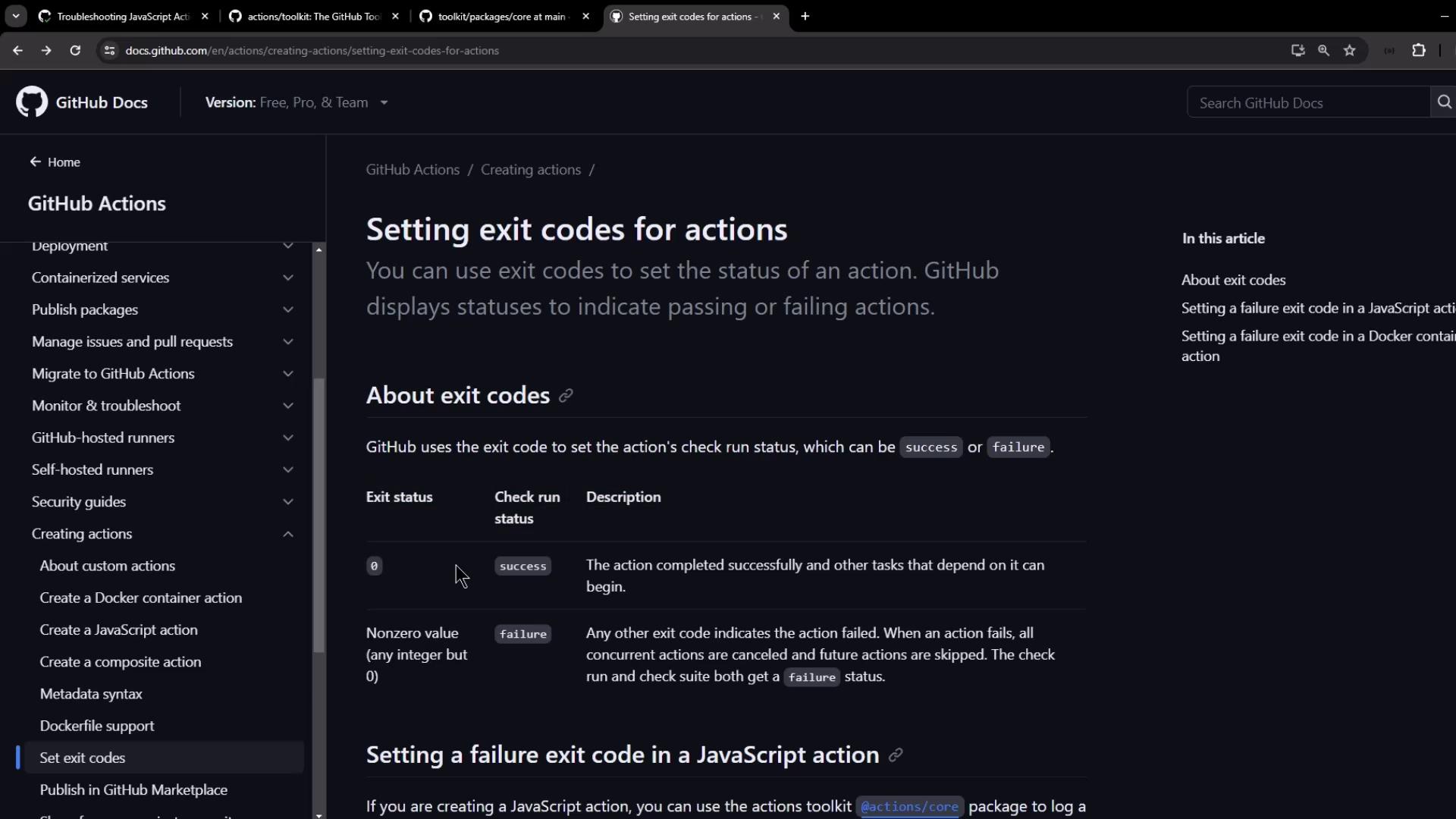
After failure is enabled, the logs will clearly indicate a non-zero exit:
***
## 10. Conclusion
You’ve covered essential patterns for debugging JavaScript Actions:
* Use `@actions/core` for inputs, outputs, logs, secrets, and summaries
* Bundle with [ncc](https://github.com/vercel/ncc) for single-file distribution
* Write workflows to validate functionality
* View annotations and logs directly in the GitHub UI
* Fail actions properly with `core.setFailed()`
Apply these techniques to create maintainable, self-documented, and debuggable GitHub Actions.
***
## 11. Links & References
* [GitHub Actions Toolkit – core](https://github.com/actions/toolkit/tree/main/packages/core)
* [GitHub Actions Exit Codes](https://docs.github.com/en/actions/using-workflows/workflow-commands-for-github-actions#exit-codes)
* [ncc Bundler by Vercel](https://github.com/vercel/ncc)
* [GitHub Workflow Syntax](https://docs.github.com/en/actions/using-workflows/workflow-syntax-for-github-actions)
* [Node.js v20](https://nodejs.org/en/about/releases/)