> ## Documentation Index
> Fetch the complete documentation index at: https://notes.kodekloud.com/llms.txt
> Use this file to discover all available pages before exploring further.
# Access workflow context information
> Learn to access and inspect contexts in GitHub Actions workflows for dynamic pipeline configuration and conditional logic.
In this guide, you’ll learn how to access and inspect contexts in a GitHub Actions workflow. Contexts are predefined objects containing data about the workflow run, environment, events, secrets, jobs, steps, and more. Use them to drive conditional logic or dynamically configure your pipeline.
## What Are Contexts?
A **context** is a JSON object with properties you can reference in your workflow using `${{ }}` syntax. Common contexts include:
| Context | Description | Example Property |
| ------- | ----------------------------------- | ------------------------- |
| github | Repository, run, and event details | `github.sha` |
| job | Job-level metadata | `job.status` |
| steps | Output and status of previous steps | `steps.step_id.outcome` |
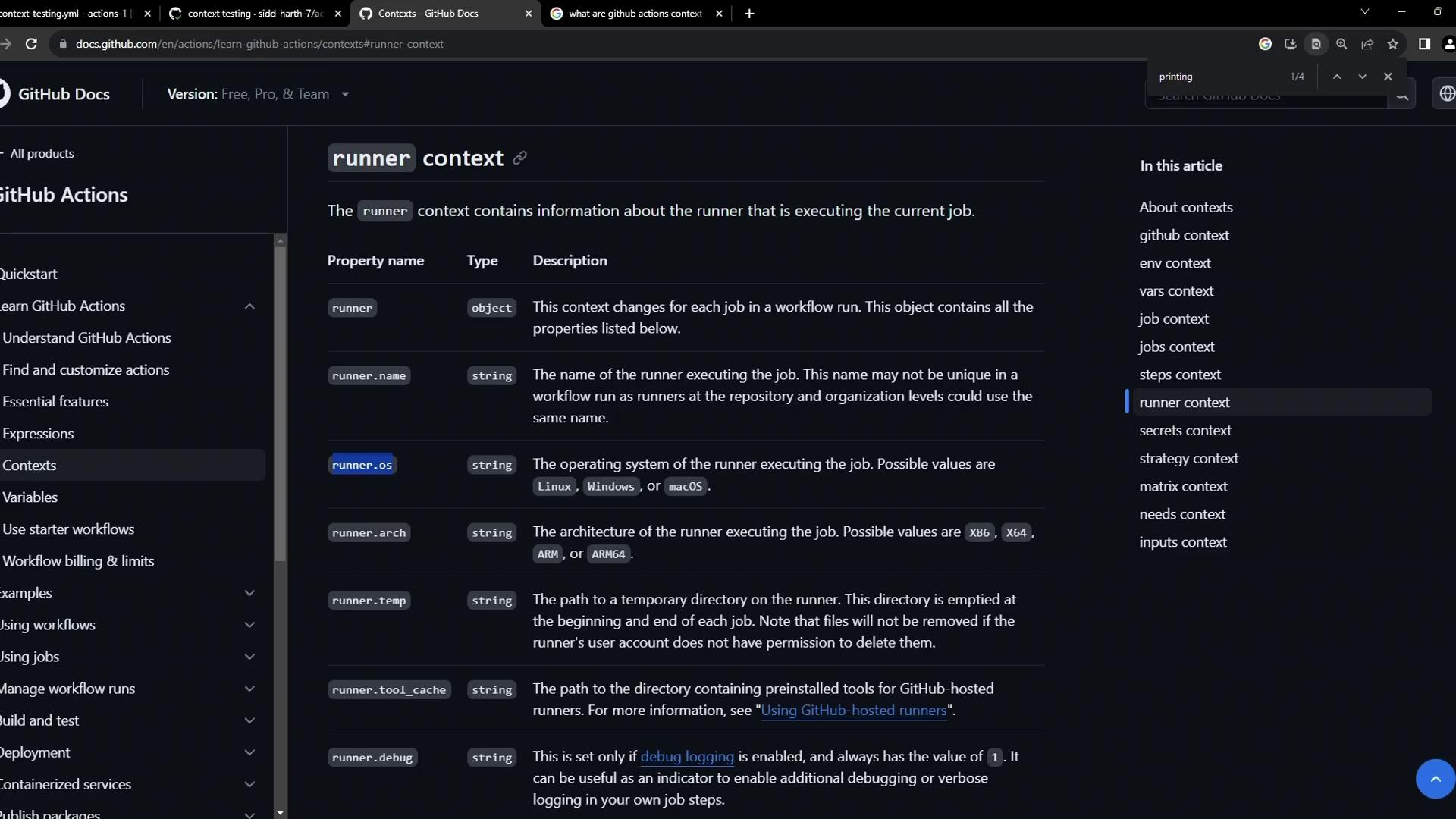
| runner | Runner environment information | `runner.os` |
| secrets | Encrypted secrets available to jobs | `secrets.DOCKER_PASSWORD` |
To view every context object in your workflow logs, serialize it to JSON with the `toJson()` function.
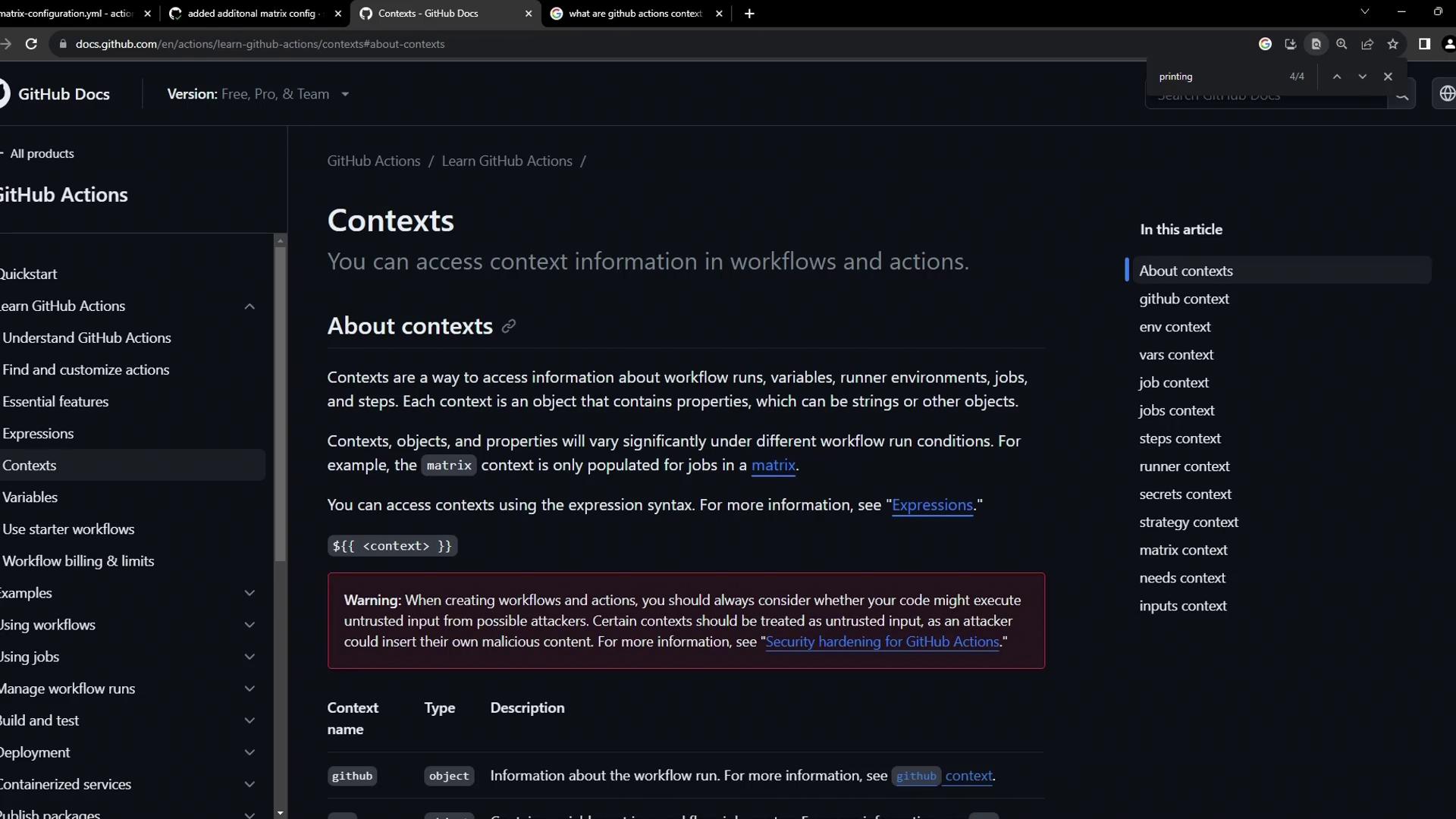
Combine context lookups with [GitHub expressions](https://docs.github.com/en/actions/learn-github-actions/expressions) for powerful conditional statements.
## Sample Workflow: Dumping Contexts
Create a file named `context-testing.yml` in `.github/workflows/`:
```yaml theme={null}
name: Context testing
on: push
jobs:
dump_contexts_to_log:
runs-on: ubuntu-latest
steps:
- name: Dump GitHub context
env:
GITHUB_CONTEXT: ${{ toJson(github) }}
run: echo "$GITHUB_CONTEXT"
- name: Dump job context
env:
JOB_CONTEXT: ${{ toJson(job) }}
run: echo "$JOB_CONTEXT"
- name: Dump steps context
env:
STEPS_CONTEXT: ${{ toJson(steps) }}
run: echo "$STEPS_CONTEXT"
- name: Dump runner context
env:
RUNNER_CONTEXT: ${{ toJson(runner) }}
run: echo "$RUNNER_CONTEXT"
- name: Dump secrets context
env:
SECRET_CONTEXT: ${{ toJson(secrets) }}
run: echo "$SECRET_CONTEXT"
```
Never expose secrets in public or shared logs. Printing `toJson(secrets)` can reveal sensitive data if your repository or runner is not private.
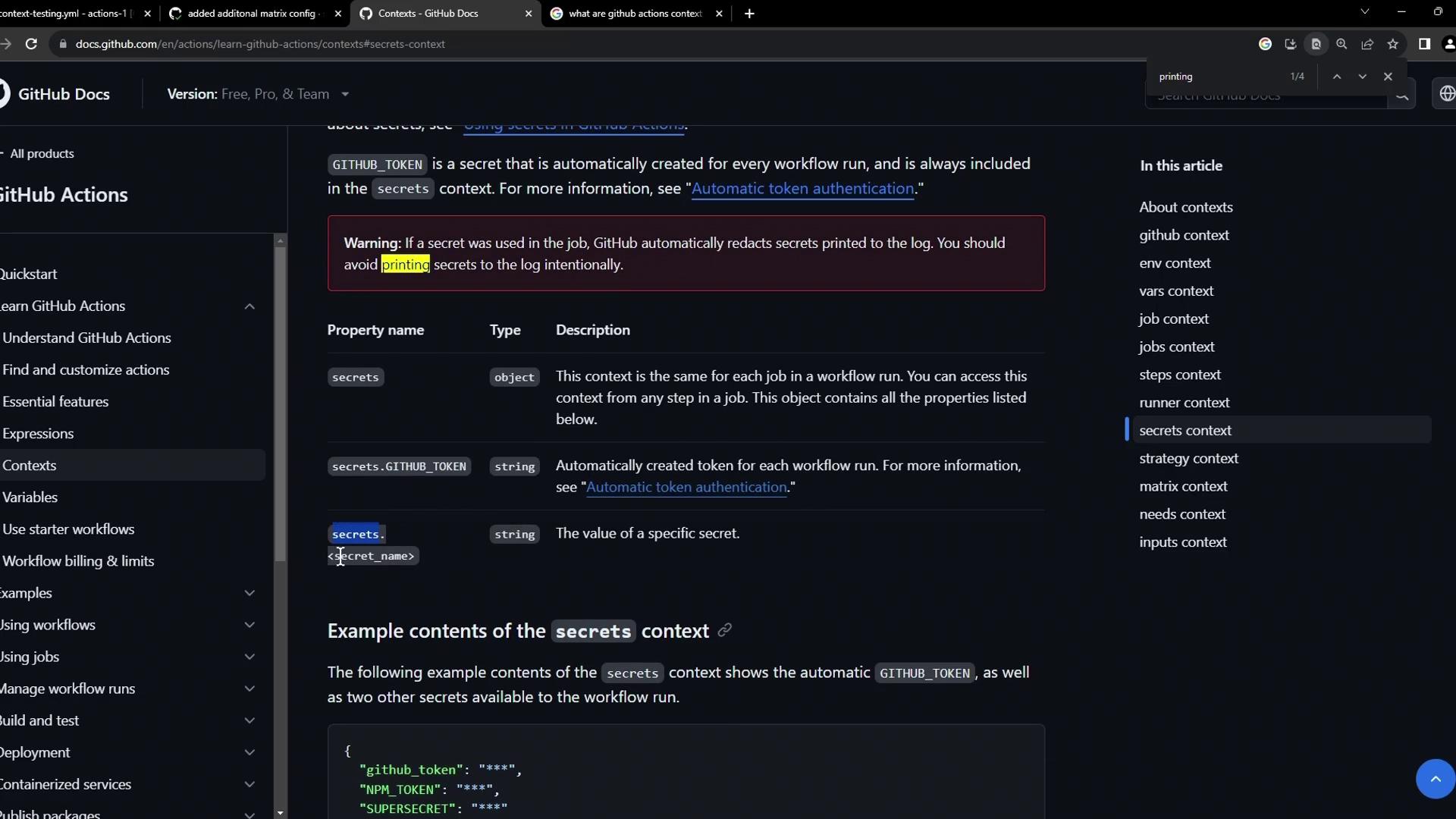
## Using the Runner Context
The `runner` context lets you customize steps based on the hosted environment. You can check:
* `runner.os` (e.g., `Windows`, `Linux`, `macOS`)
* `runner.arch` (e.g., `X64`, `ARM64`)
* `runner.name` (runner label)
* `runner.tool_cache` paths
This is invaluable for installing platform-specific tools or setting environment variables.
When you push your changes, navigate to the **Actions** tab. You’ll see your **Context testing** workflow alongside other runs.
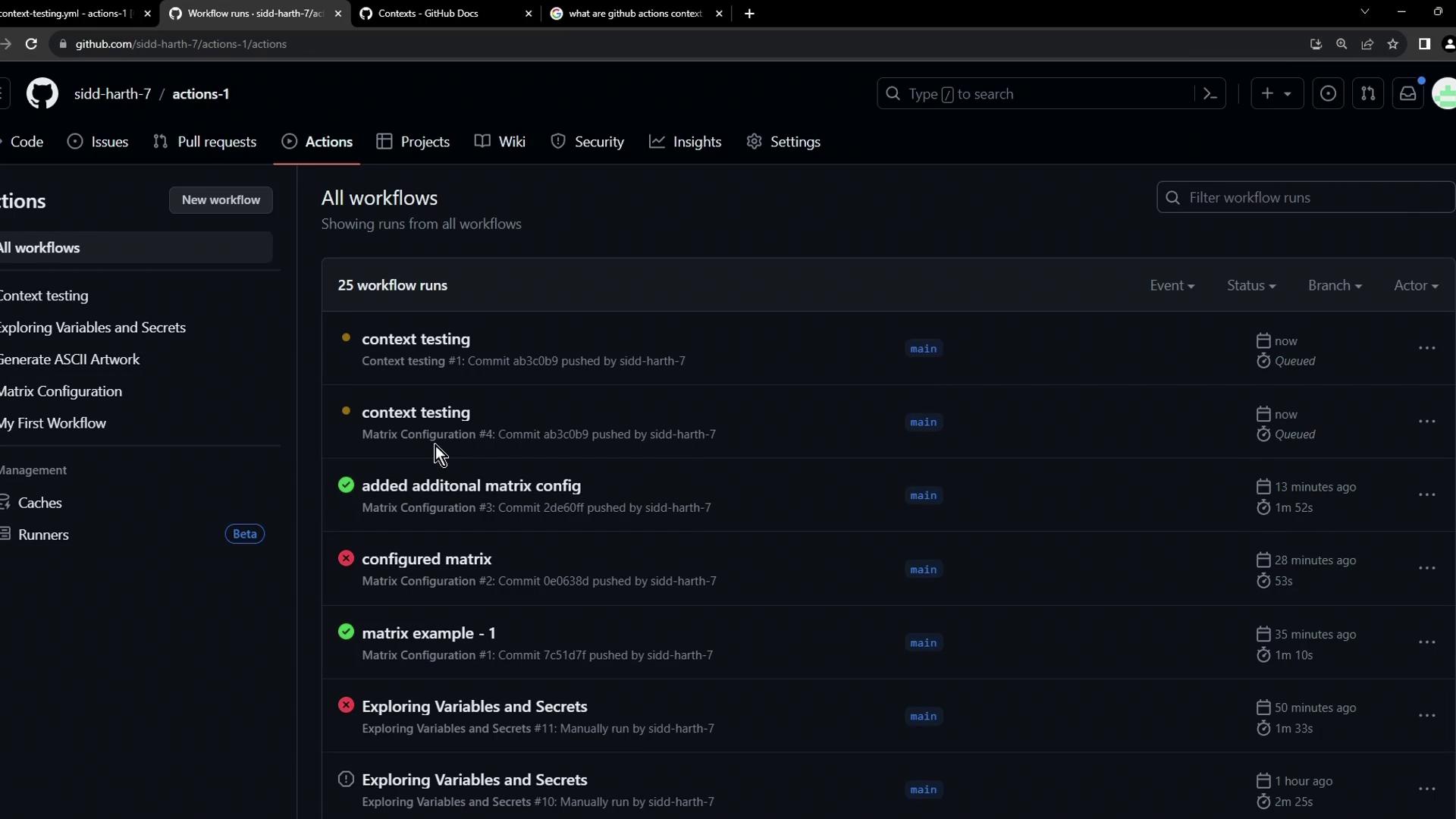
## Viewing Context Output in Logs
After the workflow completes, expand each step in the log to inspect the JSON output:
```bash theme={null}
Run echo "$GITHUB_CONTEXT"
{
"token": "***",
"job": "dump_contexts_to_log",
"ref": "refs/heads/main",
"sha": "ab3c0b9cd32c801545a48e279bad3cf8c6460",
"repository": "sidd-harth-7/actions-1",
"repository_owner": "sidd-harth-7",
"run_id": "6492400732",
"run_number": 1,
"retention_days": 90,
"repository_visibility": "public",
"service-managed-business-id": ""
}
Run echo "$JOB_CONTEXT"
{ "status": "success" }
Run echo "$STEPS_CONTEXT"
{}
Run echo "$RUNNER_CONTEXT"
{
"os": "Linux",
"arch": "X64",
"name": "GitHub Actions 3",
"environment": "github-hosted",
"tool_cache": "/opt/hostedtoolcache",
"temp": "/home/runner/work/_temp",
"workspace": "/home/runner/work/actions-1"
}
Run echo "$SECRET_CONTEXT"
{
"github_token": "****",
"DOCKER_PASSWORD": "****"
}
```
### Context Output Explained
* **GitHub context**: repo details, event information, commit SHA.
* **Job context**: job status (`success`, `failure`, etc.).
* **Steps context**: empty until steps define outputs.
* **Runner context**: VM details like OS, architecture, workspace paths.
* **Secrets context**: all accessible secrets (values are masked).
## More Contexts to Explore
GitHub Actions offers additional contexts for advanced workflows:
* `matrix`: Values from a strategy matrix.
* `needs`: Outputs and statuses of dependent jobs.
* `inputs`: Action inputs for reusable workflows.
* `env`: Custom environment variables.
## References
* [GitHub Actions Contexts](https://docs.github.com/actions/learn-github-actions/contexts)
* [GitHub Expressions](https://docs.github.com/actions/learn-github-actions/expressions)
* [Workflow syntax for GitHub Actions](https://docs.github.com/actions/using-workflows/workflow-syntax-for-github-actions)