> ## Documentation Index
> Fetch the complete documentation index at: https://notes.kodekloud.com/llms.txt
> Use this file to discover all available pages before exploring further.
# Configure workflows to run for webhook events
> This guide covers key GitHub Actions triggers to automate and chain CI/CD pipelines efficiently.
GitHub Actions can react to a wide range of webhook events. This guide covers four key triggers—`workflow_dispatch`, `repository_dispatch`, `workflow_call`, and `workflow_run`—to help you automate and chain your CI/CD pipelines efficiently.
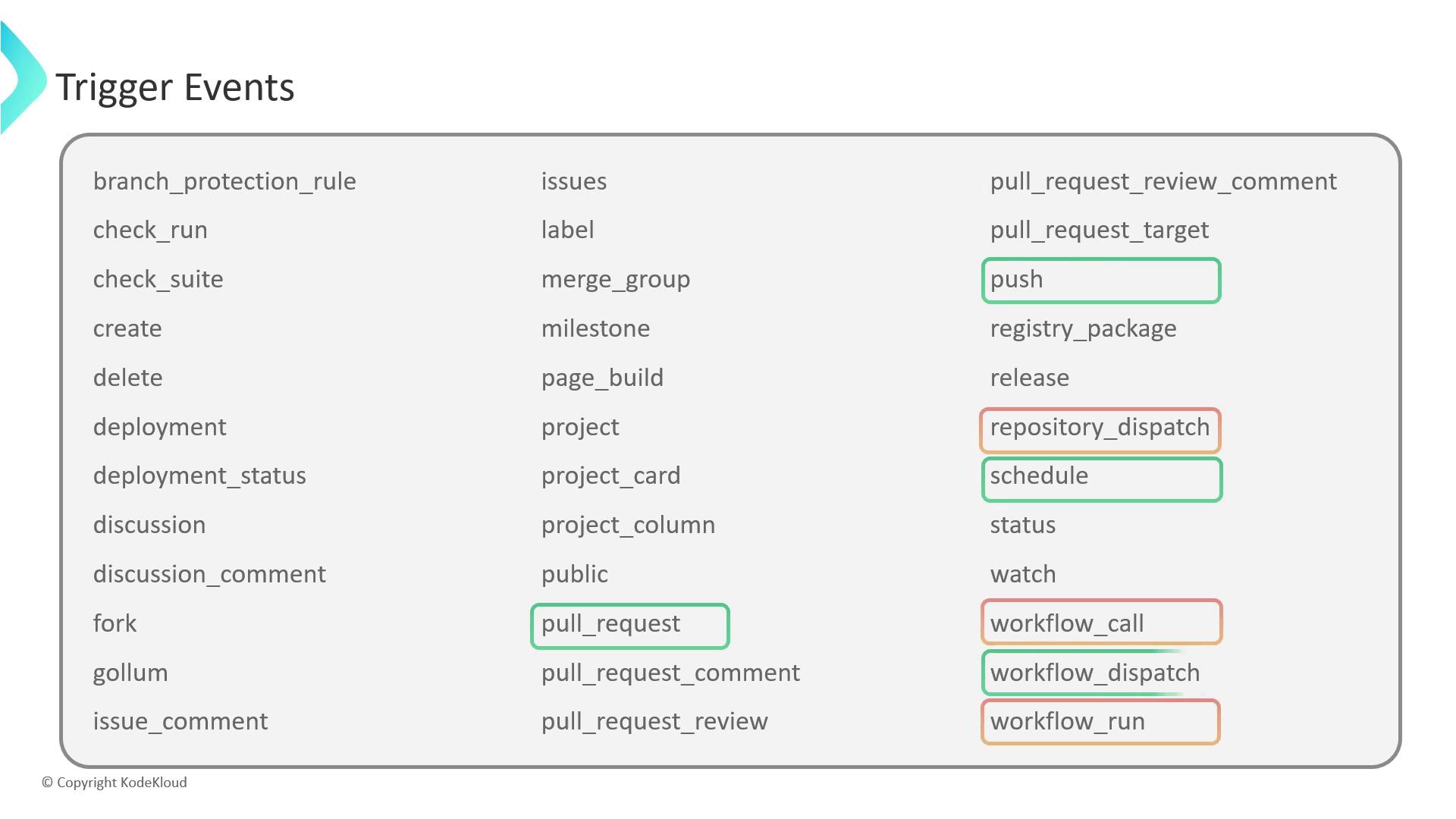
| Event | Trigger Type | Use Case |
| -------------------- | ----------------- | ------------------------------------------ |
| workflow\_dispatch | Manual | Run workflows on demand with custom inputs |
| repository\_dispatch | HTTP POST | Integrate external services via API calls |
| workflow\_call | Workflow reuse | Build modular, reusable pipelines |
| workflow\_run | Workflow chaining | Chain workflows based on completion status |
***
## 1. workflow\_dispatch
The `workflow_dispatch` event enables manual, on-demand execution of workflows. You can define custom inputs to parameterize each run:
```yaml theme={null}
name: Manual Trigger Demo
on:
workflow_dispatch:
inputs:
message:
description: "Custom message to echo"
required: false
type: string
jobs:
greet:
runs-on: ubuntu-latest
steps:
- name: Echo input message
run: echo "Message: ${{ github.event.inputs.message }}"
```
After pushing this file, go to the **Actions** tab, choose **Manual Trigger Demo**, click **Run workflow**, and provide a value for `message`.
If you omit `required: true`, the input becomes optional and can be left blank.
***
## 2. repository\_dispatch
Use `repository_dispatch` to fire workflows from external systems via an HTTP POST:
```yaml theme={null}
name: External API Trigger
on:
repository_dispatch:
types: [system_result]
jobs:
report:
runs-on: ubuntu-latest
steps:
- name: Display payload
run: echo "Payload: ${{ github.event.client_payload.message }}"
```
Trigger it with:
```bash theme={null}
curl -X POST \
-H "Accept: application/vnd.github+json" \
-H "Authorization: Bearer $GITHUB_TOKEN" \
https://api.github.com/repos///dispatches \
-d '{
"event_type": "system_result",
"client_payload": {
"message": "Error: API Timeout"
}
}'
```
Ensure your `GITHUB_TOKEN` has `repo` scope; otherwise the API request will fail with a 403 error.
***
## 3. workflow\_call
The `workflow_call` event helps you define reusable workflows that other workflows can invoke. This promotes DRY principles across repositories:
```yaml theme={null}
name: Reusable Workflow
on:
workflow_call:
inputs:
message:
description: "Text to echo"
required: false
type: string
secrets:
MY_SECRET:
required: true
jobs:
echo-job:
runs-on: ubuntu-latest
steps:
- name: Show inputs and secrets
run: |
echo "Msg: ${{ inputs.message }}"
echo "Secret: ${{ secrets.MY_SECRET }}"
```
Invoke it from another workflow:
```yaml theme={null}
jobs:
call-reusable:
uses: owner/repo/.github/workflows/reusable.yml@main
with:
message: "Hello from parent"
secrets:
MY_SECRET: ${{ secrets.MY_SECRET }}
```
Reusable workflows accept `with` and `secrets` inputs, making them highly parameterized and secure.
***
## 4. workflow\_run
Chain workflows by listening to the completion of another workflow. For example, deploy only after a successful build:
### Build Workflow
```yaml theme={null}
name: BUILD_WORKFLOW_DEMO
on:
push:
jobs:
build:
runs-on: ubuntu-latest
steps:
- run: echo "Build completed successfully"
```
### Deployment Workflow
```yaml theme={null}
name: DEPLOY_WORKFLOW_DEMO
on:
workflow_run:
workflows:
- BUILD_WORKFLOW_DEMO
types:
- completed
jobs:
on-success:
if: ${{ github.event.workflow_run.conclusion == 'success' }}
runs-on: ubuntu-latest
steps:
- run: echo "Starting deployment steps..."
on-failure:
if: ${{ github.event.workflow_run.conclusion == 'failure' }}
runs-on: ubuntu-latest
steps:
- run: echo "Build failed; skipping deployment."
```
You can filter on `types` (`completed`, `requested`, `in_progress`) and branch logic using `${{ github.event.workflow_run.conclusion }}`.
***
## Links and References
* [GitHub Actions Events](https://docs.github.com/actions/using-workflows/events-that-trigger-workflows)
* [Defining workflow inputs](https://docs.github.com/actions/using-workflows/workflow-syntax-for-github-actions#inputs)
* [repository\_dispatch API](https://docs.github.com/rest/dispatches#repository-dispatch)