> ## Documentation Index
> Fetch the complete documentation index at: https://notes.kodekloud.com/llms.txt
> Use this file to discover all available pages before exploring further.
# Enable step debug logging in a workflow
> This guide explains how to enable step debug logging in GitHub Actions workflows for better issue diagnosis.
Debug logging in GitHub Actions exposes low-level details about workflow execution, making it easier to diagnose issues in jobs and steps. This guide covers:
* What debug logging is and when to use it
* How to enable it via secrets or variables
* A demo workflow showing debug logging in action
* Managing debug settings by default at the repository level
***
## What Is Debug Logging?
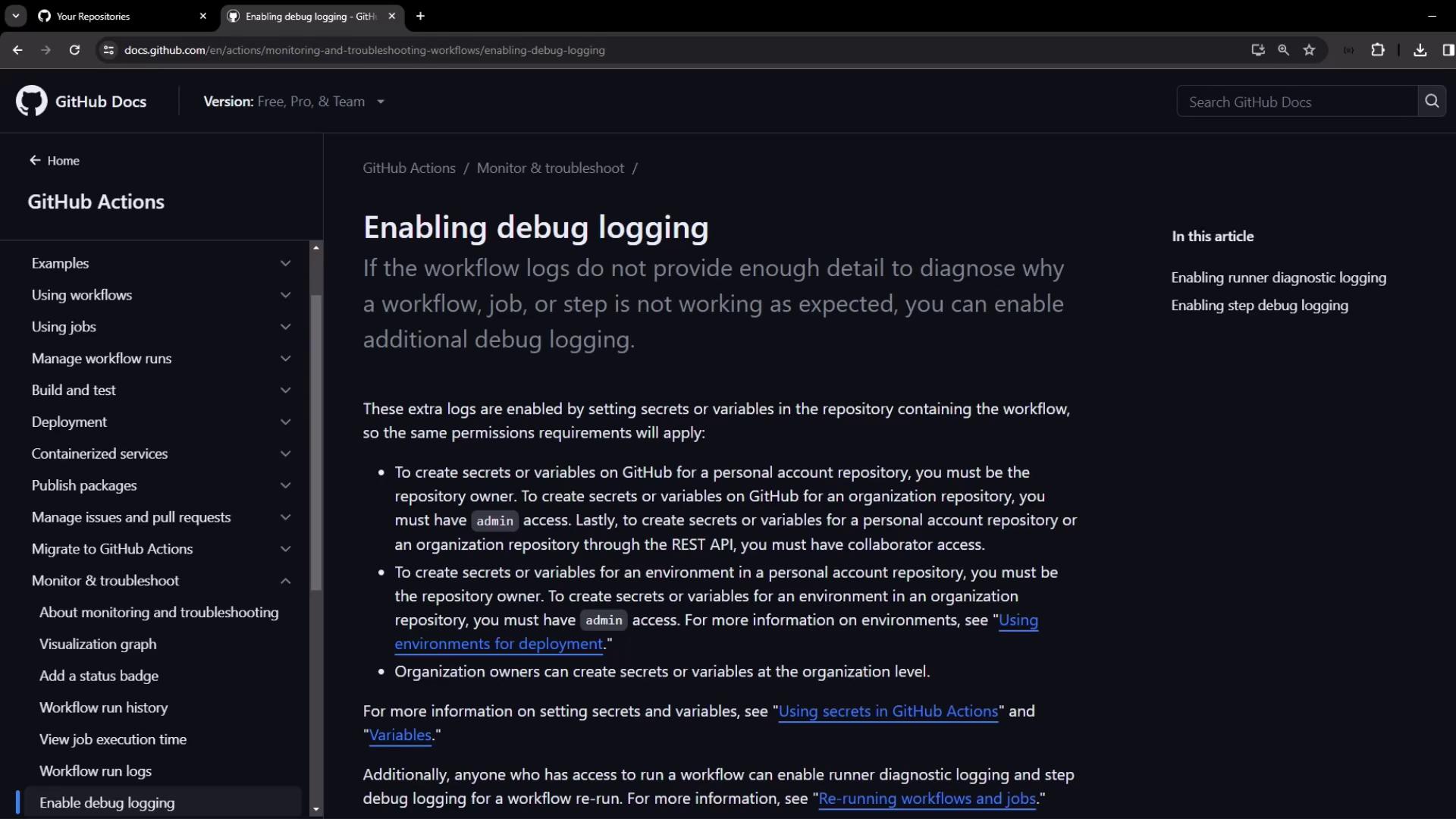
By default, GitHub Actions logs include only high-level execution output. When you need deeper insights—such as condition evaluations, environment variable settings, and runner internals—you can turn on debug logging.
### Types of Debug Logging
Use one or both of the following:
| Debug Type | Purpose | Secret/Variable Name |
| ------------------------- | ------------------------------------------------ | ---------------------- |
| Runner Diagnostic Logging | Captures the runner’s internal execution details | `ACTIONS_RUNNER_DEBUG` |
| Step Debug Logging | Increases verbosity around each step’s execution | `ACTIONS_STEP_DEBUG` |
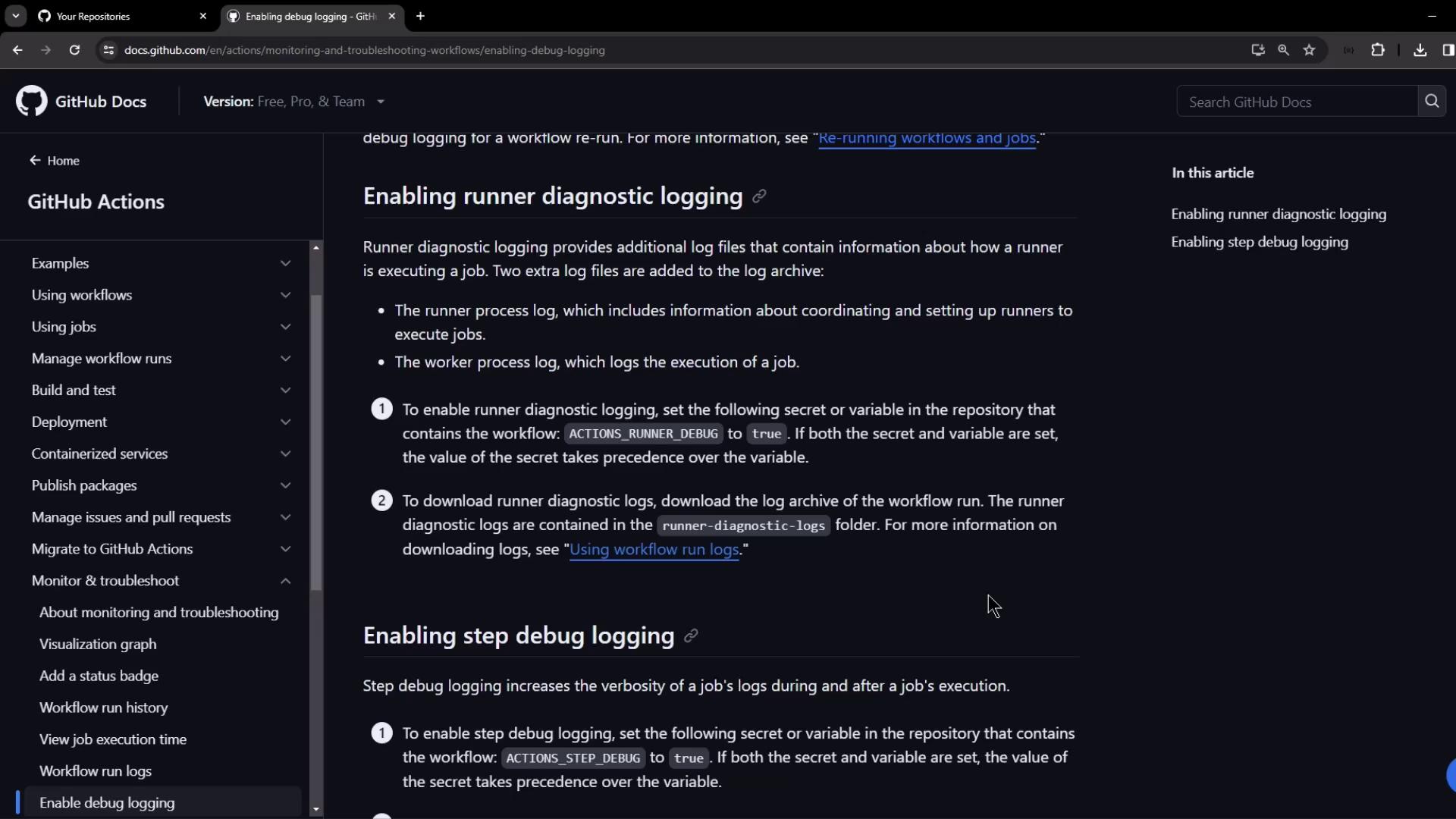
If you set both a secret and a variable with the same name, **the secret wins**.\
Ensure you configure the correct value in your repository settings.
***
## Enabling Debug Logging via Secrets or Variables
To activate debug logging for a run, add one or both keys as **repository secrets** or **repository variables**:
```bash theme={null}
# Enable runner diagnostic logging
ACTIONS_RUNNER_DEBUG = true
# Enable step debug logging
ACTIONS_STEP_DEBUG = true
```
> If both secret and variable exist for the same key, the secret value overrides the variable.
***
## Demo: Creating and Observing a Debug Workflow
This demo shows a simple workflow that fails intentionally, illustrating how step debug logging provides extra detail.
### 1. Create a New Repository
1. In GitHub, create a **public** repo named `debug-workflow-demo` with a `README.md`.
2. Clone the repository locally or open it in VS Code.
### 2. Add the Workflow File
Create file `.github/workflows/debug.yaml` with the following content:
```yaml theme={null}
name: Debugging Demo
on:
workflow_dispatch:
env:
USER_1: "foo-user"
USER_2: "bar-user"
jobs:
debug_job:
runs-on: ubuntu-latest
steps:
- name: Checkout Repository
uses: actions/checkout@v4
- name: Set USERNAME from USER_1
run: |
echo "USERNAME=$USER_1" >> $GITHUB_ENV
- name: Print USERNAME and Fail
run: |
echo "Printing USERNAME from previous step"
echo "Username: $USERNAME"
exit 1
- name: Print USER_2
run: |
echo "Printing USER_2: $USER_2"
```
Commit and push:
```bash theme={null}
git add .github/workflows/debug.yaml
git commit -m "Add debug workflow"
git push
```
### 3. Run Without Debug Logging
1. In the repo, go to **Actions → Debugging Demo**.
2. Click **Run workflow**.
The third step fails and the fourth step is skipped:
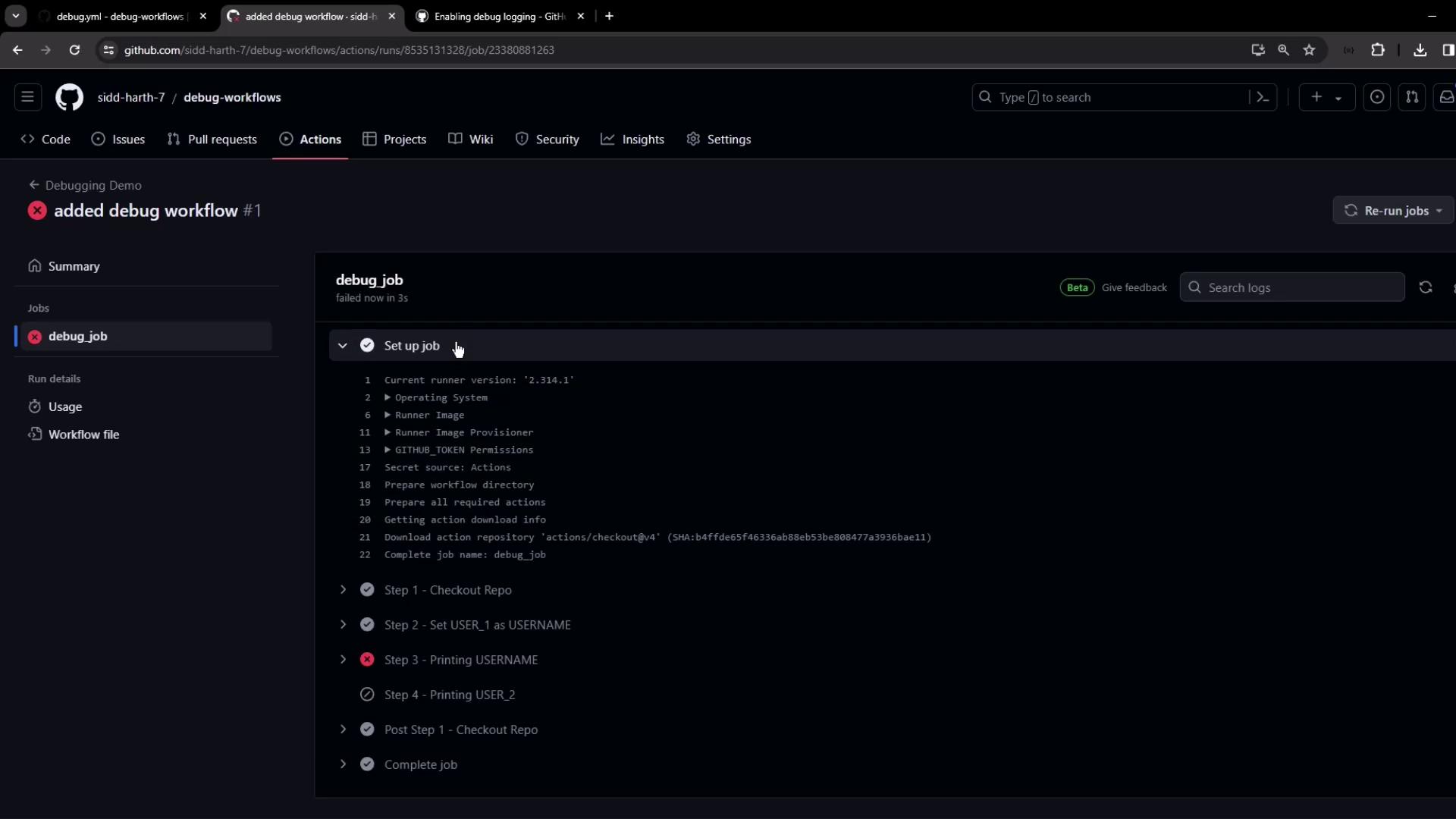
*Default logs* only display commands and outputs, without showing condition evaluations or skipped steps details.
***
## Enabling Step Debug Logging in the UI
1. On the failed run’s page, click **Re-run jobs ▶︎ Re-run with debug logging**.
2. The job reruns and prepends each log line with `##[debug]`:
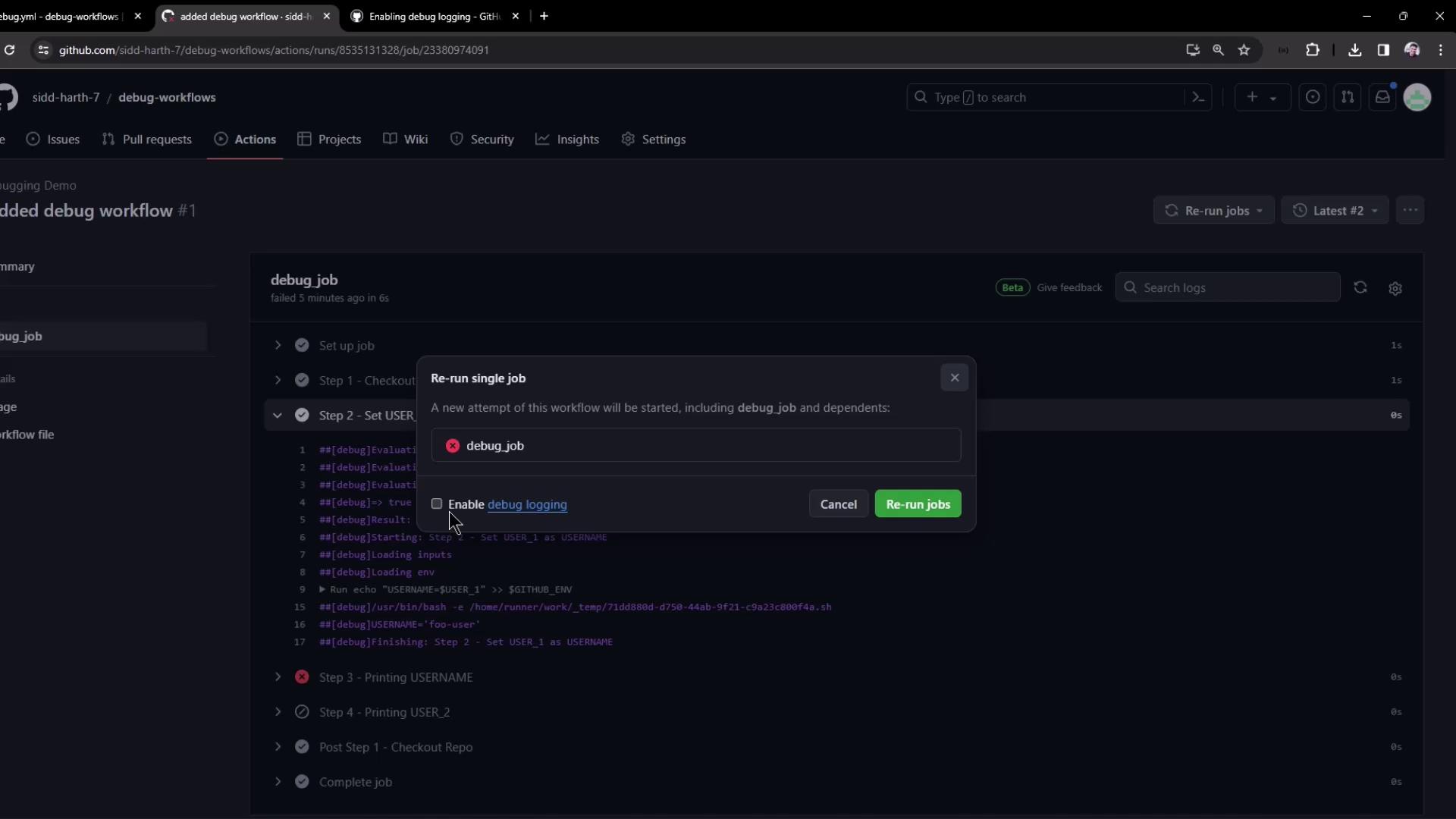
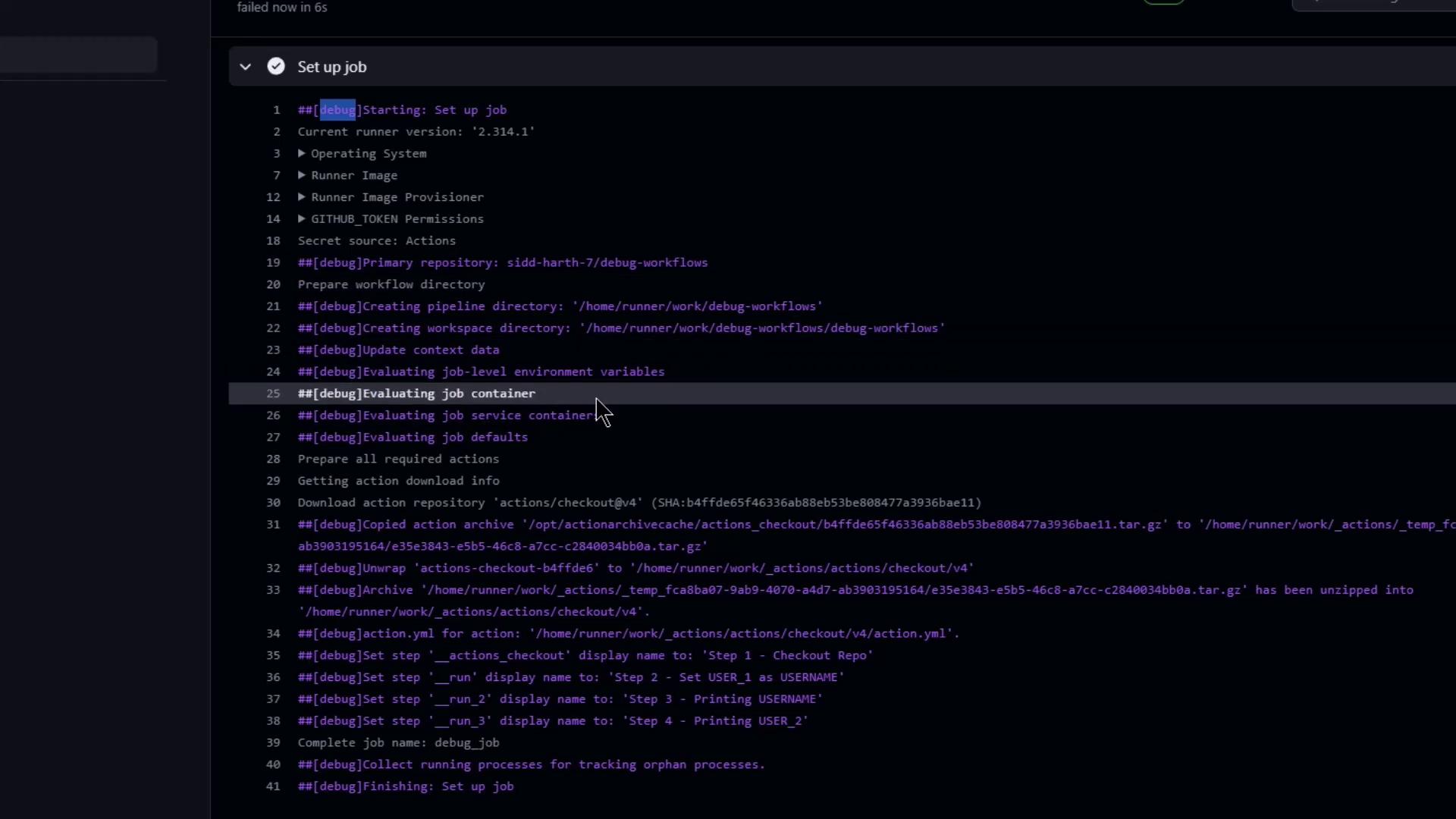
Sample condition evaluation output:
```text theme={null}
##[debug]Evaluating condition for step: 'Checkout Repository'
##[debug]Evaluating: success()
##[debug]=> true
##[debug]Result: true
##[debug]Starting: Checkout Repository
```
And insight into skipped steps:
```text theme={null}
##[debug]Evaluating condition for step: 'Print USER_2'
##[debug]=> false
##[debug]Skipping step 'Print USER_2'
```
***
## Downloading Runner Diagnostic Logs
After rerunning with debug, you can **Download log archive** from the run’s summary. The ZIP includes:
* All job logs with `##[debug]` entries
* A `runner-diagnostic-logs` folder containing runner internals
***
## Enabling Debug Logging by Default
To apply debug settings to every workflow run:
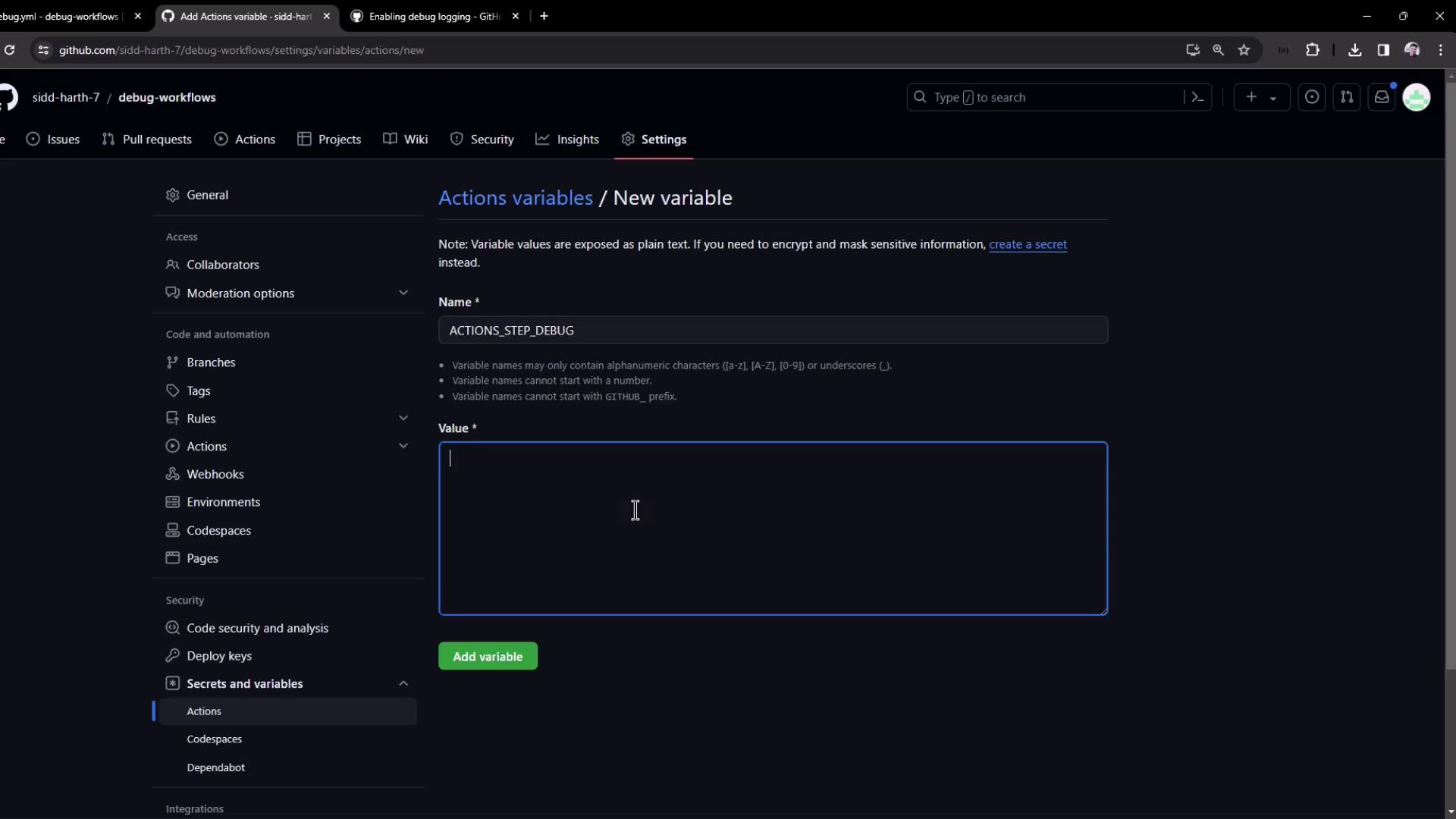
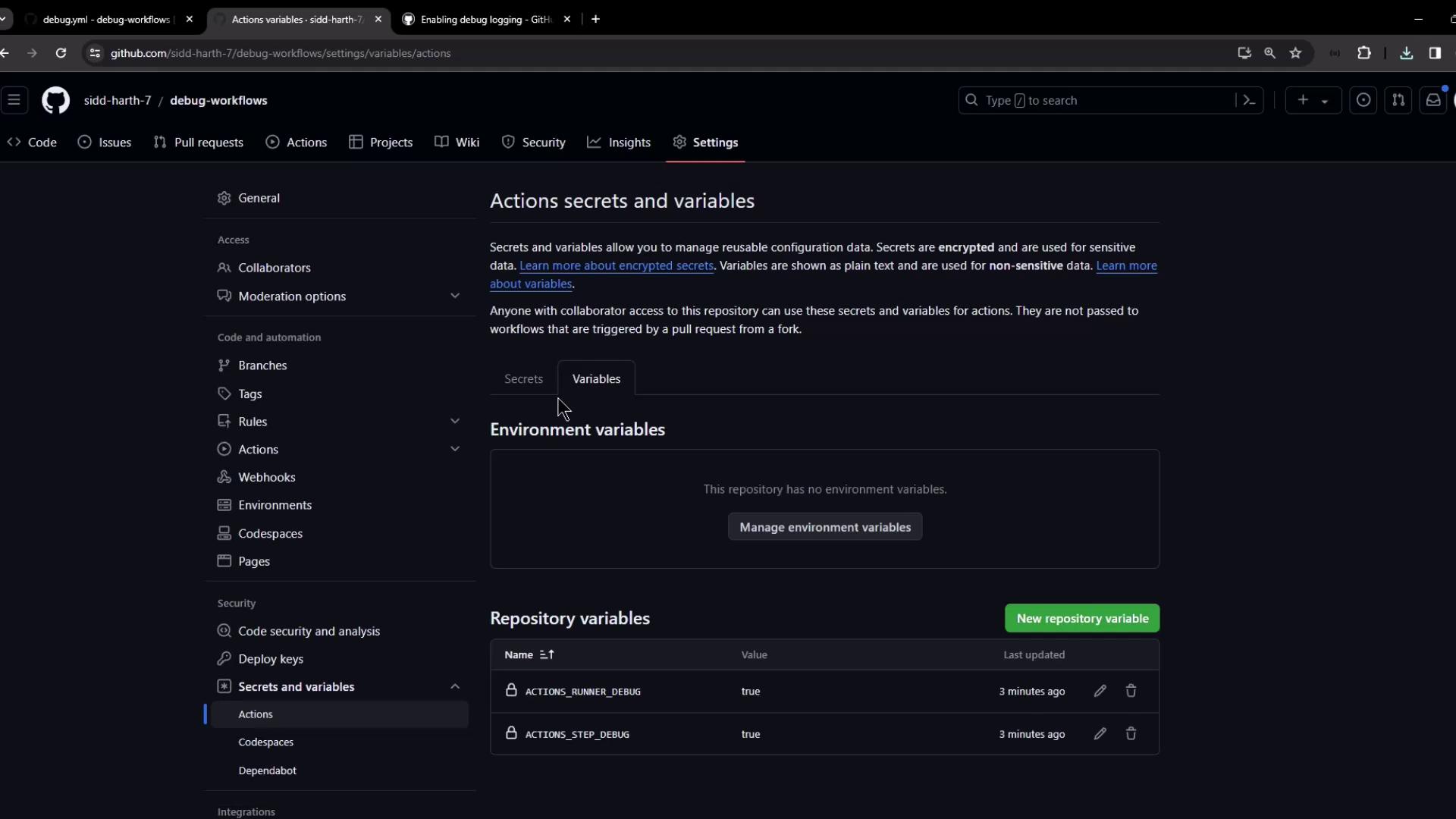
1. Navigate to **Settings → Secrets and variables → Actions → Variables**.
2. Click **New repository variable** and add:
* `ACTIONS_RUNNER_DEBUG = true`
* `ACTIONS_STEP_DEBUG = true`
### Precedence: Variables vs. Secrets
If a key exists as both a variable and a secret, **the secret value takes precedence**:
| Setting Type | ACTIONS\_RUNNER\_DEBUG | Resulting Behavior |
| ------------- | ---------------------- | --------------------------- |
| Repo Variable | true | Logging enabled by variable |
| Repo Secret | false | Logging disabled by secret |
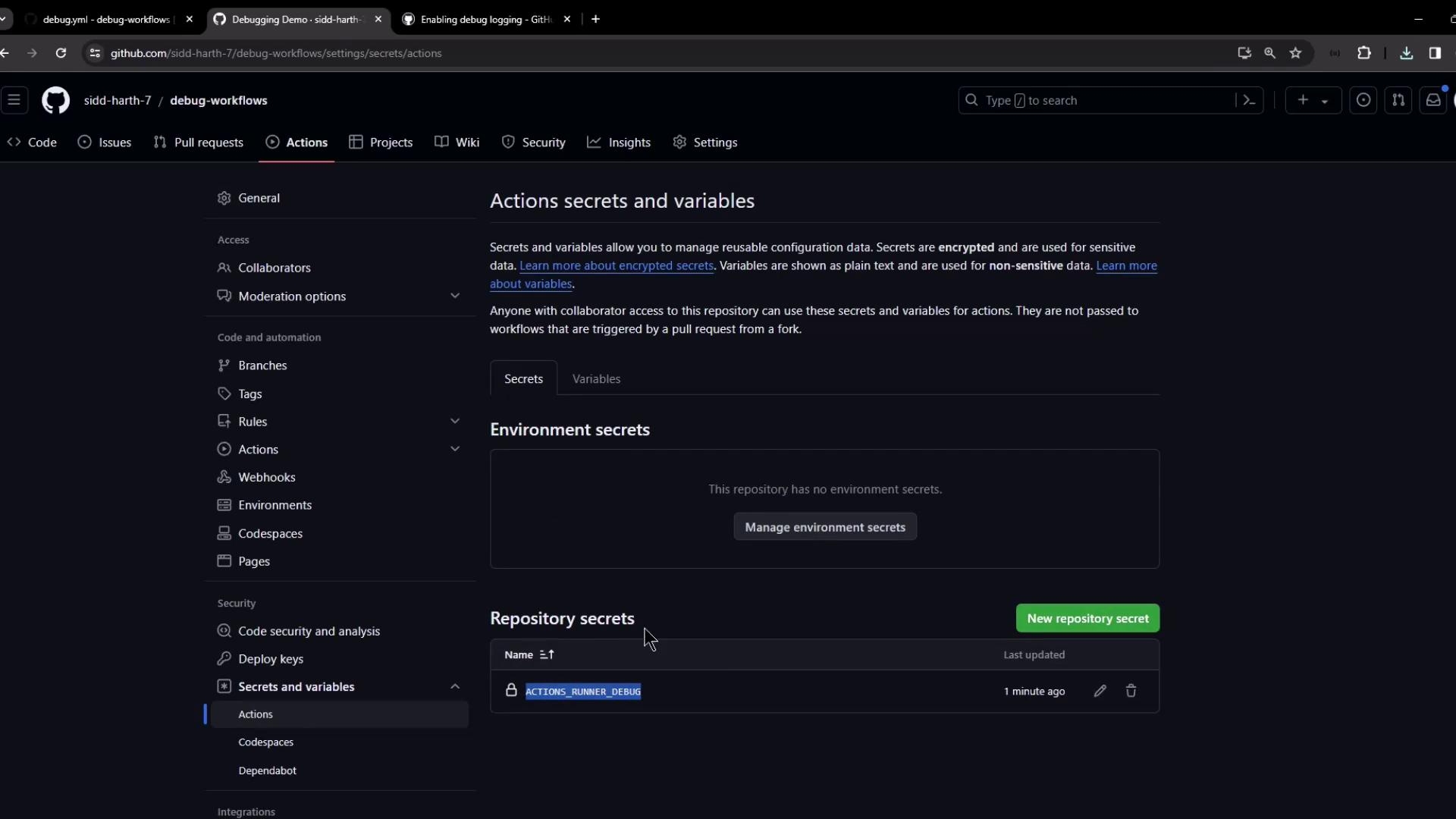
Always verify the final debug log behavior when mixing variables and secrets. Secrets override variables, which may disable diagnostic logging if set to `false`.
***
By following these steps, you can enable and customize both step-level and runner-level debug logging in GitHub Actions, giving you full visibility into your workflow executions.