> ## Documentation Index
> Fetch the complete documentation index at: https://notes.kodekloud.com/llms.txt
> Use this file to discover all available pages before exploring further.
# Using a matrix for your jobs
> Learn to use GitHub Actions matrix strategy for running jobs across multiple environments without duplicating YAML.
In this guide, you’ll learn how to leverage GitHub Actions' **matrix strategy** to run the same job across multiple environments without duplicating YAML. By the end, you’ll be able to execute Docker commands on various OS runners and image combinations in parallel.
## A straightforward workflow
Below is a basic workflow that defines two separate jobs—one on Ubuntu and one on Windows—to echo Docker details and run the `hello-world` image.
```yaml theme={null}
name: Matrix Configuration
on:
push:
workflow_dispatch:
jobs:
deploy-on-ubuntu:
runs-on: ubuntu-latest
steps:
- name: Echo Docker Details
run: docker info
- name: Run Image
run: docker run hello-world
deploy-on-windows:
runs-on: windows-latest
steps:
- name: Echo Docker Details
run: docker info
- name: Run Image
run: docker run hello-world
```
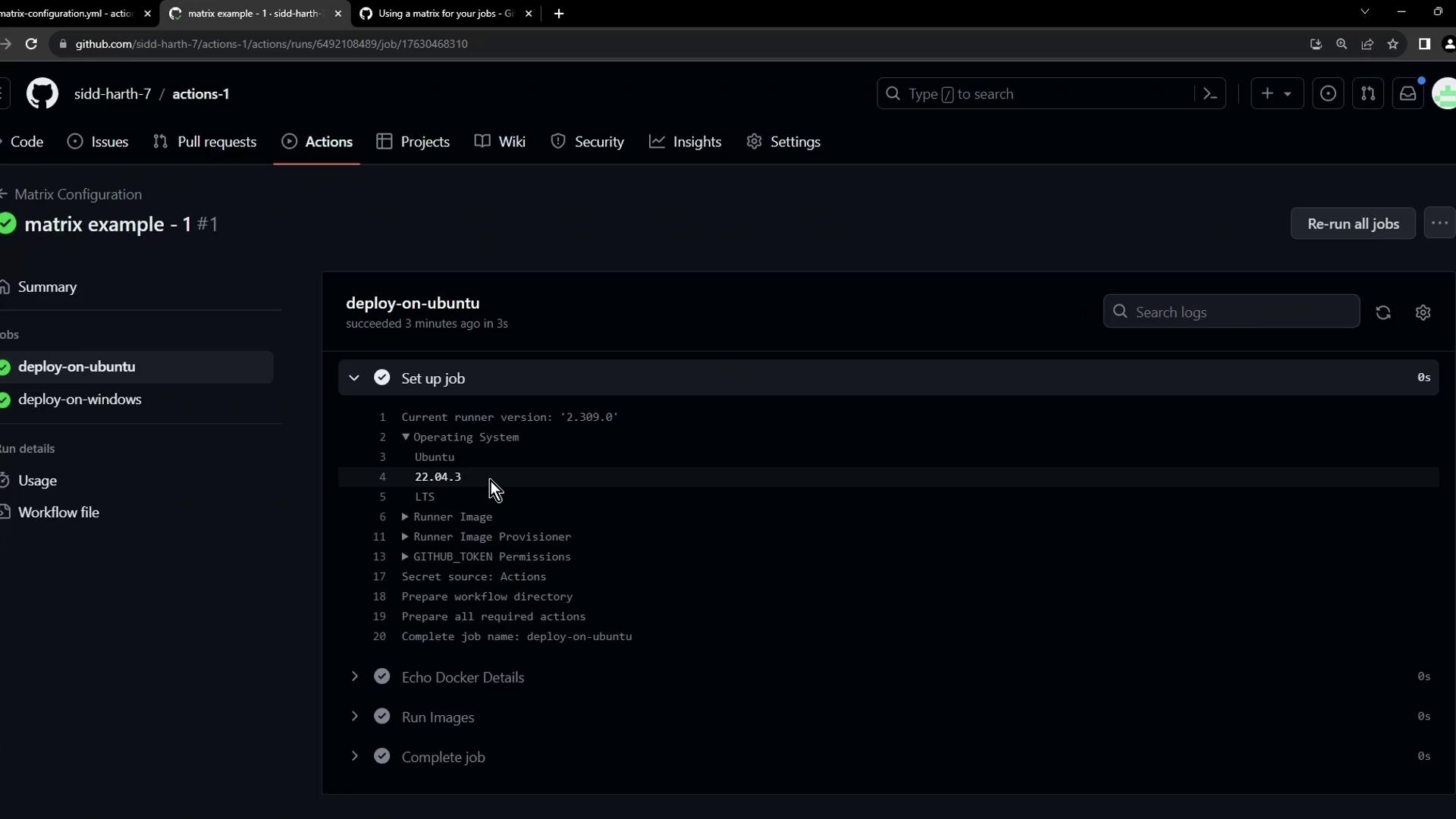
This triggers on both `push` and manual dispatch, executing the same two steps on different OS runners.
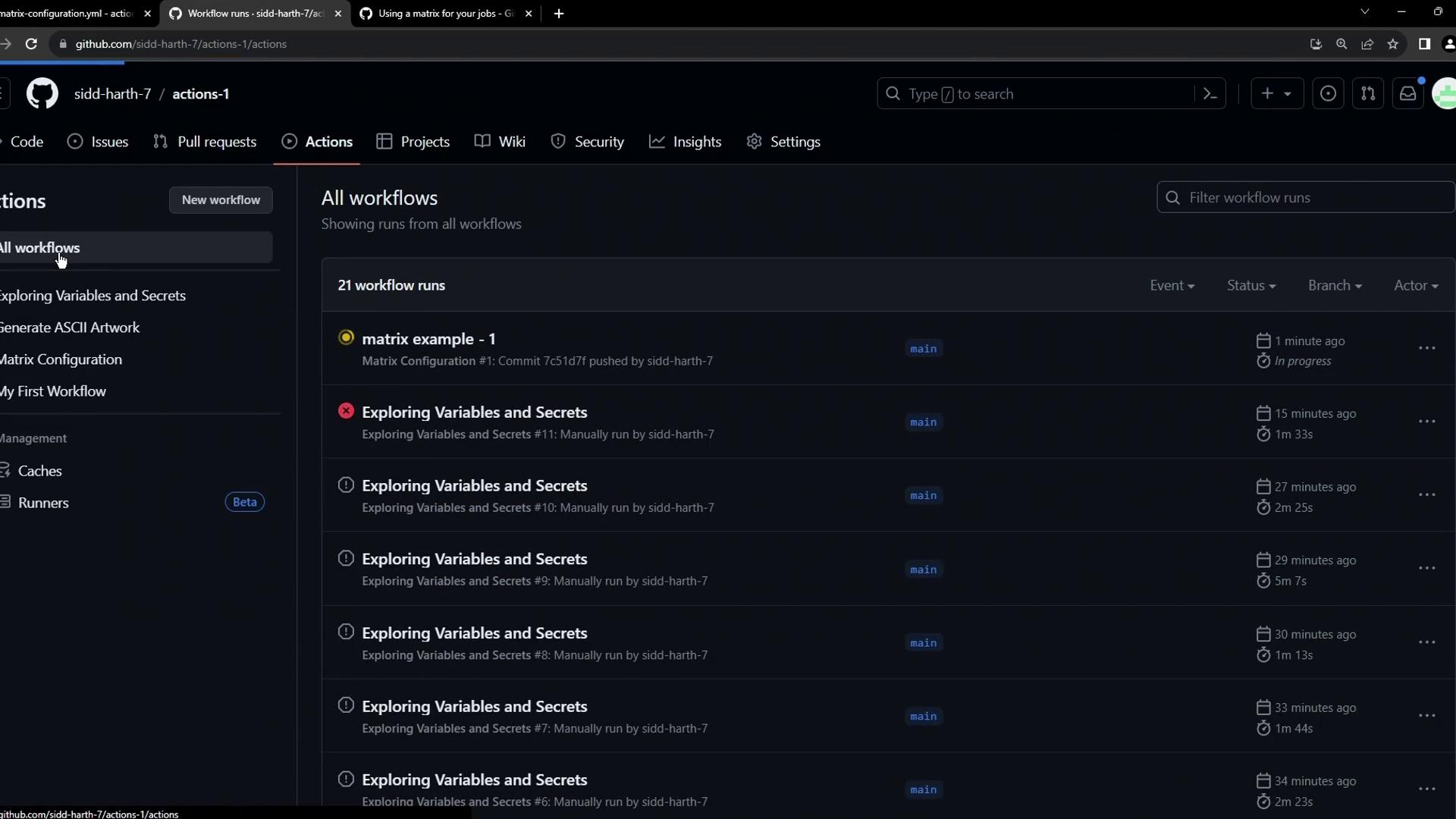
Both jobs kick off in parallel and complete successfully.
***
### Inspecting the Windows job
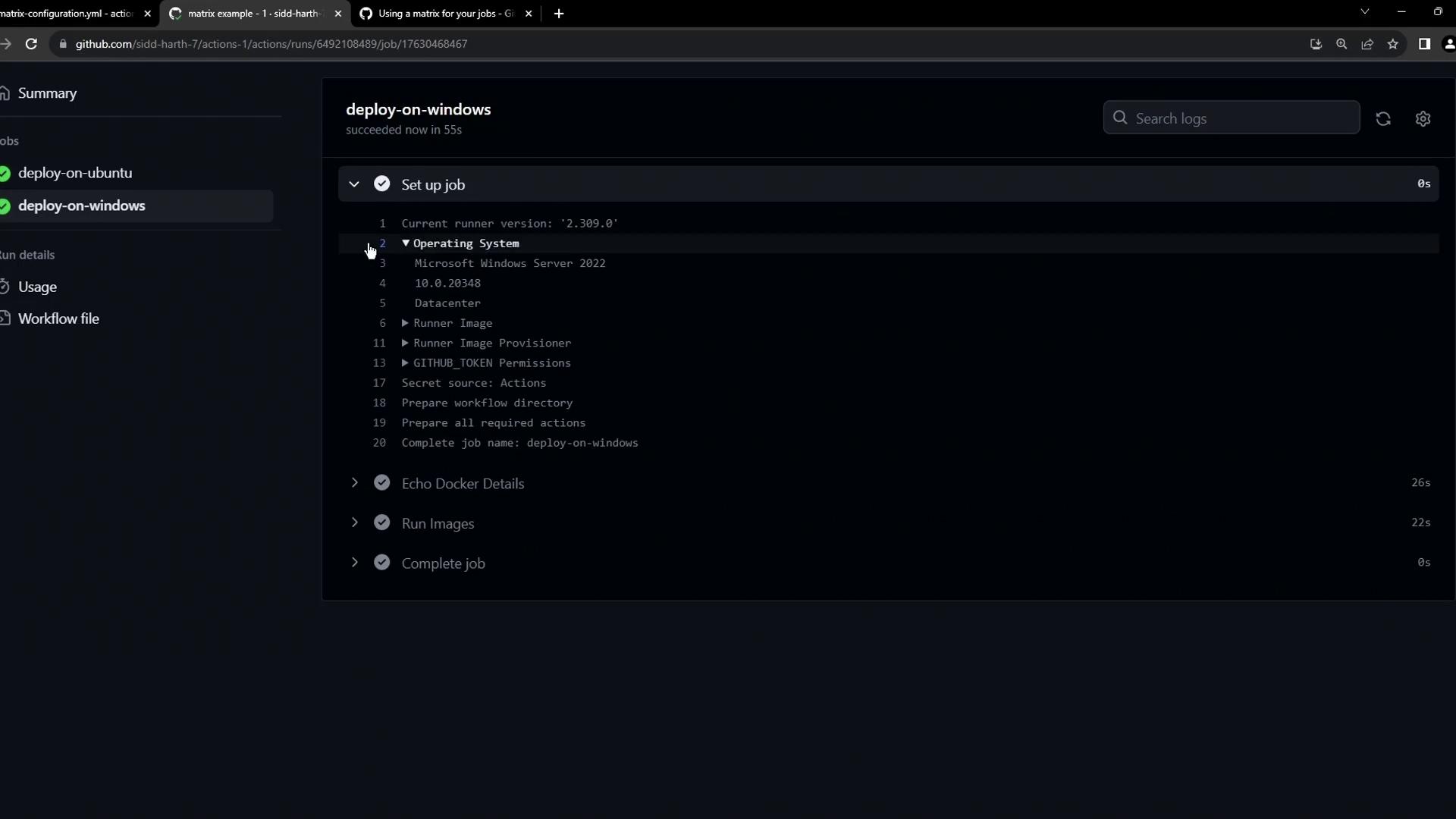
Click into **deploy-on-windows** to view details about the runner, Docker info, and the `hello-world` output:
```console theme={null}
Run docker info
Client:
Version: 24.0.6
Context: default
Debug Mode: false
Plugins:
compose: Docker Compose (Docker Inc.)
Version: v2.22.0
Path: C:\ProgramData\Docker\cli-plugins\docker-compose.exe
Server:
Containers: 0
Running: 0
Paused: 0
Stopped: 0
Images: 5
Server Version: 24.0.6
Storage Driver: windowsfilter
Logging Driver: json-file
```
Then it pulls and runs `hello-world`:
```console theme={null}
Run docker run hello-world
Unable to find image 'hello-world:latest' locally
latest: Pulling from library/hello-world
...
Hello from Docker!
This message shows that your installation appears to be working correctly.
```
***
## The problem of repetition
Imagine scaling this to more OS versions or Docker images. You’d end up copying and pasting nearly identical job definitions:
```yaml theme={null}
jobs:
deploy-on-ubuntu:
runs-on: ubuntu-latest
steps:
- name: Echo Docker Details
run: docker info
- name: Run Image
run: docker run hello-world
deploy-on-windows:
runs-on: windows-latest
steps:
- name: Echo Docker Details
run: docker info
- name: Run Image
run: docker run hello-world
# ...more duplicates for other OS or images
```
Maintaining this becomes a headache as you add environments.
## Introducing the matrix strategy
GitHub Actions’ matrix lets you define multiple variables, and it automatically expands one job into many. Here’s the minimal syntax:
```yaml theme={null}
jobs:
example_matrix:
strategy:
matrix:
version: [10, 12, 14]
os: [ubuntu-latest, windows-latest]
```
This generates six parallel jobs (3 versions × 2 OS).
| Field | Description | Example |
| ----------------- | ---------------------------------- | ------------------------------------------- |
| `strategy.matrix` | Defines variables to expand | `version: [10,12,14], os: [ubuntu,windows]` |
| `runs-on` | Runner label substituted by matrix | `runs-on: ${{ matrix.os }}` |
| `steps` | Standard job steps | `run: docker run ${{ matrix.image }}` |
Learn more in the [GitHub Actions matrix documentation](https://docs.github.com/en/actions/using-jobs/using-a-matrix-for-your-jobs).
***
## Converting our workflow to use a matrix
Let’s refactor our example to run two Docker images (`hello-world` and `alpine`) across three OS environments (`ubuntu-latest`, `ubuntu-20.04`, `windows-latest`):
```yaml theme={null}
name: Matrix Configuration
on:
push:
workflow_dispatch:
jobs:
deploy:
strategy:
matrix:
os: [ubuntu-latest, ubuntu-20.04, windows-latest]
image: [hello-world, alpine]
runs-on: ${{ matrix.os }}
steps:
- name: Echo Docker Details
run: docker info
- name: Run ${{ matrix.image }} on ${{ matrix.os }}
run: docker run ${{ matrix.image }}
```
* `runs-on: ${{ matrix.os }}` selects the runner OS dynamically.
* The second step pulls and runs each image on each OS.
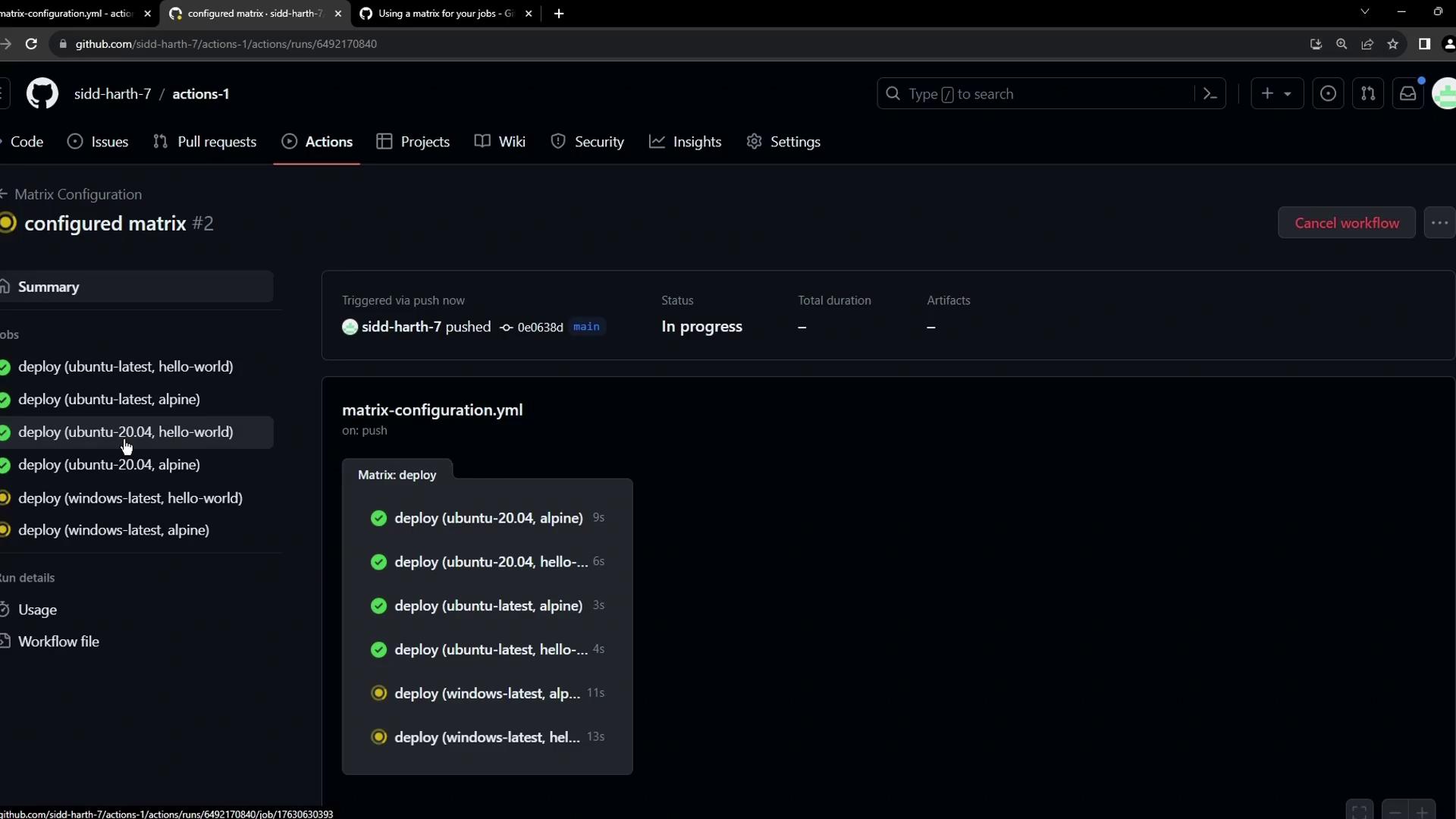
When you push this change, GitHub Actions spawns six jobs in parallel:
You can also filter specific combinations using `include` and `exclude` under `strategy.matrix`. For example:
```yaml theme={null}
strategy:
matrix:
os: [ubuntu-latest, windows-latest]
image: [hello-world, alpine]
exclude:
- os: windows-latest
image: alpine
```
This skips running Alpine on Windows.
***
### Handling failures
In some cases, certain image/OS combinations may not be supported. For example, `alpine` has no Windows manifest, so that job fails:

```console theme={null}
Run docker run alpine
Unable to find image 'alpine:latest' locally
latest: Pulling from library/alpine
docker: no matching manifest for windows/amd64 in the manifest list entries.
See 'docker run --help'.
Error: Process completed with exit code 1
```
By default, a failure in one matrix job cancels the rest and marks the workflow as failed. Use `continue-on-error: true` on a step or job-level conditionals if you want to proceed despite errors.
***
## Links and References
* [GitHub Actions: Using a matrix for your jobs](https://docs.github.com/en/actions/using-jobs/using-a-matrix-for-your-jobs)
* [Docker CLI reference](https://docs.docker.com/engine/reference/commandline/cli/)
* [GitHub Actions workflow syntax](https://docs.github.com/en/actions/using-workflows/workflow-syntax-for-github-actions)