> ## Documentation Index
> Fetch the complete documentation index at: https://notes.kodekloud.com/llms.txt
> Use this file to discover all available pages before exploring further.
# Workflow to Generate ASCII Artwork
> Automate ASCII art generation using the cowsay utility in a dedicated GitHub Actions workflow for clean and maintainable CI/CD pipelines.
Automate ASCII art generation using the `cowsay` utility in a dedicated GitHub Actions workflow. Isolating this process into its own workflow file keeps your CI/CD pipelines clean and easy to maintain.
## 1. Create the Workflow File
Under `.github/workflows/`, create `generate-ascii.yaml` and add:
```yaml theme={null}
name: Generate ASCII Artwork
on:
push:
jobs:
ascii_job:
runs-on: ubuntu-latest
steps:
- name: Checkout Repository
uses: actions/checkout@v4
- name: Install cowsay
run: |
sudo apt-get update
sudo apt-get install -y cowsay
- name: Generate ASCII Art
run: cowsay -f dragon "Run for cover, I am a DRAGON....RAWR" >> dragon.txt
- name: Verify Output
run: grep -i "dragon" dragon.txt
- name: Display Artwork
run: cat dragon.txt
- name: List Workspace Files
run: ls -ltra
```
### Summary of Steps
| Step | Purpose |
| -------------------- | ------------------------------------------------------- |
| Checkout Repository | Retrieves your code so later steps can access files |
| Install cowsay | Installs the `cowsay` utility on the Ubuntu runner |
| Generate ASCII Art | Creates dragon ASCII art and appends it to `dragon.txt` |
| Verify Output | Confirms the word “dragon” exists in the text file |
| Display Artwork | Prints the ASCII art to the console |
| List Workspace Files | Ensures `dragon.txt` is present in the runner directory |
## 2. Trigger the Workflow
Commit and push the new workflow to your repository:
```bash theme={null}
git add .github/workflows/generate-ascii.yaml
git commit -m "Add Generate ASCII Artwork workflow"
git push origin main
```
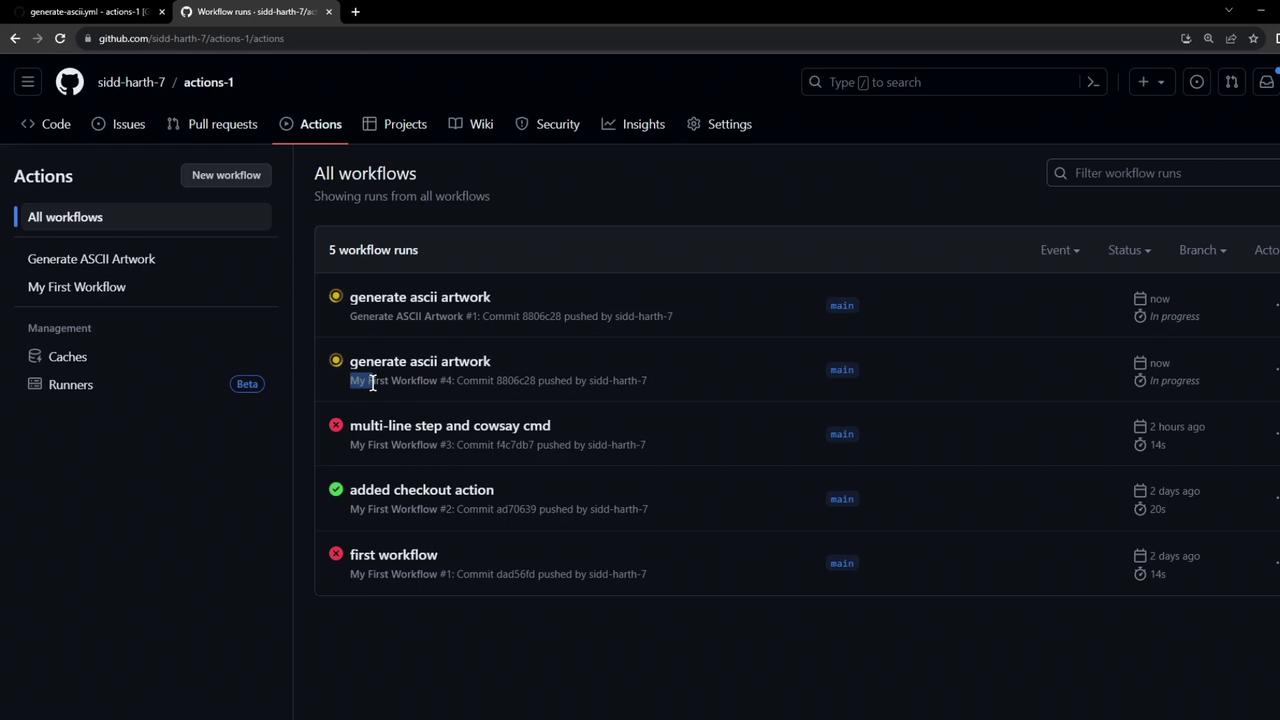
GitHub Actions will detect the `push` event and run **all** workflows configured for it—including your new ASCII art generator.
## 3. View and Inspect Runs
Navigate to the **Actions** tab in your GitHub repository to see the status of each workflow:
### Successful Run Logs
```console theme={null}
Run sudo apt-get update && sudo apt-get install -y cowsay
Reading package lists...
Building dependency tree...
Reading state information...
The following NEW packages will be installed:
cowsay
Fetched 18.6 kB in 0s (269 kB/s)
Selecting previously unselected package cowsay.
...
> grep -i dragon dragon.txt
Run for cover, I am a DRAGON....RAWR
> cat dragon.txt
____________
< Run for cover, I am a DRAGON....RAWR >
------------
\ ^__^
\ (oo)\_______
(__)\ )\/\
||----w |
|| ||
```
Files created during a workflow run (e.g., `dragon.txt`) exist only on the runner VM. They are removed once the job completes and do not persist in your repository.
## 4. Disable an Outdated Workflow
If you have multiple workflows listening on `push` and want to prevent an old one from running:
1. Open the **Actions** tab and select the workflow to disable.
2. Click **Disable workflow** in the sidebar.
Disabling a workflow stops **all** future runs for that configuration. Ensure you’re disabling the correct workflow.
***
## References
* [GitHub Actions Documentation](https://docs.github.com/actions)
* [cowsay Manual](https://manpages.debian.org/bullseye/cowsay/cowsay.1.en.html)