> ## Documentation Index
> Fetch the complete documentation index at: https://notes.kodekloud.com/llms.txt
> Use this file to discover all available pages before exploring further.
# Configuring IP allow lists on GitHub hosted and self hosted runners
> This guide explains how to secure GitHub resources by restricting access to specific IP addresses through IP allow lists.
In this guide, we’ll show you how to secure your GitHub Organization or Enterprise by restricting access to private resources to specific IP addresses. By default, authorized users can connect from any IP. Enforcing an IP allow list limits access to trusted networks or hosts, reducing your attack surface and ensuring compliance.
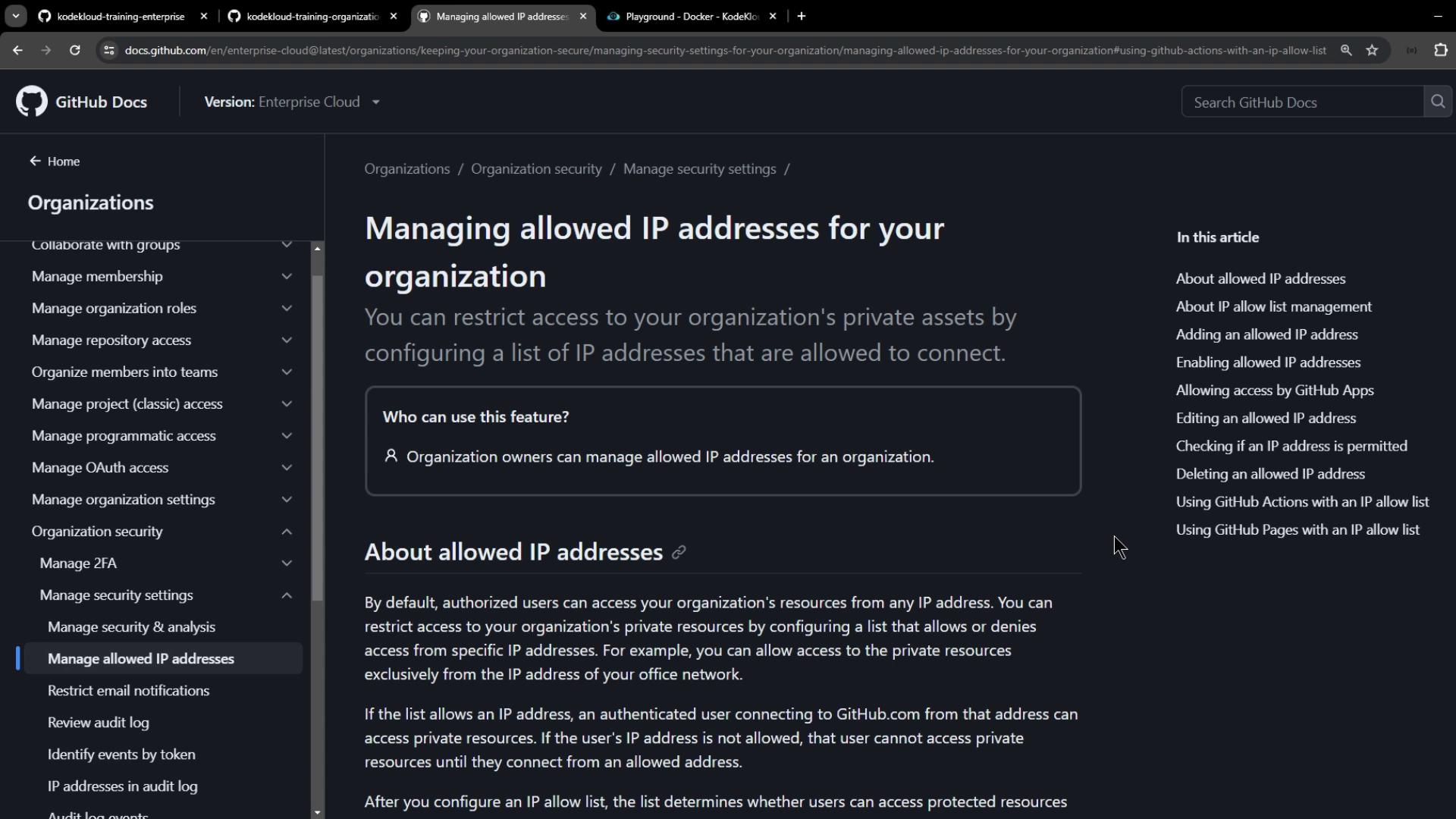
This documentation covers:
* Adding and managing allowed IP addresses or CIDR ranges
* Enabling allow lists for GitHub Apps, GitHub Actions, and GitHub Pages
* Verifying whether an IP is permitted before enforcement
## Using IP allow lists with GitHub Actions
To ensure your workflows run only on known IPs, choose runners with static addresses. You have two options:
| Runner Type | IP Stability | Use Case |
| --------------------- | ------------------- | -------------------------------------------------------------------- |
| Self-hosted runners | Static or dynamic | You manage the environment and networking |
| GitHub-hosted “large” | Static IP available | Enhanced VMs with more RAM, CPU, disk, auto-scaling, and defined IPs |
Workflows on static-IP runners won’t fail due to IP restrictions.\
Consider [self-hosted runners](https://docs.github.com/en/actions/hosting-your-own-runners/about-self-hosted-runners) or GitHub-hosted “large” runners if you need fixed IPs.
## Configuring IP allow lists at the enterprise level
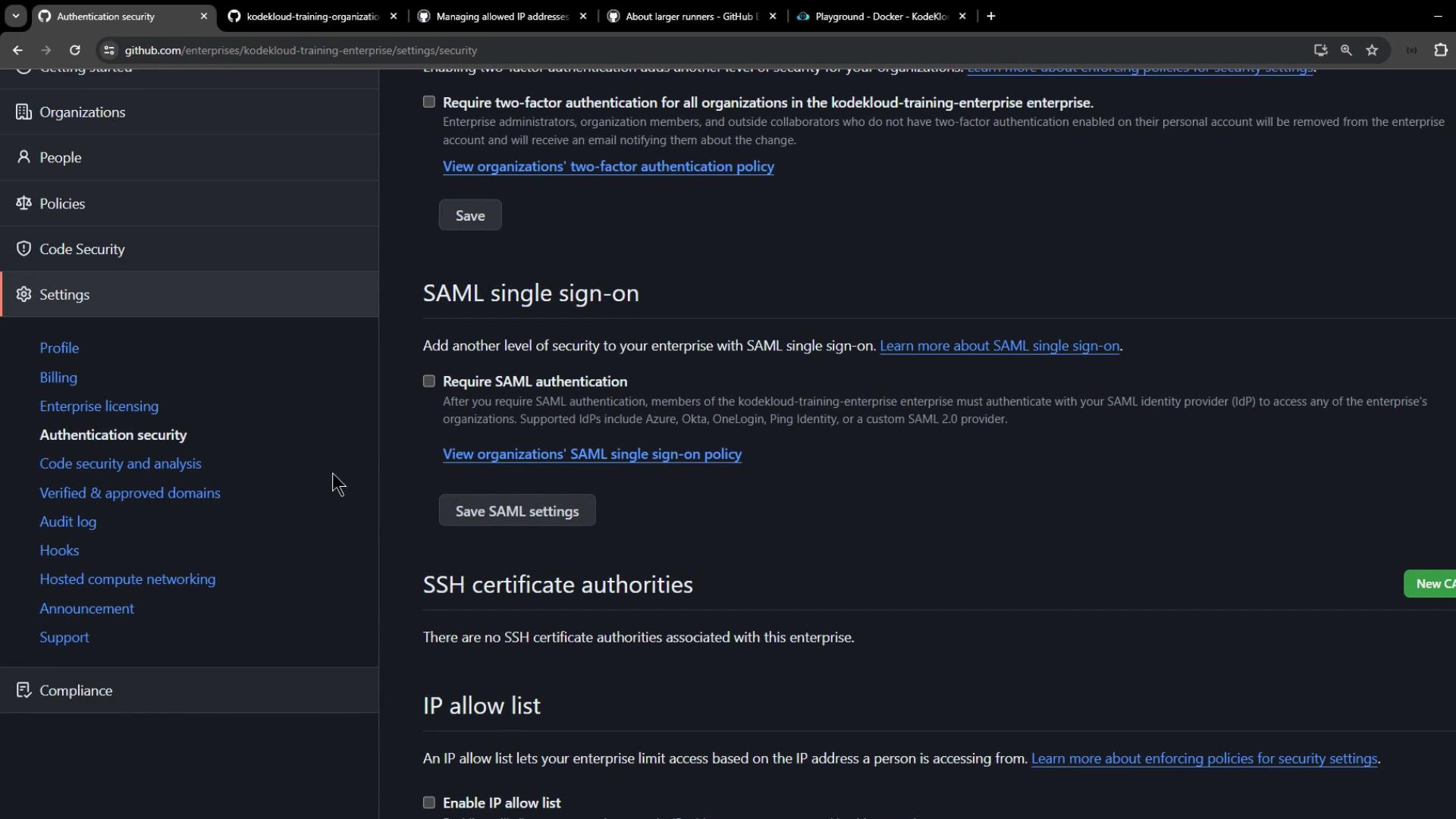
When you enable an IP allow list at the Enterprise level, it applies to all member organizations. The steps mirror the organization-level process:
1. Navigate to **Enterprise Settings**
2. Select **Authentication security**
3. Under **IP allow list**, click **Add IP** or **Add CIDR range**
4. Use the built-in checker to validate an IP before enforcement
5. Toggle **IP allow list** to **Enabled** and select services (Apps, Actions, Pages)
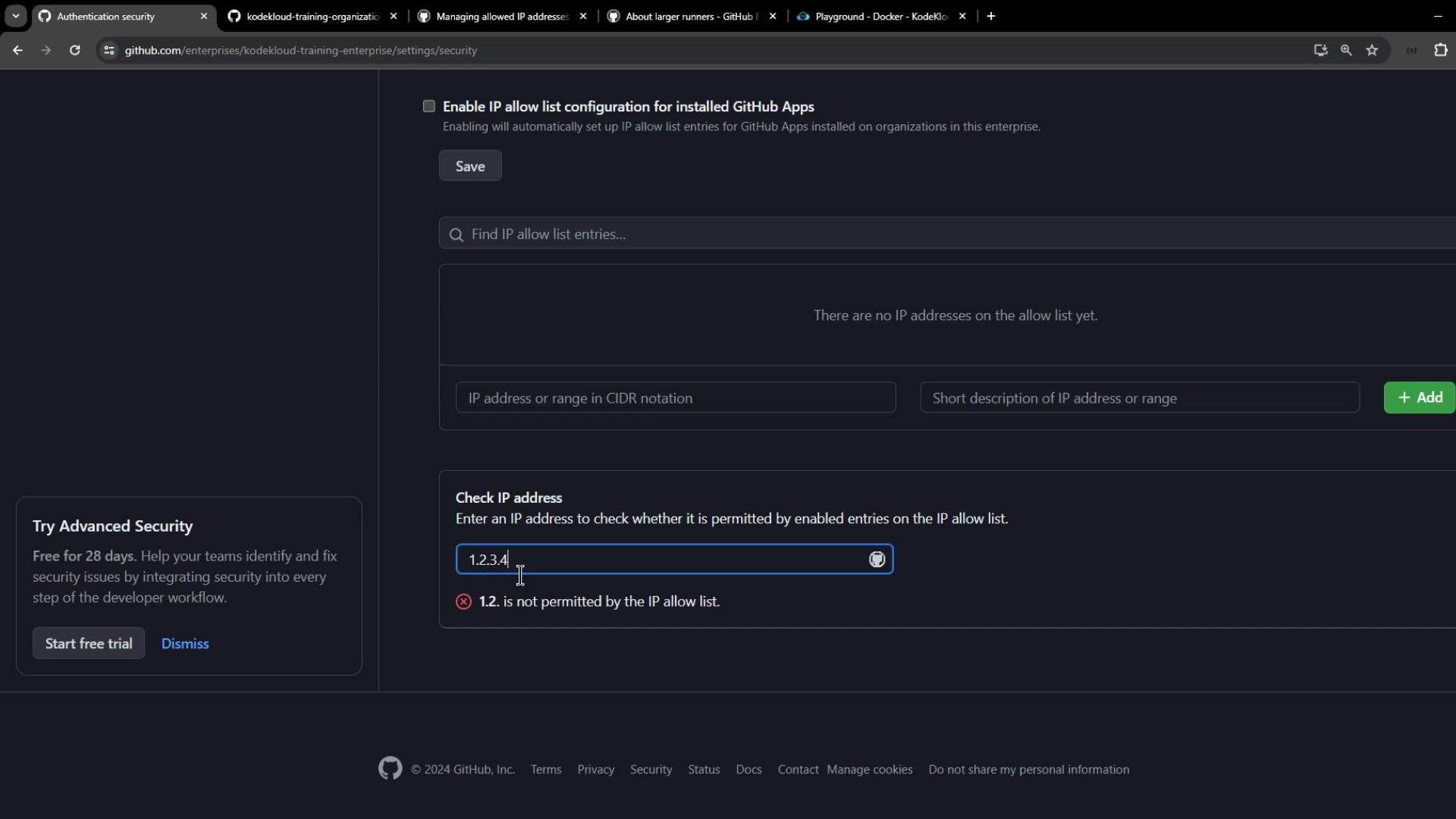
Once enforced, only users, apps, and runners originating from your approved IP addresses can access private enterprise resources.
### Handling dynamic IP addresses
If your self-hosted runners use dynamic IPs, automate updates to the allow list via a scheduled script or CI job that calls the [GitHub REST API](https://docs.github.com/rest). This prevents runner lockouts when IPs change.
Failing to refresh dynamic IP addresses can block your self-hosted runners and halt CI/CD pipelines.
## Configuring IP allow lists at the organization level
The organization-level workflow is identical to the enterprise process:
1. Navigate to **Organization Settings**
2. Select **Authentication security**
3. Add and verify IP addresses or CIDR ranges
4. Enable the IP allow list and choose applicable services (Apps, Actions, Pages)
With these settings enforced, only traffic from your specified IPs—including GitHub Actions workflows on static-IP runners—can reach your private repositories and organization resources.
***
## Links and References
* [Using IP allow lists to restrict access](https://docs.github.com/en/organizations/managing-security-settings-for-your-organization/using-ip-allow-lists-to-restrict-access-to-your-organization)
* [About self-hosted runners](https://docs.github.com/en/actions/hosting-your-own-runners/about-self-hosted-runners)
* [GitHub REST API documentation](https://docs.github.com/rest)