> ## Documentation Index
> Fetch the complete documentation index at: https://notes.kodekloud.com/llms.txt
> Use this file to discover all available pages before exploring further.

# Create Explore GitHub Account

> Learn to set up a GitHub account, navigate the dashboard, and review billing and plan limits for GitHub Actions.

In this guide, you’ll learn how to set up a GitHub account (or use an existing one), navigate the dashboard, and review your billing and plan limits—especially for GitHub Actions minutes and package storage. By the end, you’ll be familiar with the free plan’s offerings and where to find detailed billing documentation.

## 1. Sign Up for GitHub

1. Go to [https://github.com](https://github.com).
2. Click **Sign up** (or **Sign in** if you already have an account).
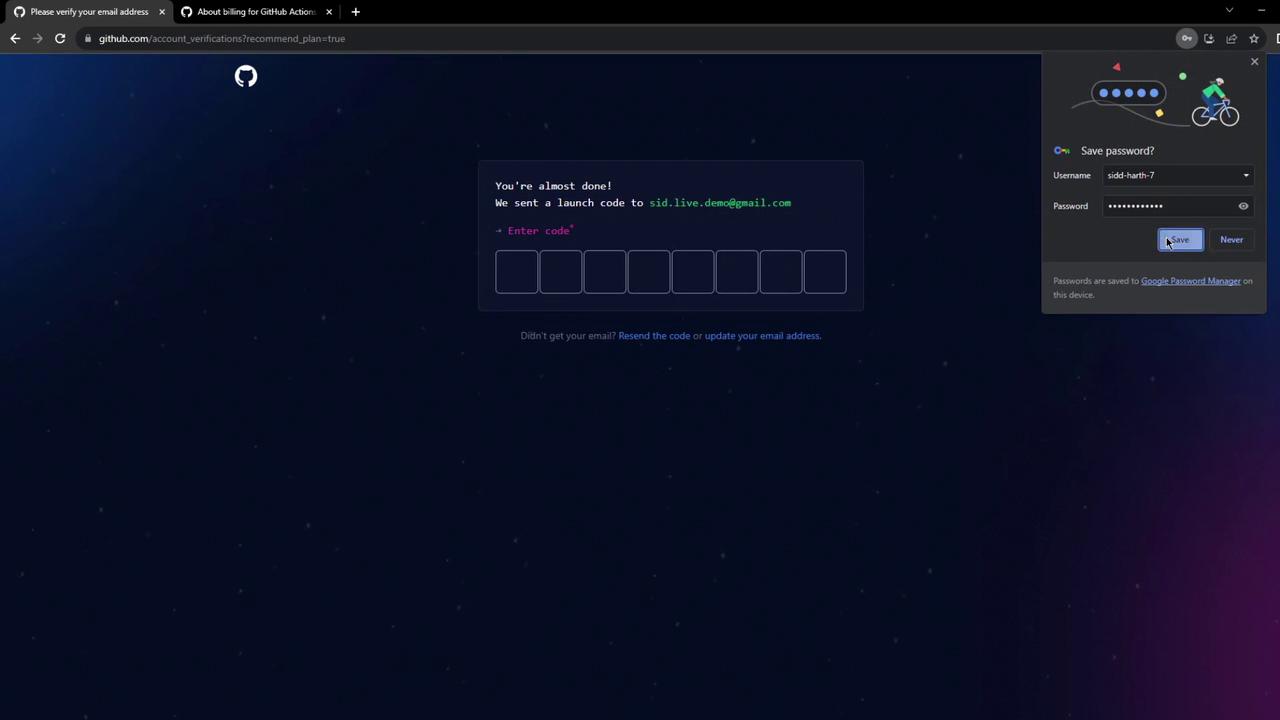
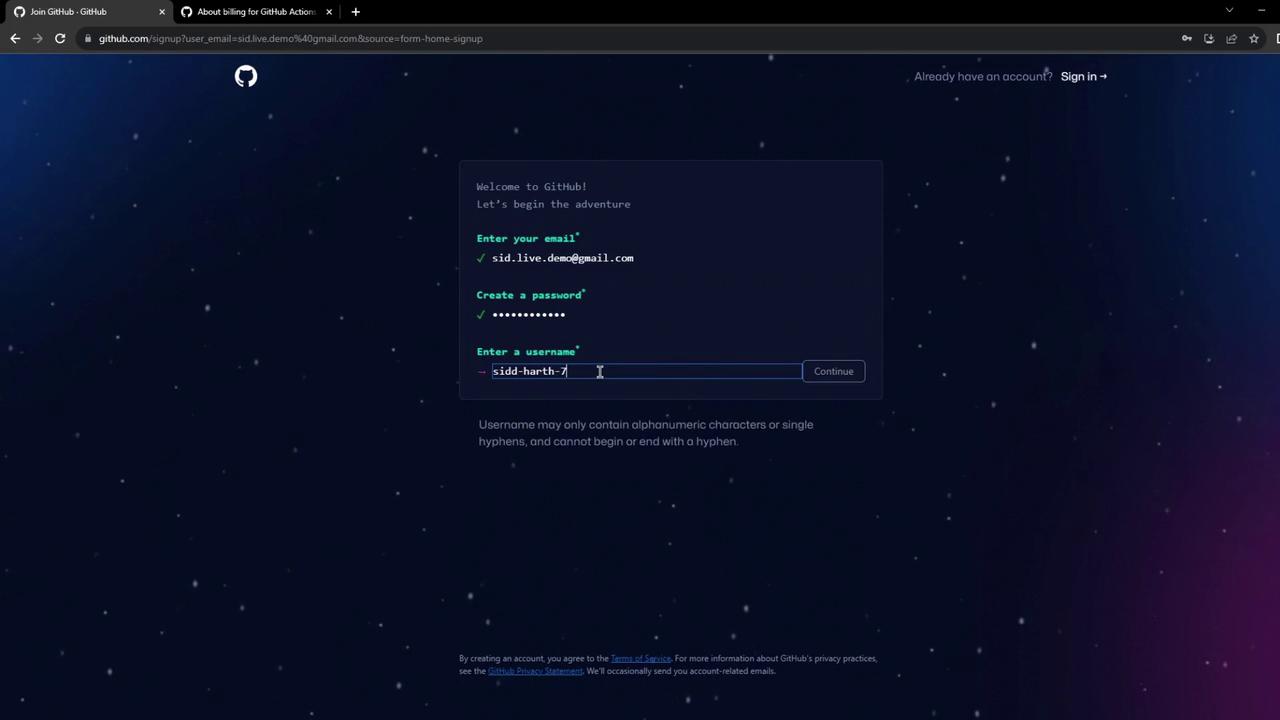
3. Enter your email, password, and username. Opt out of announcements if you prefer.
4. Verify your email by entering the code sent to your inbox.
5. Skip any optional personalization steps to finish setting up your dashboard.

<Frame>
  ![The image shows a GitHub webpage with a space-themed background, featuring a call to action for developers to build and scale software using their platform.](https://kodekloud.com/kk-media/image/upload/v1752876286/notes-assets/images/GitHub-Actions-Certification-Create-Explore-GitHub-Account/github-space-background-call-to-action.jpg)
</Frame>

<Frame>
  ![The image shows a GitHub signup page where a user is entering their email, password, and username. The background is dark with a starry theme.](https://kodekloud.com/kk-media/image/upload/v1752876287/notes-assets/images/GitHub-Actions-Certification-Create-Explore-GitHub-Account/github-signup-page-dark-background.jpg)
</Frame>

<Frame>
  ![The image shows a GitHub verification page prompting the user to enter a launch code sent to their email. There's also a browser prompt asking if the user wants to save their password.](https://kodekloud.com/kk-media/image/upload/v1752876288/notes-assets/images/GitHub-Actions-Certification-Create-Explore-GitHub-Account/github-verification-launch-code-prompt.jpg)
</Frame>

## 2. Explore the GitHub Dashboard

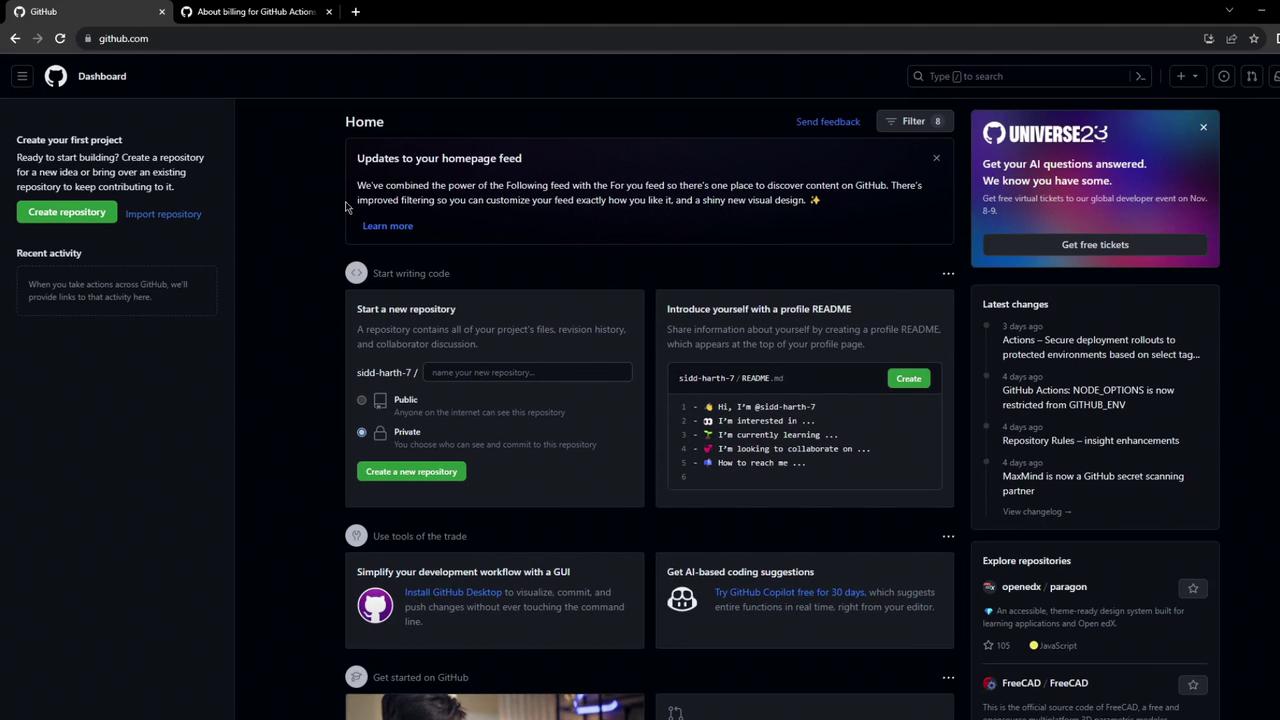
After signing in, the **Dashboard** is your central hub for:

* Creating new repositories
* Adding a profile README to showcase your work
* Browsing activity feeds and trending projects
<Frame>
  ![The image shows a GitHub dashboard with options to create a repository, updates to the homepage feed, and information about GitHub Universe 2023. There are sections for starting a new repository, introducing yourself with a profile README, and exploring repositories.](https://kodekloud.com/kk-media/image/upload/v1752876290/notes-assets/images/GitHub-Actions-Certification-Create-Explore-GitHub-Account/github-dashboard-repository-options-2023.jpg)
</Frame>

<Callout icon="lightbulb" color="#1CB2FE">
  Customize your profile README to introduce yourself, share your projects, or link to your portfolio.
</Callout>

## 3. Review Billing & Plan Limits for GitHub Actions

To see your current plan and usage:

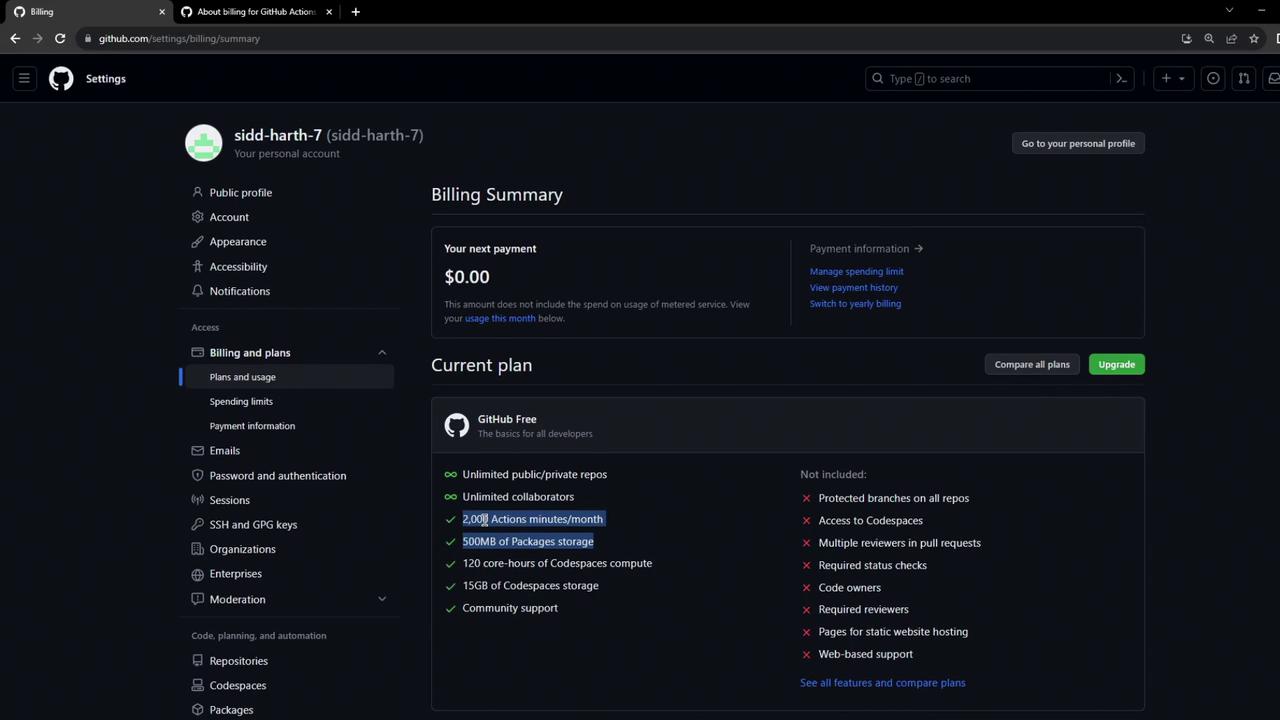
1. Click your avatar → **Settings**.
2. In the sidebar, select **Billing & plans**.

Under the free plan you get:

| Resource               | Allocation          | Description                          |
| ---------------------- | ------------------- | ------------------------------------ |
| GitHub Actions minutes | 2,000 minutes/month | Linux runners only                   |
| Package storage        | 500 MB              | GitHub Packages & workflow artifacts |
<Frame>
  ![The image shows a GitHub billing summary page for a personal account, displaying a \$0.00 next payment and details of the current GitHub Free plan.](https://kodekloud.com/kk-media/image/upload/v1752876291/notes-assets/images/GitHub-Actions-Certification-Create-Explore-GitHub-Account/github-billing-summary-free-plan.jpg)
</Frame>

Scroll down to **Usage report** to download details by runner OS and see your package storage consumption.

<Callout icon="triangle-alert" color="#FF6B6B">
  Windows runners cost 2× as much as Linux; macOS runners cost 10× as much. Plan your workflows accordingly.
</Callout>

## 4. Understand GitHub Actions Billing Documentation

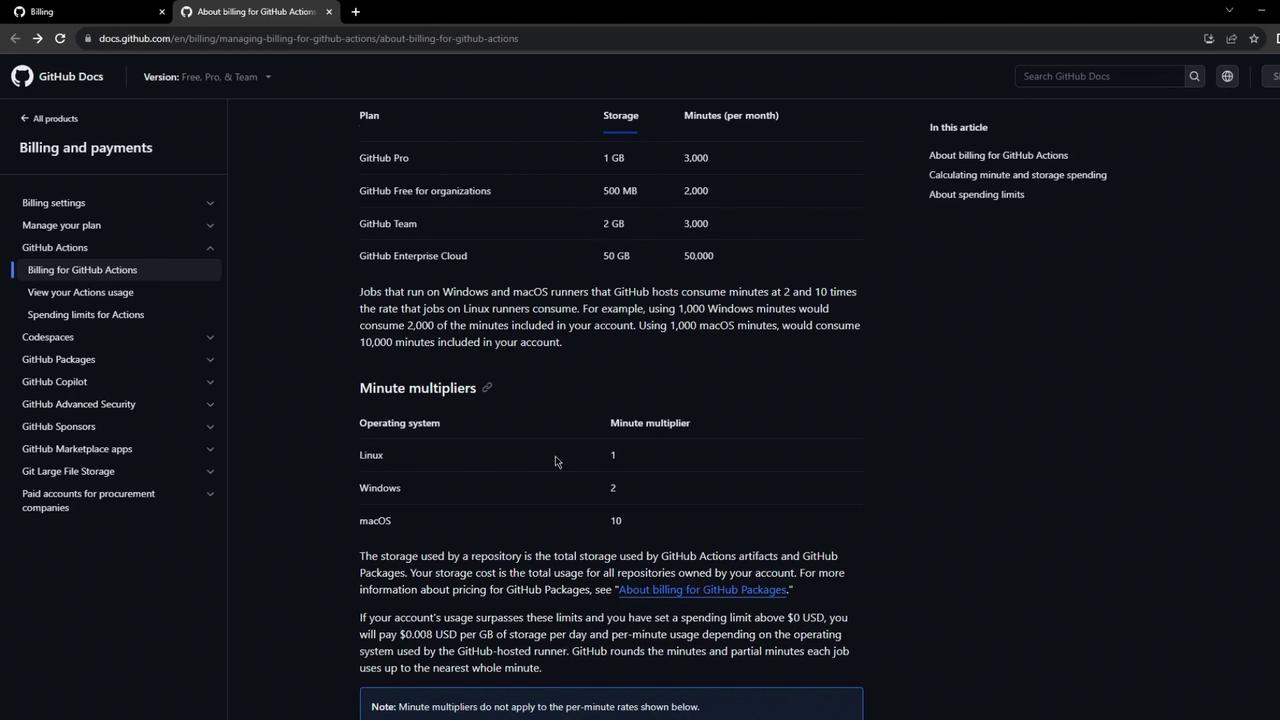
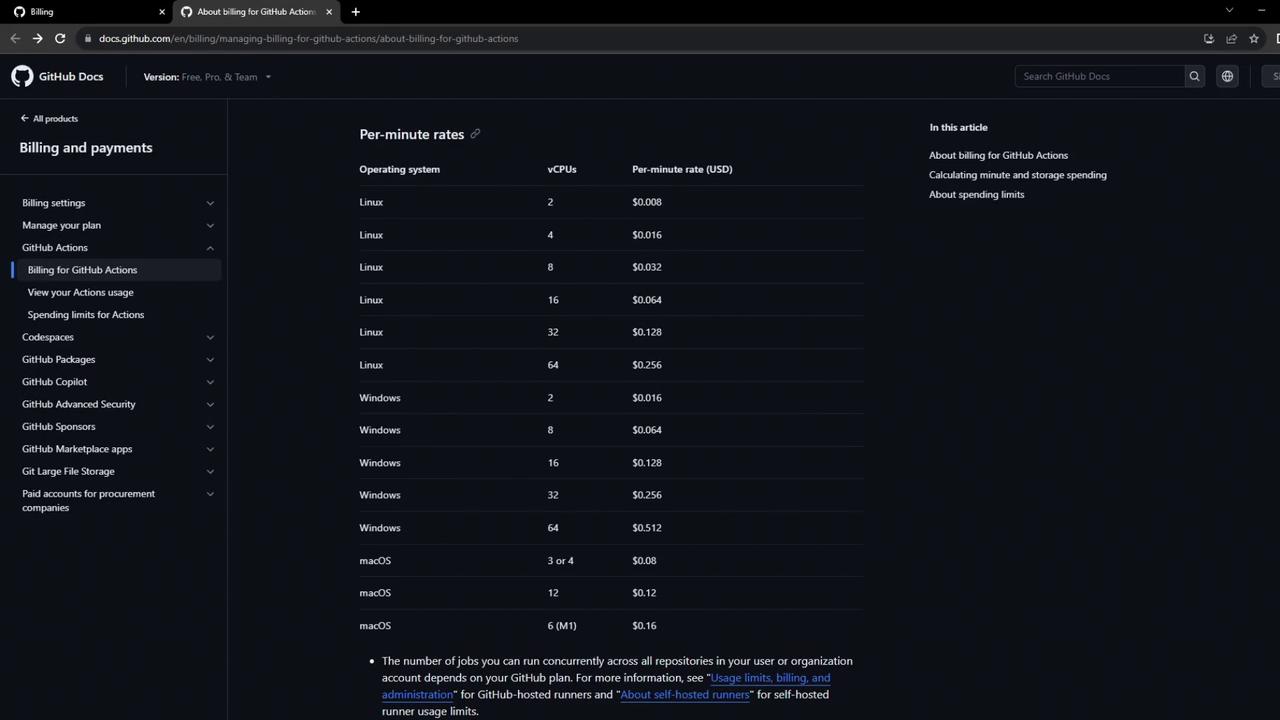
For deeper insights, consult the official billing docs. You’ll find:

* How multipliers affect your minute usage
* Per-minute rates by CPU configuration and OS
<Frame>
  ![The image shows a GitHub Docs page detailing billing and payments for GitHub Actions, including storage and minute usage for different plans and minute multipliers for various operating systems.](https://kodekloud.com/kk-media/image/upload/v1752876292/notes-assets/images/GitHub-Actions-Certification-Create-Explore-GitHub-Account/github-actions-billing-payments-docs.jpg)
</Frame>

Below is a simplified rate overview. For the full, up-to-date table, see the [official docs](https://docs.github.com/en/billing/managing-billing-for-github-actions).

| Operating System | Multiplier vs Linux | Example Rate (USD/min) |
| ---------------- | ------------------- | ---------------------- |
| Linux            | 1×                  | \$0.008                |
| Windows          | 2×                  | \$0.016                |
| macOS            | 10×                 | \$0.080                |
<Frame>
  ![The image shows a GitHub Docs page detailing per-minute rates for GitHub Actions based on different operating systems and vCPU configurations. The rates are listed in USD for Linux, Windows, and macOS.](https://kodekloud.com/kk-media/image/upload/v1752876293/notes-assets/images/GitHub-Actions-Certification-Create-Explore-GitHub-Account/github-actions-per-minute-rates.jpg)
</Frame>

## References

* [GitHub Billing for Actions](https://docs.github.com/en/billing/managing-billing-for-github-actions)
* [GitHub Documentation](https://docs.github.com/)
* [GitHub Features Comparison](https://docs.github.com/en/get-started/learning-about-github/githubs-products)

<CardGroup>
  <Card title="Watch Video" icon="video" cta="Learn more" href="https://learn.kodekloud.com/user/courses/github-actions-certification/module/f7702c28-34a1-40fc-9511-9bbc4940a4af/lesson/98f3c7c3-7e4c-4c79-924e-80d4c3431449" />
</CardGroup>