> ## Documentation Index
> Fetch the complete documentation index at: https://notes.kodekloud.com/llms.txt
> Use this file to discover all available pages before exploring further.

# Manage Organization level Encrypted Secrets

> Learn how to configure and scope secrets for GitHub Actions at environment, repository, and organization levels.

***

title: Manage Organization-level Encrypted Secrets in GitHub Actions
description: Learn how to configure and scope secrets for GitHub Actions at environment, repository, and organization levels.
-----------------------------------------------------------------------------------------------------------------------------

In this tutorial, you will configure **GitHub Actions** secrets at different scopes—environment, repository, and organization—to control access across your workflows. We’ll:

* Add repository-level secrets
* Define environment-level secrets
* Configure organization-level secrets
* Demonstrate secret resolution order

<Callout icon="lightbulb" color="#1CB2FE">
  You need **admin** access to the target repositories and organization, plus a local clone or VS Code setup.\
  Also see [GitHub Actions Secrets documentation](https://docs.github.com/actions/security-guides/encrypted-secrets) for more details.
</Callout>

## Overview: Personal vs. Organization Repositories

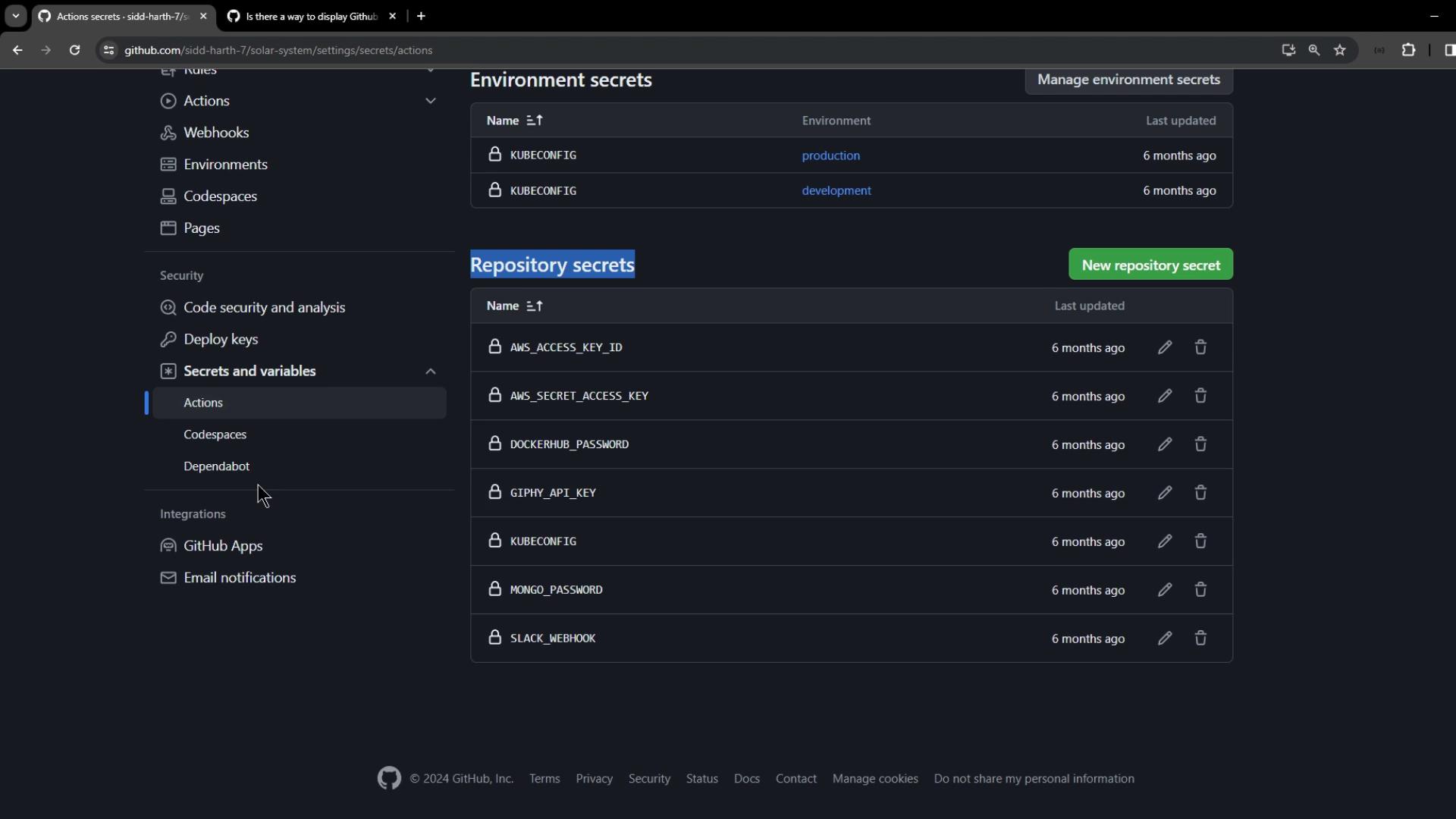
Personal accounts support only repository- and environment-level secrets. Organization accounts add an extra **organization-level** scope.
<Frame>
  ![The image shows a GitHub repository settings page, specifically the "Secrets and variables" section, listing environment and repository secrets such as AWS keys and passwords.](https://kodekloud.com/kk-media/image/upload/v1752876376/notes-assets/images/GitHub-Actions-Certification-Manage-Organization-level-Encrypted-Secrets/github-repo-settings-secrets-variables.jpg)
</Frame>

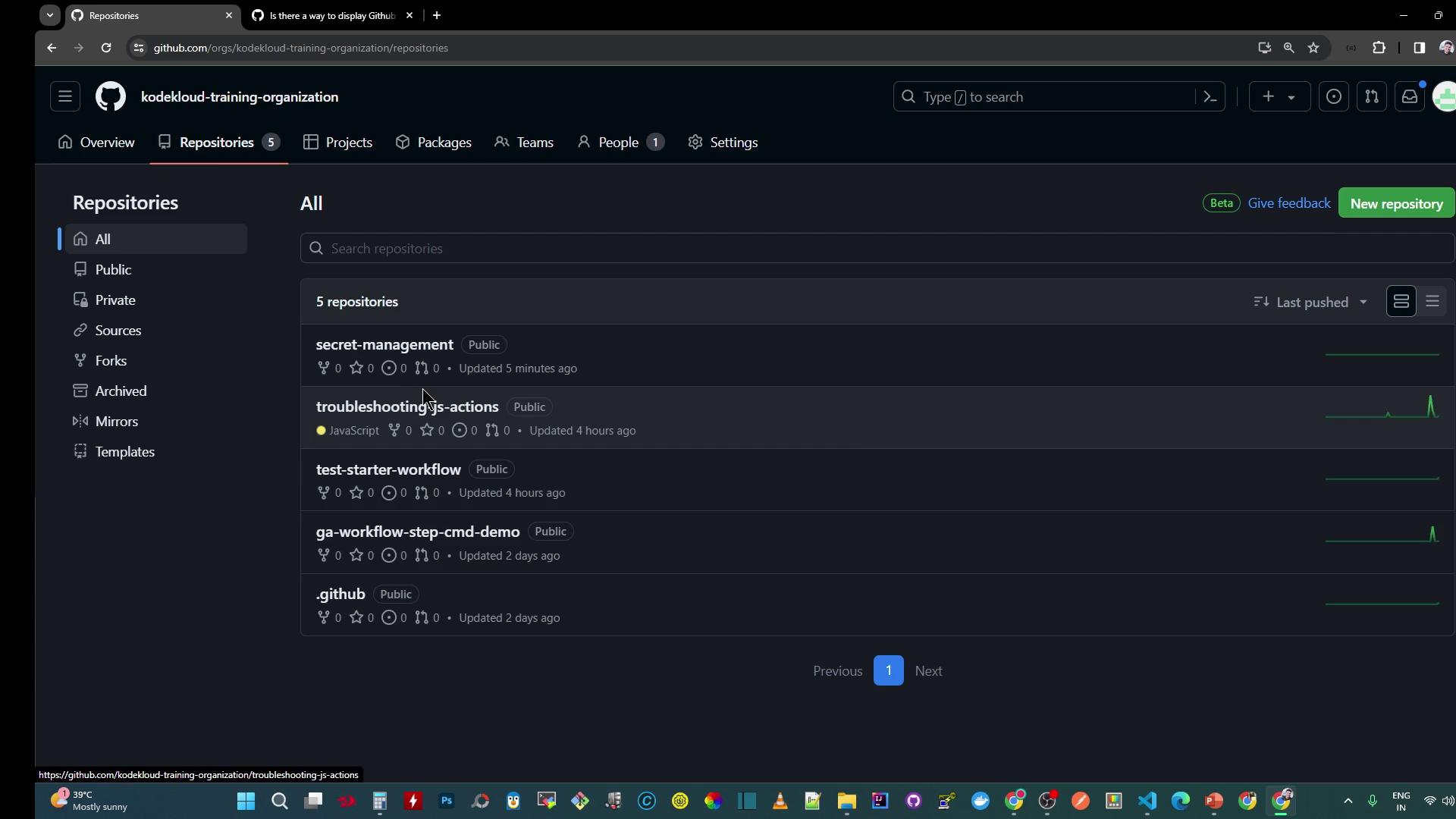
Switch to an **organization** repository to access the full spectrum of secret scopes.
<Frame>
  ![The image shows a GitHub organization page with a list of repositories, including "secret-management" and "troubleshooting-js-actions." The interface is in dark mode, displaying repository details like visibility and update times.](https://kodekloud.com/kk-media/image/upload/v1752876377/notes-assets/images/GitHub-Actions-Certification-Manage-Organization-level-Encrypted-Secrets/github-organization-repositories-dark-mode.jpg)
</Frame>

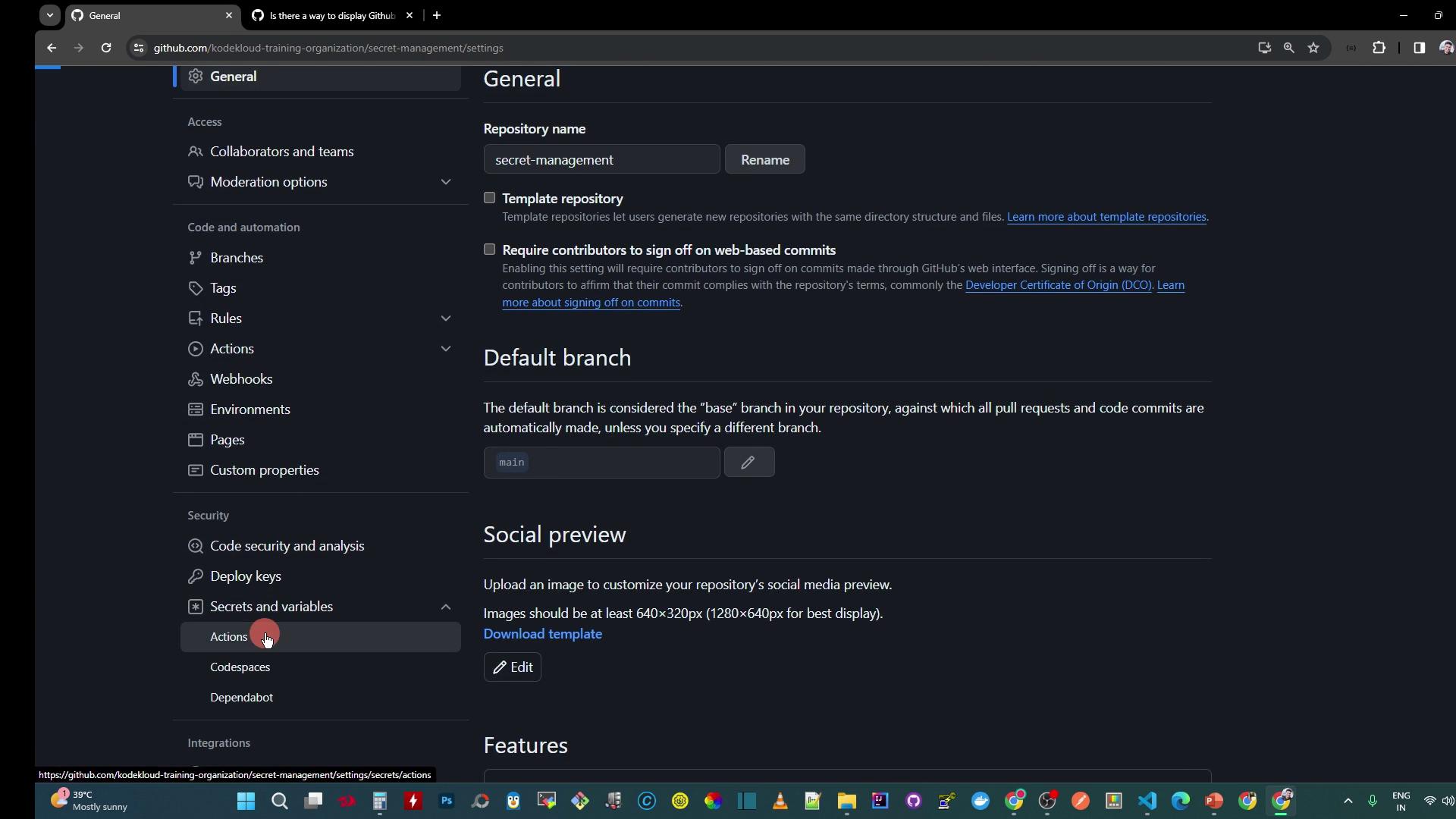
Navigate to **Settings > Secrets and variables** under **Code and automation** to view all scopes.
<Frame>
  ![The image shows the settings page of a GitHub repository, with options for general settings, default branch, social preview, and features. The sidebar includes sections for access, code and automation, security, and integrations.](https://kodekloud.com/kk-media/image/upload/v1752876379/notes-assets/images/GitHub-Actions-Certification-Manage-Organization-level-Encrypted-Secrets/github-repo-settings-page-sidebar-options.jpg)
</Frame>

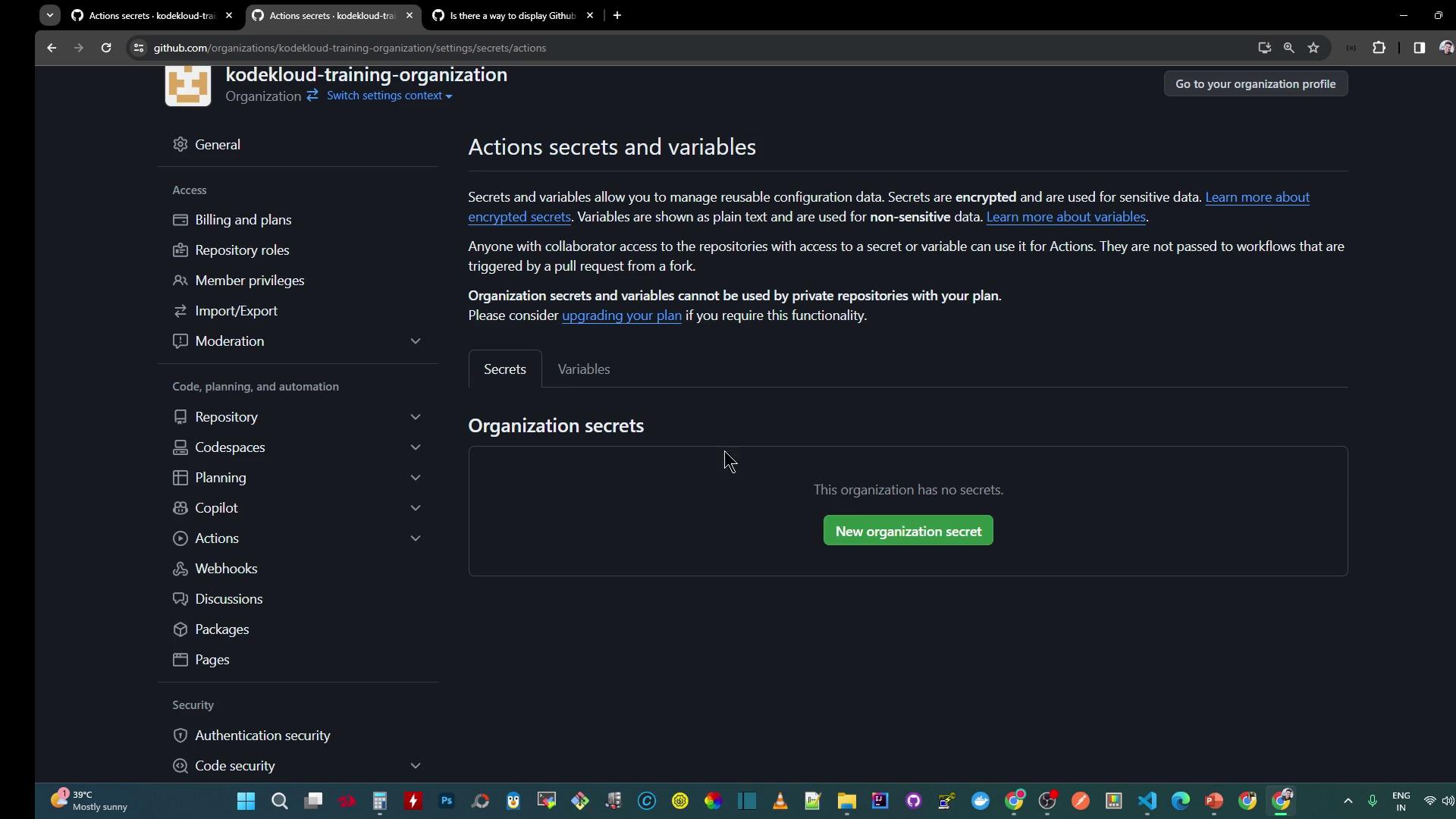
Click **Organization secrets** to manage secrets across your entire organization.
<Frame>
  ![The image shows a GitHub organization settings page for managing "Actions secrets and variables," with options to add new organization secrets.](https://kodekloud.com/kk-media/image/upload/v1752876380/notes-assets/images/GitHub-Actions-Certification-Manage-Organization-level-Encrypted-Secrets/github-organization-settings-actions-secrets.jpg)
</Frame>

***

## 1. Configure Repository-Level Secrets

Create a workflow file at `.github/workflows/secret-demo.yaml`:

```yaml theme={null}
name: Secret Scope Demo

on:
  push:
  workflow_dispatch:

jobs:
  print_repo_secrets:
    runs-on: ubuntu-latest
    steps:
      - name: Read Repository Masked Secret
        run: echo ${{ secrets.DEV_API_KEY }}
      - name: Read Repository Secret Unmasked
        run: echo ${{ secrets.DEV_API_KEY }} | sed 's/./&/g'
```

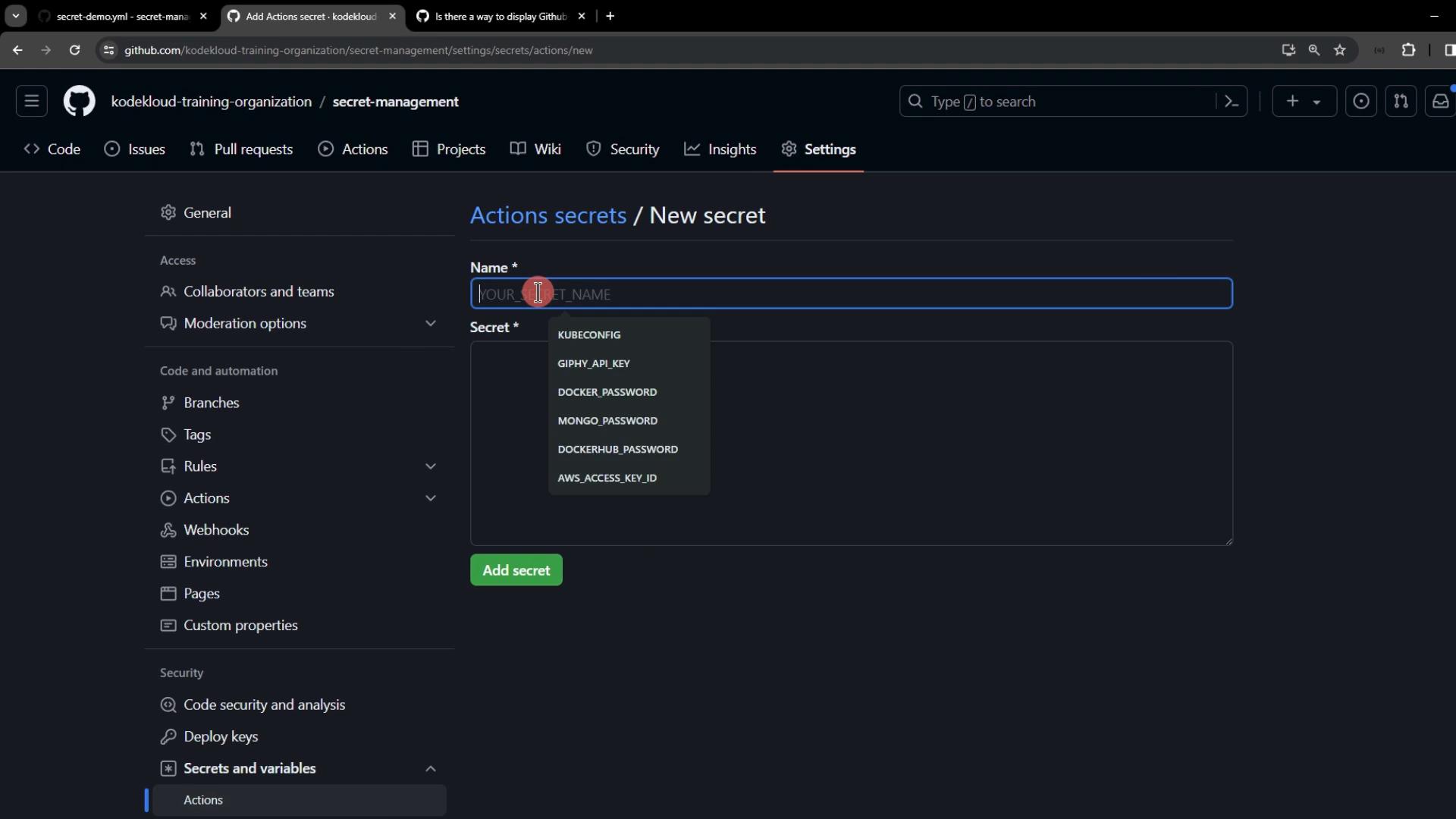
Add the repository secret in **Settings > Secrets and variables > Actions > New repository secret**:
<Frame>
  ![The image shows a GitHub interface for adding a new secret in the "Actions secrets" section, with fields for "Name" and "Secret" and a dropdown suggesting secret names.](https://kodekloud.com/kk-media/image/upload/v1752876381/notes-assets/images/GitHub-Actions-Certification-Manage-Organization-level-Encrypted-Secrets/github-actions-secrets-add-new-secret.jpg)
</Frame>

* Name: `DEV_API_KEY`
* Value: `REPOSITORY-level-DEV-api-key`

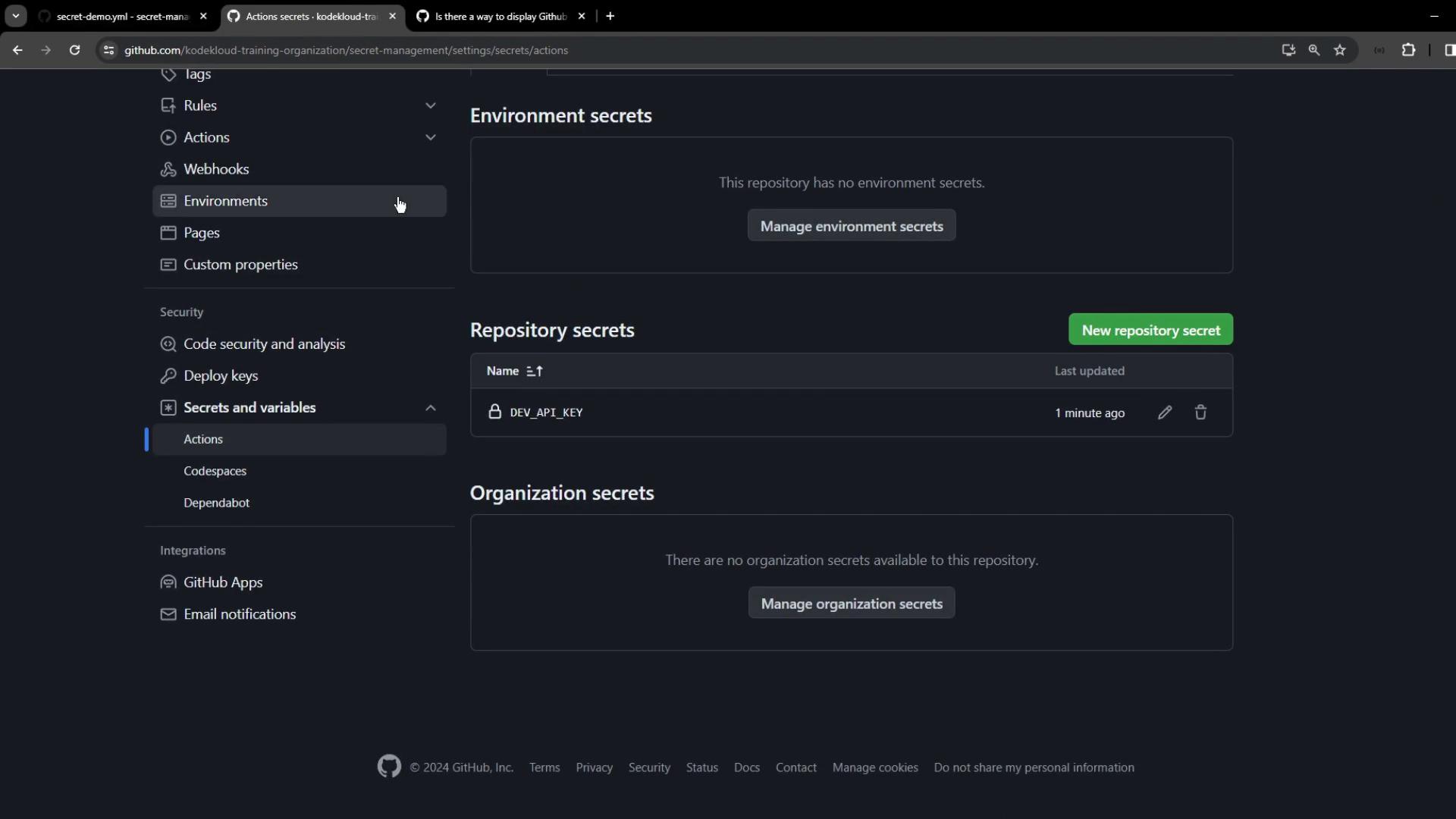
Push your changes, then open the **Actions** tab:
<Frame>
  ![The image shows a GitHub repository settings page for managing secrets, with sections for environment, repository, and organization secrets. It displays one repository secret named "DEV\_API\_KEY."](https://kodekloud.com/kk-media/image/upload/v1752876382/notes-assets/images/GitHub-Actions-Certification-Manage-Organization-level-Encrypted-Secrets/github-repo-settings-managing-secrets.jpg)
</Frame>

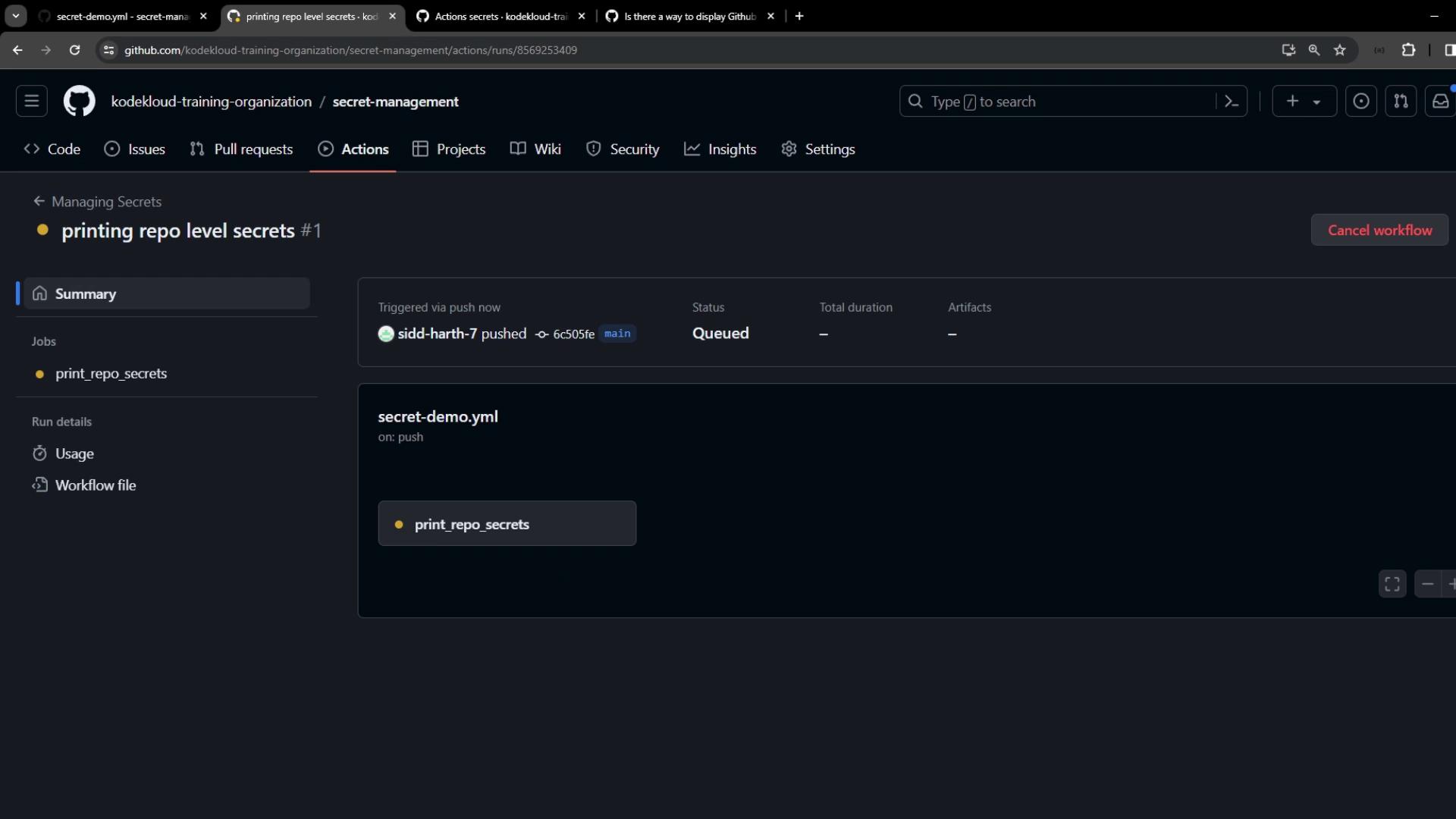
Observe the queued workflow:

<Frame>
  ![The image shows a GitHub Actions workflow page for a repository named "secret-management" under the "kodekloud-training-organization." The workflow, triggered by a push, is titled "printing repo level secrets" and is currently queued.](https://kodekloud.com/kk-media/image/upload/v1752876383/notes-assets/images/GitHub-Actions-Certification-Manage-Organization-level-Encrypted-Secrets/github-actions-secret-management-workflow.jpg)
</Frame>

Once complete, check that the secret is masked in the first step and fully printed in the second:

<Frame>
  ![The image shows a GitHub Actions interface displaying a successful job run for "print\_environment\_secrets," which includes steps like setting up the job and reading secret content.](https://kodekloud.com/kk-media/image/upload/v1752876384/notes-assetshttps://kodekloud.com/kk-media/image/upload/v1752876384/notes-assets/images/GitHub-Actions-Certification-Manage-Organization-level-Encrypted-Secrets/github-actions-successful-job-print-secrets.jpg)
</Frame>

***

## 2. Configure Environment-Level Secrets

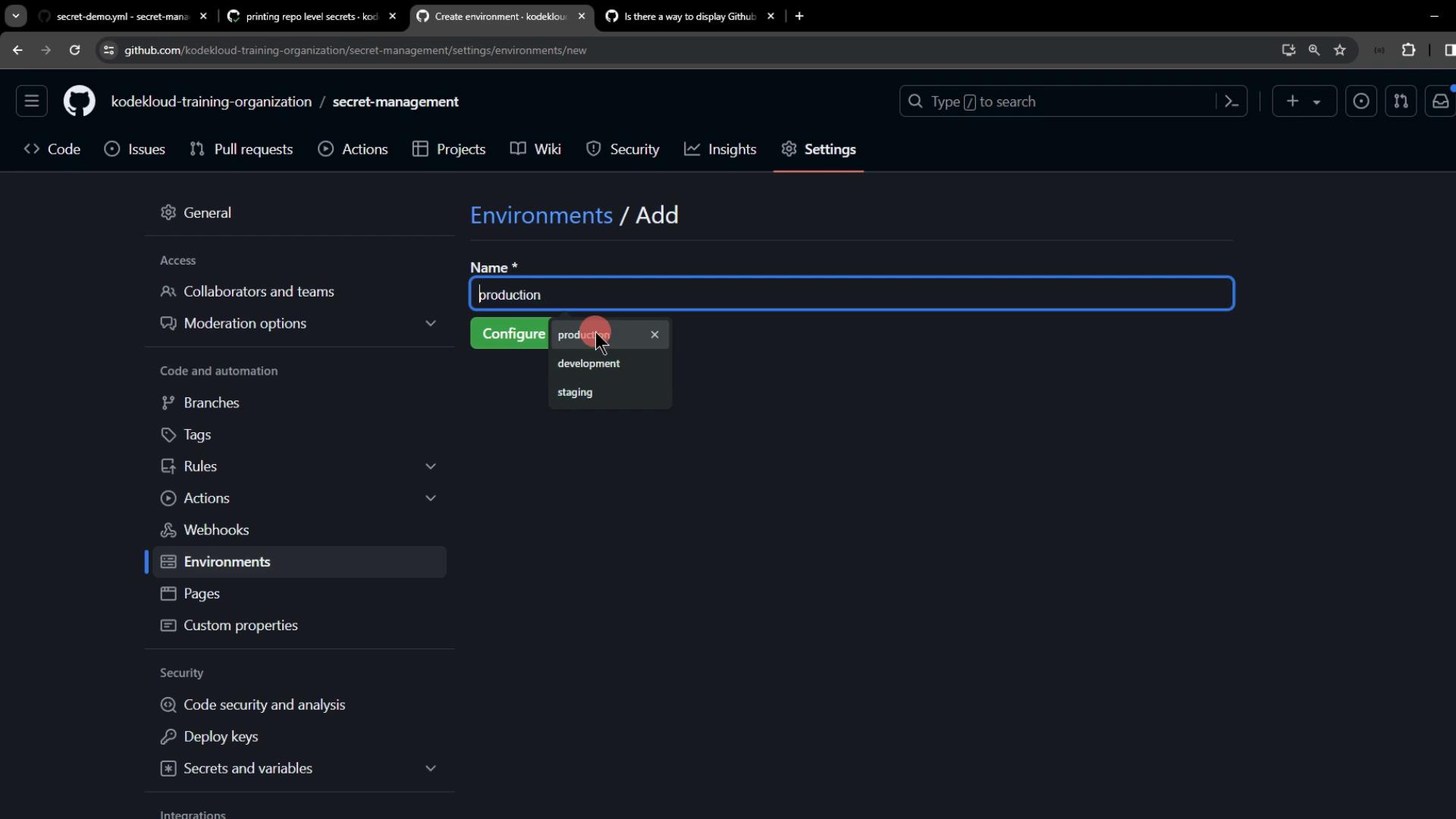
Create a new environment called `production` under **Settings > Environments**:
<Frame>
  ![The image shows a GitHub settings page where a user is adding a new environment named "production" with options for "development" and "staging" also visible.](https://kodekloud.com/kk-media/image/upload/v1752876385/notes-assets/images/GitHub-Actions-Certification-Manage-Organization-level-Encrypted-Secrets/github-settings-new-environment-production.jpg)
</Frame>

Add an environment secret:

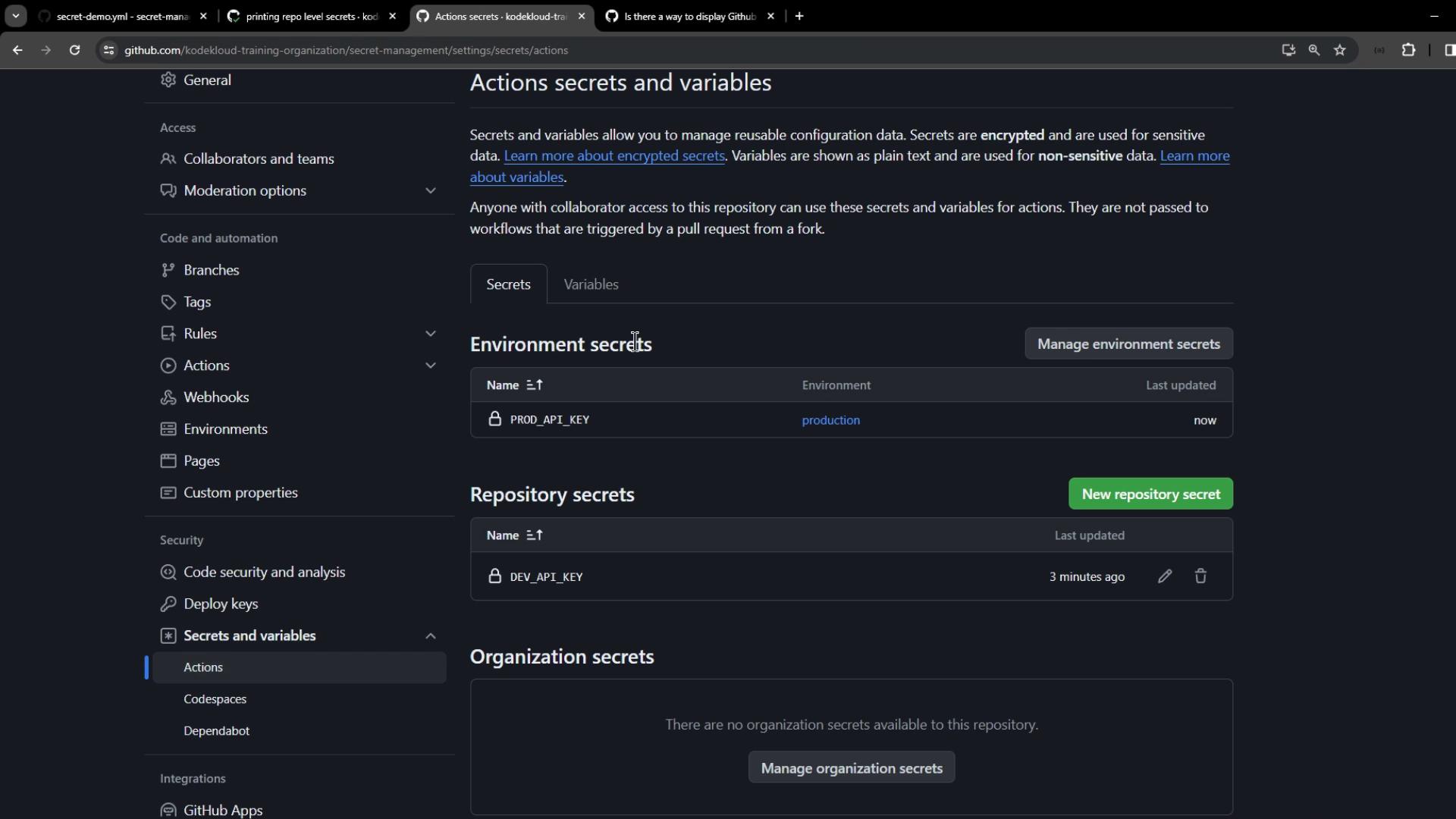
* Name: `PROD_API_KEY`
* Value: `ENVIRONMENT-level-PROD-api-key`

<Frame>
  ![The image shows a GitHub settings page for configuring environment secrets and variables, with options to add or edit secrets and variables for GitHub Actions.](https://kodekloud.com/kk-media/image/upload/v1752876386/notes-assets/images/GitHub-Actions-Certification-Manage-Organization-level-Encrypted-Secrets/github-settings-environment-secrets-variables.jpg)
</Frame>

※ For comparison, also add `PROD_API_KEY` at the repository level:
<Frame>
  ![The image shows a GitHub repository settings page for managing "Actions secrets and variables," displaying sections for environment and repository secrets.](https://kodekloud.com/kk-media/image/upload/v1752876387/notes-assets/images/GitHub-Actions-Certification-Manage-Organization-level-Encrypted-Secrets/github-repo-settings-actions-secrets.jpg)
</Frame>

Update your workflow to read both repository and environment secrets:

```yaml theme={null}
name: Secret Scope Demo

on:
  push:
  workflow_dispatch:

jobs:
  print_repo_secrets:
    runs-on: ubuntu-latest
    steps:
      - name: Read DEV_API_KEY
        run: echo ${{ secrets.DEV_API_KEY }} | sed 's/./&/g'
      - name: Read PROD_API_KEY (Repo)
        run: echo ${{ secrets.PROD_API_KEY }} | sed 's/./&/g'

  print_environment_secrets:
    environment: production
    runs-on: ubuntu-latest
    steps:
      - name: Read DEV_API_KEY
        run: echo ${{ secrets.DEV_API_KEY }} | sed 's/./&/g'
      - name: Read PROD_API_KEY (Env)
        run: echo ${{ secrets.PROD_API_KEY }} | sed 's/./&/g'
```

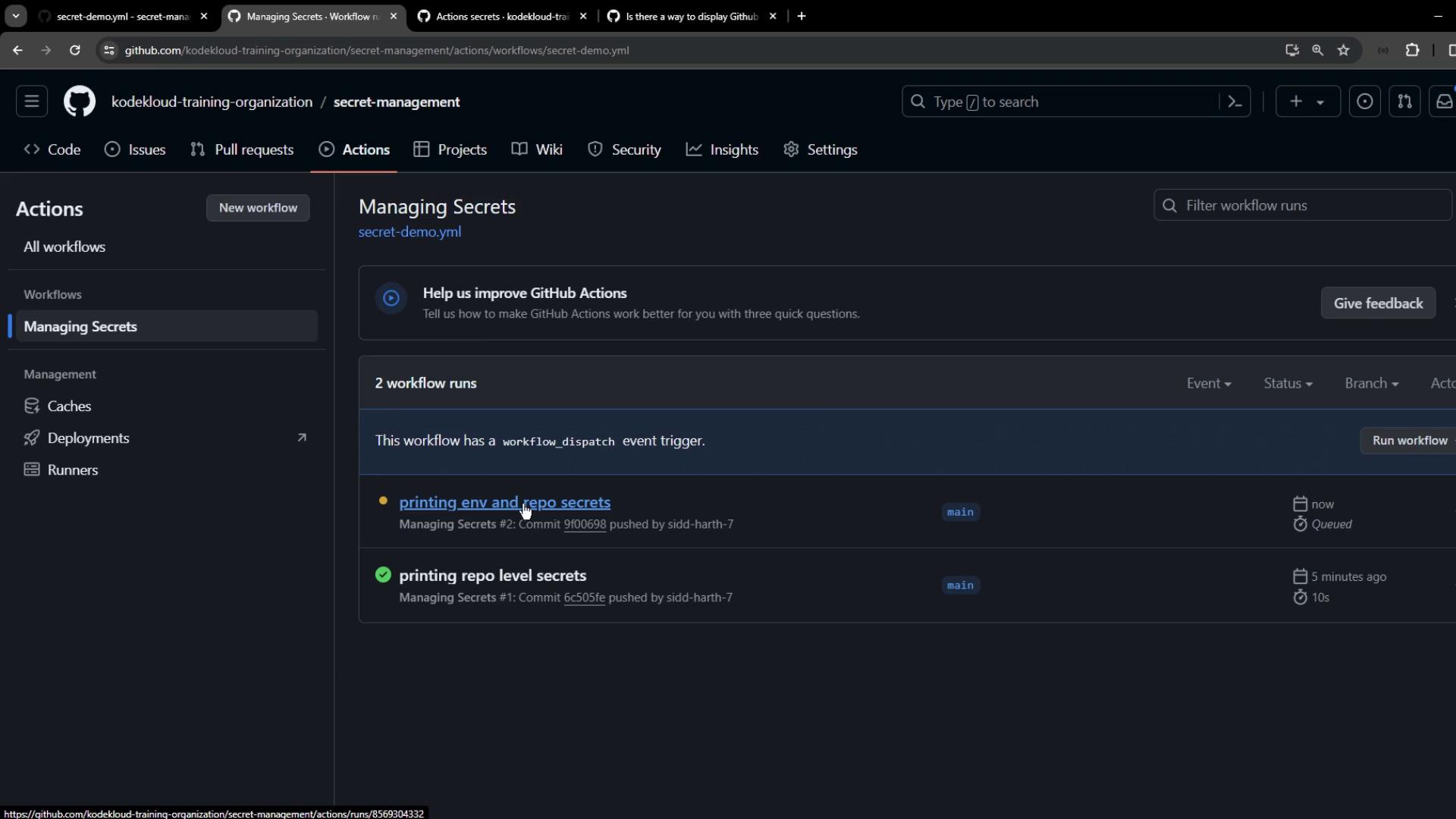
Push and view both jobs in **Actions**:
<Frame>
  ![The image shows a GitHub Actions interface for managing secrets, displaying workflow runs with details such as event triggers and commit information.](https://kodekloud.com/kk-media/image/upload/v1752876388/notes-assets/images/GitHub-Actions-Certification-Manage-Organization-level-Encrypted-Secrets/github-actions-secrets-workflow-runs.jpg)
</Frame>

The environment job uses the environment-level `PROD_API_KEY`:

<Frame>
  ![The image shows a GitHub Actions interface displaying a successful job run for "print\_environment\_secrets," which includes steps like setting up the job and reading secret content.](https://kodekloud.com/kk-media/image/upload/v1752876384/notes-assetshttps://kodekloud.com/kk-media/image/upload/v1752876384/notes-assets/images/GitHub-Actions-Certification-Manage-Organization-level-Encrypted-Secrets/github-actions-successful-job-print-secrets.jpg)
</Frame>

***

## 3. Configure Organization-Level Secrets

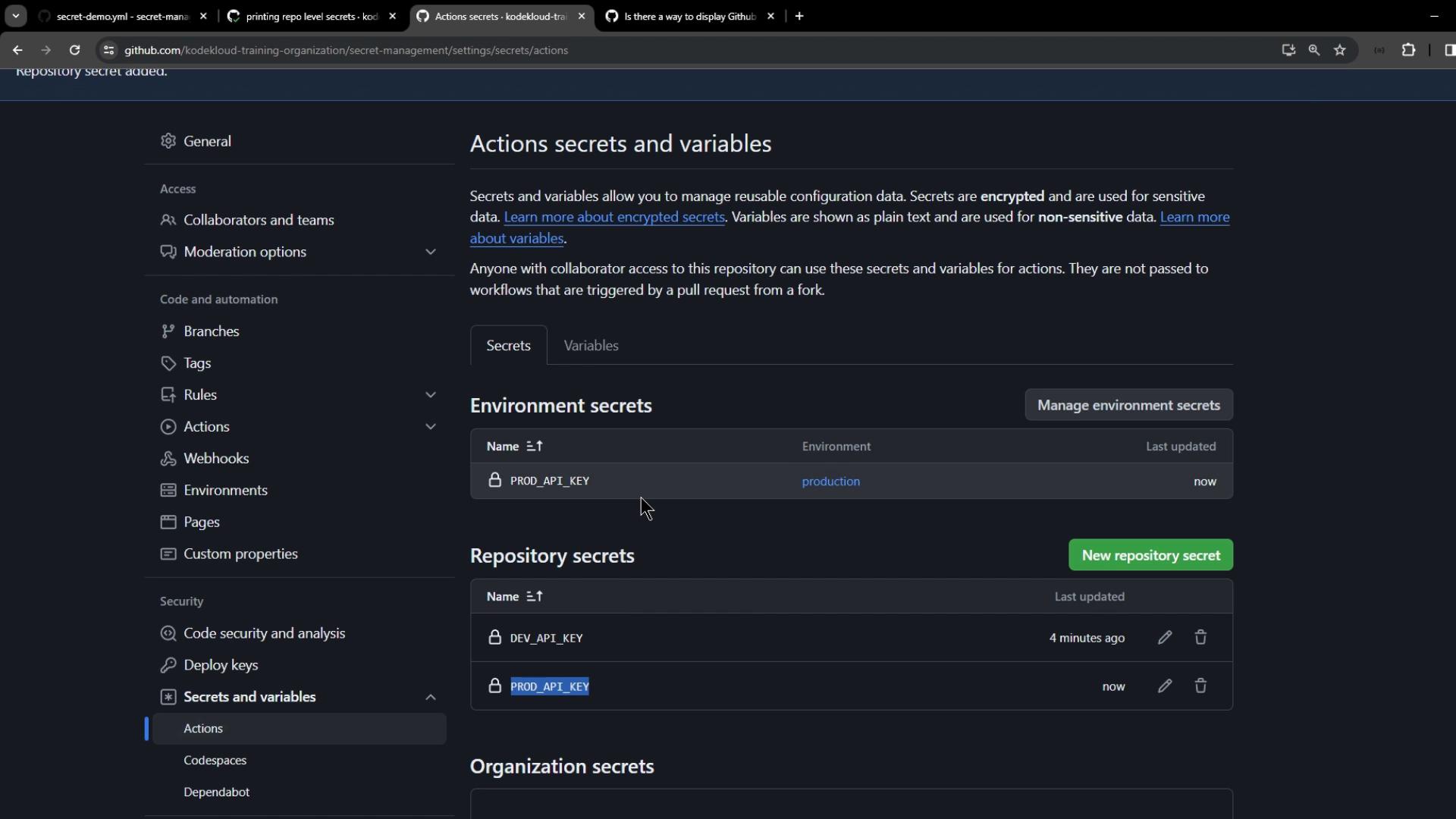
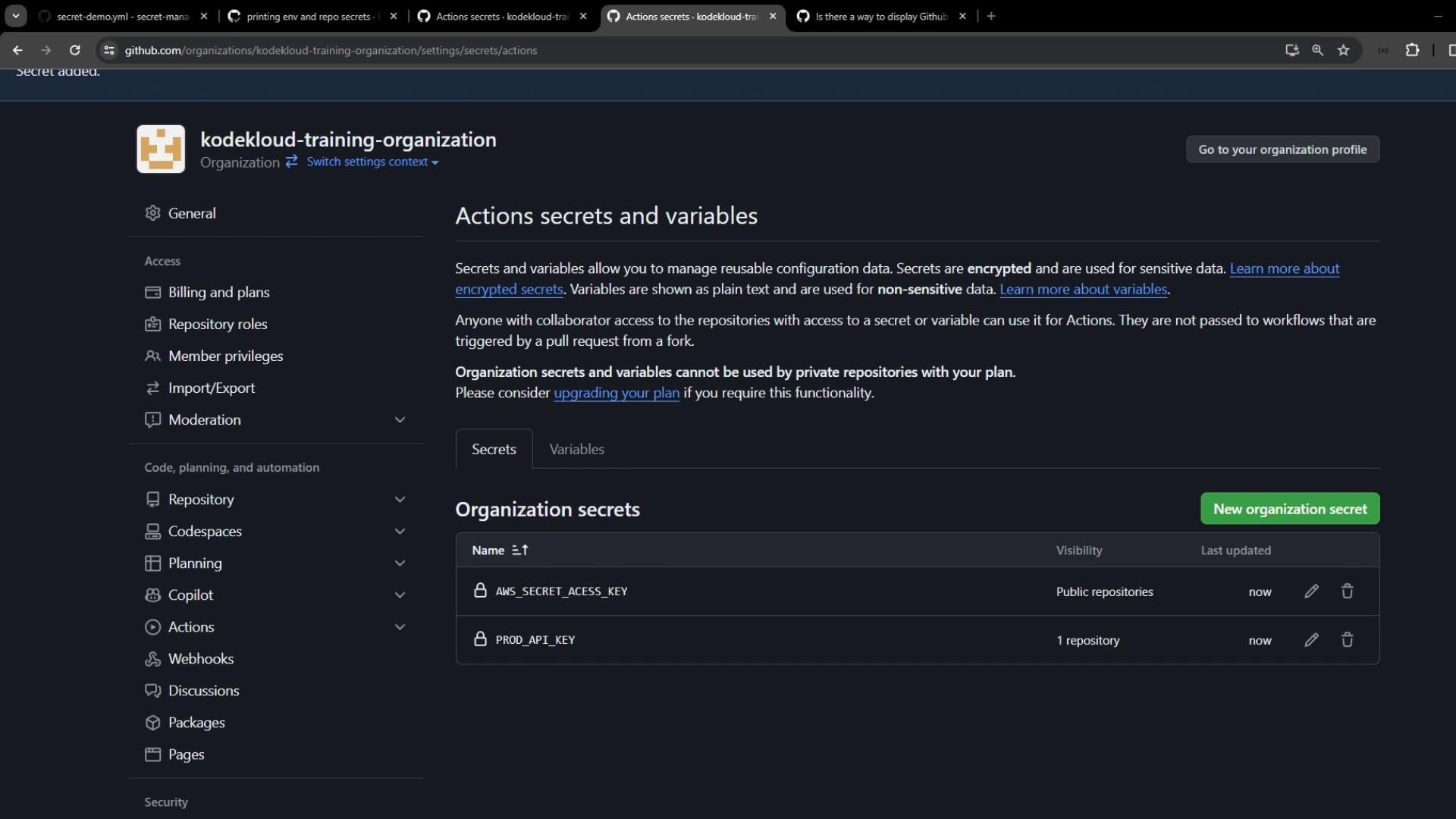
Go to **Organization Settings > Secrets and variables > Actions** and click **New organization secret**. Create:

1. `BROAD_API_KEY` – scoped to **secret-management** repo.
2. `AWS_SECRET_ACCESS_KEY` – scoped to all **public** repositories.
3. `PLATFORM_PASSWORD` – scoped to the **.github** repository only.
<Frame>
  ![The image shows a GitHub interface for managing "Actions secrets and variables," displaying environment and repository secrets like PROD\_API\_KEY and DEV\_API\_KEY. It includes options to manage and add new secrets.](https://kodekloud.com/kk-media/image/upload/v1752876389/notes-assets/images/GitHub-Actions-Certification-Manage-Organization-level-Encrypted-Secrets/github-actions-secrets-management-interface.jpg)
</Frame>

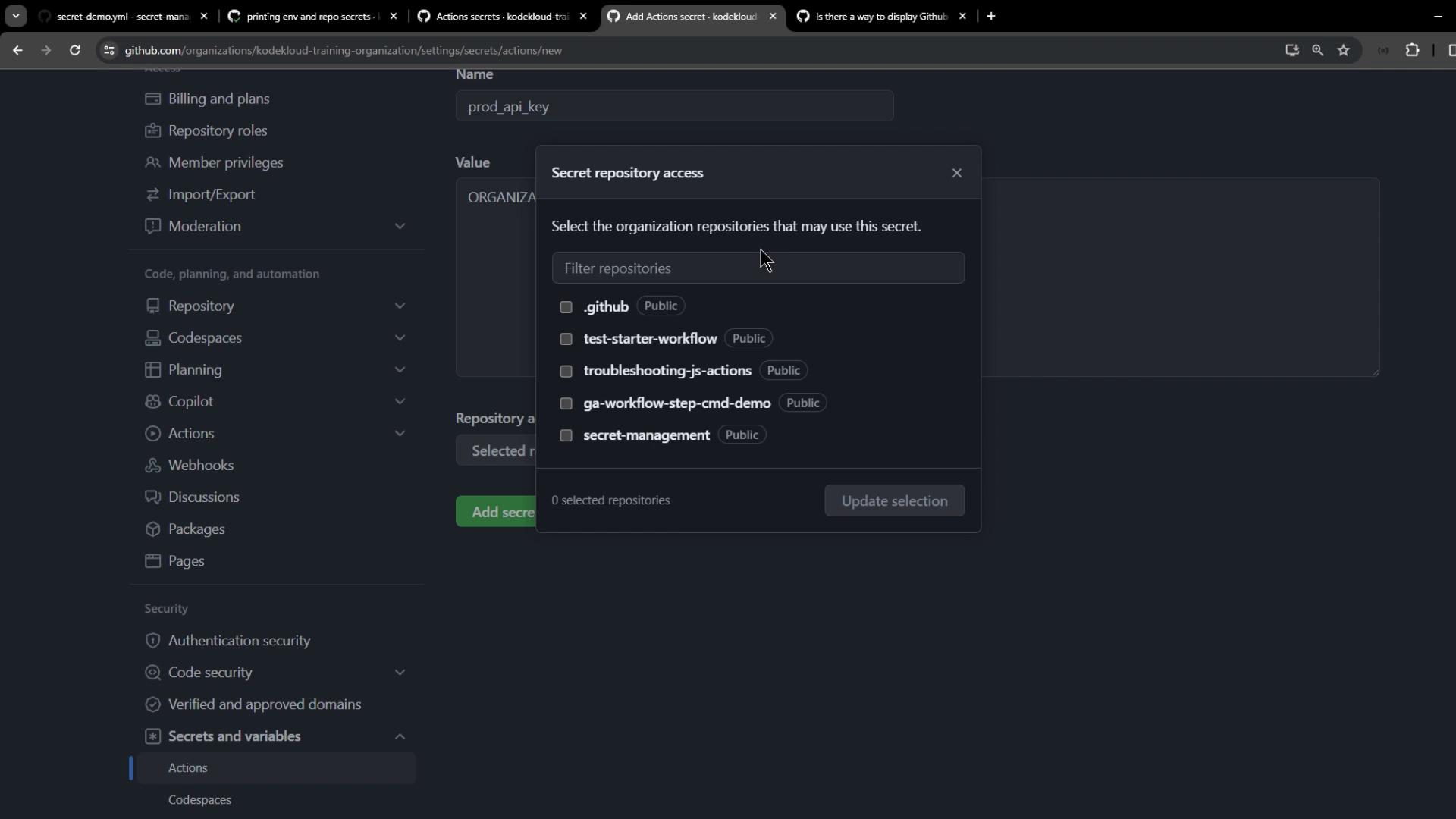
When selecting repositories for **BROAD\_API\_KEY**, choose only **secret-management**:
<Frame>
  ![The image shows a GitHub interface for managing secrets, with a pop-up window for selecting repositories that can access a specific secret. Various repository options are listed for selection.](https://kodekloud.com/kk-media/image/upload/v1752876390/notes-assets/images/GitHub-Actions-Certification-Manage-Organization-level-Encrypted-Secrets/github-secrets-management-popup-repositories.jpg)
</Frame>

After creation, verify the list and access settings:
<Frame>
  ![The image shows a GitHub interface for managing organization secrets and variables, with options to add new secrets and a list of existing secrets.](https://kodekloud.com/kk-media/image/upload/v1752876391/notes-assets/images/GitHub-Actions-Certification-Manage-Organization-level-Encrypted-Secrets/github-organization-secrets-management-interface.jpg)
</Frame>

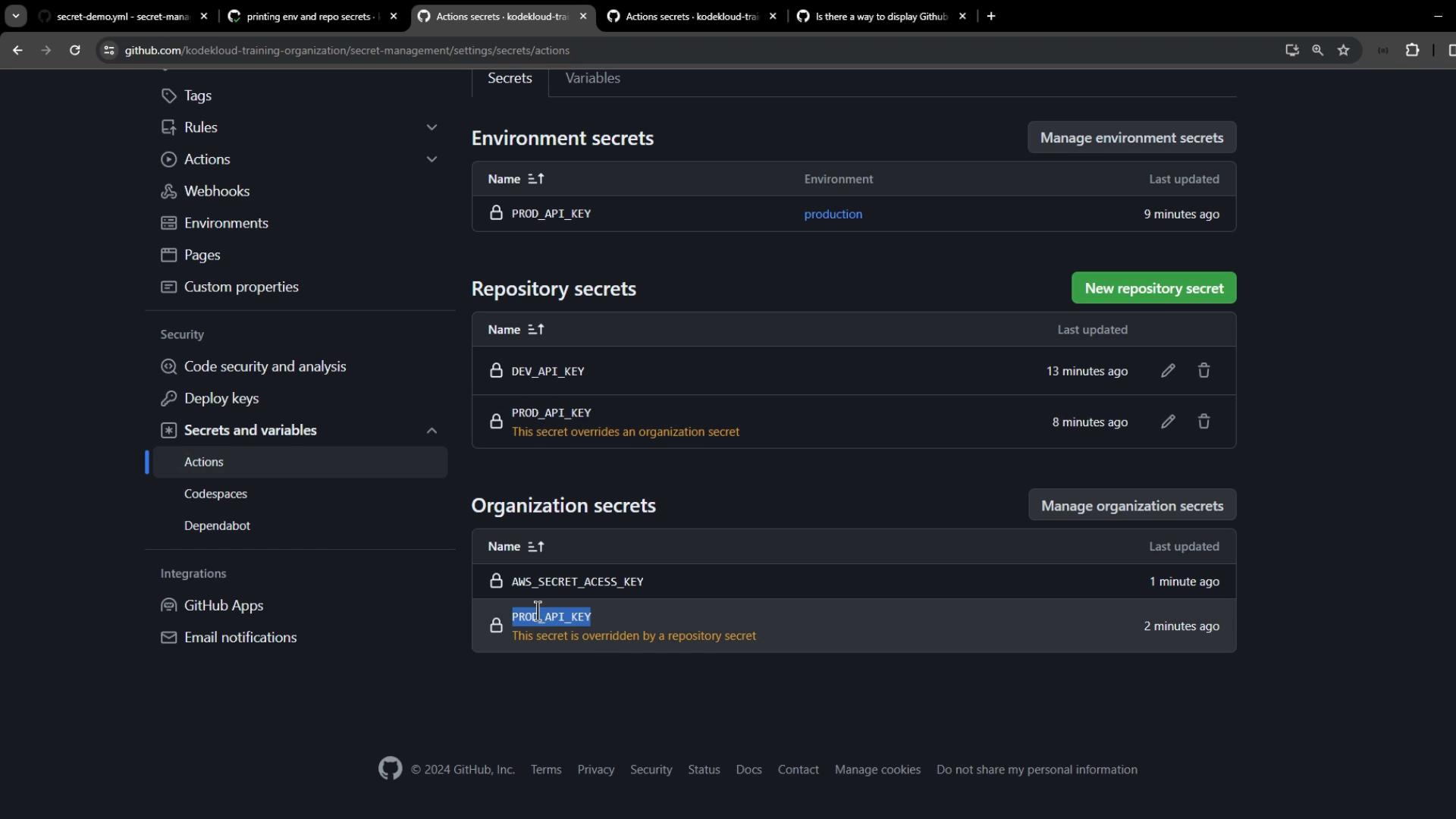
Back in **secret-management** settings, organization secrets appear below repository and environment scopes. Remember that a repository secret overrides an organization secret with the same name:
<Frame>
  ![The image shows a GitHub settings page for managing secrets and variables, including environment, repository, and organization secrets. It lists specific API keys and their last updated times.](https://kodekloud.com/kk-media/image/upload/v1752876392/notes-assets/images/GitHub-Actions-Certification-Manage-Organization-level-Encrypted-Secrets/github-settings-secrets-variables-page.jpg)
</Frame>

### 3.1 Print Organization-Level Secrets

Extend your workflow with:

```yaml theme={null}
  print_organization_secrets:
    runs-on: ubuntu-latest
    steps:
      - name: Read BROAD_API_KEY (Repo Override)
        run: echo ${{ secrets.BROAD_API_KEY }} | sed 's/./&/g'
      - name: Read AWS_SECRET_ACCESS_KEY
        run: echo ${{ secrets.AWS_SECRET_ACCESS_KEY }} | sed 's/./&/g'
      - name: Read PLATFORM_PASSWORD
        run: echo ${{ secrets.PLATFORM_PASSWORD }} | sed 's/./&/g'
```

Push and check the **print\_organization\_secrets** job:

* `BROAD_API_KEY` displays the repository-level value.
* `AWS_SECRET_ACCESS_KEY` displays the organization-level secret.
* `PLATFORM_PASSWORD` is empty (restricted to `.github` repo).

```text theme={null}
R E P O S I T O R Y - l e v e l - D E V - a p i - k e - y  
O R G A N I Z A T I O N - l e v e l - A W S _ S E C R E T _ A C C E S S _ K E Y
```

***

## Best Practices and Secret Resolution

| Scope              | Precedence  | Use Case                                  |
| ------------------ | ----------- | ----------------------------------------- |
| Environment-level  | 1 (Highest) | Secure keys for specific deployment tiers |
| Repository-level   | 2           | Repo-specific secrets and tokens          |
| Organization-level | 3 (Lowest)  | Shared secrets across multiple repos      |

<Callout icon="triangle-alert" color="#FF6B6B">
  Avoid storing sensitive data in logs. Always mask secrets and restrict access to minimal required repositories.
</Callout>

By correctly scoping and managing secrets, you gain fine-grained security control for your GitHub Actions workflows.

<CardGroup>
  <Card title="Watch Video" icon="video" cta="Learn more" href="https://learn.kodekloud.com/user/courses/github-actions-certification/module/a3e810f5-af92-4e1c-ac54-bdf50ddbe9cf/lesson/c9ff4990-46ef-41f3-8008-57c07258b963" />
</CardGroup>