> ## Documentation Index
> Fetch the complete documentation index at: https://notes.kodekloud.com/llms.txt
> Use this file to discover all available pages before exploring further.
# Use CodeQL as a step in a workflow
> Learn to integrate GitHub’s CodeQL code scanning into CI processes to uncover security vulnerabilities in your source code.
In this guide, you’ll learn how to integrate GitHub’s CodeQL code scanning into your CI processes. CodeQL analyzes your source code to uncover security vulnerabilities by running community- and GitHub Security Lab–maintained queries. Results appear on pull requests and in the repository’s Security tab.
## What Is CodeQL Code Scanning?
Code scanning is a built-in GitHub feature that uses the CodeQL semantic analysis engine. It runs queries against your codebase, surfaces potential security issues, and helps you track and resolve them before they reach production.
## Two Ways to Enable CodeQL
| Method | Description |
| ------------------------------------- | --------------------------------------------------- |
| Repository Settings | Turn on CodeQL under **Settings → Security**. |
| GitHub Actions Workflow (recommended) | Add a `.github/workflows/codeql.yml` workflow file. |
## 1. Enable via Repository Settings
1. Navigate to **Settings → Security → Code security and analysis**.
2. Scroll to **CodeQL analysis** and toggle it on.
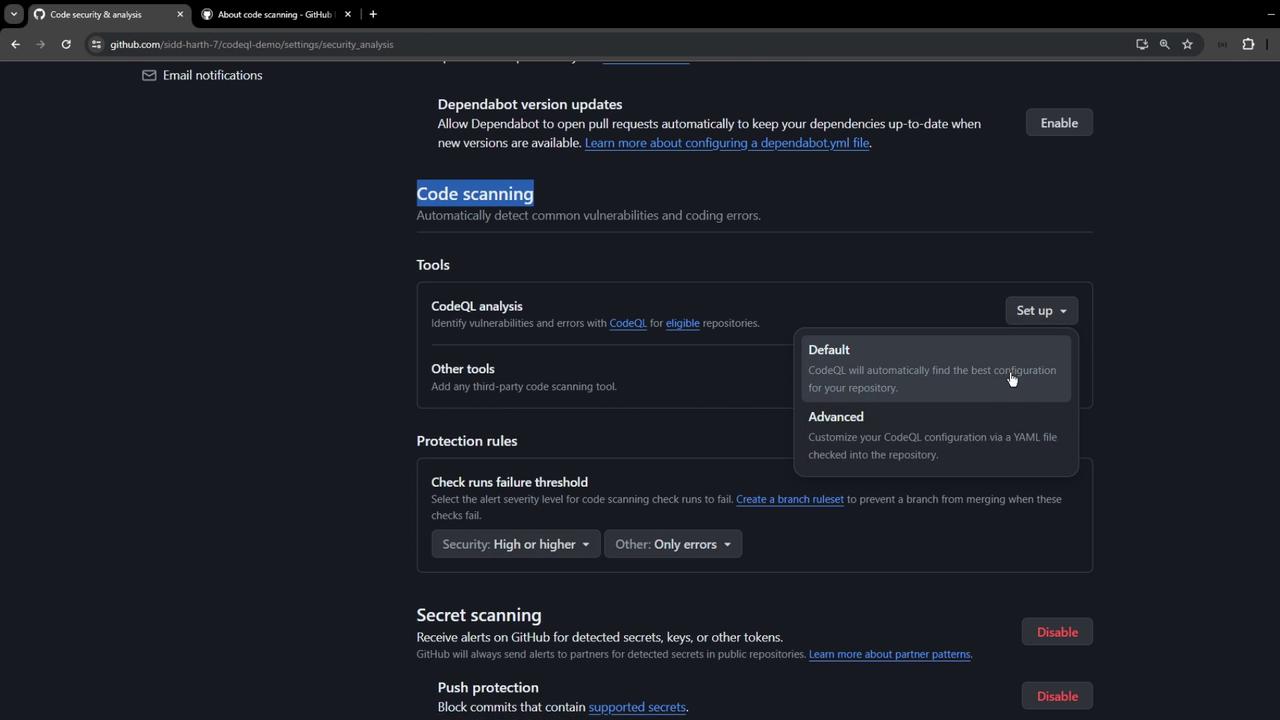
## 2. Configure a CodeQL Workflow
1. Open the **Actions** tab.
2. Search for **CodeQL Analysis** and select the starter workflow.
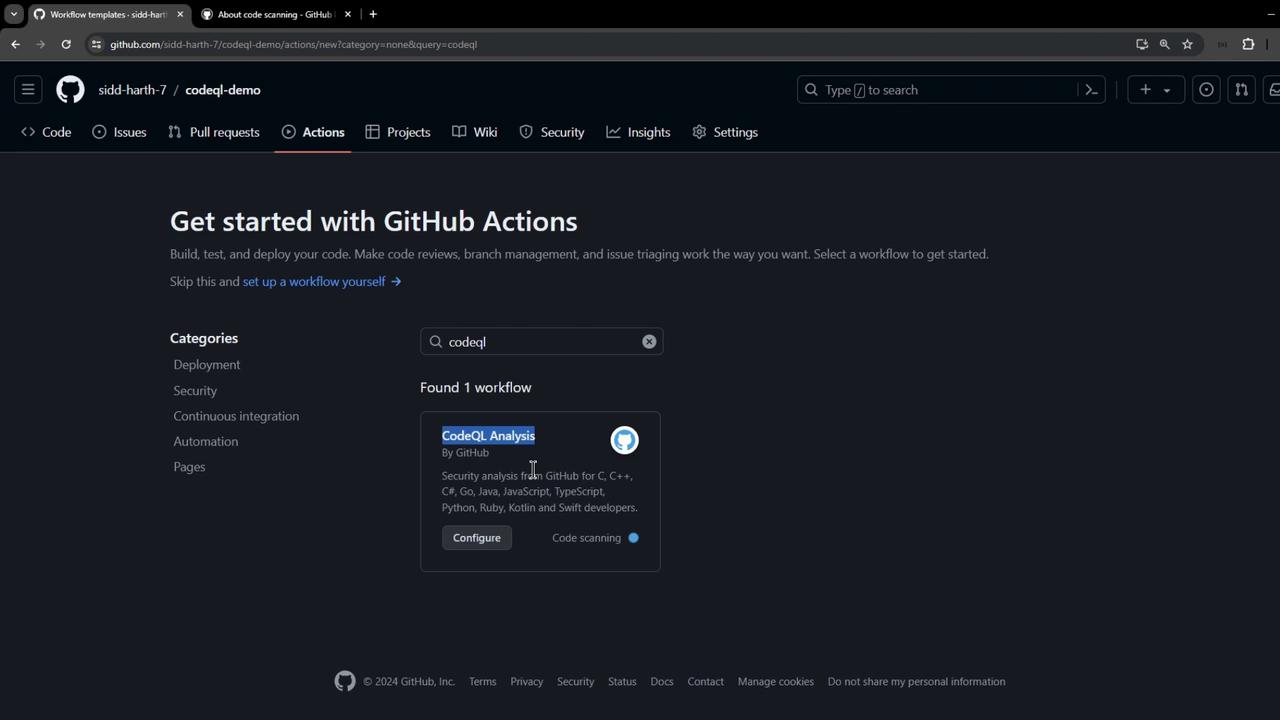
This creates `.github/workflows/codeql.yml`. Below is a **minimal** example you can customize:
```yaml theme={null}
name: "CodeQL"
on:
push:
branches: ["main"]
pull_request:
branches: ["main"]
schedule:
- cron: '30 13 * * 4' # Runs weekly on Thursday
jobs:
analyze:
name: Analyze (${{ matrix.language }})
runs-on: ${{ matrix.language == 'swift' && 'macos-latest' || 'ubuntu-latest' }}
timeout-minutes: ${{ matrix.language == 'swift' && 120 || 360 }}
permissions:
security-events: write
actions: read
contents: read
strategy:
fail-fast: false
matrix:
include:
- language: javascript-typescript
build-mode: none
# Other options: c-cpp, csharp, go, java-kotlin, python, ruby, swift
steps:
- name: Checkout repository
uses: actions/checkout@v4
- name: Initialize CodeQL
uses: github/codeql-action/init@v3
with:
languages: ${{ matrix.language }}
build-mode: ${{ matrix.build-mode }}
# queries: security-extended, security-and-quality
- name: Build (manual mode)
if: matrix.build-mode == 'manual'
run: |
echo "Replace this with your project's build steps, e.g.:"
echo "make build"
exit 1
- name: Perform CodeQL Analysis
uses: github/codeql-action/analyze@v3
with:
category: '/language:${{ matrix.language }}'
```
Adjust the `build-mode` and add any custom `run` commands needed to compile your project before analysis.
Commit this file to trigger your first CodeQL run. Monitor progress in **Actions**.
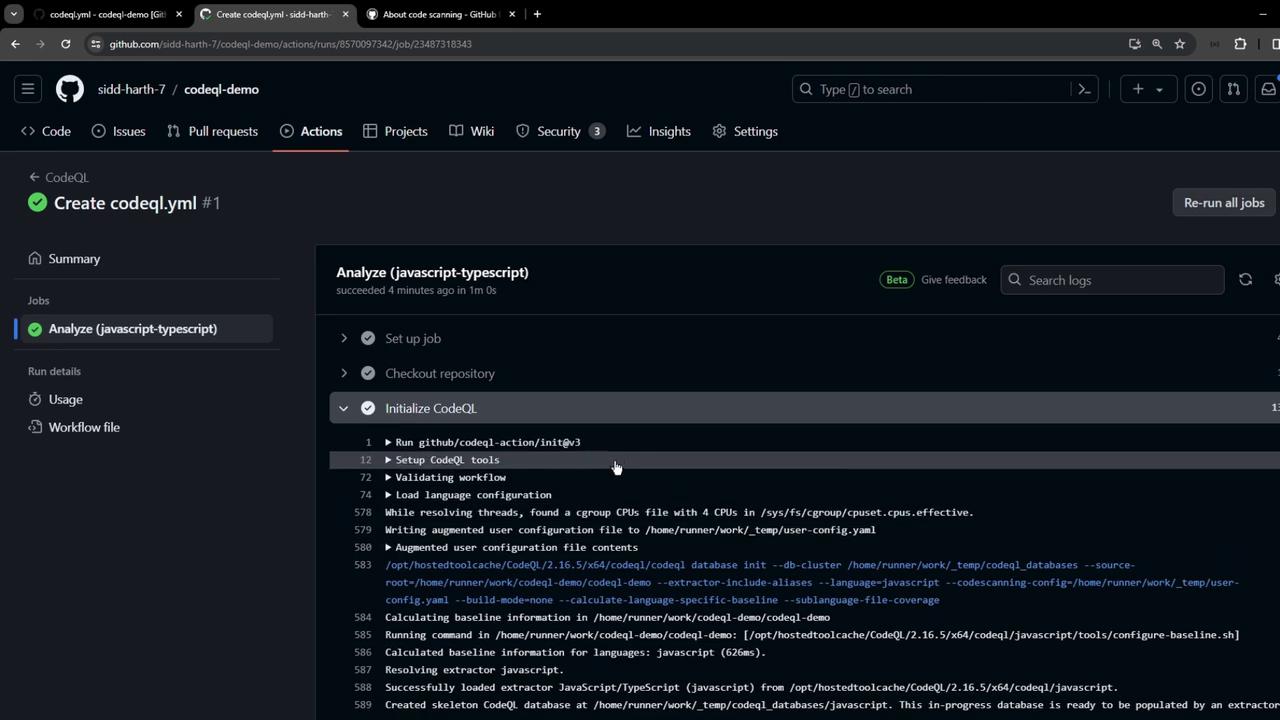
## Reviewing CodeQL Results
When the workflow completes, findings are uploaded to GitHub. Go to **Security → Code scanning** to see alerts:
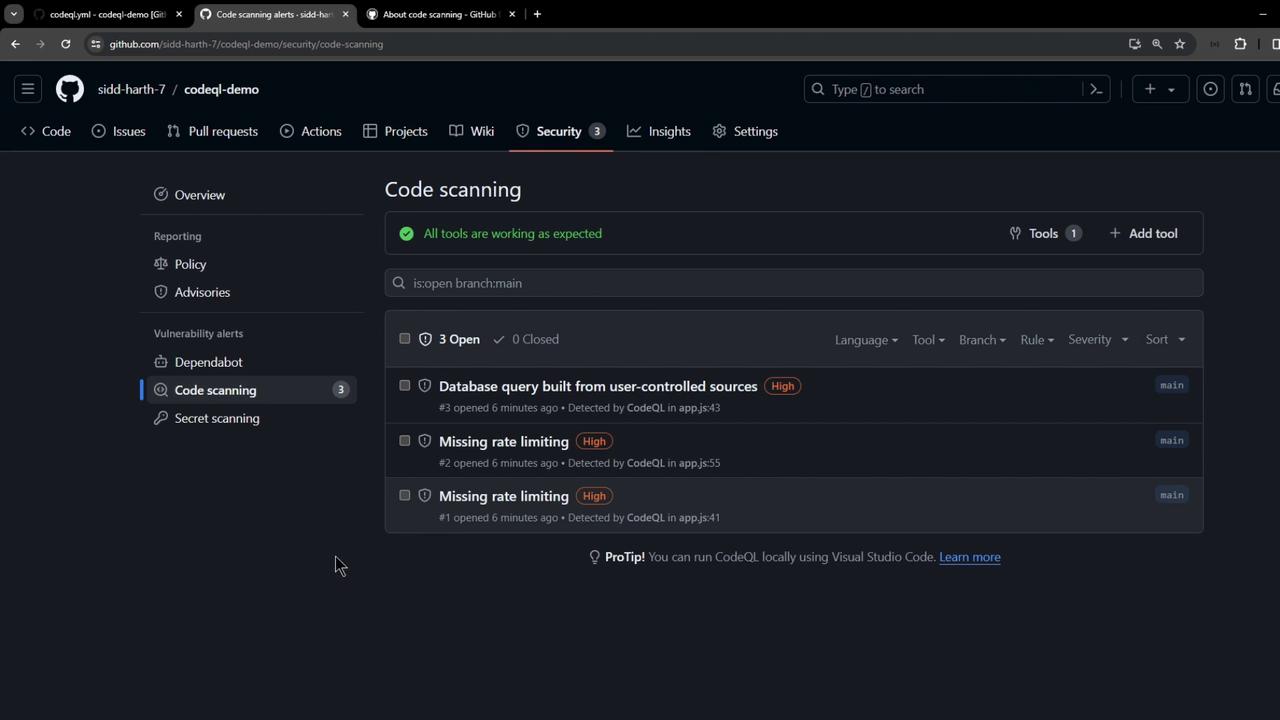
Click an alert to view:
* Rule ID
* Severity level
* CWE identifier
* Vulnerable code snippet
### Example: Unsafe Database Query
```javascript theme={null}
app.post('/planet', (req, res) => {
planetModel.findOne(
{ id: req.body.id },
(err, planetData) => {
if (err) {
res.status(400).send("Error in Planet Data");
}
}
);
});
```
Directly using `req.body.id` in a query can lead to injection attacks. CodeQL recommends parameterized queries or sanitization, for instance:
```javascript theme={null}
// GOOD: Parameterized query to avoid injection
app.get('/users/:id', (req, res) => {
const id = req.params.id;
pool.query(
'SELECT * FROM users WHERE id = $1',
[id],
(err, results) => {
if (err) throw err;
res.json(results.rows);
}
);
});
```
## Best Practices
* Run CodeQL on every pull request to catch issues early.
* Customize queries via the `queries` input.
* Dismiss false positives or open issues for confirmed vulnerabilities.
* Regularly update the CodeQL Action versions (`init@v3`, `analyze@v3`).
## Links and References
* [GitHub Code Scanning Documentation](https://docs.github.com/en/code-security/code-scanning)
* [CodeQL Action on GitHub Marketplace](https://github.com/marketplace/actions/codeql-analysis)
* [Kubernetes Basics](https://kubernetes.io/docs/concepts/overview/what-is-kubernetes/)
By embedding CodeQL into your CI workflow, you automate continuous security analysis with minimal setup—helping you catch and fix vulnerabilities before they hit production.