> ## Documentation Index
> Fetch the complete documentation index at: https://notes.kodekloud.com/llms.txt
> Use this file to discover all available pages before exploring further.
# Running Workflow on Self Hosted Runner
> Configure GitHub Actions to run on a self-hosted runner for customizable CI/CD using your own infrastructure.
Leverage your own infrastructure for faster, customizable CI/CD by configuring GitHub Actions to run on a self-hosted runner. In this guide, we’ll:
1. Verify your runner registration
2. Start the runner service
3. Update a workflow to target your self-hosted runner
4. Commit and push changes
5. Trigger and monitor the job
6. Inspect logs both in GitHub and on the runner VM
## Prerequisites
* A GitHub repository with Actions enabled
* A VM (or physical server) where the self-hosted runner is installed
* Network access between GitHub and your runner
## 1. Verify Your Self-Hosted Runner
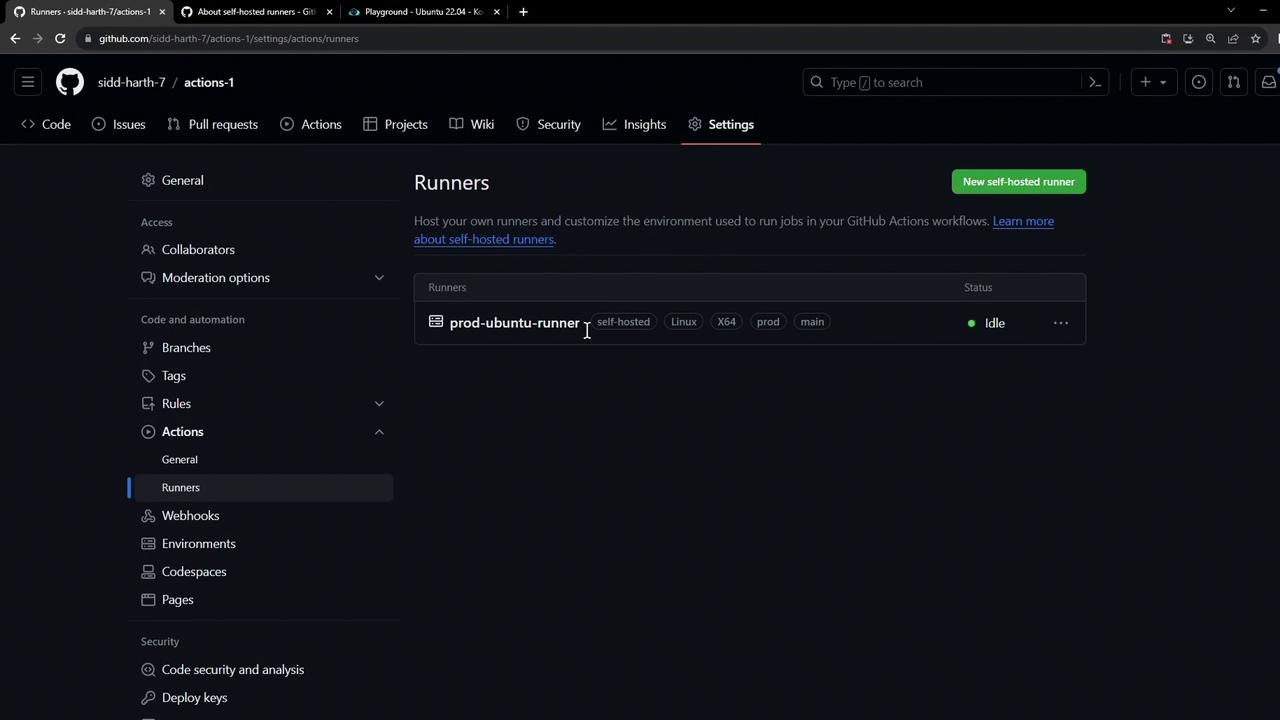
Navigate to **Settings > Actions > Runners** in your repository to ensure your runner is registered and idle:
## 2. Start the Runner Service
On your runner VM, start the runner process:
```bash theme={null}
cd ~/actions-runner
./run.sh
```
You should see:
```bash theme={null}
Current runner version: '2.310.2'
2023-10-24 14:51:44Z: Listening for Jobs
```
## 3. Update Your Workflow to Target the Self-Hosted Runner
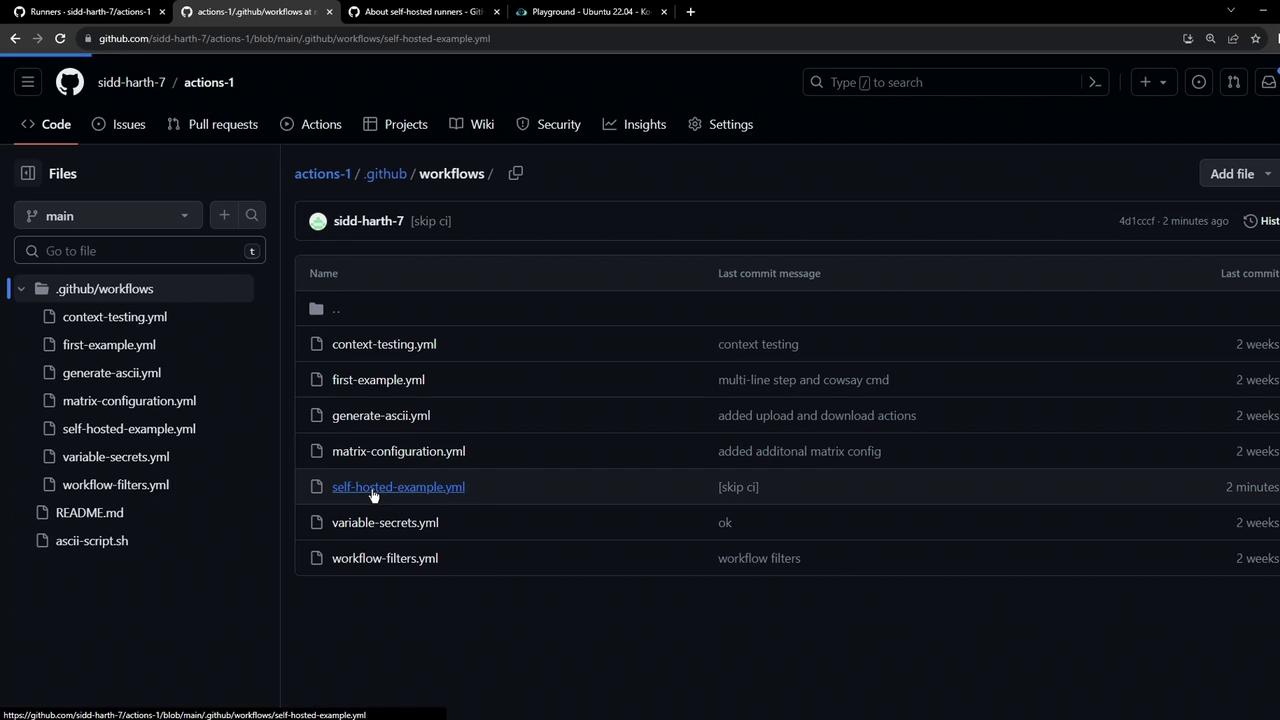
Open the `.github/workflows` directory and locate your workflow YAML:
### Original Workflow (GitHub-hosted runner)
```yaml theme={null}
name: Testing Self-Hosted Runner
on:
workflow_dispatch:
jobs:
testing:
runs-on: ubuntu-latest
steps:
- name: Echo Content
run: |
echo "Ok"
sleep 15s
```
### Updated Workflow (Self-Hosted Runner)
Replace `runs-on: ubuntu-latest` with the labels assigned to your runner (e.g., `self-hosted`, `linux`, `prod`):
```yaml theme={null}
name: Testing Self-Hosted Runner
on:
workflow_dispatch:
jobs:
testing:
runs-on: [self-hosted, linux, prod]
steps:
- name: Echo Content
run: |
echo "Ok"
sleep 15s
```
All labels under `runs-on` must exactly match those on your self-hosted runner. A mismatch (for instance, using `production` instead of `prod`) will leave the job pending until a matching runner is available or times out.
## 4. Commit and Push Your Changes
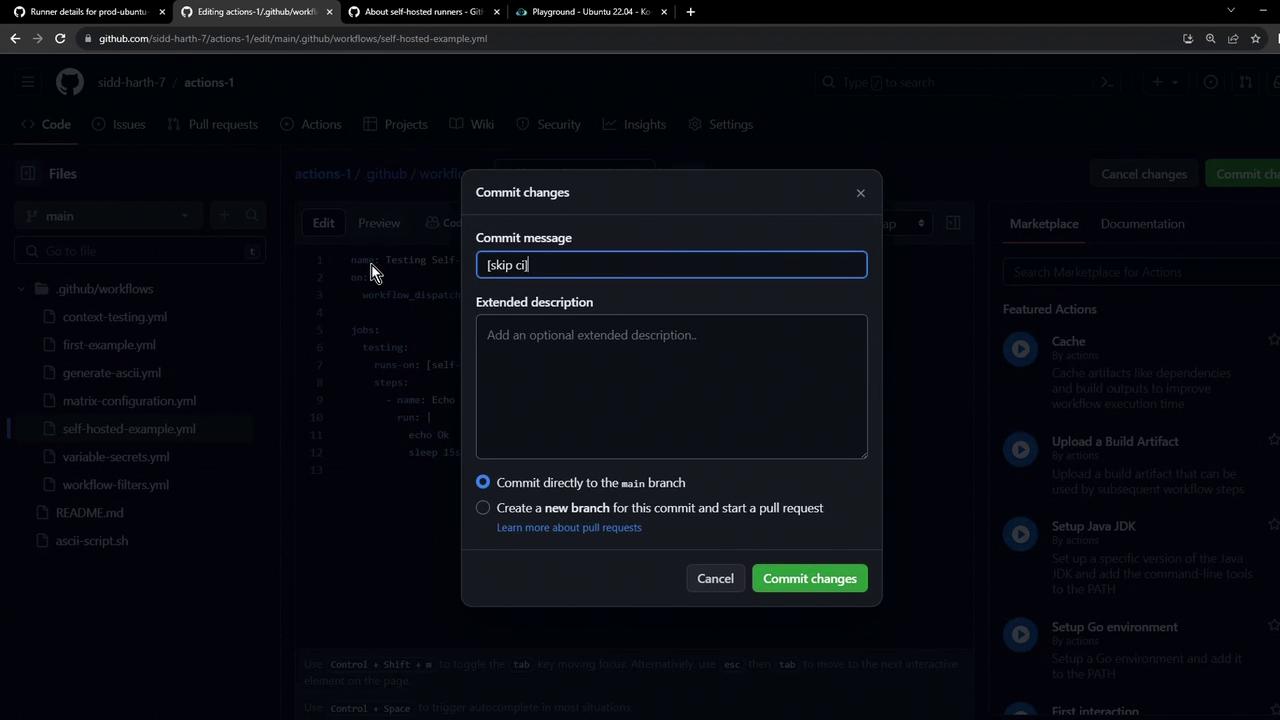
Commit the updated workflow file directly to your main branch (or a feature branch):
## 5. Trigger the Workflow
1. Open the **Actions** tab in your repository.
2. Select **Testing Self-Hosted Runner**.
3. Click **Run workflow** to invoke `workflow_dispatch`.
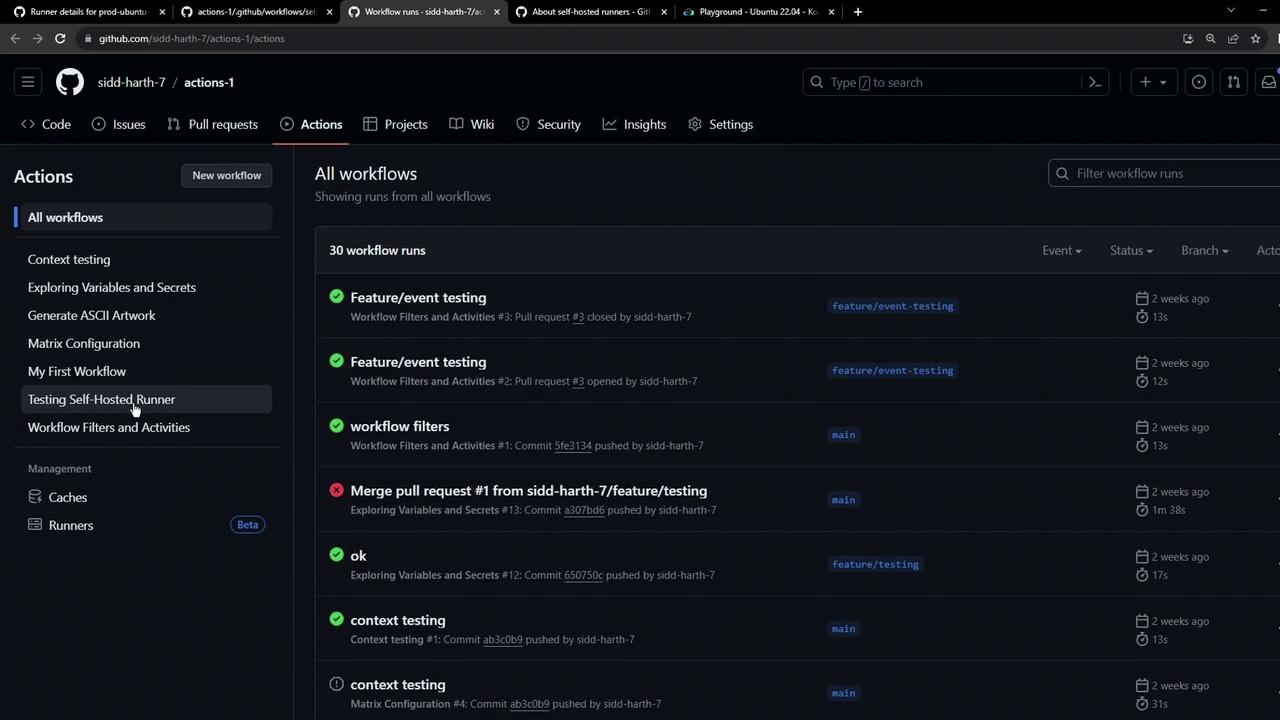
The job status will change to **in progress** as soon as a matching self-hosted runner picks it up.
## 6. Monitor Jobs and Inspect Logs
For live details on the runner and active jobs, visit the self-hosted runner’s configuration page:
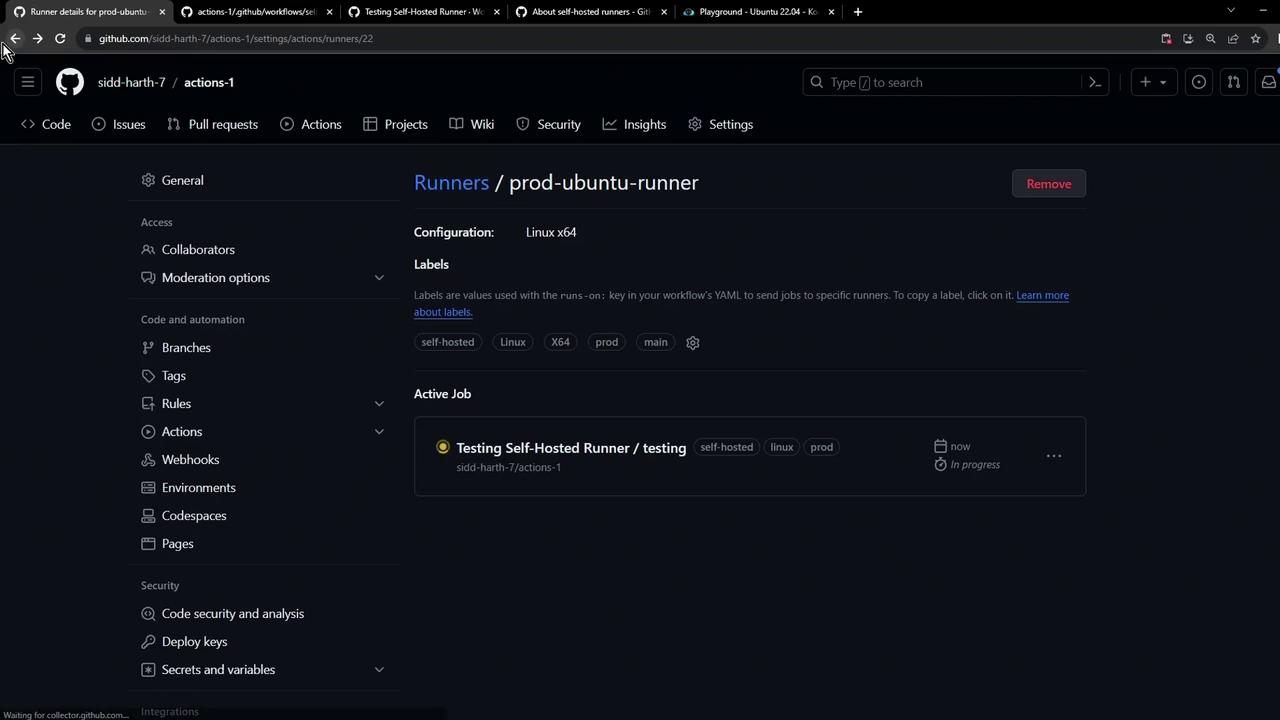
On your VM, the runner’s logs will reflect job execution:
```bash theme={null}
root@ubuntu-host ~/actions-runner ➜ ./run.sh
Current runner version: '2.310.2'
2023-10-24 14:51:44Z: Listening for Jobs
2023-10-24 15:23:57Z: Running job: testing
2023-10-24 15:24:16Z: Job testing completed with result: Succeeded
```
Ensure your self-hosted runner has proper security controls. Exposing it directly to the internet or granting it excessive permissions can pose risks.
## Best Practices for Self-Hosted Runners
| Label | Description |
| ----------------- | ------------------------------------------ |
| self-hosted | Required for all self-hosted runner jobs |
| linux/mac/windows | OS-specific label matching your runner |
| prod/staging | Environment-specific label for segregation |
## References
* [GitHub Actions: Self-Hosted Runners](https://docs.github.com/actions/hosting-your-own-runners)
* [workflow\_dispatch Event](https://docs.github.com/actions/using-workflows/events-that-trigger-workflows#workflow_dispatch)
* [GitHub Actions Concepts](https://docs.github.com/actions/learn-github-actions/introduction-to-github-actions)