> ## Documentation Index
> Fetch the complete documentation index at: https://notes.kodekloud.com/llms.txt
> Use this file to discover all available pages before exploring further.
# Types of Runners
> This article explains the types of GitHub runners, including GitHub-hosted and self-hosted options, their features, benefits, and setup instructions.
Runners are the virtual machines or servers that execute the jobs defined in your GitHub Actions workflows. Each time you trigger a workflow, GitHub either provisions a fresh VM (GitHub-hosted) or dispatches the job to one of your own machines (self-hosted). Choosing the right runner depends on your performance requirements, compliance needs, and budget.
***
## GitHub-Hosted Runners
GitHub-hosted runners give you a quick, zero-maintenance experience. They come preconfigured with common tools and support Ubuntu, Windows, and macOS environments.
### Tiers of GitHub-Hosted Runners
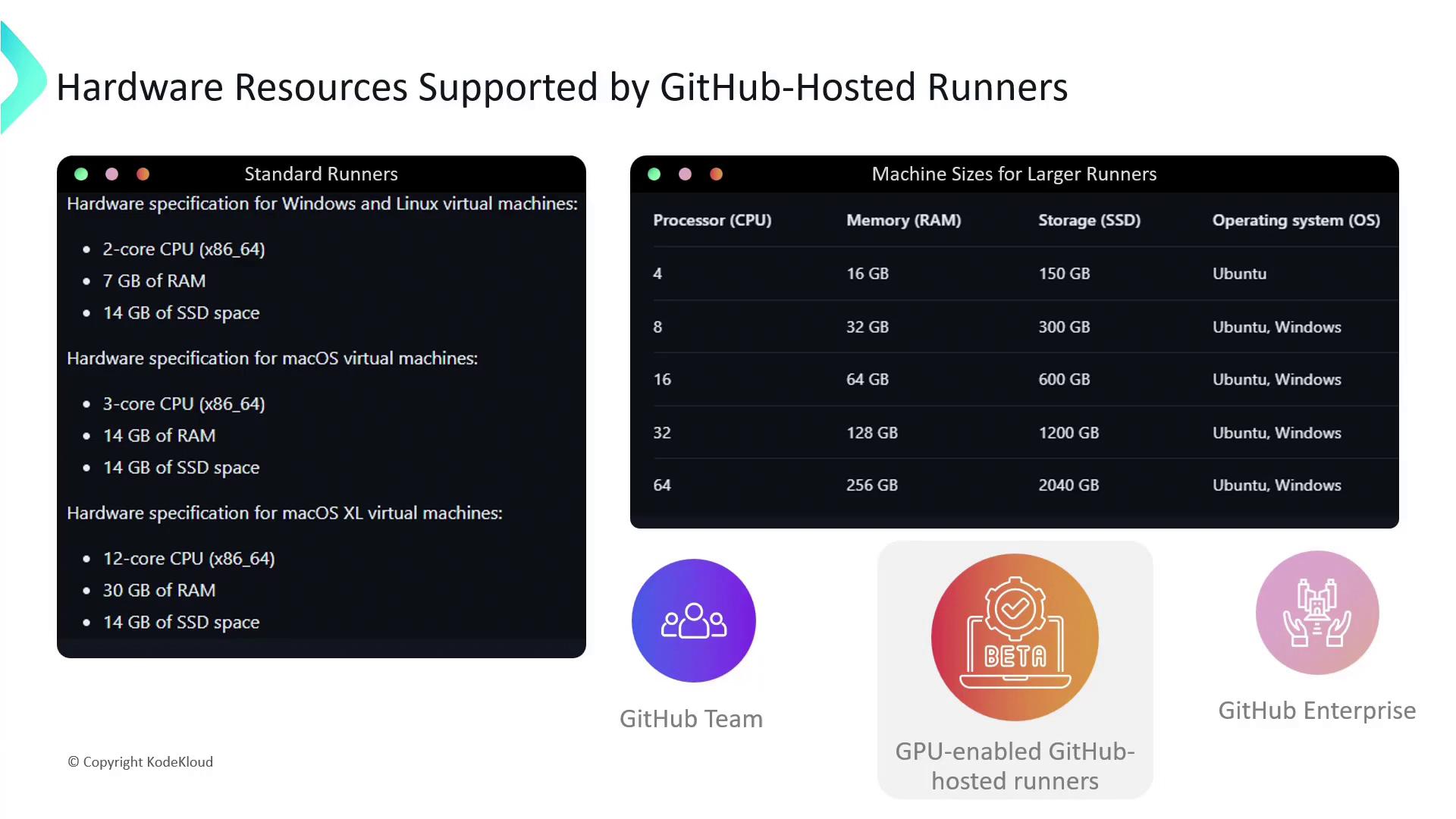
1. **Standard Runners**
* 2-core CPU, \~7 GB RAM, 14 GB SSD
* Ideal for typical CI/CD tasks with moderate resource needs
2. **Larger Managed Runners** (GitHub Team & Enterprise Cloud only)
* 4-core CPU, \~16 GB RAM, larger SSD
* For parallel builds, integration tests, and heavier workloads
3. **GPU-Enabled Runners (Beta)**
* GPU resources in beta for machine learning, data processing
* Request access via GitHub Support if on Team or Enterprise Cloud
GitHub-hosted runners are fully patched and maintained by GitHub. You pay per minute of usage, with free tiers for public repositories.
For a quick demonstration, here’s a matrix workflow that runs tests across Linux, macOS, and Windows:
```yaml theme={null}
name: Cross-Platform Tests
on: [push, pull_request]
jobs:
test:
runs-on: ${{ matrix.os }}
strategy:
matrix:
os: [ubuntu-latest, macos-latest, windows-latest]
steps:
- name: Checkout Code
uses: actions/checkout@v3
- name: Set up Node.js
uses: actions/setup-node@v3
with:
node-version: '16'
- name: Run Tests
run: npm test
```
***
## Self-Hosted Runners
Self-hosted runners are machines that you own or provision in your cloud environment. They allow complete customization of OS, hardware specs, installed software, and network configuration.
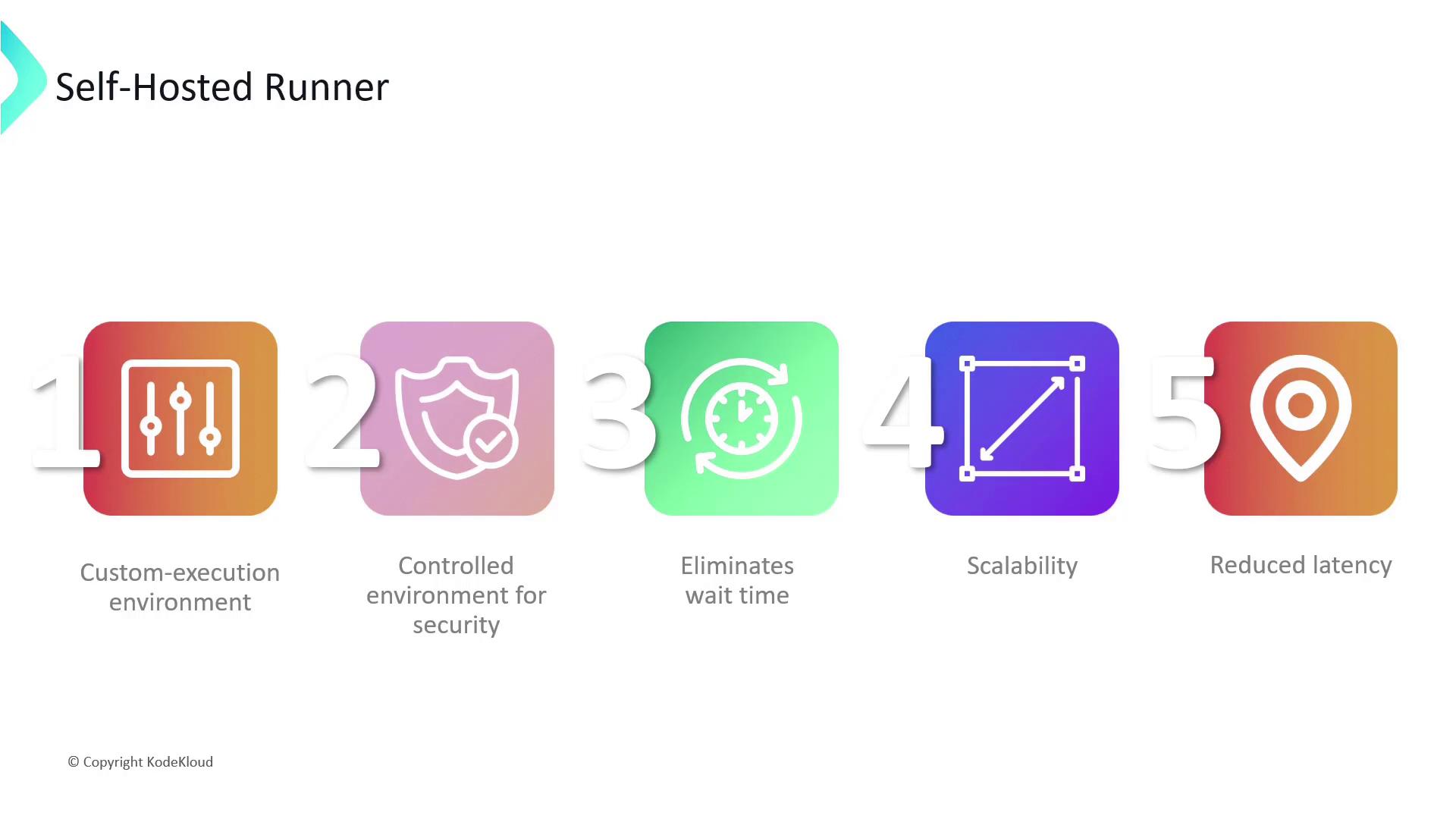
### Benefits of Self-Hosted Runners
* **Custom Execution Environment**: Install any dependencies, SDKs, or drivers your build needs.
* **Security & Compliance**: Run within your VPC/firewall and meet corporate policies.
* **No Queue Times**: Dedicated runners eliminate waiting for GitHub-hosted capacity.
* **Autoscaling**: Integrate with Kubernetes or autoscale groups to match workflow demand.
* **Reduced Latency**: Place runners in the same region as your artifact stores or environments.
You are responsible for updating, securing, and maintaining self-hosted runners. Always apply OS patches and rotate access tokens regularly.
You can register self-hosted runners at the **repository**, **organization**, or **enterprise** level. Below is how to set one up at the repository level.
***
## Setting Up a Self-Hosted Runner
### 1. Add a New Runner in GitHub
In your repository, navigate to **Settings** → **Actions** → **Runners** and click **New self-hosted runner**.
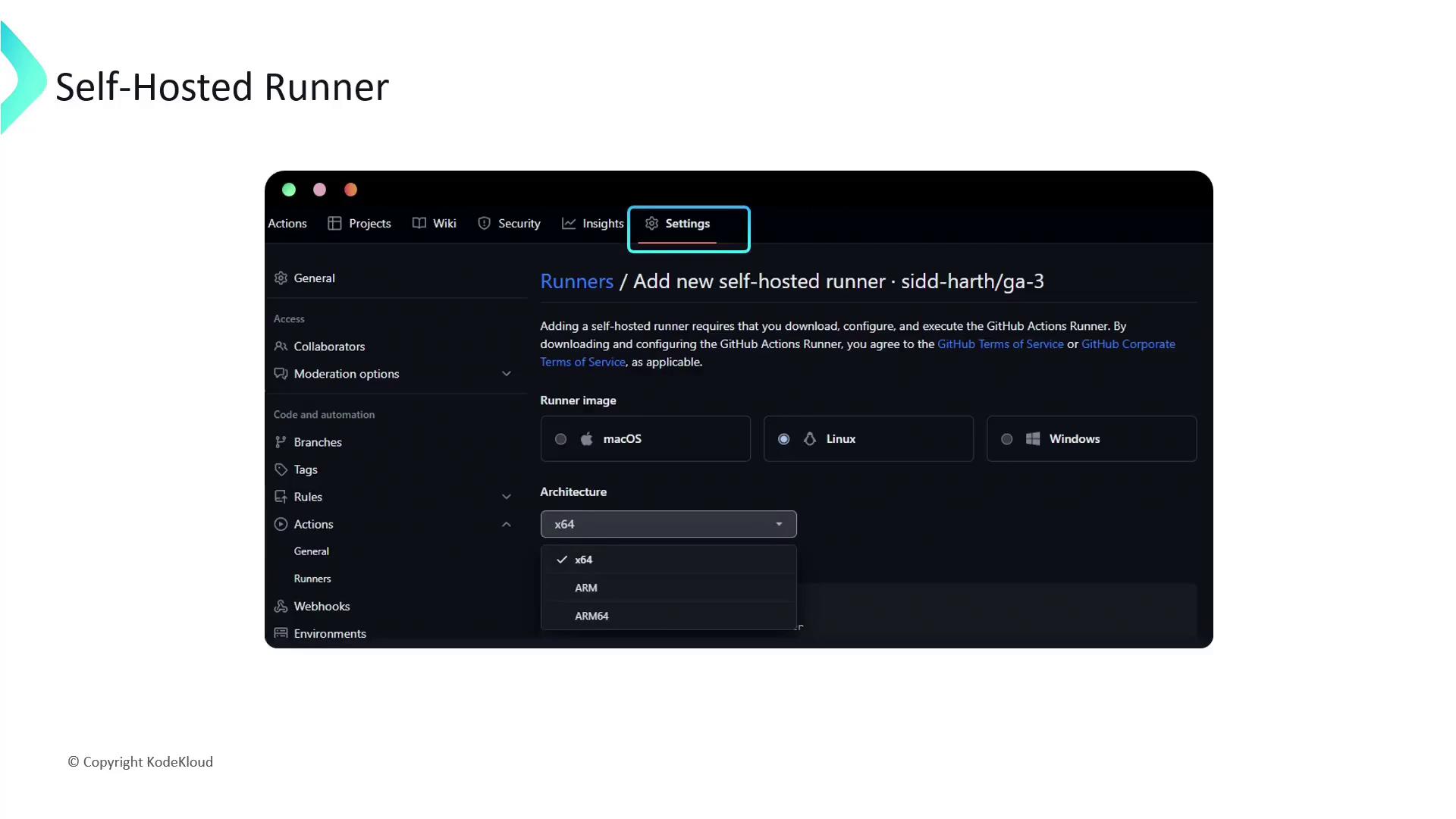
Choose your OS and architecture, then follow the on-screen instructions to download the runner application.
### 2. Install and Configure the Runner
Run these commands on your machine:
```bash theme={null}
# Create and enter a directory for the runner
mkdir actions-runner && cd actions-runner
# Download the runner package (update version as needed)
curl -o actions-runner.tar.gz \
https://github.com/actions/runner/releases/download/v2.309.0/actions-runner-linux-x64-2.309.0.tar.gz
# Extract the files
tar xzf actions-runner.tar.gz
# Configure with your repo URL and token
./config.sh --url https://github.com/sidd-harth/repository \
--token AP3V5NDFAQIMO
# Follow the prompts:
# • Runner group: [press Enter for Default]
# • Runner name: linux-gpu-runner
# • Labels: gpu
# After setup, you’ll see:
# Start the runner
./run.sh
# Expected output:
# √ Connected to GitHub
# Listening for Jobs...
```
### 3. Target Your Self-Hosted Runner in Workflows
Add the labels you chose to the `runs-on` field:
```yaml theme={null}
jobs:
build:
runs-on: [self-hosted, Linux, gpu]
steps:
- name: Checkout Code
uses: actions/checkout@v3
# …additional steps…
```
***
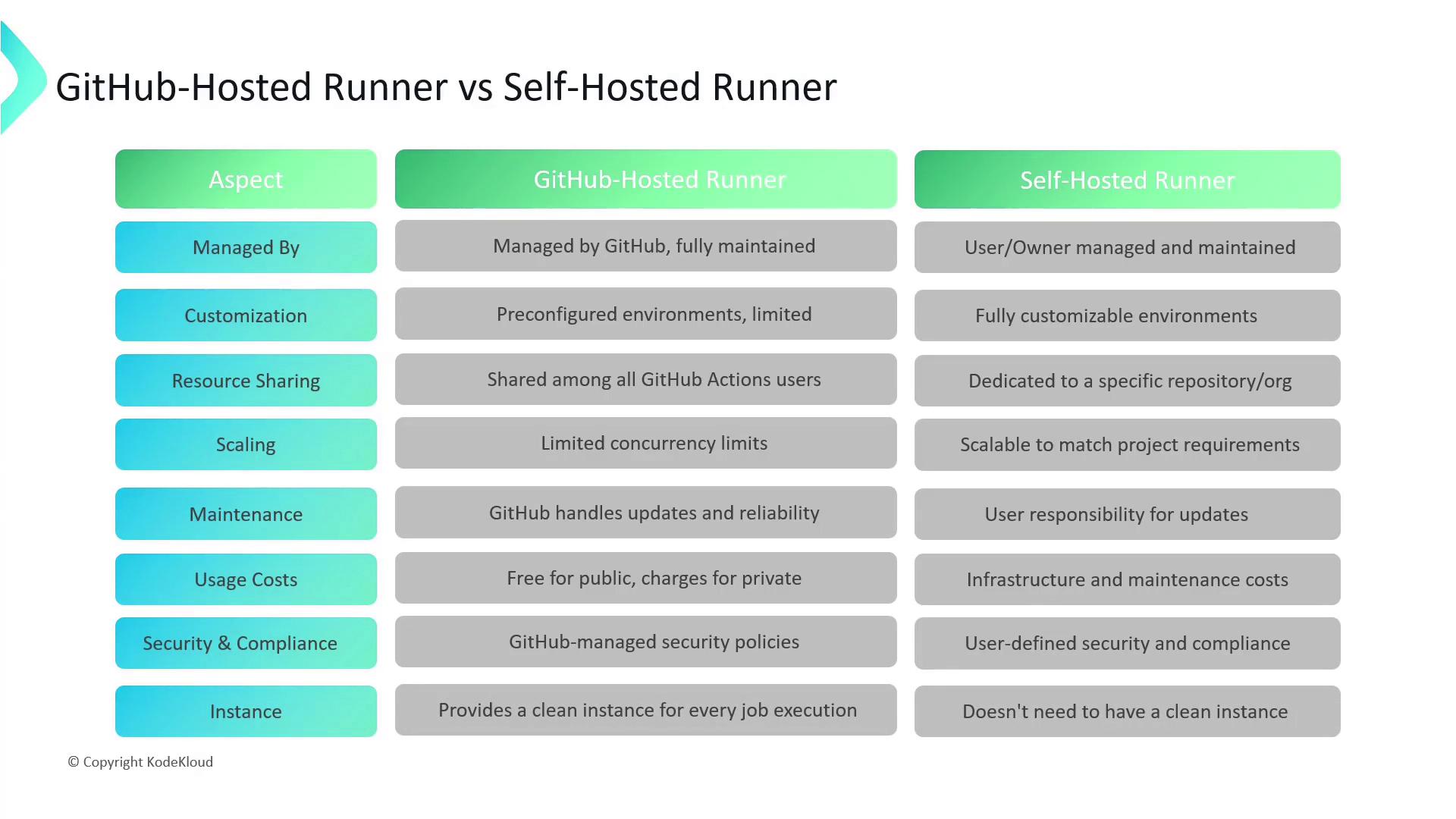
## Comparing GitHub-Hosted vs. Self-Hosted Runners
| Aspect | GitHub-Hosted | Self-Hosted |
| ------------------ | ------------------------------------------ | ------------------------------------------ |
| Management | Fully managed by GitHub | You install, update, and secure the runner |
| Customization | Predefined OS and toolset | Full control over OS, tools, and drivers |
| Resource Sharing | Shared infrastructure with other customers | Dedicated resources |
| Scaling | Limited by GitHub’s concurrency quotas | Autoscale via your infrastructure |
| Maintenance | Automatic updates and patches | Manual updates and patch management |
| Cost | Billed per-minute, free for public repos | Infrastructure and maintenance costs apply |
| Security | GitHub’s built-in security policies | Your network/host security measures |
| Instance Lifecycle | Fresh VM per job | Persistent instance across jobs |
***
## Links and References
* [GitHub Actions Runners Documentation](https://docs.github.com/actions/hosting-your-own-runners)
* [GitHub Actions Pricing](https://github.com/pricing)
* [actions/checkout GitHub Action](https://github.com/actions/checkout)