> ## Documentation Index
> Fetch the complete documentation index at: https://notes.kodekloud.com/llms.txt
> Use this file to discover all available pages before exploring further.
# Uninstalling Self Hosted Runner
> This guide explains how to uninstall a self-hosted runner in GitHub Actions, covering removal methods and cleanup procedures.
## Overview
GitHub Actions lets you host your own runners for custom build environments. Whether you’re removing a runner at the repository, organization, or enterprise level, this guide walks you through:
* Removing a runner via the GitHub UI
* Cleaning up the runner machine
* Temporarily disabling a runner
## Removal Methods at a Glance
| Method | Scope | Description |
| ----------------- | ------------------------------------ | ------------------------------------------------------- |
| UI Removal | Repository, Organization, Enterprise | Permanently deletes the runner from GitHub. |
| CLI Cleanup | Runner VM | Unregisters the runner and removes local configuration. |
| Temporary Disable | Runner VM | Marks the runner offline without full uninstall. |
## 1. Removing a Runner via GitHub UI
1. In your repository, go to **Settings** > **Actions** > **Runners**.
2. Locate the runner and click **Remove**.
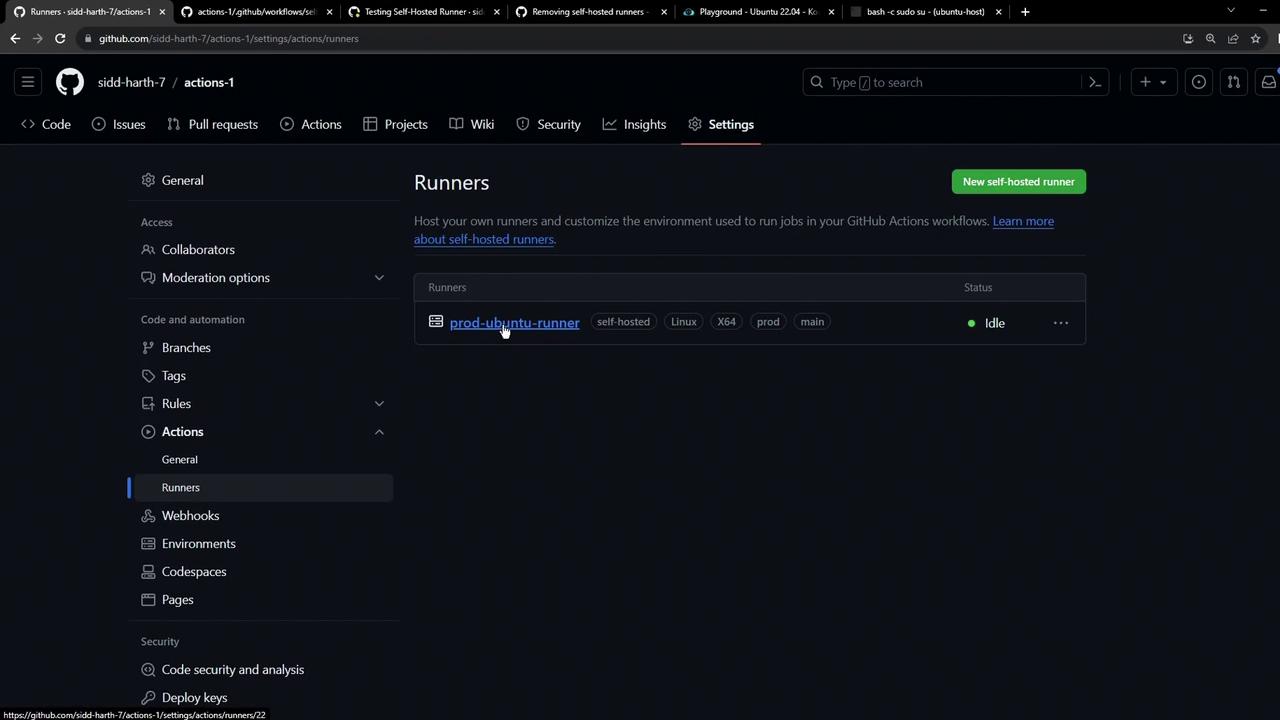
Removing a runner is permanent. If MFA is enabled, you’ll be prompted for a code to confirm deletion.
For organization or enterprise-level runners:
1. Navigate to **Settings** > **Actions** > **Runners** in your org/enterprise dashboard.
2. Select the runner you wish to uninstall and click **Remove**.
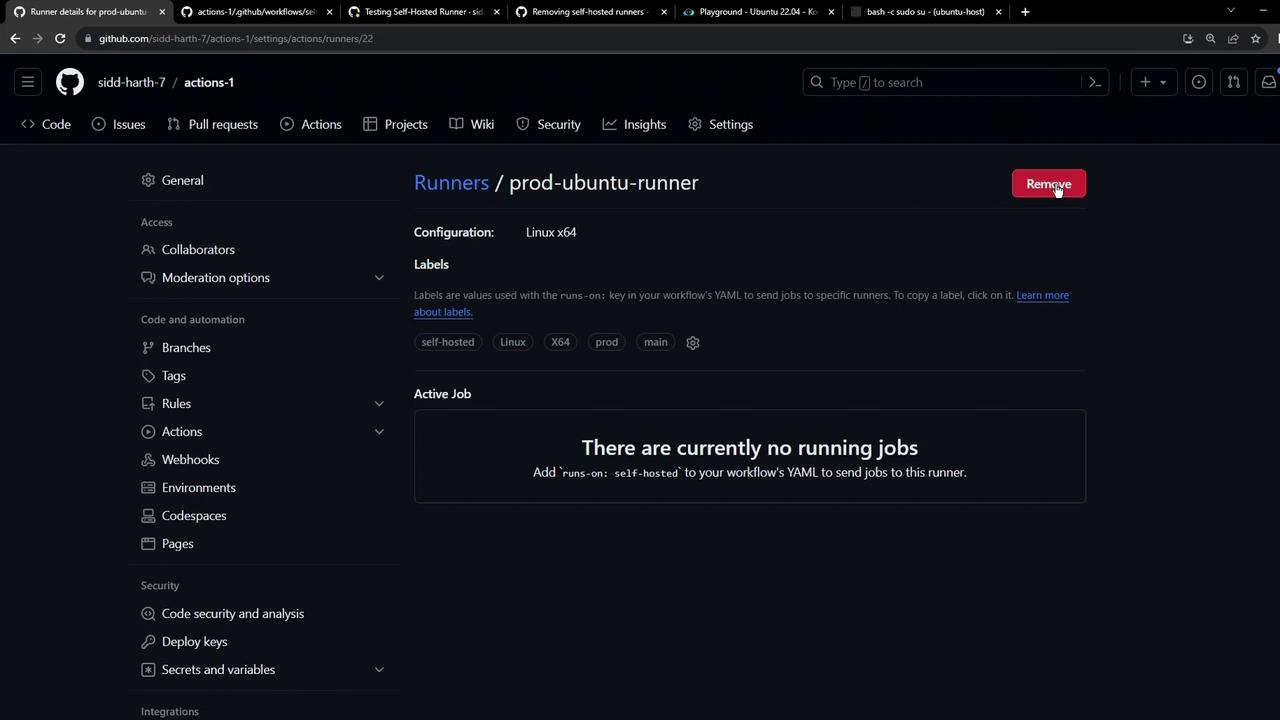
After confirmation, GitHub permanently deletes the runner entry.
## 2. Cleaning Up the Runner Machine
Once removed from GitHub, unregister the runner on the VM:
```bash theme={null}
./config.sh remove --token YOUR_RUNNER_TOKEN
```
Replace `YOUR_RUNNER_TOKEN` with the token from your initial configuration. This command:
* Unregisters the runner from GitHub
* Deletes local configuration files
If you see permission errors, retry with elevated privileges (e.g., `sudo` on Linux).
Alternatively, use **Force remove** in the GitHub UI to uninstall the runner application completely.
## 3. Temporarily Disabling a Runner
To pause job execution without full removal:
1. Shut down the VM or stop the runner service/script.
2. The runner will show as **offline** and won’t accept new jobs.
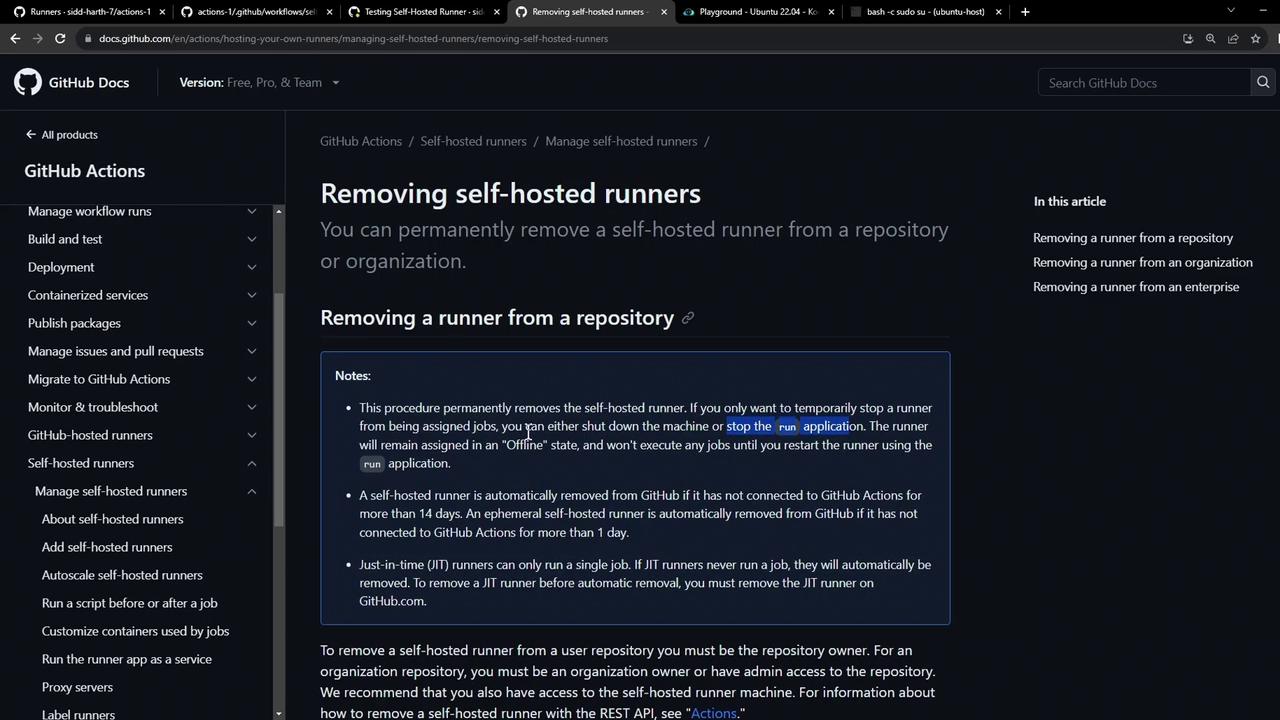
GitHub automatically deletes any self-hosted runner that remains offline for more than 30 days, preventing stale entries.
## References
* [Removing self-hosted runners (GitHub Docs)](https://docs.github.com/actions/hosting-your-own-runners/removing-self-hosted-runners)
* [Introduction to GitHub Actions](https://docs.github.com/actions/learn-github-actions/introduction-to-github-actions)