> ## Documentation Index
> Fetch the complete documentation index at: https://notes.kodekloud.com/llms.txt
> Use this file to discover all available pages before exploring further.
# Create Dev Environment Secrets Environment Rules
> This guide explains how to set up a development environment in GitHub for GitHub Actions workflows, including protection rules, secrets, and variables.
In this guide, you’ll learn how to set up a **development** environment in GitHub for use with your GitHub Actions workflows. While we focus on a development namespace, you can follow the same steps to create environments for UAT, SIT, production, or any other stage.
## 1. Configure the Development Environment
1. Navigate to your repository’s **Settings**.
2. Select **Environments** in the sidebar.
3. Click **New environment**, then enter `development` as the name.
Once created, you can add protection rules, secrets, and variables.
### 1.1 Define Deployment Protection Rules
Enforce a 60-second pause before deployments and allow administrators to bypass the delay.
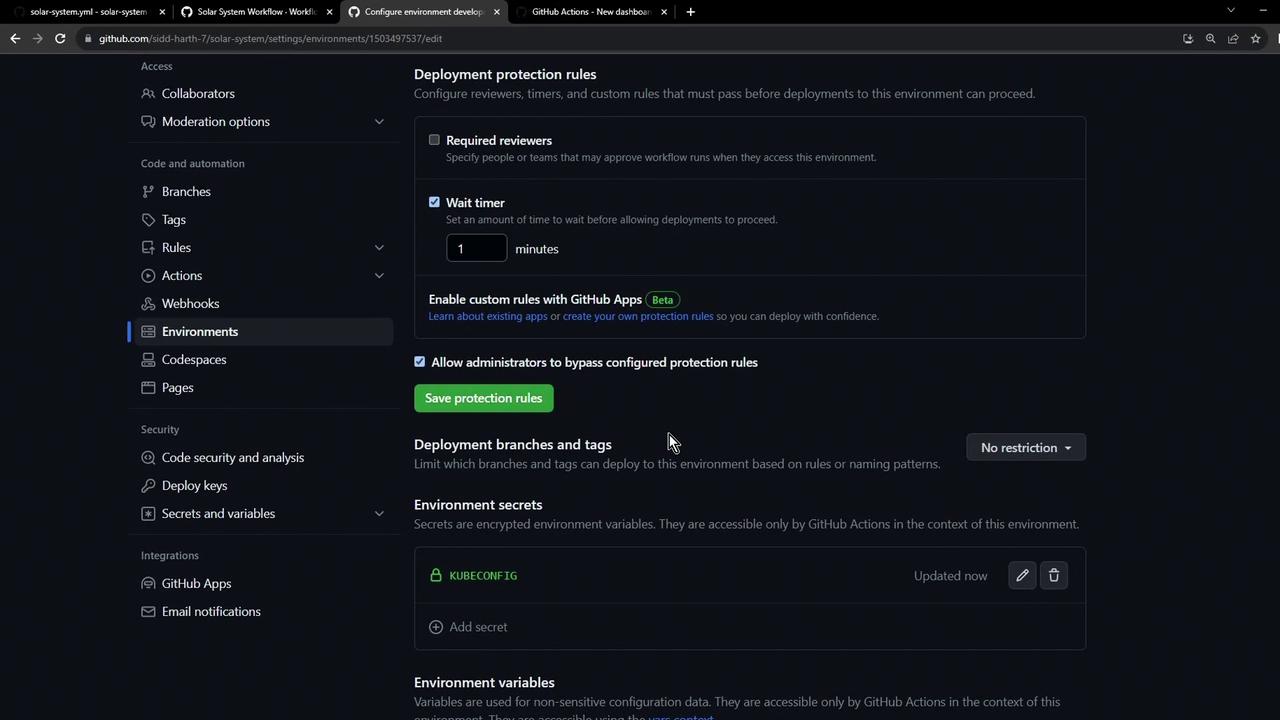
* Set **Wait timer** to **60 seconds**
* Enable **Allow administrators to bypass this rule**
* Leave branch and tag restrictions at **No restrictions**
* Click **Save protection rules**
You can also require specific reviewers or restrict deployments to certain branches or tags for tighter control.
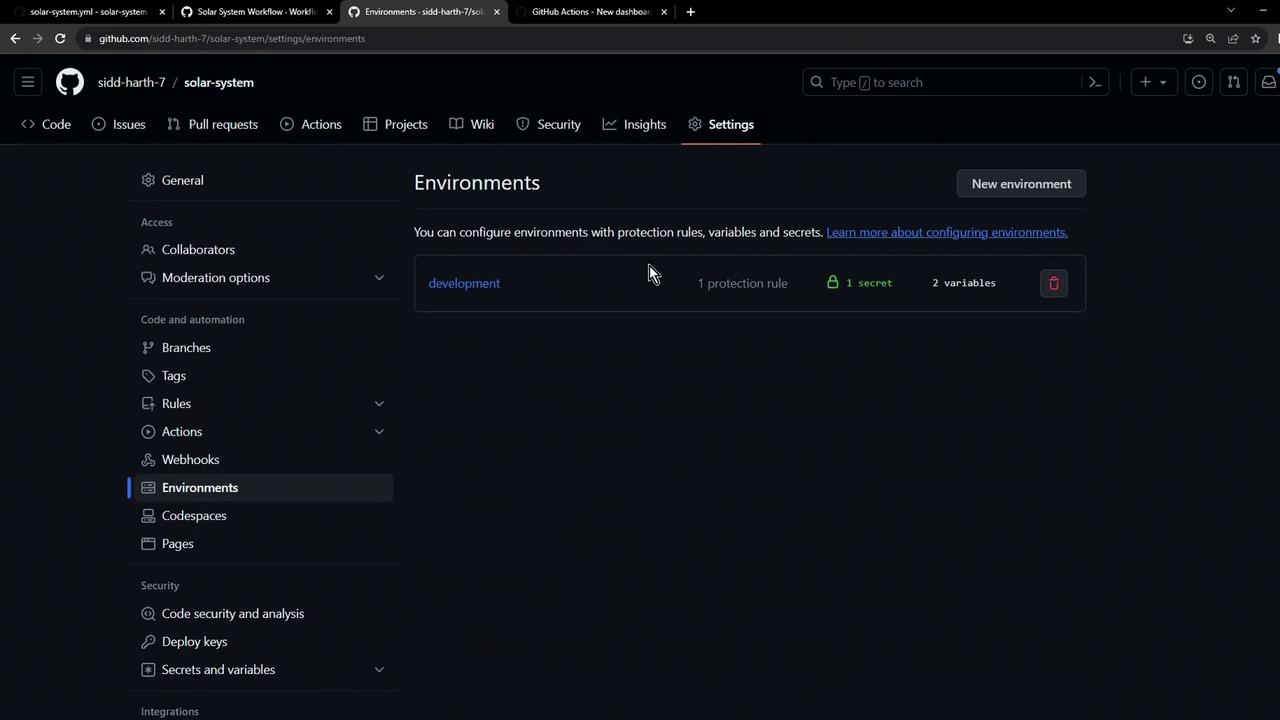
### 1.2 Verify the Environment Overview
After saving, confirm that the `development` environment appears with the configured protection rule.
## 2. Add Environment Secrets and Variables
GitHub Actions lets you scope secrets and variables to specific environments for improved security and flexibility.
### 2.1 Add a Kubeconfig Secret
1. Under the **Secrets and variables** section of the `development` environment, click **Add secret**.
2. Name it `Kubeconfig`.
3. Paste your kubeconfig content and click **Save secret**.
### 2.2 Define Environment Variables
Create key/value pairs that your workflows can consume:
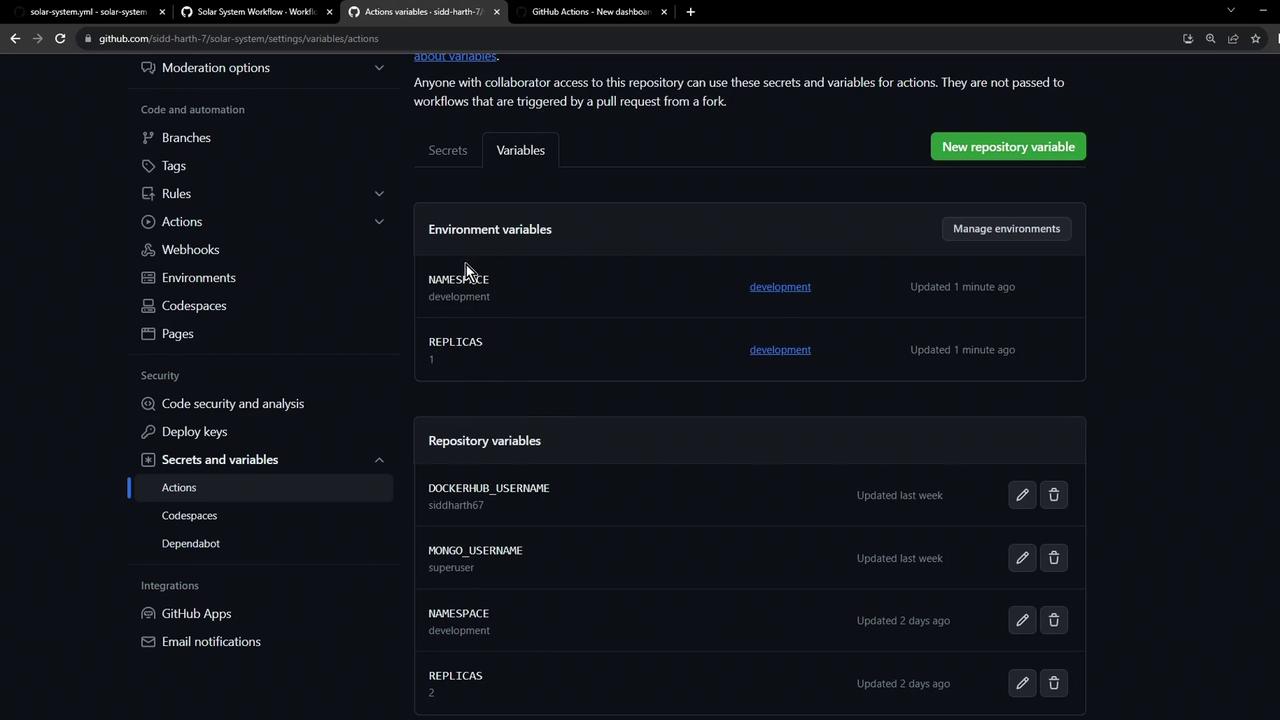
| Variable | Value | Description |
| ----------- | ------------- | ------------------------------ |
| `NAMESPACE` | `development` | Target Kubernetes namespace |
| `REPLICAS` | `1` | Desired number of pod replicas |
Environment-level secrets and variables override any repository-level entries with the same name.
## 3. Next Steps
In your GitHub Actions workflow, specify:
```yaml theme={null}
jobs:
deploy:
environment: development
# … rest of your job
```
This ensures your deployment respects the environment’s protection rules, secrets, and variables.
## References
* [GitHub Environments documentation](https://docs.github.com/en/actions/deployment/targeting-different-environments/using-environments-for-deployment)
* [GitHub Secrets documentation](https://docs.github.com/en/actions/security-guides/encrypted-secrets)