> ## Documentation Index
> Fetch the complete documentation index at: https://notes.kodekloud.com/llms.txt
> Use this file to discover all available pages before exploring further.
# If Expressions and Pull Request
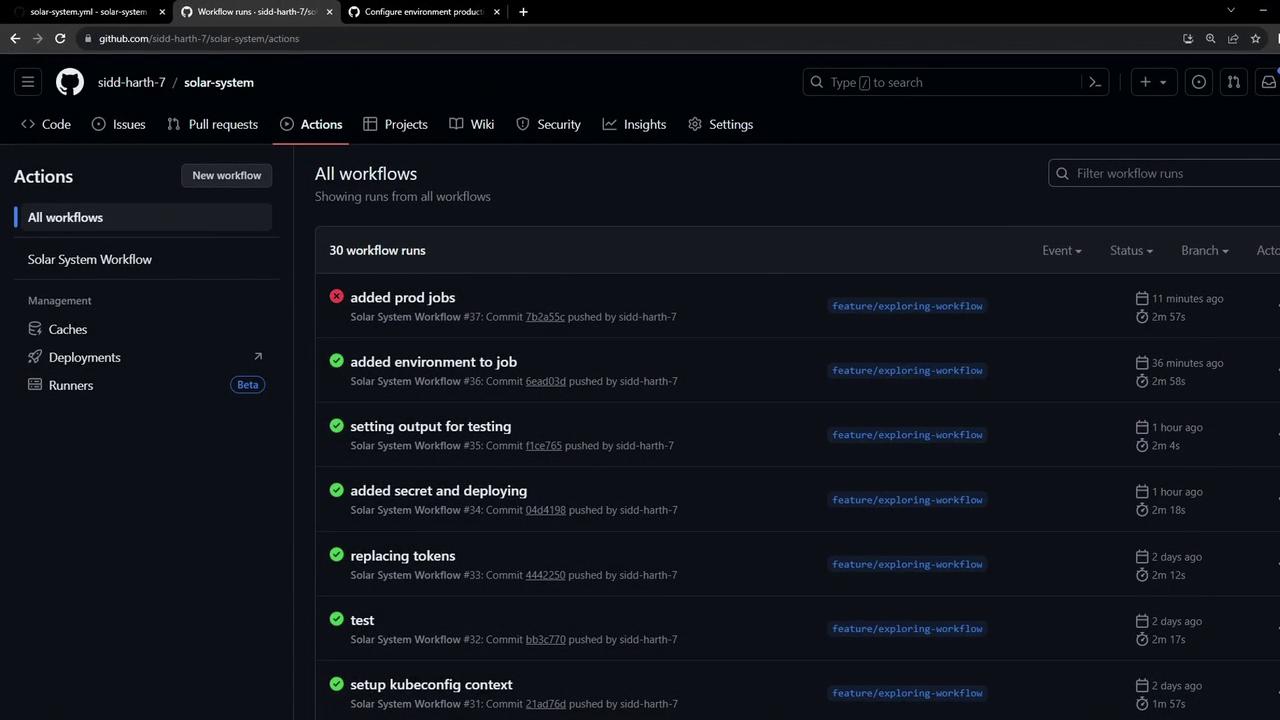
> This article explains how to configure GitHub Actions workflows for conditional job execution based on branch types.
We’ll configure our GitHub Actions workflow so that feature branches trigger only development jobs, while the `main` branch runs production deployments. By using `if` expressions like `contains` and exact branch comparisons, you can maintain a single workflow file and control which jobs run on which branches.
## Workflow Overview
Our workflow defines seven jobs and global environment variables:
```yaml theme={null}
env:
MONGO_URI: 'mongodb+srv://supercluster.d8jj.mongodb.net/superData'
MONGO_USERNAME: ${{ vars.MONGO_USERNAME }}
MONGO_PASSWORD: ${{ secrets.MONGO_PASSWORD }}
jobs:
unit-testing: …
code-coverage: …
docker: …
dev-deploy: …
dev-integration-testing: …
prod-deploy: …
prod-integration-testing: …
```
### Desired Branch Conditions
| Job Name | Feature Branch (`feature/*`) | Main Branch (`main`) |
| ------------------------ | :--------------------------: | :------------------: |
| unit-testing | ✓ | ✓ |
| code-coverage | ✓ | ✓ |
| docker | ✓ | ✓ |
| dev-deploy | ✓ | |
| dev-integration-testing | ✓ | |
| prod-deploy | | ✓ |
| prod-integration-testing | | ✓ |
## Configuring Conditional Jobs with `if`
GitHub Actions supports `if` expressions on jobs. We’ll use:
* `contains(github.ref, 'feature/')` for feature branches
* `github.ref == 'refs/heads/main'` for the `main` branch
The `if` expression runs at the job level. Jobs whose conditions evaluate to `false` are marked as **skipped**.
### 1. Dev Jobs
Add `if: contains(github.ref, 'feature/')` to both development jobs:
```yaml theme={null}
jobs:
dev-deploy:
if: contains(github.ref, 'feature/')
needs: docker
runs-on: ubuntu-latest
environment:
name: development
url: https://${{ steps.set-ingress-host-address.outputs.APP_INGRESS_HOST }}
outputs:
APP_INGRESS_URL: ${{ steps.set-ingress-host-address.outputs.APP_INGRESS_HOST }}
steps:
- name: Checkout repository
uses: actions/checkout@v4
# …other deployment steps…
dev-integration-testing:
if: contains(github.ref, 'feature/')
needs: dev-deploy
runs-on: ubuntu-latest
steps:
- name: Validate Deployment URL
env:
URL: ${{ needs.dev-deploy.outputs.APP_INGRESS_URL }}
run: |
echo "Testing URL: $URL"
curl -s $URL/health | jq
```
### 2. Prod Jobs
Guard production jobs with an exact branch check:
```yaml theme={null}
jobs:
prod-deploy:
if: github.ref == 'refs/heads/main'
needs: docker
runs-on: ubuntu-latest
environment:
name: production
url: https://${{ steps.set-ingress-host-address.outputs.APP_INGRESS_HOST }}
outputs:
APP_INGRESS_URL: ${{ steps.set-ingress-host-address.outputs.APP_INGRESS_HOST }}
steps:
- name: Checkout repository
uses: actions/checkout@v4
# …other deployment steps…
prod-integration-testing:
name: Prod Integration Testing
if: github.ref == 'refs/heads/main'
needs: prod-deploy
runs-on: ubuntu-latest
steps:
- name: Validate Production URL
env:
URL: ${{ needs.prod-deploy.outputs.APP_INGRESS_URL }}
run: |
echo "Testing Prod URL: $URL"
curl -s https://$URL/live | grep -i '"status":"live"'
```
## Testing on a Feature Branch
Commit and push to a feature branch. You’ll see only the Docker and dev jobs run, while production jobs are skipped:
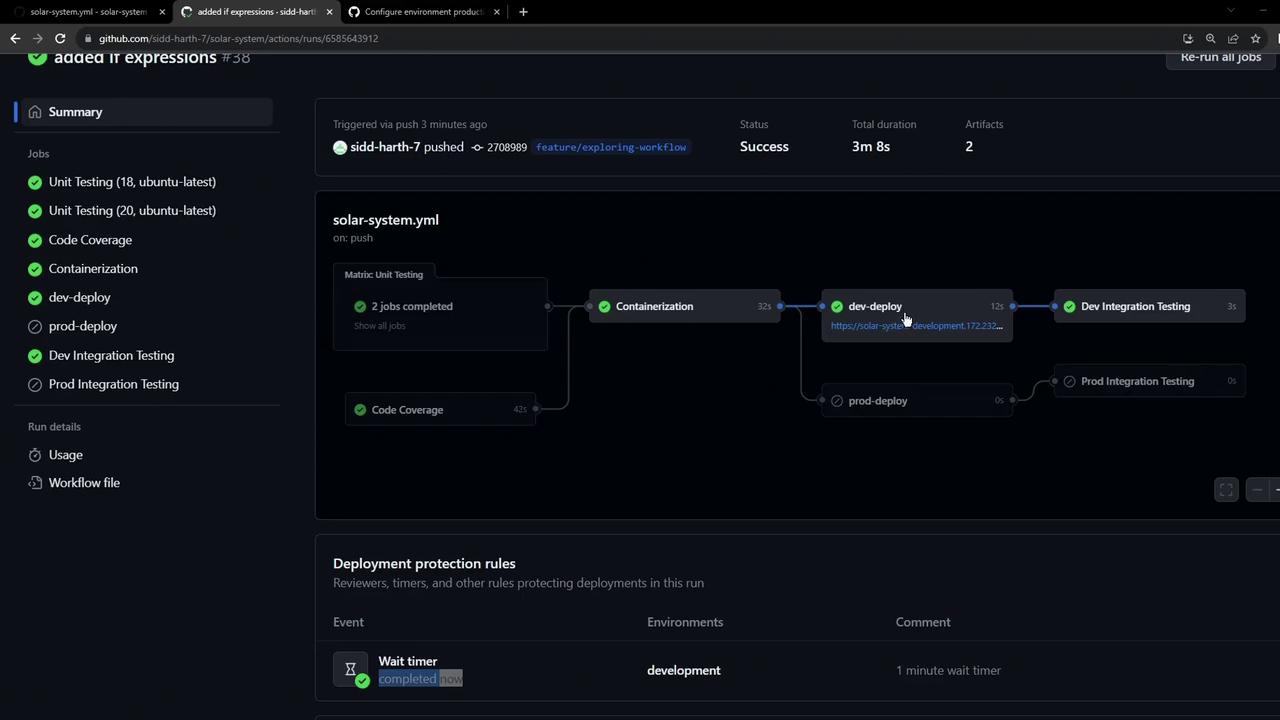
Skipped jobs indicate their `if` condition evaluated to `false`.
## Raising a Pull Request
When you open a PR into `main`, all checks should pass and your dev-deploy URL is available for reviewers:
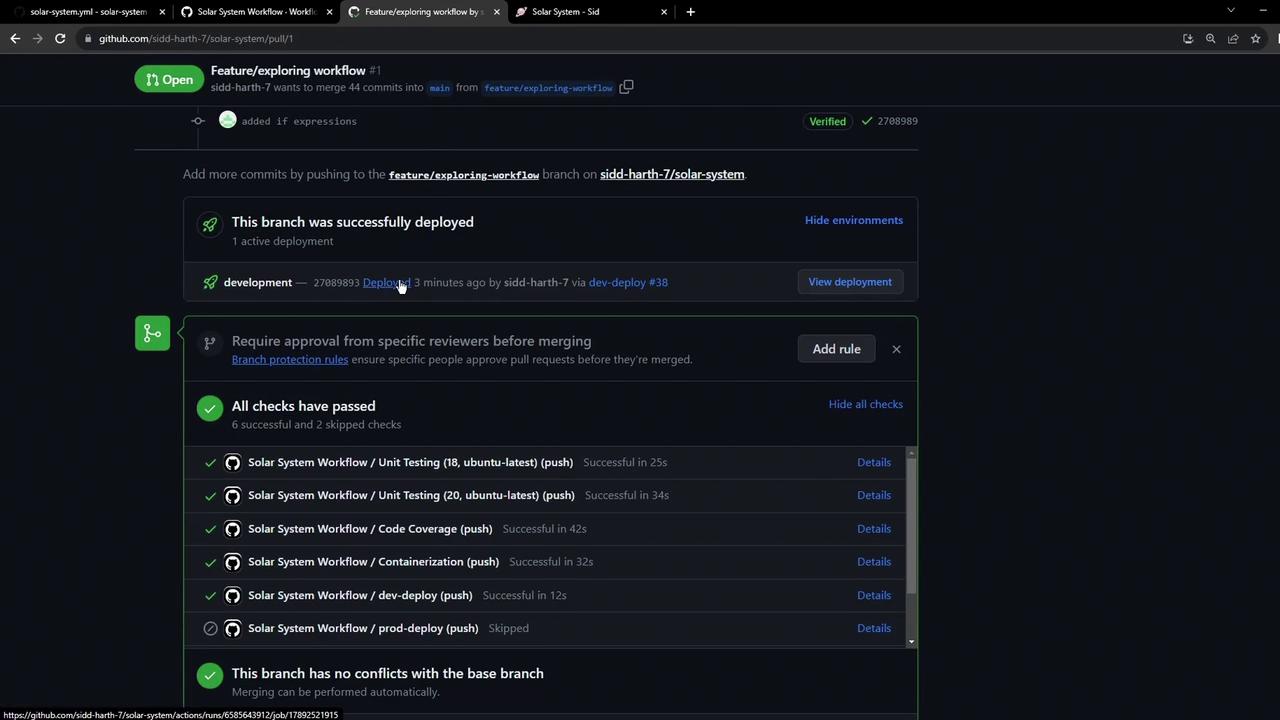
Reviewers can click the deployment link to preview your changes before merging.
## Production Deployment Approval
After merging, the workflow on `main` triggers production jobs. If you’ve enabled environment protection rules, you’ll see a “Review pending deployments” prompt:
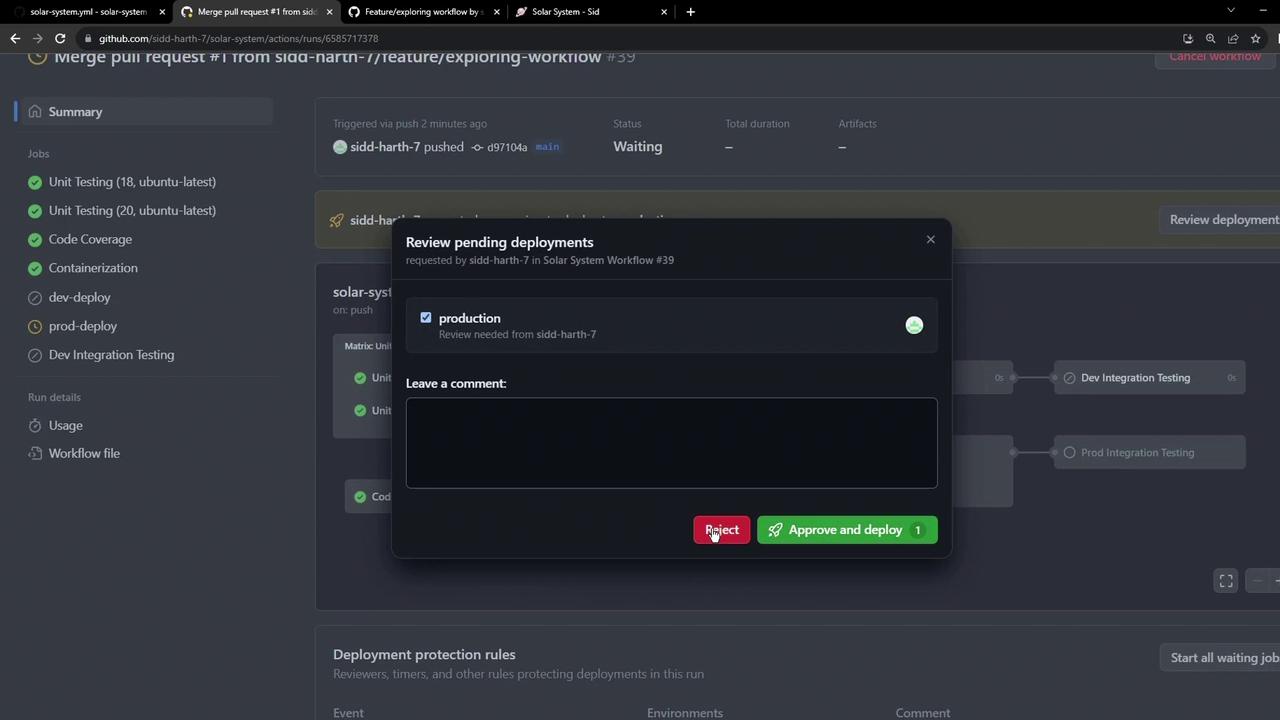
Ensure you’ve configured environment protection rules in your repository settings to require manual approvals before Production deployments.
## Final Workflow Summary on `main`
Once approved, only the production deploy and integration tests run on `main`:
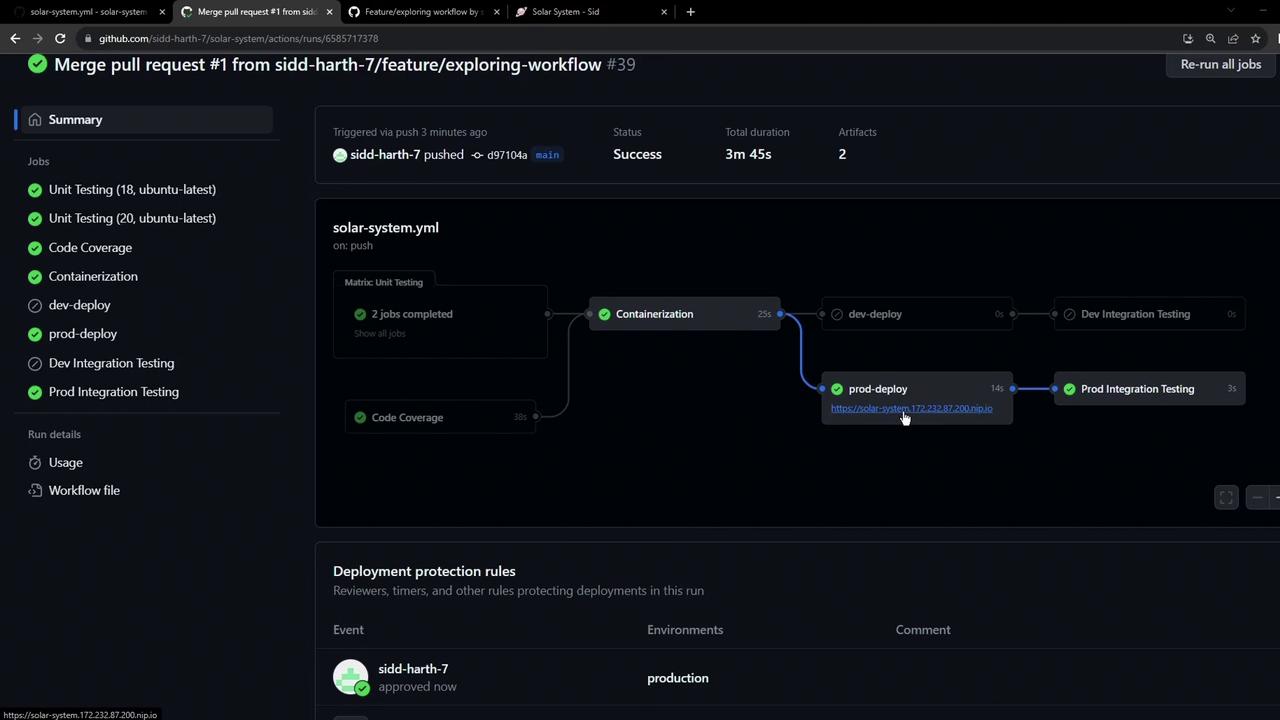
All checks pass, and the production environment is live.
## Viewing All Deployments
In the **Environments** tab, you can filter by environment, view deployment statuses, associated branches, and pull requests:
*Explore the dashboard to monitor, retry, or roll back deployments—all from the GitHub UI.*
## References
* [GitHub Actions Expressions](https://docs.github.com/actions/learn-github-actions/expressions)
* [Workflow syntax for GitHub Actions](https://docs.github.com/actions/using-workflows/workflow-syntax-for-github-actions)
* [Environments and protection rules](https://docs.github.com/actions/deployment/targeting-different-environments/using-environments-for-deployment)