> ## Documentation Index
> Fetch the complete documentation index at: https://notes.kodekloud.com/llms.txt
> Use this file to discover all available pages before exploring further.
# Setting Output for Integration testing
> This guide explains how to set up integration testing in GitHub Actions by capturing and using dynamic Ingress host URLs.
Extend your GitHub Actions workflow with an **integration test** that automatically picks up your application’s dynamic Ingress host URL. This guide shows you how to:
* Deploy manifests to a Kubernetes cluster
* Capture the Ingress hostname as a workflow output
* Consume that output in a downstream integration-testing job
## Adding the Integration Test Job
After your `dev-deploy` job completes, add an `integration-testing` job that references the URL output:
```yaml theme={null}
jobs:
integration-testing:
name: Dev Integration Testing
needs: [dev-deploy]
runs-on: ubuntu-latest
steps:
- name: Test URL Output with curl and jq
env:
URL: ${{ needs.dev-deploy.outputs.APP_INGRESS_URL }}
run: |
echo "URL: $URL"
echo "-----------------------------------------"
curl https://$URL/live -s -k | jq -r .status | grep -i live
```
The `curl` and `jq` utilities are pre-installed on the `ubuntu-latest` runner.
Using `curl -k` skips TLS verification. Only use this in non-production or trusted test environments.
## Retrieving the Ingress Host URL
To surface the Ingress host from Kubernetes into your workflow:
1. Invoke `kubectl` in the deploy job to read the host via JSONPath.
2. Write that hostname to `GITHUB_OUTPUT`.
3. Expose it as a job-level output.
### 1. Modify the Deploy Job
In your `dev-deploy` job, after applying the manifests, add a step with an ID to capture the host:
```yaml theme={null}
jobs:
dev-deploy:
needs: docker
runs-on: ubuntu-latest
steps:
- name: Checkout Repository
uses: actions/checkout@v4
- name: Install kubectl
uses: azure/setup-kubectl@v3
with:
version: '1.26.0'
- name: Configure Kubeconfig
uses: azure/k8s-set-context@v3
with:
method: kubeconfig
kubeconfig: ${{ secrets.KUBECONFIG }}
- name: Deploy to Development
run: kubectl apply -f kubernetes/development
- id: set-ingress-host
name: Set App Ingress Host URL
run: |
echo "APP_INGRESS_HOST=$(kubectl -n ${{ vars.NAMESPACE }} \
get ingress -o jsonpath='{.items[0].spec.tls[0].hosts[0]}')" \
>> "$GITHUB_OUTPUT"
```
#### Kubernetes Ingress Example
```yaml theme={null}
apiVersion: networking.k8s.io/v1
kind: Ingress
metadata:
name: solar-system
namespace: development
spec:
rules:
- host: solar-system-{{ .Namespace }}.{{ .Ingress.IP }}.nip.io
http:
paths:
- path: /
pathType: Prefix
backend:
service:
name: solar-system
port:
number: 3000
tls:
- hosts:
- solar-system-{{ .Namespace }}.{{ .Ingress.IP }}.nip.io
secretName: solar-system
```
### 2. Extract the Ingress Host via CLI
Run these commands locally or in a step to confirm your JSONPath:
| Command | Description |
| ----------------------------------------------------------------------------------- | ------------------------------------------------- |
| `kubectl -n development get ingress` | List all ingresses in the `development` namespace |
| `kubectl -n development get ingress -o jsonpath='{.items[0].spec.tls[0].hosts[0]}'` | Extract the first TLS host from the ingress |
```bash theme={null}
kubectl -n development get ingress
# OUTPUT:
# NAME HOSTS ADDRESS PORTS AGE
# Extract only the host:
kubectl -n development get ingress \
-o jsonpath='{.items[0].spec.tls[0].hosts[0]}'
# solar-system-development.172.232.87.200.nip.io
```
### 3. Expose the Step Output as a Job Output
Enable downstream jobs to consume the captured host by defining an `outputs` section:
```yaml theme={null}
jobs:
dev-deploy:
needs: docker
runs-on: ubuntu-latest
outputs:
APP_INGRESS_URL: ${{ steps.set-ingress-host.outputs.APP_INGRESS_HOST }}
steps:
# ... (previous steps) ...
```
## Consuming the Output in Integration Testing
In the `integration-testing` job, map the job output to an environment variable:
```yaml theme={null}
jobs:
integration-testing:
name: Dev Integration Testing
needs: dev-deploy
runs-on: ubuntu-latest
steps:
- name: Test URL Output with curl and jq
env:
URL: ${{ needs.dev-deploy.outputs.APP_INGRESS_URL }}
run: |
echo "URL: $URL"
echo "-----------------------------------------"
curl https://$URL/live -s -k | jq -r .status | grep -i live
```
## Passing Values Between Jobs
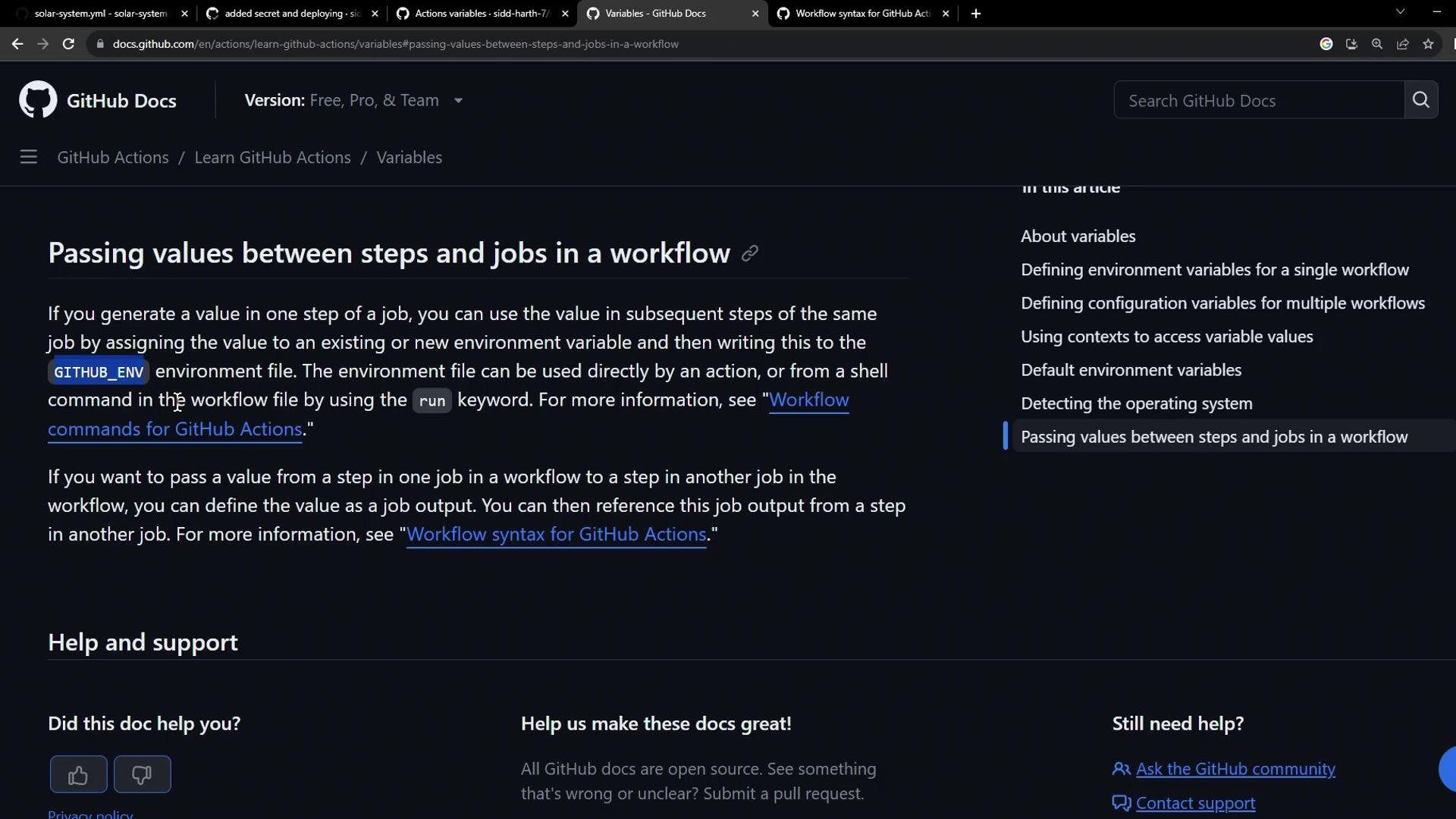
Learn more in the [GitHub Actions docs on passing values between jobs](https://docs.github.com/en/actions/using-workflows/passing-values-between-jobs).
### Official Example
```yaml theme={null}
jobs:
job1:
runs-on: ubuntu-latest
outputs:
output1: ${{ steps.step1.outputs.test }}
output2: ${{ steps.step2.outputs.test }}
steps:
- id: step1
run: echo "test=hello" >> "$GITHUB_OUTPUT"
- id: step2
run: echo "test=world" >> "$GITHUB_OUTPUT"
job2:
runs-on: ubuntu-latest
needs: job1
steps:
- env:
OUTPUT1: ${{ needs.job1.outputs.output1 }}
OUTPUT2: ${{ needs.job1.outputs.output2 }}
run: echo "$OUTPUT1 $OUTPUT2"
```
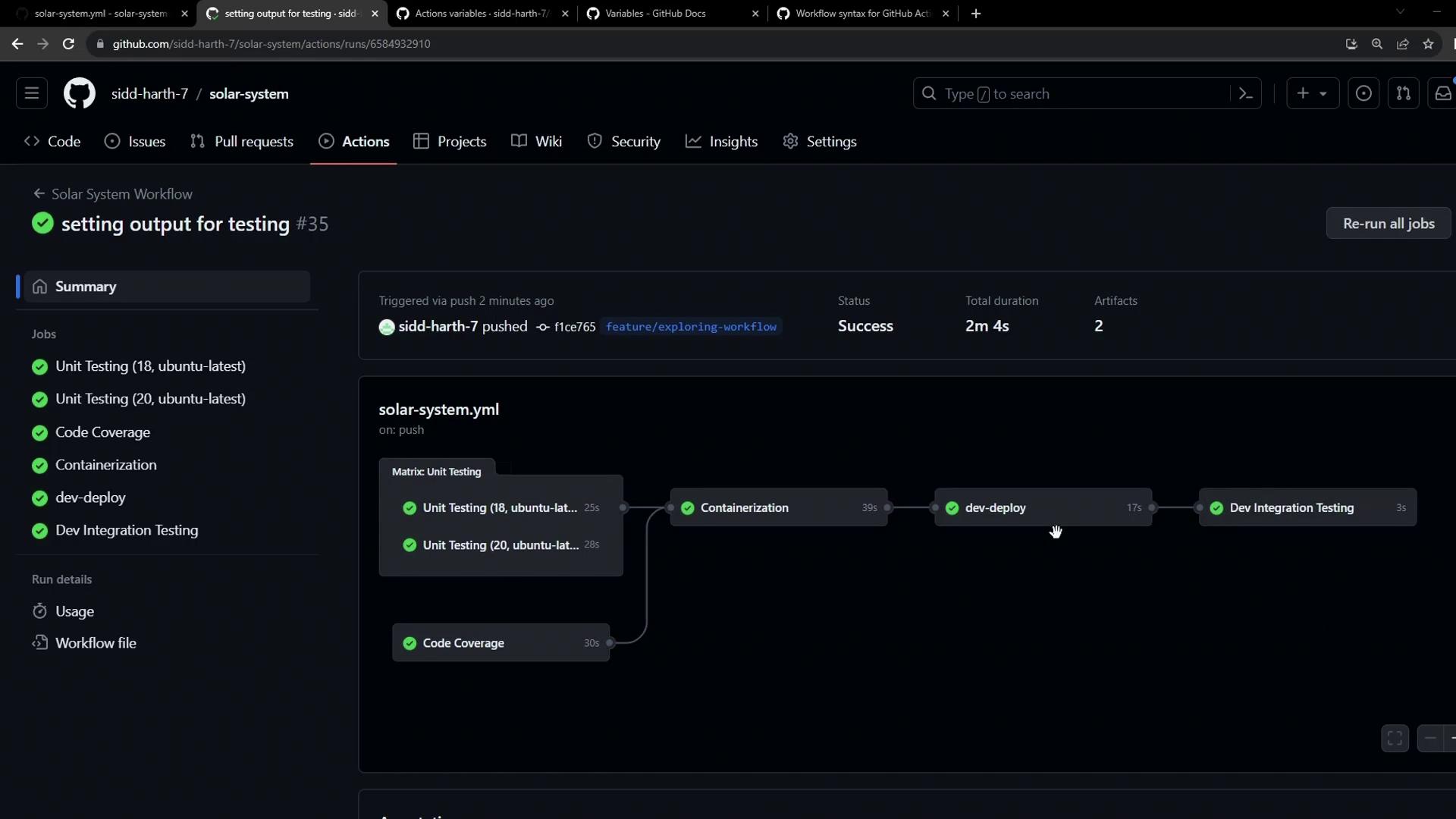
## Workflow Run Summary
## Integration Testing Job Log
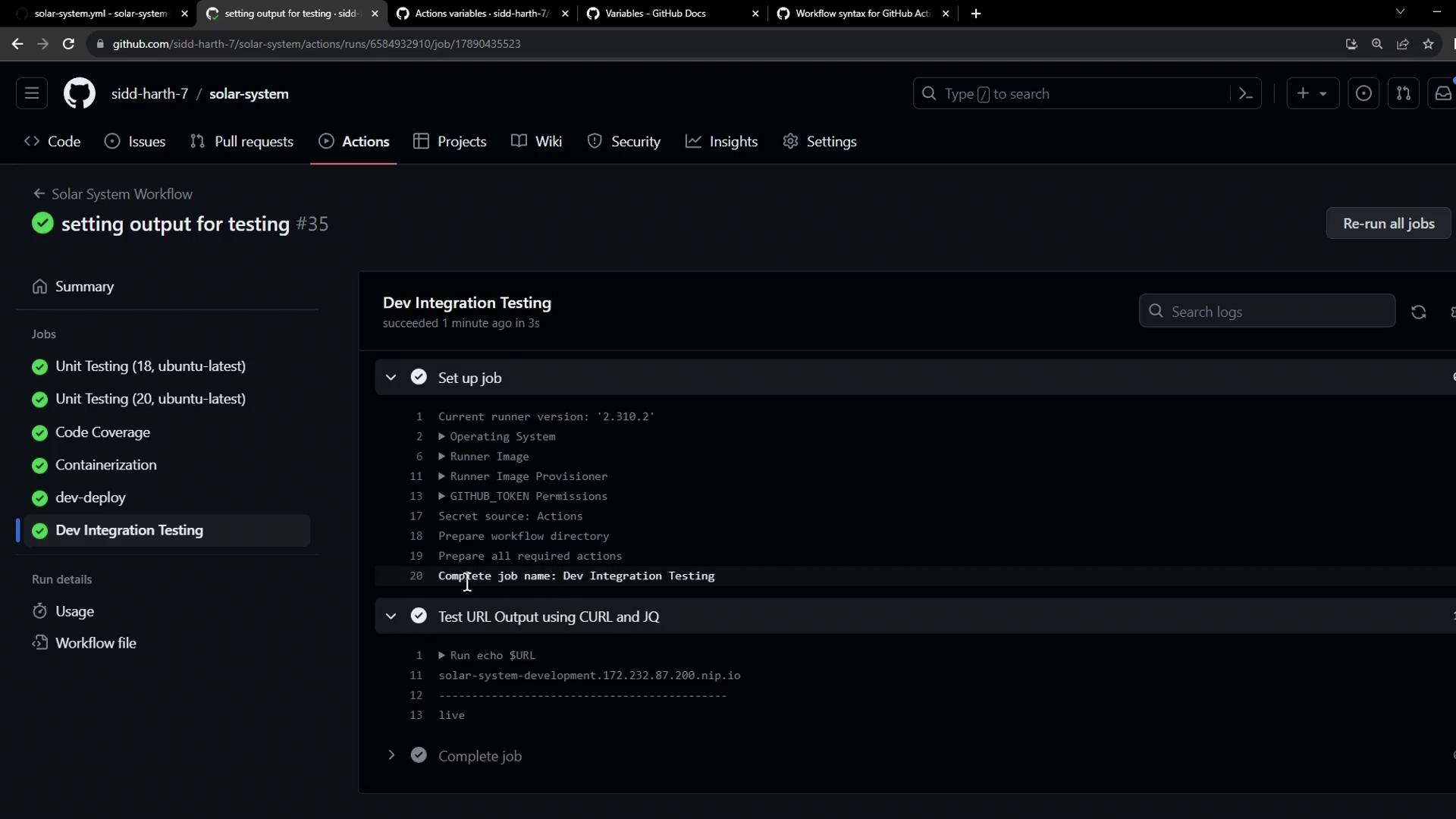
This confirms that the dynamic Ingress host URL was successfully passed from the deploy job to the integration-testing job.
## References
* [GitHub Actions: Passing values between jobs](https://docs.github.com/en/actions/using-workflows/passing-values-between-jobs)
* [Kubernetes Ingress Documentation](https://kubernetes.io/docs/concepts/services-networking/ingress/)
* [Actions Workflow Syntax](https://docs.github.com/en/actions/using-workflows/workflow-syntax-for-github-actions)