> ## Documentation Index
> Fetch the complete documentation index at: https://notes.kodekloud.com/llms.txt
> Use this file to discover all available pages before exploring further.
# Understand Github Environments
> This article explains GitHub Environments, focusing on organizing, protecting, and visualizing deployments in GitHub Actions.
In this lesson, we’ll dive into GitHub Environments and explore how they help you organize, protect, and visualize deployments in GitHub Actions. You’ll learn how to store secrets, enforce protection rules, and reference environments in your workflows.
## What Are Environments?
Environments provide isolated stages in your CI/CD pipeline—such as **development**, **staging**, and **production**—so that different teams can work concurrently without stepping on each other’s toes. Each environment typically uses its own services (databases, vaults, APIs) secured by environment-specific credentials (usernames/passwords or API keys).
When you run workflows in GitHub Actions, environments let you:
* Store and manage sensitive credentials securely
* Pause workflows for manual approvals or delays
* Restrict deployments by branch or user permissions
## Secrets and Variables in GitHub Actions
GitHub Actions supports two levels of secret storage:
1. **Repository secrets**
2. **Environment secrets**
By keeping sensitive information—like API keys or database passwords—out of your workflow files, you centralize secret management and reduce the risk of accidental disclosure.
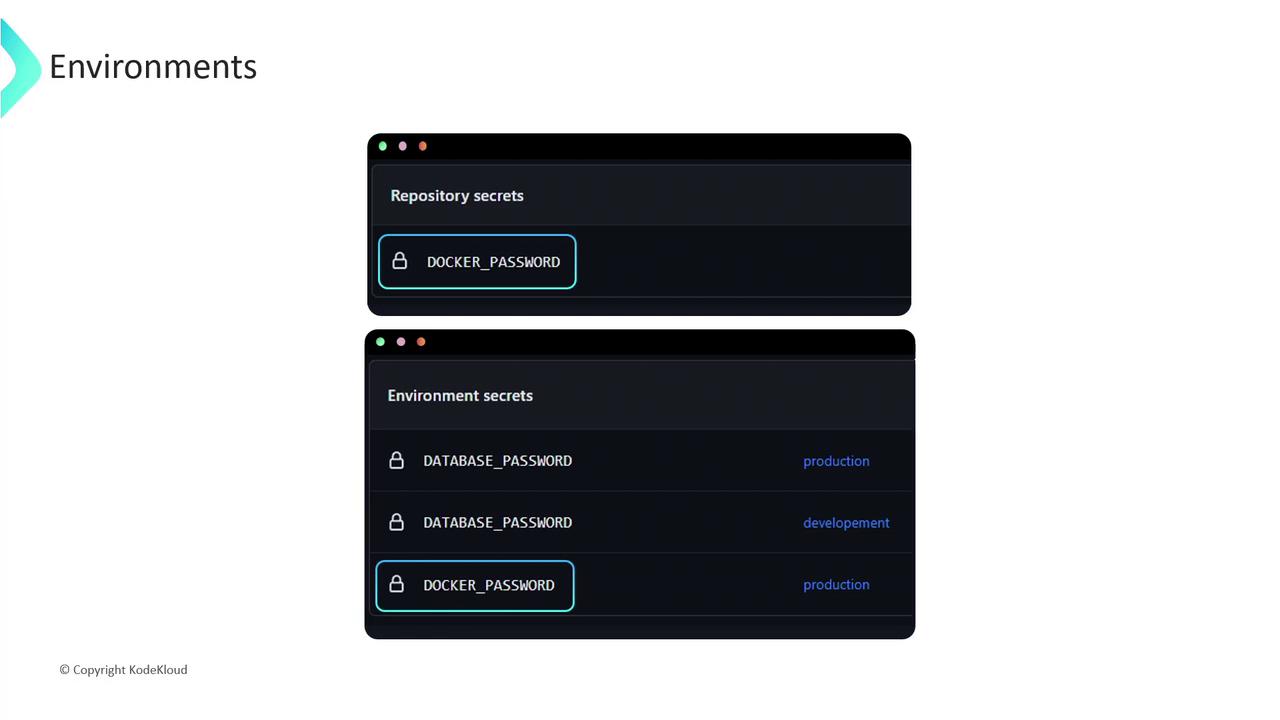
Environment secrets override repository secrets when they share the same name. Plan your naming conventions and access levels accordingly.
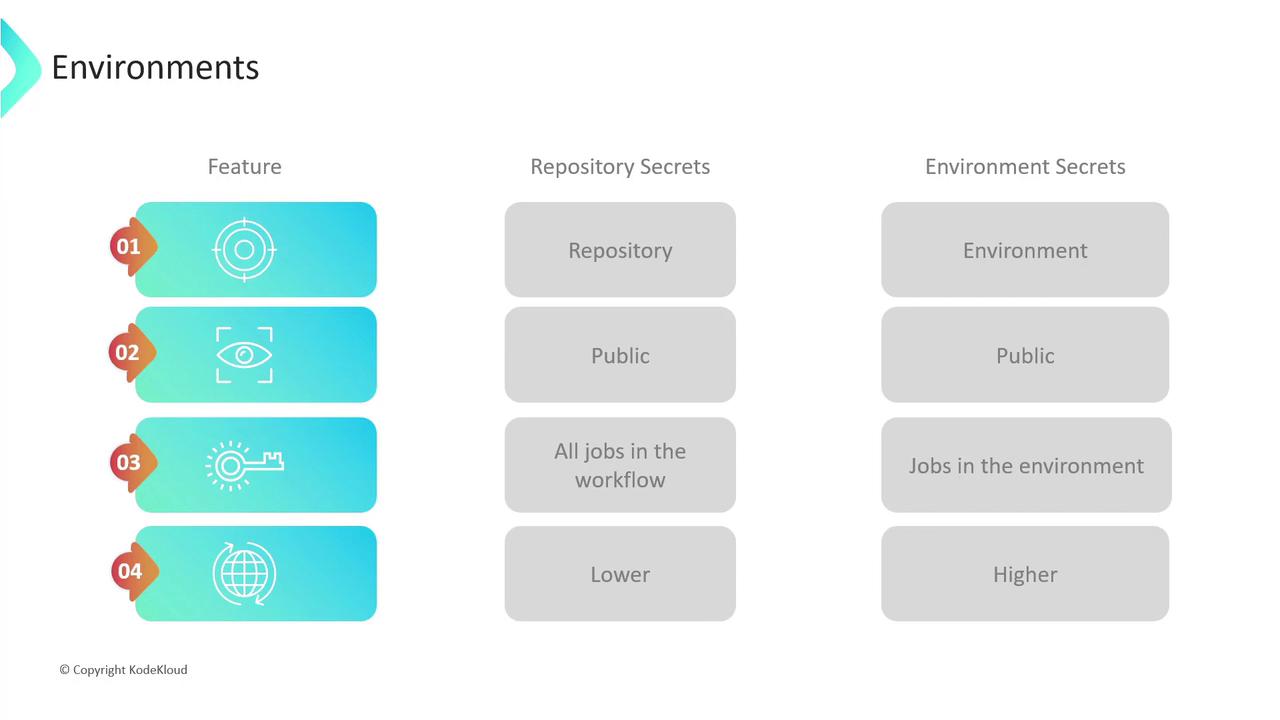
### Repository vs. Environment Secrets
| Feature | Repository Secrets | Environment Secrets |
| ------------- | ------------------------------------- | ------------------------------------------------------ |
| Scope | Single repository | Specific to an environment; reusable across repos |
| Visibility | All repository collaborators | Restricted to users with environment access |
| Accessibility | Available to all jobs in a workflow | Only available to jobs that reference that environment |
| Precedence | Lower if an environment secret exists | Overrides repository secrets when names collide |
## Referencing an Environment in Your Workflow
Here’s a sample job that targets a **production** environment:
```yaml theme={null}
jobs:
deploy:
name: Deploy to Production
runs-on: ubuntu-latest
environment: production
steps:
- name: Checkout code
uses: actions/checkout@v3
- name: Deploy
run: ./scripts/deploy.sh
```
This job will pause if any **deployment protection rules** are configured for the `production` environment.
## Deployment Protection Rules
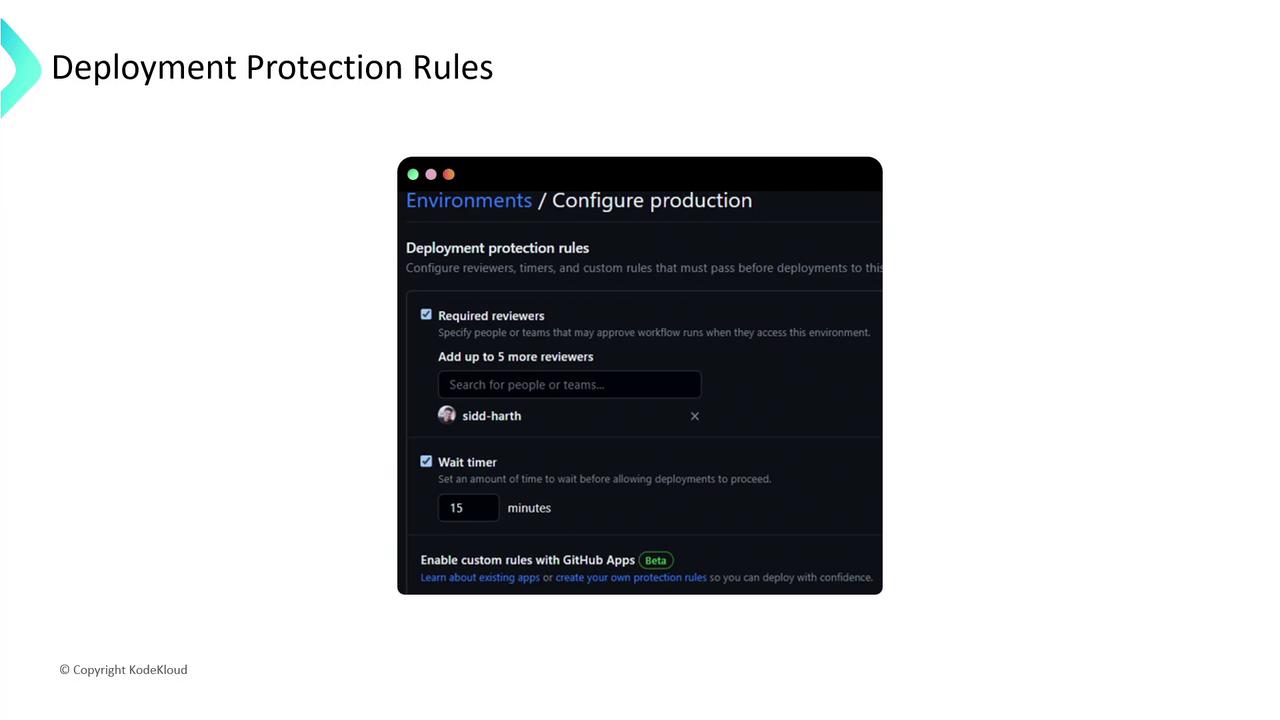
Environments in GitHub Actions let you enforce rules before workflows proceed. You can require approvals, add delays, and restrict deployments to certain branches or users. To configure these:
1. Go to **Settings** in your repository (or organization/enterprise).
2. Select **Environments**, then choose or create an environment.
3. Under **Deployment protection rules**, add your constraints.
### Common Rule Types
| Rule Type | Description |
| ------------------- | ----------------------------------------------------------------------------------- |
| Required reviewers | Specify up to six people or teams. One approval unlocks the deployment. |
| Wait timer | Introduce a mandatory delay before jobs start. |
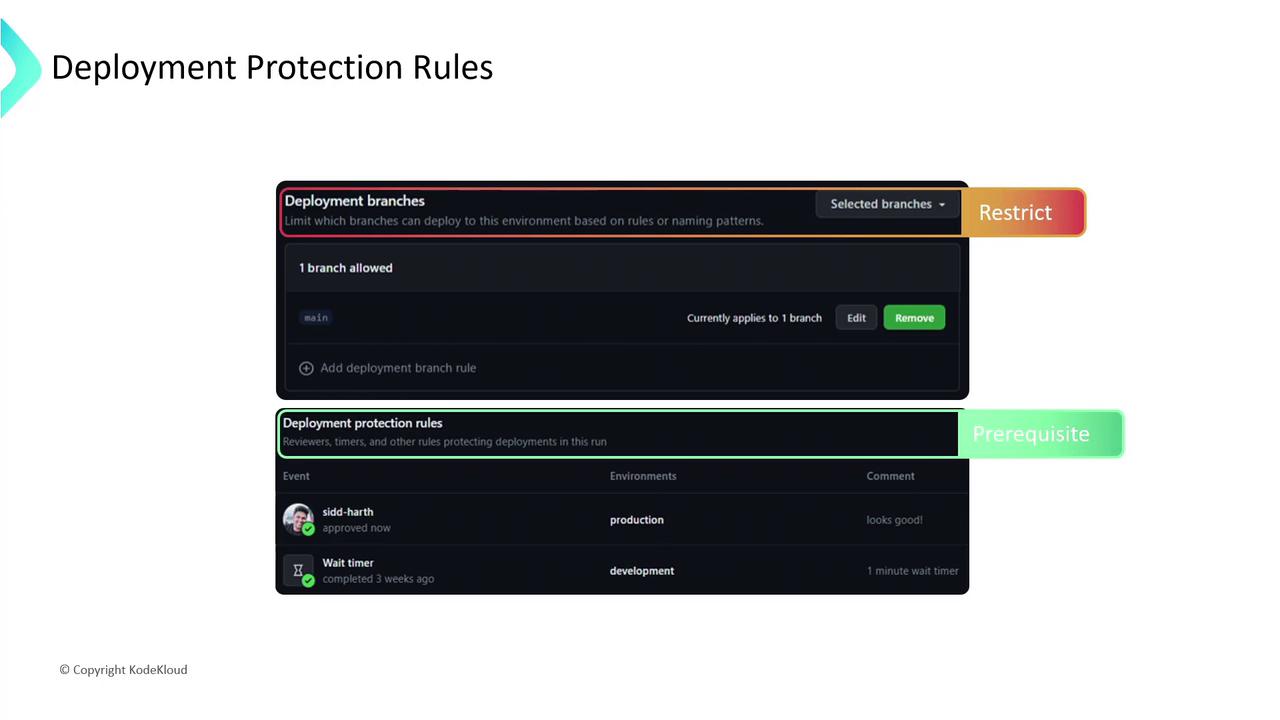
| Branch restrictions | Only allow deployments to run from designated branches (e.g., `main` or `release`). |
When a workflow references an environment with protection rules, it will:
1. Pause until all **required reviewers** have approved.
2. Enforce any **wait timer** before continuing.
3. Check that the workflow branch meets **branch restrictions**.
Over-privileged environments or weak approval policies can expose production data. Review access controls regularly and follow the principle of least privilege.
***
By structuring your CI/CD pipeline with GitHub Environments, you gain fine-grained control over deployments while keeping secrets centralized and secure. Start with basic rules and expand them as your project requirements grow.
## Links and References
* [GitHub Actions Environments](https://docs.github.com/actions/deployment/targeting-different-environments/using-environments-for-deployment)
* [Managing secrets in GitHub](https://docs.github.com/actions/security-guides/encrypted-secrets)
* [GitHub Actions documentation](https://docs.github.com/actions)