> ## Documentation Index
> Fetch the complete documentation index at: https://notes.kodekloud.com/llms.txt
> Use this file to discover all available pages before exploring further.
# Workflow Configuring Kubeconfig file
> This guide explains how to configure a Kubeconfig file in GitHub Actions for authenticating with a remote Kubernetes cluster.
In this guide, you'll learn how to configure a Kubeconfig file within a GitHub Actions workflow, enabling `kubectl` to authenticate and interact with a remote Kubernetes cluster as part of your CI/CD pipeline.
## Initial Workflow
Below is the existing `dev-deploy` job before integrating the Kubeconfig step:
```yaml theme={null}
dev-deploy:
needs: docker
runs-on: ubuntu-latest
steps:
- name: Checkout Repository
uses: actions/checkout@v4
- name: Install kubectl CLI
uses: azure/setup-kubectl@v3
with:
version: '1.26.0'
- name: Fetch Kubernetes Cluster Details
run: |
kubectl version --short
echo "-----------------------------------------"
kubectl get nodes
```
Without a configured context, `kubectl` cannot authenticate against your Kubernetes cluster in GitHub Actions.
## Adding the Kubeconfig Secret
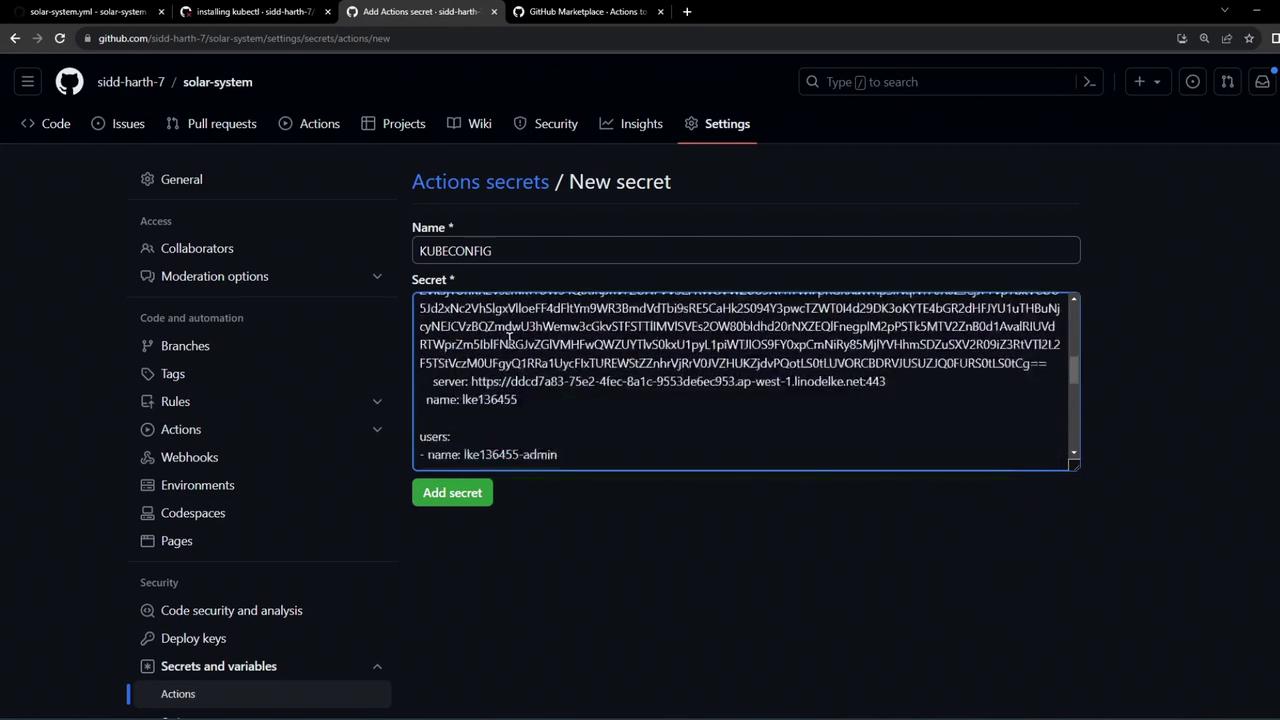
To securely provide your cluster credentials, add the Base64-encoded Kubeconfig to GitHub Actions secrets:
1. In your repository, go to **Settings > Secrets and variables > Actions**.
2. Click **New repository secret**.
3. Name the secret `KUBECONFIG`.
4. Paste your Base64-encoded Kubeconfig content and save.
Never commit your plain Kubeconfig file to source control. Always store it as an encrypted secret.
## Selecting the Context Action
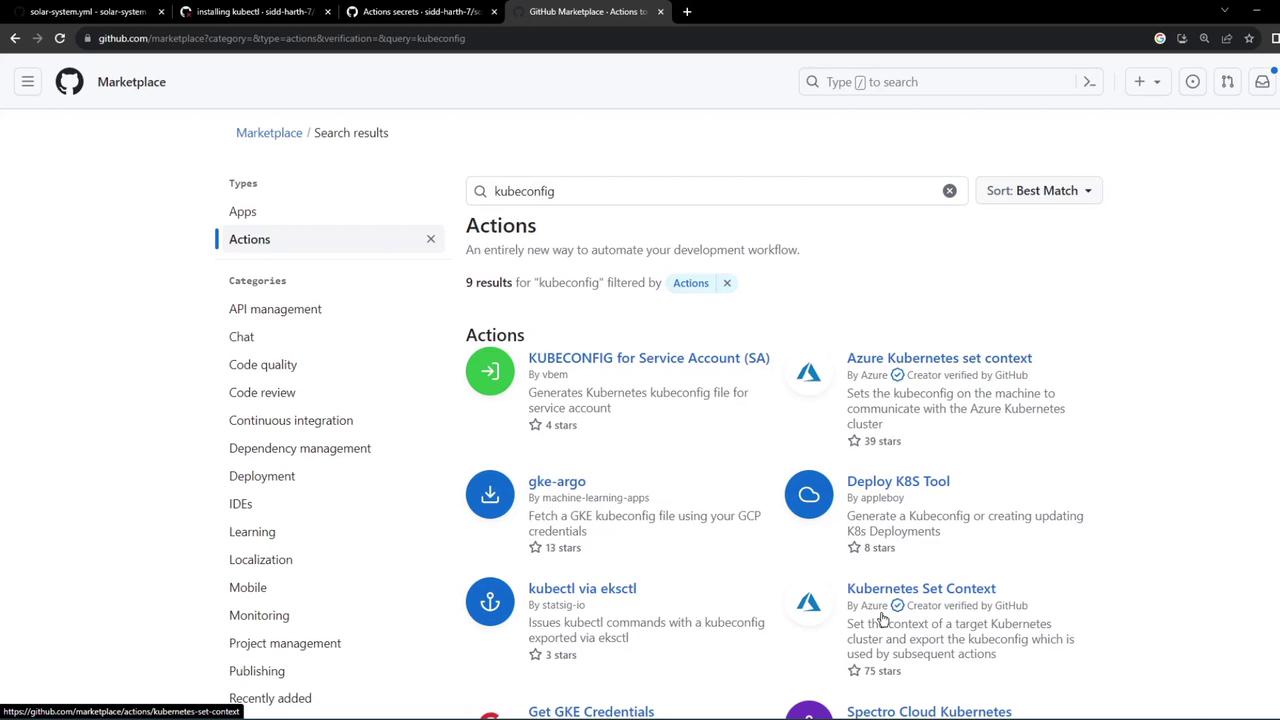
Use the [azure/k8s-set-context@v3](https://github.com/Azure/k8s-set-context) action to apply the Kubeconfig in your workflow. You can find it by searching “kubeconfig” in the GitHub Marketplace under Actions.
## Final Workflow with Kubeconfig
Update your `dev-deploy` job to include a step that sets the Kubernetes context using the secret:
```yaml theme={null}
dev-deploy:
needs: docker
runs-on: ubuntu-latest
steps:
- name: Checkout Repository
uses: actions/checkout@v4
- name: Install kubectl CLI
uses: azure/setup-kubectl@v3
with:
version: '1.26.0'
- name: Set Kubeconfig Context
uses: azure/k8s-set-context@v3
with:
method: kubeconfig
kubeconfig: ${{ secrets.KUBECONFIG }}
- name: Fetch Kubernetes Cluster Details
run: |
kubectl version --short
echo "----------------------------------------------------------------"
kubectl get nodes
```
### Workflow Step Summary
| Step Name | Action | Purpose |
| ------------------------ | -------------------------- | --------------------------------------- |
| Checkout Repository | `actions/checkout@v4` | Retrieves code from your repo |
| Install kubectl CLI | `azure/setup-kubectl@v3` | Installs specified `kubectl` version |
| Set Kubeconfig Context | `azure/k8s-set-context@v3` | Applies the `KUBECONFIG` secret |
| Fetch Kubernetes Details | Shell command | Verifies cluster access and lists nodes |
Commit and push these changes to trigger the GitHub Actions workflow. The pipeline will now read the `KUBECONFIG` secret, configure context, and run `kubectl` commands against your remote cluster.
## Monitoring Workflow Results
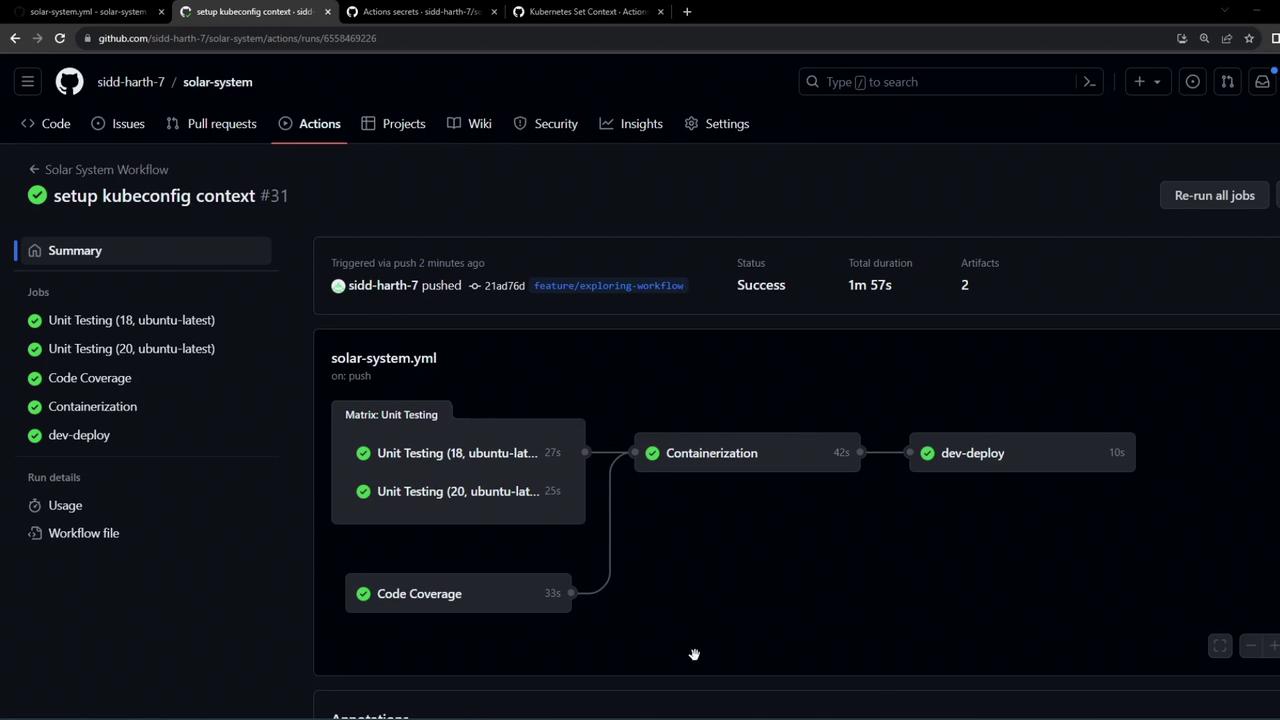
After completion, you should see a green checkmark on all jobs, including `dev-deploy`. The **Set Kubeconfig Context** step applies your credentials, and the subsequent step confirms connectivity.
### Sample Logs
```bash theme={null}
# Run azure/k8s-set-context@v3
with:
method: kubeconfig
kubeconfig: ***
cluster-type: generic
env:
MONGO_URI: mongodb+srv://supercluster.d83jj.mongodb.net/superData
MONGO_USERNAME: superuser
MONGO_PASSWORD: ***
# Run kubectl version --short
Flag --short has been deprecated and will be removed in the future. The --short output will become the default.
Client Version: v1.26.0
Kustomize Version: v4.5.7
Server Version: v1.26.9
# Run kubectl get nodes
NAME STATUS ROLES AGE VERSION
lke136455-201804-875c46000000 Ready node 2d v1.26.3
```
Using this setup, `kubectl` authenticates with your remote cluster via the secure Kubeconfig file stored in GitHub Actions secrets.
## Links and References
* [azure/setup-kubectl](https://github.com/Azure/setup-kubectl) – GitHub Action to install `kubectl`
* [azure/k8s-set-context](https://github.com/Azure/k8s-set-context) – GitHub Action to configure Kubernetes context
* [GitHub Actions Secrets](https://docs.github.com/actions/security-guides/encrypted-secrets)
* [Kubernetes Basics](https://kubernetes.io/docs/concepts/overview/what-is-kubernetes/)