> ## Documentation Index
> Fetch the complete documentation index at: https://notes.kodekloud.com/llms.txt
> Use this file to discover all available pages before exploring further.
# Workflow Replace Placeholders Tokens
> This guide explains automating token replacement in Kubernetes manifests using GitHub Actions.
In this guide, you’ll learn how to automate token replacement in your Kubernetes manifests using GitHub Actions. We will cover:
* Defining repository-level variables for namespace, replicas, and image
* Installing and configuring the `cschleiden/replace-tokens@v1` action
* Dynamically fetching the Ingress controller’s external IP
* Applying placeholder replacement in `kubernetes/development/*.yaml`
* Verifying the transformed manifests before deployment
***
## Placeholder tokens in your manifests
Under `kubernetes/development/`, manifests contain tokens like `{_NAMESPACE_}`, `{_REPLICAS_}`, `{_IMAGE_}`, and `{_INGRESS_IP_}`:
```yaml theme={null}
# kubernetes/development/deployment.yaml
apiVersion: apps/v1
kind: Deployment
metadata:
name: solar-system
namespace: {_NAMESPACE_}
spec:
replicas: {_REPLICAS_}
selector:
matchLabels:
app: solar-system
template:
metadata:
labels:
app: solar-system
spec:
containers:
- name: solar-system
image: {_IMAGE_}
imagePullPolicy: Always
ports:
- containerPort: 3000
name: http
```
```yaml theme={null}
# kubernetes/development/service.yaml
apiVersion: v1
kind: Service
metadata:
name: solar-system
namespace: {_NAMESPACE_}
spec:
ports:
- port: 3000
targetPort: 3000
selector:
app: solar-system
```
```yaml theme={null}
# kubernetes/development/ingress.yaml
apiVersion: networking.k8s.io/v1
kind: Ingress
metadata:
name: solar-system
namespace: {_NAMESPACE_}
annotations:
kubernetes.io/tls-acme: "true"
spec:
rules:
- host: solar-system-{_NAMESPACE_}.{_INGRESS_IP_}.nip.io
http:
paths:
- path: /
pathType: Prefix
backend:
service:
name: solar-system
port:
number: 3000
tls:
- hosts:
- solar-system-{_NAMESPACE_}.{_INGRESS_IP_}.nip.io
secretName: solar-system
```
All tokens must be replaced before applying these files to the cluster.
***
## 1. Define repository variables
Navigate to **Settings > Secrets and variables > Actions** in your GitHub repository. Here you can add both non-secret variables and secrets.
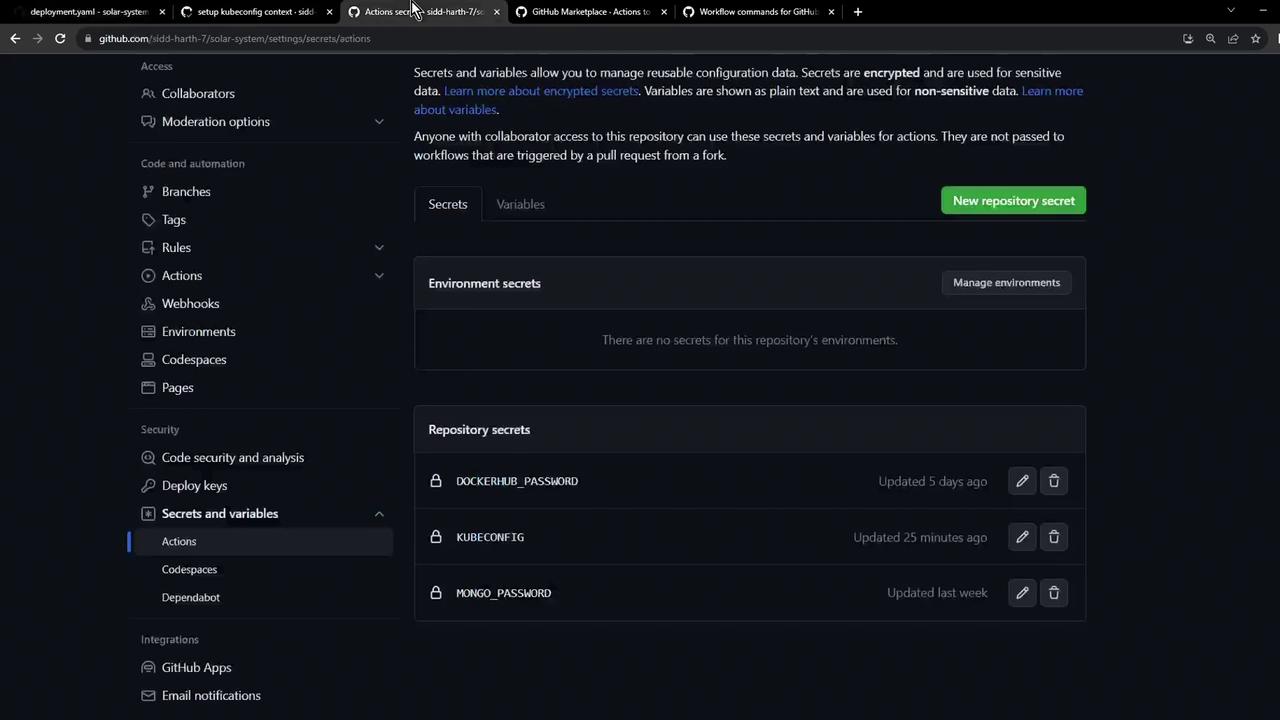
Use **Variables** for non-sensitive configuration (e.g., `NAMESPACE`, `REPLICAS`) and **Secrets** for credentials (`KUBECONFIG`, `DOCKERHUB_PASSWORD`).
Add the following repository variables:
| Name | Value | Description |
| --------- | ----------- | ------------------------------------ |
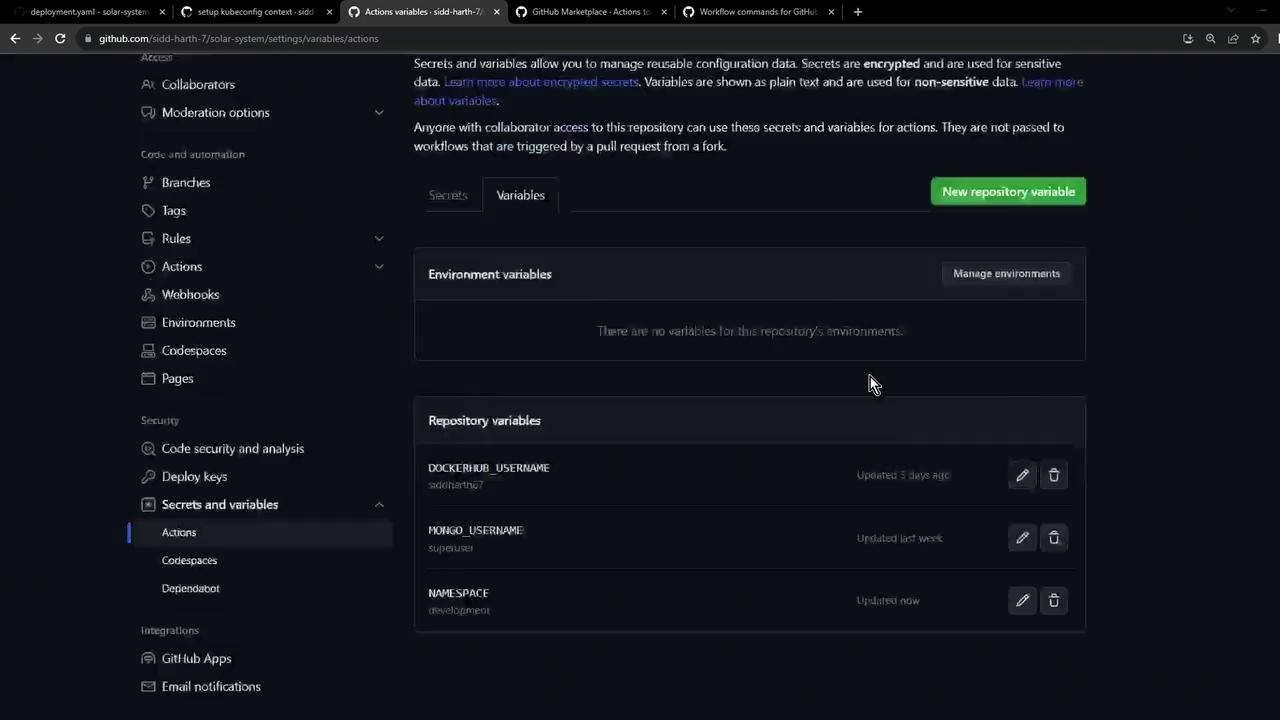
| NAMESPACE | development | Kubernetes namespace for development |
| REPLICAS | 2 | Number of replicas to deploy |
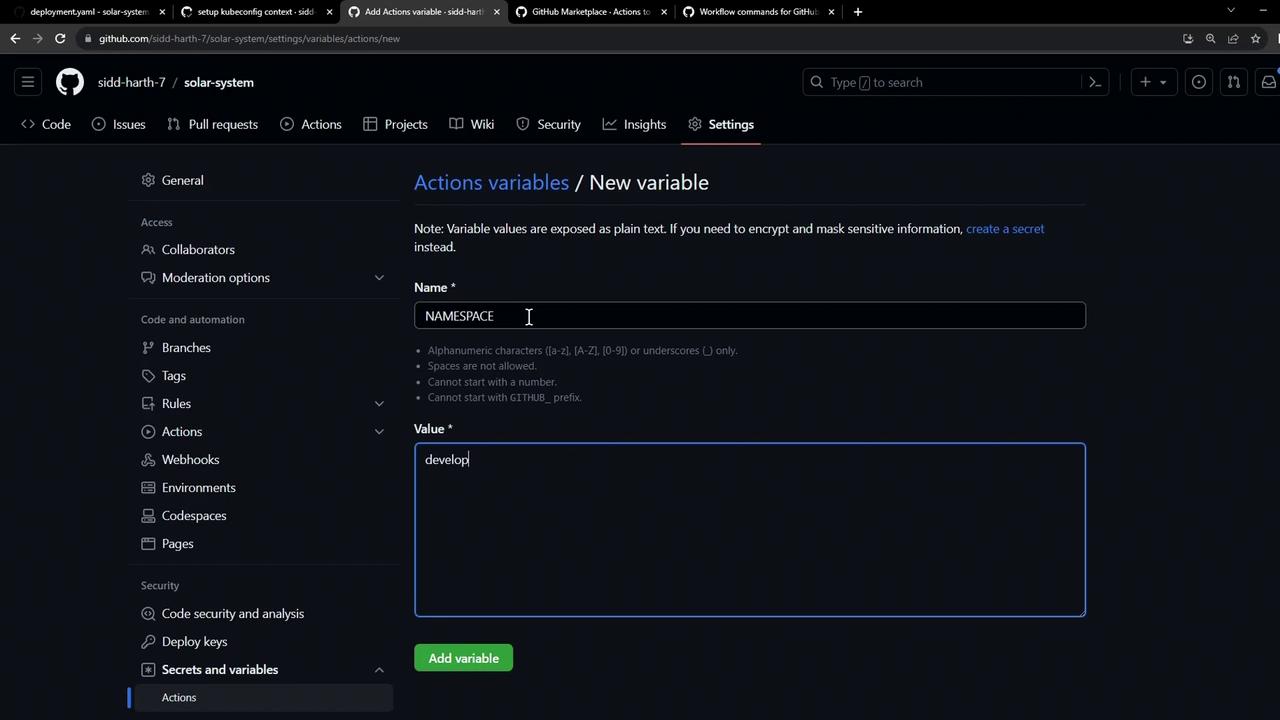
Once added, your list should look like this:
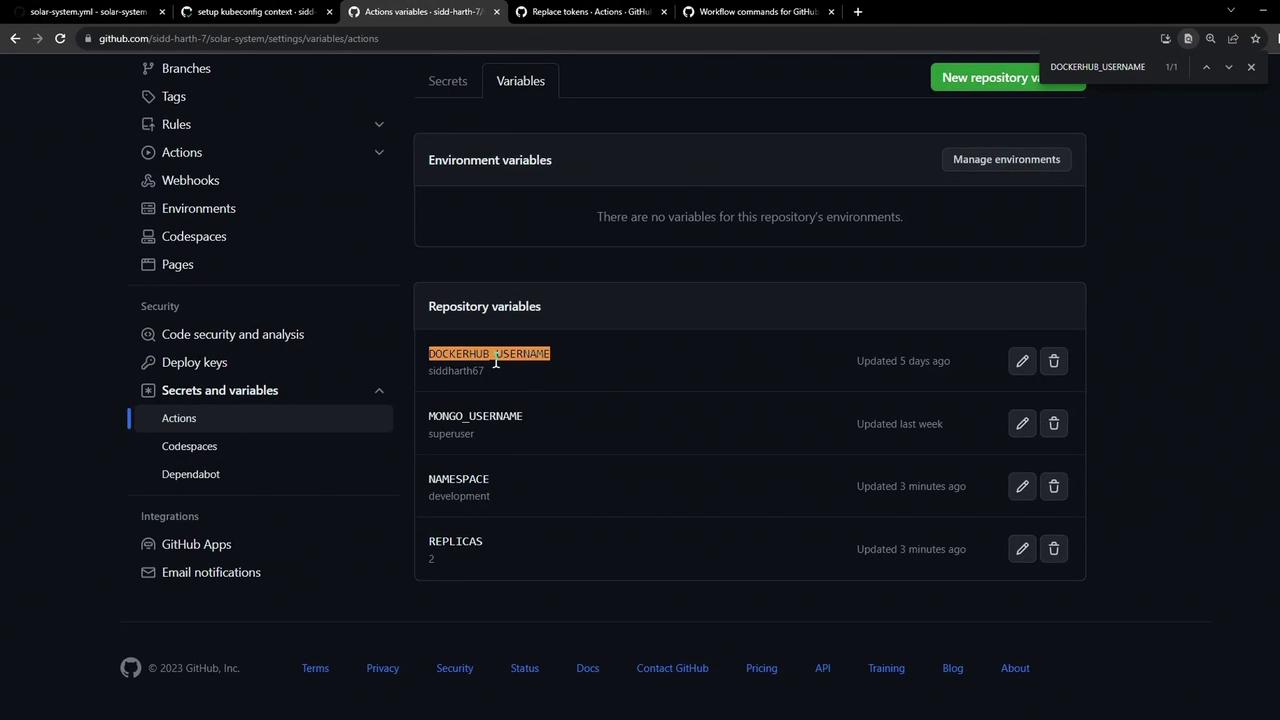
Ensure you also have **DOCKERHUB\_USERNAME** defined for constructing the container image reference:
***
## 2. Choose a token-replacement action
From the GitHub Marketplace, install **cschleiden/replace-tokens\@v1**. This action will scan files and replace tokens based on your specified prefix and suffix.
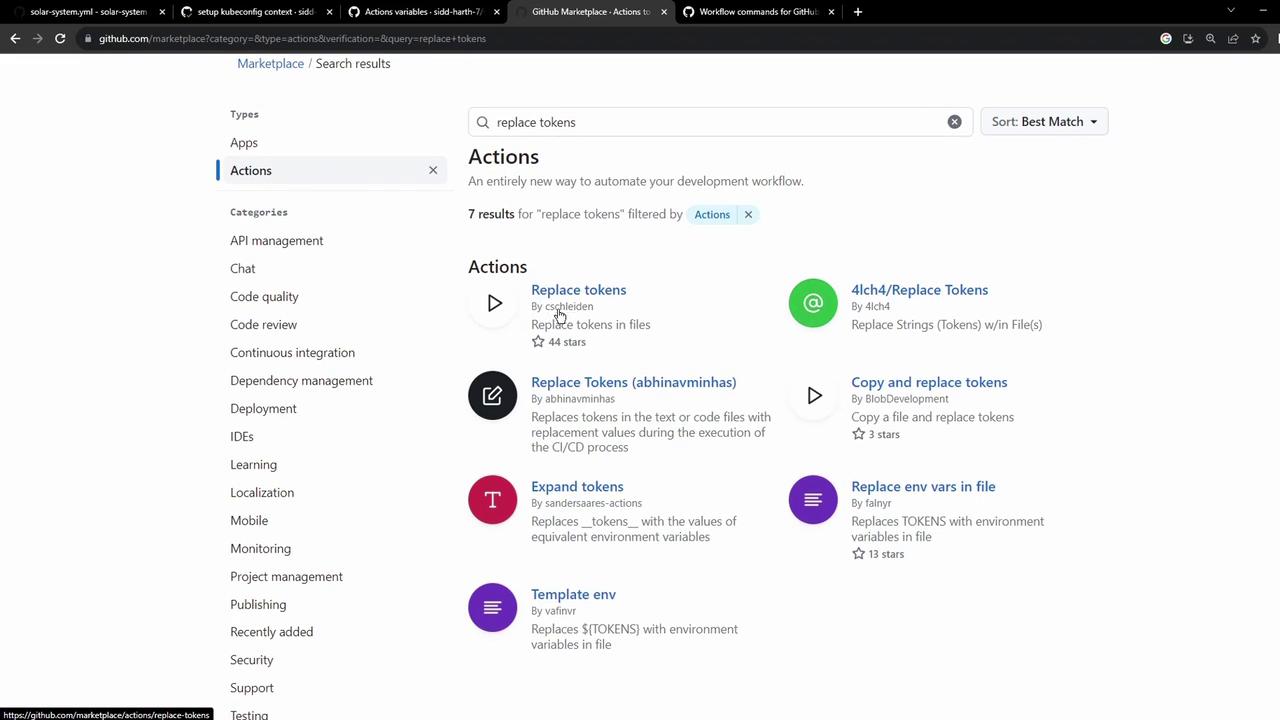
Example configuration:
```yaml theme={null}
- uses: cschleiden/replace-tokens@v1
with:
tokenPrefix: '{_'
tokenSuffix: '_}'
files: 'kubernetes/development/*.yaml'
env:
NAMESPACE: ${{ vars.NAMESPACE }}
REPLICAS: ${{ vars.REPLICAS }}
IMAGE: ${{ vars.DOCKERHUB_USERNAME }}/solar-system:${{ github.sha }}
INGRESS_IP: ${{ env.INGRESS_IP }}
```
***
## 3. Fetch the Ingress IP dynamically
Hard-coding the external IP limits flexibility. Instead, retrieve it at runtime using `kubectl` and store it in `GITHUB_ENV`:
```bash theme={null}
kubectl -n ingress-nginx get svc ingress-nginx-controller \
-o jsonpath="{.status.loadBalancer.ingress[0].ip}"
```
In your workflow, you’ll capture this value:
```yaml theme={null}
- name: Save NGINX Ingress Controller IP
id: save_ingress_ip
run: |
echo "INGRESS_IP=$(kubectl -n ingress-nginx \
get svc ingress-nginx-controller \
-o jsonpath='{.status.loadBalancer.ingress[0].ip}')" >> $GITHUB_ENV
```
***
## 4. Complete GitHub Actions workflow
Below is a full example workflow that ties everything together:
```yaml theme={null}
name: Dev Deploy
on:
push:
branches: [ main ]
jobs:
deploy:
runs-on: ubuntu-latest
steps:
- name: Checkout repository
uses: actions/checkout@v3
- name: Set Kubeconfig
uses: azure/k8s-set-context@v3
with:
method: kubeconfig
kubeconfig: ${{ secrets.KUBECONFIG }}
- name: Fetch Kubernetes cluster details
run: |
kubectl version --short
echo "----------------------------------------------"
kubectl get nodes
- name: Save NGINX Ingress Controller IP
id: save_ingress_ip
run: |
echo "INGRESS_IP=$(kubectl -n ingress-nginx \
get svc ingress-nginx-controller \
-o jsonpath='{.status.loadBalancer.ingress[0].ip}')" >> $GITHUB_ENV
- name: Replace tokens in Kubernetes manifests
uses: cschleiden/replace-tokens@v1
with:
tokenPrefix: '{_'
tokenSuffix: '_}'
files: 'kubernetes/development/*.yaml'
env:
NAMESPACE: ${{ vars.NAMESPACE }}
REPLICAS: ${{ vars.REPLICAS }}
IMAGE: ${{ vars.DOCKERHUB_USERNAME }}/solar-system:${{ github.sha }}
INGRESS_IP: ${{ env.INGRESS_IP }}
- name: Verify token replacement
run: |
echo "=== deployment.yaml ==="
cat kubernetes/development/deployment.yaml
echo "=== service.yaml ==="
cat kubernetes/development/service.yaml
echo "=== ingress.yaml ==="
cat kubernetes/development/ingress.yaml
```
***
## 5. Outcome
After the workflow completes:
* `namespace` will be set to `development`
* `replicas` updated to `2`
* `image` resolved as `/solar-system:`
* Ingress host entries generated with the actual load balancer IP
This pattern can be replicated for other environments (e.g., `kubernetes/production/`) by adjusting repository variables and glob patterns in the workflow.
***
## Links and References
* [GitHub Actions: Workflow syntax](https://docs.github.com/en/actions/using-workflows/workflow-syntax-for-github-actions)
* [Kubernetes Ingress](https://kubernetes.io/docs/concepts/services-networking/ingress/)
* [cschleiden/replace-tokens on GitHub Marketplace](https://github.com/cschleiden/github-action-replace-tokens)