> ## Documentation Index
> Fetch the complete documentation index at: https://notes.kodekloud.com/llms.txt
> Use this file to discover all available pages before exploring further.
# Workflow Setup Kubectl
> This guide enhances a GitHub Actions workflow by adding a job to install `kubectl` and deploy an application to a Kubernetes namespace.
In this guide, we’ll enhance our **Solar System** GitHub Actions workflow by installing the `kubectl` CLI on the runner. We’ll introduce a new job—`dev-deploy`—which deploys our application to the **development** Kubernetes namespace. This job will:
1. Check out the code
2. Install `kubectl`
3. Validate cluster connectivity by fetching version and node details
## Existing Workflow Overview
Below is the current workflow up to the `docker` job. It runs on pushes to the `main` branch or any `feature/*` branch, and it uses MongoDB credentials stored in GitHub Secrets and Variables.
```yaml theme={null}
name: Solar System Workflow
on:
workflow_dispatch:
push:
branches:
- main
- 'feature/*'
env:
MONGO_URI: mongodb+srv://supercluster.d3jj.mongodb.net/superData
MONGO_USERNAME: ${{ vars.MONGO_USERNAME }}
MONGO_PASSWORD: ${{ secrets.MONGO_PASSWORD }}
jobs:
unit-testing:
# …
code-coverage:
# …
docker:
name: Containerization
needs: [unit-testing, code-coverage]
permissions:
packages: write
runs-on: ubuntu-latest
steps:
- name: Checkout Repo
uses: actions/checkout@v4
- name: Docker Hub Login
uses: docker/login-action@v2.2.0
with:
username: ${{ vars.DOCKERHUB_USERNAME }}
password: ${{ secrets.DOCKERHUB_PASSWORD }}
- name: GHCR Login
uses: docker/login-action@v2.2.0
with:
registry: ghcr.io
username: ${{ github.repository_owner }}
password: ${{ secrets.GITHUB_TOKEN }}
- name: Docker Build & Push
uses: docker/build-push-action@v4
with:
context: .
push: true
tags: |
${{ vars.DOCKERHUB_USERNAME }}/solar-system:${{ github.sha }}
ghcr.io/${{ github.repository_owner }}/solar-system:${{ github.sha }}
```
### Job Summary
| Job Name | Purpose | Depends On |
| ------------- | -------------------------------- | --------------------------- |
| unit-testing | Run unit tests | – |
| code-coverage | Generate code coverage reports | unit-testing |
| docker | Build & push Docker images | unit-testing, code-coverage |
| dev-deploy | Install kubectl & verify cluster | docker |
***
## Adding the `dev-deploy` Job
Append the following job after `docker` to install `kubectl` and fetch cluster details:
```yaml theme={null}
dev-deploy:
name: Deploy to Development Cluster
needs: docker
runs-on: ubuntu-latest
steps:
- name: Checkout Repo
uses: actions/checkout@v4
- name: Install kubectl CLI
uses: azure/setup-kubectl@v3
with:
version: 'v1.26.0'
- name: Fetch Kubernetes Cluster Details
run: |
kubectl version --short
echo "------------------------------"
kubectl get nodes
```
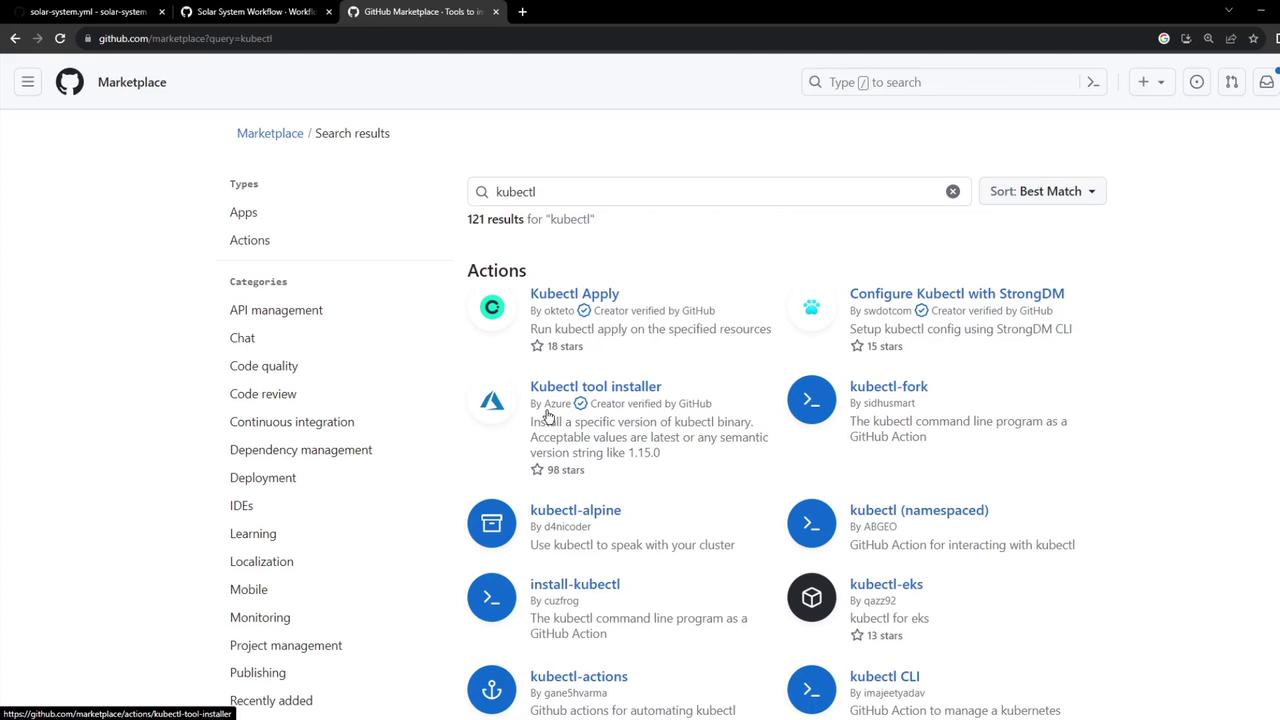
You can find the `azure/setup-kubectl` action in the GitHub Marketplace:
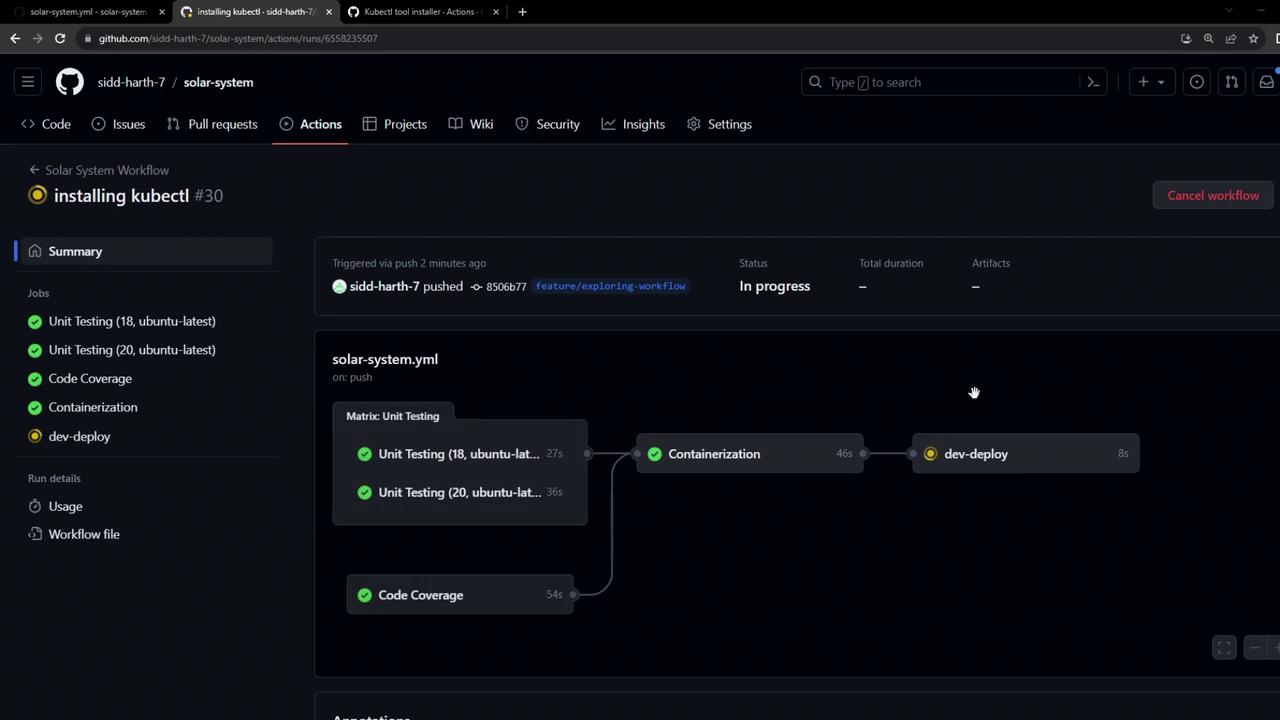
After committing with the message “Installing kubectl,” your workflow will trigger a new run:

You can then view the real-time progress of each step:
***
## Troubleshooting: Kubeconfig Required
If you see an error like this, it means `kubectl` has no cluster context:
```bash theme={null}
kubectl version --short
Client Version: v1.26.0
Error from server (Unauthorized): the server is currently unable to handle the request
```
You must provide a valid **Kubeconfig** so `kubectl` can authenticate with your Kubernetes API. Never commit this file to version control—store it as a [GitHub Secret](/docs/actions/reference/encrypted-secrets).
A typical `kubeconfig` looks like this:
```yaml theme={null}
apiVersion: v1
kind: Config
preferences: {}
clusters:
- cluster:
certificate-authority-data:
server: https://example.k8s.cluster:6443
name: my-cluster
contexts:
- context:
cluster: my-cluster
namespace: default
user: my-cluster-admin
name: my-cluster-context
current-context: my-cluster-context
users:
- name: my-cluster-admin
user:
client-certificate-data:
client-key-data:
```
### Using the Kubeconfig in Your Workflow
1. **Add the Kubeconfig** as a secret, e.g., `KUBECONFIG_DATA`.
2. **Inject it** into the runner and write it to `~/.kube/config`:
```yaml theme={null}
- name: Configure Kubeconfig
run: |
mkdir -p ~/.kube
echo "${{ secrets.KUBECONFIG_DATA }}" | base64 --decode > ~/.kube/config
```
With this step in place, your `dev-deploy` job will authenticate successfully and you’ll see both version and node information printed.
***
## Links and References
* [GitHub Actions: Workflow Syntax](https://docs.github.com/actions/using-workflows/workflow-syntax-for-github-actions)
* [azure/setup-kubectl Action](https://github.com/Azure/setup-kubectl)
* [Kubernetes Configuration Docs](https://kubernetes.io/docs/concepts/configuration/organize-cluster-access-kubeconfig/)
* [GitHub Secrets](https://docs.github.com/actions/security-guides/encrypted-secrets)