> ## Documentation Index
> Fetch the complete documentation index at: https://notes.kodekloud.com/llms.txt
> Use this file to discover all available pages before exploring further.
# What are Custom Actions
> This article explains how to create and use custom GitHub Actions to enhance CI/CD pipelines with tailored scripts and containers.
Custom GitHub Actions empower you to extend and tailor your CI/CD pipelines beyond the capabilities of community-contributed workflows. By writing your own scripts or containers, you gain full control over specialized tasks, security requirements, and conditional logic.
## Why Create Custom Actions?
While the [GitHub Marketplace](https://github.com/marketplace?type=actions) offers a wealth of ready-made solutions—ranging from runtime setup and artifact transfers to Docker builds and Kubernetes deployments—you may still encounter gaps:
* Your project relies on proprietary or legacy systems that public actions don’t support.
* You need to orchestrate multi-step workflows with intricate conditional logic.
* Company policies mandate in-house code for security or compliance reasons.
* Existing actions lack the exact configurations or dependencies your build requires.
Custom actions bridge those gaps, giving you flexibility, reproducibility, and tighter integration with internal tools.
## Types of Custom Actions
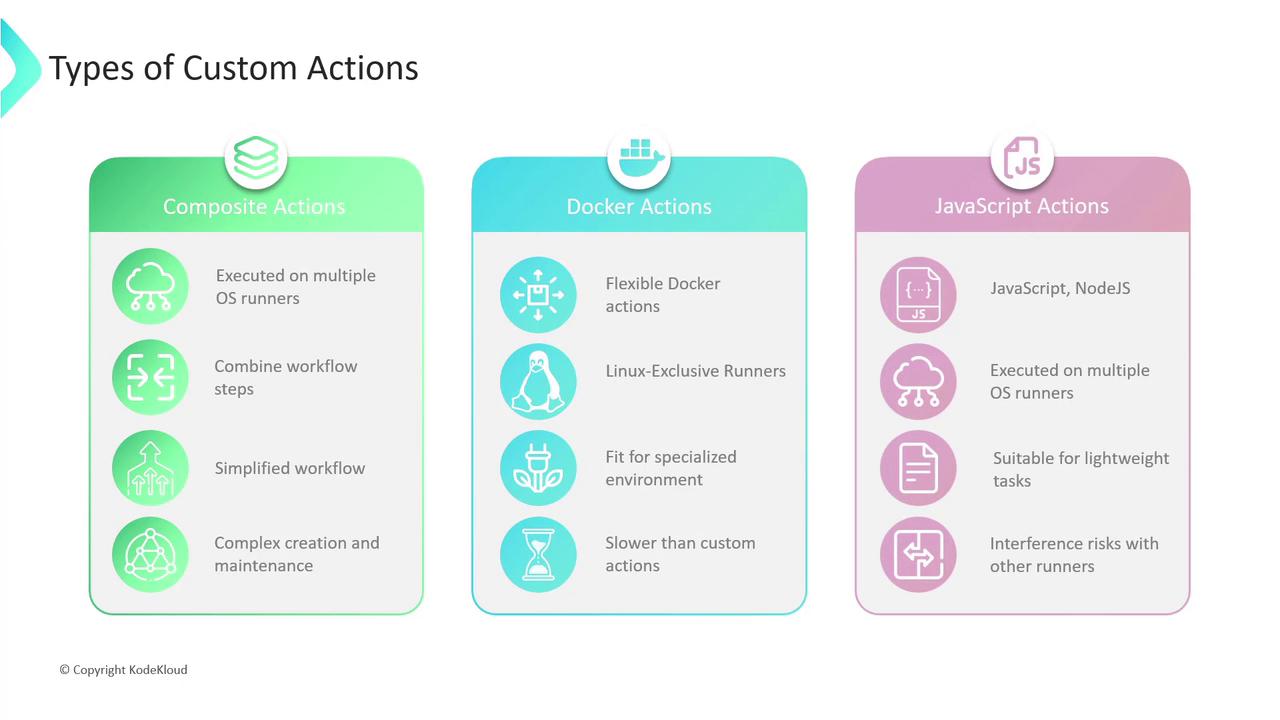
GitHub supports three primary action types. The table below offers a quick comparison:
| Action Type | Runner Support | Ideal Use Case |
| ------------------------ | ----------------------- | ----------------------------------------------- |
| Composite Actions | Linux · macOS · Windows | DRY workflows by grouping steps into one action |
| Docker Container Actions | Linux only | Full OS control & custom dependencies |
| JavaScript Actions | Linux · macOS · Windows | Fast startup & lightweight Node.js scripts |
### Composite Actions
Composite actions let you bundle multiple workflow steps into a single, reusable action. They simplify your `workflow.yml` and promote consistency across repositories.
* Benefits
* Encourages reuse and reduces duplication (DRY).
* No extra runtime environment required.
* Considerations
* Managing complex step dependencies can increase maintenance overhead.
Use composite actions to encapsulate common setup tasks, such as linting or test orchestration, across multiple repositories.
### Docker Container Actions
Docker container actions run a customized container image defined by your `Dockerfile`. This isolates dependencies and environment configurations.
* Pros
* Complete control over OS, libraries, and tools.
* Ideal for builds requiring non-standard system packages.
* Cons
* Adds Docker build and maintenance complexity.
* Slower startup due to container initialization.
Docker container actions are supported **only** on Linux runners. Ensure your workflows target the correct OS.
### JavaScript Actions
JavaScript (or TypeScript) actions leverage Node.js and the [@actions/\*](https://github.com/actions/toolkit) toolkit. They run directly on the runner machine for fast initialization.
* Advantages
* Cross-platform support (Linux, macOS, Windows).
* Quick startup and lightweight—perfect for simple I/O tasks.
* Trade-offs
* Less isolation compared to Docker; processes share the host environment.
* Node.js runtime dependency.
## Choosing the Right Action
1. **Simple Script vs. Complex Environment**\
– Use JavaScript actions for quick file operations or API calls.\
– Opt for Docker containers when you need specialized system libraries.
2. **Cross-Platform Requirements**\
– Composite and JavaScript actions both support macOS and Windows.\
– Docker actions run exclusively on Linux.
3. **Maintenance and Reusability**\
– Composite actions offer the best balance for grouping common steps.\
– JavaScript actions scale well for small utility tasks without container overhead.
## References
* [GitHub Actions Documentation](https://docs.github.com/en/actions)
* [GitHub Marketplace – Actions](https://github.com/marketplace?type=actions)
* [Actions Toolkit for JavaScript](https://github.com/actions/toolkit)