> ## Documentation Index
> Fetch the complete documentation index at: https://notes.kodekloud.com/llms.txt
> Use this file to discover all available pages before exploring further.
# Additional Matrix Configuration
> This guide explores advanced configurations for GitHub Actions matrix strategy, including excluding combinations, including custom pairs, and controlling job behavior.
In this guide, we’ll dive deeper into GitHub Actions’ matrix strategy. You’ll learn how to:
* Exclude unsupported combinations
* Include custom combinations
* Control failure behavior (`fail-fast`)
* Limit parallel jobs (`max-parallel`)
By default, if any matrix job fails, GitHub Actions cancels all in-progress or queued jobs. Also, all combinations run in parallel unless you configure otherwise.
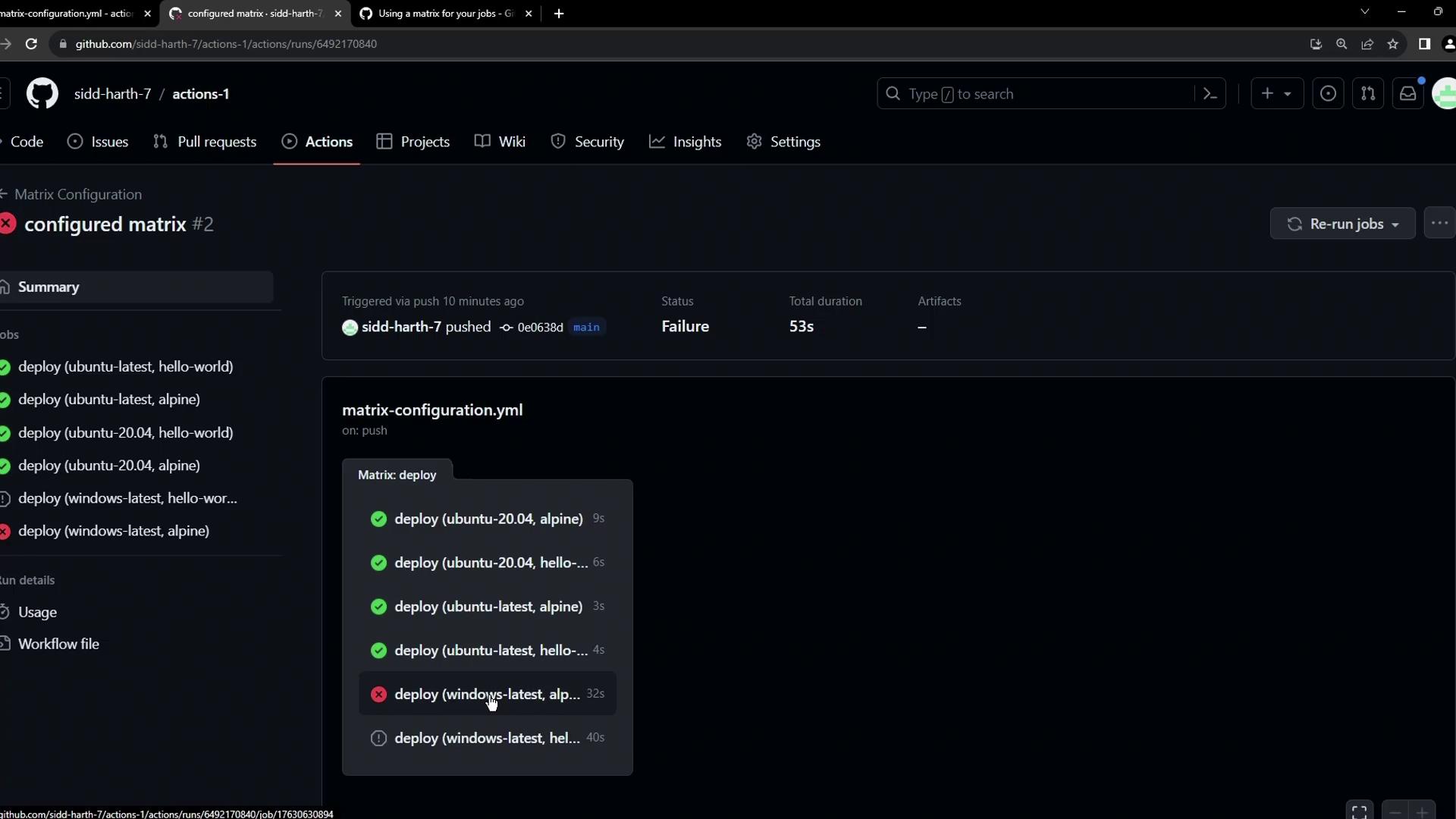
## 1. Excluding Specific Combinations
To prevent certain OS–image pairs (like Alpine on Windows) from running, use the `exclude` keyword under `strategy.matrix`:
```yaml theme={null}
# .github/workflows/deploy.yml
on:
workflow_dispatch:
jobs:
deploy:
runs-on: ${{ matrix.os }}
strategy:
matrix:
os: [ubuntu-latest, ubuntu-20.04, windows-latest]
images: [hello-world, alpine]
exclude:
- os: windows-latest
images: alpine
steps:
- name: Echo Docker Details
run: docker info
- name: Run Image on ${{ matrix.os }}
run: docker run ${{ matrix.images }}
```
With this configuration, GitHub Actions will skip the `windows-latest` + `alpine` job, reducing the total from six to five.
Excluding unsupported combinations helps save build minutes and avoids predictable failures.
## 2. Including Additional Combinations
Use `include` to add custom pairs beyond the default matrix. For instance, to run `amd64/alpine` only on Ubuntu 20.04:
```yaml theme={null}
# .github/workflows/deploy.yml
on:
workflow_dispatch:
jobs:
deploy:
runs-on: ${{ matrix.os }}
strategy:
matrix:
os: [ubuntu-latest, ubuntu-20.04, windows-latest]
images: [hello-world, alpine]
exclude:
- os: windows-latest
images: alpine
include:
- os: ubuntu-20.04
images: amd64/alpine
steps:
- name: Echo Docker Details
run: docker info
- name: Run Image on ${{ matrix.os }}
run: docker run ${{ matrix.images }}
```
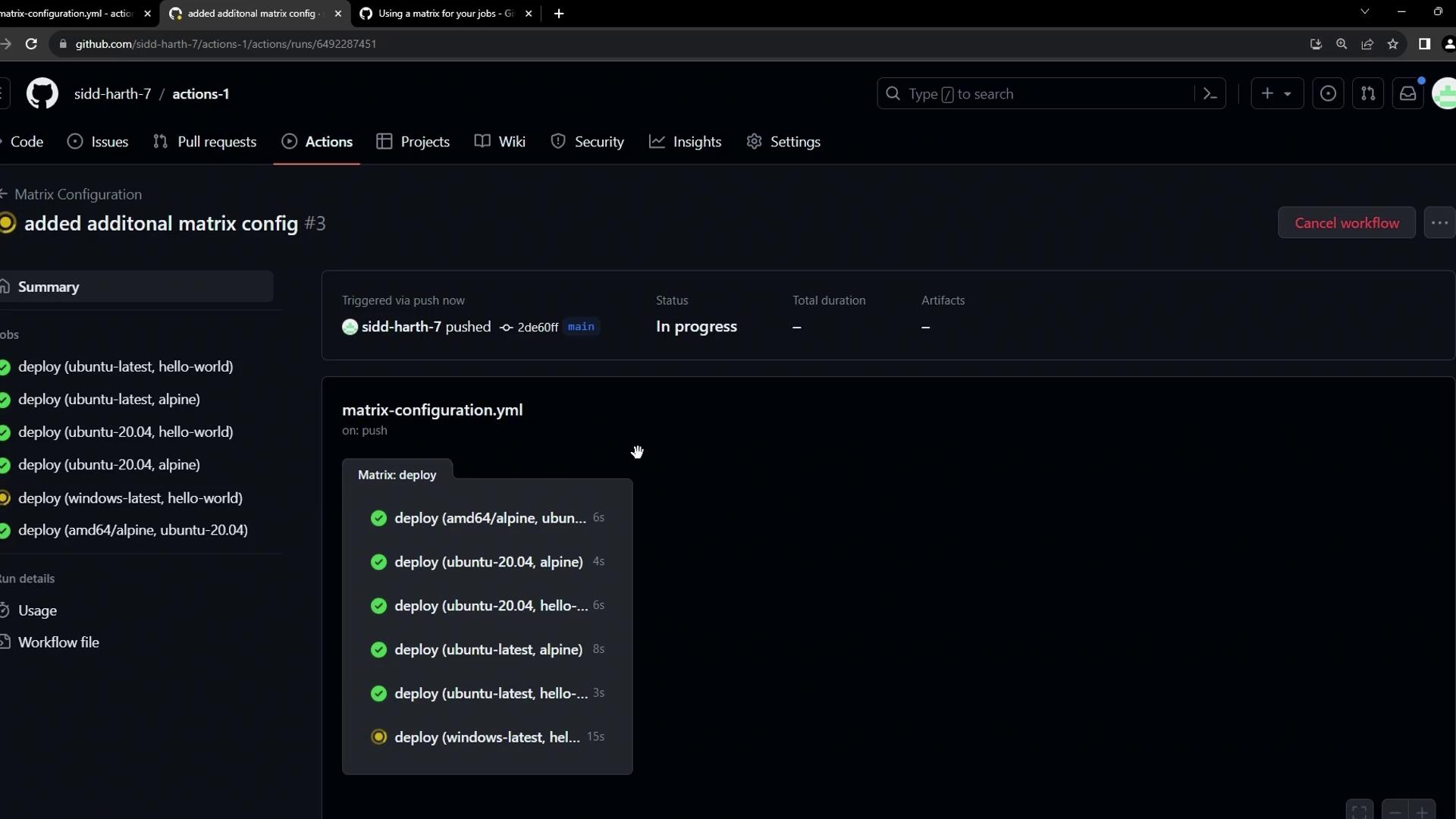
This ensures `amd64/alpine` builds only on Ubuntu 20.04, while still excluding Alpine on Windows.
## 3. Controlling Failure Behavior and Parallelism
By default, `fail-fast: true` cancels all remaining jobs if one fails. You can disable this and control concurrency:
```yaml theme={null}
# .github/workflows/deploy.yml
on:
workflow_dispatch:
jobs:
deploy:
runs-on: ${{ matrix.os }}
strategy:
fail-fast: false # Continue running all matrix jobs even on failure
max-parallel: 2 # Limit to 2 concurrent jobs
matrix:
os: [ubuntu-latest, ubuntu-20.04, windows-latest]
images: [hello-world, alpine]
exclude:
- os: windows-latest
images: alpine
include:
- os: ubuntu-20.04
images: amd64/alpine
steps:
- name: Echo Docker Details
run: docker info
- name: Run Image on ${{ matrix.os }}
run: docker run ${{ matrix.images }}
```
This setup runs only two jobs at a time. As each finishes, the next queued jobs start.
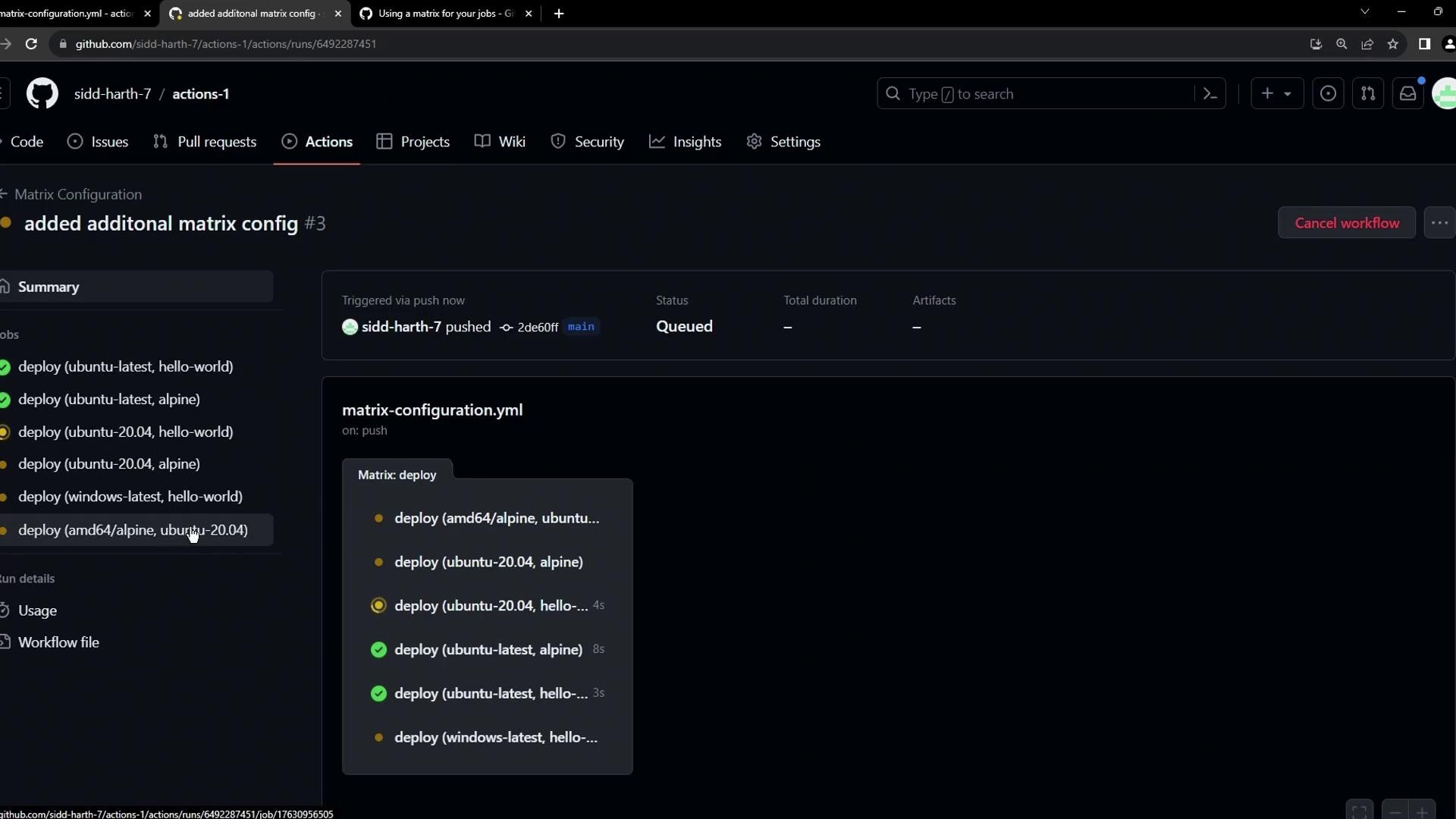
Notice Alpine is excluded on Windows, and `amd64/alpine` is included only on Ubuntu 20.04:
## Matrix Strategy Options at a Glance
| Option | Description |
| ------------ | --------------------------------------------------------------------------- |
| matrix | Defines axes (e.g., OS, images) to combine |
| exclude | Omits specific combinations |
| include | Adds custom combinations beyond the default |
| fail-fast | `true` (default) cancels on first failure; `false` runs all jobs regardless |
| max-parallel | Limits how many matrix jobs run concurrently |
## References
* [GitHub Actions Matrix Documentation](https://docs.github.com/en/actions/using-jobs/using-a-matrix)
* [GitHub Actions Workflow Syntax](https://docs.github.com/en/actions/using-workflows/workflow-syntax-for-github-actions)