> ## Documentation Index
> Fetch the complete documentation index at: https://notes.kodekloud.com/llms.txt
> Use this file to discover all available pages before exploring further.
# Cancelling and Skipping Workflows
> Learn to optimize CI pipelines by skipping unnecessary GitHub Actions runs and cancelling in-progress jobs.
Optimize your continuous integration (CI) pipeline by learning how to prevent unnecessary GitHub Actions runs and how to stop jobs that are already in progress. This guide covers:
* How to skip workflows using commit-message directives
* How to cancel an in-progress workflow from the GitHub UI
***
## Skipping Workflow Runs via Commit Messages
By including specific keywords in your commit messages, you can tell GitHub Actions to bypass workflow triggers for `push` and `pull_request` events. This is particularly useful when making non-code changes like documentation updates.
The directives below are case-insensitive and must appear anywhere in your **commit message**.
| Directive | Behavior |
| ------------------- | -------------------------------------------------- |
| `skip ci` | Skip all workflow runs for this commit |
| `ci skip` | Alias for `skip ci` |
| `no ci` | Skip all workflow runs for this commit |
| `skip-checks: true` | Add after two blank lines at end of commit message |
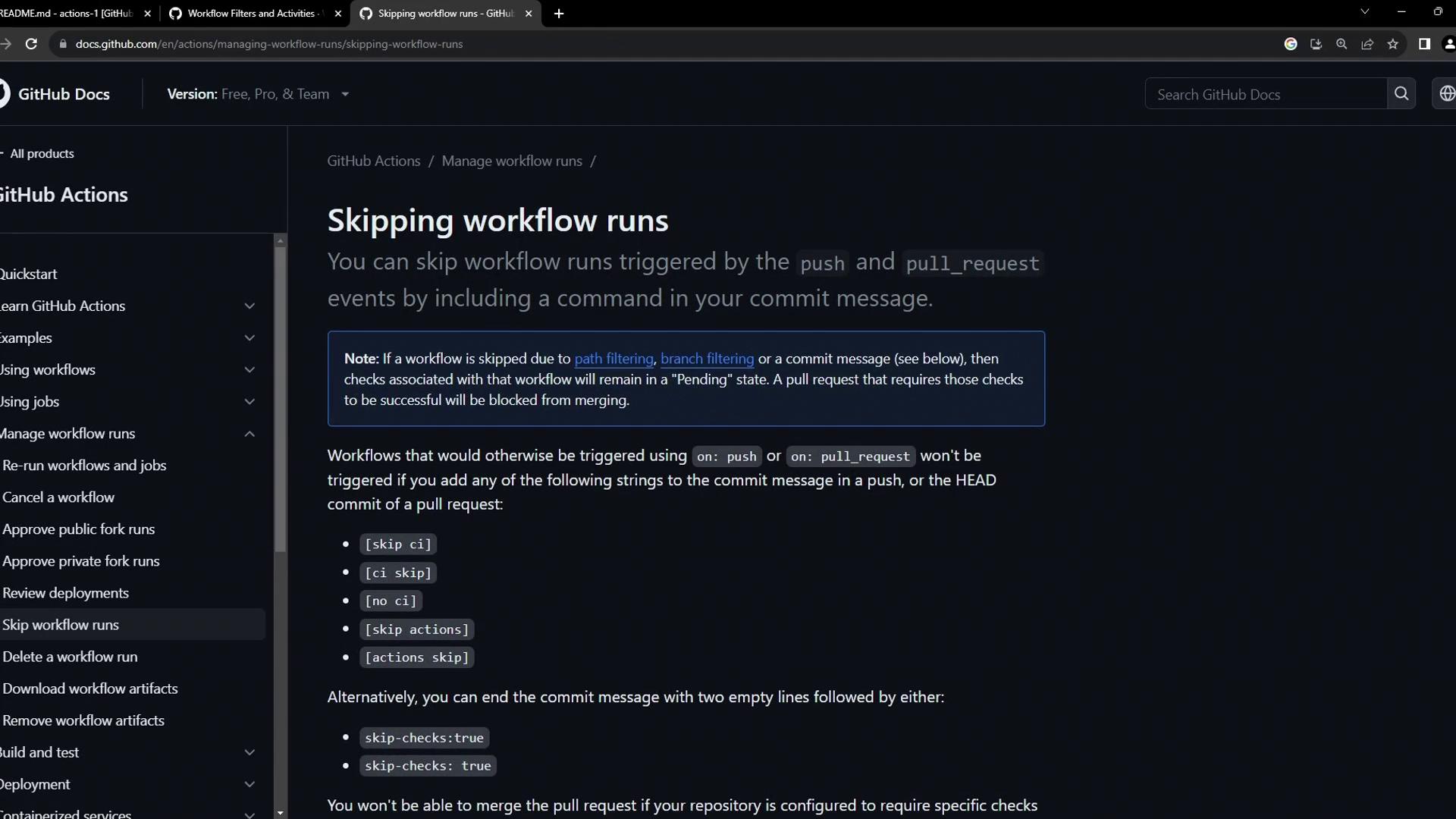
Skipping CI can hide build failures. Use these directives only for trivial changes (e.g., spelling fixes, docs).
***
## Example: Skipping Workflows for Documentation Changes
When you update files like `README.md`, you often don’t need to rebuild or redeploy your application. Here’s how to skip CI for pure documentation commits:

1. Edit your documentation file:
```bash theme={null}
git add README.md
git commit -m "Refresh markdown formatting [ci skip]"
```
2. Push the commit:
```bash theme={null}
git push origin main
```
3. Confirm no workflows ran by checking the **Actions** tab in your repository.
***
## Cancelling an In-Progress Workflow
If you realize a running workflow is no longer needed—perhaps it was triggered by mistake or contains a broken job—you can cancel it in just a few clicks:
1. Go to the **Actions** tab in your GitHub repository.
2. Click the workflow run that’s currently in progress.
3. Hit **Cancel workflow** in the upper-right corner of the run details page.
Your job will be immediately terminated, freeing up your runner capacity.
***
## Links and References
* [GitHub Actions Documentation](https://docs.github.com/en/actions)
* [Commit Message Guidelines](https://www.conventionalcommits.org/)
* [GitHub Actions: Skipping Workflows](https://docs.github.com/en/actions/learn-github-actions/avoiding-frequent-workflow-runs)