> ## Documentation Index
> Fetch the complete documentation index at: https://notes.kodekloud.com/llms.txt
> Use this file to discover all available pages before exploring further.
# Multi Line commands and Executing Third Party Libraries
> This guide explains how to chain shell commands and use third-party CLI tools in GitHub Actions.
In this guide, you’ll learn how to:
* Chain multiple shell commands in a single GitHub Actions step
* Install and invoke a third-party CLI tool (`cowsay`) on the Ubuntu runner
## Why Combine Commands in One Step?
By default, each `run` step in a job runs in its own shell session. This can lead to redundant setup and slower workflows. Using YAML’s pipe syntax (`|`) lets you:
* Share the same shell environment
* Reduce runner overhead
* Improve readability
Every `run` step runs in a fresh shell. Use multi-line commands to keep related tasks together.
### Separate `run` Steps Example
```yaml theme={null}
name: My First Workflow
on: push
jobs:
first_job:
runs-on: ubuntu-latest
steps:
- name: Checkout Repo
uses: actions/checkout@v4
- name: Welcome message
run: echo "My first GitHub Actions Job"
- name: List files
run: ls
- name: Read file
run: cat README.md
```
### Single Multi-Line `run` Step
```yaml theme={null}
name: My First Workflow
on: push
jobs:
first_job:
runs-on: ubuntu-latest
steps:
- name: Checkout Repo
uses: actions/checkout@v4
- name: List and Read files
run: |
echo "My first GitHub Actions Job"
ls -ltra
cat README.md
```
## Executing a Third-Party CLI (`cowsay`)
Suppose you want to generate ASCII art using `cowsay`. Since it isn’t installed by default on the Ubuntu runner, invoking it directly will fail:
```yaml theme={null}
- name: Generate ASCII Artwork
run: cowsay -f dragon "Run for cover, I am a DRAGON....RAWR" >> dragon.txt
```
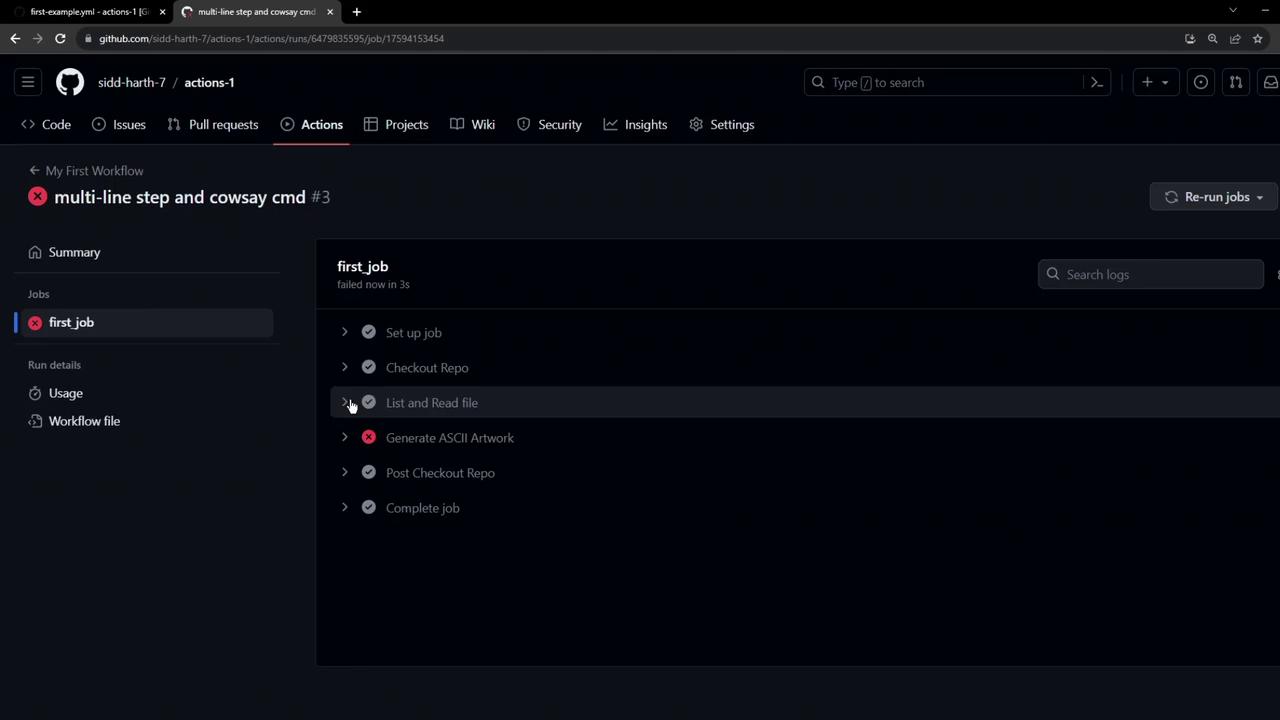
The error indicates that `cowsay` is not found.
Non-native tools must be installed before you can use them in your workflow.
### Installing and Running `cowsay`
Add an installation step and then run the command:
```yaml theme={null}
name: My First Workflow
on: push
jobs:
first_job:
runs-on: ubuntu-latest
steps:
- name: Checkout Repo
uses: actions/checkout@v4
- name: Install cowsay
run: sudo apt-get update && sudo apt-get install -y cowsay
- name: Generate ASCII Artwork
run: |
cowsay -f dragon "Run for cover, I am a DRAGON....RAWR" >> dragon.txt
cat dragon.txt
```
## Quick Reference Table
| Task | Command | |
| --------------------------- | ----------------------------------------- | ---------------------------------- |
| Update package lists | `sudo apt-get update` | |
| Install `cowsay` | `sudo apt-get install -y cowsay` | |
| Chain commands in one step | Use \`run: | \` with each command on a new line |
| Invoke third-party CLI tool | `cowsay -f "message" > output.txt` | |
## Links and References
* [GitHub Actions `run` Syntax](https://docs.github.com/actions/using-workflows/workflow-syntax-for-github-actions#jobsjob_idstepsrun)
* [cowsay Package on Ubuntu](https://packages.ubuntu.com/)
* [Using Third-Party Actions in Workflows](https://docs.github.com/actions/using-jobs/using-third-party-actions-in-workflows)